

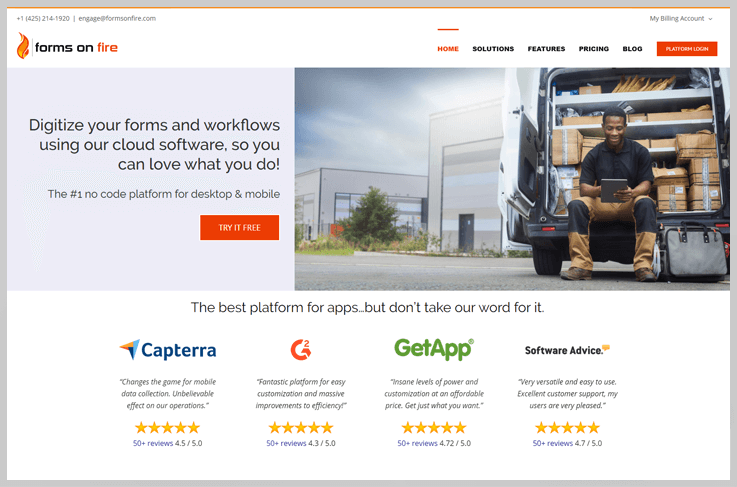
Replace your paper forms with smartphones and tablets using our mobile forms cloud software. No programming experience necessary.
Forms On Fire is a cloud-based forms automation solution for data collection and workflow task management. The solution replaces paper forms used by agents in the field with digital forms. Businesses can put their own logo in forms and develop their own branded solutions for data collection. The solution also provides offline access to users for collecting data in forms, which can later be synchronized with the database when internet access is available. Forms on Fire captures GPS, audio files, signatures and bar codes into digital forms.
| Founder Name | Kendall Kunz |
| Established Date | 2012 |
| Country | United States |
| Platform | Cloud, SaaS, Web, Installed – Windows, Mobile – iOS/Android Native |
| Support | Phone, Email |
| Demo and Training | In Person, Live Online, Webinars, Documentation |
| Category | Form Builder, Mobile Forms Automation Software |
Rating
- Capterra – 4.7 by 58 people
- GetApp – 4.67 by 58 people
- G2 Crowd – 4.4 by 70 people
Features
| Capture info on the go. | Works offline or online | No coding required. |
| Advance Analytics | Access Controls/Permissions | Archiving & Retention |
| Collaboration | Forms Creation & Design | Full Text Search |
| Process/Workflow Automation | Version Control | Customizable Branding |
| Drag & Drop Interface |
Sign up Process
For Signup, you just need to verify your email.
Pricing
Free Trial – Offer a 14 day free trial.
- Standard Edition- $24 per month
- Premium Edition- $30 per month
- Premium Plus Edition- $35 per month
Pros |
Cons |
|
|
Clients
PARSONS, PRINCETON UNIVERSITY, Get Transportation, MLS, UBIC, Aviat Networks, Spague, DON, AitPoint
Supported Form Fields Type
| Screen title | Data name | Page title |
| Title Text | Hint Text | Address |
| Name | Location | Number |
| Radio | Checkbox | Date |
| time |
Integrations
Amazon AWS, Microsoft Azure, Box, Dropbox, Google Drive, Microsoft OneDrive, FTP/SFTP, Microsoft SharePoint, Google Sheets, Microsoft SQL Server, Microsoft PowerBI, Google BigQuery, Twilio, Zapier, OPEN REST API

