

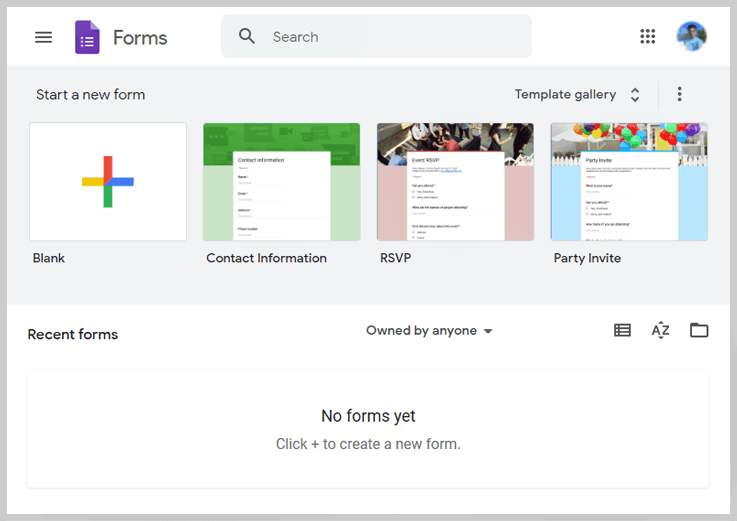
Create a new survey and edit it with others at the same time. Choose from a variety of pre-made themes or create your own. Free with a Google account.
Google Forms is a free form builder platform that enables users and business owners to create questionnaires and surveys online in order to collect and organize information, simple or complex. The forms can be easily shared among other members of the community using a web URL.
| Founder Name | Google LLC |
| Established Date | 2008 |
| Country | Mountain View, California |
| Platform | Cloud, SaaS, Web |
| Support | |
| Demo and Training | Live Online, Documentation |
| Category | Form Builder |
Rating
- Capterra – 4.7 by 3336 people
- GetApp – 4.67 by 3336 people
- G2 Crowd – 4.6 by 9084 people
Features
| Surveys | Questionnaires | Custom forms |
| Drag-and-drop | Customize values | Reorder questions |
| Add images, videos, and custom logic | Real-time response information | Automatic summaries |
| Access control | Data validation rules | Collect & organize information |
| Create polls & pop quizzes | Customizable branding | Curated themes |
| Multiple choice | Dropdowns | Page branching |
| Question skip logic | Responsive forms | Real-time response charts |
| Export to Google Sheets | Multi-user collaboration |
Sign up Process
The user need to sign up in Google to use Google Forms.
Pricing
Free Trial – Its freely available.
- You don’t need to spend even a single penny for accessing the amazing features of this form builder.
Pros |
Cons |
|
|
Clients
DB Corp Ltd, All Nippon Airways, Whirpool, WoolWorths, Andela, Anymind Group, Atlassian, BBVA, BCi, Aveve Group, Buffalo Tours, Broadcom, BPER Banca. Apart from these, there are 500 more small corporations using Google Forms.
Supported Form Fields Type
| Title | Description | Images |
| Videos | Section | Short Answer |
| Paragraph | Multiple Choice | Check boxes |
| Dropdown | File Upload | Linear Scale |
| Multiple Choice Grid | CheckBox grid | Date and Time |
Integrations
ActiveCampaign, Authorize.net, BigCommerce, Campaign Monitor, Constant Contact, Facebook, Google Analytics, Magento, Mailchimp, PayPal, Post Affiliate Pro, QuickBooks, Salesforce Sales Cloud, Shopify, Stripe, WooCommerce, WordPress, Xero, Zapier, Zendesk

