

Leads are important for any business to be successful. However, most startups and businesses fail to gather leads consistently. They often find it really hard to gather right leads for their business that they can convert into their customers in long run.
There are lots and lots of ways in which leads can be generated. Lead generation however is an art and you need to try out lots of leads generation methods before you can find out the one specific method that works 100% perfectly for you.
I will be writing this guide to show you various lead generation methods that you can leverage in your business to grow it. I have tried lots of lead generation methods personally in my business and would be writing about some of them which are really great out of the crowd.
1. Leverage Other Networks for Lead Generation
There are lots of networks where lots of people flock in numbers. I have personally found that if you could somehow share your content or something interesting that audience on that specific network would like you could actually grow your leads data out of that network.
Let me give you some practical examples:
A. Warrior Forum
I am long time member of Warrior Forum which is a forum for internet marketers.
I do like sharing my knowledge on the network which actually shows my expertise in the forum. Lots of people often get connected with me when they see my interesting comments or thoughts on variety of things.
At the same time, every once in a while, I release some of my products or giveaway free guides in the network. People buy or download my free guides on the network in return I get leads out of the network. Basically I try to leverage existing networks audience to build and generate leads for my business.
B. WordPress.org
I am believer of building and sharing free products that people can use without having to pay for them. I have personally created lots of WordPress Themes and plugins which are available on WordPress.org network for entirely free. People often download them and at the same time I get lots of free leads out of it.
2. Capture Inbound Leads
You have to be smart to capture leads from out of your own network. But you have to be way more smarter to make sure that any one who comes over to your website directly or by referral should be captured as you leads. Now lot of people make this mistake that they don’t leverage their own network in entirety to capture leads. I know because I have done this mistake myself a lot of time.
I will give you some smarted ways to make sure that you capture every single possible leads out of your network.
A. Capture Leads using Smart Widgets
Lots of people usually have contact page on their website. But often time, I have seen that those contact forms are often limited and are shown on just one specific page on their website. Things shouldn’t be that way. You should be creative and smart enough to find widget which can actually show your contact form on every single page on your site.
Slide in widget is the solution for that.
Shameless Promotion: FormGet comes with a smart sliding widget which shows up on every page on your site.
If you have a widget which capture leads from every single page of the website, you increase your chances of lead generation manifolds compared to your widget present on just a single contact page on your site.
B. Interrupt Them
You can increase your chances of lead generation manifold by presenting your offers or something interesting using some interrupting medium.
This is one of the reasons popups are very popular since they increase the chance of lead generation. People nowadays don’t have time to see you non-interrupting lead generating form somewhere on your website.
If you could smartly present something interesting and in a interrupting way, people would be more than happy to give you their emails.
I have a interesting case study on “How interruptions can actually double your lead generation”
The smart slide in widget that I referenced in the point above has a great evolution story.
Earlier we used to present the smart widget in a non-interrupting way and used to show it on all the pages. The flow used to go like this:
The little red colored slide in tab widget used to stick on right side of the screen. People noticed it and clicked it and than they can fill and basically submit the forms.
Earlier it was non-interrupting and people have to click it to view it.
We introduced a interrupting medium to show the widget few months later, the only change that we did was that rather than it getting stuck on the right. Once the visitors spend few seconds on the page, it used to popup out automatically basically interrupting the users at the right time.
To out amazement the day we started doing that, our submissions through forms went roof. We have twice as many submissions as we used to have when the widget was non-interrupting.
So, if you are not doing it yet. Interrupting is the way to go.
Some things worth trying: Popups, Auto Slide-in widgets etc.
C. Offer Content Upgrades
You have a great content. People love it. You can actually build a upgrade content on the top of initial great content and give it to people in return of them giving you their emails.
I saw that for the first time on a website which was giving away lots of amazing free content for the readers and at the same time, they blocked certain free content that people can see only when they signup.
One interesting example that comes to my mind is of Quora.
Quora is a question-and-answer website where questions are asked, answered, edited and organized by its community of users. Quora built their network initially in the same way by offering content upsells. They used to show one relevant answer for any question on Quora. If the users want to see more, they would have to register to view all the answers on any specific question. This simple thing increased their leads generation tremendously.
We personally build a WordPress plugin which did that and it increased our leads generating manifold. I would be attaching the plugin for free download here.
3. Capturing Leads You Already Have
Often we get so obsessed by the idea of capturing new leads that we often forget to gather leads that are already with us. Those leads that are already with you can be your initial potential customers in your startup.
Few good places to look for those leads:
A. Your Inbox (Gmail, Yahoo whatever)
There are lots of fantastic email extraction tools that can mine emails out of your email inbox and those can be your initial potential leads which can become your initial customers. Lots of people miss to get them out.
B. Your old contact form on your website
Your old contact form on your website that you have since long time might have gathered lots of leads overtime. You can extract those leads in some way and use them as your initial seed list. Last time I extracted all the emails from my 2 year old contact form on my website, I got more that 2400+ emails out of my rusty contact form. I didn’t missed to leverage it.
I used Gravity Form earlier and found a way to extract emails from messages. I use FormGet now which has a built-in mechanism for lead extraction from lead forms.
C. WordPress Comments System
My website is built on WordPress, you might be using something as well along the line. If you have a commenting system on your website. You can actually extract those emails out from your comments and use them as your leads for your business.
You can use this plugin to do that easily: https://wordpress.org/plugins/commenter-emails/
D. Your old Customers
Don’t forget your old customers can be your potential new customers for your new products or services. So don’t miss to leverage them for your new startup or business.
Conclusion
There are lots of other amazing things and ideas to generate your initial leads for your business. You can actually try lots of different things to see which one works perfectly for you.
You could leverage social networks like LinkedIn groups or Facebook groups to see if you could share something interesting in bigger groups and get them to navigate to your landing pages which has some free guides or something else interesting for the audience and basically leverage that existing groups audience to generate leads out for your business.
Takeaway: One key takeaway while generating leads is that never ever spam any system. The only way to generate quality leads is by giving away great things to the audience. That includes showing your expertise in the other networks or sharing freebies or doing something interesting that people would actually love to become your potential customers themselves. It is all about them getting pulled towards you rather than you trying to push onto you.
Feel free to share your amazing lead generating tactics that can help to generate leads efficiently.
You may also like –
- FormGet Coding Script Marketplace
- Joomla Contact Form Plugin
Pizza Order System with PayPal Using PHP

PayPal is a trusted leader in online payments which enables buyers and businesses to send and receive money online.
In our previous blog we have already seen, PayPal integration in PHP with many different modes like PayPal PHP Integration, PayPal OAuth, PayPal Express Checkout, PayPal Mass Payment, PayPal IPN, Paypal Recurring Payments and many more.
Using PayPal, we can make a website which gets pizza order by a user where the user can pay the amount using PayPal. Here the user can select the size of pizza, which is small, medium and large and also add topping to their pizza as well, and pay the final cost of pizza using PayPal.
In this blog post, we are going to demonstrate an example how Pizza order system work using PHP and PayPal.
Watch the live demo or download code from the link given below
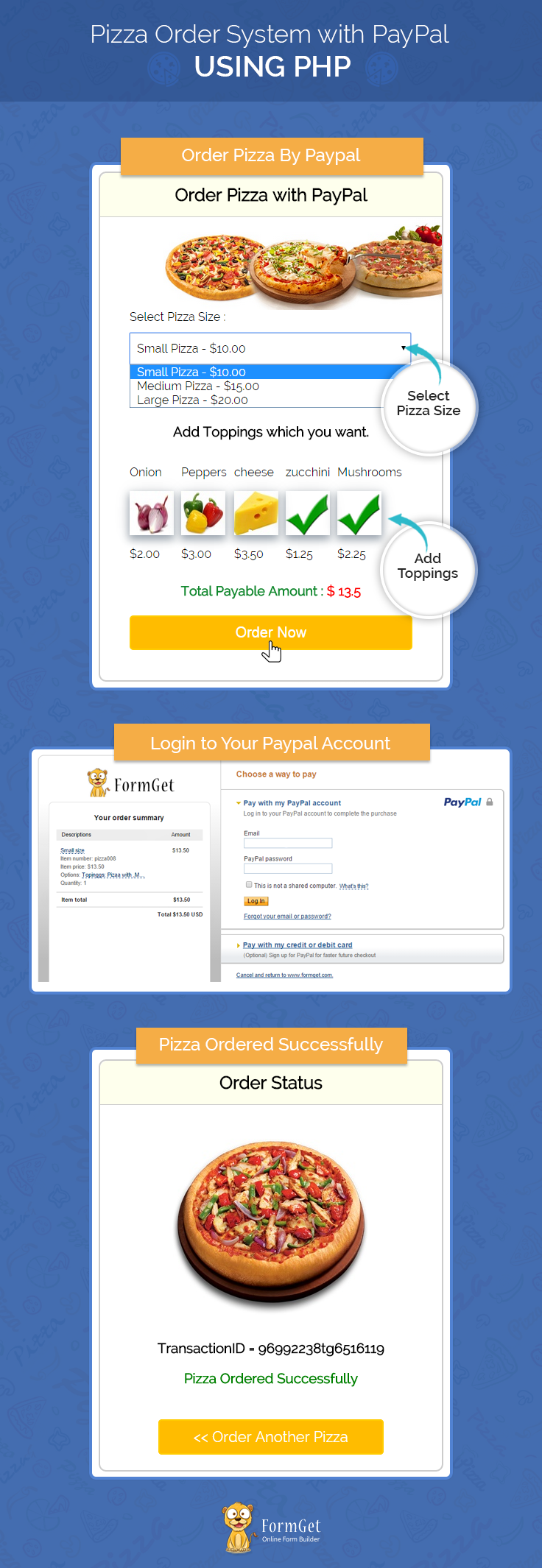
Note : PayPal offers sandbox account for development and testing purpose. Here we are using Sandbox for the demo, so if you would like to test our demo you can use your PayPal sandbox credentials.
If you want to run script to your live projects just change the $paypal_url on process.php page
//Paypal url for live
$paypal_url = 'https://www.paypal.com/cgi-bin/webscr';
//PayPal url for testing
$paypal_url = 'https://www.sandbox.paypal.com/cgi-bin/webscr';
You can also refer the PHPProjectInstall.pdf file given in the download code folder.
Tutorial Scripts in detail
Below are the details of the code used in this tutorial with proper explanation.
Index.php
This file contains code for Pizza details where buyers can select pizza size and add their favorite toppings.
<html>
<head>
<title>Pizza order System with PayPal Using PHP</title>
<link rel="stylesheet" type="text/css" href="css/style.css">
<script src="js/jquery.min.js"></script>
<!-- jQuery code for implement logic for select pizza size and add toppings checkbox -->
<script type="text/javascript">
$(document).ready(function () {
var size = 0;
$('select').change(function () {
size = ($(this).val());
addValue(size);
});
addValue(size);
function addValue(size) {
var total = 0;
function updateTextArea() {
var allVals = [];
$('#checkbox_container :checked').each(function () {
allVals.push($(this).val());
});
if (size === 0) {
size = 10;
}
total = parseFloat(size) + parseFloat(eval(allVals.join("+")));
if (isNaN(total)) {
if (size === 0) {
total = 10;
}
else {
total = size;
}
}
$('p#total span').html(" $ " + total);
}
$(function () {
$('#checkbox_container input').click(updateTextArea);
updateTextArea();
});
}
});
</script>
</head>
<body>

<div id="main">
<center><h1> Pizza Order System with PayPal Using PHP</h1></center>
<div id="container">
<h2>Order Pizza with PayPal</h2>
<hr/>
<img id="pizza" src="images/pizza.jpg" />

<form action="process.php" method="post">
<label>Select Pizza Size :</label>
<select name="pizza_type" >
<option value="10">Small Pizza - $10.00</option>
<option value="15">Medium Pizza - $15.00</option>
<option value="20">Large Pizza - $20.00</option>
</select>
<br><br>
<center><h3>Add Toppings which you want. </h3></center>
<div id="checkbox_container">
<div id="chk">
<p>Onion</p>
<input class ="chk1" type='checkbox' name='topping1' value='2.00' id="topping1"/><label class ="chk1" for="topping1"></label>
<p>$2.00</p>
</div>
<div id="chk">
<p>Peppers</p>
<input class ="chk2" type='checkbox' name='topping2' value='3.00' id="topping2"/><label class ="chk2" for="topping2"></label>
<p>$3.00</p>
</div>

<div id="chk">
<p>cheese</p>
<input class ="chk4" type='checkbox' name='topping4' value='3.50' id="topping4"/><label class ="chk4" for="topping4"></label>
<p>$3.50</p>
</div>

<div id="chk">
<p>zucchini</p>
<input class ="chk5" type='checkbox' name='topping5' value='1.25' id="topping5"/><label class ="chk5" for="topping5"></label>
<p>$1.25</p>
</div>
<div id="chk">
<p>Mushrooms</p>
<input class ="chk3" type='checkbox' name='topping3' value='2.25' id="topping3"/><label class ="chk3" for="topping3"></label>
<p>$2.25</p>
</div>
</div>
<center><p id="total" >Total Payable Amount : <span>$ 20 </span></p></center>
<input type="submit" value=" Order Now " name="submit">
</form>
</div>
<img id="paypal_logo" src="images/secure-paypal-logo.jpg">
</div>
</body>
</html>
Process.php
This file contains code to process payment to PayPal.
<?php
if (isset($_POST['submit'])) {
// initialized toppings variable for amount
$topping1 = 0;
$topping2 = 0;
$topping3 = 0;
$topping4 = 0;
$topping5 = 0;
// Initialized toppings variable for name
$topping_name1='';
$topping_name2='';
$topping_name3='';
$topping_name4='';
$topping_name5='';
// Add sandbox or paypal url mode
$paypal_url = 'https://www.sandbox.paypal.com/cgi-bin/webscr';
// Add merchant's email id
$merchant_email = '[email protected]';
// Add retun URL for your website
$cancel_return = "http://localhost/pizza-paypal/index.php";
// Add success page URL for your website, this will call when customer done PayPal payment process
$success_return = "http://localhost/pizza-paypal/success.php";
$pizza_type = $_POST['pizza_type'];
if ($pizza_type == 10) {
$pizza_name = 'Small size';
} else if ($pizza_type == 15) {
$pizza_name = 'Medium Pizza';
} else if ($pizza_type == 20) {
$pizza_name = 'Large Pizza';
}
if (isset($_POST['topping1'])) {
$topping1 = 2.00;
$topping_name1 = ',Onion';
}
if (isset($_POST['topping2'])) {
$topping2 = 3.00;
$topping_name2 = ',Peppers';
}
if (isset($_POST['topping3'])) {
$topping3 = 2.25;
$topping_name3 = ',Mushrooms';
}
if (isset($_POST['topping4'])) {
$topping4 = 3.50;
$topping_name4 = ',cheese';
}
if (isset($_POST['topping5'])) {
$topping5 = 1.25;
$topping_name5 = ',zucchini';
}
$currency = 'USD';
//Makeing total payable amount
$pizza_price = $pizza_type + $topping1 + $topping2 + $topping3 + $topping4 + $topping5;
//Makeing final topping details which is show on paypal before checkout
$pizza_topping_details = "Pizaa with ".$topping_name1.$topping_name2.$topping_name3.$topping_name4.$topping_name5;

?>
<htm>
<head>
<title>Processing to Paypal</title>
</head>
<body>
<div style="margin-left: 38%"><img src="images/ajax-loader.gif"/><img src="images/processing_animation.gif"/></div>
<!--In below form putting all PHP variables to their respective place -->
<form name="myform" action="<?php echo $paypal_url; ?>" method="post" target="_top">
<input type="hidden" name="cmd" value="_xclick">
<input type="hidden" name="business" value="<?php echo $merchant_email; ?>">
<input type="hidden" name="lc" value="C2">
<input type="hidden" name="item_number" value="pizza008">
<input type="hidden" name="item_name" value="<?php echo $pizza_name; ?>">
<input type="hidden" name="amount" value="<?php echo $pizza_price; ?>">
<input type="hidden" name="currency_code" value="<?php echo $currency; ?>">
<input type="hidden" name="button_subtype" value="services">
<input type="hidden" name="no_note" value="0">
<input type="hidden" name="on0" value="Topinggs">
<input type="hidden" name="os0" value="<?php echo $pizza_topping_details; ?>">
<input type="hidden" name="cancel_return" value="<?php echo $cancel_return ?>">
<input type="hidden" name="return" value="<?php echo $success_return; ?>">
</form>
<!--At last submit that form to paypal -->
<script type="text/javascript">
document.myform.submit();
</script>
</body></htm>
<?php } ?>
Success.php
PayPal call this file when payment gets successfully completed and provide $_REQUEST array which contains product id, PayPal transaction ID, PayPal received amount value, PayPal received currency type and PayPal product status which is displayed in this page.
<html>
<head>
<title>Pizza order System with PayPal Using PHP</title>
<link rel="stylesheet" type="text/css" href="css/style.css">
</head>
<body>
<div id="main">
<center><h1> Pizza Order System with PayPal Using PHP</h1></center>
<div id="container">
<h2>Order Status</h2>
<hr/>
<!-- checking success details by PHP $_REQUEST array -->
<img id="pizza-success" src="images/pizza-success.jpg">
<center> <h3>TransactionID = <?php
if (isset($_REQUEST['st'])) {
echo $_REQUEST['tx'];
}
?> </h3></center>
<?php if (isset($_REQUEST['st']) == 'completed') { ?>
<center><h3 style="color:green;">Pizza Ordered Successfully</h3></center>
<?php } else { ?>

<center><h3 style="color:red;">Sorry Try Again</h3></center>
<?php } ?>
<br><br>
<center><a id="backTopizza" href="index.php" ><< Order Another Pizza</a></center>
<br><br>
</div>
<img id="paypal_logo" src="images/secure-paypal-logo.jpg">
</div>
</body>
</html>
Style.css
Includes basic styling of HTML elements.
@import url(http://fonts.googleapis.com/css?family=Raleway);
#main{
width:960px;
margin:50px auto;
font-family:raleway;
}
span{
color:red;
}
h2{
background-color: #FEFFED;
text-align:center;
border-radius: 10px 10px 0 0;
margin: -10px -40px;
padding: 15px;
}
hr{
border:0;
border-bottom:1px solid #ccc;
margin: 10px -40px;
margin-bottom: 30px;
}
select{
width:99.5%;
padding: 10px;
margin-top: 8px;
border: 1px solid #ccc;
padding-left: 5px;
font-size: 16px;
font-family:raleway;
}
#container{
width: 40%;
float: left;
border-radius: 10px;
font-family:raleway;
border: 2px solid #ccc;
padding: 10px 40px 25px;
margin-top: 20px;
margin-left: 25%;
}
input[type=submit]{
width: 100%;
background-color:#FFBC00;
color: white;
border: 2px solid #FFCB00;
padding: 10px;
font-size:20px;
cursor:pointer;
border-radius: 5px;
}
#pizza{
width: 378px;
height: 125px;
margin-left: 46px;
margin-top: -29px;
}
input[type=checkbox] {
display:none;

}
#chk{
float: left;
margin-right: 10px;
}
input.chk1 + label.chk1{
background: url(../images/onion.jpg) no-repeat;
box-shadow: rgb(153, 163, 173) 0px 5px 17px 1px, rgb(238, 238, 238) 0px 0px 40px;
background-size: 60px 60px;
height: 60px;
width: 60px;
display:inline-block;
padding: 0 0 0 0px;
cursor:pointer;
transition: all .2s ease-in-out;
}
input.chk1 + label.chk1:hover{
transform: scale(1.1);
}
input.chk1:checked + label.chk1{
background: url(../images/right.png) no-repeat;
background-size: 60px 60px;
height: 60px;
width: 60px;
display:inline-block;
padding: 0 0 0 0px;
}
input.chk2 + label.chk2{
background: url(../images/peppers.jpg) no-repeat;
box-shadow: rgb(153, 163, 173) 0px 5px 17px 1px, rgb(238, 238, 238) 0px 0px 40px;
background-size: 60px 60px;
height: 60px;
width: 60px;
display:inline-block;
padding: 0 0 0 0px;
cursor:pointer;
transition: all .2s ease-in-out;
}
input.chk2 + label.chk2:hover{
transform: scale(1.1);
}
input.chk2:checked + label.chk2{
background: url(../images/right.png) no-repeat;
background-size: 60px 60px;
height: 60px;
width: 60px;
display:inline-block;
padding: 0 0 0 0px;
}

input.chk3 + label.chk3{
background: url(../images/mushrooms.jpg) no-repeat;
box-shadow: rgb(153, 163, 173) 0px 5px 17px 1px, rgb(238, 238, 238) 0px 0px 40px;
background-size: 60px 60px;
height: 60px;
width: 60px;
display:inline-block;
padding: 0 0 0 0px;
cursor:pointer;
transition: all .2s ease-in-out;
}
input.chk3 + label.chk3:hover{
transform: scale(1.1);
}
input.chk3:checked + label.chk3{
background: url(../images/right.png) no-repeat;
background-size: 60px 60px;
height: 60px;
width: 60px;
display:inline-block;
padding: 0 0 0 0px;
}

input.chk4 + label.chk4{
background: url(../images/cheese.jpg) no-repeat;
box-shadow: rgb(153, 163, 173) 0px 5px 17px 1px, rgb(238, 238, 238) 0px 0px 40px;
background-size: 60px 60px;
height: 60px;
width: 60px;
display:inline-block;
padding: 0 0 0 0px;
cursor:pointer;
transition: all .2s ease-in-out;
}
input.chk4 + label.chk4:hover{
transform: scale(1.1);
}
input.chk4:checked + label.chk4{

background: url(../images/right.png) no-repeat;
background-size: 60px 60px;
height: 60px;
width: 60px;
display:inline-block;
padding: 0 0 0 0px;
}
input.chk5 + label.chk5{
background: url(../images/zucchini.jpg) no-repeat;
box-shadow: rgb(153, 163, 173) 0px 5px 17px 1px, rgb(238, 238, 238) 0px 0px 40px;
background-size: 60px 60px;
height: 60px;
width: 60px;
display:inline-block;
padding: 0 0 0 0px;
cursor:pointer;
transition: all .2s ease-in-out;
}

input.chk5 + label.chk5:hover
{
transform: scale(1.1);
}
input.chk5:checked + label.chk5{
background: url(../images/right.png) no-repeat;
background-size: 60px 60px;
height: 60px;
width: 60px;
display:inline-block;
padding: 0 0 0 0px;
}

img#paypal_logo {
float: right;
margin-top: 1PX;
margin-right: 248px;
}
p#total{
margin-top: 195px;
margin-bottom: 23px;
font-size: 18px;
font-weight: 600;
color: rgb(18, 136, 46);

}
img#pizza-success{
margin-left: 50px;
}
a#backTopizza{
width: 100%;
background-color: #FFBC00;
color: white;
border: 2px solid #FFCB00;
padding: 10px 46px;
font-size: 20px;
cursor: pointer;
border-radius: 5px;
text-decoration: none;
}
Conclusion :
After reading the above post, I am sure you will give a try to the script provided and implement it in your own projects as well. Feel free to visit our website again in the future to get in touch with new coding tricks. You can let us know about your feedback in the space provided below 🙂
For more related information check out these blogs –
PayPal Adaptive Payments for Marketplace in PHP

The PayPal Adaptive payments split payments to one or more than one receiver PayPal accounts. Using PayPal adaptive payment, we can make simple pay, parallel payments, and chained payments.
What is Chained Payment..?
- Chained payment is part of PayPal Adaptive payments.
- Using chained payment sender can send a full amount of payment to primary receiver.
- After getting the full amount by primary receiver that amount will automatically split and sent to secondary receiver. For example: Product’s Marketplace and commission based website.
In our previous blog post we have covered PayPal adaptive payments to make Parallel Payments.
In this tutorial we are going to demonstrate how we can use PayPal adaptive payments to make a chained payments for marketplace using PHP.
Watch the live demo or download code from the link given below
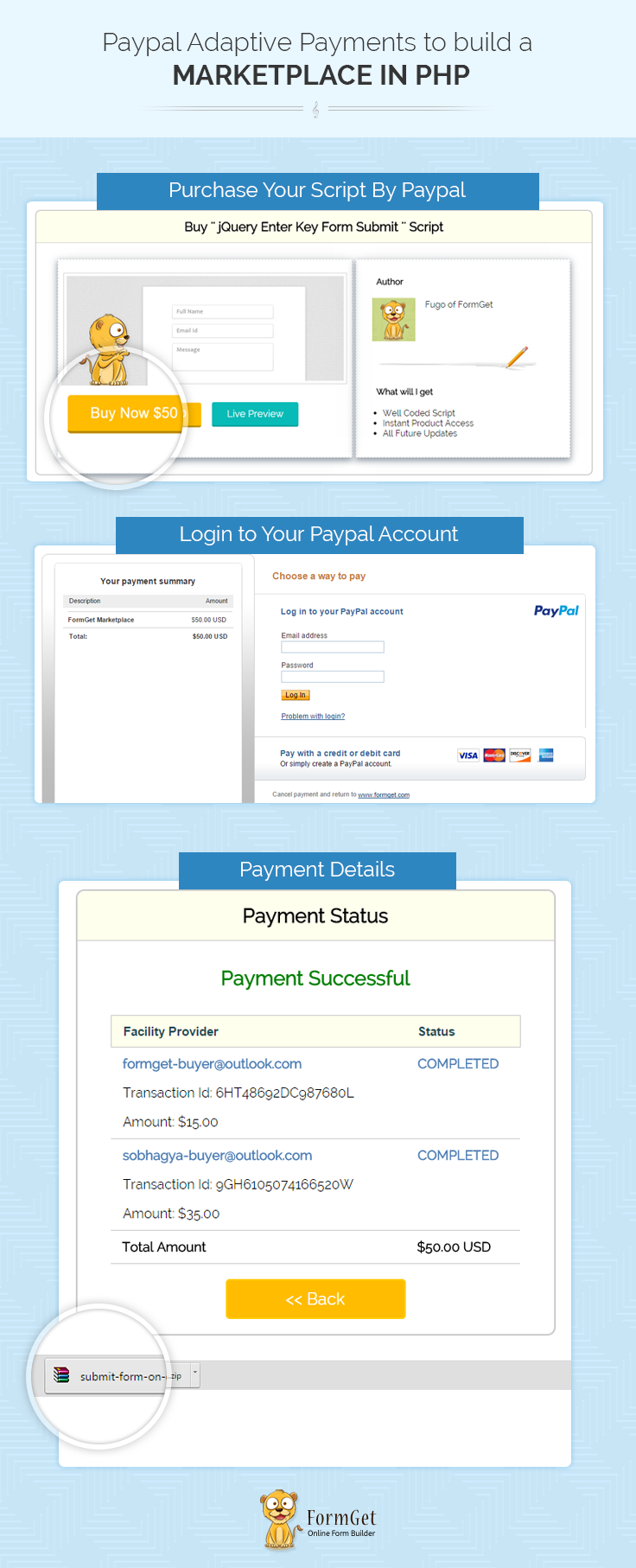
Note : PayPal offers sandbox account for development and testing purpose. Here we are using Sandbox for the demo, so if you would like to test our demo you can use your PayPal sandbox credentials.
Project Integration
For configuration of adaptivepayments-sdk-php, add your account credentials in the configuration.php.
You can find this file in downloaded project “root folder”.
// Demo Signature Credential
"acct1.UserName" => "Demo-facilitator_api1.outlook.com",
"acct1.Password" => "PDRdd9FTWWU6FDBNKY",
"acct1.Signature" => "ANGx9dddfhOMduIxwcbkuUqPMh-9L15RAO6JJD8BDCZSxcx8nbBWeDOIbzW1",
Then you will be ready to run the project. You can also refer the PHPProjectInstall.pdf file given in the download code folder.
Chained Payments Overview
With PayPal chained payment, when the sender lands at PayPal, the sender will make only a single payment and get one payment recipient. Back-end full amount will get by primary receiver and via primary receiver that amount will split and sends to secondary receiver.
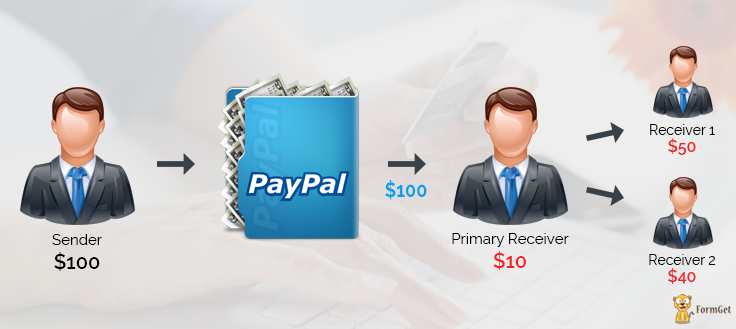
Note : Here if you buy a script,some part of payment will transfer to the website admin and some part of payment to script author.
It’s useful when
- You are selling products and want to share the total selling amount with other partners.
- If you are a site operator and take 20% of each item sold.
- You are making marketplace site to get commissions, etc.
Tutorial Scripts in detail
Below are the details of the code used in this tutorial with proper explanation.
Index.php
Index.php contain code for showing Script information.
<html>
<head>
<title>PayPal Marketplace</title>
<link rel="stylesheet" type="text/css" href="css/style.css">
<link rel="stylesheet" type="text/css" href="css/loadding.css">
<link rel="stylesheet" type="text/css" href="css/popup-style.css">
<script src="http://ajax.googleapis.com/ajax/libs/jquery/1.11.2/jquery.min.js"></script>
</head>
<body>
<div id="main">
<center><h1>Paypal Adaptive Payments to build a Marketplace in PHP</h1></center>
<div id="conatiner">
<h2>Buy '' jQuery Enter Key Form Submit '' Script</h2>
<hr/>
<div id="first">
<img src="images/submit-form-on-enter-key-feature.png">
<div id="content">
<form action="proccess.php" method="POST">
<input type="hidden" name="id" value="<?php echo base64_encode(1); ?>">
<input type="submit" style="float:left;"class="fg-button yellow" value="Buy Now $50" name="submit" id="tatalamount">
<div id="preview"><a href="https://www.formget.com/tutorial/submit_form_on_enter_key_live_demo/form.html" target="_blank"class="fg-button teal">Live Preview</a></div>
</form>
</div>
</div><div id="second">
<h4 id="author">Author</h4>
<img src="images/fugo.png"><p>Fugo of FormGet</p>
<hr class="type_1">
<h4 id="author">What will I get</h4>
<ul>
<li>Well Coded Script</li>
<li>Instant Product Access</li>
<li>All Future Updates</li>
</ul>
</div>
</div>
</div>
<div class="cr"></div>
<div id="footer">
<span id="Note">Note : </span><span style="color:black;" > A chained payment is a payment from a sender that is indirectly split among multiple receivers. <br/>Here if you buy a script,some part of payment will transfer to the web site admin and some part <br/>of payment to script author.</span>
<img id="paypal_logo"src="images/secure-paypal-logo.jpg">
</div>
<div id="pop2" class="simplePopup">
<div id="loader">
<div id="circularG">
<div id="circularG_1" class="circularG">
</div>
<div id="circularG_2" class="circularG">
</div>
<div id="circularG_3" class="circularG">
</div>
<div id="circularG_4" class="circularG">
</div>
<div id="circularG_5" class="circularG">
</div>
<div id="circularG_6" class="circularG">
</div>
<div id="circularG_7" class="circularG">
</div>
<div id="circularG_8" class="circularG">
</div>
</div>
</div>
</div>
<script src="js/jquery.simplePopup.js" type="text/javascript"></script>
<script type="text/javascript">
$(document).ready(function() {
$('input#tatalamount').click(function() {
$('#pop2').simplePopup();
});
});
</script>
</body>
</html>
Process.php
This file contains code to process Adaptive (chained) amount to PayPal.
<?php

session_start();
session_unset();
require_once('../PPBootStrap.php');
require_once('../Common/Constants.php');
define("DEFAULT_SELECT", "- Select -");
$returnUrl = "https://www.formget.com/tutorial/paypal-adaptive/chained-payment/success.php";
$cancelUrl = "https://www.formget.com/tutorial/paypal-adaptive/chained-payment/index.php";
$memo = "Adaptive Payment - chained Payment";
$actionType = "PAY";
$currencyCode = "USD";
if ($_POST['id'] == base64_encode(1)) {
$receiverEmail = array("[email protected]", "[email protected]");
$receiverAmount = array("50", "35");
$primaryReceiver = array("true", "false");
}
if (isset($receiverEmail)) {
$receiver = array();
/*
* A receiver's email address
*/
for ($i = 0; $i < count($receiverEmail); $i++) {
$receiver[$i] = new Receiver();
$receiver[$i]->email = $receiverEmail[$i];
/*
* Amount to be credited to the receiver's account
*/
$receiver[$i]->amount = $receiverAmount[$i];
/*
* Set to true to indicate a chained payment; only one receiver can be a primary receiver. Omit this field, or set it to false for simple and parallel payments.
*/
$receiver[$i]->primary = $primaryReceiver[$i];
}
$receiverList = new ReceiverList($receiver);
}
$payRequest = new PayRequest(new RequestEnvelope("en_US"), $actionType, $cancelUrl, $currencyCode, $receiverList, $returnUrl);
if ($memo != "") {
$payRequest->memo = $memo;
}
/*
* ## Creating service wrapper object
Creating service wrapper object to make API call and loading
Configuration::getAcctAndConfig() returns array that contains credential and config parameters
*/
$service = new AdaptivePaymentsService(Configuration::getAcctAndConfig());
try {
/* wrap API method calls on the service object with a try catch */
$response = $service->Pay($payRequest);
$ack = strtoupper($response->responseEnvelope->ack);
if ($ack == "SUCCESS") {
$payKey = $response->payKey;
$_SESSION['pay_key'] = $payKey;
$payPalURL = PAYPAL_REDIRECT_URL . '_ap-payment&paykey=' . $payKey;
header('Location:' . $payPalURL);
}
} catch (Exception $ex) {
require_once '../Common/Error.php';
exit;
}
/* Make the call to PayPal to get the Pay token
If the API call succeded, then redirect the buyer to PayPal
to begin to authorize payment. If an error occured, show the
resulting errors */
Success.php
This file contains $response array ,which contains all transaction details and displayed in the front end.
<?php
require_once('../PPBootStrap.php');
session_start();
$requestEnvelope = new RequestEnvelope("en_US");
/*
* PaymentDetailsRequest which takes,
`Request Envelope` - Information common to each API operation, such
as the language in which an error message is returned.
*/
$paymentDetailsReq = new PaymentDetailsRequest($requestEnvelope);
if ($_SESSION['pay_key'] != "") {
$paymentDetailsReq->payKey = $_SESSION['pay_key'];
}
/*
* ## Creating service wrapper object
Creating service wrapper object to make API call and loading
Configuration::getAcctAndConfig() returns array that contains credential and config parameters
*/
$service = new AdaptivePaymentsService(Configuration::getAcctAndConfig());
try {
/* wrap API method calls on the service object with a try catch */
$response = $service->PaymentDetails($paymentDetailsReq);
?>
<html>
<head>
<title>PayPal Marketplace</title>
<link rel="stylesheet" type="text/css" href="css/style.css">
<script src="http://ajax.googleapis.com/ajax/libs/jquery/1.11.2/jquery.min.js"></script>
</head>
<body>
<div id="main">
<div class="success_main_heading">
<center><h1>PayPal Adaptive Payments to build a Marketplace in PHP</h1></center>
</div>
<div id="return">
<h2>Payment Status</h2>
<hr/>
<?php
//Rechecking the product price and currency details
/*
* The status of the payment. Possible values are:

* CREATED - The payment request was received; funds will be
transferred once the payment is approved
* COMPLETED - The payment was successful
* INCOMPLETE - Some transfers succeeded and some failed for a
parallel payment or, for a delayed chained payment, secondary
receivers have not been paid
* ERROR - The payment failed and all attempted transfers failed
or all completed transfers were successfully reversed
* REVERSALERROR - One or more transfers failed when attempting
to reverse a payment
* PROCESSING - The payment is in progress
* PENDING - The payment is awaiting processing
*/
if ($response->status == 'COMPLETED') {
echo "<h3 id='success'>Payment Successful</h3>";
$amount = 0;
$secondry_total = 0;
?>
<script>
$(document).ready(function() {
var link = document.createElement('a');
link.href = "https://www.formget.com/wp-content/uploads/2014/12/submit-form-on-enter-key-download.zip";
document.body.appendChild(link);
link.click();
});
</script>
<table id="results" >
<thead>
<tr class="head">
<th>Facility Provider</th>
<th>Status</th>
</tr>

</thead>
<tbody>
<?php for ($i = 0; $i < count($response->paymentInfoList->paymentInfo); $i++) { ?>
<tr>
<td>
<b><p style="color: rgb(77, 125, 179);"><?php echo $response->paymentInfoList->paymentInfo[$i]->receiver->email; ?></p></b>
<p>Transaction Id: <?php echo $response->paymentInfoList->paymentInfo[$i]->transactionId; ?></p>
<p>Amount: $<?php
if ($response->paymentInfoList->paymentInfo[$i]->receiver->primary == "true") {
$totalamount = $response->paymentInfoList->paymentInfo[$i]->receiver->amount;
echo '<span style="color:black;" id="primary"></span>.00';
} else {
$secondry_total = $secondry_total + $response->paymentInfoList->paymentInfo[$i]->receiver->amount;
echo $response->paymentInfoList->paymentInfo[$i]->receiver->amount;
}
?></p>
</td>
<td>
<b><p style="color: rgb(77, 125, 179);"><?php echo $response->paymentInfoList->paymentInfo[$i]->transactionStatus; ?></p></b>
</td>
</tr>
<?php }
?><input type="hidden" value="<?php echo $totalamount - $secondry_total; ?>" id="primary"/>
<tr>
<td><b>Total Amount</b></td>
<td><b>$<?php echo $totalamount ?> USD</b></td>
</tr>
</tbody>
</table>
<div class='back_btn'><a href='index.php' id= 'btn'><< Back</a></div>
<?php
} else if ($response->status == 'INCOMPLETE') {
echo "<h3 id='fail'>Payment - Failed</h3>";
echo '<p><center>Error msg :- This transaction cannot be processed.</center></p>';
echo "<div class='back_btn'><a href='index.php' id= 'btn'><< Back</a></div>";
} else if ($response->status == 'ERROR') {
echo "<h3 id='fail'>Payment - Failed</h3>";
echo '<p><center>Error msg :- The payment failed and all attempted transfers failed</center></p>';
echo "<div class='back_btn'><a href='index.php' id= 'btn'><< Back</a></div>";
} else if ($response->status == 'PENDING') {
echo "<h3 id='fail'>Payment - PENDING</h3>";
echo '<p><center>Error msg :- The payment is awaiting processing</center></p>';
echo "<div class='back_btn'><a href='index.php' id= 'btn'><< Back</a></div>";
} else if ($response->status == 'CREATED') {
echo "<h3 id='fail'>Payment - CREATED</h3>";
echo '<p><center>Error msg :- The payment request was received; funds will be transferred once the payment is approved</center></p>';
echo "<div class='back_btn'><a href='index.php' id= 'btn'><< Back</a></div>";
} else {
echo "<h3 id='fail'>Payment - Failed</h3>";
echo '<p><center>Error msg :- This transaction cannot be processed.</center></p>';
echo "<div class='back_btn'><a href='index.php' id= 'btn'><< Back</a></div>";
}
?>
</div>
<!-- Right side div -->
<div class="fr"id="formget">
<a href=https://www.formget.com/app><img style="margin-left: 12%;" src="images/formget.jpg" alt="Online Form Builder"/></a>
</div>
</div>
<script type="text/javascript">
$(document).ready(function() {
var primary = $('input#primary').val();
$('span#primary').html(primary);
});
</script>
</body>
</html><?php
} catch (Exception $ex) {
require_once '../Common/Error.php';
exit;
}
Style.css
Includes basic styling of HTML elements.
@import url(http://fonts.googleapis.com/css?family=Raleway);
#main{
width:960px;
margin:50px auto;
font-family:raleway;
}
span{
color:red;
}
h2{
background-color: #FEFFED;
text-align:center;
border-radius: 10px 10px 0 0;
margin: -10px -40px;
padding: 15px;
}
hr{
border:0;
border-bottom: 1px solid #ccc;
margin: 10px -40px;
margin-bottom: 30px;
}
#conatiner{
width: 100%;
float: left;
border-radius: 10px;
font-family:raleway;
border: 2px solid #ccc;
padding: 10px 40px 31PX;
margin-top: 37px;
margin-left: -40px;
}
#first{
padding: 10px;
width: 530px;
height: 350px;
float: left;
box-shadow: rgb(153, 163, 173) 0px 5px 17px 1px, rgb(238, 238, 238) 0px 0px 40px;
border: 1px dashed rgb(195, 195, 195);
}
#first img{
width: 98%;
margin-top: 15px;
padding: 5px;
border: 1px solid rgba(200, 200, 200, 0.84);
}
#second{
width: 380px;
height: 350px; float: right;
padding: 10px;
/* border: 2px solid red; */
box-shadow: rgb(153, 163, 173) 0px 5px 17px 1px, rgb(238, 238, 238) 0px 0px 40px;
border: 1px dashed rgb(195, 195, 195);
}
.fg-button{
position: relative;
top: 0px;
border-radius: 4px;
font-size: 18px;
padding: 11px 28px;
text-decoration: none;
border: 0px solid;
cursor: pointer;
border-bottom-width: 3px;
outline: none;
-webkit-transition: 0.3s background;
-moz-transition: 0.3s background;
transition: 0.3s background;
}

.fg-button:active{
top: 2px;
}
.fg-button.teal{
color: #fff;
border-color: #04A5A1;
background-color: #08BBB7;
}

.fg-button.teal:hover{
background: #0ACFCB;
}

.fg-button.teal:active{
background: #09cbc7;
top: 2px;
border-bottom-width: 1px;
}
.fg-button.yellow{
color: #fff;
border-color: #BD8C03;
background-color: #ffbc00;
}
.fg-button.yellow:hover{
background: #FFC92F;
}

.fg-button.yellow:active{
background: #FFBC00;
top: 2px;
border-bottom-width: 1px;
}

#preview{
width: 180px;
height: 60px;
margin-top: 10px;
margin-left: 20px;

float: left;
/* border: 1px solid black; */
}
h4#author{
margin-left: 28px;
}
#second img{
margin-left: 20px;
}
#second p{
float: right;
margin-top: 3px;
margin-right: 134px;
}
hr.type_1 {
border: 0;
height: 45px;
margin-left: 32px;
background-image: url(../images/hr.jpg);
background-repeat: no-repeat;
}
img#paypal_logo {
float: right;
margin-top: -35px;
margin-right: -45px;
}

#results {
width: 100%;
margin-top: 30px;
//border: 1px solid #ccc;
table-layout: auto;
margin-bottom: 30px;
}
table {
border-collapse: collapse;
border-spacing: 0;
}
thead {
display: table-header-group;
vertical-align: middle;
border-color: inherit;
}
.head {
font-size: 15px;
font-family: "proxima_novasemibold", sans-serif;
background: #FEFFED;
color: #1d4c55;
border: 1px solid #ccc;
}
tr {
display: table-row;
vertical-align: inherit;
border-color: inherit;
}
.head th{
//border-right: 1px solid #ccc;
//border-bottom: 1px solid #ccc;
line-height: normal;
padding: 10px 0px;
text-align: left;
padding-left: 3%;
}
td {
//border-right: 1px solid #ccc;
border-bottom: 1px solid #ccc;
line-height: normal;
padding: 10px 0px;
text-align: left;
padding-left:3%;
vertical-align: top;
}
tbody {
display: table-row-group;
vertical-align: middle;
border-color: inherit;
}
tr {
display: table-row;
vertical-align: inherit;
border-color: inherit;
}
#return {
width: 492px;
height: auto;
float: left;
border-radius: 10px;
font-family: raleway;
border: 2px solid #ccc;
padding: 10px 40px 30px;
margin-bottom: 50px;
}
#return h3#success {
text-align: center;
font-size: 24px;
color: green;
margin-bottom: 10px;
}
#return P {
text-align: left;
}
#return .back_btn {
margin-top: 30px;
text-align: center;
}
#btn {
width: 100%;
background-color: #FFBC00;
color: white;
border: 2px solid #FFCB00;
padding: 10px 70px;
font-size: 20px;
cursor: pointer;
border-radius: 5px;
margin-bottom: 15px;
margin: 0 auto;
}
a{
text-decoration:none;
color: #33BADB;
}

.success_main_heading{
margin-left: -40%;

}
#return h3#fail{
text-align: center;
font-size: 24px;
margin-top: 50px;
color: red;
margin-bottom: 10px;
}
.red{
color:red;
font-weight: bold;
}
h2{
background-color: #FEFFED;
text-align:center;
border-radius: 10px 10px 0 0;
margin: -10px -40px;
padding: 15px;
}
#footer{
font-family:raleway;
width: 960px;
margin: 10px auto;
}
#content{
margin-left: 95px;
margin-top: 35px;
}
.cr{
clear: both;
}
#Note{
margin-left: -40px;
}
Conclusion :
After reading the above post, I am sure you will give a try to the script provided and implement it in your own projects as well. Feel free to visit our website again in the future to get in touch with new coding tricks. You can let us know about your feedback in the space provided below 
You may also like –
- PayPal Transaction Details using Transaction ID
https://www.formget.com/paypal-transaction-details/
PayPal Transaction Details using Transaction ID
PayPal IPN in PHP

PayPal Instant Notification (IPN) is a message service that allows you to integrate your PayPal payments with your website’s back-end operations and administrative function.
Using this merchant will automatically notify events related to PayPal transactions. IPN is very useful when you need to required functionality like automatically fulfilling orders and providing customer, with order status.
In our previous blog post focused on how we use PayPal adaptive payments in PHP for making parallel payments.
In this blog post, we are going demonstrate how we configure PayPal IPN script in PHP.
Watch the live demo or download code from the link given below
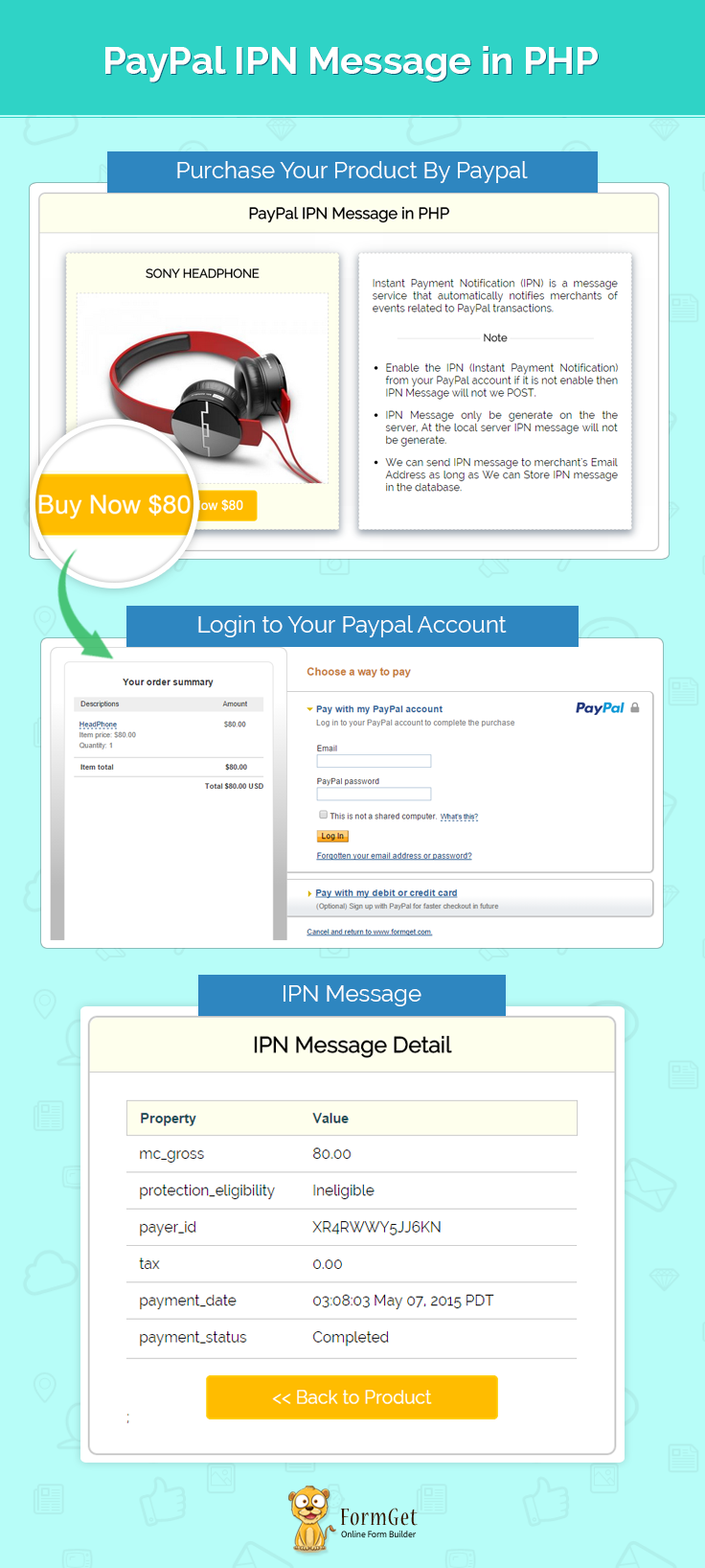
Note: PayPal offers sandbox account for development and testing purpose. Here we are using Sandbox for the demo, so if you would like to test our demo you can use your PayPal sandbox credentials.
Concept behind the script
There are three main steps for IPN functionality
1. A web page that include a code for a call to PayPal to make a payment(index.php).
2. An IPN script on your web server that call by PayPal to notify you that payment has been made(ipn.php).
3. A webpage that show details the above have occurred and continues on to the next phase for another application(success.php).
Note: Step 1 and 3 is used by the merchant’s website and 2 will call by PayPal only.If you run that file, there is no output and IPN script will work on the web server only.
Enable IPN in your PayPal business Account
To enable IPN in your PayPal business account do steps which mention on PayPal official IPNSetup page.
Tutorial Scripts in detail
Below are the details of the code used in this tutorial with proper explanation.
Note: You can also refer the PHPProjectInstall.pdf file given in the download code folder.
MY-SQL Code
Create database ipn and create below table.
CREATE TABLE IF NOT EXISTS `ipn_data_tbl` (
`TID` int(11) NOT NULL AUTO_INCREMENT,
`item_name` varchar(255) NOT NULL,
`payer_email` varchar(150) NOT NULL,
`first_name` varchar(150) NOT NULL,
`last_name` varchar(150) NOT NULL,
`amount` float NOT NULL,
`currency` varchar(50) NOT NULL,
`country` varchar(50) NOT NULL,
`txn_id` varchar(100) NOT NULL,
`txn_type` varchar(100) NOT NULL,
`payment_status` varchar(100) NOT NULL,
`payment_metod` varchar(100) NOT NULL,
`create_date` datetime NOT NULL,
`payment_date` datetime NOT NULL,
PRIMARY KEY (`TID`)
)
Connection.php
This is the file used for database connectivity.
<?php
$server = "localhost";
$username = "root";
$password = "";
$database = "ipn";

$con = new mysqli($server,$username,$password,$database);
if (!$con){
die('Could not connect: ' . mysqli_connect_error($con));
}
?>
Index.php
Index.php contain code for showing Product information as long as some detail about the IPN Message.
<html>
<head>
<title>PayPal IPN Message in PHP</title>
<link rel="stylesheet" type="text/css" href="css/style.css">
</head>
<body>
<div id="main">
<center><h1>PayPal IPN Example Using PHP</h1></center>
<div id="container">
<h2>PayPal IPN Message in PHP</h2>
<hr/>
<div id="left">
<form action="process.php" method="post" >
<center>
<h3>SONY HEADPHONE</h3>
</center>
<img src="images/headphones.jpg" />
<center><input type="submit" name="submit" value=" Buy Now $80" ></center>
</form>
</div>
<div id="right">
<p style="text-align: justify;">Instant Payment Notification (IPN) is a message service that automatically notifies merchants of events related to PayPal transactions.</p>
<center>
<hr class="style-four">
</center>
<ul>
<li>Enable the IPN (Instant Payment Notification) from your PayPal account if it is not enable then IPN Message will not we POST.</li>
<li>IPN Message only generate on the server, at the local server IPN message will not generate.</li>
<li>We can send IPN message to merchant's Email Address as long as We can Store IPN message in the database.</li>
</ul>
</div>
</div>
</div><img id="paypal_logo" src="images/secure-paypal-logo.jpg">
</body>
</html>
Process.php
This file contains code to process product amount to PayPal.
<?php
if (isset($_POST['submit'])) {

//Here we can use PayPal URL or sandbox URL.
$paypal_url = 'https://www.sandbox.paypal.com/cgi-bin/webscr';
//Here we can used seller email id.
$merchant_email = 'Enter Your PayPal MerchantID';
//here we can put cancel URL when payment is not completed.
$cancel_return = "http://".$_SERVER['HTTP_HOST'].'/paypal-ipn-php';
//here we can put cancel URL when payment is Successful.
$success_return = "http://".$_SERVER['HTTP_HOST'].'/paypal-ipn-php/success.php';
//PayPal call this file for ipn
$notify_url = "http://".$_SERVER['HTTP_HOST'].'/paypal-ipn-php/ipn.php';
?>
<div style="margin-left: 38%"><img src="images/ajax-loader.gif"/><img src="images/processing_animation.gif"/></div>
<form name="myform" action="<?php echo $paypal_url;?>" method="post">
<input type="hidden" name="business" value="<?php echo $merchant_email;?>" />
<input type="hidden" name="notify_url" value="<?php echo $notify_url;?>" />
<input type="hidden" name="cancel_return" value="<?php echo $cancel_return;?>" />
<input type="hidden" name="return" value="<?php echo $success_return;?>" />
<input type="hidden" name="rm" value="2" />
<input type="hidden" name="lc" value="" />
<input type="hidden" name="no_shipping" value="1" />
<input type="hidden" name="no_note" value="1" />
<input type="hidden" name="currency_code" value="USD" />
<input type="hidden" name="page_style" value="paypal" />
<input type="hidden" name="charset" value="utf-8" />
<input type="hidden" name="item_name" value="HeadPhone" />
<input type="hidden" name="cbt" value="Back to FormGet" />
<input type="hidden" value="_xclick" name="cmd"/>
<input type="hidden" name="amount" value="80" />
<script type="text/javascript">
document.myform.submit();
</script>
<?php }
Ipn.php
This file contains code to process IPN message and send this IPN message to Merchant’s Email address as long as save the IPN message to database.
<?php

require_once("MAILER/smtpservice.php");

class PayPal_IPN {

function ipn($ipn_data) {
define('SSL_P_URL', 'https://www.paypal.com/cgi-bin/webscr');
define('SSL_SAND_URL', 'https://www.sandbox.paypal.com/cgi-bin/webscr');
$hostname = gethostbyaddr($_SERVER['REMOTE_ADDR']);
if (!preg_match('/paypal.com$/', $hostname)) {
$ipn_status = 'Validation post isn't from PayPal';
if ($ipn_data == true) {
//You can send email as well
}
return false;
}
// parse the paypal URL
$paypal_url = ($_REQUEST['test_ipn'] == 1) ? SSL_SAND_URL : SSL_P_URL;
$url_parsed = parse_url($paypal_url);

$post_string = '';
foreach ($_REQUEST as $field => $value) {
$post_string .= $field . '=' . urlencode(stripslashes($value)) . '&';
}
$post_string.="cmd=_notify-validate"; // append ipn command
// get the correct paypal url to post request to
$paypal_mode_status = $ipn_data; //get_option('im_sabdbox_mode');
if ($paypal_mode_status == true)
$fp = fsockopen('ssl://www.sandbox.paypal.com', "443", $err_num, $err_str, 60);
else
$fp = fsockopen('ssl://www.paypal.com', "443", $err_num, $err_str, 60);

$ipn_response = '';

if (!$fp) {
// could not open the connection. If loggin is on, the error message
// will be in the log.
$ipn_status = "fsockopen error no. $err_num: $err_str";
if ($ipn_data == true) {
echo 'fsockopen fail';
}
return false;
} else {
// Post the data back to paypal
fputs($fp, "POST $url_parsed[path] HTTP/1.1rn");
fputs($fp, "Host: $url_parsed[host]rn");
fputs($fp, "Content-type: application/x-www-form-urlencodedrn");
fputs($fp, "Content-length: " . strlen($post_string) . "rn");
fputs($fp, "Connection: closernrn");
fputs($fp, $post_string . "rnrn");

// loop through the response from the server and append to variable
while (!feof($fp)) {
$ipn_response .= fgets($fp, 1024);
}
fclose($fp); // close connection
}
// Invalid IPN transaction. Check the $ipn_status and log for details.
if (!preg_match("/VERIFIED/s", $ipn_response)) {
$ipn_status = 'IPN Validation Failed';

if ($ipn_data == true) {
echo 'Validation fail';
print_r($_REQUEST);
}
return false;
} else {
$ipn_status = "IPN VERIFIED";
if ($ipn_data == true) {
echo 'SUCCESS';
}

return true;
}
}

function ipn_response($request) {
//mail("[email protected]","My subject",print_r($request,true));
$ipn_data = true;
if ($this->ipn($ipn_data)) {
// if paypal sends a response code back let's handle it
if ($ipn_data == true) {
//mail send
$sub = 'PayPal IPN Message';
$msg = print_r($request, true);
$to = "Enter Receiver MailID";
sendEmail($to, $sub, $msg);
}
// process the membership since paypal gave us a valid +
$this->insert_data($request);
}
}

function issetCheck($post, $key) {
if (isset($post[$key])) {
$return = $post[$key];
} else {
$return = '';
}
return $return;
}

function insert_data($request) {
require_once('connection.php');
$post = $request;
$item_name = $this->issetCheck($post, 'item_name');
$amount = $this->issetCheck($post, 'mc_gross');
$currency = $this->issetCheck($post, 'mc_currency');
$payer_email = $this->issetCheck($post, 'payer_email');
$first_name = $this->issetCheck($post, 'first_name');
$last_name = $this->issetCheck($post, 'last_name');
$country = $this->issetCheck($post, 'residence_country');
$txn_id = $this->issetCheck($post, 'txn_id');
$txn_type = $this->issetCheck($post, 'txn_type');
$payment_status = $this->issetCheck($post, 'payment_status');
$payment_type = $this->issetCheck($post, 'payment_type');
$payer_id = $this->issetCheck($post, 'payer_id');
$create_date = date('Y-m-d H:i:s');
$payment_date = date('Y-m-d H:i:s');
mysqli_query($con, "INSERT INTO ipn_data_tbl (item_name,payer_email,first_name,last_name,amount,currency,country,txn_id,txn_type,payer_id,payment_status,payment_type,create_date,payment_date)
VALUES ('$item_name','$payer_email','$first_name','$last_name','$amount','$currency','$country','$txn_id','$txn_type','$payer_id','$payment_status','$payment_type','$create_date','$payment_date')");
mysqli_close($con);
}

}

$obj = New PayPal_IPN();
$obj->ipn_response($_REQUEST);
Success.php
This file contains $_REQUEST array ,which contains IPN Message and displayed in the front end.
<html>
<head>
<title>PayPal IPN Message in PHP</title>
<link rel="stylesheet" type="text/css" href="css/style.css">
</head>
<body>
<div id="main">
<div class="success_main_heading">
<center><h1>PayPal IPN Example Using PHP</h1></center>
</div>
<div id="return">
<h2>IPN Message Detail</h2>
<hr/>
<table id="results">
<thead>
<tr class="head">
<th>
Property
</th>
<th>
Value
</th>
</tr>
</thead>
<tbody>
<?php if (isset($_REQUEST['mc_gross'])) { ?>
<tr>
<td>
mc_gross
</td>
<td>
<?php echo $_REQUEST['mc_gross']; ?>
</td>
</tr>
<?php } if (isset($_REQUEST['protection_eligibility'])) { ?>
<tr>
<td>
protection_eligibility
</td>
<td>
<?php echo $_REQUEST['protection_eligibility']; ?>
</td>
</tr>
<?php } if (isset($_REQUEST['payer_id'])) { ?>
<tr>
<td>
payer_id
</td>
<td>
<?php echo $_REQUEST['payer_id']; ?>
</td>
</tr>
<?php } if (isset($_REQUEST['tax'])) { ?>
<tr>
<td>
tax
</td>
<td>
<?php echo $_REQUEST['tax']; ?>
</td>
</tr>
<?php } if (isset($_REQUEST['payment_date'])) { ?>
<tr>
<td>
payment_date
</td>
<td>
<?php echo $_REQUEST['payment_date']; ?>
</td>
</tr>
<?php } if (isset($_REQUEST['payment_status'])) { ?>
<tr>
<td>
payment_status
</td>
<td>
<?php echo $_REQUEST['payment_status']; ?>
</td>
</tr>
<?php } if (isset($_REQUEST['charset'])) { ?>
<tr>
<td>
charset
</td>
<td>
<?php echo $_REQUEST['charset']; ?>
</td>
</tr>
<?php } if (isset($_REQUEST['first_name'])) { ?>
<tr>
<td>
first_name
</td>
<td>
<?php echo $_REQUEST['first_name']; ?>
</td>
</tr>
<?php } if (isset($_REQUEST['mc_fee'])) { ?>
<tr>
<td>
mc_fee
</td>
<td>
<?php echo $_REQUEST['mc_fee']; ?>
</td>
</tr>
<?php } if (isset($_REQUEST['notify_version'])) { ?>
<tr>
<td>
notify_version
</td>
<td>
<?php echo $_REQUEST['notify_version']; ?>
</td>
</tr>
<?php } if (isset($_REQUEST['custom'])) { ?>
<tr>
<td>
custom
</td>
<td>
<?php echo $_REQUEST['custom']; ?>
</td>
</tr>
<?php } if (isset($_REQUEST['payer_status'])) { ?>
<tr>
<td>
payer_status
</td>
<td>
<?php echo $_REQUEST['payer_status']; ?>
</td>
</tr>
<?php } if (isset($_REQUEST['business'])) { ?>
<tr>
<td>
business
</td>
<td>
<?php echo $_REQUEST['business']; ?>
</td>
</tr>
<?php } if (isset($_REQUEST['quantity'])) { ?>
<tr>
<td>
quantity
</td>
<td>
<?php echo $_REQUEST['quantity']; ?>
</td>
</tr>
<?php } if (isset($_REQUEST['payer_email'])) { ?>
<tr>
<td>
payer_email
</td>
<td>
<?php echo $_REQUEST['payer_email']; ?>
</td>
</tr>

<?php } if (isset($_REQUEST['txn_id'])) { ?>
<tr>
<td>
txn_id
</td>
<td>
<?php echo $_REQUEST['txn_id']; ?>
</td>
</tr>
<?php } if (isset($_REQUEST['payment_type'])) { ?>
<tr>
<td>
payment_type
</td>
<td>
<?php echo $_REQUEST['payment_type']; ?>
</td>
</tr>
<?php } if (isset($_REQUEST['last_name'])) { ?>
<tr>
<td>
last_name
</td>
<td>
<?php echo $_REQUEST['last_name']; ?>
</td>
</tr>
<?php } if (isset($_REQUEST['receiver_email'])) { ?>
<tr>
<td>
receiver_email
</td>
<td>
<?php echo $_REQUEST['receiver_email']; ?>
</td>
</tr>
<?php } if (isset($_REQUEST['payment_fee'])) { ?>
<tr>
<td>
payment_fee
</td>
<td>
<?php echo $_REQUEST['payment_fee']; ?>
</td>
</tr>
<?php } if (isset($_REQUEST['receiver_id'])) { ?>
<tr>
<td>
receiver_id
</td>
<td>
<?php echo $_REQUEST['receiver_id']; ?>
</td>
</tr>
<?php } if (isset($_REQUEST['txn_type'])) { ?>
<tr>
<td>
txn_type
</td>
<td>
<?php echo $_REQUEST['txn_type']; ?>
</td>
</tr>
<?php } if (isset($_REQUEST['item_name'])) { ?><tr>
<td>
item_name
</td>
<td>
<?php echo $_REQUEST['item_name']; ?>
</td>
</tr>
<?php } if (isset($_REQUEST['mc_currency'])) { ?>
<tr>
<td>
mc_currency
</td>
<td>
<?php echo $_REQUEST['mc_currency']; ?>
</td>
</tr>
<?php } if (isset($_REQUEST['item_number'])) { ?>
<tr>
<td>
item_number
</td>
<td>
<?php echo $_REQUEST['item_number']; ?>
</td>
</tr>
<?php } if (isset($_REQUEST['residence_country'])) { ?><tr>
<td>
residence_country
</td>
<td>
<?php echo $_REQUEST['residence_country']; ?>
</td>
</tr>
<?php } if (isset($_REQUEST['test_ipn'])) { ?><tr>
<td>
test_ipn
</td>
<td>
<?php echo $_REQUEST['test_ipn']; ?>
</td>
</tr>
<?php } if (isset($_REQUEST['handling_amount'])) { ?><tr>
<td>
handling_amount
</td>
<td>
<?php echo $_REQUEST['handling_amount']; ?>
</td>
</tr>
<?php } if (isset($_REQUEST['transaction_subject'])) { ?><tr>
<td>
transaction_subject
</td>
<td>
<?php echo $_REQUEST['transaction_subject']; ?>
</td>
</tr>
<?php } if (isset($_REQUEST['payment_gross'])) { ?>
<tr>
<td>
payment_gross
</td>
<td>
<?php echo $_REQUEST['payment_gross']; ?>
</td>
</tr>
<?php } if (isset($_REQUEST['shipping'])) { ?>
<tr>
<td>
shipping
</td>
<td>
<?php echo $_REQUEST['shipping']; ?>
</td>
</tr>
<?php } if (isset($_REQUEST['merchant_return_link'])) { ?>
<tr>
<td>
merchant_return_link
</td>
<td>
<?php echo $_REQUEST['merchant_return_link']; ?>
</td>
</tr>
<?php } if (isset($_REQUEST['verify_sign'])) { ?>
<tr>
<td>
verify_sign
</td>
<td>
<div style="width: 255px; overflow: auto;">
<?php echo $_REQUEST['verify_sign']; ?>
</div>
</td>
</tr>
<?php } if (isset($_REQUEST['auth'])) { ?>

<tr>
<td>
auth
</td>
<td>
<div style="width: 255px; overflow: auto;">
<?php echo $_REQUEST['auth']; ?>
</div>
</td>
</tr>
<?php } ?>
</tbody>
</table>
<div class='back_btn'><a href='index.php' id= 'btn'><< Back to Product </a></div>;
</div>
<!-- Right side div -->
<div class="fr"id="formget">
<a href=https://www.formget.com/app><img style="margin-left: 12%;" src="images/formget.jpg" alt="Online Form Builder"/></a>
</div>
</div>
</body>
</html>
Style.css
Includes basic styling of HTML elements.
/*----------------------------------------------
css settings for HTML div exactCenter
------------------------------------------------*/
@import url(https://fonts.googleapis.com/css?family=Raleway);
#main{
width:960px;
margin:50px auto;
font-family:raleway;
}

span{
color:red;
}

h2{
background-color: #FEFFED;
text-align:center;
border-radius: 10px 10px 0 0;
margin: -10px -40px;
padding: 15px;
}

hr{
border:0;
border-bottom:1px solid #ccc;
margin: 10px -40px;
margin-bottom: 30px;
}

#container{
height: 500px;
width: 90%;
float: left;
border-radius: 10px;
font-family:raleway;
border: 2px solid #ccc;
padding: 10px 40px 33px;
margin-top: 23px;
}

input[type=text],input[type=password]{
width:99.5%;
padding: 10px;
margin-top: 8px;
border: 1px solid #ccc;
padding-left: 5px;
font-size: 16px;
font-family:raleway;
}

input[type=submit]{
width: 40%;
background-color:#FFBC00;
color: white;
border: 2px solid #FFCB00;
padding: 10px;
font-size:20px;
cursor:pointer;
border-radius: 5px;
}
#left{
background-color: rgb(254, 255, 237);
width: 415px;
height: 420px;
float: left;
border: 1px dashed rgb(215, 215, 215);
box-shadow: 0px 5px 17px 1px #99A3AD, 0px 0px 40px #EEEEEE;
}
#right{
width: 415px;
float: right;
height: 420px;
border: 1px dashed rgb(215, 215, 215);
box-shadow: 0px 5px 17px 1px #99A3AD, 0px 0px 40px #EEEEEE;
}

#left img{
width: 383px;
height: 289px;
border: 1px dashed rgb(215, 215, 215);
margin: 0 15px 10px 15px;
}
#left img:hover{
opacity:.80;
}

#left p{
font-size: 18px;
margin-left: 128px;
}
#right p{
padding: 20px;
}
#paypal_logo{
margin: 10px 315px;
float: right;
}

#results {
width: 100%;
margin-top: 30px;
//border: 1px solid #ccc;
table-layout: auto;
margin-bottom: 30px;
}
table {
border-collapse: collapse;
border-spacing: 0;
}
thead {
display: table-header-group;
vertical-align: middle;
border-color: inherit;
}
.head {
font-size: 15px;
font-family: "proxima_novasemibold", sans-serif;
background: #FEFFED;
color: #1d4c55;
border: 1px solid #ccc;
}
tr {
display: table-row;
vertical-align: inherit;
border-color: inherit;
}
.head th{
//border-right: 1px solid #ccc;
//border-bottom: 1px solid #ccc;
line-height: normal;
padding: 10px 0px;
text-align: left;
padding-left: 3%;
}
td {
//border-right: 1px solid #ccc;
border-bottom: 1px solid #ccc;
line-height: normal;
padding: 10px 0px;
text-align: left;
padding-left:3%;
vertical-align: top;
}

tbody {
display: table-row-group;
vertical-align: middle;
border-color: inherit;
}
tr {
display: table-row;
vertical-align: inherit;
border-color: inherit;
}

#return {
width: 492px;
height: auto;
float: left;
border-radius: 10px;
font-family: raleway;
border: 2px solid #ccc;
padding: 10px 40px 30px;
margin-bottom: 50px;
}
#return h3#success {
text-align: center;
font-size: 24px;
color: green;
margin-bottom: 10px;
}
#return P {
text-align: left;
}
#return .back_btn {
margin-top: 30px;
text-align: center;
}
#btn {
width: 100%;
background-color: #FFBC00;
color: white;
border: 2px solid #FFCB00;
padding: 10px 70px;
font-size: 20px;
cursor: pointer;
border-radius: 5px;
margin-bottom: 15px;
margin: 0 auto;
}
a{
text-decoration:none;
color: #33BADB;
}
.success_main_heading{
margin-left: -40%;

}
#return h3#fail{
text-align: center;
font-size: 24px;
margin-top: 50px;
color: red;
margin-bottom: 10px;
}
.red{
color:red;
font-weight: bold;
}
ul li{
margin-bottom: 15px;
text-align: justify;
margin-right: 20px;
}
hr.style-four {
margin-bottom: 10px;
width: 300px;
padding: 0;
border: none;
border-top: 1px solid rgba(0, 0, 0, 0.1);
color: #333;
text-align: center;
}
hr.style-four:after {
content: "Note";
display: inline-block;
position: relative;
top: -0.7em;
font-size: 1em;
padding: 0 0.25em;
background: white;
font-weight: 600;
}
Conclusion :
After reading the above post, I am sure you will give a try to the script provided and implement it in your own projects as well. Feel free to visit our website again in the future to get in touch with new coding tricks. You can let us know about your feedback in the space provided below
Paypal Parallel Payments Using PHP

The PayPal Adaptive Payments API is used to transfer money from a sender’s PayPal account to one or more than one PayPal receiver PayPal accounts. You can use PayPal Adaptive Payments to make simple payments, chained payments, and parallels payments.
In this tutorial, we are going to demonstrate how we use PayPal adaptive apartment to make parallel payment.
Parallel payments are useful in cases when a buyer intends to make a single payment for items from multiple sellers.
Here we are demonstrating a trip planning website where a customer, can book a flight, hotel, and car, where total amount will send to the three different merchant’s PayPal business account.
Watch the live demo or download code from the link given below
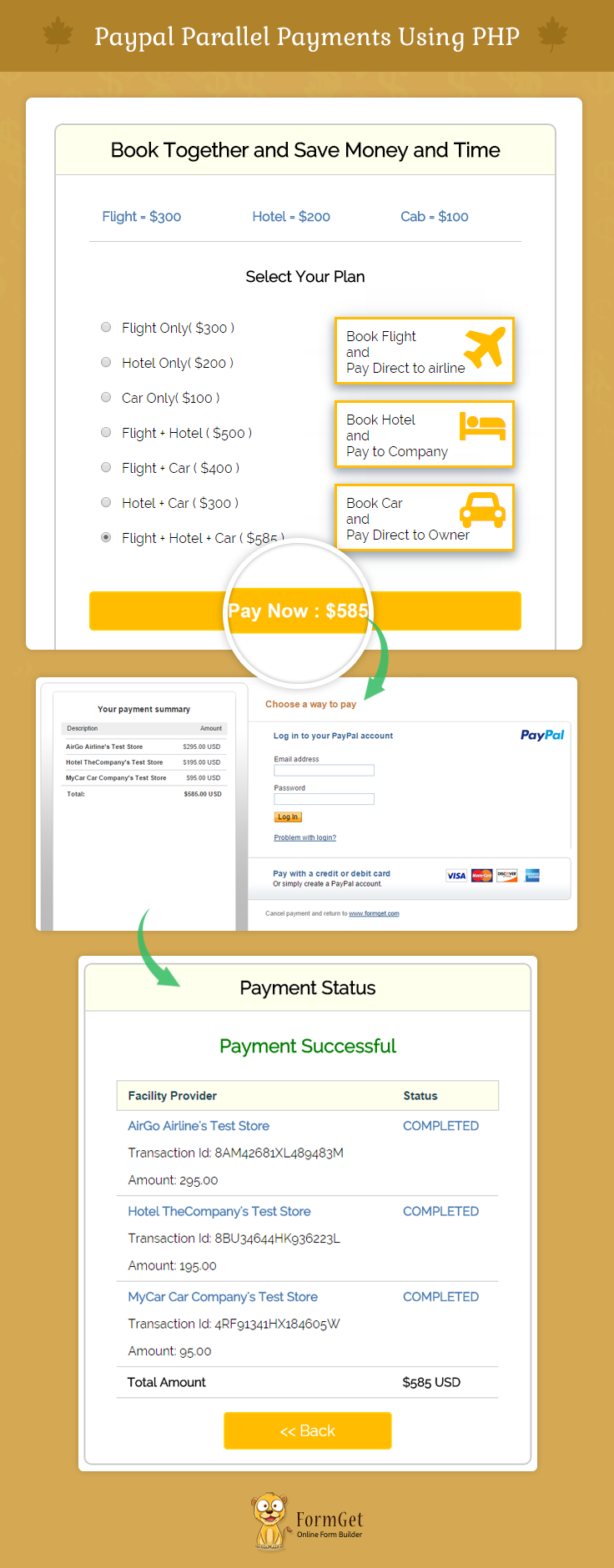
Note : PayPal offers sandbox account for development and testing purpose. Here we are using Sandbox for the demo, so if you would like to test our demo you can use your PayPal sandbox credentials.
Project Integration
For configuration of adaptivepayments-sdk-php, add your account credentials in the configuration.php.
You can find this file in downloaded project “root folder”.
// Demo Signature Credential
"acct1.UserName" => "Demo-facilitator_api1.outlook.com",
"acct1.Password" => "PDRdd9FTWWU6FDBNKY",
"acct1.Signature" => "ANGx9dddfhOMduIxwcbkuUqPMh-9L15RAO6JJD8BDCZSxcx8nbBWeDOIbzW1",
Then you will be ready to run the project. You can also refer the PHPProjectInstall.pdf file given in the download code folder.
Parallel Payments Overview
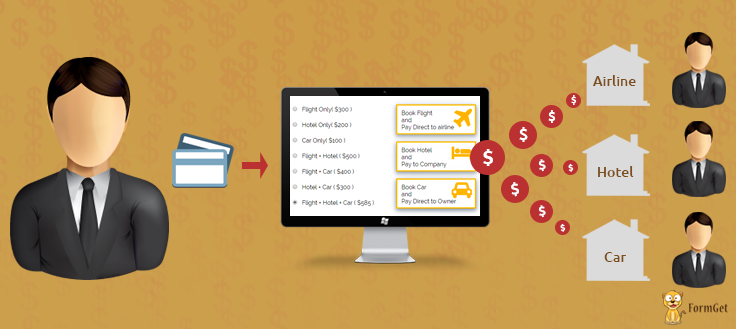
PayPal Parallel payments enable a single buyer to pay multiple merchants in a single checkout session. A parallel payment is a payment from a sender that is then splitted directly among two to six different receivers.
Here we are showing an example which is a trip planning website, where customer, can book a flight, hotel and car together and pay the total amount in one checkout session. Using parallel payments that amount will split into three parts and all three merchants get their respected amounts as well.
Tutorial Scripts in detail
Below are the details of the code used in this tutorial with proper explanation.
Index.php
Index.php contain code for showing Facility information.
<html>
<head>
<title>Paypal Parallel Payments Using PHP</title>
<link rel="stylesheet" type="text/css" href="css/style.css">
<link rel="stylesheet" href="//maxcdn.bootstrapcdn.com/font-awesome/4.3.0/css/font-awesome.min.css">
<link rel="stylesheet" type="text/css" href="css/loadding.css">
<link rel="stylesheet" type="text/css" href="css/popup-style.css">
<script src="http://ajax.googleapis.com/ajax/libs/jquery/1.11.2/jquery.min.js"></script>
</head>
<body>
<div id="main">
<center><h1>Paypal Parallel Payments Using PHP</h1></center>

<div id="container">
<center><h2>Book Together and Save Money and Time</h2></center>
<hr/>
<table id="results" >
<tbody>
<tr>
<td style=" padding-bottom: 20px;">
<b><p style="color: rgb(77, 125, 179);">Flight = $300<br></p></b>

</td >
<td style=" padding-bottom: 20px;">
<b><p style="color: rgb(77, 125, 179);">Hotel = $200</p></b>
</td >
<td style=" padding-bottom: 20px;">
<b><p style="color: rgb(77, 125, 179);">Cab = $100<br></p></b>
</td>
</tr>
</tbody>
</table>
<center><h3>Select Your Plan</h3></center>
<form action="process.php" name="form" method="POST">
<div id="item-container">
<input type="radio" name="booking" value="f" checked="true">Flight Only( $300 )<br>
<input type="radio" name="booking" value="h">Hotel Only( $200 )<br>
<input type="radio" name="booking" value="c">Car Only( $100 )<br>
<input type="radio" name="booking" value="fh">Flight + Hotel ( $500 )<br>
<input type="radio" name="booking" value="fc">Flight + Car ( $400 )<br>
<input type="radio" name="booking" value="hc">Hotel + Car ( $300 )<br>
<input type="radio" name="booking" value="fhc">Flight + Hotel + Car ( $585 )<br>
</div>
<div id="item-container">
<div class="f" id="merchants-details"><p id="title-text">Book Flight<br> and <br> Pay Direct to airline</p><i class="fa fa-plane fa-4x"></i></div>
<div class="h" id="merchants-details"><p id="title-text">Book Hotel<br> and <br> Pay to Company</p><i class="fa fa-bed fa-3x"></i></div>
<div class="c"id="merchants-details"><p id="title-text">Book Car<br> and <br> Pay Direct to Owner</p><i class="fa fa-car fa-3x"></i></div>
</div>
<input type="submit" id="tatalamount" value="Pay Now : $000"/>
</form>

</div>
<img id="paypal_logo" src="images/secure-paypal-logo.jpg">
</div>
<div id="pop2" class="simplePopup">
<div id="loader">
<div id="circularG">
<div id="circularG_1" class="circularG">
</div>
<div id="circularG_2" class="circularG">
</div>
<div id="circularG_3" class="circularG">
</div>
<div id="circularG_4" class="circularG">
</div>
<div id="circularG_5" class="circularG">
</div>
<div id="circularG_6" class="circularG">
</div>
<div id="circularG_7" class="circularG">
</div>
<div id="circularG_8" class="circularG">
</div>
</div>
</div>
</div>
<script src="js/jquery.simplePopup.js" type="text/javascript"></script>
<script type="text/javascript">
$(document).ready(function() {
$('input#tatalamount').click(function() {
$('#pop2').simplePopup();
});
$("div.f i").css('color', '#FFBC00');
$("div.f").css('border', '3px solid rgb(255, 188, 0)');
$("div.f").css('box-shadow', '0px 5px 17px 1px #99A3AD, 0px 0px 40px #EEEEEE');
$('input#tatalamount').val('Pay Now : $300');
});
// get list of radio buttons with name 'size'
var sz = document.forms['form'].elements['booking'];
// loop through list
for (var i = 0, len = sz.length; i < len; i++) {
sz[i].onclick = function() {
rdata = this.value;
$("div.f i").css('color', '');
$("div.f").css('box-shadow', '');
$("div.h i").css('color', '');
$("div.h").css('box-shadow', '');
$("div.c i").css('color', '');
$("div.c").css('box-shadow', '');
$("div.f").css('border', '');
$("div.h").css('border', '');
$("div.c").css('border', '');
if (rdata === 'f') {
$("div.f i").css('color', '#FFBC00');
$("div.f").css('border', '3px solid rgb(255, 188, 0)');
$("div.f").css('box-shadow', '0px 5px 17px 1px #99A3AD, 0px 0px 40px #EEEEEE');
$('input#tatalamount').val('Pay Now : $300');
}
if (rdata === 'h') {
$("div.h i").css('color', '#FFBC00');
$("div.h").css('box-shadow', '0px 5px 17px 1px #99A3AD, 0px 0px 40px #EEEEEE');
$("div.h").css('border', '3px solid rgb(255, 188, 0)');
$('input#tatalamount').val('Pay Now : $200');
}
if (rdata === 'c') {
$("div.c i").css('color', '#FFBC00');
$("div.c").css('box-shadow', '0px 5px 17px 1px #99A3AD, 0px 0px 40px #EEEEEE');
$("div.c").css('border', '3px solid rgb(255, 188, 0)');
$('input#tatalamount').val('Pay Now : $100');
}
if (rdata === 'fh') {
$("div.f i").css('color', '#FFBC00');
$("div.f").css('box-shadow', '0px 5px 17px 1px #99A3AD, 0px 0px 40px #EEEEEE');
$("div.f").css('border', '3px solid rgb(255, 188, 0)');
$("div.h i").css('color', '#FFBC00');
$("div.h").css('box-shadow', '0px 5px 17px 1px #99A3AD, 0px 0px 40px #EEEEEE');
$("div.h").css('border', '3px solid rgb(255, 188, 0)');
$('input#tatalamount').val('Pay Now : $500');
}
if (rdata === 'fc') {
$("div.f i").css('color', '#FFBC00');
$("div.f").css('box-shadow', '0px 5px 17px 1px #99A3AD, 0px 0px 40px #EEEEEE');
$("div.f").css('border', '3px solid rgb(255, 188, 0)');
$("div.c i").css('color', '#FFBC00');
$("div.c").css('box-shadow', '0px 5px 17px 1px #99A3AD, 0px 0px 40px #EEEEEE');
$("div.c").css('border', '3px solid rgb(255, 188, 0)');
$('input#tatalamount').val('Pay Now : $400');
}
if (rdata === 'hc') {
$("div.h i").css('color', '#FFBC00');
$("div.h").css('box-shadow', '0px 5px 17px 1px #99A3AD, 0px 0px 40px #EEEEEE');
$("div.h").css('border', '3px solid rgb(255, 188, 0)');
$("div.c i").css('color', '#FFBC00');
$("div.c").css('box-shadow', '0px 5px 17px 1px #99A3AD, 0px 0px 40px #EEEEEE');
$("div.c").css('border', '3px solid rgb(255, 188, 0)');
$('input#tatalamount').val('Pay Now : $300');
}
if (rdata === 'fhc') {
$("div.f i").css('color', '#FFBC00');
$("div.f").css('box-shadow', '0px 5px 17px 1px #99A3AD, 0px 0px 40px #EEEEEE');
$("div.f").css('border', '3px solid rgb(255, 188, 0)');
$("div.h i").css('color', '#FFBC00');
$("div.h").css('box-shadow', '0px 5px 17px 1px #99A3AD, 0px 0px 40px #EEEEEE');
$("div.h").css('border', '3px solid rgb(255, 188, 0)');
$("div.c i").css('color', '#FFBC00');
$("div.c").css('box-shadow', '0px 5px 17px 1px #99A3AD, 0px 0px 40px #EEEEEE');
$("div.c").css('border', '3px solid rgb(255, 188, 0)');
$('input#tatalamount').val('Pay Now : $585');
}
};
}
</script>
</body>
</html>
Proccess.php
This file contains code to process Adaptive amount to PayPal.
<?php
session_start();
require_once('../PPBootStrap.php');
require_once('../Common/Constants.php');
define("DEFAULT_SELECT", "- Select -");
$returnUrl = "https://www.formget.com/tutorial/paypal-adaptive-payment/parallel/success.php";
$cancelUrl = "https://www.formget.com/tutorial/paypal-adaptive-payment/parallel/index.php";
$memo = "Adaptive Payment";
$actionType = "PAY";
$currencyCode = "USD";

if ($_POST['booking'] == 'f') {
$receiverEmail = array("[email protected]");
$receiverAmount = array("300.00");
$primaryReceiver = array("false");
$_SESSION['facilty_provider'] = array("AirGo Airline's Test Store");
} elseif ($_POST['booking'] == 'h') {
$receiverEmail = array("[email protected]");
$receiverAmount = array("200.00");
$primaryReceiver = array("false");
$_SESSION['facilty_provider'] = array("Hotel TheCompany's Test Store");
} elseif ($_POST['booking'] == 'c') {
$receiverEmail = array("[email protected]");
$receiverAmount = array("100.00");
$primaryReceiver = array("false");
$_SESSION['facilty_provider'] = array("MyCar Car Company's Test Store");
} elseif ($_POST['booking'] == 'fh') {
$receiverEmail = array("[email protected]", "[email protected]");
$receiverAmount = array("300.00", "200.00");
$primaryReceiver = array("false", "false");
$_SESSION['facilty_provider'] = array("AirGo Airline's Test Store", "Hotel TheCompany's Test Store");
} elseif ($_POST['booking'] == 'fc') {
$receiverEmail = array("[email protected]", "[email protected]");
$receiverAmount = array("300.00", "100.00");
$primaryReceiver = array("false", "false");
$_SESSION['facilty_provider'] = array("AirGo Airline's Test Store", "MyCar Car Company's Test Store");
} elseif ($_POST['booking'] == 'hc') {
$receiverEmail = array("[email protected]", "[email protected]");
$receiverAmount = array("200.00", "100.00");
$primaryReceiver = array("false", "false");
$_SESSION['facilty_provider'] = array("Hotel TheCompany's Test Store", "MyCar Car Company's Test Store");
} elseif ($_POST['booking'] == 'fhc') {
$receiverEmail = array("[email protected]", "[email protected]", "[email protected]");
$receiverAmount = array("295.00", "195.00", "95.00");
$primaryReceiver = array("false", "false", "false");
$_SESSION['facilty_provider'] = array("AirGo Airline's Test Store", "Hotel TheCompany's Test Store", "MyCar Car Company's Test Store");
} else {
$receiverEmail = array("[email protected]");
$receiverAmount = array("300.00");
$primaryReceiver = array("false");
$_SESSION['facilty_provider'] = array("AirGo Airline's Test Store");
}
if (isset($receiverEmail)) {
$receiver = array();
/*
* A receiver's email address
*/
for ($i = 0; $i < count($receiverEmail); $i++) {
$receiver[$i] = new Receiver();
$receiver[$i]->email = $receiverEmail[$i];
/*
* Amount to be credited to the receiver's account
*/
$receiver[$i]->amount = $receiverAmount[$i];
/*
* Set to true to indicate a chained payment; only one receiver can be a primary receiver. Omit this field, or set it to false for simple and parallel payments.
*/
$receiver[$i]->primary = $primaryReceiver[$i];
}
$receiverList = new ReceiverList($receiver);
}
$payRequest = new PayRequest(new RequestEnvelope("en_US"), $actionType, $cancelUrl, $currencyCode, $receiverList, $returnUrl);
// Add optional params
if ($memo != "") {
$payRequest->memo = $memo;
}
/*
* ## Creating service wrapper object
Creating service wrapper object to make API call and loading
Configuration::getAcctAndConfig() returns array that contains credential and config parameters
*/
$service = new AdaptivePaymentsService(Configuration::getAcctAndConfig());
try {
/* wrap API method calls on the service object with a try catch */
$response = $service->Pay($payRequest);
$ack = strtoupper($response->responseEnvelope->ack);
if ($ack == "SUCCESS") {
$_SESSION['pay_key'] = $payKey = $response->payKey;
$payKey = $response->payKey;
$payPalURL = PAYPAL_REDIRECT_URL . '_ap-payment&paykey=' . $payKey;
header('Location: ' . $payPalURL);
}
} catch (Exception $ex) {
require_once '../Common/Error.php';
exit;
}
Success.php
This file contains $response array ,which contains all transaction details and displayed in the front end.
<?php
require_once('../PPBootStrap.php');
session_start();
$requestEnvelope = new RequestEnvelope("en_US");
$paymentDetailsReq = new PaymentDetailsRequest($requestEnvelope);
if ($_SESSION['pay_key'] != "") {
$paymentDetailsReq->payKey = $_SESSION['pay_key'];
}
/*
* ## Creating service wrapper object
Creating service wrapper object to make API call and loading
Configuration::getAcctAndConfig() returns array that contains credential and config parameters
*/
$service = new AdaptivePaymentsService(Configuration::getAcctAndConfig());
try {
/* wrap API method calls on the service object with a try catch */
$response = $service->PaymentDetails($paymentDetailsReq);
?>
<html>
<head>
<title>Paypal Parallel Payments Using PHP</title>
<link rel="stylesheet" type="text/css" href="css/style.css">
<meta name="robots" content="noindex, nofollow">
<script type="text/javascript">
var _gaq = _gaq || [];
_gaq.push(['_setAccount', 'UA-43981329-1']);
_gaq.push(['_trackPageview']);
(function() {
var ga = document.createElement('script');
ga.type = 'text/javascript';
ga.async = true;
ga.src = ('https:' == document.location.protocol ? 'https://ssl' : 'http://www') + '.google-analytics.com/ga.js';
var s = document.getElementsByTagName('script')[0];
s.parentNode.insertBefore(ga, s);
})();
</script>
</head>
<body>
<div id="main">
<div class="success_main_heading">
<center><h1>Paypal Parallel Payments Using PHP</h1></center>
</div>
<div id="return">
<h2>Payment Status</h2>
<hr/>
<?php
//Rechecking the product price and currency details
/*
* The status of the payment. Possible values are:

* CREATED - The payment request was received; funds will be
transferred once the payment is approved
* COMPLETED - The payment was successful
* INCOMPLETE - Some transfers succeeded and some failed for a
parallel payment or, for a delayed chained payment, secondary
receivers have not been paid
* ERROR - The payment failed and all attempted transfers failed
or all completed transfers were successfully reversed
* REVERSALERROR - One or more transfers failed when attempting
to reverse a payment
* PROCESSING - The payment is in progress
* PENDING - The payment is awaiting processing
*/
if ($response->status == 'COMPLETED') {
echo "<h3 id='success'>Payment Successful</h3>";
$amount = 0;
?>
<table id="results" >
<thead>
<tr class="head">
<th>Facility Provider</th>
<th>Status</th>
</tr>

</thead>
<tbody>
<?php for ($i = 0; $i < count($response->paymentInfoList->paymentInfo); $i++) { ?>
<tr>
<td>
<b><p style="color: rgb(77, 125, 179);"><?php echo $_SESSION['facilty_provider'][$i]; ?></p></b>
<p>Transaction Id: <?php echo $response->paymentInfoList->paymentInfo[$i]->transactionId; ?></p>
<p>Amount: <?php
echo $response->paymentInfoList->paymentInfo[$i]->receiver->amount;
$amount = $amount + $response->paymentInfoList->paymentInfo[$i]->receiver->amount;
?></p>
</td>
<td>
<b><p style="color: rgb(77, 125, 179);"><?php echo $response->paymentInfoList->paymentInfo[$i]->transactionStatus; ?></p></b>
</td>
</tr>
<?php } ?>
<tr>
<td><b>Total Amount</b></td>
<td><b>$<?php echo $amount ?> USD</b></td>
</tr>
</tbody>
</table>
<div class='back_btn'><a href='index.php' id= 'btn'><< Back</a></div>
<?php
} else if ($response->status == 'INCOMPLETE') {
echo "<h3 id='fail'>Payment - Failed</h3>";
echo '<p><center>Error msg :- This transaction cannot be processed.</center></p>';
echo "<div class='back_btn'><a href='index.php' id= 'btn'><< Back</a></div>";
} else if ($response->status == 'ERROR') {
echo "<h3 id='fail'>Payment - Failed</h3>";
echo '<p><center>Error msg :- The payment failed and all attempted transfers failed</center></p>';
echo "<div class='back_btn'><a href='index.php' id= 'btn'><< Back</a></div>";
} else if ($response->status == 'PENDING') {
echo "<h3 id='fail'>Payment - PENDING</h3>";
echo '<p><center>Error msg :- The payment is awaiting processing</center></p>';
echo "<div class='back_btn'><a href='index.php' id= 'btn'><< Back</a></div>";
} else if ($response->status == 'CREATED') {
echo "<h3 id='fail'>Payment - CREATED</h3>";
echo '<p><center>Error msg :- The payment request was received; funds will be transferred once the payment is approved</center></p>';
echo "<div class='back_btn'><a href='index.php' id= 'btn'><< Back</a></div>";
} else {
echo "<h3 id='fail'>Payment - Failed</h3>";
echo '<p><center>Error msg :- This transaction cannot be processed.</center></p>';
echo "<div class='back_btn'><a href='index.php' id= 'btn'><< Back</a></div>";
}
session_unset();
session_destroy();
?>
</div>
<!-- Right side div -->
<div class="fr"id="formget">
<a href=https://www.formget.com/app><img style="margin-left: 12%;" src="images/formget.jpg" alt="Online Form Builder"/></a>
</div>
</div>
</body>
</html><?php
} catch (Exception $ex) {
require_once '../Common/Error.php';
exit;
}
Style.css
Includes basic styling of HTML elements.
@import url(http://fonts.googleapis.com/css?family=Raleway);
#main{
width:960px;
margin: 10px auto;
font-family:raleway;
}
span{
color:red;
}
hr{
border:0;
border-bottom:1px solid #ccc;
margin: 10px -40px;
margin-bottom: 30px;
}
#container{
width: 54%;
float: left;
border-radius: 10px;
font-family:raleway;
border: 2px solid #ccc;
padding: 10px 40px 10px;
margin-top: 2px;
margin-left: 180px;
}
input[type=radio]{
width: 6.5%;
padding: 10px;
margin-top: 25px;
border: 1px solid #ccc;
padding-left: 5px;
font-size: 16px;
font-family:raleway;
margin-right: 10px;
}
input[type=submit]{
width: 100%;
background-color: #FFBC00;
color: white;
border: 2px solid #FFCB00;
padding: 10px;
font-size: 20px;
cursor: pointer;
border-radius: 5px;
margin-bottom: 15px;
font-weight: 600;
}
a{
text-decoration:none;
color: cornflowerblue;
}
i{
color: cornflowerblue;
}
#formget{
float:right;
}
#item-container {
width: 247px;
height: 308px;
margin-left: 8px;
float: left;
margin-bottom: 40px;
/* border: 1px solid rgb(226, 226, 226); */

}
#merchants-details{
width: 85%;
height: 75px;
margin-top: 19px;
float: right;
border: 3px solid rgb(226, 226, 226);
}
#Button-container{
width:100px;
height:67px;
border:1px solid black;
}
i{
float: right;
color: rgba(0, 0, 0, 0.13);
margin: -75px 8px;
}
p#title-text{
float: left;
margin: 11px;
}
#results {
width: 100%;
margin-top: 30px;
//border: 1px solid #ccc;
table-layout: auto;
margin-bottom: 30px;
}
table {
border-collapse: collapse;
border-spacing: 0;
}
thead {
display: table-header-group;
vertical-align: middle;
border-color: inherit;
}
.head {
font-size: 15px;
font-family: "proxima_novasemibold", sans-serif;
background: #FEFFED;
color: #1d4c55;
border: 1px solid #ccc;
}
tr {
display: table-row;
vertical-align: inherit;
border-color: inherit;
}
.head th{
//border-right: 1px solid #ccc;
//border-bottom: 1px solid #ccc;
line-height: normal;
padding: 10px 0px;
text-align: left;
padding-left: 3%;
}
td {
//border-right: 1px solid #ccc;
border-bottom: 1px solid #ccc;
line-height: normal;
padding: 10px 0px;
text-align: left;
padding-left:3%;
vertical-align: top;
}
tbody {
display: table-row-group;
vertical-align: middle;
border-color: inherit;
}
tr {
display: table-row;
vertical-align: inherit;
border-color: inherit;
}
#return {
width: 492px;
height: auto;
float: left;
border-radius: 10px;
font-family: raleway;
border: 2px solid #ccc;
padding: 10px 40px 30px;
margin-bottom: 50px;
}
#return h3#success {
text-align: center;
font-size: 24px;
color: green;
margin-bottom: 10px;
}
#return P {
text-align: left;
}
#return .back_btn {
margin-top: 30px;
text-align: center;
}
#btn {
width: 100%;
background-color: #FFBC00;
color: white;
border: 2px solid #FFCB00;
padding: 10px 70px;
font-size: 20px;
cursor: pointer;
border-radius: 5px;
margin-bottom: 15px;
margin: 0 auto;
}
a{
text-decoration:none;
color: #33BADB;
}
img#paypal_logo {
clear: both;
float: right;
margin-right: 165px;
margin-top: 1%;
padding-bottom: 15px;
}
.success_main_heading{
margin-left: -40%;

}
#return h3#fail{
text-align: center;
font-size: 24px;
margin-top: 50px;
color: red;
margin-bottom: 10px;
}
.red{
color:red;
font-weight: bold;
}
h2{
background-color: #FEFFED;
text-align:center;
border-radius: 10px 10px 0 0;
margin: -10px -40px;
padding: 15px;
}
Conclusion :
After reading the above post, I am sure you will give a try to the script provided and implement it in your own projects as well. Feel free to visit our website again in the future to get in touch with new coding tricks. You can let us know about your feedback in the space provided below
MailGet Integration With FormGet

Do you want to send emails to your leads collected via FormGet forms?
You can do it great with MailGet – email marketing platform.
Few months back we launched our inhouse email marketing tool MailGet which you might have gone through. Using MailGet you can send bulk emails to your subscribers easily.
So, If you have a MailGet account and want to send emails to the leads collected via FormGet forms, then you can do so with the latest integration in FormGet.
Yes, MailGet has now been integrated with FormGet, using which you can collect leads and can save them directly in your MailGet’s email list to send them manual or automated emails.
Steps to integrate a form with an email list
1. Create a FormGet form having Name and Email field (compulsory).
2. Go to Email Marketing section in your dashboard.

3. Now follow the steps given there.
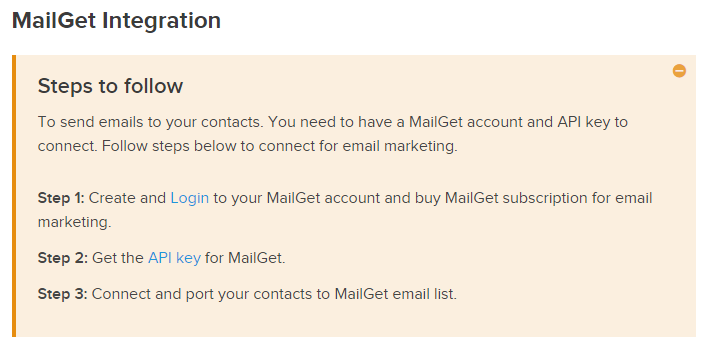
These are the steps that you need to follow to get MailGet API Key, they are:
- Login to your MailGet account.
- Go to Settings panel and then select MailGet API and copy the given API key.
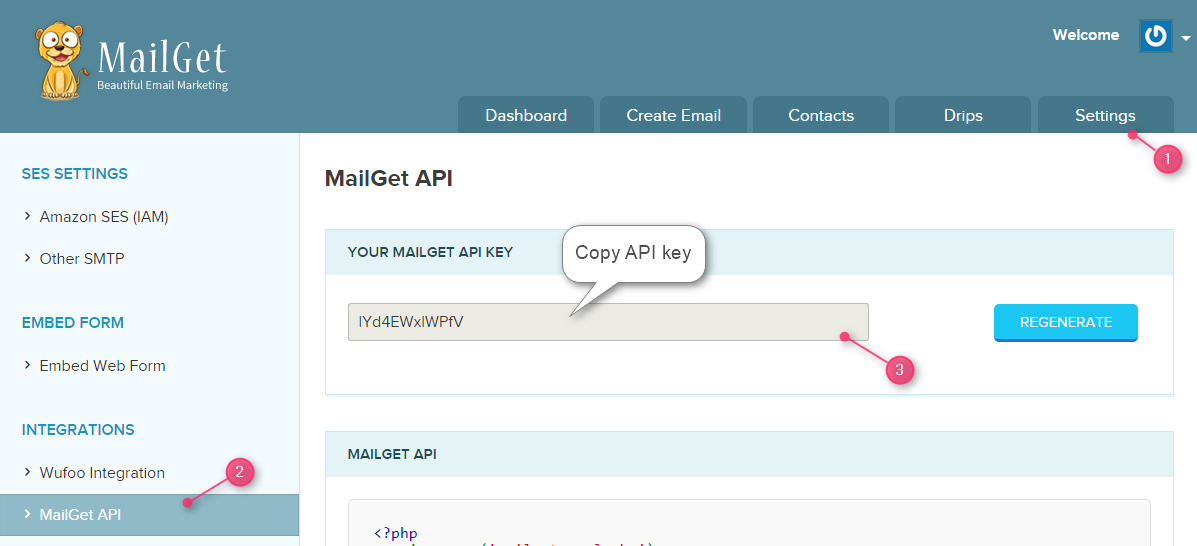
4. Paste that API key in FormGet settings panel and click on SAVE SETTINGS.
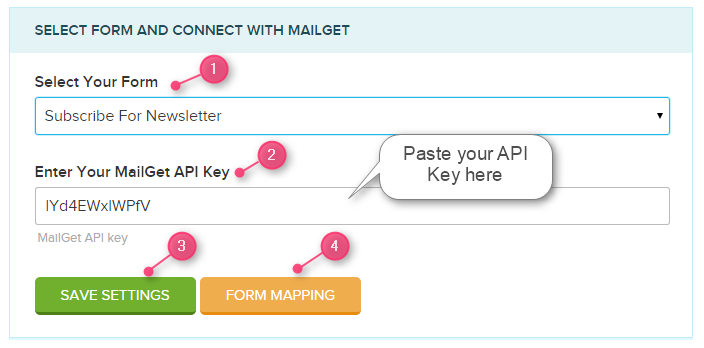
5. As soon as you will click on it, you will then see an option Form Mapping, click on it to map your form with your contact list.
6. See below image to see how mapping is to be done.
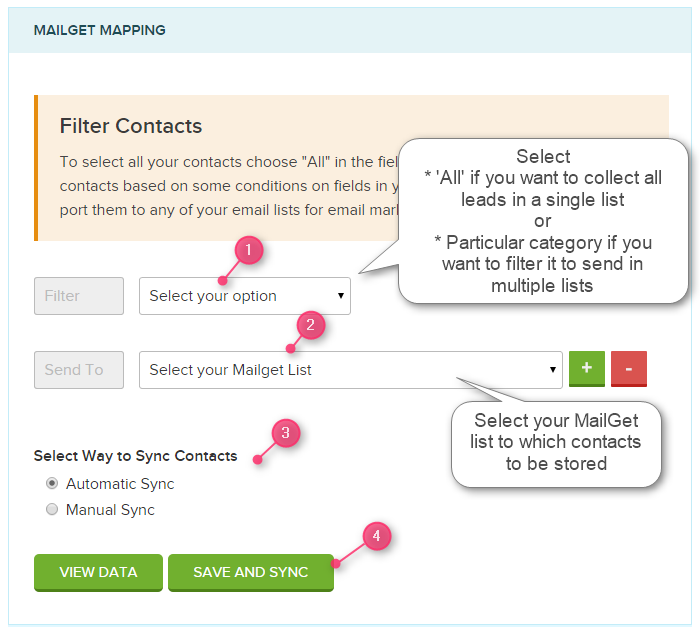
The steps are:
- Select your option:
- If you want to collect all leads in a single list then choose ‘All’ from the dropdown.
- If you want to filter leads from your form and want to store them in different lists then you have to select a category (say; A & B) and map it accordingly. See the image below:
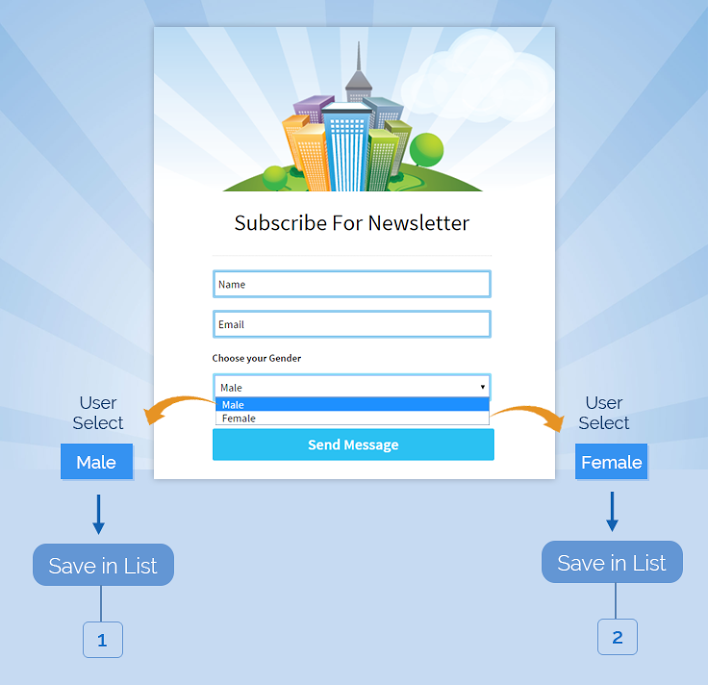
- Select your MailGet list from the dropdown to which you want to store the contacts.
- Select way to Sync Contacts: Under this option you can sync the leads to store All leads or leads depending upon the date selected.
- Automatic Sync: If you want that all leads which so ever are there in your form to be stored in your list then chose this option.
- Manual Sync: If you want select a date range then select your preferences here.
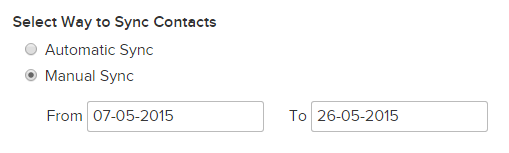
- Finally, click on SAVE AND SYNC button to save changes.
This is how you can do the settings to store leads in your MailGet list and use them to send emails. You can send the emails manually or you can set the predefined autoresponders/drips to send automated emails.
This integration will combinedly help you to collect leads and send emails to your subscribers from a single platform.
A Live Example of storing leads in single list
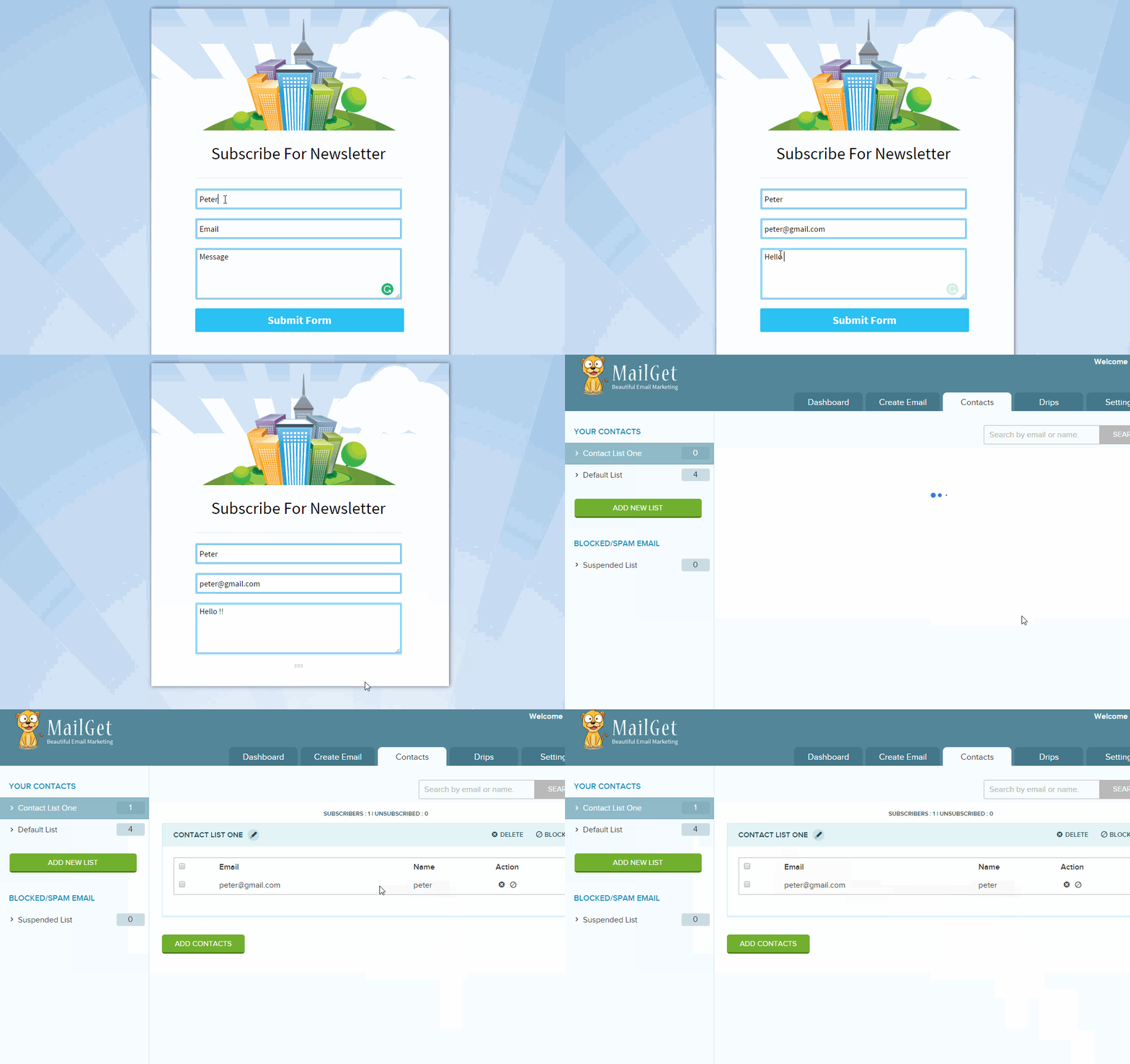
A Live Example of storing leads in multiple lists
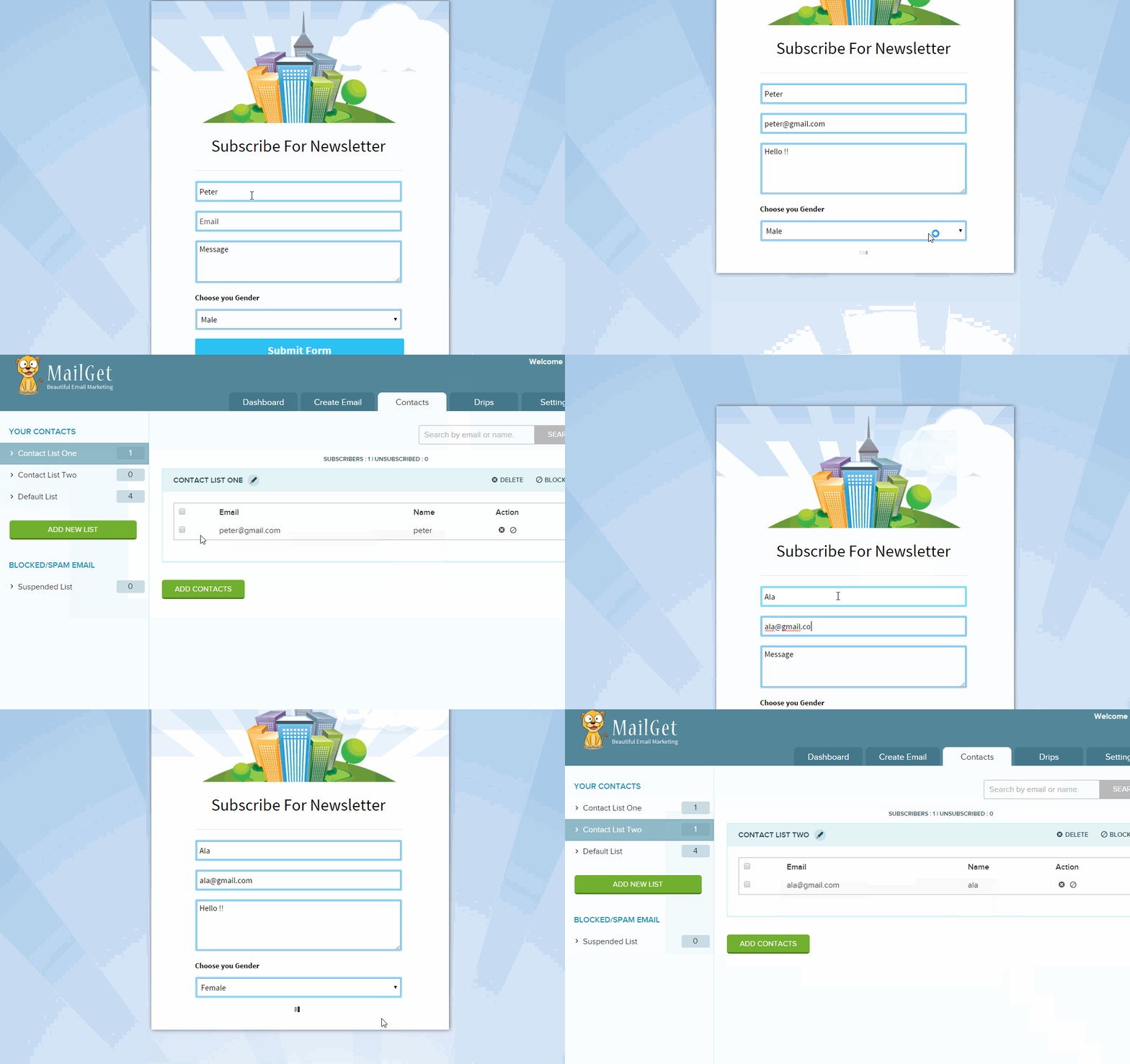
I hope after looking to the above examples you would have understood the complete working.
If you have any further query contact us at: https://www.formget.com/contact-us/
Have a Happy Form Building 🙂
Paypal Recurring Payments for Installment Plan in PHP

Use PayPal Installment Plan button for installments based recurring payments. Using this buyer can pay, the full amount or pay an amount in installment, without any interest.
In our previous blog post, we have discussed how we can use PayPal Subscription Button, Example for any service and product Subscription and PayPal Donate Button, Example for Any charity.
In this blog post, we are going to explain how we can use the PayPal Installment button for recurring payment. Using this, we can sell a product with up to 3 or 4 installments.
Watch the live demo or download code from the link given below
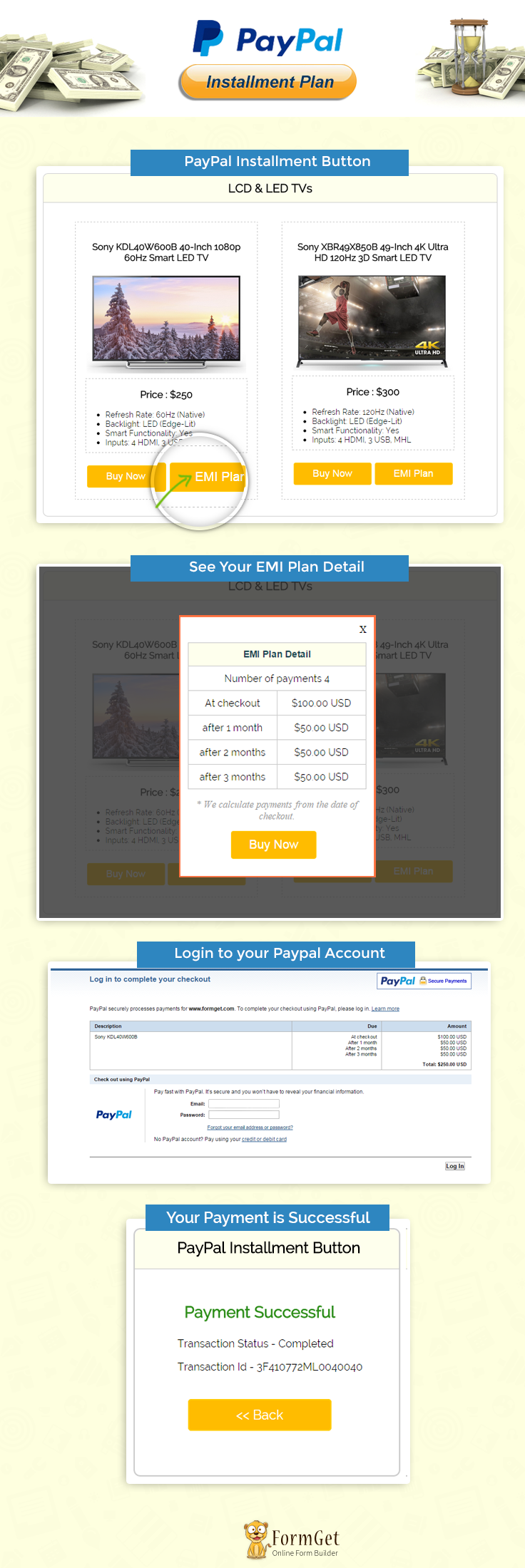
Note : PayPal offers sandbox account for development and testing purpose. Here we are using Sandbox for the demo, so if you would like to test our demo you can use your PayPal sandbox credentials.
Steps for Creating PayPal Installment Plan Button
Before using the PayPal Installment Plan, merchants should follow steps for generating HTML code.
That process is necessary because when you create buttons for installment plan for any product that time one hosted_button_id will generate in merchant account as well its required in code.
Step: 1 Login to PayPal https://www.sandbox.paypal.com/ via your login credentials and go to profile and find my selling tools click on it, now you can see a panel like below.
- Now go to My selling tools->My business setups ->Selling tools
- Click on update link for PayPal Buttons
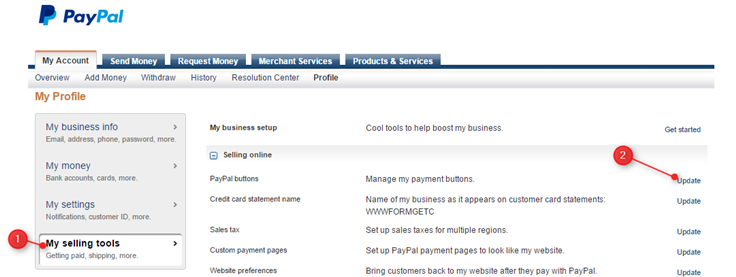
Step: 2 In this panel click on Create new Button.
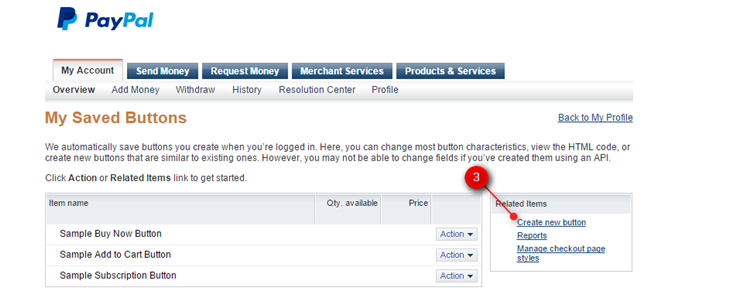
Step: 3 Here you can choose a button type, select installment plan and click on learn more link for further process.
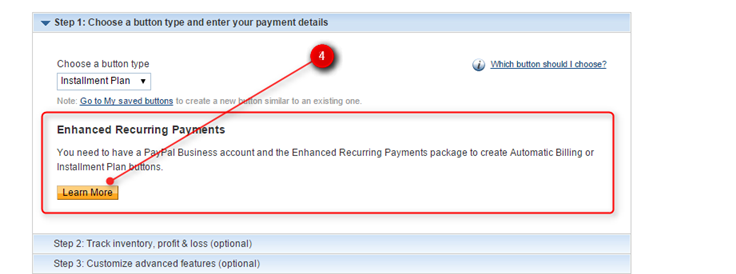
Step: 4 Now click on Installment plans tab and then on Sign Up Now button.
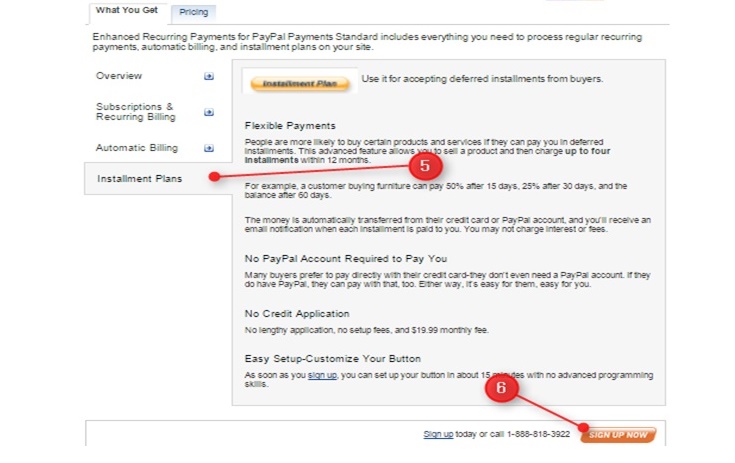
Step: 5 Now click on Agree and Continue for enable Recurring payment PayPal charge 19.00 USD per month
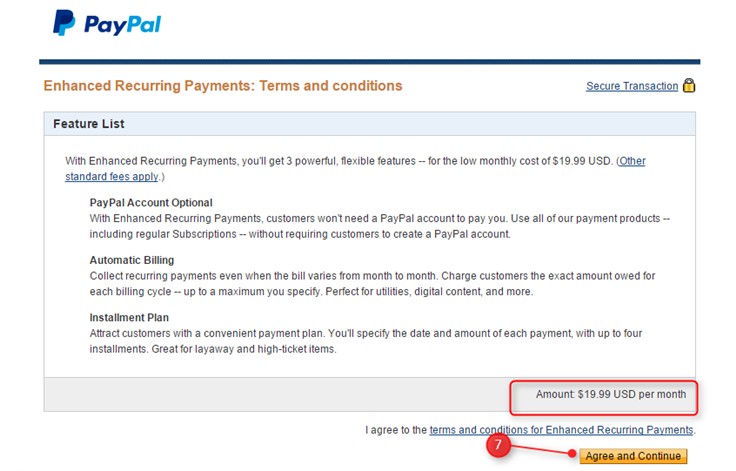
Step: 6 Now fill product details and click on generate code button
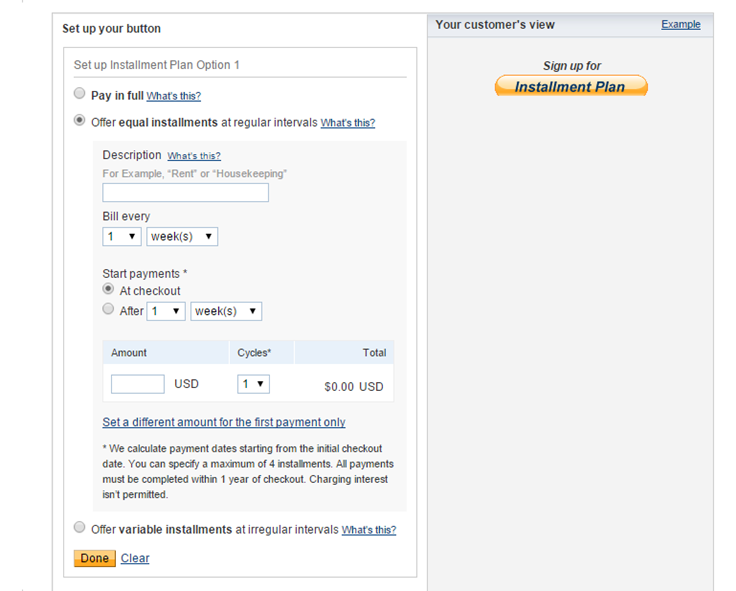
Now will get HTML code with hosted_button_id like
<input type="hidden" name="hosted_button_id" value="LTMFP68XKUAH8">
Tutorial Scripts in detail
Below are the details of the code used in this tutorial with proper explanation.
Index.php
Index.php contain code for showing product information.
<html>
<head>
<title>PayPal Installment Button</title>
<link rel="stylesheet" type="text/css" href="css/style.css">

</head>
<body>
<div id="main">
<center><h1>PayPal Installment Button</h1></center>
<div id="container">
<h2>LCD & LED TVs</h2>
<hr/>
<div id="book_container">
<center><h3>Sony KDL40W600B 40-Inch 1080p 60Hz Smart LED TV</h3></center>
<center> <img src="images/2.jpg" id="product_img" /></center>
<div class="description">
<p>Price : $250</p>
<ul>
<li>
Refresh Rate: 60Hz (Native)
</li>
<li>
Backlight: LED (Edge-Lit)
</li>
<li>
Smart Functionality: Yes
</li>
<li>
Inputs: 4 HDMI, 3 USB, MHL
</li>

</ul>
</div>
<form action="process.php" method="POST">
<input type="hidden" value="<?php echo base64_encode(1); ?>" name="p_id" >
<input type="submit" name="submit" value="Buy Now" id="">
<input type="button" name="submit" value="EMI Plan" onclick="show('<?php echo base64_encode(3); ?>');">
</form>

</div>
<div id="book_container">
<center><h3>Sony XBR49X850B 49-Inch 4K Ultra HD 120Hz 3D Smart LED TV</h3></center>
<center> <img src="images/1.jpg" id="product_img" /></center>
<div class="description">
<p>Price : $300</p>
<ul>
<li>
Refresh Rate: 120Hz (Native)
</li>
<li>
Backlight: LED (Edge-Lit)
</li>
<li>
Smart Functionality: Yes
</li>
<li>
Inputs: 4 HDMI, 3 USB, MHL
</li>
</ul>
</div>
<form action="process.php" method="POST">
<input type="hidden" value="<?php echo base64_encode(2); ?>" name="p_id" >
<input type="submit" name="submit" value="Buy Now" id="">
<input type="button" name="submit" value="EMI Plan" onclick="show('<?php echo base64_encode(4); ?>');">
</form>

</div>
</div>
<img id="paypal_logo" style="margin-top: -30;" src="images/secure-paypal-logo.jpg">
</div>
<div id="pop2" class="simplePopup">

<table id="results" >
<thead>
<tr class="head">
<th colspan="2">EMI Plan Detail</th>
</tr>
</thead>
<tbody>
<tr>
<td colspan="2">
Number of payments 4
</td>
</tr>
<tr>
<td>
At checkout
</td>

<td>
$100.00 USD
</td>
</tr>
<tr>
<td>
after 1 month
</td>
<td>
$50.00 USD
</td>
</tr>
<tr>
<td>
after 2 months
</td>
<td>
$50.00 USD
</td>
</tr>
<tr>
<td>
after 3 months
</td>
<td>
$50.00 USD
</td>
</tr>
</tbody>
</table>
<i>* We calculate payments from the date of checkout.</i>
<form action="process.php" method="POST">
<input type="hidden" value="" name="p_id" id="p_id">
<input style="margin-left: 70px;"type="submit" name="submit" value="Buy Now">
</form>
</div>
<script src="https://ajax.googleapis.com/ajax/libs/jquery/1.7.2/jquery.min.js"></script>
<script src="js/jquery.simplePopup.js" type="text/javascript"></script>
<script type="text/javascript">
function show(id) {
$('#p_id').val(id);
$('#pop2').simplePopup();
}
</script>
</body>
</html>
Process.php
This file contains code to process Installment amount to PayPal.
<?php
if (isset($_POST['submit'])) {
//Here we can use paypal url or sanbox url.
$paypal_url = 'https://www.sandbox.paypal.com/cgi-bin/webscr';
?>
<div style="margin-left: 38%"><img src="images/ajax-loader.gif"/><img src="images/processing_animation.gif"/></div>
<form name = "myform" action = "<?php echo $paypal_url; ?>" method = "post" target = "_top">
<input type="hidden" name="cmd" value="_s-xclick">
<?php if (base64_decode($_POST['p_id']) == 1) { ?>
<input type = "hidden" name = "hosted_button_id" value = "JJ7GABFH697Y6">
<?php } else if (base64_decode($_POST['p_id']) == 2) { ?>
<input type="hidden" name="hosted_button_id" value="VPS7YN78EJUJ2">
<?php } else if (base64_decode($_POST['p_id']) == 3) { ?>
<input type="hidden" name="hosted_button_id" value="LTMFP68XKUAH8">
<?php } else if (base64_decode($_POST['p_id']) == 4) { ?>
<input type="hidden" name="hosted_button_id" value="RTWYBJMM44SNN">
<?php } ?>
<input type="hidden" name="on0" value="plan">
<input type="hidden" name="os0" value ="option_0">
</form>
<script type="text/javascript">
document.myform.submit();
</script><?php
}
Success.php
<html>
<head>
<title>PayPal Installment Button</title>
<link rel="stylesheet" type="text/css" href="css/style.css">
<meta name="robots" content="noindex, nofollow">
<script type="text/javascript">
var _gaq = _gaq || [];
_gaq.push(['_setAccount', 'UA-43981329-1']);
_gaq.push(['_trackPageview']);
(function() {
var ga = document.createElement('script');
ga.type = 'text/javascript';
ga.async = true;
ga.src = ('https:' == document.location.protocol ? 'https://ssl' : 'http://www') + '.google-analytics.com/ga.js';
var s = document.getElementsByTagName('script')[0];
s.parentNode.insertBefore(ga, s);
})();
</script>
</head>
<body>
<?php
if (!empty($_REQUEST)) {
$product_no = $_REQUEST['item_number']; // Product ID
$product_transaction = $_REQUEST['tx']; // Paypal transaction ID
$product_price = $_REQUEST['amt']; // Paypal received amount value
$product_currency = $_REQUEST['cc']; // Paypal received currency type
$product_status = $_REQUEST['st']; // Paypal product status
}
?>
<div id="main">
<h1 style="margin-left: -6%;">PayPal Installment Button for Recurring Payments</h1>

<div id="return">

<h2>PayPal Installment Button</h2>
<hr/>

<?php
//Rechecking the product price and currency details
if ($_REQUEST['st'] == 'Completed') {
echo "<h3 id='success'>Payment SuccessFul</h3>";
echo "<P>Transaction Status - " . $product_status . "</P>";
echo "<P>Transaction Id - " . $product_transaction . "</P>";
echo "<div class='back_btn'><a href='index.php' id= 'btn'><< Back</a></div>";
} if ($_REQUEST['st'] == 'Pending') {
echo "<h3 id='Pending'>Payment Pending</h3>";
echo "<P>Transaction Status - Pending</P>";
echo "<P>Transaction Id - " . $product_transaction . "</P>";
echo "<div class='back_btn'><a href='index.php' id= 'btn'><< Back</a></div>";
} else {
echo "<h3 id='fail'>Payment Failed</h3>";
echo "<P>Transaction Status - Unompleted</P>";
echo "<P>Transaction Id - " . $product_transaction . "</P>";
echo "<div class='back_btn'><a href='index.php' id= 'btn'><< Back</a></div>";
}
?>
</div>
<!-- Right side div -->
<div id="formget">
<a href=https://www.formget.com/app><img src="images/formget.jpg" alt="Online Form Builder"/></a>
</div>
</div>
</body>
</html>
Style.css
Includes basic styling of HTML elements.
/*----------------------------------------------
css settings for HTML div exactCenter
------------------------------------------------*/
@import url(http://fonts.googleapis.com/css?family=Raleway);

#main{
width:960px;
margin:50px auto;
font-family:raleway;
}
h2{
background-color: #FEFFED;
text-align:center;
border-radius: 10px 10px 0 0;
margin: -10px -40px;
padding: 15px;
}
hr{
border:0;
border-bottom:1px solid #ccc;
margin: 10px -40px;
margin-bottom: 30px;
}
#container{
width: 88%;
float: left;
border-radius: 10px;
font-family:raleway;
border: 2px solid #ccc;
padding: 10px 40px 25px;
margin: 0 40px 40px 0;
}
select{
width:99.5%;
padding: 10px;
margin-top: 8px;
border: 1px solid #ccc;
padding-left: 5px;
font-size: 16px;
font-family:raleway;
}
input[type=submit] {
width: 48%;
background-color: #FFBC00;
color: white;
border: 2px solid #FFCB00;
padding: 10px;
font-size: 20px;
cursor: pointer;
border-radius: 5px;
margin: 15px 1%;
float: left;
}
input[type=button] {
width: 48%;
background-color: #FFBC00;
color: white;
border: 2px solid #FFCB00;
padding: 10px;
font-size: 20px;
cursor: pointer;
border-radius: 5px;
margin: 15px 1%;
float: left;
}
input[type=button]:hover{
transform: scale(1.05);
}
input[type=submit]:hover{
transform: scale(1.05);
}
#profile{
padding:50px;
border:1px dashed grey;
font-size:20px;
background-color:#DCE6F7;
}
#logout{
float:right;
padding:5px;
border:dashed 1px gray;
}
a{
text-decoration:none;
color: cornflowerblue;
}
i{
color: rgb(155, 155, 155);
}
#formget{
float:right;
}

#book_container{
width: 331px;
height: 525px;
border: 1px dashed rgb(195, 195, 195);
float: left;
margin: 9px 24px;
padding: 20px;
/*box-shadow: 0px 5px 17px 1px #99A3AD, 0px 0px 40px #EEEEEE;*/
}
hr.type_1 {
border: 0;
height: 55px;
background-image: url(../images/type_1.png);
background-repeat: no-repeat;
margin: 10px 67px;
}
#product_img{
width: 325px;
}
img#paypal_logo {
float: right;
margin-right: 27px;
margin-top: 1%;
padding-bottom: 15px;
}
.fgrow{
margin-bottom: 15px;
}
#return {
width: 492px;
height: 350px;
float: left;
border-radius: 10px;
font-family: raleway;
border: 2px solid #ccc;
padding: 10px 40px 11px;
margin: 16PX;
}
#return h3#success {
text-align: center;
font-size: 24px;
margin-top: 50px;
color: green;
}
#return P {
margin-left: 122px;
}
#return .back_btn {
margin-top: 51px;
text-align: center;
}
#btn {
width: 100%;
background-color: #FFBC00;
color: white;
border: 2px solid #FFCB00;
padding: 10px 70px;
font-size: 20px;
cursor: pointer;
border-radius: 5px;
margin-bottom: 15px;

}
a{
text-decoration:none;
color: cornflowerblue;
}
#formget{
float: right;
}
#return h3#fail{
text-align: center;
font-size: 24px;
margin-top: 50px;
color: red;
}

.mrtpbt{
margin-top: 5px;
margin-bottom: 15px;
line-height: 25px;
}
#return h3#Pending{
color: #FFBC00;
text-align: center;
font-size: 24px;
margin-top: 50px;

}
.description{
border: 1px dashed rgb(195, 195, 195);
height: 150px;
margin: 10px auto;
}
.description p{
color: black;
font-size: 20px;
font-weight: 600;
text-align: center;
}
.simplePopup {
display:none;
position:fixed;
border: 4px solid #FD703F;
background:#fff;
z-index:3;
width: 290px;
min-width: 290px;
padding: 12px;
text-align: center;
}
.simplePopupClose {
float:right;
cursor:pointer;
margin-left:10px;
margin-bottom:10px;
}
.simplePopup h3{
text-align: center;
font-family: raleway;
}
.simplePopup b{
font-size: 30px;
}
.simplePopup img{
position: relative;
background-color: #FFFFFF;
border-width: 7px;
border-style: solid;
border-color: rgb(253, 112, 63);
border-radius: 0px;
width: 100px;
}
.simplePopupBackground {
display:none;
background:#000;
position:fixed;
height:100%;
width:100%;
top:0;
left:0;
z-index:1;
}
#results {
width: 100%;
margin-top: 30px;
border: 1px solid #ccc;
table-layout: fixed;
margin-bottom: 15px;
}

table {
border-collapse: collapse;
border-spacing: 0;
}
thead {
display: table-header-group;
vertical-align: middle;
border-color: inherit;
}
.head {
font-size: 15px;
font-family: "proxima_novasemibold", sans-serif;
background: #FEFFED;
color: #1d4c55;
}
tr {
display: table-row;
vertical-align: inherit;
border-color: inherit;
}
.head th, td {
border-right: 1px solid #ccc;
border-bottom: 1px solid #ccc;
line-height: normal;
padding: 10px 0 10px;
text-align: center;
}
tbody {
display: table-row-group;
vertical-align: middle;
border-color: inherit;
}
tr {
display: table-row;
vertical-align: inherit;
border-color: inherit;
}
Conclusion :
After reading the above post, I am sure you will give a try to the script provided and implement it in your own projects as well. Feel free to visit our website again in the future to get in touch with new coding tricks. You can let us know about your feedback in the space provided below
PayPal Subscription Button for Recurring Payments

Use PayPal Subscribe button to access payments automatically from product’s buyers and to charge ongoing payment for membership access. Using this, buyer get the goods or services as daily, weekly, monthly, and yearly.
In our previous blogs post, we have discussed how we can use PayPal payments in different modes like Shopping cart, Mass payment and Digital Goods etc.
You can create Subscribe buttons that you add to your website by using a tool on the PayPal website or you can write the HTML code for it manually.
In this blog post, we are going to explain how we can use or customize PayPal subscribe button with PHP and HTML for recurring and access payments automatically.
Using PayPal Subscription button, you can access payments automatically from product’s buyers but managing subscriptions, recurring billing is difficult task.
For this, you can opt for Pabbly Subscriptions to collect recurring and one-time payment.
Where the product’s buyer has the option to select a plan which will be charged daily, weekly, monthly or yearly.
Watch the live demo or download code from the link given below
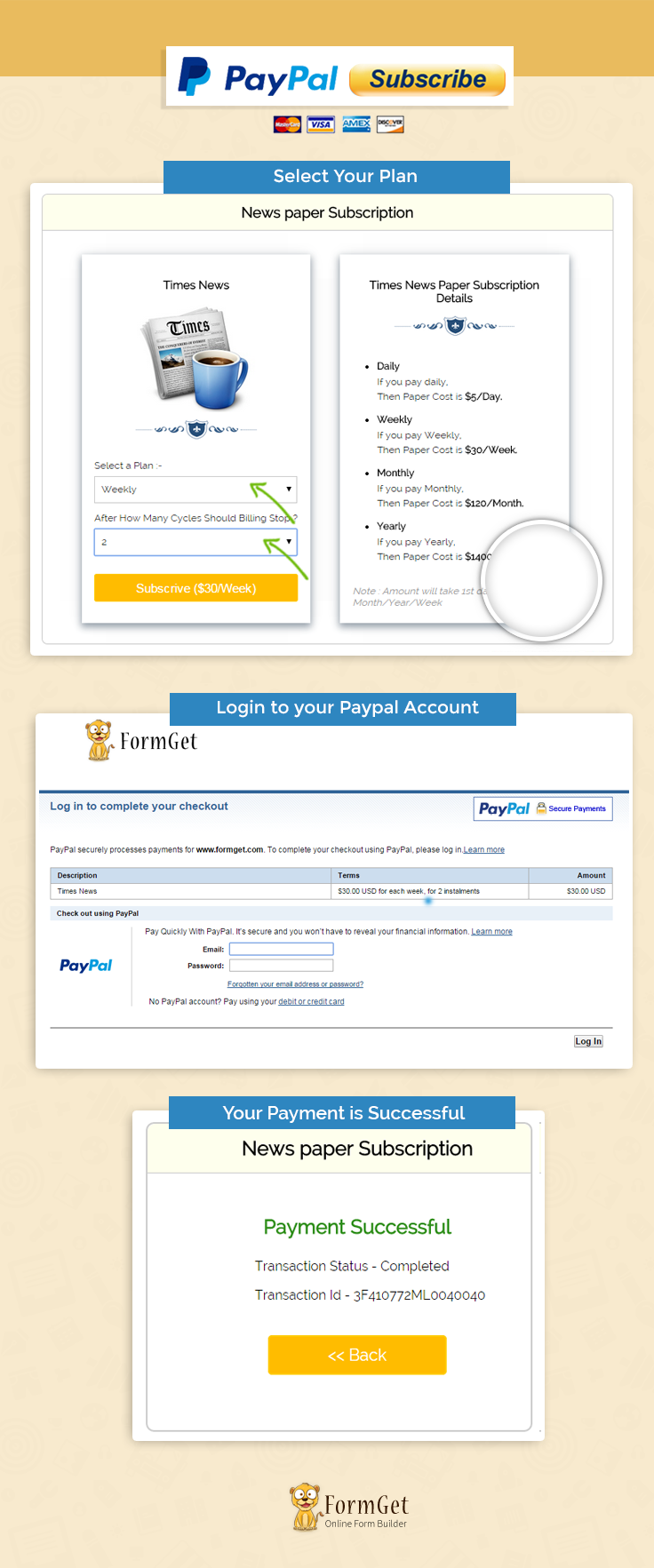
Note : PayPal offers sandbox account for development and testing purpose. Here we are using Sandbox for the demo, so if you would like to test our demo you can use your PayPal sandbox credentials.
Concept behind the script
In our last post, we covered PayPal Buy Now Button and PayPal Add to Cart Button where we have customized the button for showing meaningful example and demo.
In this post, we have used PayPal Subscribe button in PHP showing examples for News Paper subscription based website, where a subscriber can select the plan and recurring period.
Here, a subscriber can select product or service plan like daily, weekly, monthly and yearly as well they also select billing cycle means by “After How Many Cycles Billing will Stop”.
Tutorial Scripts in detail
Below are the details of the code used in this tutorial with proper explanation.
Index.php
Index.php contain code for showing News Paper Subscription Details with subscription plan and plan’s cycle.
<html>
<head>
<title>PayPal Subscription Button for Recurring Payments</title>
<link rel="stylesheet" type="text/css" href="css/style.css">
</head>
<body>
<div id="main">
<center><h1>PayPal Subscription Button for Recurring Payments</h1></center>
<div id="container">
<h2>News paper Subscription</h2>
<hr/>
<div id="book_container">
<center> <h3>Times News</h3></center>
<img src="images/9.jpg" id="product_img" />
<hr class="type_1">
<form action="process.php" method="POST">
<div class="fgrow">
<span>Select a Plan :-</span>
<select id="select_plan" name="select_plan">
<option value="Daily">Daily
</option>
<option value="Weekly">Weekly
</option>
<option value="Monthly">Monthly
</option>
<option value="Yearly">Yearly
</option>
</select>
</div>
<div class="fgrow">
<span>After How Many Cycles Should Billing Stop ?</span>
<select id="select_cycles" name="select_cycles">
<option value="">Never
</option>
<?php for ($i = 2; $i <= 30; $i++) { ?>
<option value="<?php echo $i; ?>"><?php echo $i; ?>
</option>
<?php } ?>
</select>
</div>
<input type="submit" value="Subscrive ($5/Day)" name="submit" id="subscribe">
</form>
</div>
<div id="book_container">
<center> <h3>Times News Paper Subscription Details</h3></center>
<hr class="type_1">
<ul>
<li><b>Daily</b></li>
<P class="mrtpbt">If you pay daily,<br>Then Paper Cost is <b>$5/Day.</b></P>
<li><b>Weekly</b></li>
<P class="mrtpbt">If you pay Weekly,<br>Then Paper Cost is <b>$30/Week.</b></P>
<li><b>Monthly</b></li>
<P class="mrtpbt">If you pay Monthly,<br>Then Paper Cost is <b>$120/Month.</b></P>
<li><b>Yearly</b></li>
<P class="mrtpbt">If you pay Yearly,<br>Then Paper Cost is <b>$1400/Year.</b></P>
</ul>
<br>
<i> Note : Amount will take 1st day of every Month/Year/Week</i>
</div>
</div>
<img id="paypal_logo" style="margin-top: -30;" src="images/secure-paypal-logo.jpg">
</div>
<script src="js/jquery.min.js"></script>
<script type="text/javascript">
$(document).ready(function() {
$('#select_plan').on('change', function() {
if (this.value === 'Daily') {
$('input#subscribe').val('Subscrive ($5/Day)');
} else if (this.value === 'Weekly') {

$('input#subscribe').val('Subscrive ($30/Week)');
} else if (this.value === 'Monthly') {

$('input#subscribe').val('Subscrive ($120/Month)');
} else if (this.value === 'Yearly') {
$('input#subscribe').val('Subscrive ($1400/Year)');
}
});
});
</script>
</body>
</html>
Process.php
This file contains code to process Subscription amount to PayPal.
<?php
if (isset($_POST['submit'])) {
$total_cycle = $_POST['select_cycles'];
$product_name = 'Times News';
$product_currency = 'USD';
if ($_POST['select_plan'] == 'Daily') {
$cycle_amount = 5;
$cycle = 'D';
} else if ($_POST['select_plan'] == 'Weekly') {
$cycle_amount = 30;
$cycle = 'W';
} else if ($_POST['select_plan'] == 'Monthly') {
$cycle_amount = 150;
$cycle = 'M';
} else if ($_POST['select_plan'] == 'Yearly') {
$cycle_amount = 1400;
$cycle = 'Y';
}
//Here we can use PayPal URL or sandbox URL.
$paypal_url = 'https://www.sandbox.paypal.com/cgi-bin/webscr';
//Here we can used seller email id.
$merchant_email = 'merchants email id';
//here we can put cancel URL when payment is not completed.
$cancel_return = "https://www.formget.com/tutorial/paypal-subscription/index.php";
//here we can put cancel URL when payment is Successful.
$success_return = "https://www.formget.com/tutorial/paypal-subscription/success.php";
?>
<div style="margin-left: 38%"><img src="images/ajax-loader.gif"/><img src="images/processing_animation.gif"/></div>
<form name = "myform" action = "<?php echo $paypal_url; ?>" method = "post" target = "_top">
<input type="hidden" name="cmd" value="_xclick-subscriptions">
<input type = "hidden" name = "business" value = "<?php echo $merchant_email; ?>">
<input type="hidden" name="lc" value="IN">
<input type = "hidden" name = "item_name" value = "<?php echo $product_name; ?>">
<input type="hidden" name="no_note" value="1">
<input type="hidden" name="src" value="1">
<?php if (!empty($total_cycle)) { ?>
<input type="hidden" name="srt" value="<?php echo $total_cycle; ?>">
<?php } ?>
<input type="hidden" name="a3" value="<?php echo $cycle_amount; ?>">
<input type="hidden" name="p3" value="1">
<input type="hidden" name="t3" value="<?php echo $cycle; ?>">
<input type="hidden" name="currency_code" value="<?php echo $product_currency; ?>">
<input type = "hidden" name = "cancel_return" value = "<?php echo $cancel_return ?>">
<input type = "hidden" name = "return" value = "<?php echo $success_return; ?>">
<input type="hidden" name="bn" value="PP-SubscriptionsBF:btn_subscribeCC_LG.gif:NonHostedGuest">
</form>
<script type="text/javascript">
document.myform.submit();
</script>
<?php }
?>
Success.php
PayPal calls this file when subscription payments get successfully completed and provide $_REQUEST array which contains all transaction details and displayed in the front end.
<html>
<head>
<title>PayPal Subscription Button for Recurring Payments</title>
<link rel="stylesheet" type="text/css" href="css/style.css">
</head>
<body>
<?php
if (!empty($_REQUEST)) {
$product_no = $_REQUEST['item_number']; // Product ID
$product_transaction = $_REQUEST['tx']; // Paypal transaction ID
$product_price = $_REQUEST['amt']; // Paypal received amount value
$product_currency = $_REQUEST['cc']; // Paypal received currency type
$product_status = $_REQUEST['st']; // Paypal product status
}
?>
<div id="main">
<h1 style="margin-left: -6%;">PayPal Subscription Button for Recurring Payments</h1>

<div id="return">

<h2>News paper Subscription</h2>
<hr/>
<?php
//Rechecking the product price and currency details
if ($_REQUEST['st'] == 'Completed') {
echo "<h3 id='success'>Payment SuccessFul</h3>";
echo "<P>Transaction Status - " . $product_status . "</P>";
echo "<P>Transaction Id - " . $product_transaction . "</P>";
echo "<div class='back_btn'><a href='index.php' id= 'btn'><< Back</a></div>";
} else {
echo "<h3 id='fail'>Payment Failed</h3>";
echo "<P>Transaction Status - Unompleted</P>";
echo "<P>Transaction Id - " . $product_transaction . "</P>";
echo "<div class='back_btn'><a href='index.php' id= 'btn'><< Back</a></div>";
}
?>
</div>
<!-- Right side div -->
<div id="formget">
<a href=https://www.formget.com/app><img src="images/formget.jpg" alt="Online Form Builder"/></a>
</div>
</div>
</body>
</html>
Style.css
Includes basic styling of HTML elements.
@import url(http://fonts.googleapis.com/css?family=Raleway);
#main{
width:960px;
margin:50px auto;
font-family:raleway;
}
h2{
background-color: #FEFFED;
text-align:center;
border-radius: 10px 10px 0 0;
margin: -10px -40px;
padding: 15px;
}
hr{
border:0;
border-bottom:1px solid #ccc;
margin: 10px -40px;
margin-bottom: 30px;
}
#container{
width: 88%;
float: left;
border-radius: 10px;
font-family:raleway;
border: 2px solid #ccc;
padding: 10px 40px 25px;
margin: 0 40px 40px 0;
}
select{
width:99.5%;
padding: 10px;
margin-top: 8px;
border: 1px solid #ccc;
padding-left: 5px;
font-size: 16px;
font-family:raleway;
}
input[type=submit]{
width: 100%;
background-color:#FFBC00;
color: white;
border: 2px solid #FFCB00;
padding: 10px;
font-size:20px;
cursor:pointer;
border-radius: 5px;
margin: 15px 0px;
}
input[type=submit]:hover{
transform: scale(1.05);
}
#profile{
padding:50px;
border:1px dashed grey;
font-size:20px;
background-color:#DCE6F7;
}

#logout{
float:right;
padding:5px;
border:dashed 1px gray;
}

a{
text-decoration:none;
color: cornflowerblue;
}

i{
color: rgb(155, 155, 155);
}
#formget{
float:right;
}

#book_container{
width: 331px;
height: 558px;
/* border: 1px solid black; */
float: left;
margin: 9px 24px;
padding: 20px;
box-shadow: 0px 5px 17px 1px #99A3AD, 0px 0px 40px #EEEEEE;
}
hr.type_1 {
border: 0;
height: 55px;
background-image: url(../images/type_1.png);
background-repeat: no-repeat;
margin: 10px 67px;
}
#product_img{
margin: 2px 61px;
width: 200px;
}
img#paypal_logo {
float: right;
margin-right: 27px;
margin-top: 1%;
padding-bottom: 15px;
}
.fgrow{
margin-bottom: 15px;
}
#return {
width: 492px;
height: 350px;
float: left;
border-radius: 10px;
font-family: raleway;
border: 2px solid #ccc;
padding: 10px 40px 11px;
margin: 16PX;
}
#return h3#success {
text-align: center;
font-size: 24px;
margin-top: 50px;
color: green;
}
#return P {
margin-left: 122px;
}
#return .back_btn {
margin-top: 51px;
text-align: center;
}
#btn {
width: 100%;
background-color: #FFBC00;
color: white;
border: 2px solid #FFCB00;
padding: 10px 70px;
font-size: 20px;
cursor: pointer;
border-radius: 5px;
margin-bottom: 15px;

}
a{
text-decoration:none;
color: cornflowerblue;
}
#formget{
float: right;
}
#return h3#fail{
text-align: center;
font-size: 24px;
margin-top: 50px;
color: red;
}
.mrtpbt{
margin-top: 5px;
margin-bottom: 15px;
line-height: 25px;
}
Conclusion :
After reading the above post, I am sure you will give a try to the script provided and implement it in your own projects as well. Feel free to visit our website again in the future to get in touch with new coding tricks. You can let us know about your feedback in the space provided below
PayPal Donate Button in PHP

Using PayPal Donate button, we can collect contribution payments. It lets you to Donate fixed amounts or amounts entered by donors.
When you click on Donate button, it goes to a special link that is maintained by PayPal for that particular button.
In our previous blogs post, we have discussed how we can use PayPal payments in different modes like Shopping cart, Mass payment and Digital Goods etc.
You can create Donate buttons that you add to your website by using a tool on the PayPal website or you can write the HTML code for it manually.
Here we are going to explain how we can use or customize PayPal donate button with PHP and HTML for contributing money, where donor can donate fixed amounts or can enter the amount by themselves.
Watch the live demo or download code from the link given below
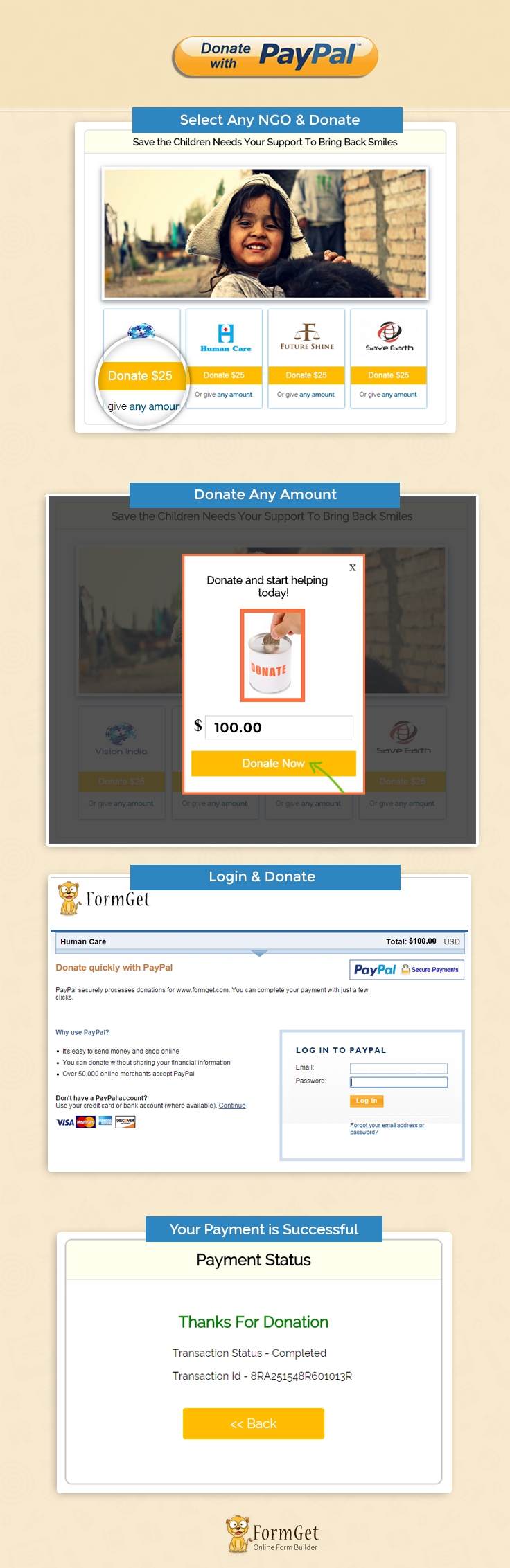
Note : PayPal offers sandbox account for development and testing purpose. Here we are using Sandbox for the demo, so if you would like to test our demo you can use your PayPal sandbox credentials.
Concept Behind the Script
In our last post, we covered PayPal Buy Now Button and Pay Add to Cart Button where we have customized the button for showing meaningful example and demo.
In this post, we used PayPal donate button in PHP showing example for donation based website, where you can donate fixed amounts or self entered amounts to different charities.
Here, when donor will click on Donate button he can pay fixed amount which is $25 and if the donor wants to pay any amount then they need to enter the donation amount on the popup window and click on the donate button. It will redirects to PayPal donation panel for payment process.
Tutorial Scripts in detail
Below are the details of the code used in this tutorial with proper explanation.
Index.php
Index.php contain code for showing different charity with donation details and Donate button.
<html>
<head>
<title>Donate With PayPal</title>
<link rel="stylesheet" type="text/css" href="css/style.css">
<link rel="stylesheet" href="css/flexslider.css" type="text/css">
</head>
<body>
<div id = "main">
<h1>Donate With PayPal</h1>
<div id = "container">
<h2>Save the Children Needs Your Support To Bring Back Smiles</h2>
<hr/>
<!-- Place somewhere in the <body> of your page -->
<div class="flexslider">
<!-- image slider start here -->
<ul class="slides">
<li>
<div class="box-shadow-preview">
<img src="images/1.jpg"/>
</div>
</li>
<li>
<div class="box-shadow-preview">
<img src="images/2.jpg" />
</div>
</li>
<li>
<div class="box-shadow-preview">
<img src="images/3.jpg" />
</div>
</li>
<li>
<div class="box-shadow-preview">
<img src="images/4.jpg" />
</div>
</li>
<li>
<div class="box-shadow-preview">
<img src="images/5.jpg" />
</div>
</li>
</ul>
</div>
<div class="donate">
<!-- 1st charity container -->
<div class="charity">
<a href=""><img src="images/logo1.PNG"></a>
<form action="process.php" method="POST">
<input type="hidden" name="id" value="<?php echo base64_encode(1); ?>">
<input type="submit" value="Donate $25" name="submit">
</form>
<p>Or give <a href="#" onclick="show('<?php echo base64_encode(1); ?>');" class="show2">any amount</a>.</p>
</div>
<!-- 2nd charity container -->
<div class="charity">
<a href=""><img src="images/logo2.PNG"></a>
<form action="process.php" method="POST">
<input type="hidden" name="id" value="<?php echo base64_encode(2); ?>">
<input type="submit" value="Donate $25" name="submit">
</form>
<p>Or give <a href="#" onclick="show('<?php echo base64_encode(2); ?>');">any amount</a>.</p>
</div>
<!-- 3rd charity container -->
<div class="charity">
<a href=""><img src="images/logo3.PNG"></a>
<form action="process.php" method="POST">
<input type="hidden" name="id" value="<?php echo base64_encode(3); ?>">
<input type="submit" value="Donate $25" name="submit">
</form>
<p>Or give <a href="#" onclick="show('<?php echo base64_encode(3); ?>');">any amount</a>.</p>
</div>
<!-- 4th charity container -->
<div class="charity">
<a href=""><img src="images/logo4.PNG"></a>
<form action="process.php" method="POST">
<input type="hidden" name="id" value="<?php echo base64_encode(4); ?>">
<input type="submit" value="Donate $25" name="submit">
</form>
<p>Or give <a href="#" onclick="show('<?php echo base64_encode(4); ?>');">any amount</a>.</p>
</div>
</div>
</div>
<img id="paypal_logo" style="margin-left: 722px;" src="images/secure-paypal-logo.jpg">
</div>
<div id="pop2" class="simplePopup">
<h3>Donate and start helping today!</h3>
<form action="process.php" method="POST">
<img src="images/donate.jpg">
<br/>
<b>$</b><input type="hidden" name="id" id='charity_id' value=''>
<input type="number" value="" name="amount" required="required" step=".1">
<input type="submit" value="Donate Now" name="submit">
</form>
</div>
<script src="https://ajax.googleapis.com/ajax/libs/jquery/1.7.2/jquery.min.js"></script>
<script src="js/jquery.flexslider.js"></script>
<!-- code for sliders -->
<script type="text/javascript" charset="utf-8">
$(window).load(function() {
$('.flexslider').flexslider();
});</script>
<script src="js/jquery.simplePopup.js" type="text/javascript"></script>
<!-- call popup -->
<script type="text/javascript">
function show(id) {
$('#charity_id').val(id);
$('.box-shadow-preview').css("opacity", "0.1");
$('#pop2').simplePopup();
}
</script>
</body>
</html>
Process.php
This file contains code to process Donation amount to PayPal.
<?php
//Here you can fetch data by database using id
if (isset($_POST['submit'])) {
if (base64_decode($_POST['id']) == 1) {
$product_name = 'Vision India';
$product_currency = 'USD';
$product_id = 1;
if (isset($_POST['amount'])) {
$product_price = $_POST['amount'];
} else {
$product_price = 25;
}
} else
if (base64_decode($_POST['id']) == 2) {
$product_name = 'Human Care';
$product_currency = 'USD';
$product_id = 2;
if (isset($_POST['amount'])) {
$product_price = $_POST['amount'];
} else {
$product_price = 25;
}
} else if (base64_decode($_POST['id']) == 3) {
$product_name = 'Future Shine';
$product_currency = 'USD';
$product_id = 3;
if (isset($_POST['amount'])) {
$product_price = $_POST['amount'];
} else {
$product_price = 25;
}
} else if (base64_decode($_POST['id']) == 4) {
$product_name = 'Save Earth';
$product_currency = 'USD';
$product_id = 4;
if (isset($_POST['amount'])) {
$product_price = $_POST['amount'];
} else {
$product_price = 25;
}
}
//Here we can use paypal url or sanbox url.
$paypal_url = 'https://www.sandbox.paypal.com/cgi-bin/webscr';
//Here we can used seller email id.
$merchant_email = ' put merchnats email id here';
//here we can put cancle url when payment is not completed.
$cancel_return = "http://localhost/donate-with-paypal/index.php";
//here we can put cancle url when payment is Successful.
$success_return = "http://localhost/donate-with-paypal/success.php";
?>
<div style="margin-left: 38%"><img src="images/ajax-loader.gif"/><img src="images/processing_animation.gif"/></div>
<form name = "myform" action = "<?php echo $paypal_url; ?>" method = "post" target = "_top">
<input type = "hidden" name = "cmd" value = "_donations">
<input type = "hidden" name = "cancel_return" value = "<?php echo $cancel_return ?>">
<input type = "hidden" name = "return" value = "<?php echo $success_return; ?>">
<input type = "hidden" name = "business" value = "<?php echo $merchant_email; ?>">
<input type = "hidden" name = "lc" value = "C2">
<input type = "hidden" name = "item_name" value = "<?php echo $product_name; ?>">
<input type = "hidden" name = "item_number" value = "<?php echo $product_id; ?>">
<input type = "hidden" name = "amount" value = "<?php echo $product_price; ?>">
<input type = "hidden" name = "currency_code" value = "<?php echo $product_currency; ?>">
<input type = "hidden" name = "button_subtype" value = "services">
<input type = "hidden" name = "no_note" value = "0">
</form>
<script type="text/javascript">
document.myform.submit();
</script>
<?php }
?>
Success.php
PayPal call this file when Donation gets successfully completed and provide $_REQUEST array which contains all transaction details and displayed in front end.
<html>
<head>
<title>Donate With PayPal</title>
<link rel="stylesheet" type="text/css" href="css/style.css">
</head>
<body>
<?php
if (!empty($_REQUEST)) {
$product_no = $_REQUEST['item_number']; // Product ID
$product_transaction = $_REQUEST['tx']; // Paypal transaction ID
$product_price = $_REQUEST['amt']; // Paypal received amount value
$product_currency = $_REQUEST['cc']; // Paypal received currency type
$product_status = $_REQUEST['st']; // Paypal product status
}
?>
<div id="main">
<h1 style="margin-left: -37%;">Donate With PayPal</h1>

<div id="return">

<h2>Payment Status </h2>
<hr/>
<?php
//Rechecking the product price and currency details
if ($_REQUEST['st'] == 'Completed') {
echo "<h3 id='success'>Thanks For Donation</h3>";
echo "<P>Transaction Status - " . $product_status . "</P>";
echo "<P>Transaction Id - " . $product_transaction . "</P>";
echo "<div class='back_btn'><a href='index.php' id= 'btn'><< Back</a></div>";
} else {
echo "<h3 id='fail'>Payment Failed</h3>";
echo "<P>Transaction Status - Unompleted</P>";
echo "<P>Transaction Id - " . $product_transaction . "</P>";
echo "<div class='back_btn'><a href='index.php' id= 'btn'><< Back</a></div>";
}
?>
</div>
</div>
</body>
</html>
Style.css
Includes basic styling of HTML elements.
@import url(http://fonts.googleapis.com/css?family=Raleway);
h1{
text-align: center;
}
#main {
width: 950PX;
margin: 50PX auto;
font-family: raleway;
}
#container {
width: 834px;
float: left;
border-radius: 10px;
font-family: raleway;
border: 2px solid #ccc;
padding: 10px 40px 11px;
margin: 16PX;
}
h2 {
background-color: #FEFFED;
text-align: center;
border-radius: 10px 10px 0 0;
margin: -10px -40px;
padding: 15px;
}
hr {
border: 0;
border-bottom: 1px solid #ccc;
margin: 10px -40px;
margin-bottom: 30px;
}
input[type=submit]{
width: 100%;
margin-top: 20px;
background-color: #FFBC00;
color: white;
border: 1px solid #FFCB00;
padding: 10px;
font-size: 20px;
cursor: pointer;
margin-bottom: 0px;
transition: all .2s ease-in-out;
}
input[type=number]{
width: 90%;
padding: 10px;
margin-top: 20px;
border: 1px solid #ccc;
padding-left: 5px;
font-size: 17px;
font-family: raleway;
}
input[type=submit]:hover{
transform: scale(1.1);
}
.box-shadow-preview{
position: relative;
background-color: #FFFFFF;
border-width: 7px;
border-style: solid;
border-color: white;
border-radius: 0px;
box-shadow: 0px 5px 17px 1px #99A3AD, 0px 0px 40px #EEEEEE;
}
.charity{
background-color: #fff;
border: 1% solid #ccc;
width: 23%;
height: 250px;
margin-left: 1%;
margin-right: 1%;
box-shadow: 0 0 5px rgba(0, 121, 193, 1);
float: left;
}
.donate{
margin-bottom: 30px;
width: auto;
height: 250px;
}
.charity img{
width: 150px;
height: 100px;
padding: 25px 25px 0 25px;
}
.charity p{
text-align: center;
}
.charity p a {
text-decoration: none;
color: rgb(0, 92, 132);
font-weight: 600;
}
.simplePopup {
display:none;
position:fixed;
border: 4px solid #FD703F;
background:#fff;
z-index:3;
width: 290px;
min-width: 290px;
padding: 12px;
text-align: center;
}

.simplePopupClose {
float:right;
cursor:pointer;
margin-left:10px;
margin-bottom:10px;
}
.simplePopup h3{
text-align: center;
font-family: raleway;
}
.simplePopup b{
font-size: 30px;
}
.simplePopup img{
position: relative;
background-color: #FFFFFF;
border-width: 7px;
border-style: solid;
border-color: rgb(253, 112, 63);
border-radius: 0px;
width: 100px;
}
.simplePopupBackground {
display:none;
background:#000;
position:fixed;
height:100%;
width:100%;
top:0;
left:0;
z-index:1;
}

#return {
width: 492px;
height: 350px;
float: left;
border-radius: 10px;
font-family: raleway;
border: 2px solid #ccc;
padding: 10px 40px 11px;
margin: 16PX;
}
#return h3#success {
text-align: center;
font-size: 24px;
margin-top: 50px;
color: green;
}
#return P {
margin-left: 122px;
}
#return .back_btn {
margin-top: 51px;
text-align: center;
}
#btn {
width: 100%;
background-color: #FFBC00;
color: white;
border: 2px solid #FFCB00;
padding: 10px 70px;
font-size: 20px;
cursor: pointer;
border-radius: 5px;
margin-bottom: 15px;

}
a{
text-decoration:none;
color: cornflowerblue;
}
#formget{
float: right;
}
#return h3#fail{
text-align: center;
font-size: 24px;
margin-top: 50px;
color: red;
}
Conclusion :
After reading the above post, I am sure you will give a try to the script provided and implement it in your own projects as well. Feel free to visit our website again in the future to get in touch with new coding tricks. You can let us know about your feedback in the space provided below
PayPal Express Checkout API for Shopping Cart in PHP

In our previous blogs, we have discussed, how we can use PayPal express checkout for selling a Single Product and Digital Goods.
Now we are going to explain how we can use PayPal express checkout for making shopping cart based website using PHP session and selling multiple products.
Adding cart on the website lets users to buy multiple products using PayPal. Where PHP session based shopping cart collects the product which buyer wants to buy, and they will be able to pay for multiple products using a PayPal account.
Here we demonstrate a furniture selling site with cart option. Where buyer can select quantity for product and add products to cart then checkout for making payments to PayPal.
Watch the live demo or download code from the link given below

Note : PayPal offers sandbox account for development and testing purpose. Here we are using Sandbox for demo. so if you would like to test our demo you can use your PayPal sandbox credentials.
Concept behind the script
In our last post we have used Paypal Add to Cart button for creating a online shopping website, this post have the same functionality, but it differs somehow.
The difference is, there we have used Paypal Add to Cart button for making cart, whereas in this post we have achieved the same functionality using Paypal Express Checkout and PHP session, which makes the script an effective one as compare to the last one.
Tutorial Scripts in detail
Below are the details of the code used in this tutorial with proper explanation.
index.php
Index.php showing product details. Here the buyer can select the quantity of product and add a product to the cart. After collecting products they will checkout with PayPal by clicking on the place order button.
<?php session_start(); ?>
<html>
<head>
<title>PayPal Express Checkout : Shopping Cart in PHP</title>
<link rel="stylesheet" type="text/css" href="css/style.css">
<link rel="stylesheet" type="text/css" href="css/loadding.css">
<link rel="stylesheet" type="text/css" href="css/popup-style.css">
</head>
<body>
<div id="main">
<center><h1>PayPal Express Checkout : Shopping Cart in PHP</h1></center>
<div id="container">
<h2>Modern Furniture Store</h2>
<hr/>

<table id="results" >
<?php
if (isset($_POST['submit']) || !empty($_SESSION['item_list'])) {
?>
<thead>
<tr class="head">
<th>Serial</th>
<th>Name</th>
<th>Price</th>
<th>Qty</th>
<th>Amount</th>
</tr>
</thead>
<tbody>
<?php
if (isset($_POST['submit'])) {
$new_ssn_value = "";
if (!empty($_SESSION['item_list'])) {
$all_row = explode("@@##", $_SESSION['item_list']);
$flag = 0;
foreach ($all_row as $value) {
$row = explode("@#@#", $value);
if (!empty($row[0])) {
if ($row[4] == $_POST['P_id']) {
$new_ssn_value .= $_POST['p_name'] . "@#@#" . $_POST['amount'] . "@#@#" . $_POST['qty'] . "@#@#" . $_POST['amount'] * $_POST['qty'] . "@#@#" . $_POST['P_id'] . "@@##";
$flag = 1;
} else {
$new_ssn_value .= $row[0] . "@#@#" . $row[1] . "@#@#" . $row[2] . "@#@#" . $row[3] . "@#@#" . $row[4] . "@@##";
}
}
}
if ($flag == 0) {
$new_ssn_value .= $_POST['p_name'] . "@#@#" . $_POST['amount'] . "@#@#" . $_POST['qty'] . "@#@#" . $_POST['amount'] * $_POST['qty'] . "@#@#" . $_POST['P_id'] . "@@##";
}
session_unset();
$_SESSION['item_list'] = $new_ssn_value;
} else {
$_SESSION['item_list'] = $_POST['p_name'] . "@#@#" . $_POST['amount'] . "@#@#" . $_POST['qty'] . "@#@#" . $_POST['amount'] * $_POST['qty'] . "@#@#" . $_POST['P_id'] . "@@##";
}
}
$all_row = explode("@@##", $_SESSION['item_list']);
$num = 0;
$total = 0;
foreach ($all_row as $value) {
$row = explode("@#@#", $value);
if (!empty($row[0])) {
$total +=$row[3];
?>
<tr>
<td><?php echo ++$num; ?></td>
<td><?php echo $row[0]; ?></td>
<td><?php echo $row[1]; ?></td>
<td><?php echo $row[2]; ?></td>
<td>$<?php echo $row[3]; ?></td>
</tr>
<?php
}
}
?>
<tr>
<td colspan="5"><h3 style="float: left">Total Amout = $<?php echo $total; ?></h3>
<form style="float: right;" action="SetExpressCheckout.php" method="POST">
<input style="margin-top: 0px;" type="submit" name="empty_cart" id="paynow" value="Empty Cart">
<input style="margin-top: 0px; margin-right: 10px;" type="submit" name="palce_order" id="paynow" onclick="popup();"value="Place Order">
</form>
</td>
</tr>
</tbody>
<?php
} else {
?><thead>
<tr class="head">
<th colspan="5" style="text-align: center;">
To add products to your shopping cart click on "Add to Cart" Button
</th>
</tr>
</thead> <?php
}
?>
</table>
<ul class="products-grid row">
<li class="item col-xs-4 last">
<div class="grid_wrapper">
<a href="#" title="Algarva Outdoor Sofa in Chocolate" class="product-image"><img src="images/4.png" alt="Algarva Outdoor Sofa in Chocolate"></a>
<div class="product-shop">
<h3 class="product-name"><a href="#" title="Algarva Outdoor Sofa in Chocolate">Algarva Outdoor Sofa in Chocolate</a></h3>
<div class="desc_grid">
From ancient times people always wanted to find a harmony. Greek philosophers stated that harmony is the basic element of a nature, and everything that surrounds us is in harmony.</div>
<div class="price-box">
<span class="regular-price" id="product-price-53-new">
<span class="price">$12.30</span>
</span>
<form method="POST" action="index.php">
<input type="hidden" value="1" name="P_id">
<input type="hidden" value="12.30" name="amount">
<input type="hidden" name='p_name' value='Algarva Outdoor Sofa in Chocolate'>
<label>Quantity :</label>
<select name='qty'>
<?php for ($i = 1; $i <= 100; $i++) { ?>
<option value='<?php echo $i; ?>'><?php echo $i; ?></option>
<?php } ?>
</select>
<input id="paynow" type="submit" name="submit" value="Add to cart">
</form>
</div>

</div>

</div>
</li>
<li class="item col-xs-4">
<div class="grid_wrapper">
<a href="#" title="Turtle Bach Table Set in Chocolate" class="product-image"><img src="images/2.png" alt="Turtle Bach Table Set in Chocolate"></a>
<div class="product-shop">
<h3 class="product-name"><a href="#" title="Turtle Bach Table Set in Chocolate">Turtle Bach Table Set in Chocolate</a></h3>
<div class="desc_grid">
We are offering you our tremendous choice of different kinds of furniture. It is totally safe for your health. It has passed many various tests without a single failure.</div>
<div class="price-box">
<span class="regular-price" id="product-price-18-new">
<span class="price">$32.50</span>
</span>
<form method="POST" action="index.php">
<input type="hidden" value="2" name="P_id">
<input type="hidden" value="32.50" name="amount">
<input type="hidden" name='p_name' value='Turtle Bach Table Set in Chocolate'>
<label>Quantity :</label>
<select name='qty'>
<?php for ($i = 1; $i <= 100; $i++) { ?>
<option value='<?php echo $i; ?>'><?php echo $i; ?></option>
<?php } ?>
</select>
<input id="paynow" type="submit" name="submit" value="Add to cart">
</form>
</div>

</div>
</div>
</li>
<li class="item col-xs-4 first">
<div class="grid_wrapper">
<a href="#" title="Attractive round chair on low revolving base" class="product-image"><img src="images/8.png" alt="Attractive round chair on low revolving base"></a>
<div class="product-shop">
<h3 class="product-name"><a href="#" title="Attractive round chair on low revolving base">Attractive round chair on low revolving base</a></h3>
<div class="desc_grid">
You know, nowadays we have also faced the problem of choice. All these new technologies that surround us, they became so much more available and many stores use them to represent us numerous goods.</div>
<div class="price-box">
<span class="regular-price" id="product-price-26-new">
<span class="price">$15.30</span>
</span>
<form method="POST" action="index.php">
<input type="hidden" value="3" name="P_id">
<input type="hidden" value="15.30" name="amount">
<input type="hidden" name='p_name' value='Attractive round chair on low revolving base'>
<label>Quantity :</label>
<select name='qty'>
<?php for ($i = 1; $i <= 100; $i++) { ?>
<option value='<?php echo $i; ?>'><?php echo $i; ?></option>
<?php } ?>
</select>
<input id="paynow" type="submit" name="submit" value="Add to cart">
</form>
</div>

</div>
</div>
</li>
</ul>
</div>
<center><img id="paypal_logo" style="margin-top: -30;"src="images/secure-paypal-logo.jpg"></center>
</div>
<div style="clear: both;"></div>
<div id="pop2" class="simplePopup">
<div id="loader">
<div id="circularG">
<div id="circularG_1" class="circularG">
</div>
<div id="circularG_2" class="circularG">
</div>
<div id="circularG_3" class="circularG">
</div>
<div id="circularG_4" class="circularG">
</div>
<div id="circularG_5" class="circularG">
</div>
<div id="circularG_6" class="circularG">
</div>
<div id="circularG_7" class="circularG">
</div>
<div id="circularG_8" class="circularG">
</div>
</div>
</div>
</div>
<script src="js/jquery.min.js"></script>
<script src="js/jquery.simplePopup.js" type="text/javascript"></script>
<script type="text/javascript">
function popup() {
$('#pop2').simplePopup();
}
</script>
</body>
</html>
SetExpressCheckout.php
This file contains code to set express checkout and process payment to PayPal.
<?php

session_start();
if (isset($_POST['empty_cart'])) {

session_unset();
session_destroy();
header('Location: index.php');
} else if (isset($_POST['palce_order'])) {

require_once('../PPBootStrap.php');
$url = dirname('http://' . $_SERVER['SERVER_NAME'] . ':' . $_SERVER['SERVER_PORT'] . $_SERVER['REQUEST_URI']);
$returnUrl = "$url/GetExpressCheckout.php";
$cancelUrl = "$url/index.php";

$currencyCode = 'USD';
// total shipping amount
$shippingTotal = new BasicAmountType($currencyCode, 0.50);
//total handling amount if any
$handlingTotal = new BasicAmountType($currencyCode, 0);
//total insurance amount if any
$insuranceTotal = new BasicAmountType($currencyCode, 0);

// shipping address
$address = new AddressType();
$address->CityName = '';
$address->Name = '';
$address->Street1 = '';
$address->StateOrProvince = '';
$address->PostalCode = '';
$address->Country = '';
$address->Phone = '';

// details about payment
$paymentDetails = new PaymentDetailsType();
$itemTotalValue = 0;
$taxTotalValue = 0;

$all_row = explode("@@##", $_SESSION['item_list']);
$num = 0;
$total = 0;
/*
* iterate trhough each item and add to $itemDetails
*/
foreach ($all_row as $value) {
$row = explode("@#@#", $value);
if (!empty($row[0])) {
$total +=$row[3];
$itemAmount = new BasicAmountType($currencyCode, $row[1]);
$itemTotalValue += $row[1] * $row[2];
$taxTotalValue += 1.5 * $row[2];
$itemDetails = new PaymentDetailsItemType();
$itemDetails->Name = $row[0];
$itemDetails->Amount = $itemAmount;
$itemDetails->Quantity = $row[2];
$itemDetails->ItemCategory = 'Physical';
$itemDetails->Tax = new BasicAmountType($currencyCode, 1.5);
$paymentDetails->PaymentDetailsItem[$num++] = $itemDetails;
}
}
/*
* The total cost of the transaction to the buyer. If shipping cost and tax charges are known, include them in this value. If not, this value should be the current subtotal of the order. If the transaction includes one or more one-time purchases, this field must be equal to the sum of the purchases. If the transaction does not include a one-time purchase such as when you set up a billing agreement for a recurring payment, set this field to 0.
*/
$orderTotalValue = $shippingTotal->value + $handlingTotal->value +
$insuranceTotal->value +
$itemTotalValue + $taxTotalValue;

//Payment details
$paymentDetails->ShipToAddress = $address;
$paymentDetails->ItemTotal = new BasicAmountType($currencyCode, $itemTotalValue);
$paymentDetails->TaxTotal = new BasicAmountType($currencyCode, $taxTotalValue);
$paymentDetails->OrderTotal = new BasicAmountType($currencyCode, $orderTotalValue);

/*
* How you want to obtain payment. When implementing parallel payments, this field is required and must be set to Order. When implementing digital goods, this field is required and must be set to Sale. If the transaction does not include a one-time purchase, this field is ignored. It is one of the following values:

Sale - This is a final sale for which you are requesting payment (default).

Authorization - This payment is a basic authorization subject to settlement with PayPal Authorization and Capture.

Order - This payment is an order authorization subject to settlement with PayPal Authorization and Capture.

*/
$paymentDetails->PaymentAction = 'Sale';

$paymentDetails->HandlingTotal = $handlingTotal;
$paymentDetails->InsuranceTotal = $insuranceTotal;
$paymentDetails->ShippingTotal = $shippingTotal;

/*
* Your URL for receiving Instant Payment Notification (IPN) about this transaction. If you do not specify this value in the request, the notification URL from your Merchant Profile is used, if one exists.
*/
if (isset($_REQUEST['notifyURL'])) {
$paymentDetails->NotifyURL = '';
}

$setECReqDetails = new SetExpressCheckoutRequestDetailsType();
$setECReqDetails->PaymentDetails[0] = $paymentDetails;
/*
* (Required) URL to which the buyer is returned if the buyer does not approve the use of PayPal to pay you. For digital goods, you must add JavaScript to this page to close the in-context experience.
*/
$setECReqDetails->CancelURL = $cancelUrl;
/*
* (Required) URL to which the buyer's browser is returned after choosing to pay with PayPal. For digital goods, you must add JavaScript to this page to close the in-context experience.
*/
$setECReqDetails->ReturnURL = $returnUrl;

/*
* Determines where or not PayPal displays shipping address fields on the PayPal pages. For digital goods, this field is required, and you must set it to 1. It is one of the following values:

0 - PayPal displays the shipping address on the PayPal pages.

1 - PayPal does not display shipping address fields whatsoever.

2 - If you do not pass the shipping address, PayPal obtains it from the buyer's account profile.

*/
$setECReqDetails->NoShipping = 0;
/*
* (Optional) Determines whether or not the PayPal pages should display the shipping address set by you in this SetExpressCheckout request, not the shipping address on file with PayPal for this buyer. Displaying the PayPal street address on file does not allow the buyer to edit that address. It is one of the following values:

0 - The PayPal pages should not display the shipping address.

1 - The PayPal pages should display the shipping address.

*/
$setECReqDetails->AddressOverride = '';

/*
* Indicates whether or not you require the buyer's shipping address on file with PayPal be a confirmed address. For digital goods, this field is required, and you must set it to 0. It is one of the following values:

0 - You do not require the buyer's shipping address be a confirmed address.

1 - You require the buyer's shipping address be a confirmed address.

*/
$setECReqDetails->ReqConfirmShipping = 0;

// Billing agreement details
$billingAgreementDetails = new BillingAgreementDetailsType('None');
$billingAgreementDetails->BillingAgreementDescription = '';
$setECReqDetails->BillingAgreementDetails = array($billingAgreementDetails);

// Display options
$setECReqDetails->cppheaderimage = '';
$setECReqDetails->cppheaderbordercolor = '';
$setECReqDetails->cppheaderbackcolor = '';
$setECReqDetails->cpppayflowcolor = '';
$setECReqDetails->cppcartbordercolor = '';
$setECReqDetails->cpplogoimage = '';
$setECReqDetails->PageStyle = '';
$setECReqDetails->BrandName = '';

// Advanced options
$setECReqDetails->AllowNote = 0;

$setECReqType = new SetExpressCheckoutRequestType();
$setECReqType->SetExpressCheckoutRequestDetails = $setECReqDetails;
$setECReq = new SetExpressCheckoutReq();
$setECReq->SetExpressCheckoutRequest = $setECReqType;

/*
* ## Creating service wrapper object
Creating service wrapper object to make API call and loading
Configuration::getAcctAndConfig() returns array that contains credential and config parameters
*/
$paypalService = new PayPalAPIInterfaceServiceService(Configuration::getAcctAndConfig());
try {
/* wrap API method calls on the service object with a try catch */
$setECResponse = $paypalService->SetExpressCheckout($setECReq);
} catch (Exception $ex) {
include_once("../Error.php");
exit;
}
if (isset($setECResponse)) {
/* echo "<table>";
* echo "<tr><td>Ack :</td><td><div id='Ack'>$setECResponse->Ack</div> </td></tr>";
* echo "<tr><td>Token :</td><td><div id='Token'>$setECResponse->Token</div> </td></tr>";
* echo "</table>";
* echo '<pre>';
* print_r($setECResponse);
* echo '</pre>';
*/
if ($setECResponse->Ack == 'Success') {
$token = $setECResponse->Token;
$payPalURL = 'https://www.sandbox.paypal.com/webscr?cmd=_express-checkout&token=' . $token;
header('Location:' . $payPalURL);
}
}
}
GetExpressCheckout.php
GetExpressCheckout will call when buyer’s browser is returned after choosing to pay with PayPal. and this page shows the transaction status as long as purchased items detail like product name ,Quantity,Product price ,Taxes and Total amount .
<?php
require_once('../PPBootStrap.php');
session_start();

/*
* # GetExpressCheckout API
The GetExpressCheckoutDetails API operation obtains information about
an Express Checkout transaction.

#A timestamped token, the value of which was returned by
`SetExpressCheckout` response.
*/
$token = $_REQUEST['token'];

$getExpressCheckoutDetailsRequest = new GetExpressCheckoutDetailsRequestType($token);

$getExpressCheckoutReq = new GetExpressCheckoutDetailsReq();
$getExpressCheckoutReq->GetExpressCheckoutDetailsRequest = $getExpressCheckoutDetailsRequest;

/*
* ## Creating service wrapper object
Creating service wrapper object to make API call and loading
Configuration::getAcctAndConfig() returns array that contains credential and config parameters
*/
$paypalService = new PayPalAPIInterfaceServiceService(Configuration::getAcctAndConfig());
try {
/* wrap API method calls on the service object with a try catch */
$getECResponse = $paypalService->GetExpressCheckoutDetails($getExpressCheckoutReq);
} catch (Exception $ex) {
include_once("../Error.php");
exit;
}
if (isset($getECResponse)) {
?>
<html>
<head>
<title>PayPal Express Checkout : Shopping Cart in PHP</title>
<link rel="stylesheet" type="text/css" href="css/style.css">
</head>
<body>
<div id="main">
<div class="success_main_heading">
<center><h1>PayPal Express Checkout : Shopping Cart in PHP</h1></center>
</div>
<div id="return">
<h2>Payment Status</h2>
<hr/>
<?php
//Rechecking the product price and currency details
if ($getECResponse->Ack == 'Success') {
echo "<h3 id='success'>Payment Successful</h3>";
session_unset();
session_destroy();
?>
<table id="results" >
<thead>
<tr class="head">
<th>Description</th>
<th>Amount</th>
</tr>

</thead>
<tbody>
<?php for ($i = 0; $i < count($getECResponse->GetExpressCheckoutDetailsResponseDetails->PaymentDetails[0]->PaymentDetailsItem); $i++) { ?>
<tr>
<td>
<b><p style="color: rgb(77, 125, 179);"><?php echo $getECResponse->GetExpressCheckoutDetailsResponseDetails->PaymentDetails[0]->PaymentDetailsItem[$i]->Name; ?></p></b>
<p>Item Price: $<?php echo $getECResponse->GetExpressCheckoutDetailsResponseDetails->PaymentDetails[0]->PaymentDetailsItem[$i]->Amount->value; ?></p>
<p>Quantity: <?php echo $getECResponse->GetExpressCheckoutDetailsResponseDetails->PaymentDetails[0]->PaymentDetailsItem[$i]->Quantity; ?></p>
</td>
<td>
<b><p style="color: rgb(77, 125, 179);">$<?php echo $getECResponse->GetExpressCheckoutDetailsResponseDetails->PaymentDetails[0]->PaymentDetailsItem[$i]->Amount->value * $getECResponse->GetExpressCheckoutDetailsResponseDetails->PaymentDetails[0]->PaymentDetailsItem[$i]->Quantity; ?></p></b>
</td>
</tr>
<?php } ?>
<tr>
<td>
<p style="color: rgb(77, 125, 179);"><b>Item Total</b></p>
<p>Tax</p>
<p>Shipping and handling</p>
</td>
<td><p style="color: rgb(77, 125, 179);"><b>$<?php echo $getECResponse->GetExpressCheckoutDetailsResponseDetails->PaymentDetails[0]->ItemTotal->value; ?></b></p>
<p>$<?php echo $getECResponse->GetExpressCheckoutDetailsResponseDetails->PaymentDetails[0]->TaxTotal->value; ?></p>
<p>$<?php echo $getECResponse->GetExpressCheckoutDetailsResponseDetails->PaymentDetails[0]->ShippingTotal->value; ?></p>
</td>
</tr>
<tr>
<td><b>Total Amount</b></td>
<td><b>$<?php echo $getECResponse->GetExpressCheckoutDetailsResponseDetails->PaymentDetails[0]->OrderTotal->value; ?> USD</b></td>
</tr>
</tbody>
</table>
<div class='back_btn'><a href='index.php' id= 'btn'><< Back to Products </a></div>
<?php
} else {
echo "<h3 id='fail'>Payment - Failed</h3>";
echo '<p><center>Error msg :- This transaction cannot be processed.</center></p>';
echo "<div class='back_btn'><a href='index.php' id= 'btn'><< Back to Products </a></div>";
}
?>
</div>
<!-- Right side div -->
<div class="fr"id="formget">
<a href=https://www.formget.com/app><img style="margin-left: 12%;" src="images/formget.jpg" alt="Online Form Builder"/></a>
</div>
</div>
</body>
</html><?php
}
Conclusion :
After reading the above post, I am sure you will give a try to the script provided and implement it in your own projects as well. Feel free to visit our website again in the future to get in touch with new coding tricks. You can let us know about your feedback in the space provided below
PayPal Shopping Cart in PHP

PayPal “Add to Cart” button enables you to create PayPal’s Shopping Cart on your website.
By PayPal Shopping Cart merchants can make a cart based website where buyers select multiple items and pay for them together with a single payment.
When buyers will click on”Add to cart” button the products will be added to their PayPal shopping carts and by clicking on “View Carts” button they can review the products added, before checkout to make payments.
In this blog post, we are going to demonstrate how we can customize PayPal “Add to Cart” button for making cart based website.
Watch the live demo or download code from the link given below
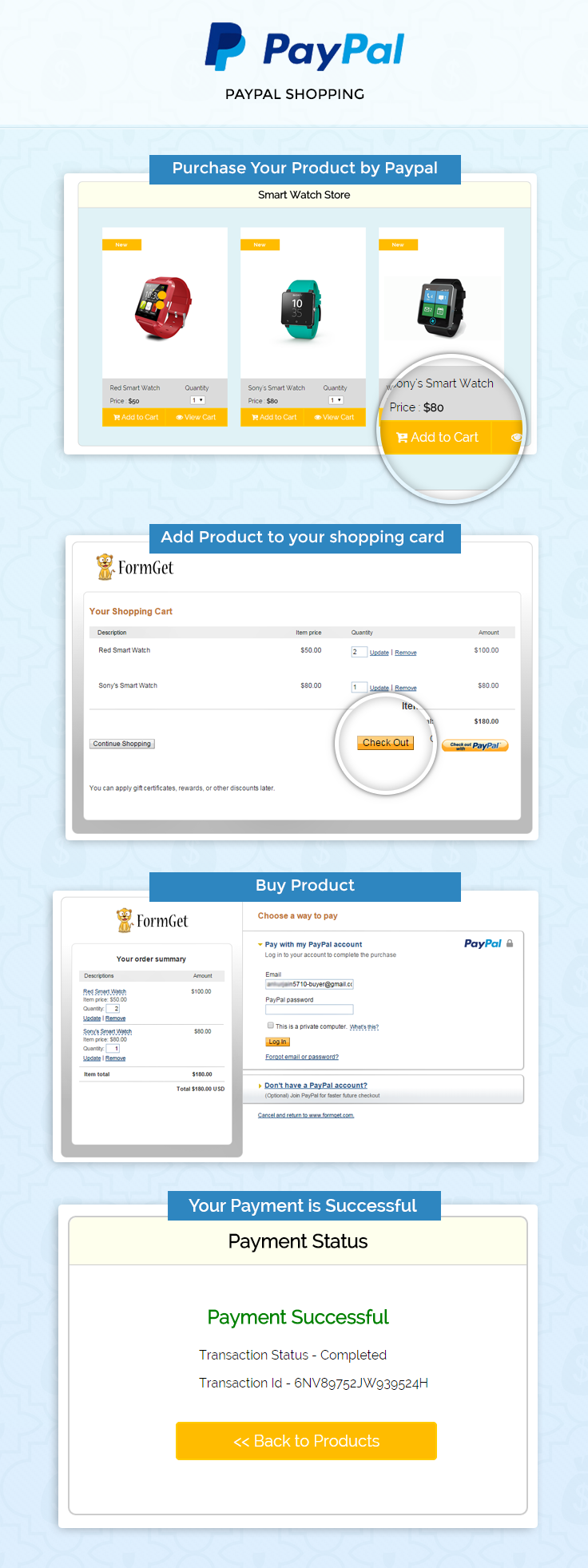
Note : PayPal offers sandbox account for development and testing purpose. Here we are using Sandbox for demo. So if you would like to test our demo you can use your PayPal sandbox credentials.
Concept behind the script
In this script, we have used PayPal Add to Cart button, which can be simply created using one line HTML code.
<input type="hidden" name="cmd" value="_cart" />The concept behind this script is, as soon as user will click this button after choosing the quantity then it will redirected to the PayPal site carrying the product details and will get added to cart.
User can change the product quantity from there itself or can revert back for further shopping or can do the payment for final checkout.
PayPal cart feature enables user to change the product quantity at different stages of the shopping, so as to provide flexibility to users.
PayPal Shopping Card in Details
The following diagram shows PayPal shopping card in details
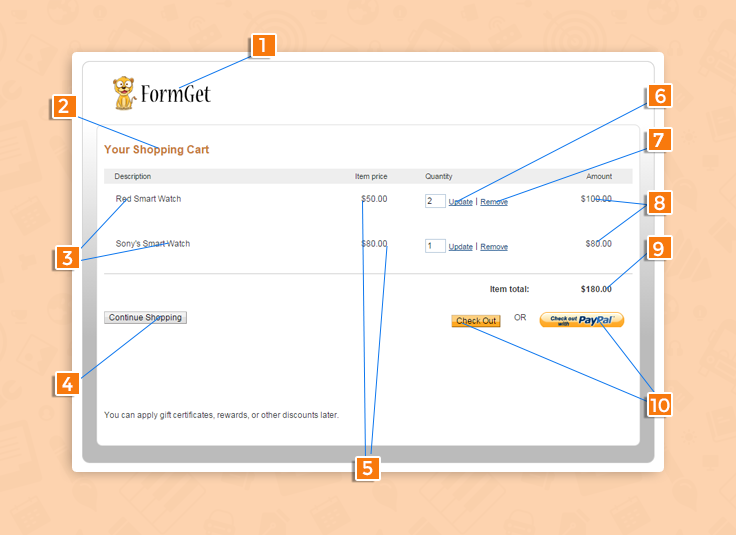
- Merchant’s company logo.
- Shopping card title.
- Product name.
- When you click on Continue Shopping button it’ll redirect to merchant’s website.
- Show product price.
- Update cart.
- Delete product from cart.
- Product price.
- Product total price.
- Checkout to PayPal for payment.
Tutorial Scripts in detail
Below are the details of the code used in this tutorial with proper explanation.
Index.php
Index.php file contain code for displaying product info with Add to cart and view cart button with product’s quantity feature.
<html>
<head>
<title>PayPal Shopping Cart</title>
<link rel="stylesheet" type="text/css" href="style.css">
<link rel="stylesheet" href="//maxcdn.bootstrapcdn.com/font-awesome/4.3.0/css/font-awesome.min.css">
<script src="js/jquery.min.js"></script>
<script type="text/javascript">
$(document).ready(function() {
$('a.pro1').click(function() {
$("div#loader1").show();

});
$('a.pro2').click(function() {
$("div#loader2").show();

});
$('a.pro3').click(function() {
$("div#loader3").show();

});
});
</script>
</head>
<body>
<!--form for view cart -->
<form id ="view-cart" action="https://www.sandbox.paypal.com/cgi-bin/webscr" method="post" name="viewcart">
<form id ="form3" action="https://www.sandbox.paypal.com/cgi-bin/webscr" method="post">
<input type="hidden" name="cmd" value="_cart" />
<input type="hidden" name="display" value="1" />
<input type="hidden" name="business" value="merchants's email id" />
</form>
<div id="main">
<center><h1 id="head">PayPal Shopping Cart Example</h1></center>
<div id="container">
<h2>Smart Watch Store</h2>
<hr/>
<div id="loader1">
<div class="switchbox">
<div class="switch"></div>
<div class="switch" id="switch2"></div>
</div>
</div>

<!--adding product info -->
<div id="product">
<form id ="form1" action="https://www.sandbox.paypal.com/cgi-bin/webscr" method="post">
<input type="hidden" name="cmd" value="_cart" />
<input type="hidden" name="add" value="21" />
<input type="hidden" name="business" value="merchants's email id" />
<input type="hidden" name="item_name" value="Red Smart Watch" />
<input type="hidden" name="amount" value="50" />
<input type="hidden" name="currency_code" value="USD" />
<input type="hidden" name="lc" value="US" />
<input type="hidden" name="cancel_return" value="http://localhost/paypal-shopping-cart/index.php">
<input type="hidden" name="return" value="http://localhost/paypal-shopping-cart/success.php">
<img src="images/pro1.png">
<div id="product_details">
<div id="pro_price">
<p>Red Smart Watch</p>
<p>Price : <b>$50</b></p>
</div>
<div id="pro_quantity">
<p>Quantity</p>
<select name="quantity">
<option value="1">1</option>
<option value="2">2</option>
<option value="3">3</option>
<option value="4">4</option>
<option value="5">5</option>
</select>
</div>
</div>
<div id="add-cart"><a class="pro1" href="javascript:void(0);" onclick="document.getElementById('form1').submit()" id="cart-btn"><i class="fa fa-cart-plus"></i> Add to Cart </a></div>
<div id="view-cart"><a href="javascript:void(0);" onclick="document.getElementById('view-cart').submit()" id="cart-btn"><i class="fa fa-eye"></i> View Cart </a></div>
</form>
</div>
<div id="loader2">
<div class="switchbox">
<div class="switch"></div>
<div class="switch" id="switch2"></div>
</div>
</div>

<!--adding product info -->
<div id="product">
<form id ="form2" action="https://www.sandbox.paypal.com/cgi-bin/webscr" method="post">
<input type="hidden" name="cmd" value="_cart" />
<input type="hidden" name="add" value="1" />
<input type="hidden" name="business" value="merchants's email id" />
<input type="hidden" name="item_name" value="Sony's Smart Watch" />
<input type="hidden" name="amount" value="80" />
<input type="hidden" name="currency_code" value="USD" />
<input type="hidden" name="lc" value="US" />
<input type="hidden" name="cancel_return" value="http://localhost/paypal-shopping-cart/index.php">
<input type="hidden" name="return" value="http://localhost/paypal-shopping-cart/success.php">
<img src="images/pro2.png">
<div id="product_details">
<div id="pro_price">
<p>Sony's Smart Watch</p>
<p>Price : <b>$80</b></p>
</div>
<div id="pro_quantity">
<p>Quantity</p>
<select name="quantity">
<option value="1">1</option>
<option value="2">2</option>
<option value="3">3</option>
<option value="4">4</option>
<option value="5">5</option>
</select>
</div>
</div>
<div id="add-cart"><a class="pro2" href="javascript:void(0);" onclick="document.getElementById('form2').submit()" id="cart-btn"><i class="fa fa-cart-plus"></i> Add to Cart </a></div>
<div id="view-cart"><a href="javascript:void(0);" onclick="document.getElementById('view-cart').submit()" id="cart-btn"><i class="fa fa-eye"></i> View Cart </a></div>
</form>
</div>
<div id="loader3">
<div class="switchbox">
<div class="switch"></div>
<div class="switch" id="switch2"></div>
</div>
</div>

<!--adding product info -->
<div id="product">
<form id ="form3" action="https://www.sandbox.paypal.com/cgi-bin/webscr" method="post">
<input type="hidden" name="cmd" value="_cart" />
<input type="hidden" name="add" value="1" />
<input type="hidden" name="business" value="merchants's email id" />
<input type="hidden" name="item_name" value="Window's Smart Watch" />
<input type="hidden" name="amount" value="60" />
<input type="hidden" name="currency_code" value="USD" />
<input type="hidden" name="lc" value="US" />
<input type="hidden" name="cancel_return" value="http://localhost/paypal-shopping-cart/index.php">
<input type="hidden" name="return" value="http://localhost/paypal-shopping-cart/success.php">
<img src="images/pro3.png">
<div id="product_details">
<div id="pro_price">
<p>Window Smart Watch</p>
<p>Price : <b>$60</b></p>
</div>
<div id="pro_quantity" >
<p>Quantity</p>
<select name="quantity">
<option value="1">1</option>
<option value="2">2</option>
<option value="3">3</option>
<option value="4">4</option>
<option value="5">5</option>
</select>
</div>
</div>
<div id="add-cart"><a class="pro3" href="javascript:void(0);" onclick="document.getElementById('form3').submit()" id="cart-btn"><i class="fa fa-cart-plus"></i> Add to Cart </a></div>
<div id="view-cart"><a href="javascript:void(0);" onclick="document.getElementById('view-cart').submit()" id="cart-btn"><i class="fa fa-eye"></i> View Cart </a></div>
</form>
</div>
</div>
<img id="secure_paypal_logo" src="images/secure-paypal-logo.jpg">
</div>
</body>
</html>
Success.php
PayPal call this file when payment gets successfully completed and provide $_REQUEST array which contains product id, PayPal transaction ID, PayPal received amount value, PayPal received currency type and PayPal product status which is displayed in this page.
<html>
<head>
<title>PayPal Shopping Cart Example</title>
<link rel="stylesheet" type="text/css" href="style.css">
</head>
<body>
<!----in success.php page PayPal send $_Request array with payment status, transaction id , currency code and item number --->
<div id="main">
<h1 style=" margin-left: 75px;">PayPal Shopping Cart Example</h1>
<div id="return">
<h2>Payment Status </h2>
<hr/>
<?php if (!empty($_REQUEST)) { ?>
<h3 id='success'>Payment Successful</h3>
<?php } else { ?>
<h3 id='fail'>something wrong</h3>
<?php } ?>
<P>Transaction Status - <?php
if (!empty($_REQUEST)) {
echo $_REQUEST['st'];
}
?></P><P>Transaction Id - <?php
if (!empty($_REQUEST)) {
echo$_REQUEST['tx'];
}
?></P><div class='back_btn'><a href='index.php' id= 'btn'><< Back to Products</a></div></div>
</div>
</html>
Style.css
Includes basic styling of HTML elements.
@import url(http://fonts.googleapis.com/css?family=Raleway);
#main{
width:960px;
margin:50px auto;
font-family:raleway;
}
span{
color:red;
}
h1#head{
position: absolute;
margin-left: 270px;
}
h2{
background-color: #FEFFED;
text-align:center;
border-radius: 10px 10px 0 0;
margin: -10px -40px;
padding: 15px;
}
hr{
border:0;
border-bottom:1px solid #ccc;
margin: 10px -40px;
margin-bottom: 30px;
}
#container{
width: 100%;
float: left;
border-radius: 10px;
font-family:raleway;
border: 1px solid #ccc;
padding: 10px 40px 38px;
height: auto;
background-color: #E0F2F6;
margin: 18px 0 30px -16px;
}
input[type=text],input[type=password]{
width:99.5%;
padding: 10px;
margin-top: 8px;
border: 1px solid #ccc;
padding-left: 5px;
font-size: 16px;
font-family:raleway;
}
#cart-btn{
width: 100%;
background-color:#FFBC00;
color: white;
border: 2px solid #FFCB00;
padding: 10px 24px;
font-size: 16px;
cursor:pointer;
margin-bottom: 15px;
}
#profile{
padding:50px;
border:1px dashed grey;
font-size:20px;
background-color:#DCE6F7;
}
#logout{
float:right;
padding:5px;
border:dashed 1px gray;
}
a{
text-decoration:none;
color: cornflowerblue;
}
i{
color: cornflowerblue;
}
#product{
width: 30%;
height: 450px;
float: left;
margin: 15px;
background-color: white;
}
#secure_paypal_logo{
float: right;
margin: -19px -67px 0 0;
}
#product_details{
width:100%;
height: 80px;
background: rgb(219, 219, 219);
}
#add-cart{
width: 50%;
height: 50px;
float: left;
}
#view-cart{
width: 50%;
height: 50px;
float: right;
}
#product i{
color: white;
text-decoration: none;
}
#pro_price{
width: 58%;
height: 80px;
float: left;
}
#pro_quantity{
width: 40%;
height: 80px;
float: right;
}
#product_details p{
font-size: 14px;
margin-left: 18px;
}
#product_details select{
font-size: 14px;
margin-left: 30px;
margin-top: -4px;
}
#loader1{
display: none;
width: 100px;
height: 100px;
margin: 143px 0 0 110px;
position: absolute;
}
#loader2{
display: none;
width: 100px;
height: 100px;
margin: 150px 0 0 420px;
position: absolute;
}
#loader3{
display: none;
width: 100px;
height: 100px;
margin: 142px 0 0 742px;
position: absolute;
}
.switchbox {
position: relative;
width: 80px;
height: 80px;
}
.switchbox {
-webkit-animation: spin 2s infinite linear;
}
.switch {
position: absolute;
top: 50%;
margin-top: -10px;
width: 20px;
height: 20px;
background-color: #ffbc00;
border-radius: 20px;
-webkit-animation: cross 2s infinite linear;
}
#switch2 {
-webkit-animation-delay: -1s;
}

@-webkit-keyframes spin {
100% {
-webkit-transform: rotate(360deg);
}
}
@-webkit-keyframes cross {
50% {
margin-left: 60px;
}
}
#return {
width: 492px;
height: 350px;
float: left;
border-radius: 10px;
font-family: raleway;
border: 2px solid #ccc;
padding: 10px 40px 11px;
margin: 16PX;
}
#btn {
width: 100%;
background-color: #FFBC00;
color: white;
border: 2px solid #FFCB00;
padding: 10px 70px;
font-size: 20px;
cursor: pointer;
border-radius: 5px;
margin-bottom: 15px;
margin: 0 auto;
}
#return .back_btn {
margin-top: 51px;
margin-left: 19%;
}
#return h3#success {
text-align: center;
font-size: 24px;
margin-top: 50px;
color: green;
}
#return h3#fail {
text-align: center;
font-size: 24px;
margin-top: 50px;
color: red;
}
#return P {
margin-left: 122px;
}
#formget {
float: right;
}
Conclusion :
After reading the above post, I am sure you will give a try to the script provided and implement it in your own projects as well. Feel free to visit our website again in the future to get in touch with new coding tricks. You can let us know about your feedback in the space provided below
PayPal Credit Card Payment in PHP

PayPal, Credit Card Payment API (means PayPal PHP merchant SDK) deals to process a credit card payment or DoDirect Payment on your website.
PayPal Credit Card Payment works in a few steps in the merchant’s website rather than going to the actual PayPal page and then logging in and returning back to the same.
The key thing is, using PayPal Credit Card, the payment process is done on your web page only. As the name also depicts it is a direct payment.
In our previous blog post, we have covered the PayPal Express Checkout for Digital Goods and Single Product using PayPal PHP SDK in which the payment process takes place in a different manner.
In this blog post, we are going to explain how we can use PayPal credit card payment in PHP for Direct payment.
Watch the live demo or download code from the link given below
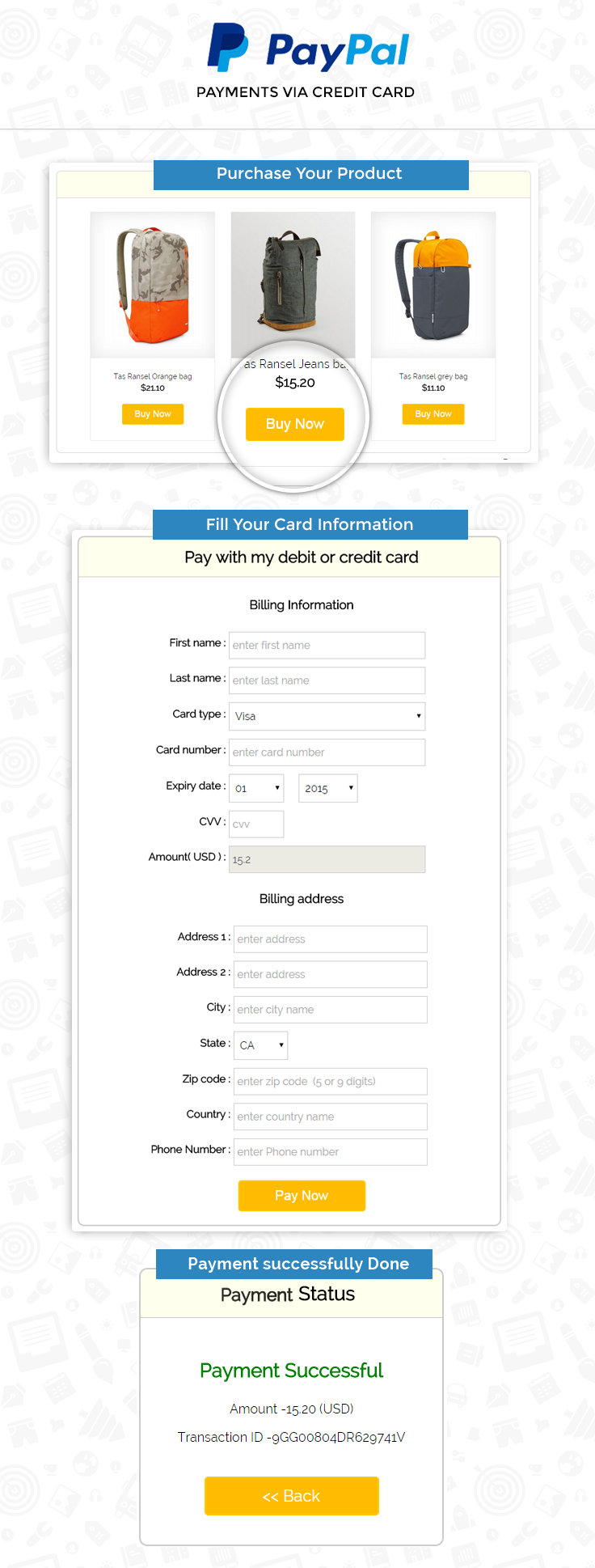
Project Integration
For configuration of PayPal PHP merchant SDK, add your account credentials in the configuration.php.
You can find this file in downloaded project “root folder”.
// Demo Signature Credential
"acct1.UserName" => "Demo-facilitator_api1.outlook.com",
"acct1.Password" => "PDRdd9FTWWU6FDBNKY",
"acct1.Signature" => "ANGx9dddfhOMduIxwcbkuUqPMh-9L15RAO6JJD8BDCZSxcx8nbBWeDOIbzW1",
Then you will be ready to run the project. You can also refer the install.txt file given in the download code folder.
Note: In demo we have used Sandbox and demo VISA card for testing, for making it live you have to edit configuration.php config array mode, sandbox to live as shown below.
 $config = array(
// values: 'sandbox' for testing
// 'live' for production
"mode" => "sandbox",
'log.LogEnabled' => true,
'log.FileName' => '../PayPal.log',
'log.LogLevel' => 'FINE'
);
Tutorial Scripts in detail
Below are the details of the code used in this tutorial with proper explanation.
Index.php
In index.php contain code for showing product details. Here we demonstrate simple Bag seller site. When buyers click on the Buy now button it posts product information data to getcreditcard.php page.
<html>
<head>
<title>paypal payments via credit card</title>
<link rel="stylesheet" type="text/css" href="css/style.css">
</head>
<body>

<div id="main">
<center><h1>PayPal Payments via Credit Card</h1></center>
<div id="main_wrapper">
<div id="container">
<h2>BEST SELLER</h2>
<hr/>
<form action="getcreditcard.php" method="POST">
<div id="product">
<img src="images/bag2.jpg"/>
<p>Tas Ransel Orange bag</p>
<h3>$21.10</h3>
<input type="hidden" value="<?php echo base64_encode(1); ?>" name="id">
<!-- <a href="#" id="buynow"> Buy Now </a> -->
<center><input type="submit" id="buynow" value="Buy Now"></center>
</div>
</form>
<form action="getcreditcard.php" method="POST">
<div id="product">
<img src="images/bag.jpg"/>
<p>Tas Ransel Jeans bag</p>
<h3>$15.20</h3>
<input type="hidden" value="<?php echo base64_encode(2); ?>" name="id">
<!-- <a href="#" id="buynow"> Buy Now </a> -->
<center><input type="submit" id="buynow" value="Buy Now"></center>
</div>
</form>
<form action="getcreditcard.php" method="POST">
<div id="product">
<img src="images/bag4.jpg"/>
<p>Tas Ransel grey bag</p>
<h3>$11.10</h3>
<input type="hidden" value="<?php echo base64_encode(3); ?>" name="id">
<!-- <a href="#" id="buynow"> Buy Now </a> -->
<center><input type="submit" id="buynow" value="Buy Now"></center>
</div>
</form>
</div>
</div>
<img id="paypal_logo" style="float:right; margin: -30px -42px 0 0;" src="images/secure-paypal-logo.jpg">
</div>
</body>
</html>
Getcreditcard.php
Getcreditcard.php page get credit card details and billing address and post all information to DoDirectPayment.php.
<?php
//Decode product id
//If you want to use Database fetch product data by id here
if (base64_decode($_POST['id']) == 1) {
$p_price = 21.10;
$p_currency = 'USD';
$p_name = 'Tas Ransel Orange bag';
} else if (base64_decode($_POST['id']) == 2) {
$p_price = 15.20;
$p_currency = 'USD';
$p_name = 'Tas Ransel Jeans bag';
} else if (base64_decode($_POST['id']) == 3) {
$p_price = 11.10;
$p_currency = 'USD';
$p_name = 'Tas Ransel grey bag';
}
?>
<html>
<head>
<title>paypal payments via credit card</title>
<link rel="stylesheet" type="text/css" href="css/style.css">
<link rel="stylesheet" type="text/css" href="css/loadding.css">
<link rel="stylesheet" type="text/css" href="css/popup-style.css">
</head>
<body>

<div id="main">
<center><h1>PayPal Payments via Credit Card</h1></center>
<form action="DoDirectPayment.php" method="POST">
<div id="container">
<h2>Pay with my debit or credit card</h2>
<hr/>
<center> <h3>Billing Information</h3></center>
<input type="hidden" name="paymentType" value="Sale"/>
<input type="hidden" name="id" value="<?php echo $_POST['id']; ?>"/>
<table style="width:100%">
<tr>
<td id="td-label">First name : </td>
<td><input type="text" name="firstName" id="name" placeholder="enter first name"></td>

</tr>
<tr>
<td id="td-label">Last name : </td>
<td><input type="text" name="lastName" id="name" placeholder="enter last name"></td>

</tr>
<tr>
<td id="td-label">Card type : </td>
<td>
<select name="creditCardType">
<option value="Visa" selected="selected">Visa</option>
<option value="MasterCard">MasterCard</option>
<option value="Discover">Discover</option>
<option value="Amex">American Express</option>
</select>
</td>

</tr>
<tr>

<td id="td-label">Card number : </td>
<td><input type="text" name="creditCardNumber" id="cardno" placeholder="enter card number" required="true"></td>

</tr>

<tr>

<td id="td-label">Expiry date : </td>
<td><div id="date-div"><select name="expDateMonth">
<option value="01">01</option>
<option value="02">02</option>
<option value="03">03</option>
<option value="04">04</option>
<option value="05">05</option>
<option value="06">06</option>
<option value="07">07</option>
<option value="08">08</option>
<option value="09">09</option>
<option value="10">10</option>
<option value="11">11</option>
<option value="12">12</option>
</select></div>
<div id="year-div">
<select name="expDateYear">
<option value="2015">2015</option>
<option value="2016">2016</option>
<option value="2017">2017</option>
<option value="2018">2018</option>
<option value="2019">2019</option>
<option value="2020">2020</option>
</select>
</div></td>
</tr>
<tr>
<td id="td-label">CVV : </td>
<td><div id="date-div"><input type="text" name="cvv2Number" id="cvv" placeholder="cvv" required="true"></div></td>
</tr>
<tr>
<td id="td-label">Amount( USD ) : </td>
<td><input type="text" name="amount" id="name" placeholder="enter amount " value="<?php echo $p_price; ?>" disabled="true"></td>

</tr>
</table>
<center> <h3>Billing address</h3></center>
<table style="width:100%">
<tr>
<td id="td-label">Address 1 : </td>
<td><input type="text" name="address1" id="name" placeholder="enter address "></td>

</tr>
<tr>
<td id="td-label">Address 2 : </td>
<td><input type="text" name="address2" id="name" placeholder="enter address"></td>

</tr>
<tr>
<td id="td-label">City : </td>
<td><input type="text" name="city" id="name" placeholder="enter city name"></td>

</tr>
<tr>
<td id="td-label">State : </td>
<td>
<div id="date-div">
<select id="state" name="state">
<option value=""></option>
<option value="AK">AK</option>
<option value="AL">AL</option>
<option value="AR">AR</option>
<option value="AZ">AZ</option>
<option value="CA" selected="">CA</option>
<option value="CO">CO</option>
<option value="CT">CT</option>
<option value="DC">DC</option>
<option value="DE">DE</option>
<option value="FL">FL</option>
<option value="GA">GA</option>
<option value="HI">HI</option>
<option value="IA">IA</option>
<option value="ID">ID</option>
<option value="IL">IL</option>
<option value="IN">IN</option>
<option value="KS">KS</option>
<option value="KY">KY</option>
<option value="LA">LA</option>
<option value="MA">MA</option>
<option value="MD">MD</option>
<option value="ME">ME</option>
<option value="MI">MI</option>
<option value="MN">MN</option>
<option value="MO">MO</option>
<option value="MS">MS</option>
<option value="MT">MT</option>
<option value="NC">NC</option>
<option value="ND">ND</option>
<option value="NE">NE</option>
<option value="NH">NH</option>
<option value="NJ">NJ</option>
<option value="NM">NM</option>
<option value="NV">NV</option>
<option value="NY">NY</option>
<option value="OH">OH</option>
<option value="OK">OK</option>
<option value="OR">OR</option>
<option value="PA">PA</option>
<option value="RI">RI</option>
<option value="SC">SC</option>
<option value="SD">SD</option>
<option value="TN">TN</option>
<option value="TX">TX</option>
<option value="UT">UT</option>
<option value="VA">VA</option>
<option value="VT">VT</option>
<option value="WA">WA</option>
<option value="WI">WI</option>
<option value="WV">WV</option>
<option value="WY">WY</option>
<option value="AA">AA</option>
<option value="AE">AE</option>
<option value="AP">AP</option>
<option value="AS">AS</option>
<option value="FM">FM</option>
<option value="GU">GU</option>
<option value="MH">MH</option>
<option value="MP">MP</option>
<option value="PR">PR</option>
<option value="PW">PW</option>
<option value="VI">VI</option>
</select>

</div>
</td>

</tr>
<tr>
<td id="td-label">Zip code : </td>
<td>
<input type="text" name="zip" id="name" placeholder="enter zip code (5 or 9 digits)">
</td>
</tr>
<tr>
<td id="td-label">Country : </td>
<td><input type="text" name="country" id="name" placeholder="enter country name"></td>
</tr>
<tr>
<td id="td-label">Phone Number : </td>
<td><input type="text" name="phone" id="name" placeholder="enter Phone number "></td>
</tr>
</table><br>
<center><!--<a href="#" id="paynow"> Pay Now </a>--><input style=" width: 20%;"type="submit" id="buynow" name="DoDirectPaymentBtn" value="Pay Now"></center><br>
</div>
</form>
<img id="paypal_logo" style="float:right; margin: -30px -42px 0 0;" src="images/secure-paypal-logo.jpg">
</div>
<div id="pop2" class="simplePopup">
<div id="loader">
<div id="circularG">
<div id="circularG_1" class="circularG">
</div>
<div id="circularG_2" class="circularG">
</div>
<div id="circularG_3" class="circularG">
</div>
<div id="circularG_4" class="circularG">
</div>
<div id="circularG_5" class="circularG">
</div>
<div id="circularG_6" class="circularG">
</div>
<div id="circularG_7" class="circularG">
</div>
<div id="circularG_8" class="circularG">
</div>
</div>
</div>
</div>
<script src="js/jquery.min.js"></script>
<script src="js/jquery.simplePopup.js" type="text/javascript"></script>
<script type="text/javascript">
$(document).ready(function() {
$('input#buynow').click(function() {
if ($('input#cardno').val() != '') {
if ($('input#cvv').val() != '') {
$('#pop2').simplePopup();
}
}

});
});
</script>
</body>
</html>
DoDirectPayment.php
DoDirectPayment.php take all posted data and process to PayPal for payment.
<?php
/* * *********************************************************
DoDirectPayment.php
Submits a credit card transaction to PayPal using a
DoDirectPayment request.
* ********************************************************* */
session_start();
require_once('../PPBootStrap.php');

if (base64_decode($_POST['id']) == 1) {
$p_price = 21.10;
$p_currency = 'USD';
$p_name = 'Tas Ransel Orange bag';
} else if (base64_decode($_POST['id']) == 2) {
$p_price = 15.20;
$p_currency = 'USD';
$p_name = 'Tas Ransel Jeans bag';
} else if (base64_decode($_POST['id']) == 3) {
$p_price = 11.10;
$p_currency = 'USD';
$p_name = 'Tas Ransel grey bag';
}
/**
* Get required parameters from the web form for the request
*/
$firstName = $_POST['firstName'];
$lastName = $_POST['lastName'];

/*
* shipping adress
*/
$address = new AddressType();
$address->Name = "$firstName $lastName";
$address->Street1 = $_POST['address1'];
$address->Street2 = $_POST['address2'];
$address->CityName = $_POST['city'];
$address->StateOrProvince = $_POST['state'];
$address->PostalCode = $_POST['zip'];
$address->Country = $_POST['country'];
$address->Phone = $_POST['phone'];
$orderTotal = new BasicAmountType();
$orderTotal->currencyID = $p_currency;
$orderTotal->value = $p_price;

$paymentDetails = new PaymentDetailsType();
$paymentDetails->ShipToAddress = $address;

$itemDetails = new PaymentDetailsItemType();
$itemDetails->Name = $p_name;

$itemDetails->Amount = $orderTotal;
/*
* Item quantity. This field is required when you pass a value for ItemCategory.
*/
$itemDetails->Quantity = '1';
/*
* Indicates whether an item is digital or physical.
*/
$itemDetails->ItemCategory = 'Physical';

$paymentDetails->PaymentDetailsItem[0] = $itemDetails;
$paymentDetails->OrderTotal = $orderTotal;
if (isset($_REQUEST['notifyURL'])) {
$paymentDetails->NotifyURL = $_REQUEST['notifyURL'];
}

$personName = new PersonNameType();
$personName->FirstName = $firstName;
$personName->LastName = $lastName;

//information about the payer
$payer = new PayerInfoType();
$payer->PayerName = $personName;
$payer->Address = $address;
$payer->PayerCountry = $_POST['country'];

$cardDetails = new CreditCardDetailsType();
$cardDetails->CreditCardNumber = $_POST['creditCardNumber'];
/*
*
Type of credit card. For UK, only Maestro, MasterCard, Discover, and
Visa are allowable. For Canada, only MasterCard and Visa are
allowable and Interac debit cards are not supported. It is one of the
following values:

* Visa
* MasterCard
* Discover
* Amex
* Solo
* Switch
* Maestro: See note.
`Note:
If the credit card type is Maestro, you must set currencyId to GBP.
In addition, you must specify either StartMonth and StartYear or
IssueNumber.`
*/
$cardDetails->CreditCardType = $_POST['creditCardType'];
$cardDetails->ExpMonth = $_POST['expDateMonth'];
$cardDetails->ExpYear = $_POST['expDateYear'];
$cardDetails->CVV2 = $_POST['cvv2Number'];
$cardDetails->CardOwner = $payer;

$ddReqDetails = new DoDirectPaymentRequestDetailsType();
$ddReqDetails->CreditCard = $cardDetails;
$ddReqDetails->PaymentDetails = $paymentDetails;
$ddReqDetails->PaymentAction = $_REQUEST['paymentType'];

$doDirectPaymentReq = new DoDirectPaymentReq();
$doDirectPaymentReq->DoDirectPaymentRequest = new DoDirectPaymentRequestType($ddReqDetails);

/*
* ## Creating service wrapper object
Creating service wrapper object to make API call and loading
Configuration::getAcctAndConfig() returns array that contains credential and config parameters
*/
$paypalService = new PayPalAPIInterfaceServiceService(Configuration::getAcctAndConfig());
try {
/* wrap API method calls on the service object with a try catch */
$doDirectPaymentResponse = $paypalService->DoDirectPayment($doDirectPaymentReq);
} catch (Exception $ex) {
include_once("../Error.php");
exit;
}
if (isset($doDirectPaymentResponse)) {
?>
<html>
<head>
<title>paypal payments via credit card</title>
<link rel="stylesheet" type="text/css" href="css/style.css">
</head>
<body>

<div id="main">
<div class="success_main_heading">
<center><h1>PayPal Payments via Credit Card</h1></center>
</div>
<div id="return">
<h2>Refund Status</h2>
<hr/>
<?php
//Rechecking the product price and currency details
if ($doDirectPaymentResponse->Ack == 'Success') {
echo "<h3 id='success'>Payment Successful</h3>";
echo "<P>Amount -" . $doDirectPaymentResponse->Amount->value . " (" . $doDirectPaymentResponse->Amount->currencyID . ")</P>";
echo "<P>Transaction ID -" . $doDirectPaymentResponse->TransactionID . "</P>";
echo "<div class='back_btn'><a href='index.php' id= 'btn'><< Back </a></div>";
} else {
echo "<h3 id='fail'>Payment - Failed</h3>";
echo '<p>Error msg - This transaction cannot be processed. <br>Please enter a valid credit card number and type.</p>';
echo "<div class='back_btn'><a href='index.php' id= 'btn'><< Back </a></div>";
}
?>
</div>
</div>
</body>
</html>
<?php
}
?>
Style.css
Includes basic styling of HTML elements.
/*----------------------------------------------
css settings for HTML div exactCenter
------------------------------------------------*/
@import url(http://fonts.googleapis.com/css?family=Raleway);
#main{
width:960px;
margin:50px auto;
font-family:raleway;
}
span{
color:red;
}
h2{
background-color: #FEFFED;
text-align:center;
border-radius: 10px 10px 0 0;
margin: -10px -40px;
padding: 15px;
}
hr{
border:0;
border-bottom:1px solid #ccc;
margin: 10px -40px;
margin-bottom: 30px;
}
#main_wrapper{
width: 100%;
}
#container{
width: 100%;
float: left;
border-radius: 10px;
font-family:raleway;
border: 2px solid #ccc;
padding: 10px 40px 25px;
margin-top: 22px;
margin-bottom: 40px;
margin-left: -42px;
}
input[type=text],input[type=password],select{
width: 50.5%;
padding: 10px;
margin-top: 8px;
border: 1px solid #ccc;
padding-left: 5px;
font-size: 16px;
font-family:raleway;
}
#buynow{
width: 50%;
background-color:#FFBC00;
color: white;
border: 2px solid #FFCB00;
padding: 10px;
font-size:20px;
cursor:pointer;
border-radius: 5px;
margin-bottom: 15px;
}
a#paynow{
/* width: 72%; */
background-color:#FFBC00;
color: white;
border: 2px solid #FFCB00;
padding: 15px 60px;
font-size:20px;
cursor:pointer;
border-radius: 5px;
/* margin: 0 0 0 394px; */
}
#profile{
padding:50px;
border:1px dashed grey;
font-size:20px;
background-color:#DCE6F7;
}

a{
text-decoration:none;
color: cornflowerblue;
}

i{
color: cornflowerblue;
}
#product{

width: 272px;
height: 500px;
border:1px solid #E7E7E5;
float: left;
margin-left: 34px;
}
#product p{
text-align: center;
margin-top: 30px;
}
#product h3{
text-align: center;
margin-top: -12px;
margin-bottom: 25px;
}
#product a{
text-align: center;
margin: 0 0 0 80px;
}
#td-label{
text-align: right;
font-weight: bold;
}
#date-div{
width: 28%;
/* height: 20px; */
/* border: 1px solid red; */
float: left;
}
#year-div{
width: 30%;
/* height: 31px; */
/* border: 1px solid red; */
float: left;
margin-left: -59px;
}
#product input[type=submit]{
text-align: center;
}
#return {
width: 492px;
height: 350px;
float: left;
border-radius: 10px;
font-family: raleway;
border: 2px solid #ccc;
padding: 10px 40px 11px;
}
#return h3#success {
text-align: center;
font-size: 24px;
margin-top: 50px;
color: green;
}
#return P {
text-align: center;
}
#return .back_btn {
margin-top: 51px;
text-align: center;
}
#btn {
width: 100%;
background-color: #FFBC00;
color: white;
border: 2px solid #FFCB00;
padding: 10px 70px;
font-size: 20px;
cursor: pointer;
border-radius: 5px;
margin-bottom: 15px;
margin: 0 auto;
}
a{
text-decoration:none;
color: cornflowerblue;
}
img#paypal_logo {
float: right;
margin-right: 20px;
margin-top: 1%;
padding-bottom: 15px;
}
.success_main_heading{
margin-left: -32%;
margin-bottom: 7%;

}
#return h3#fail{
text-align: center;
font-size: 24px;
margin-top: 50px;
color: red;
}
.red{
color:red;
font-weight: bold;
}
Conclusion :
Using the script will help you to collect the online payment using credit card via Paypal. Hope you will be benefited with that. Please share your feedback in the space provided below..
PayPal Refund Process using PHP PayPal Refund API

Use PayPal PHP Merchant SDK to settlements and refund all or part of a payment.
The PayPal refund API operation issues a refund to the PayPal account holder associated with a transaction. PayPal refund API operation can be used to issue a full or partial refund for any transaction.
For settlements and refund money, we have required one product’s transaction id to getting this please refer our previous blog PayPal Integration in PHP Using PDO
In this blog post, we are going to demonstrate how merchant issue refunds to their product’s buyer.
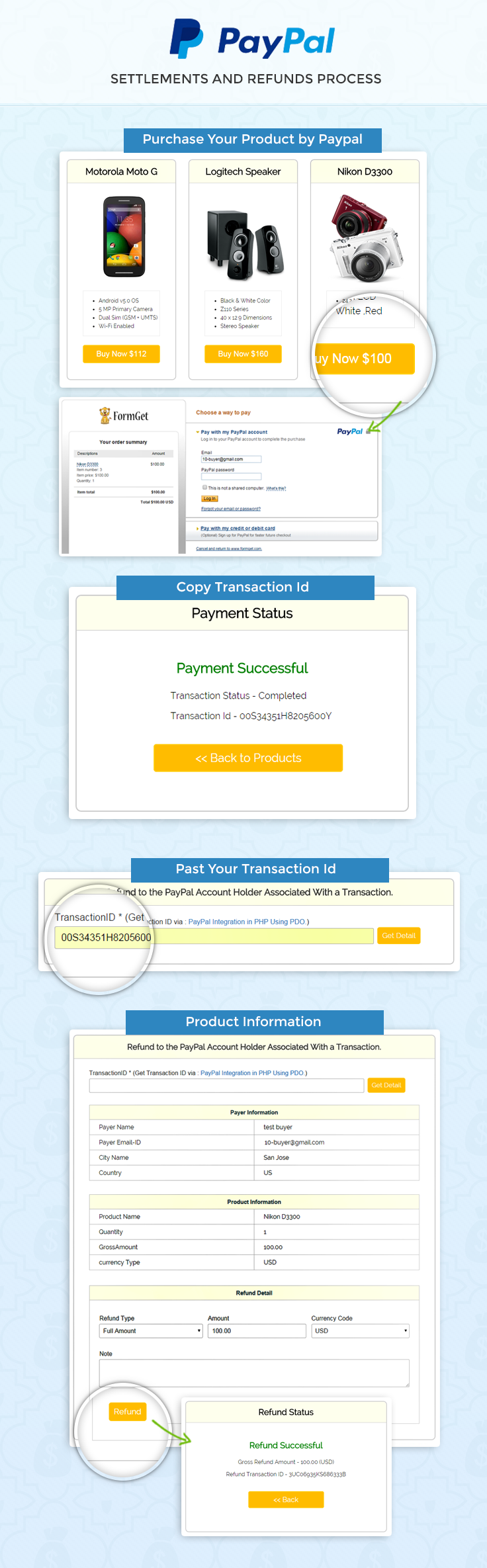
Project Integration
For configuration PayPal PHP merchant SDK, add your account credentials in the configuration.php. You can find this file in downloaded project “root folder”.
 // Demo Signature Credential
"acct1.UserName" => "demo-facilitator_api1.outlook.com",
"acct1.Password" => "PDwertWU6FDBNKY",
"acct1.Signature" => "ANGx9fhOeeeeeecx8nbBWeDOIbzW1",
Then you will be ready to run the project. You can also refer the install.txt file given in download code folder.
Tutorial Scripts in detail
Below are the details of the code used in this tutorial with proper explanation.
Index.php
In index.php merchant can put transaction id on given input box then click on Get Details button. After that, all transaction details will appear related to transaction id. Now merchants can refund full or partial amount to concerned person.
<?php
require_once('../PPBootStrap.php');
$transactionID_err = "";
if (isset($_POST['transID'])) {
/*
* The GetTransactionDetails API operation obtains information about a specific transaction.
*/
$transactionDetails = new GetTransactionDetailsRequestType();
/*
* Unique identifier of a transaction.
*/
$transactionDetails->TransactionID = $_POST['transID'];

$request = new GetTransactionDetailsReq();
$request->GetTransactionDetailsRequest = $transactionDetails;

/*
* ## Creating service wrapper object
Creating service wrapper object to make API call and loading
Configuration::getAcctAndConfig() returns array that contains credential and config parameters
*/
$paypalService = new PayPalAPIInterfaceServiceService(Configuration::getAcctAndConfig());
try {
/* wrap API method calls on the service object with a try catch */
$transDetailsResponse = $paypalService->GetTransactionDetails($request);
} catch (Exception $ex) {
include_once("../Error.php");
exit;
}
if ($transDetailsResponse->Ack == 'Failure') {
$transactionID_err = 'TransactionID is not valid.';
}
}
?>
<html>
<head>
<title>Paypal Settlements and Refunds in PHP</title>
<link rel="stylesheet" type="text/css" href="css/style.css">
<link rel="stylesheet" type="text/css" href="css/popup-style.css" />
<link rel="stylesheet" type="text/css" href="css/global.css">
<link rel="stylesheet" type="text/css" href="css/loadding.css">
<meta name="robots" content="noindex, nofollow">
<script type="text/javascript">
var _gaq = _gaq || [];
_gaq.push(['_setAccount', 'UA-43981329-1']);
_gaq.push(['_trackPageview']);
(function() {
var ga = document.createElement('script');
ga.type = 'text/javascript';
ga.async = true;
ga.src = ('https:' == document.location.protocol ? 'https://ssl' : 'http://www') + '.google-analytics.com/ga.js';
var s = document.getElementsByTagName('script')[0];
s.parentNode.insertBefore(ga, s);
})();
</script>
</head>
<body>
<div id = "main">
<h1>Paypal Settlements and Refunds in PHP</h1>
<div id = "container">
<h2>Refund to the PayPal Account Holder Associated With a Transaction.</h2>
<hr/>
<div class="fg-row">
<form action="index.php" method="POST" id="myform" >
<div class="col-md-10 nopadding">
<label class="block fg-label">TransactionID * (Get Transaction ID via : <a target="blank" href="https://www.formget.com/tutorial/paypal_simple_integration/payments.php">PayPal Integration in PHP Using PDO.</a>)</label>
<input class="fg-fw text fg-input" placeholder="" type="text" onclick="" name="transID">
<p class="fg-help red"><?php echo $transactionID_err; ?></p>
</div>
<div class="col-md-2 nopadding">
<div style="margin-left: 5%; margin-top: 14%;">
<input type="submit" value="Get Detail" id="submit" name="submit">
</div>
</div>
</form>
<div class="fg-clear"></div>
</div>
<?php
if (isset($transDetailsResponse)) {
if ($transDetailsResponse->Ack == 'Success') {
$currency_value = $transDetailsResponse->PaymentTransactionDetails->PaymentInfo->GrossAmount->currencyID;
?>
<div class="fg-row">
<div class="col-md-12 nopadding">
<table id="results" >
<thead>
<tr class="head">
<th colspan="2">Payer Information</th>
</tr>
</thead>
<tbody>
<tr class="row-data unread_new">
<td>Payer Name</td>
<td><?php
echo $transDetailsResponse->PaymentTransactionDetails->PayerInfo->PayerName->FirstName;
echo ' ';
echo $transDetailsResponse->PaymentTransactionDetails->PayerInfo->PayerName->LastName;
?></td>
</tr>
<tr class="row-data unread_new">
<td>Payer Email-ID</td>
<td><?php echo $transDetailsResponse->PaymentTransactionDetails->PayerInfo->Payer; ?></td>
</tr>
<tr class="row-data unread_new">
<td>City Name</td>
<td><?php echo $transDetailsResponse->PaymentTransactionDetails->PayerInfo->Address->CityName; ?></td>
</tr>
<tr class="row-data unread_new">
<td>Country</td>
<td><?php echo $transDetailsResponse->PaymentTransactionDetails->PayerInfo->Address->Country; ?></td>
</tr>
</tbody>
</table>
</div>
<div class="fg-clear"></div>
<div class="col-md-12 nopadding">
<table id="results" >
<thead>
<tr class="head">
<th colspan="2">Product Information</th>
</tr>
</thead>
<tbody>
<tr class="row-data unread_new">
<td>Product Name</td>
<td><?php echo $transDetailsResponse->PaymentTransactionDetails->PaymentItemInfo->PaymentItem[0]->Name; ?></td>
</tr>
<tr class="row-data unread_new">
<td>Quantity</td>
<td><?php echo $transDetailsResponse->PaymentTransactionDetails->PaymentItemInfo->PaymentItem[0]->Quantity; ?></td>
</tr>
<tr class="row-data unread_new">
<td>GrossAmount</td>
<td><?php echo $transDetailsResponse->PaymentTransactionDetails->PaymentInfo->GrossAmount->value; ?></td>
</tr>
<tr class="row-data unread_new">
<td>currency Type</td>
<td><?php echo $transDetailsResponse->PaymentTransactionDetails->PaymentInfo->GrossAmount->currencyID; ?></td>
</tr>
</tbody>
</table>
</div>
</div>
<div class="col-md-12 nopadding">
<form action="refund-process.php" method="POST">
<table id="results" >
<thead>
<tr class="head">
<th>Refund Detail</th>
</tr>
</thead>
<tbody>
<tr class="row-data unread_new">
<td>
<div class="fg-row">

</div>
<div class="fg-row" style=" margin-right: 3%;">
<div class="col-md-4 nopadding">
<label class="block fg-label">Refund Type</label>
<select class="fg-select fg-fw" name="refundType" id="refundType">
<option value="Full">Full Amount</option>
<option value="Partial">Partial Amount</option>
</select>
<p class="fg-help"></p>
</div>
<div class="col-md-4 nopadding">
<div style="margin-left: 5%;">
<input type="hidden" value="<?php echo $_POST['transID']; ?>" name="transID">
<label class="block fg-label">Amount</label>
<input class="fg-fw text fg-input" placeholder="" name="amt" type="number" step=".1" id="amt" value="" readonly="true">
<p class="fg-help"></p>
</div>
</div>
<div class="col-md-4 nopadding">
<div style="margin-left: 5%;">
<input type="hidden" value="<?php echo $currency_value; ?>" name="currencyID">
<label class="block fg-label">Currency Code</label>
<select class="fg-select fg-fw" disabled="true">
<option value="USD/$" title="$" <?php echo $currency_value == 'USD' ? 'selected' : ''; ?>>USD</option>
<option value="AUD/$" title="$" <?php echo $currency_value == 'AUD' ? 'selected' : ''; ?>>AUD</option>
<option value="BRL/R$" title="R$" <?php echo $currency_value == 'BRL' ? 'selected' : ''; ?>>BRL</option>
<option value="GBP/£" title="£" <?php echo $currency_value == 'GBP' ? 'selected' : ''; ?>>GBP</option>
<option value="CAD/$" title="$" <?php echo $currency_value == 'CAD' ? 'selected' : ''; ?>>CAD</option>
<option value="CZK/" title=""<?php echo $currency_value == 'CZK' ? 'selected' : ''; ?>>CZK</option>
<option value="DKK/" title=""<?php echo $currency_value == 'DKK' ? 'selected' : ''; ?>>DKK</option>
<option value="EUR/€" title="€"<?php echo $currency_value == 'EUR' ? 'selected' : ''; ?>>EUR</option>
<option value="HKD/$" title="$"<?php echo $currency_value == 'HKD' ? 'selected' : ''; ?>>HKD</option>
<option value="HUF/" title=""<?php echo $currency_value == 'HUF' ? 'selected' : ''; ?>>HUF</option>
<option value="ILS/₪" title="₪"<?php echo $currency_value == 'ILS' ? 'selected' : ''; ?>>ILS</option>
<option value="JPY/¥" title="¥"<?php echo $currency_value == 'JPY' ? 'selected' : ''; ?>>JPY</option>
<option value="MXN/$" title="$"<?php echo $currency_value == 'MXN' ? 'selected' : ''; ?>>MXN</option>
<option value="TWD/NT$" title="NT$"<?php echo $currency_value == 'TWD' ? 'selected' : ''; ?>>TWD</option>
<option value="NZD/$" title="$"<?php echo $currency_value == 'NZD' ? 'selected' : ''; ?>>NZD</option>
<option value="NOK/" title=""<?php echo $currency_value == 'NOK' ? 'selected' : ''; ?>>NOK</option>
<option value="PHP/P" title="P"<?php echo $currency_value == 'PHP' ? 'selected' : ''; ?>>PHP</option>
<option value="PLN/" title=""<?php echo $currency_value == 'PLN' ? 'selected' : ''; ?>>PLN</option>
<option value="RUB/" title=""<?php echo $currency_value == 'RUB' ? 'selected' : ''; ?>>RUB</option>
<option value="SGD/$" title="$"<?php echo $currency_value == 'SGD' ? 'selected' : ''; ?>>SGD</option>
<option value="SEK/" title=""<?php echo $currency_value == 'SEK' ? 'selected' : ''; ?>>SEK</option>
<option value="CHF/" title=""<?php echo $currency_value == 'CHF' ? 'selected' : ''; ?>>CHF</option>
<option value="THB/฿" title="฿"<?php echo $currency_value == 'THB' ? 'selected' : ''; ?>>THB</option>
</select>
<p class="fg-help"></p>
</div>
</div>
<div class="fg-clear"></div>
</div>
<div class="fg-row" style=" margin-right: 3%;">
<label class="block fg-label">Note</label>
<textarea class="fg-textarea fg-fw last" rows="6" name="memo"></textarea>
<p class="fg-help"></p>
<div class="fg-clear"></div>
</div>
<div class="fg-row" style=" margin-right: 3%;">
<input type="hidden" name="retryUntil" value="">
<input type="hidden" name="refundSource" value="any">
<input type="submit" value="Refund" name="RefundBtn" id="submit">
<div class="fg-clear"></div>
</div>
</td>
</tr>
</tbody>
</table>
</form>
</div>
<?php
}
}
?>
</div>
<img id="paypal_logo" src="images/secure-paypal-logo.jpg">
</div>
<div id="pop2" class="simplePopup">
<div id="loader">
<div id="circularG">
<div id="circularG_1" class="circularG">
</div>
<div id="circularG_2" class="circularG">
</div>
<div id="circularG_3" class="circularG">
</div>
<div id="circularG_4" class="circularG">
</div>
<div id="circularG_5" class="circularG">
</div>
<div id="circularG_6" class="circularG">
</div>
<div id="circularG_7" class="circularG">
</div>
<div id="circularG_8" class="circularG">
</div>
</div>
</div>
</div>
<script src="js/jquery.min.js"></script>
<script src="js/jquery.simplePopup.js" type="text/javascript"></script>
<script type="text/javascript">
$(document).ready(function() {
$('input#amt').val('<?php
if (!empty($transDetailsResponse->PaymentTransactionDetails->PaymentInfo->GrossAmount->value)) {
echo $transDetailsResponse->PaymentTransactionDetails->PaymentInfo->GrossAmount->value;
}
?>');
$('input#amt').css({'background-color': '#F1F1F1'});
$('input#submit').click(function() {
$('#pop2').simplePopup();
});
$('#refundType').on('change', function() {
if (this.value == 'Full') {
$('input#amt').css({'background-color': '#F1F1F1'});
$('input#amt').val('<?php
if (!empty($transDetailsResponse->PaymentTransactionDetails->PaymentInfo->GrossAmount->value)) {
echo $transDetailsResponse->PaymentTransactionDetails->PaymentInfo->GrossAmount->value;
}
?>');
$('input#amt').prop("readonly", true);
} else if (this.value == 'Partial') {
$('input#amt').css({'background-color': 'white'});
$('input#amt').prop("readonly", false);
}
});
});
</script>
</body>
</html>
Refund-process.php
refund-process.php file gets array data from the index.php, where array contains refund details and this array, will used for a process to PayPal. After completing refund process, PayPal send response array to refund-process.php.
<?php
require_once('../PPBootStrap.php');
/*
* The RefundTransaction API operation issues a refund to the PayPal account holder associated with a transaction.
This sample code uses Merchant PHP SDK to make API call
*/
$refundReqest = new RefundTransactionRequestType();
/*
* Type of refund you are making. It is one of the following values:
* `Full` - Full refund (default).
* `Partial` - Partial refund.
*/
if ($_REQUEST['amt'] != "" && strtoupper($_POST['refundType']) != "FULL") {
/*
* `Refund amount`, which contains
* `Currency Code`
* `Amount`
The amount is required if RefundType is Partial.
`Note:
If RefundType is Full, do not set the amount.`
*/
$refundReqest->Amount = new BasicAmountType($_REQUEST['currencyID'], $_REQUEST['amt']);
}
$refundReqest->RefundType = $_REQUEST['refundType'];
/*
* Either the `transaction ID` or the `payer ID` must be specified.
PayerID is unique encrypted merchant identification number
For setting `payerId`,
`refundTransactionRequest.setPayerID("A9BVYX8XCR9ZQ");`
Unique identifier of the transaction to be refunded.
*/
$refundReqest->TransactionID = $_REQUEST['transID'];
$refundReqest->RefundSource = $_REQUEST['refundSource'];
$refundReqest->Memo = $_REQUEST['memo'];
$refundReqest->RetryUntil = $_REQUEST['retryUntil'];
$refundReq = new RefundTransactionReq();
$refundReq->RefundTransactionRequest = $refundReqest;
/*
* ## Creating service wrapper object
Creating service wrapper object to make API call and loading
Configuration::getAcctAndConfig() returns array that contains credential and config parameters
*/
$paypalService = new PayPalAPIInterfaceServiceService(Configuration::getAcctAndConfig());
try {
/* wrap API method calls on the service object with a try catch */
$refundResponse = $paypalService->RefundTransaction($refundReq);
} catch (Exception $ex) {
include_once("../Error.php");
exit;
}
if (isset($refundResponse)) {
?>
<html>
<head>
<title>Paypal Settlements and Refunds in PHP</title>
<link rel="stylesheet" type="text/css" href="css/style.css">
<meta name="robots" content="noindex, nofollow">
<script type="text/javascript">
var _gaq = _gaq || [];
_gaq.push(['_setAccount', 'UA-43981329-1']);
_gaq.push(['_trackPageview']);
(function() {
var ga = document.createElement('script');
ga.type = 'text/javascript';
ga.async = true;
ga.src = ('https:' == document.location.protocol ? 'https://ssl' : 'http://www') + '.google-analytics.com/ga.js';
var s = document.getElementsByTagName('script')[0];
s.parentNode.insertBefore(ga, s);
})();
</script>
</head>
<body>

<div id="main">
<div class="success_main_heading">
<h1>Paypal Settlements and Refunds in PHP</h1>
</div>
<div id="return">
<h2>Refund Status</h2>
<hr/>

<?php
//Rechecking the product price and currency details
if ($refundResponse->Ack == 'Success') {
echo "<h3 id='success'>Refund Successful</h3>";
echo "<P>Gross Refund Amount - " . $refundResponse->GrossRefundAmount->value . " (" . $refundResponse->GrossRefundAmount->currencyID . ")</P>";
echo "<P>Refund Transaction ID - " . $refundResponse->RefundTransactionID . "</P>";

echo "<div class='back_btn'><a href='index.php' id= 'btn'><< Back </a></div>";
} else {
echo "<h3 id='fail'>Refund - Failed</h3>";
echo "<P>Error Message -" . $refundResponse->Errors[0]->LongMessage . "</P>";
echo "<div class='back_btn'><a href='index.php' id= 'btn'><< Back </a></div>";
}
?>
</div>
<!-- Right side div -->
<div class="fr"id="formget">
<a href=https://www.formget.com/app><img style="margin-left: 12%;" src="images/formget.jpg" alt="Online Form Builder"/></a>
</div>
</div>
</body>
</html>
<?php
}
Style.css
Includes basic styling of HTML elements.
@import url(http://fonts.googleapis.com/css?family=Raleway);
h1{
text-align: center;
}
#main {
width: 950PX;
margin: 50PX auto;
font-family: raleway;
}
#container {
width: 950px;
float: left;
border-radius: 10px;
font-family: raleway;
border: 2px solid #ccc;
padding: 10px 40px 11px;
margin-top: 16px;
}
h2 {
background-color: #FEFFED;
text-align: center;
border-radius: 10px 10px 0 0;
margin: -10px -40px;
padding: 15px;
}
hr {
border: 0;
border-bottom: 1px solid #ccc;
margin: 10px -40px;
margin-bottom: 30px;
}
input[type=text]{
margin-top: 6px;
line-height: normal;
padding: 9px 5px 8px 10px;
font-family: "proxima_nova_rgregular", sans-serif;
font-size: 16px;
}
input[type=submit] {
margin-left: 1%;
background-color: #FFBC00;
color: white;
border: 1px solid #FFCB00;
padding: 10px;
font-size: 17px;
cursor: pointer;
border-radius: 5px;
}
.fg-upload-parent {
position: relative;
margin-top: 6px;
}
.fg-row {
line-height: 1;
margin-bottom: 30px;
}
.fg-label {
color: #333333;
font-family: "proxima_novasemibold", sans-serif;
font-size: 16px;
line-height: 1;
}

.fg-clear {
clear: both;
}
.fg-help {
font-size: 13px;
line-height: 18px;
margin-top: 4px;
margin-left: 3px;
margin-bottom: 0;
color: #aaa;
display: block;
}

#results {
width: 100%;
margin-top: 30px;
border: 1px solid #ccc;
table-layout: fixed;
margin-bottom: 30px;
}
table {
border-collapse: collapse;
border-spacing: 0;
}
thead {
display: table-header-group;
vertical-align: middle;
border-color: inherit;
}
.head {
font-size: 15px;
font-family: "proxima_novasemibold", sans-serif;
background: #FEFFED;
color: #1d4c55;
}
tr {
display: table-row;
vertical-align: inherit;
border-color: inherit;
}
.head th{
border-right: 1px solid #ccc;
border-bottom: 1px solid #ccc;
line-height: normal;
padding: 10px 0px;
text-align: center;
}
td {
border-right: 1px solid #ccc;
border-bottom: 1px solid #ccc;
line-height: normal;
padding: 10px 0px;
text-align: left;
padding-left:3%;
}

tbody {
display: table-row-group;
vertical-align: middle;
border-color: inherit;
}
tr {
display: table-row;
vertical-align: inherit;
border-color: inherit;
}
.fg-label {
color: #333333;
font-family: "proxima_novasemibold", sans-serif;
font-size: 18px;
line-height: 1;
}
.fg-label a{
color: #428bca;
text-decoration: none;
}

#return {
width: 492px;
height: 350px;
float: left;
border-radius: 10px;
font-family: raleway;
border: 2px solid #ccc;
padding: 10px 40px 11px;
}
#return h3#success {
text-align: center;
font-size: 24px;
margin-top: 50px;
color: green;
}
#return P {
text-align: center;
}
#return .back_btn {
margin-top: 51px;
text-align: center;
}
#btn {
width: 100%;
background-color: #FFBC00;
color: white;
border: 2px solid #FFCB00;
padding: 10px 70px;
font-size: 20px;
cursor: pointer;
border-radius: 5px;
margin-bottom: 15px;
margin: 0 auto;
}
a{
text-decoration:none;
color: cornflowerblue;
}
img#paypal_logo {
float: right;
margin-right: 20px;
margin-top: 1%;
padding-bottom: 15px;
}
.success_main_heading{
margin-left: -32%;
margin-bottom: 7%;

}
#return h3#fail{
text-align: center;
font-size: 24px;
margin-top: 50px;
color: red;
}
.red{
color:red;
font-weight: bold;
}
.fg-input, .fg-select, .fg-textarea {
padding-left: 5px;
border: 1px solid #bbbbbb;
border-radius: 3px;
font-family: "proxima_nova_rgregular", sans-serif;
font-size: 16px;
color: #383838;
}
.fg-fw {
width: 100%;
}
.fg-select {
margin-top: 6px;
padding: 8px 0 7px;
}
.text, .password {
margin-top: 6px;
line-height: normal;
padding: 9px 5px 8px 10px;
font-family: "proxima_nova_rgregular", sans-serif;
font-size: 16px;
}
Conclusion :
After reading the above post, I am sure you will give a try to the script provided and implement it in your own projects as well. Feel free to visit our website again in the future to get in touch with new coding tricks. You can let us know about your feedback in the space provided below
Recommended blogs –
- Paypal Coupon Code in PHP using PDO
- Delete Data From MySql Database Using PHP
PayPal Mass Payment in PHP

PayPal PHP Merchant SDK have the option of Mass Pay. Using this merchant can build an app which will help them to send multiple payment to one group at a time.
Mass payments are very fast, secure and convenient way to send, customer rebates, Pay-to-surf rewards, Employee benefits, Survey incentives, Affiliate commissions.
In our previous blog post, we have covered the PayPal Express Checkout in PHP for Digital goods using PayPal PHP Merchant SDK.
In this blog post, we are going to demonstrate how can a person Send Payments to Many Recipients using PayPal PHP Merchant SDK.
PayPal Mass Payment using PayPal PHP Merchant SDK
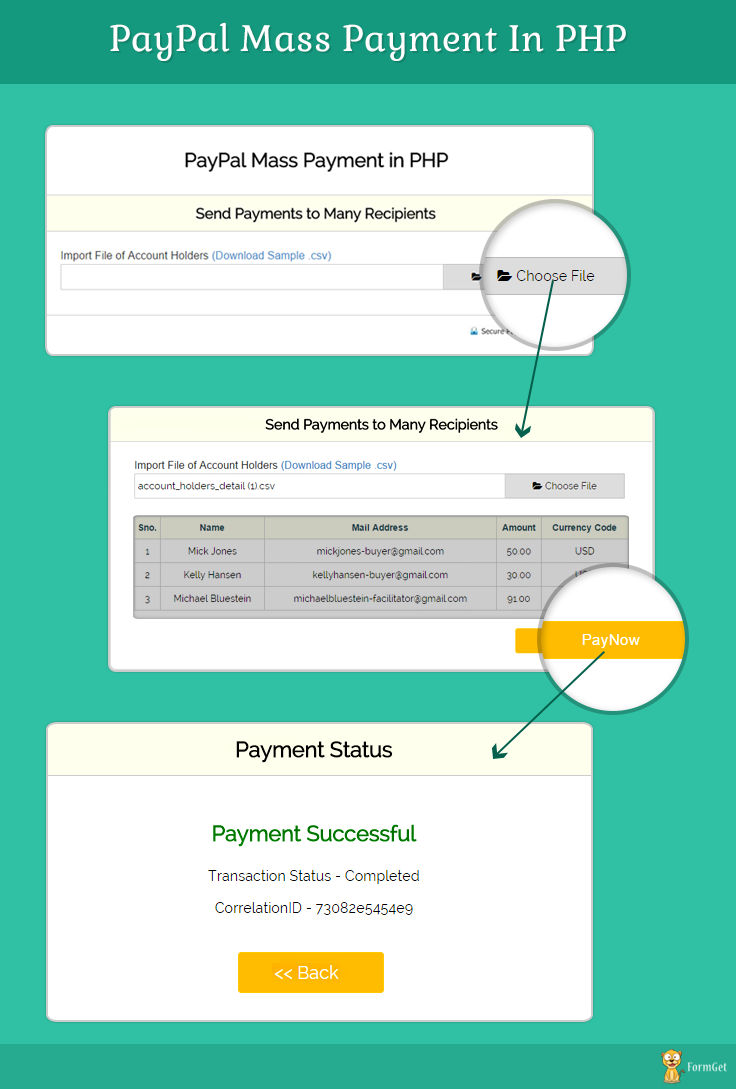
Project Integration
In our last post, we have seen how to get Paypal App Id and App Secret, which is necessary to access PayPal PHP Merchant SDK.
Follow that post to learn how to get the credentials and put it in Configuration.php file of this project to setup the required settings.
Then you will be ready to run the project. You can also refer the install.txt file given in download code folder.
Mass Payment Overview
Don’t spend your precious time in writing cheques, use Paypal Mass Payments in PHP and send a Mass Payment instead.
Use Mass Payment because it is
User-Friendly: Mass Pay sends payments to many recipients at once. You can also send payments to different country and currencies, it is very fast and secure, recipients get paid quickly.
Cost Effective: It only charge fees when you send money to the recipients and remain free for recipients.
Tutorial Scripts in detail
Below are the details of the code used in this tutorial with proper explanation.
Index.php
Index.php have an option to import .csv file which contain account holders information. Admin can import file and click on pay now button for mass payments.
<?php
$image_err = "";
$uploadOk = 0;
//Validation for Account Holders File (File should be CSV or txt)
if (!empty($_FILES["up_file"])) {
$uploadOk = 1;
$imageFileType = pathinfo(basename($_FILES["up_file"]["name"]), PATHINFO_EXTENSION);
if ($imageFileType != "csv" && $imageFileType != "txt") {
$image_err = "Sorry, only .csv, .txt files are allowed.";
$uploadOk = 0;
}
}
?>
<html>
<head>
<title>Paypal Mass Payment in PHP</title>
<link rel="stylesheet" type="text/css" href="css/style.css">
<link rel="stylesheet" href="css/flexslider.css" type="text/css">
<link rel="stylesheet" href="http://maxcdn.bootstrapcdn.com/font-awesome/4.3.0/css/font-awesome.min.css">
<link rel="stylesheet" type="text/css" href="css/popup-style.css" />
</head>
<body>
<div id = "main">
<h1>PayPal Mass Payment in PHP</h1>
<div id = "container">
<h2>Send Payments to Many Recipients</h2>
<hr/>
<div class="fg-row">
<form action="index.php" method="post" id="myform" enctype="multipart/form-data">
<label class="block fg-label">Import File of Account Holders <a href="account_holders_detail.csv">(Download Sample .csv)</a></label>
<div class="fg-upload-parent">
<input id="up_file" type="file" class="file1" name="up_file" style="visibility:hidden; height:0px !important;" >
<input class="fg-input text inline_path" id="import_file_text" placeholder="" type="text" onclick="document.getElementById('up_file').click();" value="<?php echo (!empty($_FILES["up_file"]["name"])) ? $_FILES["up_file"]["name"] : ''; ?>" readonly>
<span class="fg-upload-btn" onclick="document.getElementById('up_file').click();"><i class="fa fa-folder-open"></i> Choose File</span>
<div class="fg-clear"></div>
</div>
<p class="fg-help red"><?php echo $image_err; ?></p>
</form>
</div>
<?php if ($uploadOk === 1) { ?>
<div id="holders">
<form action="MassPayment.php" method="POST">
<table id="results" >
<thead>
<tr class="head">
<th>Sno.</th>
<th>Name</th>
<th>Mail Address</th>
<th>Amount</th>
<th>Currency Code</th>
</tr>
</thead>
<?php
//Getting data from CSV or txt file
$csv = array_map('str_getcsv', file($_FILES["up_file"]["tmp_name"]));
$i = 0;
foreach ($csv as $v1) {
?>
<tbody>
<tr class="row-data unread_new">
<td><?php echo ++$i; ?></td>
<td><?php echo $v1[0]; ?></td>
<td>
<?php echo $v1[1]; ?>
<input type="hidden" name="mail[]" value="<?php echo $v1[1]; ?>"/>
</td>
<td>
<?php echo $v1[2]; ?>
<input type="hidden" name="amount[]" value="<?php echo $v1[2]; ?>"/>
</td>

<td>
<?php echo $v1[3]; ?>
<input type="hidden" name="currencyCode[]" value="<?php echo $v1[3]; ?>"/>
</td>
</tr>
</tbody>
<?php
}
?>
</table>
<input type="submit" id="submit" value="PayNow">
</form>
</div>
<?php } ?>
</div>

<img id="paypal_logo" style="margin-left: 722px;" src="images/secure-paypal-logo.jpg">
</div>
<div id="pop2" class="simplePopup">
<div id="loader"><img src="images/ajax-loader.gif"/><img id="processing_animation" src="images/processing_animation.gif"/></div>
</div>
<script src="js/jquery.min.js"></script>
<script type="text/javascript">
$(document).ready(function() {
$('#up_file').change(function() {
document.getElementById('import_file_text').value = $('#up_file').val();
document.getElementById('myform').submit();
});

});
</script>
<script src="js/jquery.simplePopup.js" type="text/javascript"></script>
<script type="text/javascript">
$(document).ready(function() {
$('input#submit').click(function() {
$('#pop2').simplePopup();
});
});
</script>
</body>
</html>
MassPayment.php
MassPayment.php file gets array data from index.php and send that recipient to PayPal for mass payment. After processing, PayPal sends response array, which contain transaction details.
<?php
require_once('../PPBootStrap.php');
/*
* # MassPay API
The MassPay API operation makes a payment to one or more PayPal account
holders.
This sample code uses Merchant PHP SDK to make API call
*/
$massPayRequest = new MassPayRequestType();
$massPayRequest->MassPayItem = array();
for ($i = 0; $i < count($_REQUEST['mail']); $i++) {
$masspayItem = new MassPayRequestItemType();
/*
* `Amount` for the payment which contains

* `Currency Code`
* `Amount`
*/
$masspayItem->Amount = new BasicAmountType($_REQUEST['currencyCode'][$i], $_REQUEST['amount'][$i]);
$masspayItem->ReceiverEmail = $_REQUEST['mail'][$i];
$massPayRequest->MassPayItem[] = $masspayItem;
}

/*
* ## MassPayReq
Details of each payment.
`Note:
A single MassPayRequest can include up to 250 MassPayItems.`
*/
$massPayReq = new MassPayReq();
$massPayReq->MassPayRequest = $massPayRequest;

/*
* ## Creating service wrapper object
Creating service wrapper object to make API call and loading
Configuration::getAcctAndConfig() returns array that contains credential and config parameters
*/
$paypalService = new PayPalAPIInterfaceServiceService(Configuration::getAcctAndConfig());

// required in third party permission
try {
/* wrap API method calls on the service object with a try catch */
$massPayResponse = $paypalService->MassPay($massPayReq);
} catch (Exception $ex) {
include_once("Error.php");
exit;
}
if (isset($massPayResponse)) {
?>
<html>
<head>
<title>Paypal Mass Payment in PHP</title>
<link rel="stylesheet" type="text/css" href="css/style.css">
<meta name="robots" content="noindex, nofollow">
<script type="text/javascript">
var _gaq = _gaq || [];
_gaq.push(['_setAccount', 'UA-43981329-1']);
_gaq.push(['_trackPageview']);
(function() {
var ga = document.createElement('script');
ga.type = 'text/javascript';
ga.async = true;
ga.src = ('https:' == document.location.protocol ? 'https://ssl' : 'http://www') + '.google-analytics.com/ga.js';
var s = document.getElementsByTagName('script')[0];
s.parentNode.insertBefore(ga, s);
})();
</script>
</head>
<body>

<div id="main">
<div class="success_main_heading">
<h1>Paypal Mass Payment in PHP</h1>
</div>
<div id="return">
<h2>Payment Status </h2>
<hr/>

<?php
//Rechecking the product price and currency details
if ($massPayResponse->Ack == 'Success') {
echo "<h3 id='success'>Payment Successful</h3>";
echo "<P>Transaction Status - Completed</P>";
echo "<P>CorrelationID - " . $massPayResponse->CorrelationID . "</P>";
echo "<div class='back_btn'><a href='index.php' id= 'btn'><< Back </a></div>";
} else {
echo "<h3 id='fail'>Payment Failed</h3>";
echo "<P>Transaction Status - Unompleted</P>";
echo "<P>Error Message -" . $massPayResponse->Errors[0]->LongMessage . "</P>";
echo "<div class='back_btn'><a href='index.php' id= 'btn'><< Back </a></div>";
}
?>
</div>
</div>
</body>
</html>
<?php }
?>
Style.css
Includes basic styling of HTML elements.
@import url(http://fonts.googleapis.com/css?family=Raleway);
h1{
text-align: center;
}
#main {
width: 950PX;
margin: 50PX auto;
font-family: raleway;
}
#container {
width: 834px;
float: left;
border-radius: 10px;
font-family: raleway;
border: 2px solid #ccc;
padding: 10px 40px 11px;
margin: 16PX;
}
h2 {
background-color: #FEFFED;
text-align: center;
border-radius: 10px 10px 0 0;
margin: -10px -40px;
padding: 15px;
}
hr {
border: 0;
border-bottom: 1px solid #ccc;
margin: 10px -40px;
margin-bottom: 30px;
}
input[type=text]{

padding: 10px;
margin-top: 20px;
border: 1px solid #ccc;
padding-left: 5px;
font-size: 17px;
font-family: raleway;
}
input[type=submit] {
width: 20%;
background-color: #FFBC00;
color: white;
border: 1px solid #FFCB00;
padding: 10px;
font-size: 17px;
cursor: pointer;
border-radius: 5px;
margin-left: 77%;
}
input[type=image]{
width: 90%;
height: 40%;
border-radius: 3%;
}
.fg-upload-parent {
position: relative;
margin-top: 6px;
}
.fg-row {
line-height: 1;
margin-bottom: 30px;
}
.fg-label {
color: #333333;
font-family: "proxima_novasemibold", sans-serif;
font-size: 16px;
line-height: 1;
}
.fg-upload-parent input[type="file"] {
position: absolute;
top: 0;
left: 0;
opacity: 0;
width: 100%;
height: 38px;
cursor: pointer;
}
.fg-upload-parent .text, .fg-upload-parent .password {
margin-top: 0;
}
.fg-upload-parent .fg-input {
float: left;
width: 75%;
border-radius: 2px 0 0 2px;
}
.fg-upload-parent .fg-upload-btn {
width: 24%;
display: inline-block;
line-height: normal;
padding: 10px 0 11px 0;
text-align: center;
border-radius: 0 2px 2px 0;
border: 1px solid #bbbbbb;
border-left: 0;
background: #dddddd;
cursor: pointer;
}
.fg-upload-parent .fg-upload-btn .icon-folder {
font-size: 13px;
margin-right: 8px;
color: #666;
}
.fg-clear {
clear: both;
}
.fg-help {
font-size: 13px;
line-height: 18px;
margin-top: 4px;
margin-left: 3px;
margin-bottom: 0;
color: #aaa;
display: block;
}

#results {
width: 100%;
margin-top: 30px;
border: 1px solid #ccc;
table-layout: auto;
margin-bottom: 30px;
}
table {
border-collapse: collapse;
border-spacing: 0;
}
thead {
display: table-header-group;
vertical-align: middle;
border-color: inherit;
}
.head {
font-size: 15px;
font-family: "proxima_novasemibold", sans-serif;
background: #FEFFED;
color: #1d4c55;
}
tr {
display: table-row;
vertical-align: inherit;
border-color: inherit;
}
.head th, td {
border-right: 1px solid #ccc;
border-bottom: 1px solid #ccc;
line-height: normal;
padding: 10px 0 10px;
text-align: center;
}
tbody {
display: table-row-group;
vertical-align: middle;
border-color: inherit;
}
tr {
display: table-row;
vertical-align: inherit;
border-color: inherit;
}
.fg-label {
color: #333333;
font-family: "proxima_novasemibold", sans-serif;
font-size: 18px;
line-height: 1;
}
.fg-label a{
color: #428bca;
text-decoration: none;
}

#return {
width: 492px;
height: 350px;
float: left;
border-radius: 10px;
font-family: raleway;
border: 2px solid #ccc;
padding: 10px 40px 11px;
}
#return h3#success {
text-align: center;
font-size: 24px;
margin-top: 50px;
color: green;
}
#return P {
text-align: center;
}
#return .back_btn {
margin-top: 51px;
text-align: center;
}
#btn {
width: 100%;
background-color: #FFBC00;
color: white;
border: 2px solid #FFCB00;
padding: 10px 70px;
font-size: 20px;
cursor: pointer;
border-radius: 5px;
margin-bottom: 15px;
margin: 0 auto;
}
a{
text-decoration:none;
color: cornflowerblue;
}
img#paypal_logo{
float: right;
margin-right:25px;
padding-bottom:15px;
}
.success_main_heading{
margin-left: -32%;
margin-bottom: 7%;

}
#return h3#fail{
text-align: center;
font-size: 24px;
margin-top: 50px;
color: red;
}
.red{
color:red;
font-weight: bold;
}
Conclusion :
After reading the above post, I am sure you will give a try to the script provided and implement it in your own projects as well. Feel free to visit our website again in the future to get in touch with new coding tricks. You can let us know about your feedback in the space provided below
Android Intent Example

Whenever we want to switch or transfer data from one application to another application or one activity to another activity, at that time you have to use Intent.
An intent is an abstract description of an operation to be performed. It is a way of ‘Message passing between two or more than two components of android’. Different activities interact with each other with the help of intent in Android. In Android, basically, there are two type of intent.
Types of Intent:
- Implicit Intent
- Explicit Intent
In this blog post we will be explaining about Implicit Intent, in next blog we will be discussing on Explicit intent.
Implicit Intent
Intent is something which is sent from one activity to inbuilt android activity in android. When we work with implicit intents, we generally specify the action which we want to perform and optionally some data required for that action.
Data is typically expressed as a Uri which can represent an image in the gallery or person in the contacts database.
The amount of application that can be done using implicit intents are many. Some of the examples are as follows:
- Call
- Dialpad
- Contact
- Browser
- Call Log
- Gallery
- Camera
Running of application:
Download the code from the link provided above and follow the steps given in AndroidProjectInstall.pdf file to run the project on your PC.
There is a .apk file given in the live demo section. You can also download that file to run it on your Android devices (Mobile Phones).
Working:
In PC:
Right-click on your project, select ‘Run as’ and then select your desired device. Click on the Buttons that are created in your android application, they will perform the functions accordingly.
In Android Devices:
Download .apk file and install it. The app icon will start showing up on your menu section. Run the app and follow the steps as given above.
This application will start with several buttons, when you will click them the operations will be performed.
For eg: when you will click Call button, calling functionality will be performed.
Coding and designing of implicit intent:
XML codes
Now we will see XML coding of this application which is used for designing front view of application.
Activity_Main.xml :
XML file provides basic environment or design for your android application. By using different views and layouts you can design application of your choice. For this, you just have to know the basic XML Tags for designing interface.
<!-- LINEAR LAYOUT starts here -->
<LinearLayout xmlns:android="http://schemas.android.com/apk/res/android"
android:layout_width="fill_parent"
android:layout_height="fill_parent"
android:background="@android:color/black"
android:orientation="vertical" >

<!-- EDIT TEXT with the hint of "Enter Phone No." -->
<EditText
android:id="@+id/etNo"
android:layout_width="match_parent"
android:layout_height="60dp"
android:hint="Enter phone no."
android:textColor="@android:color/holo_blue_light"
android:inputType="phone" />

<!-- BUTTON for the option Call -->
<Button
android:id="@+id/btnCall"
android:layout_width="match_parent"
android:layout_height="55dp"
android:textColor="@android:color/holo_orange_light"
android:text="Call" />

<!-- BUTTON for the option Camera -->
<Button
android:id="@+id/btnCamera"
android:layout_width="match_parent"
android:textColor="@android:color/holo_orange_light"
android:layout_height="55dp"
android:text="Camera" />

<!-- BUTTON for the option Contacts -->
<Button
android:id="@+id/btnContact"
android:layout_width="match_parent"
android:textColor="@android:color/holo_orange_light"
android:layout_height="55dp"
android:text="Contact" />

<!-- BUTTON for the option Browser -->
<Button
android:id="@+id/btnBrowser"
android:layout_width="match_parent"
android:textColor="@android:color/holo_orange_light"
android:layout_height="55dp"
android:text="Browser" />

<!-- BUTTON for the option Call log -->
<Button
android:id="@+id/btnCallLog"
android:layout_width="match_parent"
android:textColor="@android:color/holo_orange_light"
android:layout_height="55dp"
android:text="Call Log" />

<!-- BUTTON for the option Gallery -->
<Button
android:id="@+id/btnGallery"
android:layout_width="match_parent"
android:textColor="@android:color/holo_orange_light"
android:layout_height="55dp"
android:text="Gallery" />

<!-- BUTTON for the option Dialpad -->
<Button
android:id="@+id/btnDial"
android:layout_width="match_parent"
android:textColor="@android:color/holo_orange_light"
android:layout_height="55dp"
android:text="Dialpad" />

</LinearLayout>
Java codes
While we create our project at that time an XML file and a java file is created separately. MainActivity.java is the file where we write codes for java to implement logic and functionality in the app.
Mainactivity.Java
After you have designed your application using XML coding, you have to use the JAVA code so that help to perform action ( Dialpad, Call, Camera etc will open) when button will be clicked. Java file can be found in your project in Src folder.
//import required package
package com.implicitintent.mb;

import android.app.Activity;
import android.content.Intent;
import android.net.Uri;
import android.os.Bundle;
import android.provider.MediaStore;
import android.view.View;
import android.widget.EditText;

//extends Activity
public class MainActivity extends Activity {

@Override
protected void onCreate(Bundle savedInstanceState) {
super.onCreate(savedInstanceState);
setContentView(R.layout.activity_main);

//set click listener to camera button
findViewById(R.id.btnCamera).setOnClickListener(new View.OnClickListener() {

//perform camera open action
@Override
public void onClick(View v) {

Intent i = new Intent();
i.setAction(MediaStore.ACTION_VIDEO_CAPTURE);
startActivity(i);
}
});
final EditText et = (EditText) findViewById(R.id.etNo);
//set click listener to Gallery button
findViewById(R.id.btnGallery).setOnClickListener(new View.OnClickListener() {

//perform Gallery open action
@Override
public void onClick(View v) {

Intent i = new Intent();
i.setAction(Intent.ACTION_VIEW);
i.setData(Uri.parse("content://media/external/images/media/"));
startActivity(i);
}
});

//set click listener to CallLog button
findViewById(R.id.btnCallLog).setOnClickListener(new View.OnClickListener() {

//perform CallLog open action
@Override
public void onClick(View v) {

Intent i = new Intent();
i.setAction(Intent.ACTION_VIEW);
i.setData(Uri.parse("content://call_log/calls/1"));
startActivity(i);
}

});

//set click listener to Browser button
findViewById(R.id.btnBrowser).setOnClickListener(new View.OnClickListener() {

//perform Browser open action
@Override
public void onClick(View v) {

Intent i = new Intent();
i.setAction(Intent.ACTION_VIEW);
i.setData(Uri.parse("http://www.google.com/"));
startActivity(Intent.createChooser(i, "Title"));
}
});

//set click listener to Contact button
findViewById(R.id.btnContact).setOnClickListener(new View.OnClickListener() {

//perform Contact open action
@Override
public void onClick(View v) {

Intent i = new Intent();
i.setAction(Intent.ACTION_VIEW);
i.setData(Uri.parse("content://contacts/people/"));
startActivity(i);
}
});

//set click listener to Call button
findViewById(R.id.btnCall).setOnClickListener(new View.OnClickListener() {

//perform Call open action
@Override
public void onClick(View v) {

// AndroidManifest.xml -> Permissions -> Add ->
// Uses Permission -> android.permission.CALL_PHONE -> Save
Intent i = new Intent();
i.setAction(Intent.ACTION_CALL);
i.setData(Uri.parse("tel:"+et.getText()));
startActivity(i);
}
});

//set click listener to Dial button
findViewById(R.id.btnDial).setOnClickListener(new View.OnClickListener() {

//perform Dial open action
@Override
public void onClick(View v) {

Intent i = new Intent();
i.setAction(Intent.ACTION_DIAL);
i.setData(Uri.parse("tel:"+et.getText()));
startActivity(i);

Intent I = new Intent(Intent.ACTION_DIAL, Uri
.parse("tel:" + et.getText()));
startActivity(i);

startActivity(new Intent(Intent.ACTION_DIAL, Uri
.parse("tel:" + et.getText())));

}
});

}
}
Conclusion:
Intents are important part of application development. Hope you explore more and develop more android apps. For more updates and to learn more application keep visiting our website. 🙂
You may also like:-
First Android App – Make Your First Android App
PayPal Express Checkout in PHP for Digital Goods

PayPal Digital goods feature allows you to sell digital goods online like eBooks, music file, video & images, script and programming codes as well.
In our previous blog post, we have covered the PayPal Express Checkout for Single Product using PayPal PHP SDK.
In this blog post, we are going to explain how we can use Paypal Express Checkout for Digital goods to sell goods online.
Paypal Express Checkout for Digital goods feature uses, ‘JavaScript with Express Checkout API’ to unify the checkout process for buyer of digital goods, where merchants wanting to keep customers on their site while completing a standard PayPal transaction.
The buyer can conveniently purchase digital goods during checkout with a minimum of clicks without leaving your website or interrupting their online activities. All transactions happen in an over layer light box.
Paypal Express Checkout for Digital Goods using PayPal PHP Merchant SDK
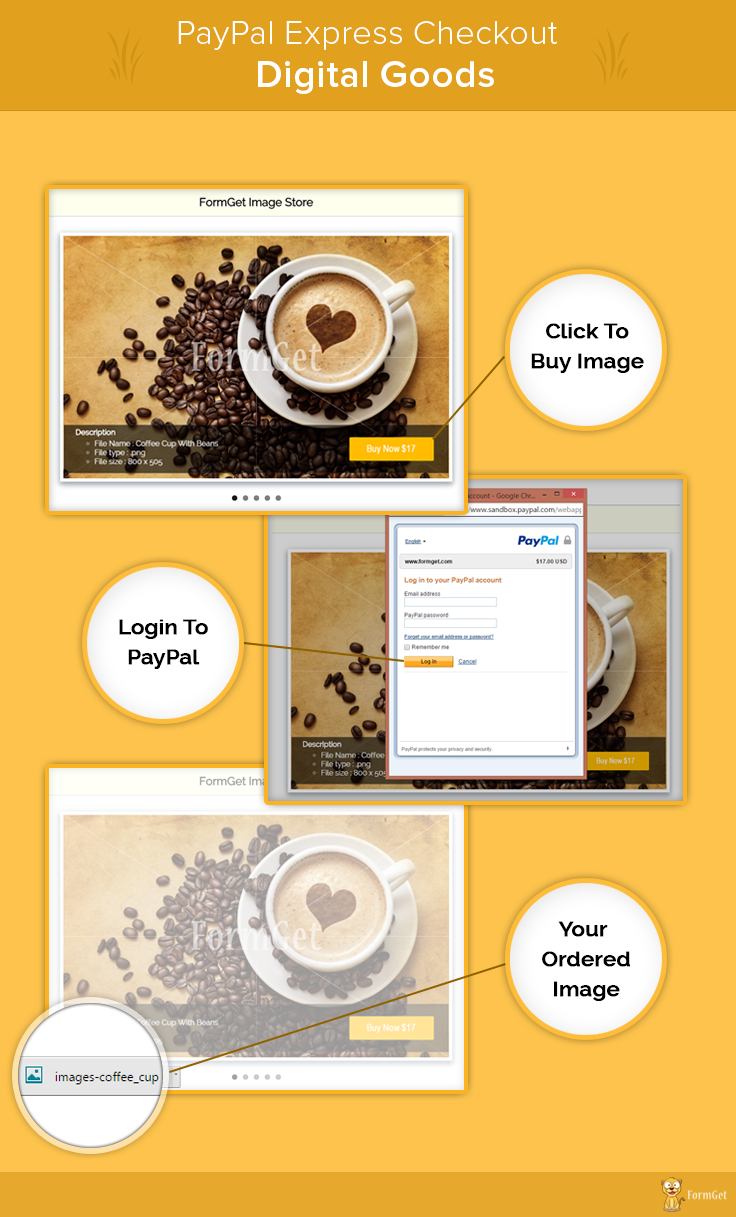
Project Integration
In our last post, we have seen how to get Paypal App Id and App Secret, which is necessary to access PayPal PHP Merchant SDK.
Follow that post to learn how to get the credentials and put it in Configuration.php file of this project to setup the required settings.
Then you will be ready to run the project. You can also refer the install.txt file given in download code folder.
Digital Goods Flows
Let’s look at an example. Here we built a sample app(image selling site), which will show a copyright image with Buy now button. By clicking on buy now Paypal light box will appear. Now click on Login button which will appear on light box.
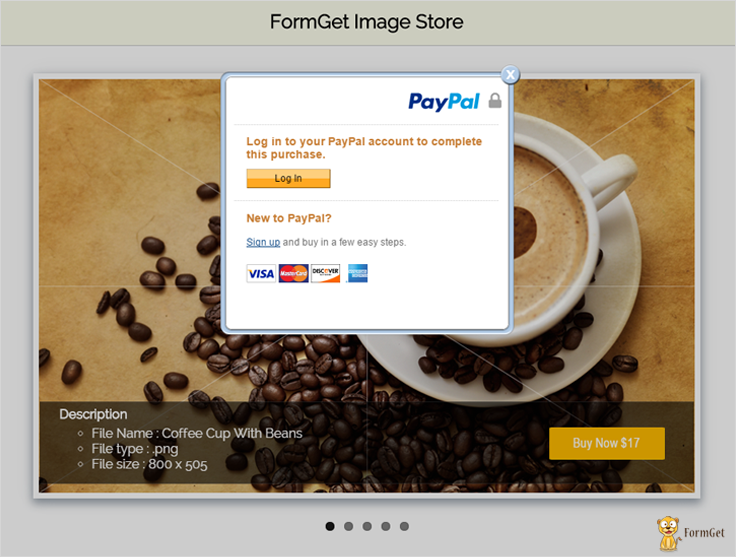
After clicking on log in button, one log in Model box will appear in which buyer has to log in via their existing Paypal Credentials.
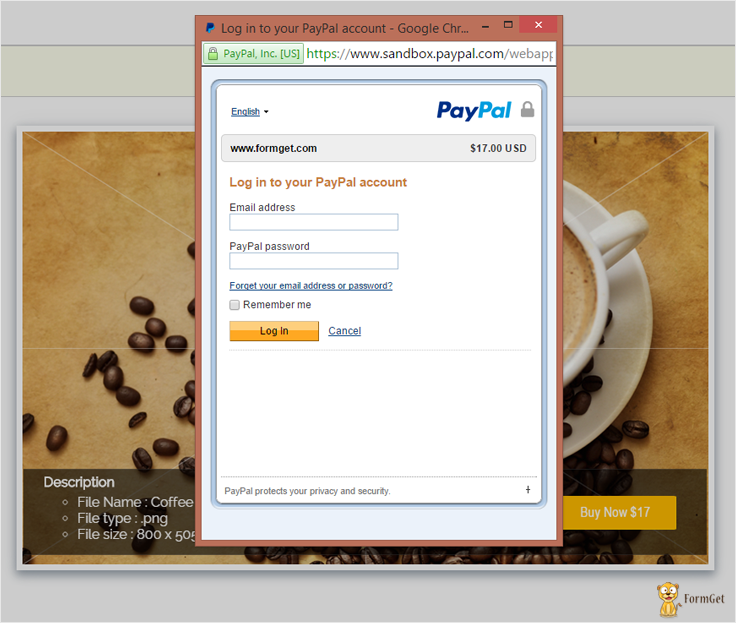
Now buyer will be ready to Buy Digital goods without leaving website.
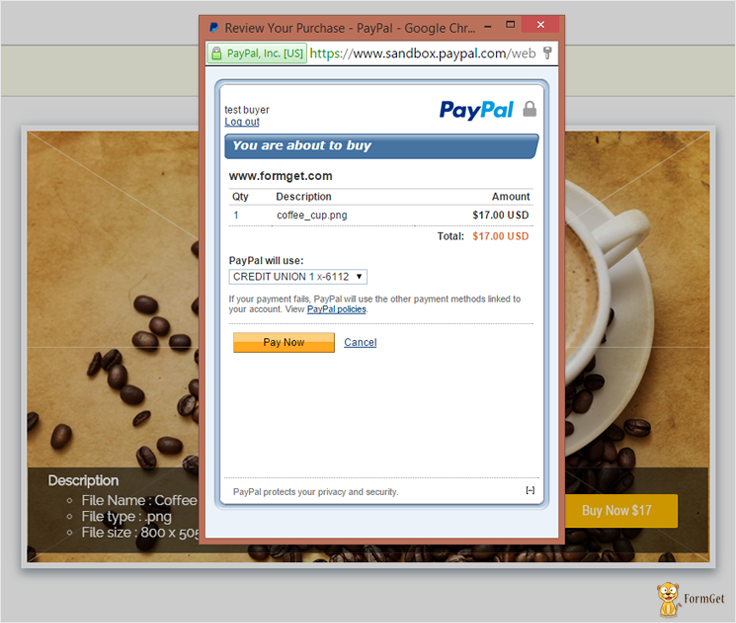
Tutorial Scripts in detail:
Below are the details of the code used in this tutorial with proper explanation.
Index.php
This is the first file showing products details.
<html>
<head>
<title>PayPal Express Checkout - Digital Goods</title>
<link rel="stylesheet" type="text/css" href="css/style.css">
<link rel="stylesheet" href="css/flexslider.css" type="text/css">
</head>
<body>
<div id = "main">
<h1>PayPal Express Checkout for Digital Goods</h1>
<div id = "login">
<h2>FormGet Image Store</h2>
<hr/>
<!-- Place somewhere in the <body> of your page -->
<div class="flexslider">
<!-- image slider start here -->
<ul class="slides">
<li>
<div class="box-shadow-preview">
<img src="images/WMcoffee_cup.png"/>
</div>
<div id="detail">
<div id="description">
<h4>Description</h4>
<ul>
<li>File Name : Coffee Cup With Beans</li>
<li>File type : .png</li>
<li>File size : 800 x 505</li>
</ul>
</div>
<div id="buynow">
<div id="buynowbutton">
<div style="align: auto;">
<form method="POST" action="DGsetExpressCheckout.php">
<input type=hidden size=30 maxlength=32 name=id value="MQ==">
<input type="image" id="submitBtn1" name="submitBtn" src="images/buynow17.png"/>
</form>
</div>
</div>
</div>
</div>
</li>
<li>
<div class="box-shadow-preview">
<img src="images/WMfresh_jelly.png" />
</div>

<div id="detail">
<div id="description">
<h4>Description</h4>
<ul>
<li>File Name : Strawberry</li>
<li>File type : .png</li>
<li>File size : 800 x 505</li>
</ul>
</div>
<div id="buynow">

<div id="buynowbutton">
<div style="align: auto;">
<form method="POST" action="DGsetExpressCheckout.php">
<input type=hidden size=30 maxlength=32 name=id value="Mg==">
<input type="image" id="submitBtn2" name="submitBtn" value="Buy Now $1" src="images/buynow21.png"/>
</form>
</div>
</div>
</div>
</div>
</li>
<li>
<div class="box-shadow-preview">
<img src="images/WMCute_Baby.png" />
</div>
<div id="detail">
<div id="description">
<h4>Description</h4>
<ul>
<li>File Name : Cute Baby</li>
<li>File type : .png</li>
<li>File size : 800 x 505</li>
</ul>
</div>
<div id="buynow">

<div id="buynowbutton">
<div style="align: auto;">
<form method="POST" action="DGsetExpressCheckout.php">
<input type=hidden size=30 maxlength=32 name=id value="Mw==">
<input type="image" id="submitBtn3" name="submitBtn" value="Buy Now $1" src="images/buynow9.png"/>
</form>
</div>
</div>
</div>
</div>
</li>
<li>
<div class="box-shadow-preview">
<img src="images/WMred_flower.png" />
</div>
<div id="detail">
<div id="description">
<h4>Description</h4>
<ul>
<li>File Name : Flowers</li>
<li>File type : .png</li>
<li>File size : 800 x 505</li>
</ul>
</div>
<div id="buynow">

<div id="buynowbutton">
<div style="align: auto;">
<form method="POST" action="DGsetExpressCheckout.php">
<input type=hidden size=30 maxlength=32 name=id value="NA==">
<input type="image" id="submitBtn4" name="submitBtn" value="Buy Now $1" src="images/buynow13.png"/>
</form>
</div>
</div>
</div>
</div>
</li>
<li>
<div class="box-shadow-preview">
<img src="images/WMshopping.png" />
</div>
<div id="detail">
<div id="description">
<h4>Description</h4>
<ul>
<li>File Name : Shopping Sell</li>
<li>File type : .png</li>
<li>File size : 800 x 505</li>
</ul>
</div>
<div id="buynow">

<div id="buynowbutton">
<div style="align: auto;">
<form method="POST" action="DGsetExpressCheckout.php">
<input type=hidden size=30 maxlength=32 name=id value="NQ==">
<input type="image" id="submitBtn5" name="submitBtn" value="Buy Now $1" src="images/buynow7.png"/>
</form>
</div>
</div>
</div>
</div>
</li>
</ul>
</div>
</div>
<img id="paypal_logo" style="margin-left: 722px;" src="images/secure-paypal-logo.jpg">
</div>
<script>
top.dg.closeFlow();
</script>
<script type="text/javascript"
src="https://www.paypalobjects.com/js/external/dg.js">
</script>
<script>
var dg = new PAYPAL.apps.DGFlow({
trigger: "submitBtn1"
});
var dg = new PAYPAL.apps.DGFlow({
trigger: "submitBtn2"
});
var dg = new PAYPAL.apps.DGFlow({
trigger: "submitBtn3"
});
var dg = new PAYPAL.apps.DGFlow({
trigger: "submitBtn4"
});
var dg = new PAYPAL.apps.DGFlow({
trigger: "submitBtn5"
});
</script>
<script src="js/jquery.min.js"></script>
<script src="js/jquery.flexslider.js"></script>
<!-- Place in the <head>, after the three links -->
<script type="text/javascript" charset="utf-8">
$(window).load(function() {
$('.flexslider').flexslider();
});
</script>
</body>
</html>
DGsetExpressCheckout.php
This file contains code to set express checkout and process payment to PayPal.
<?php

require_once('../PPBootStrap.php');
session_start();
/*
* Digital goods payments combine JavaScript with the Express Checkout API to streamline the checkout process for buyers of digital goods.
* Digital goods are items such as e-books, music files, and digital images distributed in electronic format. The buyer can conveniently purchase digital goods during checkout with a minimum of clicks without leaving your website or interrupting their online activities
*
*/
$serverName = $_SERVER['SERVER_NAME'];
$serverPort = $_SERVER['SERVER_PORT'];
$url = dirname('http://' . $serverName . ':' . $serverPort . $_SERVER['REQUEST_URI']);

/*
* URL to which the buyer's browser is returned after choosing to pay with PayPal. For digital goods, you must add JavaScript to this page to close the in-context experience.
*/
$returnUrl = $url . "/DGdoExpressCheckout.php";
/*
* URL to which the buyer is returned if the buyer does not approve the use of PayPal to pay you. For digital goods, you must add JavaScript to this page to close the in-context experience
*/
$cancelUrl = $url . "/index.php";

/*
* Total cost of the transaction to the buyer. If shipping cost and tax charges are known, include them in this value. If not, this value should be the current sub-total of the order. If the transaction includes one or more one-time purchases, this field must be equal to the sum of the purchases. Set this field to 0 if the transaction does not include a one-time purchase such as when you set up a billing agreement for a recurring payment that is not immediately charged. When the field is set to 0, purchase-specific fields are ignored
*/
$id = base64_decode($_REQUEST['id']);
if ($id == 1) {
$amount = 17;
$currency = 'USD';
$itemname = 'coffee_cup.png';
} else
if ($id == 2) {
$amount = 21;
$currency = 'USD';
$itemname = 'fresh_jelly.png';
} else
if ($id == 3) {
$amount = 9;
$currency = 'USD';
$itemname = 'Cute_Baby.png';
} else
if ($id == 4) {
$amount = 13;
$currency = 'USD';
$itemname = 'red_flower.png';
} else
if ($id == 5) {
$amount = 7;
$currency = 'USD';
$itemname = 'shopping.png';
}

$orderTotal = new BasicAmountType();
$orderTotal->currencyID = $currency;
$orderTotal->value = $amount;

$taxTotal = new BasicAmountType();
$taxTotal->currencyID = 'USD';
$taxTotal->value = '0.0';

$itemDetails = new PaymentDetailsItemType();
$itemDetails->Name = $itemname;

$itemDetails->Amount = $orderTotal;
/*
* Item quantity. This field is required when you pass a value for ItemCategory. For digital goods (ItemCategory=Digital), this field is required.
*/
$itemDetails->Quantity = '1';
/*
* Indicates whether an item is digital or physical. For digital goods, this field is required and must be set to Digital
*/
$itemDetails->ItemCategory = 'Digital';

$PaymentDetails = new PaymentDetailsType();
$PaymentDetails->PaymentDetailsItem[0] = $itemDetails;

//$PaymentDetails->ShipToAddress = $address;
$PaymentDetails->OrderTotal = $orderTotal;
/*
* How you want to obtain payment. When implementing parallel payments, this field is required and must be set to Order. When implementing digital goods, this field is required and must be set to Sale
*/
$PaymentDetails->PaymentAction = 'Sale';
/*
* Sum of cost of all items in this order. For digital goods, this field is required.
*/
$PaymentDetails->ItemTotal = $orderTotal;
$PaymentDetails->TaxTotal = $taxTotal;

$setECReqDetails = new SetExpressCheckoutRequestDetailsType();
$setECReqDetails->PaymentDetails[0] = $PaymentDetails;
$setECReqDetails->CancelURL = $cancelUrl;
$setECReqDetails->ReturnURL = $returnUrl;
/*
* Indicates whether or not you require the buyer's shipping address on file with PayPal be a confirmed address. For digital goods, this field is required, and you must set it to 0. It is one of the following values:

0 – You do not require the buyer's shipping address be a confirmed address.

1 – You require the buyer's shipping address be a confirmed address.

*/
$setECReqDetails->ReqConfirmShipping = 0;
/*
* Determines where or not PayPal displays shipping address fields on the PayPal pages. For digital goods, this field is required, and you must set it to 1. It is one of the following values:

0 – PayPal displays the shipping address on the PayPal pages.

1 – PayPal does not display shipping address fields whatsoever.

2 – If you do not pass the shipping address, PayPal obtains it from the buyer's account profile.

*/
$setECReqDetails->NoShipping = 1;

$setECReqType = new SetExpressCheckoutRequestType();
$setECReqType->SetExpressCheckoutRequestDetails = $setECReqDetails;

$setECReq = new SetExpressCheckoutReq();
$setECReq->SetExpressCheckoutRequest = $setECReqType;

// storing in session to use in DoExpressCheckout
$_SESSION['amount'] = $amount;
$_SESSION['currencyID'] = $currency;
$_SESSION['ItemName'] = $itemname;

/*
* ## Creating service wrapper object
Creating service wrapper object to make API call and loading
Configuration::getAcctAndConfig() returns array that contains credential and config parameters
*/
$paypalService = new PayPalAPIInterfaceServiceService(Configuration::getAcctAndConfig());
$setECResponse = $paypalService->SetExpressCheckout($setECReq);
//echo '<pre>';
//print_r($setECResponse);
//echo '</pre>';

if ($setECResponse->Ack == 'Success') {

$token = $setECResponse->Token;
$payPalURL = 'https://www.sandbox.paypal.com/incontext?token=' . $token;
header("Location: " . $payPalURL);
/* echo "<br><br><br><br><br><br><br><br><a href=https://www.sandbox.paypal.com/incontext?token=$token />Click here to continue to https://www.sandbox.paypal.com/incontext?token=$token</a>"; */
} else {
var_dump($setECResponse);
echo "error in SetEC API call";
}
?>
DGdoExpressCheckout.php
DGdoExpressCheckout will call when buyer’s browser is returned after choosing to pay with PayPal. For digital goods, you must add JavaScript to this page to close the in-context experience.
<?php
require_once('../PPBootStrap.php');

/*
* Digital goods payments combine JavaScript with the Express Checkout API to streamline the checkout process for buyers of digital goods.
* Digital goods are items such as e-books, music files, and digital images distributed in electronic format. The buyer can conveniently purchase digital goods during checkout with a minimum of clicks without leaving your website or interrupting their online activities
*
*/
$token = urlencode($_REQUEST['token']);
/*
* Unique PayPal buyer account identification number as returned in the GetExpressCheckoutDetails response
*/
$payerId = urlencode($_REQUEST['PayerID']);

//--------------------------------------------------------------
// this section is optional if values are retrieved from your database
$token = $_REQUEST['token'];
$getExpressCheckoutDetailsRequest = new GetExpressCheckoutDetailsRequestType($token);
$getExpressCheckoutReq = new GetExpressCheckoutDetailsReq();
$getExpressCheckoutReq->GetExpressCheckoutDetailsRequest = $getExpressCheckoutDetailsRequest;

$paypalService = new PayPalAPIInterfaceServiceService(Configuration::getAcctAndConfig());
$getECResponse = $paypalService->GetExpressCheckoutDetails($getExpressCheckoutReq);

/*
* The total cost of the transaction to the buyer. If shipping cost (not applicable to digital goods) and tax charges are known, include them in this value. If not, this value should be the current sub-total of the order. If the transaction includes one or more one-time purchases, this field must be equal to the sum of the purchases. Set this field to 0 if the transaction does not include a one-time purchase such as when you set up a billing agreement for a recurring payment that is not immediately charged. When the field is set to 0, purchase-specific fields are ignored.
*/
$orderTotal = new BasicAmountType();
$orderTotal->currencyID = $getECResponse->GetExpressCheckoutDetailsResponseDetails->PaymentDetails[0]->OrderTotal->currencyID;
$orderTotal->value = $getECResponse->GetExpressCheckoutDetailsResponseDetails->PaymentDetails[0]->OrderTotal->value;

//Details about each individual item included in the order.
$itemDetails = new PaymentDetailsItemType();
$itemDetails->Name = $getECResponse->GetExpressCheckoutDetailsResponseDetails->PaymentDetails[0]->PaymentDetailsItem[0]->Name;
$itemDetails->Amount = $orderTotal;
$itemDetails->Quantity = '1';

/*
* Item quantity. This field is required when you pass a value for ItemCategory. For digital goods (ItemCategory=Digital), this field is required
*/
$itemDetails->ItemCategory = 'Digital';

$PaymentDetails = new PaymentDetailsType();
$PaymentDetails->PaymentDetailsItem[0] = $itemDetails;

//$PaymentDetails->ShipToAddress = $address;
$PaymentDetails->OrderTotal = $orderTotal;

/*
* How you want to obtain payment. When implementing parallel payments, this field is required and must be set to Order. When implementing digital goods, this field is required and must be set to Sale.
*/
$PaymentDetails->PaymentAction = 'Sale';

/*
* Sum of cost of all items in this order. For digital goods, this field is required. PayPal recommends that you pass the same value in the call to DoExpressCheckoutPayment that you passed in the call to SetExpressCheckout
*/
$PaymentDetails->ItemTotal = $orderTotal;

$DoECRequestDetails = new DoExpressCheckoutPaymentRequestDetailsType();
$DoECRequestDetails->PayerID = $payerId;
$DoECRequestDetails->Token = $token;
$DoECRequestDetails->PaymentDetails[0] = $PaymentDetails;

$DoECRequest = new DoExpressCheckoutPaymentRequestType();
$DoECRequest->DoExpressCheckoutPaymentRequestDetails = $DoECRequestDetails;
$DoECReq = new DoExpressCheckoutPaymentReq();
$DoECReq->DoExpressCheckoutPaymentRequest = $DoECRequest;

/*
* ## Creating service wrapper object
Creating service wrapper object to make API call and loading
Configuration::getAcctAndConfig() returns array that contains credential and config parameters
*/
$paypalService = new PayPalAPIInterfaceServiceService(Configuration::getAcctAndConfig());
$DoECResponse = $paypalService->DoExpressCheckoutPayment($DoECReq);

if ($DoECResponse->Ack == 'Success') {
?>
<html>
<head>
<script src="js/jquery.min.js"></script>
<script>
$(document).ready(function() {
var link = document.createElement('a');
link.href = 'images/<?php echo $getECResponse->GetExpressCheckoutDetailsResponseDetails->PaymentDetails[0]->PaymentDetailsItem[0]->Name?>';
link.download = 'images/<?php echo $getECResponse->GetExpressCheckoutDetailsResponseDetails->PaymentDetails[0]->PaymentDetailsItem[0]->Name?>';
document.body.appendChild(link);
link.click();
top.dg.closeFlow();
});
</script>
<?php
/*
* TODO: add your logic that handles successful payment
*/
} else {
?>
<script>
alert("Payment failed")
top.dg.closeFlow();
</script>
<?php } ?>
<script type="text/javascript"
src="https://www.paypalobjects.com/js/external/dg.js"></script>
</head>
<body>
</body>
</html>
Style.css
Includes basic styling of HTML elements.
@import url(http://fonts.googleapis.com/css?family=Raleway);
h1{
text-align: center;
}
#main {
width: 950PX;
margin: 50PX auto;
font-family: raleway;
}
#login {
width: 834px;
float: left;
border-radius: 10px;
font-family: raleway;
border: 2px solid #ccc;
padding: 10px 40px 11px;
margin: 16PX;
}
h2 {
background-color: #FEFFED;
text-align: center;
border-radius: 10px 10px 0 0;
margin: -10px -40px;
padding: 15px;
}
hr {
border: 0;
border-bottom: 1px solid #ccc;
margin: 10px -40px;
margin-bottom: 30px;
}
#description{
width: 50%;
float:left;
color: white;
padding-left: 3%;
}
#description h4{
margin-top: 5px;
margin-bottom: 5px;
}
#buynow{
width: 47%;
float: right;
}
#buynowbutton {
margin-left: 53%;
margin-top: 8%;
margin-right: 0%;
}
#detail{
width: 98%;
background: rgba(0,0,0,.6);
margin-top: -120px;
height: 100px;
position: absolute;
border-top: 1px solid;
border-bottom: 1px solid;
border-color: rgba(255,255,255,0.1);
margin-left: 1%;
margin-right: 1%;
}

input[type=text]{
width: 90%;
padding: 10px;
margin-top: 20px;
border: 1px solid #ccc;
padding-left: 5px;
font-size: 17px;
font-family: raleway;
}
input[type=image]{
width: 90%;
height: 40%;
border-radius: 3%;
}
input[type=submit]{
width: 100%;
margin-top: 20px;
background-color: #FFBC00;
color: white;
border: 1px solid #FFCB00;
padding: 10px;
font-size: 17px;
cursor: pointer;

margin-bottom: 0px;
}
.box-shadow-preview{
position: relative;
background-color: #FFFFFF;
border-width: 7px;
border-style: solid;
border-color: white;
border-radius: 0px;
box-shadow: 0px 5px 17px 1px #99A3AD, 0px 0px 40px #EEEEEE;
}
Conclusion :
After reading the above post, I am sure you will give a try to the script provided and implement it in your own projects as well. Feel free to visit our website again in the future to get in touch with new coding tricks. You can let us know about your feedback in the space provided below
PayPal Transaction Details using Transaction ID

In our previous blog post we have covered the PayPal Express Checkout for Single Product using which you can collect more user information entered at the time of purchase.
What happened if admin have lots of payer transaction id and admin wants to see details of any specific transaction.?
In this blog we are going to demonstrate how we can get all transaction data using transaction id for doing this we are using PayPal PHP SDK.
PayPal Transaction Detail using Transaction ID
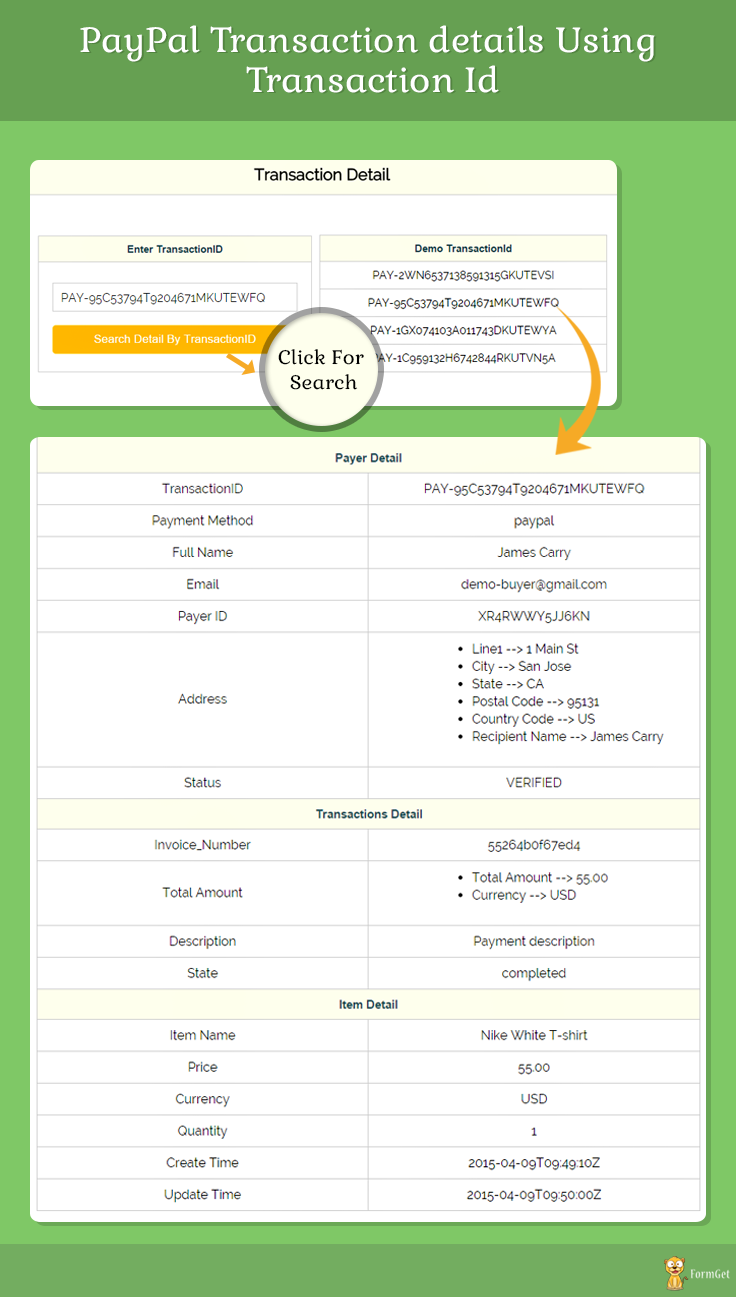
Note: Install.txt file is given in the download folder
Project Integartion
In our last post we have seen how to get Paypal App Id and App Secret, which is necessary to access PayPal PHP SDK.
Follow that post to learn how to get the credentials and put it in bootstrap.php file of this project to setup the required settings.
Then you will be ready to run the project. You can also refer the install.txt file given in download code folder.
Bootstrap.php
This file will help to load and connect PayPal PHP SDK with your application.
<?php
// Include the composer Autoloader
// The location of your project's vendor autoloader.
$composerAutoload = 'PayPal-PHP-SDK/autoload.php';
if (!file_exists($composerAutoload)) {
//If the project is used as its own project, it would use rest-api-sdk-php composer autoloader.
$composerAutoload = 'PayPal-PHP-SDK/vendor/autoload.php';
if (!file_exists($composerAutoload)) {
echo "The 'vendor' folder is missing. You must run 'composer update' to resolve application dependencies.nPlease see the README for more information.n";
exit(1);
}
}
require $composerAutoload;

use PayPalRestApiContext;
use PayPalAuthOAuthTokenCredential;

error_reporting(E_ALL);
ini_set('display_errors', '1');

// Replace these values by entering your own ClientId and Secret by visiting https://developer.paypal.com/webapps/developer/applications/myapps
$clientId = 'Your PayPal App Id';
$clientSecret = 'Your PayPal App Secret';
$mode = 'sandbox';

/** @var PaypalRestApiContext $apiContext */
$apiContext = getApiContext($clientId, $clientSecret);

return $apiContext;

function getApiContext($clientId, $clientSecret) {

// ### Api context
// Use an ApiContext object to authenticate
// API calls. The clientId and clientSecret for the
// OAuthTokenCredential class can be retrieved from
// developer.paypal.com

$apiContext = new ApiContext(
new OAuthTokenCredential(
$clientId, $clientSecret
)
);

// Comment this line out and uncomment the PP_CONFIG_PATH
// 'define' block if you want to use static file
// based configuration
global $mode;
$apiContext->setConfig(
array(
'mode' => $mode,
'log.LogEnabled' => true,
'log.FileName' => '../PayPal.log',
'log.LogLevel' => 'DEBUG', // PLEASE USE `FINE` LEVEL FOR LOGGING IN LIVE ENVIRONMENTS
'validation.level' => 'log',
'cache.enabled' => true,
// 'http.CURLOPT_CONNECTTIMEOUT' => 30
// 'http.headers.PayPal-Partner-Attribution-Id' => '123123123'
)
);

// Partner Attribution Id
// Use this header if you are a PayPal partner. Specify a unique BN Code to receive revenue attribution.
// To learn more or to request a BN Code, contact your Partner Manager or visit the PayPal Partner Portal
// $apiContext->addRequestHeader('PayPal-Partner-Attribution-Id', '123123123');
return $apiContext;
}
Index.php
This is the main file showing Transaction detail via TransactionID.
<?php
// # GetPaymentSample
// This sample code demonstrate how you can
// retrieve a list of all Payment resources
// you've created using the Payments API.
// ### Retrieve payment
// Retrieve the payment object by calling the
// static `get` method
// on the Payment class by passing a valid
// Payment ID
// (See bootstrap.php for more on `ApiContext`)
require __DIR__ . '/bootstrap.php';

use PayPalApiAmount;
use PayPalApiDetails;
use PayPalApiItem;
use PayPalApiItemList;
use PayPalApiCreditCard;
use PayPalApiPayer;
use PayPalApiPayment;
use PayPalApiFundingInstrument;
use PayPalApiTransaction;

if (isset($_POST['submit'])) {
$paymentId = $_POST['paymentId'];
try {
$payment = Payment::get($paymentId, $apiContext);
$obj = json_decode($payment); // $obj contains the All Transaction Information.Some of them,I have displayed Below.
} catch (Exception $ex) {
$payment = 'Not Valid';
}
}
?>
<html>
<head>
<title>PayPal Transaction Details using Transaction Id</title>
<link rel="stylesheet" type="text/css" href="css/style.css">
<link rel="stylesheet" type="text/css" href="css/popup-style.css" />
<script src="js/jquery-latest.js" type="text/javascript"></script>
</head>
<body>
<div id = "main">
<h1>PayPal Transaction Details using Transaction Id</h1>
<div id = "login">
<h2>Transaction Detail</h2>
<hr/>
<div id="search">
<table id="results" >
<thead>
<tr class="head">
<th>Enter TransactionID</th>
</tr>
</thead>
<tbody>
<tr>
<td>
<form action="index.php" method="POST">
<input type="text" name="paymentId">
<input type="submit" id="submit" value="Search Detail By TransactionID" name="submit">
</form>
</td>
</tr>
</tbody>
</table>
</div>
<div id="demo_id">
<table id="results" >
<thead>
<tr class="head">
<th>Demo TransactionId</th>
</tr>
</thead>
<tbody id="left90">
<tr>
<td>PAY-2WN6537138591315GKUTEVSI</td>
</tr>
<tr>
<td>PAY-95C53794T9204671MKUTEWFQ</td>
</tr>
<tr>
<td>PAY-1GX074103A011743DKUTEWYA</td>
</tr>
<tr>
<td>PAY-1C959132H6742844RKUTVN5A</td>
</tr>
</tbody>
</table>
</div>
<?php
if (isset($_POST['submit'])) {
if ($payment !== 'Not Valid') {
?>
<table id="results" class="messages">
<thead>
<tr class="head">
<th colspan="2">Payer Detail</th>

</tr>
</thead>
<tbody id="left90">
<tr>
<td>TransactionID</td>
<td><?php echo $obj->id; ?></td>
</tr>
<tr>
<td>Payment Method</td>
<td><?php echo $obj->payer->payment_method; ?></td>

</tr>
<tr>
<td>Full Name</td>
<td><?php
echo $obj->payer->payer_info->first_name;
echo ' ';
echo $obj->payer->payer_info->last_name;
?></td>
</tr>
<tr>
<td>Email</td>
<td><?php echo $obj->payer->payer_info->email; ?></td>
</tr>
<tr>
<td>Payer ID</td>
<td><?php echo $obj->payer->payer_info->payer_id; ?></td>
</tr>
<tr>
<td>Address</td>
<td><ul style="text-align: left;">
<li><?php echo "Line1 --> " . $obj->payer->payer_info->shipping_address->line1 ?></li>
<li><?php echo "City --> " . $obj->payer->payer_info->shipping_address->city ?></li>
<li><?php echo "State --> " . $obj->payer->payer_info->shipping_address->state ?></li>
<li><?php echo "Postal Code --> " . $obj->payer->payer_info->shipping_address->postal_code ?></li>
<li><?php echo "Country Code --> " . $obj->payer->payer_info->shipping_address->country_code ?></li>
<li><?php echo "Recipient Name --> " . $obj->payer->payer_info->shipping_address->recipient_name ?></li>
</ul></td>
</tr>
<tr>
<td>Status</td>
<td><?php echo $obj->payer->status; ?>
</td>
</tr>
</tbody>
<thead>
<tr class = "head">
<th colspan = "2">Transactions Detail</th>
</tr>
</thead>
<tbody id="left90">
<tr><td>Invoice_Number</td>
<td><?php echo $obj->transactions[0]->invoice_number; ?></td>
</tr>
</tbody>
<tbody id="left90">
<tr><td>Total Amount</td>
<td>
<ul style="text-align: left;">
<li><?php echo "Total Amount --> " . $obj->transactions[0]->amount->total ?></li>
<li><?php echo "Currency --> " . $obj->transactions[0]->amount->currency ?></li>
</ul>
</td>
</tr>
</tbody>
<tbody id="left90">
<tr><td>Description</td>
<td><?php echo $obj->transactions[0]->description; ?></td>
</tr>
</tbody>
<tbody id="left90">
<tr><td>State</td>
<td><?php echo $obj->transactions[0]->related_resources[0]->sale->state; ?></td>
</tr>
</tbody>
<thead id="left90">
<tr class = "head">
<th colspan = "2">Item Detail</th>
</tr>
</thead>
<tbody id="left90">
<tr><td>Item Name</td>
<td><?php echo $obj->transactions[0]->item_list->items[0]->name; ?></td>
</tr>
</tbody>
<tbody id="left90">
<tr><td>Price</td>
<td><?php echo $obj->transactions[0]->item_list->items[0]->price; ?></td>
</tr>
</tbody>
<tbody id="left90">
<tr><td>Currency</td>
<td><?php echo $obj->transactions[0]->item_list->items[0]->currency; ?></td>
</tr>
</tbody>
<tbody id="left90">
<tr><td>Quantity</td>
<td><?php echo $obj->transactions[0]->item_list->items[0]->quantity; ?></td>
</tr>
</tbody>
<tbody id="left90">
<tr><td>Create Time</td>
<td><?php echo $obj->create_time; ?></td>
</tr>
</tbody>
<tbody id="left90">
<tr><td>Update Time</td>
<td><?php echo $obj->update_time; ?></td>
</tr>
</tbody>
</table>
<?php } else if ($payment === 'Not Valid') {
?>
<table id="results" class="messages">
<thead>
<tr class="head">
<th colspan="2"><span>Enter Valid Transaction ID.</span></th>

</tr>
</thead>
</table>
<?php }
}
?>
</div>
<img id="paypal_logo" style="margin-left: 722px;" src="images/secure-paypal-logo.jpg">
</div>
<div id="pop2" class="simplePopup">
<div id="loader"><img src="images/ajax-loader.gif"/><img id="processing_animation" src="images/processing_animation.gif"/></div>
</div>
<script src="js/jquery.simplePopup.js" type="text/javascript"></script>
<script type="text/javascript">
$(document).ready(function() {
$('input#submit').click(function() {
$('#pop2').simplePopup();
});
});
</script>
</body>
</html>
Style.css
Includes basic styling of HTML elements.
@import url(http://fonts.googleapis.com/css?family=Raleway);
h1{
text-align: center;
}
#main {
width: 950PX;
margin: 50PX auto;
font-family: raleway;
}
#login {
width: 834px;
float: left;
border-radius: 10px;
font-family: raleway;
border: 2px solid #ccc;
padding: 10px 40px 11px;
margin: 16PX;
}
h2 {
background-color: #FEFFED;
text-align: center;
border-radius: 10px 10px 0 0;
margin: -10px -40px;
padding: 15px;
}
hr {
border: 0;
border-bottom: 1px solid #ccc;
margin: 10px -40px;
margin-bottom: 30px;
}
#search {
float: left;
width: 48%;
margin-right: 2%;
}
#results {
width: 100%;
margin-top: 30px;
border: 1px solid #ccc;
table-layout: fixed;
margin-bottom: 50px;
}
table {
border-collapse: collapse;
border-spacing: 0;
}
thead {
display: table-header-group;
vertical-align: middle;
border-color: inherit;
}
.head {
font-size: 15px;
font-family: "proxima_novasemibold", sans-serif;
background: #FEFFED;
color: #1d4c55;
}
tr {
display: table-row;
vertical-align: inherit;
border-color: inherit;
}
.head th, td {
border-right: 1px solid #ccc;
border-bottom: 1px solid #ccc;
line-height: normal;
padding: 10px 0 10px;
text-align: center;
}
tbody {
display: table-row-group;
vertical-align: middle;
border-color: inherit;
}
tr {
display: table-row;
vertical-align: inherit;
border-color: inherit;
}
input[type=text]{
width: 90%;
padding: 10px;
margin-top: 20px;
border: 1px solid #ccc;
padding-left: 5px;
font-size: 17px;
font-family: raleway;
}
input[type=submit] {
width: 90%;
margin-top: 20px;
background-color: #FFBC00;
color: white;
border: 1px solid #FFCB00;
padding: 10px;
font-size: 17px;
cursor: pointer;
border-radius: 5px;
margin-bottom: 0px;
}
#demo_id {
width: 50%;
float: right;
}
span{
color:red;
}
ul{
line-height: 22px;
}
#loader
{
margin-left: 8%;
margin-bottom: 45px;
}
#loader #processing_animation {
width: 70%;
height: 12%;
}

#left90 tr td{
padding-left: 90px;
text-align: left;
}
Conclusion :
After reading the above post, I am sure you will give a try to the script provided and implement it in your own projects as well. Feel free to visit our website again in the future to get in touch with new coding tricks. You can let us know about your feedback in the space provided below
For mre related information check out following blogs –
- PayPal Pizza Using PHP
- Email Verification Using PHP
Make Your First Android App- BMI Calculator

In this blog, we will make our First Android applications by using text views, button and image view for background. You can learn about Views in Android from our previous blog.
BMI Android Application will take weight and height from the users to calculate Body Mass Index (BMI) with the information, whether user is underweight, normal or overweight.
In previous blogs we have already learned how to make an android application project and basic designing using views in XML that you can refer first before moving forward in this post.
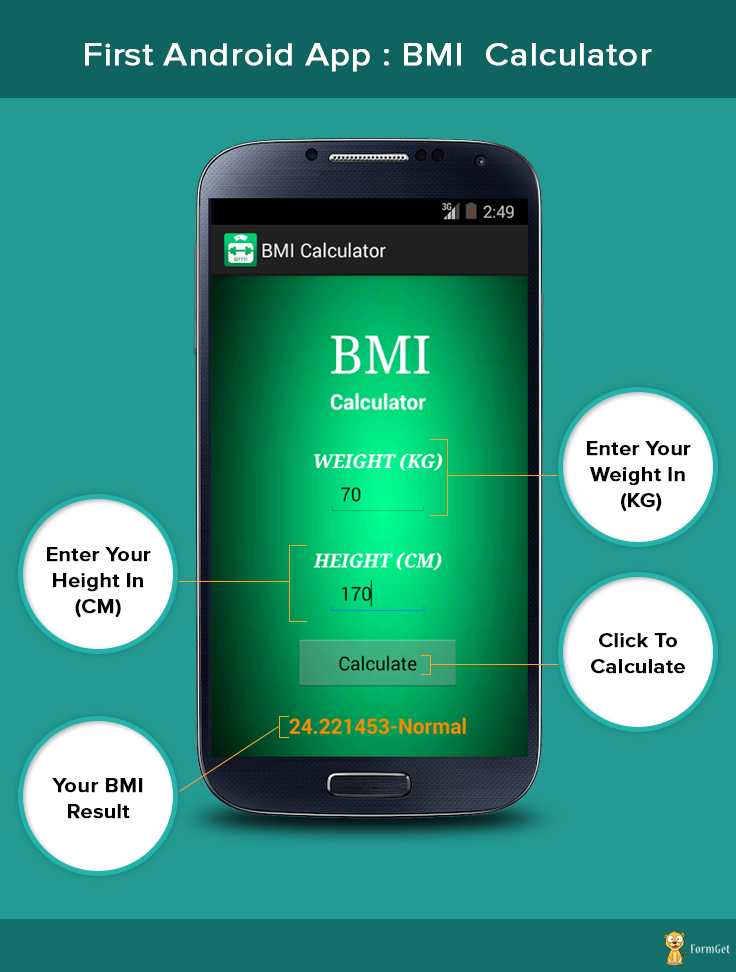
Designing First Android Application (BMI Calculator)
For making an application we have to design the content using XML that how will it look at application screen.
For designing BMI application:
- Choose any layout on which application is to be designed (Eg: Linear Layout etc.).
- Get any desired background; copy paste your desired image in Drawable folder then access it from ‘@drawable/image_name’.
- Text views – To display content like BMI Calculator, weight, height and final result.
- Edit texts – To get the input values for height and weight.
- Button – To get the result when it’s clicked.
After you have done the proper designing, then to implement the desired features in the application you need to it using java, that we have explained later in this blog.
Running of application:
Download the code from the link provided above and follow the steps given in install.txt file to run the project on your PC.
There is a .apk file given in the live demo section. You can also download that file to run it on your Android devices (Mobile Phones).
Working:
In PC:
Right click on your project, select ‘Run as’ and then select your desired device. Then enter your height and weight, you will get your BMI below the Calculate button.
In Android Devices:
Download .apk file and install it. The app icon will start showing up on your menus section. Run the app and follow the steps as given above.
This app will tell you that your BMI is normal or you are underweight or overweight. If you don’t enter any value in height and weight columns it will automatically ask to input it.
XML coding
Now we will see XML coding of this application which is used for designing front view of application.
Activity_main.xml
XML file provide basic environment or design for your android application. By using different views and layouts you can design application of your choice. For this you just have to know the basic XML Tags for designing interface.
<!-- Linear layout start here -->
<LinearLayout xmlns:android="http://schemas.android.com/apk/res/android"
android:layout_width="fill_parent"
android:layout_height="fill_parent"
android:background="@drawable/green_back"
android:fadingEdge="horizontal"
android:orientation="vertical" >

<!-- Text view for BMI Text -->
<TextView
android:id="@+id/tv1"
android:layout_width="124dp"
android:layout_height="wrap_content"
android:layout_gravity="center"
android:paddingLeft="15dp"
android:paddingTop="40dp"
android:shadowColor="@android:color/black"
android:shadowDx="4"
android:shadowDy="4"
android:text="BMI"
android:textAppearance="?android:attr/textAppearanceLarge"
android:textColor="@android:color/white"
android:textSize="50sp"
android:typeface="serif" />

<!-- Textview for calculator text -->
<TextView
android:id="@+id/tv2"
android:layout_width="wrap_content"
android:layout_height="wrap_content"
android:layout_gravity="center"
android:text="Calculator"
android:textColor="@android:color/white"
android:textSize="20dp"
android:textStyle="bold" />

<!-- Textview for WEIGHT(KG) text -->
<TextView
android:id="@+id/tv3"
android:layout_width="wrap_content"
android:layout_height="wrap_content"
android:layout_gravity="center"
android:paddingTop="30dp"
android:text="WEIGHT (KG)"
android:textAppearance="?android:attr/textAppearanceMedium"
android:textColor="@android:color/white"
android:textStyle="bold|italic"
android:typeface="serif" />

<!-- Edit text for entering weight with hint in kgs -->
<EditText
android:id="@+id/et1"
android:layout_width="96dp"
android:layout_height="wrap_content"
android:layout_gravity="center"
android:hint="IN KGs"
android:ems="10"
android:fadingEdgeLength="10dp"
android:inputType="numberDecimal"
android:textAlignment="center" >
<requestFocus />
</EditText>

<!-- Text view for HEIGHT(CM)text -->
<TextView
android:id="@+id/tv3"
android:layout_width="wrap_content"
android:layout_height="wrap_content"
android:layout_gravity="center"
android:paddingTop="30dp"
android:text="HEIGHT (CM)"
android:textAppearance="?android:attr/textAppearanceMedium"
android:textColor="@android:color/white"
android:textStyle="bold|italic"
android:typeface="serif" />

<!-- Edit text for entering height with hint in cm -->
<EditText
android:id="@+id/et2"
android:layout_width="96dp"
android:layout_height="wrap_content"
android:layout_gravity="center"
android:hint="IN CMs"
android:ems="10"
android:inputType="numberDecimal" >
</EditText>

<!-- Button for calculating the formula, when pressed, with calculate written over it -->
<Button
android:id="@+id/ib1"
android:layout_width="158dp"
android:layout_height="51dp"
android:layout_gravity="center"
android:layout_marginTop="20dp"
android:fadingEdge="vertical"
android:longClickable="true"
android:nextFocusRight="@color/black"
android:text="Calculate"
android:visibility="visible" />

<!-- Text view for showing result -->
<TextView
android:id="@+id/tv4"
android:layout_width="wrap_content"
android:layout_height="wrap_content"
android:layout_gravity="center"
android:paddingTop="20dp"
android:text=""
android:textSize="20dp"
android:textStyle="bold"
android:textColor="@android:color/holo_orange_dark"/>

</LinearLayout>
<!-- Linear layout ends here -->
Java codes
While we create our project at that time an XML file and a java file is created separately. MainActivity.java is the file where we do coding for java to implement logic and functionality in the app.
MainActivity.java
After you have designed your application using XML coding, you have to use the JAVA code so that when ‘Calculate’ button is clicked, it calculates the value and show you the desired result. This is done after designing the user interface. Java file can be found in your project in src folder.
//Import necessary package and file
package com.magnetbrains;

import com.magnetbrains.R;

import android.os.Bundle;
import android.app.Activity;
import android.text.TextUtils;
import android.view.Menu;
import android.view.View;
import android.widget.EditText;
import android.widget.TextView;

//Main activity class start here
public class MainActivity extends Activity {

//Define layout
@Override
protected void onCreate(Bundle savedInstanceState) {
super.onCreate(savedInstanceState);
setContentView(R.layout.activity_main);

// Get the references to the widgets
final EditText e1 = (EditText) findViewById(R.id.et1);
final EditText e2 = (EditText) findViewById(R.id.et2);
final TextView tv4 = (TextView) findViewById(R.id.tv4);

findViewById(R.id.ib1).setOnClickListener(new View.OnClickListener() {

// Logic for validation, input can't be empty
@Override
public void onClick(View v) {

String str1 = e1.getText().toString();
String str2 = e2.getText().toString();

if(TextUtils.isEmpty(str1)){
e1.setError("Please enter your weight");
e1.requestFocus();
return;
}

if(TextUtils.isEmpty(str2)){
e2.setError("Please enter your height");
e2.requestFocus();
return;
}

//Get the user values from the widget reference
float weight = Float.parseFloat(str1);
float height = Float.parseFloat(str2)/100;

//Calculate BMI value
float bmiValue = calculateBMI(weight, height);

//Define the meaning of the bmi value
String bmiInterpretation = interpretBMI(bmiValue);

tv4.setText(String.valueOf(bmiValue + "-" + bmiInterpretation));

}
});

}

//Calculate BMI
private float calculateBMI (float weight, float height) {
return (float) (weight / (height * height));
}

// Interpret what BMI means
private String interpretBMI(float bmiValue) {

if (bmiValue < 16) {
return "Severely underweight";
} else if (bmiValue < 18.5) {

return "Underweight";
} else if (bmiValue < 25) {

return "Normal";
} else if (bmiValue < 30) {

return "Overweight";
} else {
return "Obese";
}
}
}
Conclusion
Hope you had fun developing this app and seeing it running on your virtual device or phone. This is just our first android application. Hope you explore more and develop more android apps.For more updates and to learn more appliaction keep visiting our website. 😉
You may also like:-

