
You have been noticed that sudden rise in the popularity of podcasting! You’ll be pleased to hear that WordPress and podcasting concerted with each other via podcast WordPress plugins.
If you want to publish your recorded episodes and podcast them on your website, then you must have podcast WordPress plugins not only to ease up your work but also to give your podcast a professional look.

You might have been searching for these plugins too –
There are a huge number of podcast plugins in WordPress repository.
However, it is a tedious task to search for the best podcast plugin among hundreds!
So to assist you, we’ll throw some light on some of the best in market podcast WordPress plugins.
Let’s begin –
1. MP3 Sticky Player – Podcast WordPress Plugin
MP3 Sticky Player is a responsive and mobile optimized podcast WordPress plugin. It is fully customizable audio, video, and YouTube player that can be installed on any WordPress theme page.
You can have uninterrupted audio playback on your website. You can create custom playlists and categories of media files.

Pricing
The pricing of this podcast WordPress Plugin is of $36.
Features
- The podcast plugin kit includes powerful API.
- This media player plugin has several buttons like shuffle, playlist selector, and playlist button etc.
- It gives you the facility to share your playlist on social media websites.
- It has an optional download button in the control bar if you want to create downloadable files.
2. WavePlayer – WordPress Audio Player with Waveform and Playlist
Wave Player is another popular audio player with a waveform that is also based on HTML5. It will give you an attractive interface with waveforms of that file which is playing back. With this plugin, you are free to host your files.
This plugin is fully customizable and responsive. So, that you can use this from any device if different screen size.

Pricing
WavePlayer cost you only $25.
Features
- It has a full integration with WooCommerce.
- The plugin can be integrated with media manager and visual playlist creation.
- Audio files will get analyzed as they uploaded on the media library.
- It interacts with the server by sending a single request for all the instances. Hence, page load time gets reduced.
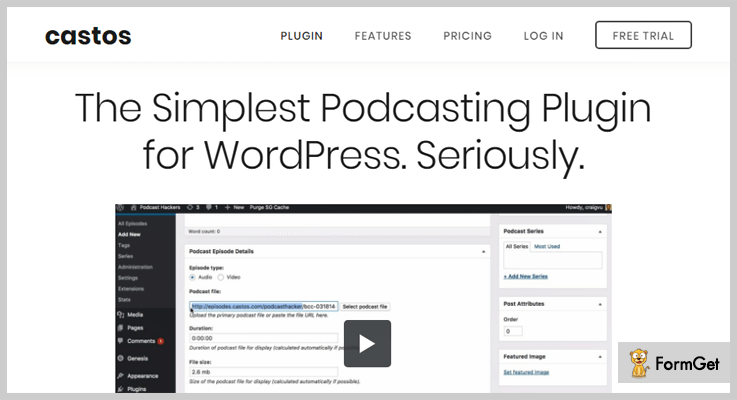
3. Castos – Simplest in Podcast WordPress Plugins
Seriously Simple Podcasting is one of the simplest and user-friendly podcast plugins for WordPress. Hence, it is ideal for beginners and its simplicity made this plugin stand ahead among all other plugins.
This plugin comes up with shortcodes and widgets which helps you to display and manage your podcasts on your website.
Pricing
It can be downloaded for free from WordPress.org.
Features
- The plugin supports both audio and video podcasting.
- It gives you free add-on modules like genesis support, embedded transcripts, and Features speaker boxes etc.
- Facility to breakdown series and show only the best performing episodes.
- You can multiple shows from a single WordPress site.
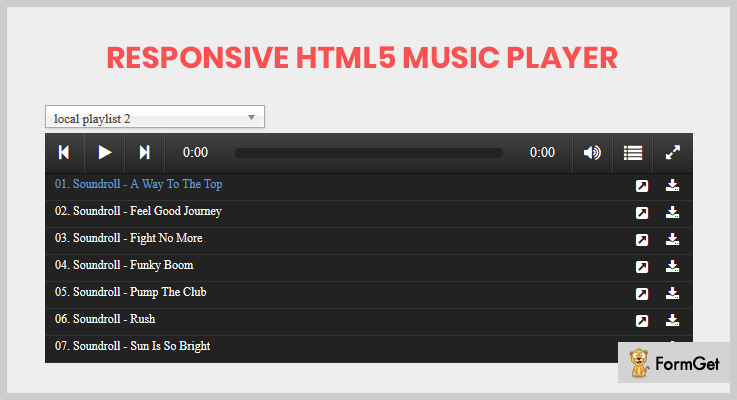
4. Responsive HTML5 Music Player – WordPress podcast plugin
Responsive HTML5 is an ultimate music player as well as podcasting WordPress plugin. It provides you the facility to create unlimited playlists which includes any type of music such as MP3, podcast, SoundCloud etc.
Using shortcode of the plugin, you can place this media player anywhere like sidebar, widget area, post, and pages etc.
Pricing
Grab this plugin at $24 from the Envato Market.
Features
- FLASH is there for the old browsers which do not support HTML5.
- You can include multiple instances on a single page.
- The plugin comes up with a powerful API, which itself is a feature rich.
- It gives you the option to download a particular song from the playlist.
Explore Responsive HTML5 Music Player
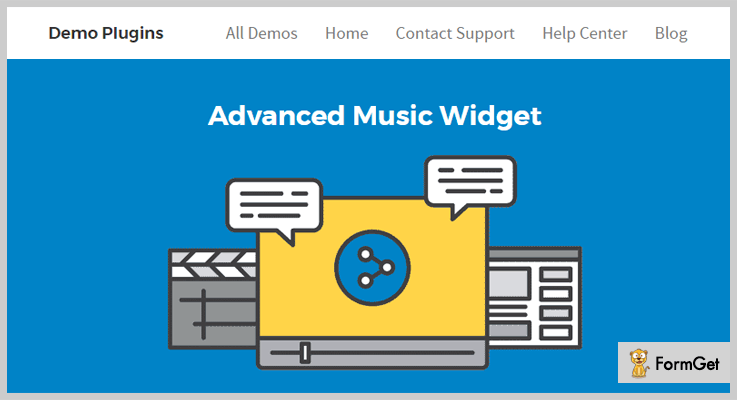
5. Advanced Music Widget WordPress Podcast Plugin
Advanced Music Widget is a WordPress plugin that can be used as a podcast player. This music player displays song’s details like artist name, cover image, and song title etc.
It also supports HTML5 audio player with no external javascript library support. It is totally customizable and responsive.
Pricing
Advanced Music Widget WordPress Plugin only cost you $10.
Features
- It seamlessly works with page builder by SiteOrigin.
- This audio player supports almost every web browser.
- Comes with 2 different cover style.
- Facilitates you with powerful shortcode.
6. WP Watch Movies Plugin – Crivion
Crivion WordPress plugin gives you an easy approach to create different types of taxonomies like movies, TV shows, Podcasts etc. It automatically grabs the details of these taxonomies and creates a post click.
It is a standalone plugin which clones up heavy traffic movies websites like letmewatch. So, that you can insert multiple movies and TV shows on your WordPress website.

Pricing
Crivion’s WP Watch Movies Plugin has the pricing of $19.
Features
- The plugin is powered by JQuery and AJAX. Likewise, it supports AJAX pagination, search, and filter etc.
- Flexibility to create as many genres as you want.
- The plugin automatically fetches info like a movie poster, release date, actors, and description and so on.
- You can also redirect external link or embed a player using beautiful modal window.
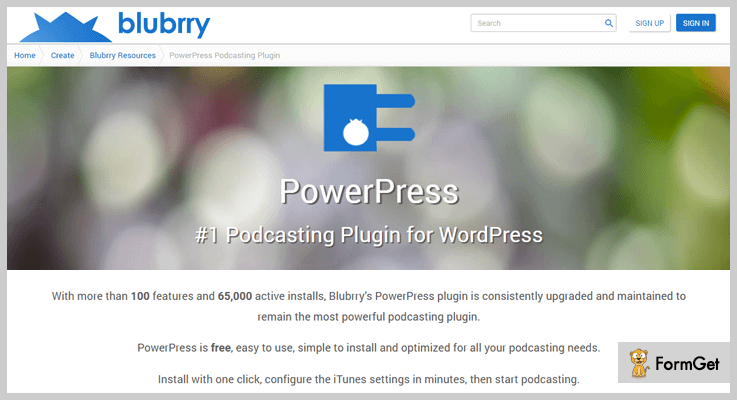
7. PowerPress – Best in Podcast WordPress Plugins
Blubrry PowerPress is the best among free podcast WordPress plugins which comes with simple but powerful features and advanced modes. The plugin fully supports iTunes, Google Play, and TuneIn etc.
It is so easy to use, all you have to do is create your podcast then create your first episode and finally podcast it to iTunes.
Pricing
The free version of PowerPress is available on WordPress.org. You can clone it from there.
Features
- The plugin can be integrated with the HTML5 player.
- It comes up with podcasting SEO. So, that your podcasts will improve their presence on search engine result page.
- You can import podcast from Soundcloud, LibSyn, and PodBean etc.
- The plugin provides you subscriber shortcodes, with the help of which you can embed it on your website.
8. Podlove Podcast Publisher
Podlove Podcast Publisher gives a wonderful listening experience to your audience. It comes up with a detailed analytics engine, along with rich subscription features. Its current version is available on GitHub.
This podcast publisher ensures the quality of your podcast feeds and remove the faulty episodes from your podcast.

Pricing
You can download this podcast plugin from GitHub for free.
Features
- Custom template system.
- You can access your podcast code to change its look and feel.
- It is compatible with HTML5.
- The plugin kit includes powerful analytics.
Explore Podlove Podcast Publisher
Winding Up!
All the above podcast WordPress plugins are tested with all the popular WordPress themes. So, you don’t have to switch your theme for embedding these.
If you also want to insert podcast feature on your website, then going with these best podcast WordPress plugins might be beneficial for you.
Well people, that’s all for now. Hope, you’ve liked this article!
Moreover, if you want to add your favorite podcast WordPress plugin, then kindly share it in the comment section below
7+ Best Image Zoom WordPress Plugins 2022 (Free and Paid)

Are you looking to enhance your web page and blog site? Use the best image zoom wordpress plugins and increase the visibility of your web pages and posts.
Image zoom plugins are specially designed to let your visitors have a detailed view of images on your website.
Moreover, an image zoom plugin gives the clarity, easy view and complete details of your products like viewing details of photographs and other artworks.
In this post, I’ve collected the list of some 7+ Best Image Zoom WordPress Plugins which are both free and paid.
All these Zoom plugins are integrated with jQuery and are extremely effective in use. Further, they provide a lot of amazing features in a simple way.
Let’s start with these plugins one by one.
1. WooCommerce Zoomifier –
WooCommerce Zoomifier is the most powerful plugin for Image Zooming purposes. For any kind of e-stores, having an image zooming is very important and this plugin here serves as a boon.
Moreover, this plugin is highly responsive and acts as a customizable image magnifier plugin. It can maximize your conversion rate as it allows the customer to see the product clearly.

Figure –
Its regular license starts from $23 and you can extend its support at just $105 only.
Characteristics –
- It allows you to choose the lightbox icon position.
- With this plugin, you can enable and disable the zoomifier.
- You can anytime customize the zoom window or zoom lens size.
- Through the feature of lightbox, you can get rid of mobile scrolling conflicts.
2. Mega Zoom & Pan Image Viewer WordPress Plugin–
Mega zoom plugin comes with a multitude of options. There are three types of displays available that are responsive/fixed, fullscreen and lightbox.
The plugin contains numerous customization options that will help you to modify the image preview according to your way. You can customize the tools to ensure a piece of clear product information for your users.
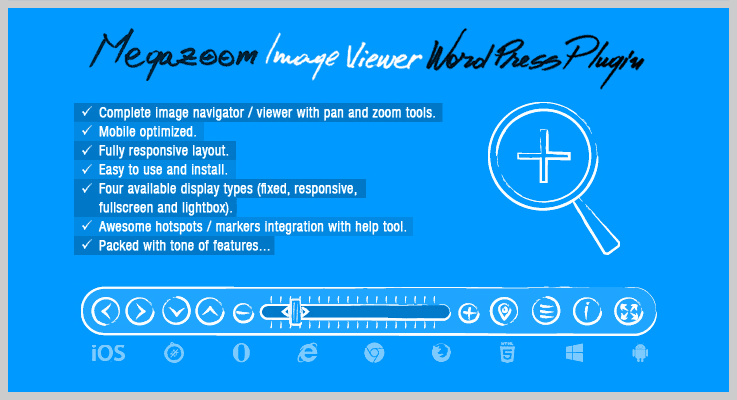
Figure –
The plugin offers its services at just $ 49 and extended its services from $186 only.
Characteristics –
- It has a complete control buttons bar which can be position at the top or bottom
- The plugin is completely optimized for desktop, mobile, and many more.
- It is easy to configure, install and use.
- You can set the maximum zoom factor and start zoom factor.
3. WP Image Zoom PRO –
WP image zoom PRO plugin is the most configurable WordPress image zoom plugin in the market for WordPress site.
The plugin completely supports responsive designs. WP image zoom PRO lets you can set your own text on the images. You can apply the zoom by clicking on WP Image Zoom.

Figure –
Buy its service at just $48.90 for personal use, at $97.90 for 10-sites for developers and buy it at $207.70 for big agencies.
Characteristics –
- The plugin is completely responsive and compatible with WooCommerec variation products.
- It has an ability to customize the zooming window positions.
- The plugin is compatible with FlexSlider, OwlCarousel etc.
- It has an overall 5 out of 5-star ratings from professionals.
4. Image Zoom Pan WordPress Plugin –
Before a customer buys any product, they want to be sure of its quality and designs. Image Zoom Pan WordPress plugin is one of the qualified plugins for image zooming.
Via shortcode the plugin allows you to add a clean & smooth image zoom pan to your WordPress site. You can make your customer satisfied by zooming your products gallery image.

Figure –
Take its regular license at just $15 with 6-month support and extend its services more at $75 only.
Characteristics –
- Completely responsive, flexible with small screen devices too.
- Add or edit the Zoom Pan without touching any technical codes.
- Allows multiple Zoom Pan instance on same pages.
- Unlimited gallery images options are available.
- FAQ and source code are available in the package.
5. WooCommerce Advance Image Zoom –
WooCommerce advance image zoom allows you to display magnified images to your customer. It’s an easy-to-use image zoom plugin which allows a customer to enlarge the images by remain on the mouse.
It is fully responsive and comfortably works with all the WordPress themes and designs. Its advance setting allows you to customize the site from various things such as height, color, zoom window, fade-out-speed and more. In this way, you can easily configure the plugin into your site.

Figure –
The plugin comes with its regular license at $14 with 6-month support and extends its license at $80 only.
Characteristics –
- Allows setting zooming feature effortlessly and quickly with its advanced setting panel.
- The plugin is user-friendly configurable magnification settings.
- Compatible with all WooCommerce plugins.
- Easy to use and lightweight.
6. MagicToolbox –
MagicToolbox Plugin for WordPress is a clean, simple and minimal image zoom plugin. This lets your customers view and zoom the products for observing the details before buying the products.
The plugin allows you to set to zoom the products clearly inside the zoom box.

Figure –
This plugin charges:
- 29 EUR for one site with unlimited usage.
- 95 EUR with unlimited usage on five sites.
- 175 EUR for ten sites with unlimited usage.
- 399 EUR with unlimited use on unlimited sites.
Characteristics –
- Provides an opportunity to activate zoom magnifier on a smartphone.
- This plugin is responsive to different devices and browsers.
- It is easily customizable with internal zoom, external zoom, etc.
- You can contact the support team in case of any issue.
7. Featured Image Zoom –
Feature images play an important role in your custom posts, blogs in a site. This plugin provides a versatile featured image which will display on the pages, posts and whenever you move your cursor on the image.
The plugin supports mobile and touches as well where the image will also be zoomable.

Figure –
Download this plugin from its official site i.e., wordpress.org and enjoy its services at Free of cost.
Characteristics –
- It ensures that your post or pages have a featured image defined.
- With the help of full parameter, you can change you zoom overlay images.
- Provides the size parameter for different images size.
8. WOOZOOm –
This is the one of the best, powerful and free WordPress plugin for images zoom. It is a product magnifier-zoomer to verify the products in an easy manner.
This plugin is compatible with WooCommerce sites to enhance their sales and experience by providing clear product details. It showcases the products in a variety of styles.

Figure –
The plugin is completely Free. Download it from the official site wordpress.org.
Characteristics –
- With its image easing option activate smooth magnification for better UI experience.
- Allows you to set main product image size and thumbnail size.
- Completely mobile friendly and require easy to set up.
- It allows excluding categories anytime.
Ending:
And here my writing come to close. Listed here are 7+ Top Image Zoom WordPress Plugins to make your business more profitable. I hope this list of plugins are going to be helpful for your website.
If you liked our post do comment us below!
Also, have a look at our few posts more:
7+ CRM WordPress Plugins 2022 (Free and Paid)

Why do we use CRM WordPress plugins at all? Though you might have heard about it. It is so common among several companies.
Okay, if you know about it. Voila! But if you do not know about CRM plugins, then we are here!
Let me explain what basically a CRM does.
CRM (Customer Relationship Management) are those software through which a company can interact with its potential customers for the project pupose.
Moreover, every 8 companies out of 10, use these software & plugins for their work because it compiles the data from different communication channels.
The compiled data contains company’s website, telephone number, live chat & many more. Through this approach, the businessmen of that company can get to know about the target audience & clients.
As a result, they can get to know the best needs of their clients & audiences.
So for the ease of those people, here we’re with 7+ CRM WordPress plugins (Free and Paid) which should count on for their business.
Before going through this article, you can also read some other blogs of other categories such as:
1. HubSpot : Free WordPress plugin
HubSpot is an all-in-one CRM, Sales, Marketing, and Customer Service platform with 300+ product integrations. HubSpot’s free WordPress plugin brings powerful, easy-to-use contact management, email marketing, ads management, live chat & bots, forms, analytics and much more to WordPress.
When someone fills out your form, their data is sent directly to your HubSpot CRM so you can easily organize and segment your contacts into lists. HubSpot provides the easiest-to-use WordPress CRM and allows you to store up to 1 million contacts for free.

Pricing of HubSpot WordPress plugin
- Free: $0 includes an integrated free contact database (CRM), with storage space for up to 1 million contacts, and lead capture tools like forms, popups, live chat.
- Sales Hub: $400/month, built for sales teams, prospect visit tracking, predictive lead scoring, multiple deal pipelines, customizable reports, plus over 27 additional feature.
Features of HubSpot WordPress plugin
- Manage your pipeline with total visibility: Get an up-to-the-minute view of your entire sales funnel on a clean, visual dashboard.
- See everything about a contact in one place: Every interaction is stored in a tidy timeline, including calls, emails, meetings, and notes. You’ll never need to dig through a messy inbox or spreadsheet to figure out where a relationship left off.
- Get Real-Time Notifications: Know the instant a prospect opens an email or downloads an attachment so you can follow up when you’re top-of-mind.
2. WP-CRM System: Primest in CRM WordPress Plugins
WP-CRM System is one of the best add-ons in the market of CRM WordPress plugins. For small businesses as well as freelancers, this plugin helps in project management making easier.
Pricing of WP-CRM System: WordPress Plugin
- Free: $0, contact, project management, company insights, campaign tracking, task assignments, & many more.
- Personal: $49/year, features of the free plan with import & export contacts, campaigns, organizations, tasks & many more.
- Plus: $99 per annum, features of free 7 personal plan with the license can be used in three sites, unlimited data, users, updates, email support & many more.
- Professional: $199 per year, features of free, personal & plus plan with client area, MailChimp sync, Dropbox, Zapier, Zendesk connect & many more.
- Lifetime: $449, one-time payment, limitless sites, less accounting, invoicing, Ninja forms connect & many more.
Features of WP-CRM System: WordPress Plugin
- Multiple Integrations:
This plugin can be integrated with third-party software like MailChimp, Slack, GravityForms & many more.
- Project Notifications:
A person doesn’t have to log in to the website to get to know about any project updates, emails are received.
- Developer Friendly:
It’s all elements of the interface are very effective. A person who knows coding can easily add & modify the elements of it by some coding stuff.
3. WPCRM: WordPress CRM Plugin
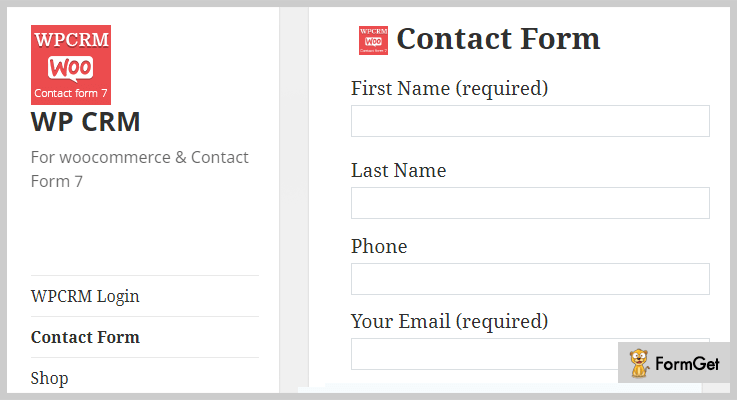
WPCRM is an ideal WordPress CRM plugin. In it, lead conversions take place via its contact form7 as well as WooCommerce.
Pricing of WPCRM: WordPress Plugin
- Regular: $29, 1 user with no extra charge.
- Extended: $130, one user, end users are charged.
Features of WPCRM: WordPress Plugin
- Effective Dashboard:
One can quickly view the CRM modules, plan daily work, access the reports easily through its dashboard.
- Settings:
Through its setting page, the project admin can manage company details, contact form7 & WooCommerce inquiry form activation efficiently.
- Tax Module:
The admin can manage tax list of the client, percentage amount tax addition & select tax module value from sales, quotes & invoices.
4. Gravity Forms CRM Addon: CRM WordPress Plugin
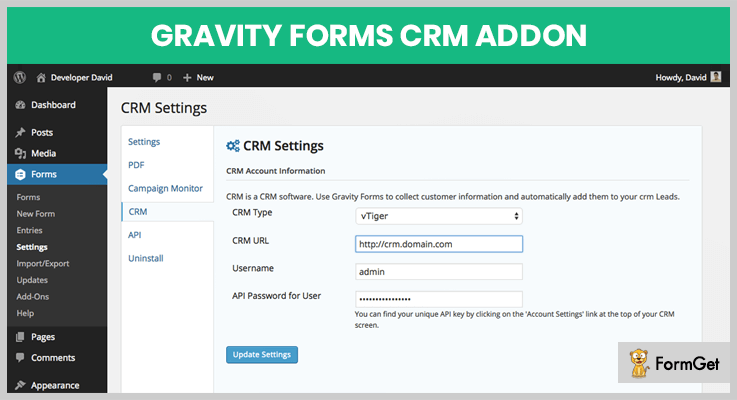
Gravity Forms CRM Addon is a CRM WordPress plugin platform which allows the user to connect multiple CRM & then new leads from the filled forms.
Pricing of Gravity Forms CRM Addon: WordPress Plugin
- Regular: $29, one user/client, end users are not charged.
Features of Gravity Forms CRM Addon: CRM WordPress Plugin
- Multiple CRM Support:
One can connect this CRM with multiple numbers of CRMs such as SugarCRM, vTiger 6.x, Microsoft Dynamics Online CRM 2015 & many more.
- Translations:
You can convert the language of the plugin from English to Spanish & vice versa.
- One CRM Compatibility:
The user can use only one type of CRM at a time to get the desired & results from the leads.
5. Ovearo WordPress CRM: CRM WordPress Plugin
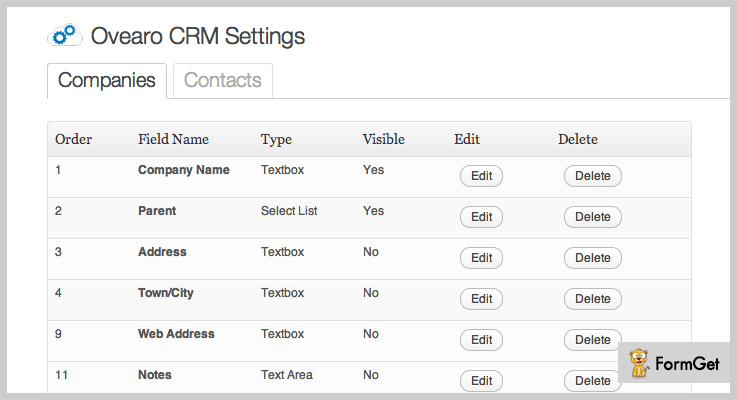
Ovearo WordPress CRM is a CRM WordPress plugin through which one can manage the customers, project leads & updates without any hindrance.
Furthermore, this plugin is too much popular among small businesses & freelancers.
Pricing of Ovearo WordPress CRM: WordPress Plugin
- Regular: $23, with no charge on the single end user.
- Extended: $115, end users can be charged.
Features of Ovearo WordPress CRM: WordPress Plugin
- Easy Installation:
This plugin is very easy to install unlike the installation of other several plugins.
- Information Bank:
It stores many pieces of information like the customer, company information & many more in a systematic order.
- Fully Customizable:
This plugin is fully customizable by the users. They can add, delete & edit the fields easily.
6. WooCommerce Salesforce CRM Integration: Cheapest in CRM WordPress Plugins
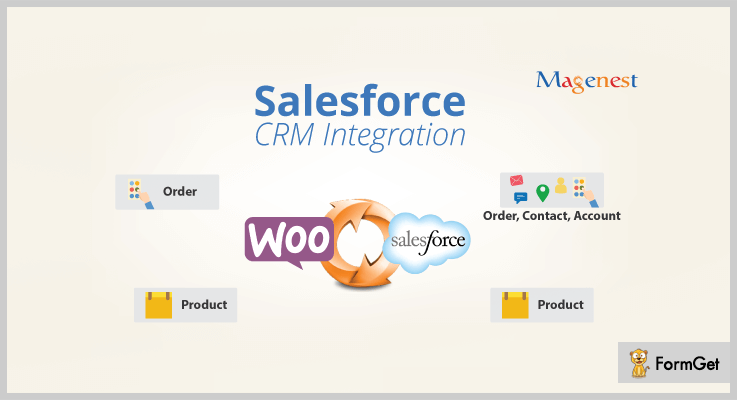
WooCommerce Salesforce CRM by Magenest is the most cheapest CRM WordPress plugin which automatically synchronizes the data from the online salesforce CRM’s system.
Pricing of WooCommerce Salesforce CRM Integration: WordPress Plugin
- Regular: $14, for a single product, end users cannot be charged.
- Extended: $100, end users can be charged for a single product.
Features of WooCommerce Salesforce CRM Integration: WordPress Plugin
- Registration Synchronization:
It synchronizes the customer registered customer to lead in Salesforce CRM from WooCommerce.
- Order Synchronization:
This plugin synchronizes order to contacts as well as accounts in Salesforce CRM via WooCommerce.
- Synchronization Mode:
A user can allow the mode of synchronization as either automatic or manual.
7. Brilliant Web-to-Lead for Salesforce: Free WordPress CRM Plugin
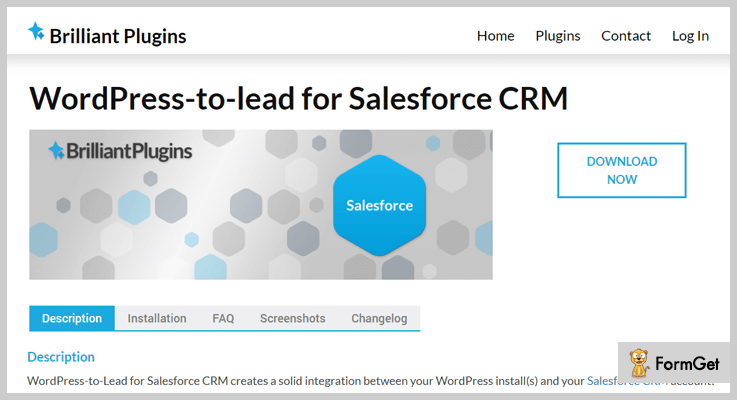
Brilliant Web-to-Lead for Salesforce by Brilliant Plugins is one of the best add-on in free CRM WordPress plugins. This plugin helps in creating a strong integration between the WordPress & the Salesforce CRM.
Pricing of Brilliant Web-to-Lead for Salesforce: WordPress Plugin
- This CRM WordPress plugin is free of cost.
Features of Brilliant Web-to-Lead for Salesforce: WordPress Plugin
- CRM Finding:
By simply entering a contact form, one can directly reach to the Salesforce CRM.
- Validation Logic:
One can easily modify the API URL to pass the form type details.
- Shortcodes:
By using the shortcode, you can insert the form into the posts & pages. Or can use the widgets to do it.
8. WP-CRM: WordPress CRM Plugin
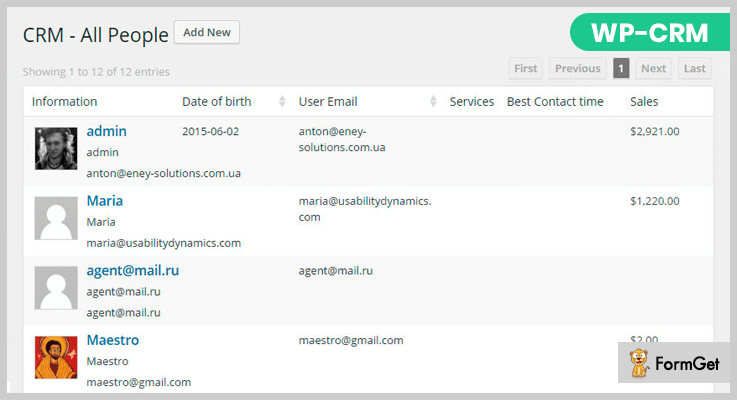
WP-CRM by Usability Dynamics, Inc. is a WordPress CRM plugin. It is precisely intended for improving the user management as well as contact form creation & tracking of shortcode incoming messages.
Pricing of WP-CRM: WordPress CRM Plugin
- WP-CRM plugin is free of cost.
Features of WP-CRM: WordPress CRM Plugin
- User Management:
It has an effective user filtering, organization & editing. Due to this, user management is much easier than in other plugins.
- Notifications:
One can manage the group notifications as well as other user notifications too.
- Tracking Analytics:
You can easily track the activity of each & every user which is associated with that particular project & CRM.
9. vCita: Client Management WordPress Plugin
CRM, lead & client management WordPress plugin provides the steps to manage leads & relationships with the customers.
One can do more than finding as well as storing customer data.

Pricing of vCita: WordPress Plugin
- The CRM & Lead Management WordPress Plugin by vCita is free of cost.
Features of vCita: WordPress Plugin
- Multiple Language Translations:
The language of this plugin can be translated into French, Spanish, Russian, German, Portuguese, Italian & Polish.
- Data Import:
One can import the data & contact forms from Outlook, Google or Excel to vCita CRM.
- Unlimited Customers:
You can add unlimited customized fields on every record of the client in the CRM.
Conclusion:
Now you’re aware of some of the best CRM WordPress plugins (Free and Paid). The most noteworthy fact is all of them can really help you to know what the target audience really think of your organization.
Apart from it, they are easily affordable for both small scale as well as large scale industries.
Hence, we’d like you to try the best CRM plugin from them & you never know when you’ll find the most suitable one form them.
For any inquiries & suggestions, please comment below & we’ll help you as much as we can because to provide the most relevent information is our first task!
6+ Best Google Fonts WordPress Plugins 2022 (Free and Paid)

Google offers more than 850 types of fonts which can effectively be applied to a website using Google fonts WordPress plugins. Proper formatting and text arrangement on a website help to grab the attention of the visitors as it boosts the readability score.
You can define different fonts for page titles, headings, sub-headings, body text, and blockquotes. These plugins will also assist you in changing the color, size, and weight of the text mentioned on your website.
All the changes and settings can be done straight from a WordPress dash and you can also automate various processes involved in it through a plugin.
We have also listed some blogs on demanding plugins which may help you on your WordPress site below:-
1. TK Google Fonts PRO – WordPress Plugin
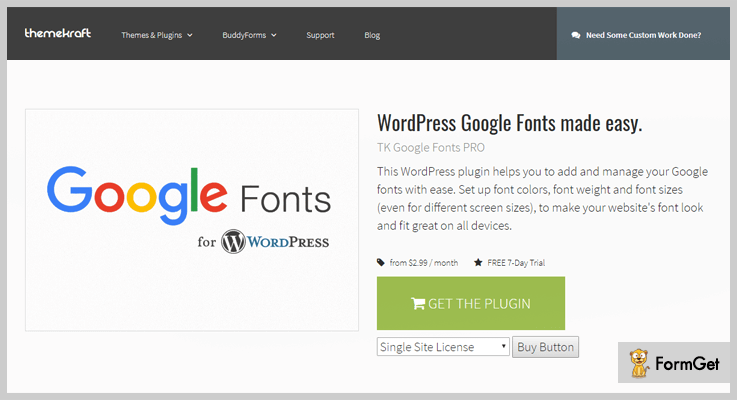
TK Google fonts is an advanced plugin which allows you to manage and include different types of Google fonts on a WordPress site.
With this plugin, you can easily setup colors, weight and size of fonts. It also allows you to define custom font styling for pages, posts and other sections of a website.
Pricing For TK Google Fonts PRO – WordPress Plugin
| Single Site Plan | Unlimited Sites Plan |
|---|---|
| $4 Monthly Price | $8 Monthly Price |
| $36 Yearly Price | $72 Yearly Price |
| $109 Lifetime Price | $220 Lifetime Price |
[Note:- You get a free trial of 7-days with this plugin]
Features:-
- Change fonts styling for pages, posts, site title and other text.
- Through WordPress, backend manages & add different fonts styles.
- Use Live preview to see all the styles changes instantly.
- Easy to use and integrate into WordPress sites.
- Responsive fonts style with color and weight options.
Details About Google Fonts WordPress Plugin
2. Easy Post Google Fonts – Plugin For WordPress
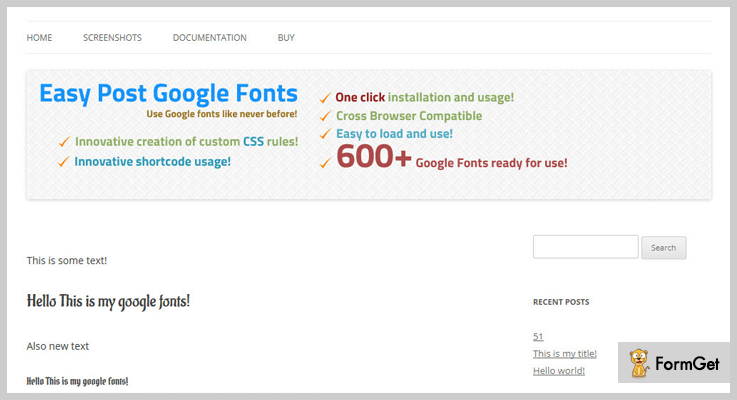
https://www.formget.com/out/easy-post-google-fonts-wordpress-plugins/Easy post Google fonts plugin come pre-equipped with over 600 different font styles. Using this plugin you can easily add custom fonts to pages and posts straight from your website dash.
The font’s style applied through this plugin look great on various devices and screens.
Pricing For Easy Post Google Fonts – Plugin For WordPress
- Regular plan has got a price tag of $15 using which you can add customizable fonts on a website.
- The extended plan will cost you $75 for all the premium features that will help you add multiple fonts.
Features:-
- Over 600 different font styles.
- Custom CSS and shortcodes for easy application.
- Cross-browser compatibility is also available.
- Easy to load and single-click installation.
Details About Google Fonts WordPress Plugin
3. Google Web Fonts – WordPress Plugin
Google Web Fonts is a premium plugin which is specially designed for WordPress site users. It helps you apply responsive and eye-catchy fonts on any WordPress site.
This plugin automatically updates latest and newly added Google fonts on the font list of your site.
Pricing For Google Web Fonts – WordPress Plugin
- This plugin has designed only a single plan which is priced around $11 and charges $2.6 extra for 12 months extended services.
Features:-
- Provide hundreds of font styles for text customization.
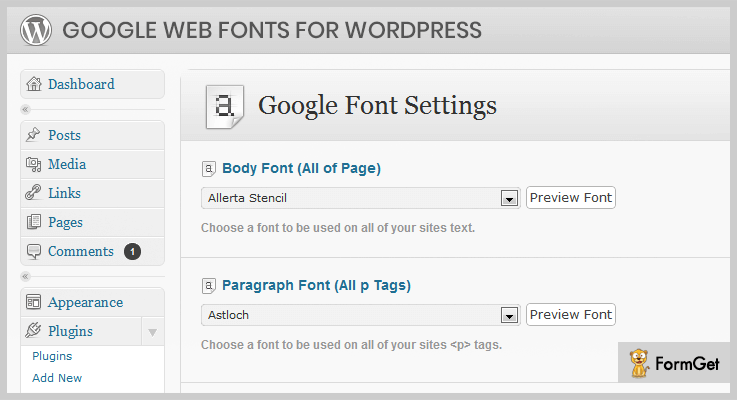
- Built-in setting panel to create custom font rules and apply settings.
- Google web fonts plugin provides advanced API which simplifies the integration process.
- Automatically updates & adds new fonts by Google and omits manual updating task.
- Easy drop-down menu for font selection.
Details About Google Fonts WordPress Plugin
4. Ultimate Google Web Fonts – Plugin For WordPress
With ultimate Google web fonts plugin, you get full access to 800 plus Google fonts which you can easily apply on any WordPress site.
The fonts provided by this plugin can be customized, previewed and changed according to the theme style. You can control each & every setting on this plugin through the dashboard.
Pricing For Ultimate Google Web fonts – Plugin For WordPress
- This is one of the cheapest plugin in the entire list which offers all its services at a cost of $9.

Features:-
- Auto extracts recently added Google fonts to the website list of fonts.
- Google Web font is simple to integrate and gives you live preview option to verify all changes.
- Import and export all plugin settings with ease.
- Define custom style fonts with color, size, bold, italics and weight.
- This plugin can also be used on other platforms like Magento, Drupal, Joomla, etc.
Details About Google Fonts WordPress Plugin
5. Fonts Master and Google Fonts – WordPress Plugin
Using this plugin you can apply hundreds of Google fonts on a website with ease as it requires no technical skills.
You can import Fonts from Google or add your own, define custom changes to make the text look attractive on your website.
Pricing For Fonts Master and Google Fonts – WordPress Plugin
- The regular license offers multiple advanced features and facilities for which it charges $15.
- $120 is the cost of extended license with which you get various custom fonts and edit options.
Features:-
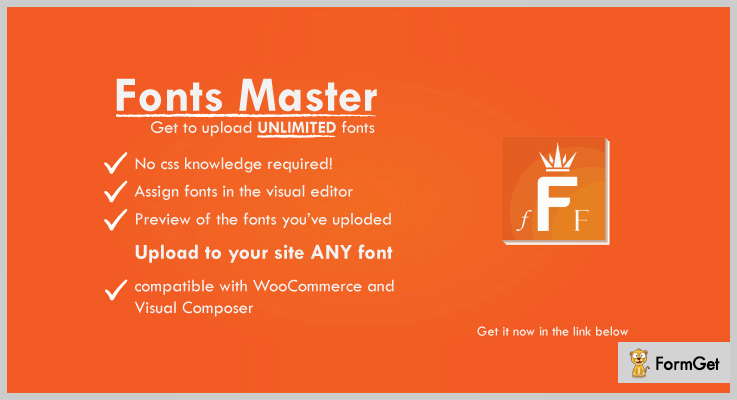
- Search and add fonts straight from your website dashboard.
- Allows you to add and edit unlimited fonts.
- Easy font upload option to add different fonts.
- Completely compatible with WooCommerce and visual composer.
- Responsive and supports a variety of browsers.
Details About Google Fonts WordPress Plugin
6. Easy Google Fonts – Responsive Plugin For WordPress
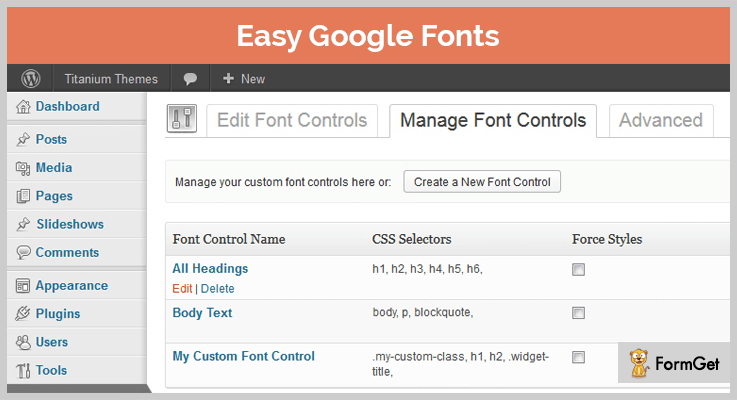
Easy Google fonts is a responsive plugin which provides you an extremely simple way to add multiple fonts on any WordPress theme.
The working of this plugin is very easy as it requires no technical or coding skills. You can create, customize and upload fonts to give attractive style to a website.
Pricing For Easy Google Fonts – Responsive Plugin For WordPress
- Easy Google fonts plugin is free of charge and can be downloaded & installed with ease on any WordPress site.
Features:-
- Create, edit and control custom fonts from the admin area of your website dashboard.
- Check and verify all the changes made in real-time using preview option.
- Automatically adds selected Google fonts to your website list.
- Provides over 600 Google fonts which can easily be inserted even by non-technical user.
- Easy to use and apply various changes with just a click.
Details About Google Fonts WordPress Plugin
7. Google Fonts – Plugin For WordPress
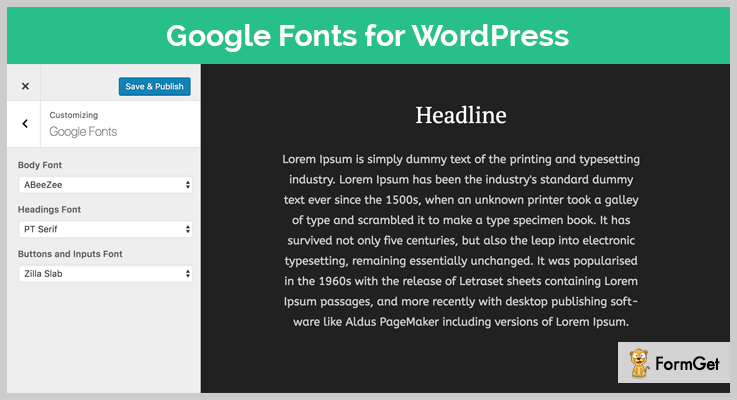
This is a highly rated WordPress plugin which holds over 3,000 active installations and is being used by website owners around the world.
You can define different fonts for heading, titles and other text on the site to give an attractive look. View all the major & minor changes using live preview feature.
Pricing For Google Fonts – Plugin For WordPress
- This plugin provides all it’s services free of cost and helps you define specific fonts styles for WordPress sites.
Features:-
- Holds 800 plus unique font styles.
- Easy to customize and add to WordPress websites.
- Multiple style options like color, bold, size and weight.
- Change font style of headings, titles, text on pages, posts, etc.
Details About Google Fonts WordPress Plugin
Conclusion
We have tried our best to fetch the top of the line Google fonts WordPress plugins. In addition, we have also explained in-depth details about the plugins in this blog.
All these details and sequential info will definitely help you find a proper plugin for your Websites.
In case of queries and question, please mention them to us via comments & we will try to get back to you as soon as possible.
5+ Editor WordPress Plugins 2022 (Free and Paid)

Editor WordPress Plugins are highly recommended for assigning & managing the user roles in a WordPress website.
The roles are designated as per the privileges assigned to a user. Further, you can specify whether a user is allowed to edit, delete or update a particular section of the page/post of a website or not.
Do you want to acquire the highly recommended trend in WordPress World?
Editor WordPress Plugins help you edit an existing role, create a new role, fill a selected role with capabilities which you need, assign new created roles or capabilities directly to the user, set users rights, permissions and much more…
Moreover, it helps you block any chosen functionality like- selected meta boxes, posts, pages, dashboard, custom post types with actions and filters.
In fact, WordPress Editor Plugins allows you to set user-level permissions, login redirect, bulk edit and make custom settings.
Have a look at these interesting WordPress Plugin blogs also:
Go beyond the default WordPress Capabilities!
Let us discuss 5+ Best Editor WordPress Plugins –
1. User Role Editor WordPress Plugin
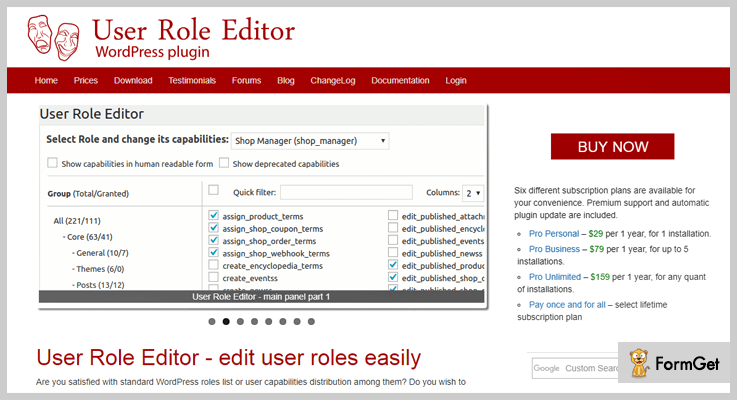
If you are not satisfied with the standard WordPress user roles, you can use the User Role Editor Plugin. It will help you modulate the user capability distribution. Also, you can change the user rights and permissions very easily.
Pricing Plan-
The User Role Editor WordPress Plugin offer Pro versions at $29 onwards.
Key features of User Role Editor WordPress Plugin-
- Access to the plugins, shortcodes, widgets, sidebars, menus and many more… as per the role.
- Instead of using built-in post types, force to edit custom capabilities.
- Set site/multisite roles.
- Replicate user.
2. WordPress User Role Editor Pro Plugins– Editor WordPress Plugins
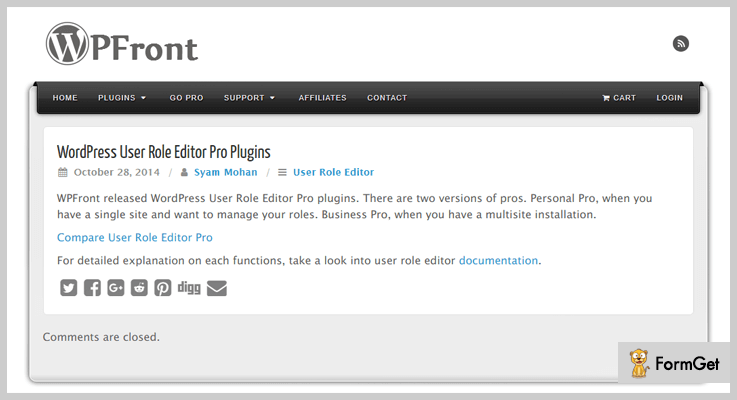
The WordPress User Role Editor Pro Plugins provide a lot of functionalities as per setting the user’s role. However, it has two different versions of a single site and multisite installation. Both the Personal Pro and Business Pro Plugins provides convenience in all perspectives.
Pricing Plan-
The WordPress User Role Editor Pro Plugins range starts from $29.99 for the single site and 34.99 for multisite in the basic personal pro plan.
Some features of WordPress User Role Editor Pro plugins-
- Set access/edit permissions for widgets, admin menu, navigation menu, post/pages, attach media, import, export and more.
- Provides a role list for different roles such as add, edit, delete and restore.
- Provides content restriction shortcodes.
- Functionality to assign or migrate users.
3. Admin Menu Editor Pro– Editor WordPress Plugin
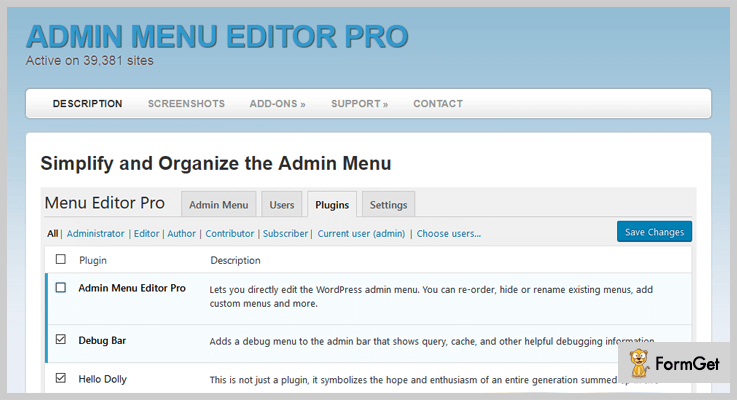
The Admin Menu Editor Pro is an Editor WordPress Plugin. By using it you can assign a wide variety of roles to users. Moreover, there are different menu options as per the roles of users Such as- hide menus/plugins, create an item, import/export settings, editing the admin bar etc.
Pricing Plan-
The Admin Menu Editor Pro WordPress Plugin has different plans for Business-$85 only, for Freelancer $45 only and for Personal $25 plan.
Features of Admin Menu Editor Pro WordPress Plugin-
- Drag and drop menu items.
- Over 600 menu icons.
- Change menu colours.
- Supports apply branding.
4. User Role Editor – Best in Editor WordPress Plugins
Change the user roles in just a few clicks! Use User Role Editor WordPress Plugin. You can change the role, privileges and capabilities (except Administration) easily.

Pricing Plan-
The User Role Editor WordPress plugin in completely FREE to use.
Peculiarities of Role Editor WordPress Plugin-
- Use a copy of other existing user roles and customize a new users capabilities from scratch.
- Easy to assign and delete roles.
- Default rules can easily be overridden and changed in accordance.
- Multiple roles can be assigned to a single user.
5. Members Editor WordPress Plugin
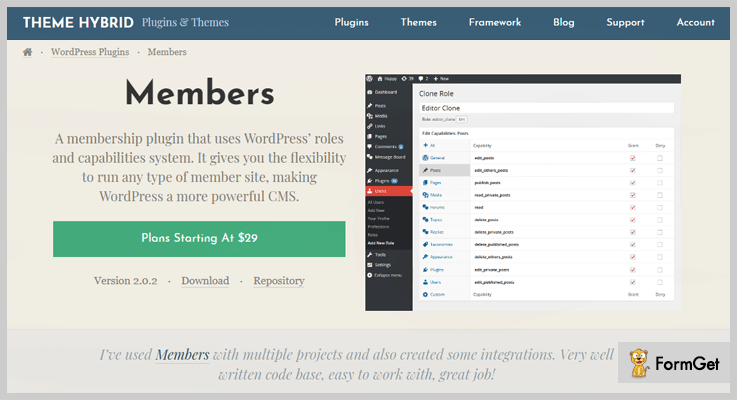
The Members is an Editor WordPress Plugin that helps you extend control your website. Furthermore, you can make WordPress robust and secure for your website with it. It provides a user interface (UI) to go beyond the limits of an editor and stand with the codes of WordPress.
Pricing Plan-
The Members Editor WordPress Plugin is FREE of all costs.
Features of Members Editor WordPress Plugin-
- Capabilities to explicitly deny.
- Shortcodes to control access to contents.
- The sidebars contain widgets for login form and users.
- Support making private sites.
6. Editor Menu and Widget Access– Editor WordPress Plugins
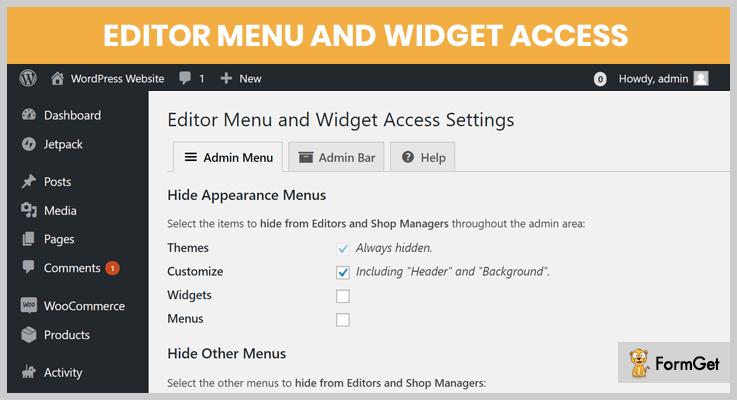
Editor Menu and Widget Access WordPress Plugin is one of the WordPress Editor Plugins. As the name directs it allows to access the menus and widget areas, so as to set edit privileges with a role Editor.
Pricing Plan-
The Editor Menu and Widget Access WordPress Plugin is another FREE plugin instead.
Features of Editor Menu and Widget Access WordPress Plugin are-
- An open source and lightweight plugin.
- Access to customize submenu and other theme options.
- Options remain hidden by the user roles.
- Quick and simple solution to manage roles.
Conclusion:
Finally, we have emptied our knowledge bank of the ‘Best Editor WordPress Plugins’. You are free to do your own research but trust us, you will land up to the same names. These WordPress Editor Plugins can help you accomplish the aim that you came for and these were the best listing of their domain.
Moreover, these are inevitable to become the winner of the race and choose one that’s the best!
Thank for Reading!
And if you were using some Editor plugin before and think that it should be a part of this list, then share with us!
Feel free to ask your queries or suggestions, we will be glad to be there and to answer. Now start using a great plugin and start commenting!
7+ Best Ad WordPress Plugins 2022 (Free and Paid)

Ads make money, that’s not a new thing to hear. But getting an “Ad” is a chill wind. Count of websites on the internet is like stars in the sky. (Don’t dare to count!)
So, why would someone choose your website for advertisements?
How would you become the north star of advertisers among the clusters of websites!
Plugins can be a way, in fact, people use Ad WordPress plugins, but are you sure these will be a magic wand for you.
WordPress Ad plugins are something in common and people use it a lot to manage everything related to ads. What matters here is are you using the best ad plugin amongst the stack. And whether your chosen ad plugin aligns with your needs. Like your ad plugin must be equipped to manage advertisements, their display locations, click stats and more.
Have a look at some amazing blogs here –
We have a list of 5+ Ad WordPress Plugins (Free and Paid). So, here you can choose an ad plugin that suits your needs and budget.
1. Ad Inserter || Free Ad WordPress Plugin ||
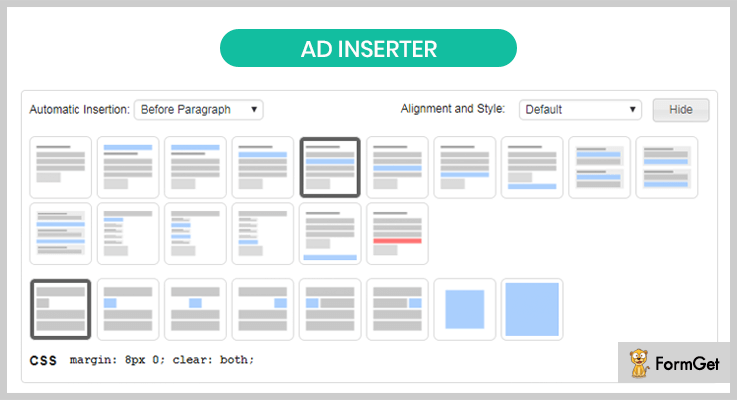
Ad Inserter has made itself a brand with over 100,000+ active installations. It has also won the hearts of people around the globe with a complete 5/5 ratings. A lot of strong features for free is the reason behind its popularity. It’s more than an ad plugin and lets you add any optin form, Javascript, CSS, HTML, PHP or advert code anywhere on the page.
Pricing of Ad Inserter – Ad WordPress Plugin
It’s a free ad WordPress plugin and it will cost you absolutely $0!
Features of Ad Inserter – Ad WordPress Plugin
- Where other plugins fail to place an ad, ad inserter comes into action and inserts ad anywhere you want.
- It has strong AdSense integration.
- Inserts Ad on AMP pages.
- Provides analytics with Google Analytics, Piwik or any other analytics code.
Click Here For More Information
2. WP Quads Pro || Best in WordPress Ads Plugins ||
This ad plugin is one of the most trusted ones with over 60,000 websites running it. WP Squad is a Google AdSense integration for your WordPress website. There’s a lot more too. With this ad plugin, you can add an unlimited number of ads to your website, use its caching power to optimize speed and more.
Pricing of WP Quads Pro – Ad WordPress Plugin
The pricing of this ad WordPress plugin starts from $49 and goes up to $499. This pricing differs on the grounds of site licenses.
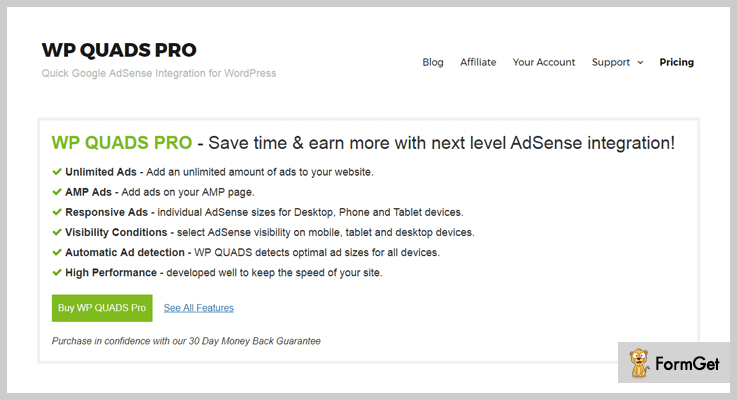
Features of WP Quads Pro – Ad WordPress plugin
- WP Squad comes packed with an ad blocker detector to detect the adblock. Plus, it has Google Analytics integration through which you can measure the number of visitors with the Adblocker.
- Ads created using this ad plugin are responsive and looks great on any screen.
- You get numerous layouts options for your ads.
- It shows AdSense adverts on the AMPs.
Click Here For More Information
3. Buy and Sell Ads || Top-Class Ad WordPress Plugin ||
It’s is one of those ad WordPress plugins which makes you a buyer and seller of advertisements. This ad WordPress plugin allows you to sell the advertisement spot on your website to the potential buyers.
Pricing of Buy & Sell Ads – Ad WordPress Plugin
This ad plugin has got a one time, single pricing of $12.

Features of Buy & Sell Ads – Ad WordPress Plugin
- You can sell advertisements, manage campaigns, track clicks and impressions in seconds.
- A buyer can buy an advertisement space from the front-end of the website using this ad plugin.
- You get PayPal and Stripe payment gateways through which an advertisement banner is activated.
- Real-time stats lets a user check the stats for their banner.
Click Here For More Information
4. Modern Ad WordPress Plugin || Best One Among All ||
Modern ad WordPress plugin makes your website an ad market where people can buy space on your website. The ad plugin has got strong integrations with PayPal, Facebook with providing real-stats.
Pricing of Modern – Ad WordPress Plugin
This ad plugin will take $27 as a one-time amount for all the advertisement services.
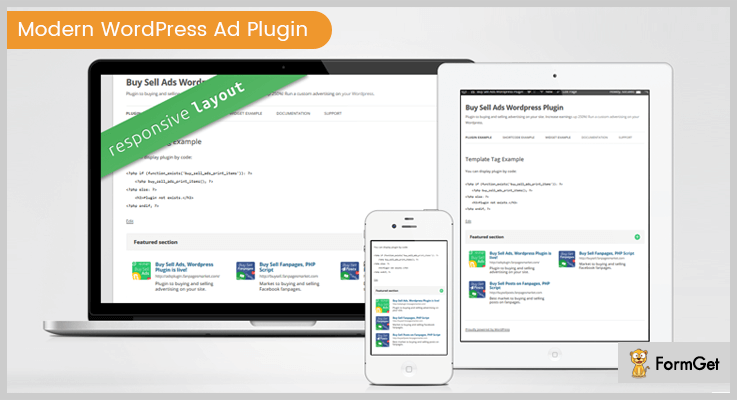
Features of Modern – Ad WordPress Plugin
- Creating ads with this WordPress plugin is a child play and a matter of few clicks.
- The ad plugin provides completely translation ready environment.
- Users will be able to buy advertisements from the front-end of the website using this plugin.
- Complete customization enabled.
Click Here For More Information
5. Ads Pro || AdSense WordPress Plugin ||
Ads Pro is one of the best ad management WordPress plugin. This premium ad WordPress plugin lets you sell, manage, and display ads to your website. The highlight lies in this plugin lie in 100% free from ad blockers.
Pricing of Ads Pro – Ad WordPress Plugin
$37 is all that this ad plugin will ever ask from your pocket.
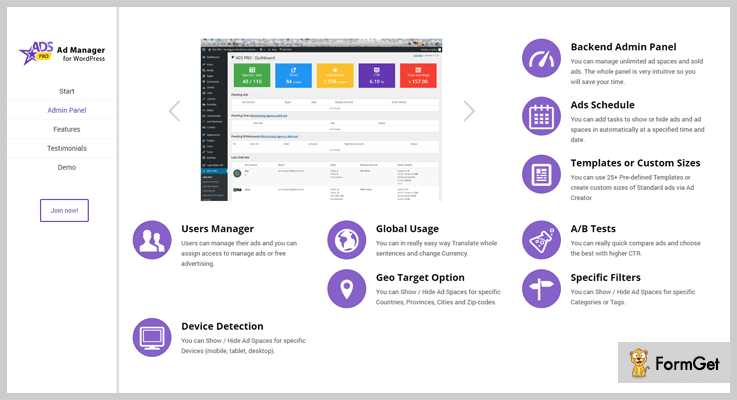
Features of Ads Pro – Ad WordPress Plugin
- With this plugin, you can fully responsive and mobile ready ad templates.
- It has 20+ various ways to display ads.
- It comes with 25+ ad templates.
- You get an integration of WooCommerce plus, this plugin works like a breeze with Google AdSense too!
Click Here For More Information
6. Advanced Ads Pro || Ad WordPress Plugin ||
Advanced Ads Pro is for ad management and optimization of ads. This ad management plugin has got an array of features such as ad fraud protection, limiting ad display and more.
It’s used by professionals and large organization around the globe but at its heart, it is extremely user-friendly.
Pricing of Advanced Ad Pro – Ad WordPress Plugin
Its pricing starts from $39 and ranges up to $99. The pricing entirely varies on the ground of site licenses.
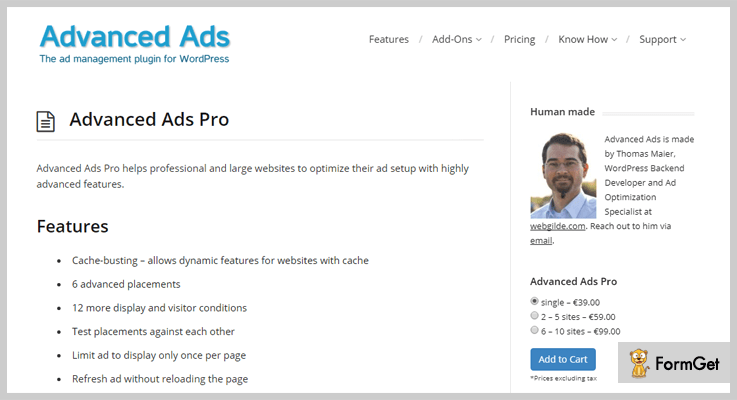
Features of Advanced Ad Pro – Ad WordPress Plugin
- Restrict ad display only once per page.
- Make the creation of ad as easy as pie. In fact, you can create ad groups, apply ad rotations, schedule ads.
- Alternatives ad for blocked users.
- Creation of ad grids for group advertisement.
Click Here For More Information
Winding-Up:
You can do a research DIY on ad WordPress plugins and I am sure you are going to end-up finding these ad plugins on every list. We have done enough of research and those WordPress advertising plugins don’t disappoint at all.
We’ve emptied our bag of the 5+ Ad WordPress plugins (Free and paid) and now it’s your turn to choose one and stick to it.
There are numerous ad plugins and if you have an amazing plugin to share with us then comment below. We would love to take this list even further.
For more related information just go throw following blogs –
If you like this article and want some more interesting stuff like this then you can follow us on Facebook, Twitter, and Pinterest.
6+ Best File Manager WordPress Plugins 2022 (Free and Paid)

File Manager WordPress Plugins are the most required tool to keep your files well organised.
If you are juggling with a lot of files and media on your WordPress website then File Manager WordPress Plugin can spice up your productivity levels!
It’s too scary to access the media file manager in WordPress website, as it contains all the files in one place. Searching for a particular file is nightmarish.
Therefore we are sharing 6+ Best File Manager WordPress Plugins that can better streamline your file management work.
1. WP Media Manager – The Easiest WordPress Media Manager Plugin
WP Media Manager is a powerful media file manager plugin, it is one of the best media file management solutions for WordPress today. This plugin is going to ignite a fire in your belly because it is providing the equivalent simple and robust frontend to the developers as well as non-techies.
It also manage thousands of media files and folders in your WordPress website smoothly. With the drag and drop method you can easily organize your media library in the fastest way.

Features of WP Media Manager
- Through its lightbox extension, you can enable or disable the lightbox and adjust the animation and slideshow speed.
- It provides media files ordering & filtering options in which you can add multiple custom filter options like custom size and weight.
- With WP Media Manager plugin, you can create unlimited folders hierarchy.
- It has a useful tool available to import a big amount of media files from the FTP server folders to your WordPress media library directly.
Pricing
- Its regular license will charge you $23 with all its features and 6 months’ support.
2. File Manager WordPress Plugin
File Manager Plugin for WordPress is full of feature, and you can utilize it for almost anything that is related to files/documents. With the plugin, you can upload all type of files, create folders, and, subfolders.
You can also configure extensions which are not recognized by default WordPress. File Manager Plugin can set the access level of any of the folders/files from your WordPress site.
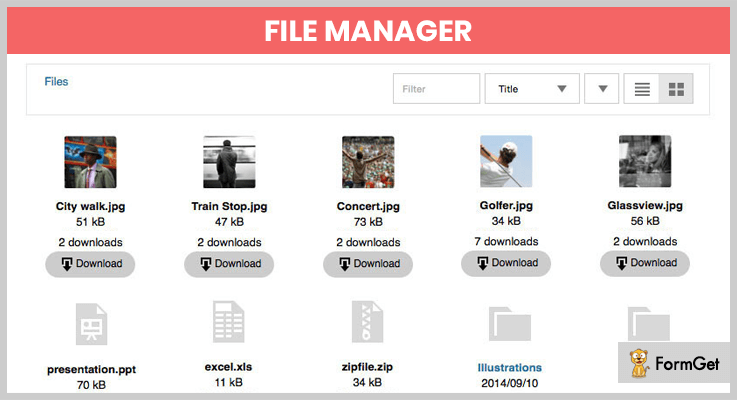
Features of File Manager WordPress Plugin
- Drag and Drop File Upload.
- Control who can access to download.
- Create user groups for the quick assignment.
- Custom Icon images links.
- File type icon support.
- Searching and Sorting Option.
- Download link labels.
Pricing
File Manager Plugin for WordPress is available for $19.
3. FileBird – WordPress Media Library Folders
FileBird is one of the most wanted plugin for WordPress media management. It is very easy to use, you can organize your thousands of images and other media in folders.
The plugin offers a drag and drop interface, so it helps save your time. Just a click or touch to create, rename, delete or reorder your folders. This plugin works fine with all your images and media files. It not only supports WordPress default library interface but also displays folder tree in popular builders such as WPBakery Page Builder, Visual Composer, Beaver Builder, Divi Builder, Elementor, etc.
It also supports multisite, WPML and popular themes and plugins.

Features of FileBird – WordPress Media Library Folders
- It has a friendly user interface, all done with just drag and drop.
- It has smart context menu as you can just right-click to create, rename, delete, refresh folders.
- You can create unlimited folders with unlimited files in them.
- FileBird is built to be compatible with most themes, plugins, and page builders.
- Multisite and many languages are supported as well.
Pricing
- Regular license: $25
- Extended license: $99
4. WordPress Advanced File Manager
You know what, if you are non-techie then you will want to use File Manager plugins or customize your files in ways that are technically impossible! But this incredibly easy to use File Manager Plugin converts your “impossible” to “possible”.
More importantly, it has different icons for major file types. You aren’t going to have to wade through countless images. Just click on preview icons to ensure that your images are tweaked to your liking.
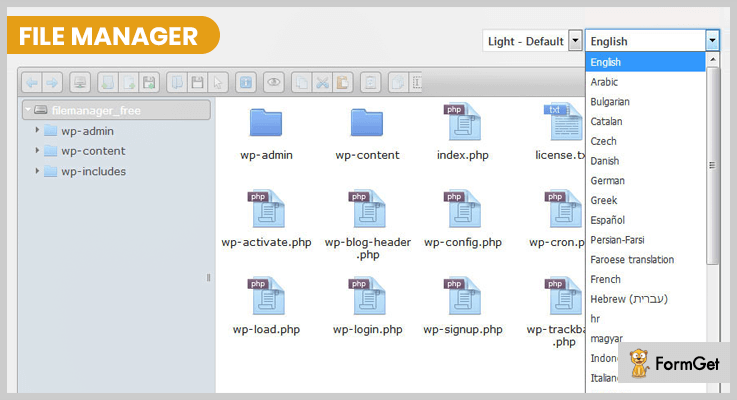
Features of WordPress Advanced File Manager
- Download Option
- Built-in Editor
- Right Click Menu
- Upload File to the current Directory
- Switch Between Icons and List View
Pricing
This effortless File Manager plugin has the costing of $18.
5. WordPress Real Media Library – Media Categories / Folders File Manager
Real Media Library is undoubtedly one of the best media WordPress plugins. It mainly organizes thousands of images into one folder for your WordPress website.
You can drag and drop your files, rename, delete or reorder your folders and much more. In a nutshell, Real Media Library saves your time, and catalogue your WordPress media library elegantly.

Features of Real Media Library – File Manager WordPress Plugins
- Full control for your folders in one toolbar (create, rename, delete, rearrange)
- The filter in insert media dialogue
- Improved Uploader
- Upload files directly to a folder
- Create dynamic gallery from the folder
- Fast navigating to folders with fast folder search
Pricing
Starting at only $24, you can get the regular license and future updates.
6. Codify – WordPress IDE & File Manager
Codify file manager plugin provides an ideal environment to customize WordPress plugins.It comes with great features of editing multiple files with code auto-completion, syntax highlighting etc.
Additional features include drag and drop interface, Automatic indent and outdent, Code folding, Line wrapping and the list goes on. This plugin is our favourite and is more than just a file management plugin because it can handle huge documents.
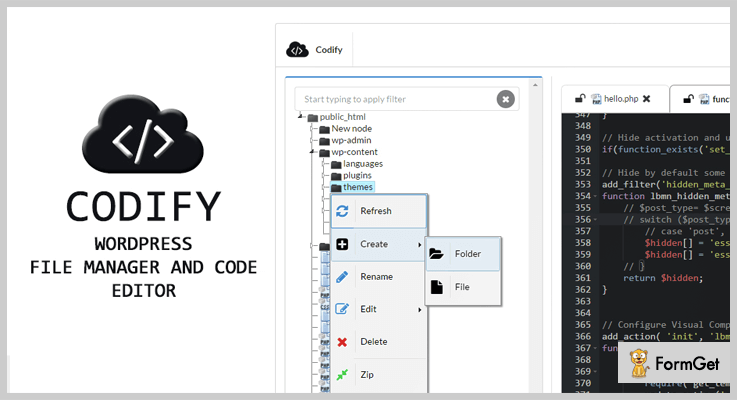
Features of Codify – File Manager Plugins For WordPress
- Creating new folders & files
- Uploading files to any folder
- Modifying existing folders & files ( cut / copy / paste / rename / delete) compress (zip )
- Changing folders & files permissions
- keyboard navigation
- Reading folder or file details (owner, group, size and permissions)
Pricing
Codify has the base pricing of $18.
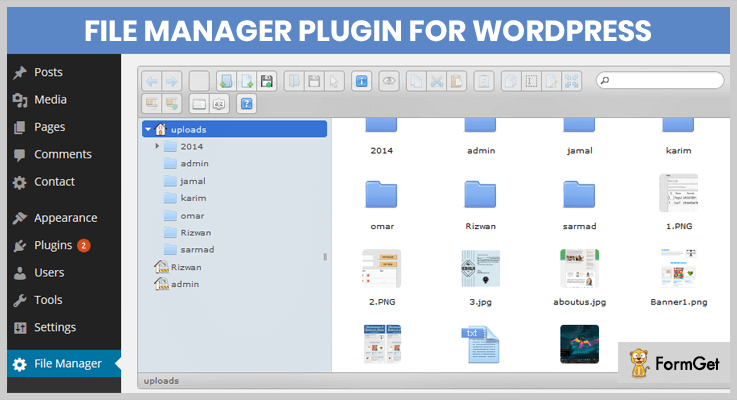
7. File Manager Plugin For WordPress
File manager is one of the free plugins that you can use on your WordPress website. It currently has 100,000+ active installs with a rating of 4.6 out of 5 stars.
It doesn’t have a long list of features but is still a viable option for the website owners who don’t want all the bells and whistles.
Features of File Manager Plugin For WordPress
- Operations: Various operations with files and folders on a remote server (copy, move, upload, create folder/file, rename, edit, delete etc.)
- File Type: Control what files can be uploaded and what file can be downloaded.
- Move/Copy: Admin can Move/Copy files with Drag & Drop.
- Archives: Admin can create/extract files(zip, rar, tar, gzip).
- File Size: Admin/User can upload any size files.
- Private Folder: Available only for File Manager Pro Edition
- Multiple Themes: Multiple File Manager Themes Available – New Feature
- Shortcode: Available only for File Manager Pro Edition
Pricing
It is freely downloadable from official WordPress website.
8. Filester – File Manager Pro
Struggling with managing WordPress files? Now you can rely on Filester to handle all those tasks!
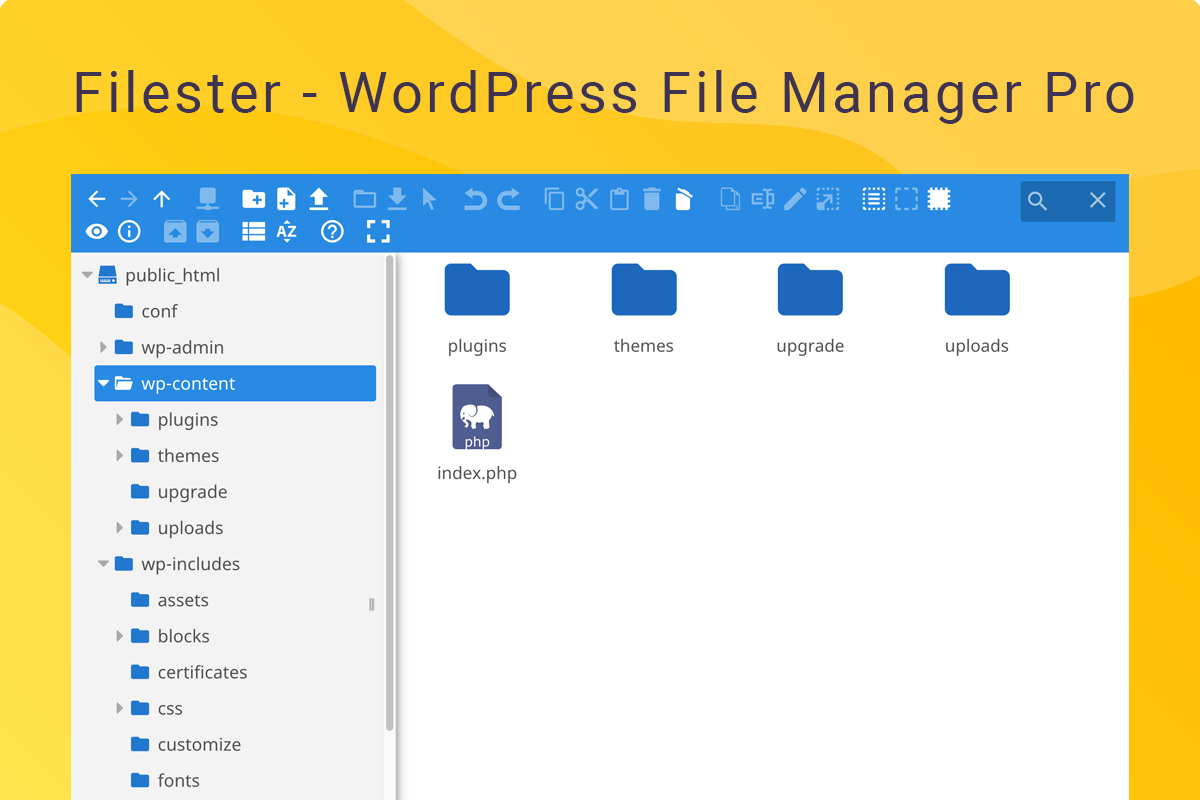
This is a professional WordPress file manager plugin that is devoted to productive WordPress administrators. With Filester you can access source files without FTP. You can preview, open, edit, cut, copy, duplicate, delete or hide any file you want. All these actions can be done to all files in the source code including.PHP, .HTML, .CSS, .JSON, etc.
Filester has all premium features
- It provides new options for privacy and security management such as:
- Set root path access for each type of users
- Hide .htaccess, folder, file paths
- Lock file extensions
- Disable specific commands
- Filester WordPress file manager plugin also has a very clean UI/UX design.
- You won’t see ads, banners or calls for purchase the pro versions.
Pricing
Because Filester is premium!
Yet you don’t have to pay for it. You can use it for free.
9. File Manager Advanced WordPress Plugins
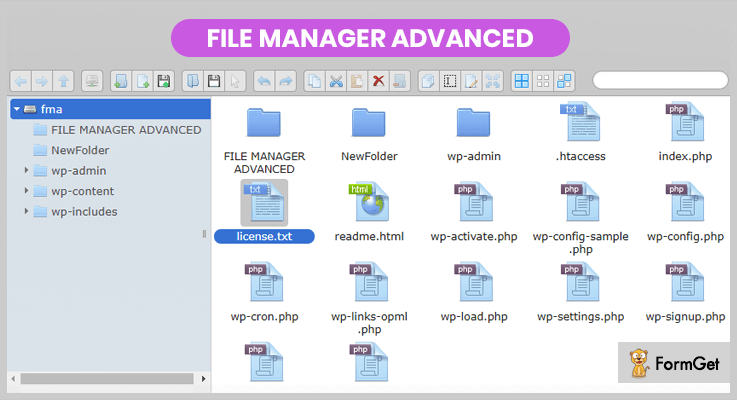
File Manager Advanced has an intuitive UI that allows you to easily upload, edit, delete and manage (zip/copy) downloadable files.
The goal of this plugin is to help users files organized and they don’t need to use any cpanel and FTP.
Features of File Manager Advanced Wordpress Plugins
- Editable Root Directory Path: You can edit root directory path.
- Shortcodes: Shortcodes for logged in and not logged in users with multiple attributes and features (allows users and users role access)
- User Operations: Upload, Download and Delete operations
- File Operations: All operations with files and folders (copy, move, upload, create folder/file, rename, archive, extract, edit, etc.)
- PDF Preview: PDF Preview feature available
- Files Access: Access files inside and outside WordPress root directory
Pricing
File Manager Advanced plugin isn’t going to cost you a penny.
Closing thought
I hope you have taken my listing of 6+ Best File Manager WordPress Plugins with a healthy grain of salt. I can assure you that if you are not too snooty to do mobile or web programming then you have got your suite File Manager Plugin from the above catalogue.
Looking forward to the discussion threads!
Handpicked recommended plugins:
7+ Best Newsletter WordPress Plugins 2022 (Free and Paid)

Newsletter WordPress plugins allow you to send email notifications of your newly released posts, articles, blogs, etc. to your email subscribers.
WordPress is a great source to build an innovative website with newsletter functionality. You can easily install a newsletter plugin on your website and push notifications to your subscribers right from inside of your WordPress admin panel.
Newsletter WordPress plugins are great tools to grab leads and grow your visitor base through effective email marketing.

Here are the 7+ Best Newsletter WordPress Plugins (Free & Paid) with a multitude of features.
Have a look at some more blogs before starting the topic. Here they are:
1. MailGet Bolt –
MailGet Bolt gives you one of the fastest and effective ways to send marketing emails. Using this email marketing service you can deliver various types of email notifications like the latest post, product, and more to your subscriber in a few minutes.
In addition, you can easily embed different signup forms on your website or social networking platforms which can help you capture more leads.
The best part about this service is it offers you a free trial for a month using which you can send 300 emails per day for free.

Pricing –
There are various pricing plans available for this service which are as follows –
- Starter Plan –This plan will cost you $9 a month with which you can send emails to 2,500 subscribers. The Starter plan comes along with useful features like custom tags, drag & drop email builder, pre-designed templates, and more.
- Rookie Plan – Helps you target up to 5,000 subscribers at a minimal cost of $19/Month. Plus, it provides multiple important features like email scheduling, autoresponder, and complete live chat support.
- Pro Plan – You can buy this plan for just $34 a month and send emails to 10,000 subscribers using features like automatic follow-ups, drip emailing, tracking and more.
- Advance Plan – This plan will cost you $49/Month using which you can send emails to 15000 subscribers.
Features –
- This service allows you to create and add unlimited custom tags with the help of which you can send personalized emails with ease.
- Drip Automation feature helps you to send a series of emails to your users within a specific time interval set by you.
- List cleaning is a major feature that is supported by MailGet Bolt. It helps you clean out your email list from spam, suspended, bounce, and other bad emails in a matter of minutes.
- With the help of the autoresponder feature, you can automatically deliver welcome email to all new subscribers immediately as users join your email list. Also, it helps you to establish connectivity with your users instantly.
2. MailPoet
With over 300,000 installs, MailPoet is one of the most popular and powerful WordPress email marketing solutions available.
Using MailPoet, you can quickly and easily set up and send newsletters, last post notifications, and welcome emails, as well as a number of WooCommerce specific emails, straight from the WordPress dashboard.
Grow your subscriber list using MailPoet’s built-in signup form tool, or connect it to your favorite form building tool. MailPoet also integrates with a number of popular form plugins.

Pricing –
MailPoet is free up to 1,000 subscribers. Paid plans are tiered based on the number of subscribers you have, and start at €13/month.
Features –
- Create beautiful emails using the drag-and-drop editor, or use one of the 50+ templates available.
- Full-suite of email marketing automation features within the WordPress dashboard.
- Ensure your emails reach the inbox by using MailPoet’s own email sending service.
- Track how well your email campaigns are performing with stats. See how many people opened your emails, which links they clicked, and if you’re a WooCommerce store owner, how much revenue each email brought in.
3. Mailster –
This most powerful newsletter WordPress plugin will able to provides all the flexibility and functionalities for your news website.
Over 15,000+ people use Mailster to create and send emails newsletter campaign. You can create a stunning news campaign in just a minute with Mailster.

Pricing –
Buy its regular license at just $49 for 6-month support.
Features –
- It supports autoresponder to send automatic emails, latest posts, take follow-ups and much more.
- Mailster manages all your subscriber within your WordPress installation.
- It allows you to take your campaign list in real time.
- The plugin is completely mobile responsive.
4. Newsletters –
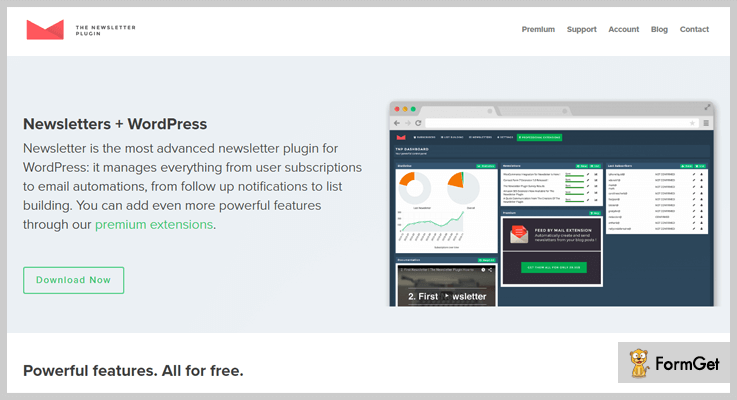
This plugin is the most advanced newsletter plugin for WordPress site. It gives unlimited newsletters and helps in creating a number of subscribers for your product and services.
It is highly customizable and requires an easy setup. Newsletter manages everything from user subscriptions to emails automation in one place. You can also add an unlimited number of widgets area, pages, follow up notifications to list building and much more on your website through this WordPress plugin.
Pricing –
1. Bloggers can use its tons of services at just $45 with 1 year of supports.
2. For agency purpose, it cost you $129 for 1 year of supports with unlimited features.
Features –
- The plugin is completely documented so that you can always take a look at the online documentation, directly from this website.
- Allows you to send unlimited numbers of newsletter emails to unlimited no. of recipients.
- It takes care of your newsletters with a complete set of statistical data.
- Automated news generator with latest blogs and posts.
5. SendPress –
This Newsletter WordPress plugin is easy to use and can be customized for all the factors you need. You can create a newsletter in your way and start sending the email notification through your newsletter plugins.
You can easily and quickly import the contents with this plugin. SendPress lets you create the best newsletter that will catch the more subscribers on your website.

Pricing –
The plugin offers its services in 4-stages:
1. Personal users can buy its services at just $39/Y for 1 -site.
2. For business, purpose buys its services at $199/Y for 3-site.
3. Developers can buy its service sat just $399/Y for unlimited sites.
4. You can also buy its standard services at $99/Y.
Features –
- It can easily test your marketing emails and newsletter with SpamAssassin.
- With MX recorder check your customers’ received emails.
- With Autocron send your emails 5x faster.
- Amazing 24/7 customer supports.
6. WP Flat Newsletter Subscription Panel –
WP flat newsletter subscription is a completely responsive WordPress plugin that lets you add a flat, creative and fully customizable newsletter subscription panel on your WP sites.
This plugin is integrated with MailChimp, Get response & Mailpoet list. All the contacts of WP flat newsletter plugin are stored on the backend and all the emails can be sent to MailChimp tool.

Pricing –
Buy its services at just $12 for 6- month supports and extended its services up to $85.
Features –
- Provides multiple animated options.
- Supports responsive & flat designs.
- Fully customizable text, fonts & colors.
- More than 700+ google fonts are available.
7. MailFit –
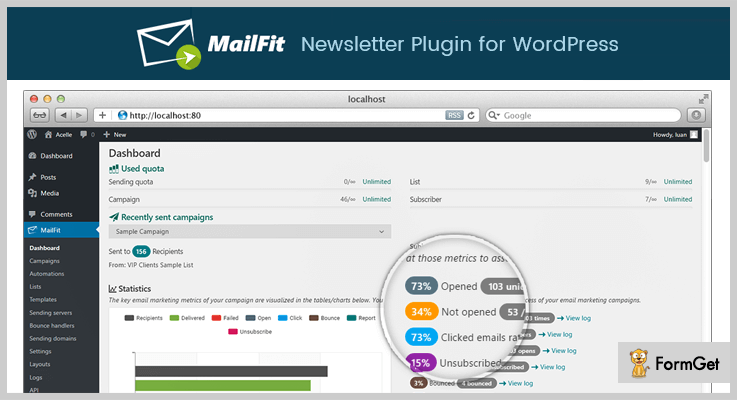
Mailfit newsletter is a clean, simple and responsive plugin that is integrated with WordPress.
MailFit includes everything which you need to create, send, track the profits from your email marketing services. The plugin is all-in-one to manage all your email and newsletter services.
MailFit supports its own SMTP servers such as Postfix, Exim etc. and integrate with other email service providers like SendGrid, Amazon SES and more.
Pricing –
Take its regular license at just $ 39 for 6-month support and extend the services from $149.
Features –
- It supports live upgradation every time.
- Supports custom subscribe/unsubscribe confirmation page.
- Supports autoresponder for the subscriber.
- Manages list segmentation.
8. Simple Signup –
This signup newsletter is a WordPress plugin that lets you collect the visitors/subscribers email address with this newsletter subscription form.
This signup newsletter plugin form is simple and fully customizable and supports MailChimp. By default, it provides a ready subscription form for every user.

Pricing –
Get its tons of features at just $27 and extends its services from $135 for 6-month support.
Features –
- The plugin supports multiple instances and an unlimited number of users.
- It automatically redirects the plugin to the specified page.
- Supports more API integration tools.
- It is fast and simple.
9. Newsletter –
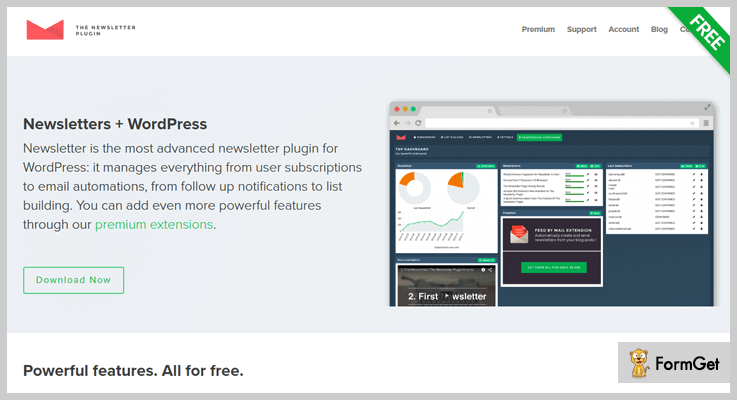
A newsletter is the perfect WordPress plugin for your news website. It is perfect to create, send and track emails, and to build a list in just a few seconds.
The plugin help users to send their newsletters to your subscriber or user effectively.
Pricing –
This plugin is completely FREE. You can download this from its official site wordpress.org.
Features –
- Unlimited subscriber & newsletter with statistics.
- All messages are fully translatable.
- Provides subscriber list to fine target audience.
- With its diagnostic panel check the blog mailing capability.
10. Free Tools to Automate Your Site Growth –
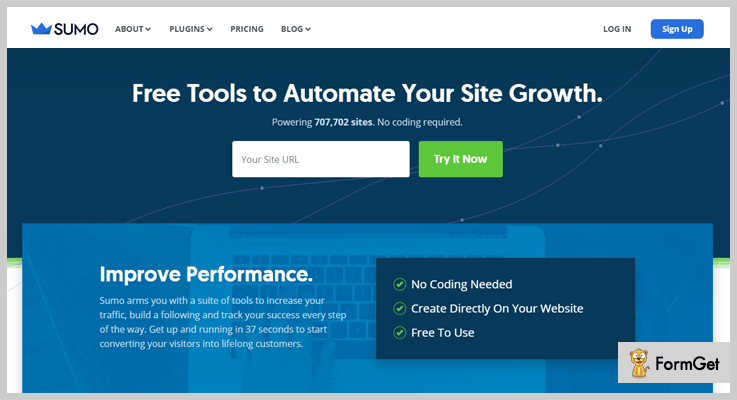
This plugin is designed to grow your business or WordPress site. Free tools WordPress plugin makes easy for your users to join your email list to share blogs, articles and more.
The plugin provides you with optimization and analytics.
Pricing –
The plugin is completely free. Download it now from its official site i.e., wordpress.org.
Features –
- Free tool integrated with MailChimp & Aweber newsletter integration.
- It allows a smart bar to appear at the bottom of your pages.
- Provides SMS and WhatsApp sharing buttons.
- Provides tons of templates.
Closure:
And here my writing comes to a close. Every single one of these newsletter plugins will let you give your readers updates on every single news and articles.
Comment below if you liked the post!
7 Best Related Posts WordPress Plugins 2022 (Free and Paid)

The Related Posts WordPress Plugins help your website to effectively increase your page views, reduce bounce rate and get SEO optimized.
But do you know how it works?
WordPress related posts plugin picks out title content and content of various posts and then interconnects the posts which seem related to each other.
Selecting a best Related/Recent posts WordPress plugin can be a difficult task. As we know that there are a large number of WordPress Related Posts Plugins available in the online market.
Related Post Plugin also takes the interest of a reader to the maximum extent by providing him with the list of all the posts he can read to know the topic completely and in depth.
Before going to the depth of it. Have a look at these amazing articles too:
To decide what best suits you have a look at these 7 Best Related Posts WordPress Plugins.
1. Related Post for WordPress
Relate Post increase page views and diminish bounce rate of your WordPress website. This plugin offers excellent related content. You can use Related Post for WordPress and you will have a long list of related posts on your website in only a few clicks!

Pricing Plan-
You can start now with Relate Post for WordPress for just $3.99/month only.
Features of the Relate Post for WordPress Plugin are as follows:
- Not just the related posts, it links related pages and products too.
- No complex coding required for custom styling, you can use the inbuilt styling configurator.
- Support 100% customization to theme and templates.
- It caches all your related posts, to achieve the fastest speed.
2. Related Posts Pro for WordPress – Related Content Plugin
Related Posts Pro is an excellent and effectual WordPress plugin for all kind of related contents on your website. It provides a vast variety of functionalities like- custom post type, multi-sites, custom content, categories and many more…

Pricing plan-
The regular licence for Related Posts Pro WordPress Plugin comes with $21 only.
Peculiarities with Related Posts Pro for WordPress Plugin are-
- Three beautiful layouts- Slick and Slide, Isotopic and Transitioning with 65 pre-defined templates.
- The plugin has configurable search filter on front-end.
- Smart image parser with 6 different image sources.
- Compatibility checking options.
3. Better Related Posts Widget
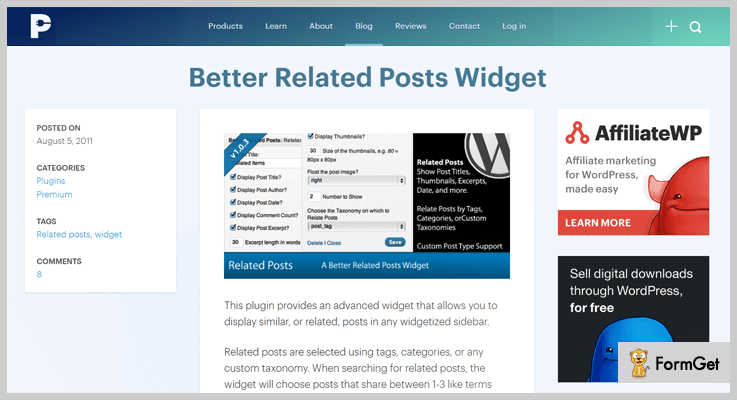
Better Related Posts Widget WordPress Plugin allows you to display similar or related posts in any widget area. It has an advanced widget to do so. You can use any custom taxonomy to select the Related posts.
Pricing plan-
The regular licence for Better Related Posts Widget WordPress Plugin comes with $7 only.
Key features of Better Related Posts Widget WordPress Plugin-
- Provides customizable options for Related Posts.
- The plugin works with all custom post types.
- Allows many instances of the same widget.
- Facility to widget shown only on a single post/pages.
4. Related Posts for Distinct Posts
Related Posts for Distinct Posts is a WordPress Plugin to embed related posts on a website. It can display default posts as well as custom posts as related posts.

Pricing plan-
The regular licence for Better Related Posts Widget WordPress Plugin comes with $19 only.
Key features of Better Related Posts Widget WordPress Plugin-
- Usage of ShortCodes to display Related Post anywhere on your website.
- Can link list of related posts to each distinct posts.
- Support Thumbnails of different size.
- Language translation enabled.
5. Yet Another Related Posts Plugin (YARPP)
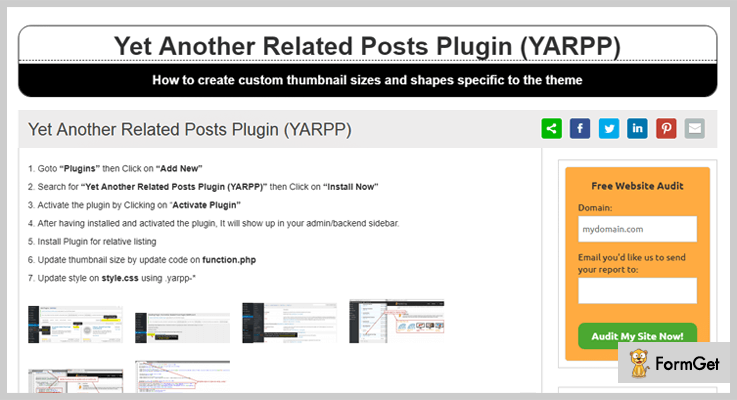
For your WordPress website, Yet Another Related Posts Plugin allows you to display custom posts and pages, related to the current record.
Pricing plan-
The Yet Another Related Posts Plugin (YARPP) WordPress Plugin is completely FREE to use.
Some features of Yet Another Related Posts Plugin (YARPP) WordPress Plugin-
- Provide list view and thumbnails, for the Related content.
- Allows inserting related posts/pages and custom post types.
- A highly advanced and versatile algorithm.
- Custom display option for displaying Related Posts in RSS feeds.
6. Contextual Related Posts – Best in Free Related Posts WordPress Plugins
Contextual Related Post WordPress Plugin is used to display a list of Related Posts on your website as well as in news feeds. It will help you to raise the number of visitors, reduce bounce back rate and automatically refresh old entries.

Pricing plan –
The Contextual Related Posts WordPress Plugin is FREE of cost.
Some specialities of Contextual Related Post WordPress Plugin are –
- Support for shortcodes, thumbnails, widgets, CSS styles and custom post types.
- The built-in styles allow you to switch between superb thumbnail, strongly related posts or similar text displays.
- Automatically starts displaying Related Posts after the content and feeds, after plugin activation
- Let you attach Related Posts to any page, post, attachment or custom post type.
7. Related Posts Thumbnails Plugin for WordPress
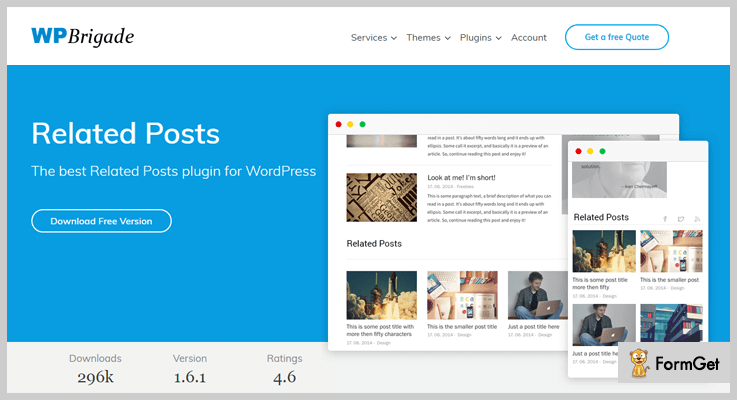
You can use Related Posts Thumbnails WordPress Plugin and add Related Posts thumbnails after the post. It allows you to customize thumbnail display settings, thumbnail sizes and more.
Pricing plan –
The Yet Another Related Posts Plugin (YARPP) WordPress Plugin is completely FREE to use.
Some key features of the plugin –
- Increases your page views.
- Reduces your page’s bounce rate.
- Improves the Search Engine Optimization of your website.
- Allows you to specify post custom field name as thumbnails source.
Summing-up
A WordPress Related Posts Plugin can be a key to improve the overall website’s efficiency. You can choose amongst the above listed Best Related Posts WordPress Plugins.
If you are having a better one or are having trouble at any point on the topic, do comment below.
We’ll get back to you ASAP.
Thanks for reading!
5+ Best Broken Link Checker WordPress Plugins 2022 (Free and Paid)

Scrutinizing broken links is an exhausting task especially for a huge website. But, via Broken Link Checker WordPress Plugins inspecting broken links has become a piece of cake.
Google also recommends you to check broken links of your website regularly, because broken links can harm your website. Consequently, gives a bad experience for your website visitors.
FYI,
Unlike other plugins, there is a limited number of optimal broken link checker plugins in WordPress repository.
Hence, after searching we’ve found some really good free and paid broken link checker tool that not only fix your broken links but also optimize images and videos of your WordPress website.
So, if you are concern about broken links. Then you might be searching for the best WordPress broken link checker plugin.
Cool your jets!
Here in this article, we have hand-picked some of the best broken link checker WordPress plugins which will improve your website’s performance.
Let’s get started –
Check out the following blogs and find your ideal WordPress plugin for your website.
1. WP Link Status Pro
WP Link Status Pro is one of the best premium broken link checker WordPress plugin which helps you to fix up your broken links and manages redirection. It also verifies HTTP status response codes of your website’s content links and images.
This plugin crawls your content meanwhile, searches for broken links, redirects, nofollow links and extract those links and images.
Pricing
WP Link Status Pro cost you $20 includes 6 months. If you want to extend the duration of support, you’ll have to pay extra $6.
Features of WP Link Status Pro –
- You can have multiple scans along with report and configuration settings.
- You can also edit your from reports without entering the section of edit post.
- The plugin has the functionality of fast link editing.
- With its powerful and advanced filter, you can search links by either URL or anchor text.
- Configurable crawler parameter, you can configure it via the extended setting page.
2. QualityControl – Cheapest in Broken Link Checker WordPress
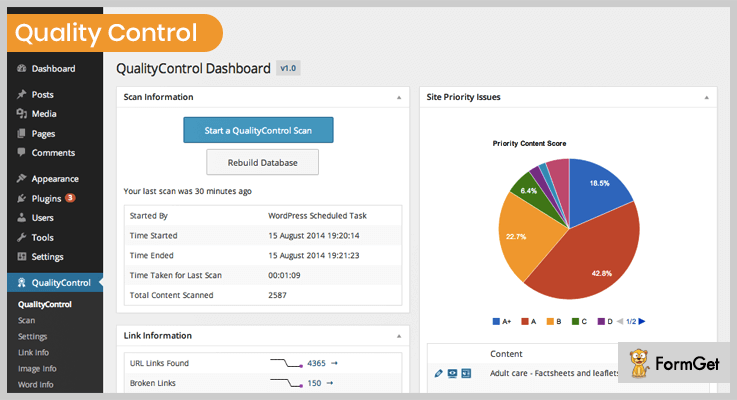
QualityControl is a complete solution which ensures the quality of the content of your WordPress website. The plugin frequently scans your site then identify errors or issues and helps you to improve your website quality.
This plugin has lots of features in it readability statistics, image problems etc. But primarily it is broken link checker WordPress plugin which detects broken links, redirect links, external and internal links etc.
Pricing
Grab this plugin at just $19 only from the Envato market.
Features of QualityControl –
- The plugin detects image problems such as detects missing alt text, readability statistics, externally hosted and hot-linked images.
- Detects content information like phone number, email address, and Twitter handles.
- Identifies over limit titles, description, and excerpts etc.
- You can schedule scans of your content.
- Identifies hard to read content and Flesch-Kincaid Reading Ease score.
3. Netpeak Spider — SEO Tool For Finding Broken Links
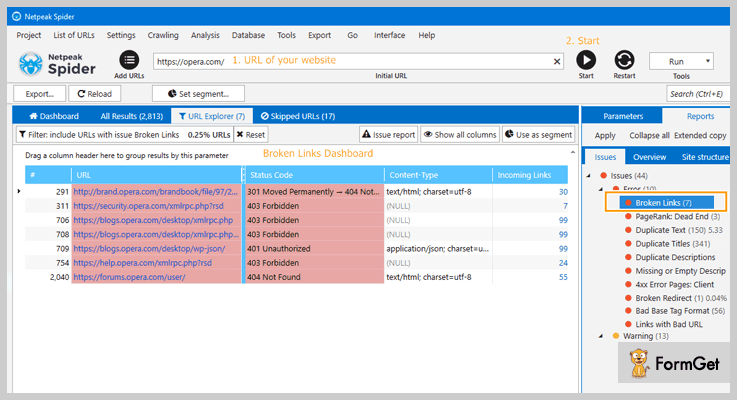
Netpeak Spider is not a plugin, but it’s a desktop tool for a day-to-day SEO audit, a quick search for issues, systematic analysis, and website scraping.
It finds broken links and redirects, text images of your website or broken images, escapes duplicate content: Titles, Meta Descriptions, H1 Headers, and presents all the data in graphics and diagrams.
Pricing
Netpeak Spider has 14 days of free trial with no limits to a tool, and the package starts from $15.20 per month.
Features of NetPeak Spider –
- Checks 50+ key on-page SEO parameters of crawled URLs.
- Consider indexation instructions (Robots.txt, Meta Robots, X-Robots-Tag, Canonical).
- Calculate internal PageRank to improve website linking structure.
- Set custom rules to crawl either the entire website or its certain part.
4. Video Link Checker – Best in Video Broken Link Checker WordPress Plugins
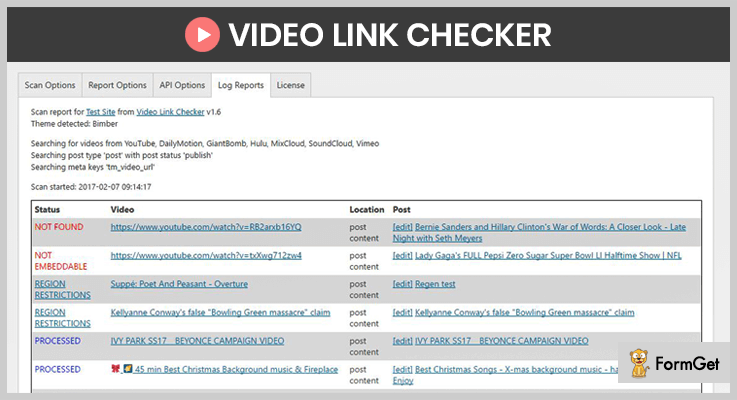
Video Link checker effortlessly detects broken URLs from different video platforms like YouTube, DailyMotion, SoundCloud, Vimeo etc.
If you are having a website which holds the videos from YouTube and if those videos are somehow deleted from the YouTube, you may not be aware of that. Then with the help of this plugin, you can avoid and remove those broken links from your website.
Pricing
Video Link Checker cost you $20 on purchasing from the Envato market.
Features of Video Link Checker –
- You can scan your site videos on demand or the plugin will do it automatically.
- The plugin also facilitates you with its default API for YouTube, SoundCloud, and Vimeo.
- You will receive reports through emails, whenever a scan is done.
- The plugin supports all the post types like custom posts, embedded URLs, custom status, email reports, and meta fields etc.
- In a report, it provides you detailed information about your broken video content such as post name, status (Live/Blocked) etc.
4. Broken Link Checker WordPress Plugin
Broken Link Checker is free WordPress plugin which scans your website and fix broken links and images of your content. It frequently scans your blog and inform you when any issues are found.
Parsing time of your post will depend on the size of your website, it will take few minutes or an hour.

Pricing
Broken Link Checker is freely available on WordPress.org.
Features of Broken Link Checker –
- The plugin monitors your blog post, pages, comments, and custom fields etc.
- You can easily filter and search links by URL, and anchor text etc.
- You don’t have to edit links from that particular edit post page, as it can be directly edited from plugin’s page.
- The plugin notifies you either through the dashboard or via email notification.
- It gives the facility to prevent search engines from following broken links.
5. Link Checker – Finest in Freemium Broken Link Checker WordPress Plugins
Link Checker WordPress plugin makes use of the external server to crawl your website
and finds out broken links and without alt text images of your website. This plugin will check all the present URL whether its external or internal.
Its crawler painlessly does heavy works for your site and visits every single page of your site like a normal visitor.
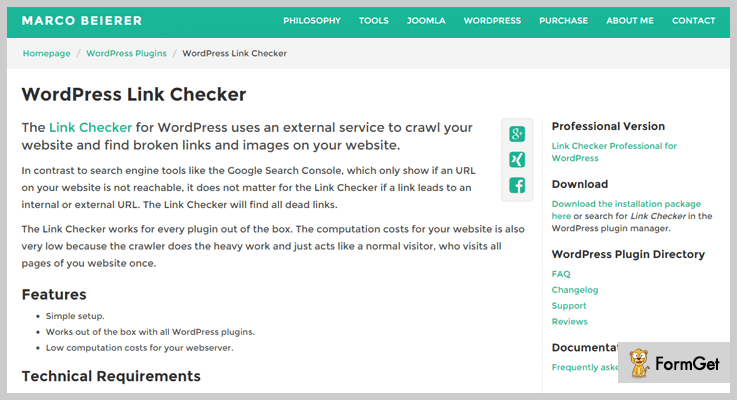
Pricing
You can download this plugin for free from the WordPress.org.
The free version allows you to check only 500 internal and external links of your WordPress website.
Features of Link Checker –
- This Link Checker is compatible with all WordPress plugins.
- It takes low computation cost for your server.
- Checks all the internal and external broken images.
- You can schedule to automatically scan the website.
- Also checks for broken embedded YouTube videos.
Final Thoughts
Hopefully, you’ve liked our listing of broken link checker WordPress plugins.
Although, all the above-mentioned plugins have different features and pricing. So, pick out the best fit for your website which suits your pockets too.
Moreover, you can also share your experience with these plugins in the comment section below.
7+ Accordion WordPress Plugins 2022 (Free and Paid)

Accordion WordPress plugins give an astonishing look to your site. It provides some animations to the buttons as well as tabs on the site.
The main thing is what it is really used for?
An accordian is used to hide the HTML content of your site. When you click a button which is integrated with it, the button results in showing the hidden content of your site.
There is a musical instrument named as ‘Accordion’. When it is played, the instrument compresses inside itself & creates a pleasant sound.
That’s what this plugin will do. Though it will not make any musical sound but it’ll give a new glance to your site.
Don’t find it negative when you’ll come to know that it is used to hide as well as unhide the content of your site. All this plugin does is to make your site more responsive.
The more responsive it becomes, the more its visitors would love to visit it. If the number of visitors increases, your business will become more popular.
Hence, all you’ll get is PROFIT!
That’s why I’d like you to go through this article & try out some plugins from it.
You can read some more blogs for other plugins which can either give your site a new look or can help you to boost up your business:
1. Accordion Menu: Primest in Accordion WordPress Plugins
Accordion Menu by Nextend is one of the best in WordPress accordion plugins.
Other than compressing the content into smaller fields, one can build beautiful themes through its theme builder.

Pricing of Accordion Menu: WordPress Plugin
- Personal: $30, 1 domain license & year support, renewal fee $10 per year, compatible with Joomla & WordPress, etc.
- Business: $50, 5 domain licenses, features of the Personal plan with WordPress, Magneto & Joomla compatibility, unlimited usage period & many more.
- Lifetime: $100, all features of Personal as well as Business plan with unlimited access, domain licenses, updated & support period.
Features of Accordion Menu: WordPress Plugin
- Backend having a user-friendly interface.
- Compatible with most of the modern browsers.
- Fully responsive to the devices such as tablets, desktops & mobile phones.
- Increased speed & performance with CSS & JavaScript.
2. WooCommerce Category Accordion: WordPress Plugin
WooCommerce Category Accordion is a plugin through which one can list the product categories as well as subcategories into an accordion with toggle view.
In the toggle view, product expansion & collapsing effect can be applied via this plugin.
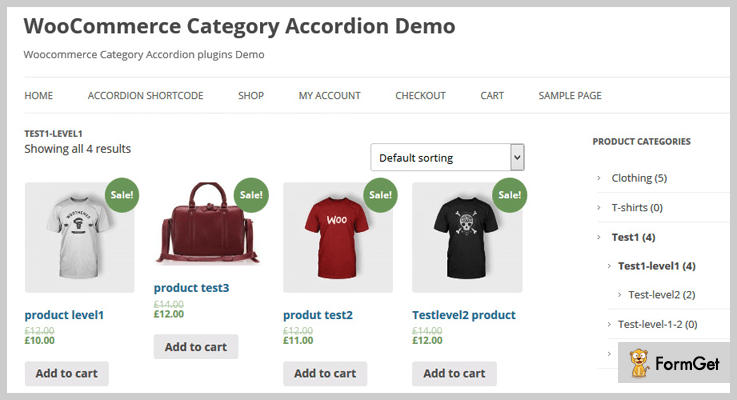
Pricing of WooCommerce Category Accordion:
- Regular: $19, one user, no charges on end users.
- Extended: $95, 1 user, no charge to end user.
Features of WooCommerce Category Accordion:
- Choose any icon from its 14 Fontawesome icons.
- Click & hover event support.
- Limitless categories addition with a level option.
- Parent category link disabling the feature.
3. Ultimate Blocks
Ultimate Blocks is a plugin that helps you add different blocks to the Gutenberg editor. One of those blocks is the Tabbed Content (Accordion).
The block helps you create Accordion that looks good on your website. Further, you can even customize it without touching a line of code.
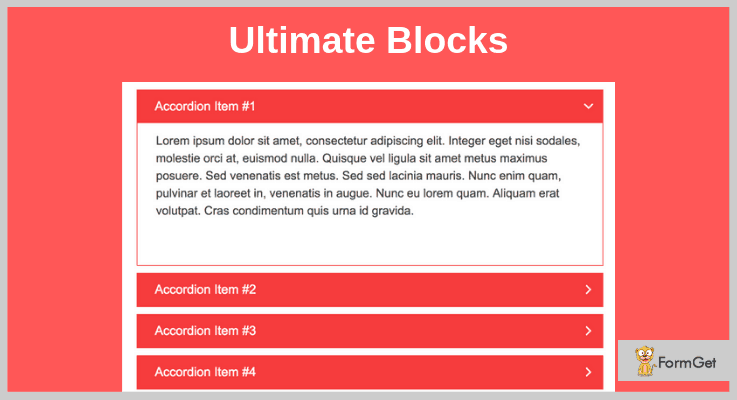
Pricing of Ultimate Blocks: Accordion WP Plugin
The plugin is not going to cost you a penny to add to your site. All you need is the Gutenberg editor, and then you could go and install it from the WordPress plugins directory.
Features of Accordion Block in Ultimate Blocks: Accordion WP Plugin
- You can select whether the accordions should be collapsed or expanded.
Customize the container color or the title color to match your website’s design or your brand. - You can add an accordion inside another accordion.
4. WordPress Tabs and Accordions DZS: WordPress Accordion Plugin
WordPress Tabs and Accordions DZS is a WordPress accordion plugin. It is a genuine accordions & tabs creator.
Through this plugin, the tabs minimize into accordions automatically when the device is switched to a mobile phone.
Pricing of WordPress Tabs and Accordions DZS Plugin:
- Regular: $19, 1 client, end clients are not charged.
- Extended: $80, one client, end client cannot be charged.
Features of WordPress Tabs and Accordions DZS Plugin:
- Specially optimized for iPad/iPhone.
- SEO friendly plugin.
- Easily customizable by SASS developers.
- Add unlimited colors to highlight the tab by using its colorpicker.
- 100% editable skins as the skins are developed using CSS.
5. JetTabs: Accordion WordPress Plugin
For elementary page builder, JetTabs is a perfect accordion WordPress plugin. It helps in creating stylish accordion blocks & tabs to add them to the web pages.
Pricing of JetTabs: Accordion WordPress Plugin
- Regular: $14, one client/user with no extra charges.
- Extended: $100, 1 user/client, end users can be charged.
Features of JetTabs: Accordion WordPress Plugin
- Create two types of the accordion: image & classic.
- Drag & drop the widgets to create any tabs or accordions.
- Choose any layout: Horizontal as well as vertical.
- 24/7 support.
- RTL support for text formatting like left to right & vice versa.
6. Accordion Pro: WordPress Plugin Accordion
Accordion Pro by Wpshopmart is a veritable WordPress plugin accordion through which you can add multiple elements on your web page or post such as:
- FAQs
- Accordions
- Animations in accordions
And all of them are unlimited. There are 20 template designs that you can apply to the accordions & tabs.
Pricing of Accordion Pro: WordPress Plugin Accordion
- Free: $0, only bugs fixing, drag & drop API, collapse mode, widget options & many more.
- Premium Personal: $9, features of the free plan with animations, hover, scroll effect, border customization, preview mode & many more.
- Premium Business: $27, features of free & personal plan with product access on unlimited sites, shortcodes, 12 open, close icons & many more.
Features of Accordion Pro: WordPress Plugin Accordion
- Display the accordion with 500+ Google fonts.
- Animate the accordion by using 30 animation styles.
- Apply any color on the accordion.
- Display the accordion content in widget area by using its shortcodes.
7. Accordions for WordPress: Best in Cheapest Accordion WordPress Plugins
Accordions for WordPress by PickPlugins is one of the best add-on in cheapest accordion WordPress plugins.
It uses HTML & CSS for best responsivity & allows to add unlimited accordions on the same page via its shortcodes.
Pricing of Accordion for WordPress: WordPress Plugin:
Note: $19/month & $149/year, access to all plugins including future one, unlimited downloads, automatic updating of plugin & many more.
License Options:
- $9 for one domain.
- $49 for 10 domains.
- $99 for 100 domains.
Features of Accordion for WordPress: WordPress Plugin:
- Always ready for translation.
- Types of accordions: nested & multilevel.
- Container background color & image.
- Without deleting, hide the accordion of any category.
- Edit the content of the accordion on WP editor.
8. Bellows Accordion Menu: Free Accordion Menu Plugin
Bellows by SevenSpark is one of the best in menu accordion WordPress plugins. This plugin is most popular for creating beautiful accordion menus which you can add to your site.
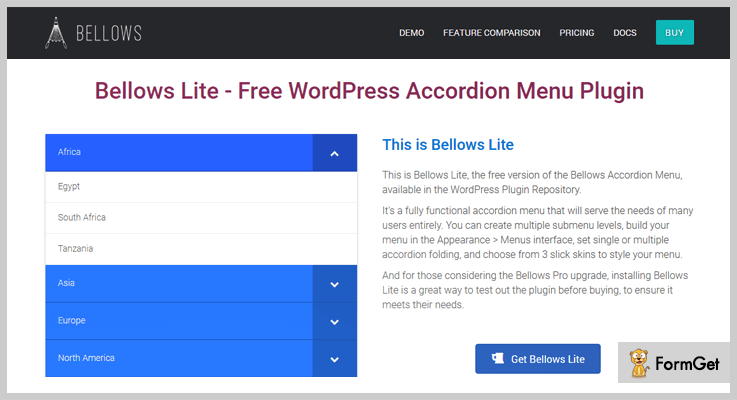
Pricing of Bellows Accordion Menu: Accordion Menu Plugin
- This plugin is free of cost.
Features of Bellows Accordion Menu: Accordion Menu Plugin
- Fully functioning menu accordion.
- Multiple menus & submenu levels.
- Automatic option for expanding the current menu.
- Widget & shortcode integration.
- Plugin including three skin presets.
9. Accordion for WP: WordPress Accordion Plugin
Accordion for WP by ThemeEgg is WordPress accordion plugin. We can create it for taxonomy, post type, WordPress menu, woo-commerce product & many more.
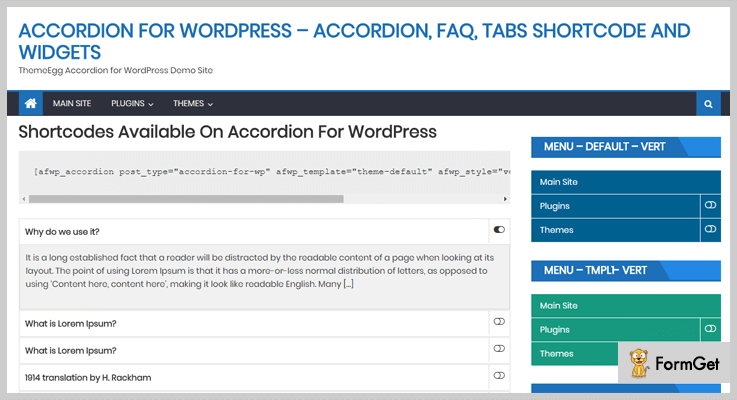
Pricing of Accordion for WP: WordPress Accordion Plugin
- It does not charge any amount for creating & adding accordions on site.
Features of Accordion for WP: WordPress Accordion Plugin
- Accordion Widgets: term, post & menu.
- WooCommerce product accordion supported.
- Multiple numbers of template support.
- Types of the accordion: post per page, post type & category.
- Accepts all WP_query arguments.
Conclusion:
So above are some of the best free as well as paid accordion WordPress plugins which can help you to hide & unhide the HTML content of your website.
By using it, you will be able to add even more than one accordion categories inside a single button.
Just go for it & make your website a masterpiece.
If you have any queries, please comment below & we’ll help you soon!
7+ Best Amazon Affiliate WordPress Plugins 2022 (Free and Paid)

Currently, the online market is flooded with people who do affiliate marketing. But most of these people lack in generating large profits as they don’t hold a good position in the market.
In this blog, we have listed the best Amazon affiliate WordPress plugins which are specially designed for WordPress sites. These plugins will help you monitor all the important actions of affiliate marketing directly from a WordPress site.
With the help of these plugins, you can also automate various tasks and jobs which require a huge amount of time.
Below we have got some of the top-notch blogs on WordPress plugins:-
- File Manager WordPress Plugins
- Related Posts WordPress Plugins
- Broken Link Checker WordPress Plugins
1. WooCommerce Amazon Affiliates – WordPress Plugin
This is a premium WordPress plugin using which you can simply attach product links of Amazon affiliate in your WooCommerce website.
With WooCommerce amazon affiliates plugin, you are allowed to extract product stats, categories, search results and more on your site.
Price Plans Offered By WooCommerce Amazon Affiliates – WordPress Plugin
- The regular license will cost you $42 for features like product creation, importing, and other advanced options.
- Extended license comes with a price tag of $400 and helps you create coupons, deals, and offers for products.
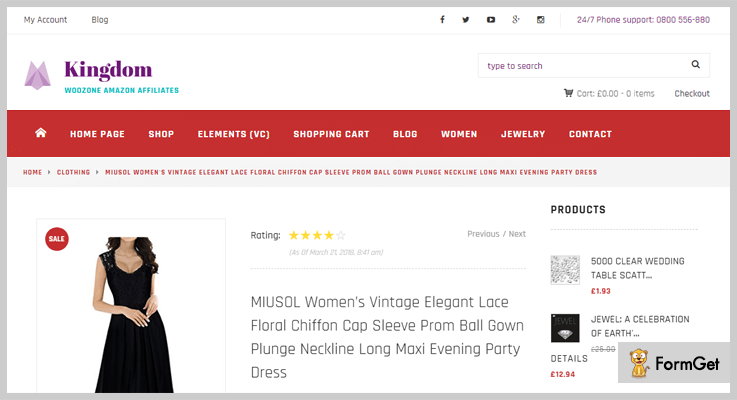
Features:-
- Create shortcodes for multiple products.
- Detailed reports are delivered via emails.
- Auto import feature allows you to add products automatically to pages.
- Allows you to verify the availability of products on a specific location.
- Geo-Targeting and 90 Day Cookies are also available.
More Details Of Amazon Affiliate WordPress Plugin
2. AAWP – WordPress Plugin for Amazon Affiliates
AAWP is one of the best WordPress plugin designed for Amazon affiliates. It helps website owners and bloggers create valuable affiliate pages to earn more commission.
This plugin automatically reflects updated information like price, discount, quantity or any other types of charges about the product.
Price Plans Offered By AAWP – WordPress Plugin
| Personal Plan | Plus Plan | Pro Plan | Ultimate Plan |
|---|---|---|---|
| Single Site | 3 Sites | 25 Sites | Unlimited |
| $48 | $123 | $245 | $369 |
| 1 Year Support | Multisite Usage | 1 Year Support | Multisite Usage |
[Note:- With all the premium versions you get 30 days money back guarantee]

Features:-
- Allows you to create new and use pre-constructed templates.
- Easy to use and requires no technical or coding skills.
- You can attach one or more product boxes on a single web page or post.
- Add data fields to display product info like title, description, price, button, etc.
- Automatically add and update best selling products, new releases and more.
More Details Of Amazon Affiliate WordPress Plugin
3. Prosociate – Ultimate Amazon Affiliate Plugin
Prosociate is a top class Amazon affiliate plugin specially developed for WordPress sites. This plugin is easy to install, SEO friendly and allows you to create unlimited Amazon affiliate stores with a few clicks.
It automatically adds and updates product details on the website and helps you earn more & more profits.
Price Plans Offered By Prosociate – Ultimate Amazon Affiliate Plugin
| Single Plan | Personal Plan | Unlimited Plan |
|---|---|---|
| Single Site | Multiple Sites | Developers |
| $39 | $59 | $179 |
| Lifetime Support | Geo Targeting | Built-in Spinning |

Features:-
- Allows you to store images and media files on Amazon.
- Simplifies website integration process by Amazon API.
- Easy extraction of search results in the form of .CSV files.
- Geo targeting to auto-detect the location of the clients.
- The 90-day cookies feature helps you store profit from users for up to 90 days.
More Details Of Amazon Affiliate WordPress Plugin
4. AzonPress – WordPress Plugin for Amazon Affiliates
AzonPress is one of the latest and most intuitive WordPress Amazon affiliate plugins for Amazon affiliates. This easy to use awesome plugin helps Amazon affiliate marketers create valuable affiliate pages to earn more commission.
AzonPress is SEO friendly plugin that allows you to create unlimited Amazon affiliate stores with just a few clicks. There are eight different pre-built templates to show your desired products on your website. You can easily create and add products of Amazon marketplace to promote them on your site.
Price Plans Offered By AzonPress – Plugin Form WordPress
- A single site license will cost you $39 for all the basic features you need to make affiliation.
- The business license comes with a price of $79 that offers you some extended functionalities.
- Unlimited site license cost you only $199 with all the features that the plugin provide.

Features:-
- Easy to use and most user-friendly interface affiliate plugin.
- SEO friendly and responsive Amazon affiliate plugin.
- Allow you to create 8 different custom templates to promote products.
- Shortcode friendly Amazon affiliate plugin.
- Special option for designing product tables created by AzonPress.
More Details Of Amazon Affiliate WordPress Plugin
5. Pixel Amazon Toolkit – Plugin For WordPress
Using the Pixel amazon toolkit WordPress plugin you can apply Amazon product API on blogs, pages, and posts that exist on your website.
This is an advanced Amazon affiliate plugin which comes preloaded with an enormous amount of features & facilities. It becomes a lot easier to add and create products as the plugin automates various processes.
Price Plans Offered By Pixel Amazon Toolkit – Plugin For WordPress
- $19 is the price of the regular plan through which you can automate various Amazon affiliate settings and options needed in promotions.
- Extended plan will cost you $110 and will simplify the process of product promotions.

Features:-
- Allows you to insert product links, reviews, buttons, etc.
- Helps you prevent SEO penalties by auto cloaking URLs.
- Add products to pages and posts on website straight from the WordPress dash.
- Templates designed are reusable and can be applied anywhere on a WordPress site.
- Product search facility form the WordPress admin area.
More Details Of Amazon Affiliate WordPress Plugin
6. Amazon Affiliate Plugin – Amaplug
With the help of Amaplug amazon affiliate plugin, you can implant products into posts, pages, and widgets of your website. This plugin allows you to create custom templates from the WordPress admin panel and helps you add products list on to your site.
Price Plans Offered By Pixel Amazon Toolkit – Plugin For WordPress
- Pixel amazon toolkit plugin is the cheapest in this list it offers only one plan which is for regular users which cost $15 for all the features.
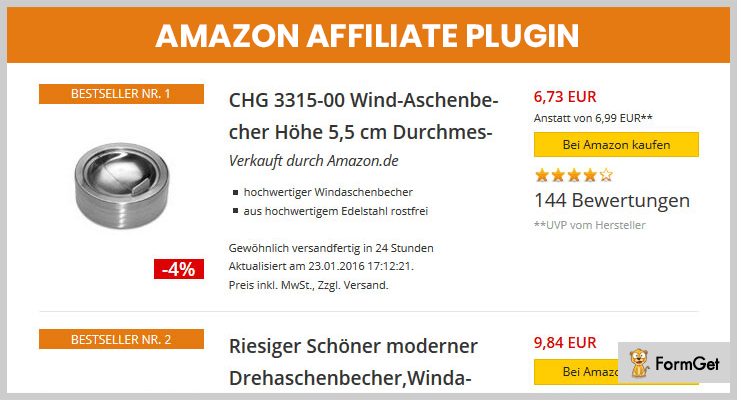
Features:-
- Show bestsellers and single products using separate shortcodes.
- Includes tracking ID in product links to monitor sales commission.
- Display pricing, discount, rating, reviews and other details.
- Fully compatible with any WordPress or WooCommerce theme.
- Responsive in design and provides 4 different style options.
More Details Of Amazon Affiliate WordPress Plugin
7. Amazon Associates Link Builder – WordPress Plugin
Amazon associates link builder is an official Amazon WordPress plugin which provides all its services free of charge.
It enables you to search products, add prices, discounts and other details through a website dashboard. This plugin holds top star rating and has thousands of active installations.
Price Plans Offered By Amazon Associates Link Builder – WordPress Plugin
- This plugin is available free of cost and holds over 40 thousand active installs on WordPress site around the world.

Features:-
- Extremely user-friendly and easy to apply to WordPress sites.
- Easy to install and comes equipped with API key.
- Multiple pre-designed templates which are customizable.
- Advanced admin panel to add selected items, associate ID, templates, etc.
- Affiliate ID to track the sales and commission generated.
More Details Of Amazon Affiliate WordPress Plugin
8. Amazon Auto Links – Affiliate Plugin
Amazon auto links is one of the most effective affiliate plugin which automates various time-consuming tasks of affiliate marketing.
With this plugin creation, searching and tracking become a single click job. It attaches Amazon associate ID to every product creates and tracks exact sales results.
Price Plans Offered By Amazon Auto Links – Affiliate Plugin
- Amazon auto links is a free plugin which helps you manage Amazon affiliate links and other tasks from a WordPress site with ease.
Features:-
- Cloaking of URL to avoid being blocked by browsers.
- Supports different types of languages.
- Helps you create customizable buttons.
- Import product details and other settings easily.
- Insert shortcodes to add product details on specific locations of website.
More Details Of Amazon Affiliate WordPress Plugin
9. Amazon Link Localization – WordPress Plugin
Amazon link localization is a WordPress plugin which is ideal bloggers, marketers and WordPress site owners. It tracks the country of the visitor and automatically redirects them to the related Amazon site page.
Price Plans Offered By Amazon Link Localization – WordPress Plugin
- Amazon auto links is a free WordPress plugin that automates various tasks of affiliate marketing.
Features:-
- You can also integrate Google analytics to perform analysis of data.
- Works perfectly well on product pages, categories, posts, and searches.
- Auto converts any Amazon link and attaches tracking ID to it.
- This plugin is fast, easy and requires no sign-ups.
More Details Of Amazon Affiliate WordPress Plugin
Final Conclusion
Now it’s time to wrap up this blog, I think you must have made your choice and selected the most suitable Amazon affiliate WordPress plugin that suits the needs of your website.
If you have any suggestions or queries related to this blog or plugins defined in it, you can freely ask them through the comments section below.
7 Best WordPress Two Factor Authentication Plugins 2022 (Free and Paid)

A large number of companies and organisations are migrating towards WordPress Login Authentication. You too can use WordPress Two Factor Authentication Plugins to secure online data. Because mere passwords won’t protect you from the hackers around the globe.
Online security expert recommends 2 Factor Authentication. The traditional user password system provides almost no protection at all. As they have become very easy to steal and crack.

Before getting to the core of WordPress login authentication. Have a look at these awesome WordPress Plugin Blogs:
To find the best way to increase web security. Let’s have a look at these 7+ Best WordPress Two Factor Authentication Plugins:
1. WordPress 2-Factor Authentication
For secure login, to your WordPress site, miniOrange provides easy-to-use 2-Factor Authentication Plugin. It replaces insecure passwords and difficult one-time codes with their respective QR codes. The plugin is easy to setup for WordPress developers and Users. The download and activation is only one click away!
Pricing Plans –
This WordPress two-factor authentication plugin has a trial version recommend Premium plan to get access to all the functionalities in $15/Yearly.
Features of Plugin –
- Remembers Devices.
- Manage Profiles of different registered devices.
- Multi-site support.
- Custom Redirection, Email Templates and SMS Templates.
2. Login Security For WordPress – Two-factor Authentication
Login Security For WordPress is a Two-Factor Authentication Plugin. It uses an authentication mechanism of password and pin sent via email or SMS. You can use the automatic and recently upgraded features of this plugin.

Pricing Plans –
A regular licence of $18/6 for lifetime. The price can increase on the basis of licenses.
Features of Plugin –
- Automatically detects password from the device.
- Use encrypted passwords that are anti-hack and anti-looked.
- Keystroke detection via the Anti keylogger mechanism.
- Facility to send the password through SMS.
3. Securus – Yubikey 2 Factor Authentication for WP
To set up two-factor authentication on a user by user basis, use Securus. The Securus WordPress Plugin provides high-end security with complete translation environment.
Pricing Plans –
A regular licence of $19. It is the only one-time fee payment you need to make for using it!
Features of Plugin –
- Enable two-factor authentication on your WordPress website
- The plugin is translation ready which includes POT files.
- Free and secure Communicates with YubiCloud.
- Communicates with YubiCloud over a secure connection at no additional cost.
4. TFA– WordPress Two Factor Authentication Plugins
Use the most popular implementation of Two Factor Authentication ( TFA ). It displays Graphical QR codes, for easy scanning of applications on your phone/tablet. The setting can be edited from the front-end and can be used as per the role of users. Plus, it’s multi-site compatible with WordPress and translatable in many languages.

Pricing Plans –
The cost of Two Factor Authentication can wary from £19.00 – £59.00.
Features of Plugin –
- Displays Graphical QR codes, for easy scanning of applications on your phone/tablet.
- Settings can be edited from the front-end and can be used as per the role of users.
- Multi-site compatible with WordPress.
- Supports many languages.
5. UNLOQ
UNLOQ provides enterprise level encryption within your WordPress website. It is a distributed authorization and authentication system.
UNLOQ supports AES-256-CBC encryption. This plugin uses Transport Layer Security for all communication media.
Pricing Plans –
The pricing of UNLOQ ranges in between $19 to $49 depending upon the number of users.
Features of Plugin –
- Trusted providers of online security of saved data such as Amazon & Bahnhoff .
- Built-in tools for protecting data from Phishing & Man-In-The-Middle type of attacks.
- Three-layer security- Authenticate, transaction authorization and encryption keys.
6. Duo – Best in WordPress Two Factor Authentication Plugins
Adds a second layer of security to your WordPress account, use Duo Authentication. Don’t rely only on your password which can be guessed, phished or hacked. Duo verifies the identity of a user via means that a user already has. Mobile phones and hardware tokens can be the means for authentication.

Pricing Plans –
The Due WordPress Login Authentication Plugin has 7000+ installations and is completely FREE!
Features of Plugin –
- Enhance account security with strong authentication.
- Provides many ways for authentication.
- Mobile app for one-tap authentication and one-time password.
- Facilitates SMS and mobile callback services to any enabled device.
7. Rublon Two-Factor Authentication
Rublon Two-Factor Authentication is the best 2-factor authentication plugin for WordPress. The recently upgraded version of the plugin comes with many advanced features such as easy setup, beginner friendly and more.

Pricing Plans –
Download this WordPress plugin from its official site i.e., wordpress.org at FREE of cost.
Features of Plugin –
- Provides securities for a single user as well as business.
- Easy to use as it has one-click installation.
- No need any special configuration or training to work with the plugin.
Conclusion
These were the 7+ Best WordPress Two Factor Authentication Plugins. Hope this article must have helped you. For any query related to the topic, do comment below in comment section.
Thanks for reading!
7+ Best Email Subscription WordPress Plugins 2022 (Free and Paid)

If you want to run a successful business online, use best email subscription WordPress plugins.
Promoting a business page, post or blog is the most important task today and it can be done in a variety of ways. One of them is creating an email list through email subscription WordPress plugins.

Email subscription plays an important role in your marketing strategy management and is the most significant way to generate profits & sales online. It has the ability to convert your visitors into customers. Email subscribers is a complete solution to do email marketing.
Thus, this email WordPress plugin lets you build a list by using email subscription form and to send emails as well.
Undoubtedly building an email list can be a big asset for your online business but to increase the subscriber’s rate and sales is also the biggest task. A good email subscription WordPress plugin handles everything right from creating an email to sending them.
In this article, I’ll present to you the Top 7+ (Free+Paid) Email Subscription WordPress Plugins that will make gathering subscriber easy.
Let’s introduce few more blogs which might be essential for your business:
1. MailOptin-Email Automation & Subcriptions
MailOptin is a powerful lead generation tool for WordPress. It allows you to create conversion optimized optin forms that you can display anywhere on your site such as popups, notification bar, scroll triggered slide-ins, sidebar widgets, in-post, and embedded forms. It easy to use and intuitive because it uses the WordPress Customizer that you already know and love.
MailOptin works out of the box with all popular email marketing service providers including MailChimp, AWeber, Constant Contact, Campaign Monitor, Sendy, MailerLite, ConvertKit, ActiveCampaign, Drip, SendinBlue, Klaviyo, GetResponse.

Value –
Get its multitude of features at just $69/year and extend the services at $169/year for unlimited features of lead generation and email automation.
Characteristic of MailOptin for WordPress –
- MailOptin has event-triggered and automated emails such as new post notification and email digest.
- A/B split testing lets you see what optin campaign will convert best before you share it with your larger audience.
- It includes a LeadBank feature that stores all form submissions in WordPress. It also stores important data and subscriber behavior that normally can’t be passed to your email marketing service, such as the lead referrer, time of conversion, and where the conversion took place on your site.
- There are ton of page level targeting and optin triggers to build hypersegmented email list such as EXIT INTENT, Adblock detection, New vs Returning visitor targeting, Referral detection, Device targeting, etc.
2. WP Subscribe Pro – Email NewsletterWordPresss Plugin
This is another plugin for user’s preference which provides all the useful features that you need to create an effective email list for your website.
The plugin lets you perform accurate targeting field. It helps you to create a custom opt-in form. WP Subscriber Pro is an easy-to-use WordPress plugin, it allows you to add animation effect and much more.

Value –
The plugin offers its unlimited features at just $29 for 5 Domain Usage.
Characteristic of WP Subscribe Pro –
- The plugin has a speed optimizer so it won’t be slow on your website.
- Supports Feedburner, MailChimp, and Aweber.
- It can be added to multiple widgets area.
- Responsive and color optimization (Pro only).
3. Email Subscribers – Email Subscription Plugins for WordPress
The email subscribers is the most powerful and a user’s preferable email subscription plugin for WordPress. It is the complete & one of the best solution to do email marketing.
The plugin lets you create an emails list and allows to send them to your customer. It can enhance your sales rate by offering a better service.

Value –
Use its ultimate features at just $12/M and extended up to $120/Y.
Characteristic of Email Subscribers –
- It allows you to put the subscription box wherever you want on your webpage.
- Sends weekly, daily monthly or yearly basis HTML designed newsletters to your users.
- Easily notify your customers about your latest post.
- Send email both via manual or automated.

4. Constant Contact Custom Popup Subscription – Email Subscription
Constant contact is one of the largest and fastest growing emails marketing service of today. It is easy to use email marketing service & has great email templates for every occasion.
The plugin allows to creates a custom popup, YouTube place, Vimeo and much more. It can convert the visitors to your members & subscribers. And make your website to reach every reader with constant email subscription.
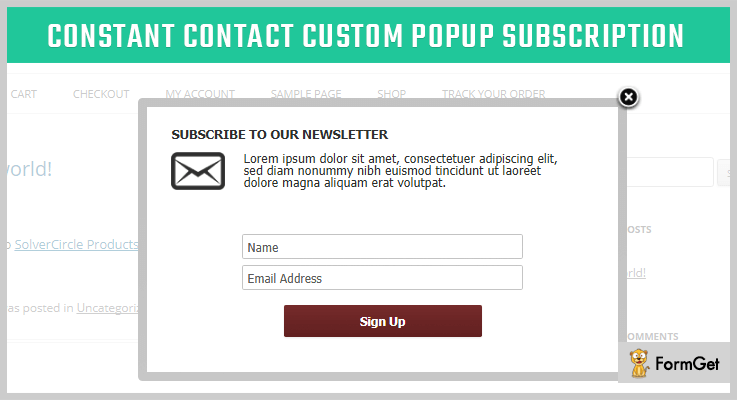
Value –
Buy its services at just $19 to get tons of features for 6-month support.
Characteristic of Constant Contact –
- Provides users a subscription success message if they subscribe to your services.
- Send an email newsletter to the registered users.
- Fully customizable and responsive.
- Easy installation and setup.
5. Subscribe by Email Plugin – Email SubscriptionWordPresss Plugin
This email subscription WordPress plugin enables your website readers to subscribe your post updates. The plugin is feature-rich and doesn’t need any special tool to run.
It supports FeedBurner subscription plugin for WordPress sites. It creates a beautiful popup subscription form for FeedBurner.
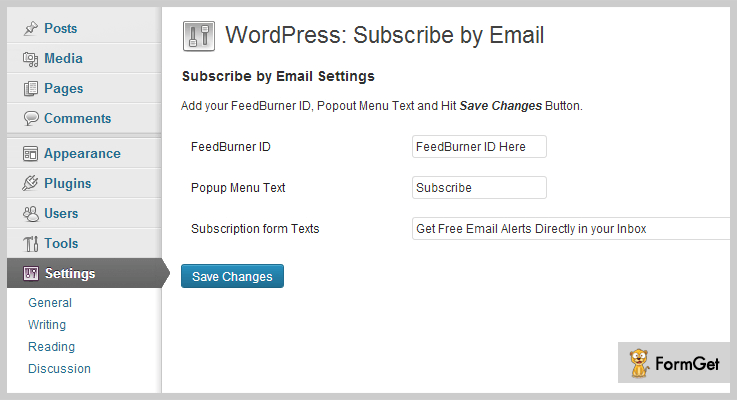
Value –
Its regular license starts from $12 and extended up to $60 to provide advanced features.
Characteristic of Email SubscriptionWordPresss Plugin –
- Provides free email alerts options.
- Easy blog subscription form.
- Track your subscribers’ statistics.
- Responsive and customizable.
6. Chimpy – Email Newsletter Plugin for WordPress
Chimpy is the most desirable email subscription plugin designed by MailChimp WordPress Plugin. It offers features like content locking, user synchronization, signup forms and much more.
The Chimpy plugin integrates your WordPress site with Mailchimp easily in various manners. Whenever a user is created, deleted, or something takes place on the subscription list on your website then this will reflect on the MailChimp list directly.

Value –
Buy its services from its regular license starts from $29 and extended up to $149 for more advanced features.
Characteristic of Chimpy –
- Supports your visitors to click ‘subscribe to unlock’ before they can access posts.
- Provides eye-catching popup on your choice pages.
- Give the flexibility to create an unlimited sign-up form.
- Easy to customize options.
7. MailChimp Subscribe Form – Email SubscribeWordPresss Plugin
MailChimp is the most responsive and easy to use email subscription WordPress plugins that allows you to create beautiful subscribe forms in less than a minute.
The plugin integrated with GetResponse & MailChimp services. Use this subscribe form and create a premium form templates. With its subscribe form plugin you can easily change the style of your forms.

Value –
The plugin is completely FREE. Download the MailChimp subscribe form plugin from its official site wordpress.org.
Characteristic of MailChimp Subscribe Form –
- Supports short-code.
- Provides Responsive designs and templates.
- Supports all the templates unlock for any users.
- Responsive forms and provides various form change option.
8. Popups by OptinMonster – Best Free Email Subscribe WordPress Plugin
Popups is the best free email subscribe WordPress plugin for an email subscription. This allows you to ask people to join your mailing list easily.
The plugin lets you add popups and side-in optin boxes. It is fully compatible with all popular email marketing services like GetResponse, MailChimp, Aweber, and others.
Value –
Download the plugin from its official site wordpress.org at free of cost.
Characteristic of Best Free Email Subscribe WordPress Plugin Popups –
- Its 2-step optin technology boosts the conversion rates by more than 785%.
- Provides mobile-specific popup forms, especially for mobile users.
- Supports highly converting templates.
- Provides 8 different types of optin forms.
Disclosure –
Here we have just come up with a quick list of 7+ best email subscription WordPress plugins. All of the listed email subscription plugins are popular in the market for better services. This is the easiest way to gain customers trust and increase the profit rate of your business.
Do comment on the blog below if you like the post and think I’ve missed out something in this post!
7+ Best Real Estate WordPress Plugins 2022 (Free and Paid)

Real estate WordPress plugins are having huge demands. On daily basis, more than 5000 people search for this plugin as well as the plugins which are quite similar to it.
Now the question arises ‘What caused this huge number of peoples to search for it?’.
A research shows that in next 10 years, the market of real estate will even cross the boundaries of seven star system. Though this might seem funny a little bit, its the one truth!
That’s why people are searching multiple numbers of ways (Plugins/software) which can help in managing their business of real estate & property.
Apart from it, with the ‘100’ Domain Authority (DA) of WordPress.org, most of the people are now attracting towards its versatility. It is becoming the one hub for all types of business as well as freelancing work.
So here we’re with some of the best real estate WordPress plugins which will boost up the growth of your real estate business.
Before going through this article, let me suggest you some more blogs which might help you in your business or in day to day kinds of stuff:
1. WPL Pro Platform: Best In Real Estate WordPress Plugins
WPL Pro Platform by Realtyna is one of the best add-on in the market of real estate plugins for WordPress. It has very rich core & powerful features along with dynamic as well as a flexible data structure.
Pricing Of WPL Pro Platform: WordPress Plugin
- WPL Pro: $199, one-time payment, updates & license for the lifetime, 1-year support, limitless domain as well as installations & many more.
Features Of WPL Pro Platform: WordPress Plugin
- Multiple currency support for currency exchange.
- Search properties around a particular area w.r.t a certain radius.
- Support for Google Map Search.
- Create listings for rentals, sales, shared accommodation & many more
- Generates search engine friendly URL for better indexing on search engines.
Click Here For More Information
2. WP Real Estate Pro: Real Estate Listing WordPress Plugin
WP Real Estate Pro by MyThemeShop is an effective WordPress plugin through which one can create responsive listings of real estate.
This plugin is fully customizable & also compatible with almost all of the WordPress themes.

Pricing Of WP Real Estate: WordPress Plugin
- $89 (On Sale), 5 domain usage, SEO friendly, optimized for speed & accuracy.
Features Of WP Real Estate: WordPress Plugin
- Advanced search plugin for searching locations.
- Google Map integration to display all of the listings/locations.
- A dedicated page for comparing multiple listings.
- Stripe & PayPal support for paid listings.
- 24/7 support available.
Click Here For More Information
3. Real Estate Pro: Real Estate Plugin For WordPress
Real Estate Pro by E-Plugins is a WordPress real estate plugin. With the help of it, a real estate person can add listings & perform many operations on the same listing as well as other listings too.

Pricing Of Real Estate Pro: WordPress Plugin
- Regular: $40, one user, end users are not charged.
- Extended: $400, 1 user, end users can be charged.
Features Of Real Estate Pro: WordPress Plugin
- Earn money by adding, claiming a listing & by many more steps.
- Translatable into 13 languages.
- Responsive touch slider for mobile devices.
- On MailChimp, new users emails will be stored.
- Add contact & notes to the owner of listing(s).
Click Here For More Information
4. UPTOWN: Best in Real Estate WordPress Plugins With Ajax Filter
For real estate projects, UPTOWN is a genuine real estate WordPress plugin which comes with many functional UX features, powerful admin page & many more features.
One can easily change the styling such as filtering the colors of panel border, background, showing map’s background color & many more.
Pricing Of UPTOWN: WordPress Plugin
- Regular: $30, 1 client, end clients are not charged.
- Extended: $120, one client, end client(s) can be charged.
Features Of UPTOWN: WordPress Plugin
- Static text translation.
- Add many custom fields according to the convenience.
- AJAX filter system with meta box property for better filtering.
- Admin management system based on Redux for styling, filtering & many more.
- Listings/posts with two categories: Agent & Property.
Click Here For More Information
5. WordPress Property Real Estate Plugin:
For legal properties & real estate businesses, this WordPress property real estate plugin allows adding multiple user agents & unlimited attributes.
Pricing Of WordPress Property Real Estate Plugin:
- Regular: $29, one user / client, end users/clients are not charged.
- Extended: $320, 1 client / user, end clients/users are not charged.
Features Of WordPress Property Real Estate Plugin:
- Socially shareable links to share the listing on social media sites.
- Different property types as well as attributes available.
- AJAX search form.
- Supported styles: Masonry, List and Grid.
- Show map info via pop up.
Click Here For More Information
6. Real Estate Manager: Cheapest In Real Estate WordPress Plugins
The Real Estate Manager by WebCodingPlace is one of the most affordable & best real estate plugin for WordPress. It has some interesting integration features such as property video, types, gallery slider & many more.

Pricing Of Real Estate Manager: WordPress Plugin
- Purchase Pro: $22, lifetime updates for free, customer support with 100% satisfaction & many more.
Features Of Real Estate Manager: WordPress Plugin
- Email facility to new users & admin when a new user joins.
- Create, edit properties on the front end.
- Geolocation tracking to find the nearest properties around the current location.
- Mortgage calculator inbuilt on this plugin to calculate exact price of the property.
- Add .po files to make it always ready for translation.
Click Here For More Information
7. WP-Property: Best In Free Real Estate WordPress Plugins
WP-Property by UsabilityDynamics. Inc is a free real estate WordPress plugin which one can manage properties, its listings & the real estate business too.
While using it, no coding knowledge is required to perform any operation on its interface.
Pricing Of WP-Property: WordPress Plugin
- This plugin is completely free of cost.
Features Of WP-Property: WordPress Plugin
- Properties page with expandable & flexible filtering.
- Popular widgets like property search, overview, attributes, gallery & many more.
- On search results, sorting & pagination is available.
- Multiple attribute input fields: number, text editor, currency, image, file upload & many more.
- Multiple fields: bathrooms, price, bedrooms, address, features & more.
Click Here For More Information
8. Essential Real Estate: Free Real Estate Plugin For WordPress
Essential Real Estate (ERE) is an absolute solution for those persons who want to set up a professional estate website.

Pricing Of Essential Real Estate: WordPress Plugin
- The ERE plugin does not charge any amount.
Features Of Essential Real Estate: WordPress Plugin
- Built-in pages for real estate websites: Listing Properties, Search Page, Listing Agent & many more.
- Google Suggestions, Map Directions, Geo Location Search.
- Payment Method- Stripe, PayPal & Wire Transfer.
- Alerts of any new notification through emails.
- Property listings can be managed & added from both backend & frontend.
Click Here For More Information
Conclusion:
So above are some of the best free as well as paid real estate WordPress plugins which will help you in managing your real estate & property business.
Though they all are different from each other, some of them have common features too. We’ve mentioned them as they are well-reputed plugins in the market.
So choose the primest plugin according to your needs & we believe that your business will reach the heights of success like no one has ever reached.
If you have any suggestions & queries, please comment below. We’ll surely reach you soon.
After all, we’d love to help the future billionaires!
7 Best Email WordPress Plugins 2022 (Free and Paid)

Email marketing will become one of the most effective methods to attract customers to your website if you are using email WordPress plugins for it.
These plugins help you automate various processes which are complex, require a great amount of time and are difficult to manage.
You can create, manage, customize, schedule, respond directly from your WordPress dashboard using these plugins.
Below are few blogs which can assist you find latest plugins available in the market:-
- Real Estate WordPress Plugins
- WordPress Two Factor Authentication Plugins
- Google Tag Manager WordPress Plugins
1. Mailster – Email Newsletter Plugin
Mailster is an email newsletter plugin which supports all website on WordPress, it helps you design, edit and send customized emails for your business promotion. Features like drag & drop editor enable you to create stunning emails within minutes. It also automates various time-consuming processes required in email campaigns.
Price Plan By Mailster – Email Newsletter Plugin
- Regular plan of this plugin will cost around $49 and for 12 months extended support, you have to pay $17 extra. With this premium plan, you get to access all the services of this plugin.

Features:-
- Easy to use email builder with drag & drop facility.
- Create, store, manage and edit user details inside WordPress dash.
- Track user actions on your emails like open, clicks, unsubscribe, etc.
- Deliver responsive emails to your customers.
- Use an autoresponder to conduct follow-ups and greeting emails.
Click For Email WordPress Plugin Details
2. WP Email Capture – Plugin For WordPress
WP email capture is fully compatible with any WordPress site and allows you to access it from the website dashboard.
With this plugin, you get the ability to attach shortcodes to pages, posts and other places on your website. You can add custom fields and use different templates to conduct email marketing campaigns.
Price Plan By WP Email Capture – Plugin For WordPress
- WP email capture plugin offers a free plan which is easy to use and helps you capture customers through email marketing.
- The premium plan is the extended version of the free plan offered by WP email capture WordPress plugin. It will charge $49 for all the advanced and premium services.

Features:-
- Design emails with custom fields to collect more visitors.
- Easily get integrated with any website built on the WordPress platform.
- You can create multiple email list which is specific for your website.
- Helps you track visitors and their sources
- Autoresponder features allow creating emails that automatically responds to user actions.
Click For Email WordPress Plugin Details
3. MailPoet – WordPress Email Marketing Plugin
MailPoet is a premium WordPress email marketing plugin that permits you to send emails straight from the dashboard of your site.
With this plugin, you can check the spam score, handle bounces, and improve the deliverability rate of your email campaigns. This will gradually enhance conversions and boost sales.
Price Plan By MailPoet – WordPress Email Marketing Plugin
| Forever Free Plan | Monthly Plan | Yearly Plan |
|---|---|---|
| $0 Forever | $10 A Month | $99 A Year |
| 2,000 Subscribers | Detail Stats | Welcome Emails |
| Support Via Forums | Email Support | Priority Support |

Features:-
- Track open, click and unsubscribe on delivered emails.
- Drag & drop email creator for easy email designing.
- Get Multisite WordPress support.
- Schedule emails for automatic delivery.
- Bulk import of email contacts through CSV files.
Click For Email WordPress Plugin Details
4. Native Email – WordPress Email Plugin
Native email WordPress plugin gives you one of the best ways to boost website track through email marketing. You can organize mass mailing campaigns to attract more & more customers using this plugin.
Price Plan By Native Email- WordPress Email Plugin
- The regular license comes with enormous features which are suitable for email marketing and with a price tag of $24.

Features:-
- Five different layouts to send responsive & custom emails with branding.
- Easy bulk import of email contacts from.CSV files.
- Live preview option to check and verify emails before sending them.
- Fully compatible with WooCommerce.
- Track sends logs of each campaign like date, time, user, etc.
Click For Email WordPress Plugin Details
5. Advanced WordPress Email Delivery – WordPress Plugin
Email marketing automation through a WordPress site can easily be done with the help of an advanced email delivery plugin. This plugin converts time-consuming task of email marketing only a few clicks job even for non-technical people.
Price Plan For Advanced WordPress Email Delivery – WordPress Plugin
- This is one of the cheapest plugins which offers only a single plan that costs $18.
Features:-
- Provides multisite and WooCommerce compatibility.
- Gives you multiple email templates with different styling.
- Build and test option to verify emails before delivery.
- SMTP support is also available in case you want an external server.
Click For Email WordPress Plugin Details
6. Email Marketing Plugin By MailGet
MailGet offers a free email marketing plugin using which you can conduct effective marketing campaigns for product promotions. MailGet provides customizable email templates, drag & drop builders, autoresponder, drip campaign, and other useful facilities. There is a huge list of feature which this WordPress plugin offers all that for free.
Price Plan By MailGet Email Marketing Plugin
- MailGet email marketing plugin doesn’t charge a penny for all the advanced features. It is entirely free of cost and comes loaded with numerous facilities.

Features:-
- Automate welcome and greeting emails using the autoresponder features.
- Deliver emails that are fully responsive in design and look attractive to various devices.
- Drag & drop email builder which helps you design emails within minutes.
- Import email contact list with just a few clicks.
- MailGet also provides API using which you can easily integrate it in your website.
Click For Email WordPress Plugin Details
7. Email Users – Email WordPress Plugin
With the help of email users WordPress plugin you can send emails to a group of people, target registered users, send personalized emails and more. It also supports different type of languages which simplify the translation process.
This plugin possesses a 4.7-star rating and has got 10,000 plus active installations on WordPress sites.
Price Plan By Email Users – Email WordPress Plugin
- This is a free plugin that can easily be applied to any WordPress site. There are a number of features that are offered by this plugin for free to facilitate email marketing.
Features:-
- Provides multilingual support.
- Allows you to apply filters and actions to deliver custom emails.
- Easy to use, install and implement on WordPress sites.
- Send emails that are responsive in design.
Click For Email WordPress Plugin Details
Conclusion
We are at the end of this blog and I am pretty sure that each & every plugin detail like benefits, features, pricing, etc is crystal clear to you. Hope that this blog on 7+ best email WordPress plugins has been useful for you.
In case, if you have got questions in your mind, you can feel free ask them in the comments section below.
5+ Best Google Tag Manager WordPress Plugins 2022 (Free and Paid)

Do you know 41.4% of the top 200 award-winning marketing websites use Google Tag Manager WordPress Plugins for their website? Also, 73% of the digital marketers adore these plugins.
I know the numbers are mind-blowing! So why you are not playing with a full-deck?
Google Tag Manager WordPress Plugins helps to remove the pain of adding code snippets to your WordPress website, significantly improves your page load time.
Anyway, if you’re using Google Tag Manager WordPress Plugins as often as we do, you’re probably looking for new ways to add and manage marketing tags, without digging into the code!
If my guess was right, let me break the ice and now you’ll enjoy these 5+ Best Google Tag Manager WordPress Plugins for your website.
And the best part – this listing has paid as well as free Google Tag Manager plugins! So do not hesitate and give them a shot.
All list items are displayed in no particular order.
Don’t forget to check out our more recommended set of plugins:
1. RO Marketing PRO – Google Tag Manager WordPress Plugins
RO Marketing PRO is a very useful tool for Digital Marketers & Marketing Assistants for installing tags on their WordPress website. Not only does it save the implementation time of marketing tags, but also set up all your promotional banners, A/B testing variations, and make your site more SEO-friendly.
One of the most powerful features of the RO Marketing PRO tool is that it is the only plugin that can be used to install several tags. You don’t need to install 15+ distinct plugins for tag setup. This plugin is simple enough for anyone to configure even without HTML or FTP knowledge. Nope, you don’t need to hire a web developer or a programmer for the back end so your WordPress website could be functional because RO Marketing PRO tool will do it for you.
Features of RO Marketing PRO – Google Tag Manager WordPress Plugins
- Better than manually adding tags to site code because the tags can’t be overwritten
- Simple enough for any Marketer or Assistant to setup
- No guesswork with setting up tags
- Increases security, causes fewer compatibility issues and saves you time from having to update so many plugins
- RO Marketing plugin is thoroughly tested and is regularly updated
Pricing
- $499: For 20 site license with 1 year of support and updates.
- $199: 5 site license (1-year support and updates).
- $99: License for 1 site with 1-year updations and support.
2. Google Tag Manager WordPress Plugin
Apart from a few selected business services, Google Tag Manager WordPress plugin tends to be free for everyone. So it doesn’t make any sense to purchase a premium solution for adding Google’s product functionality to your WordPress website.
Google Tag Manager is empowering more than two million WordPress websites, this incredibly powerful analytics/marketing tool can do automatic marketing on Facebook, Pardot, HubSpot etc. You don’t have to be an analytics nerd to handle tracking code on your website. Google Tag Manager can do it all.

Features of Google Tag Manager WordPress Plugin
- Making it quick and easy to add several marketing technology Tags through a central platform (for a non-technical person and with marketers in mind).
- Increased performance as your codes execute asynchronously helping your pages to load faster
- Quick insights to see if the tags are implemented properly and are working as required.
- Ability to add all Google and other Third-party tags
- Improves your page load time by firing only required tags on a particular page
- Making the marketing process agile with no time wasted to add any Tags (no longer necessary to wait for your Tech person or department for tags implementation.)
Pricing
Freely downloadable from WordPress website
3.DuracellTomi’s Google Tag Manager for WordPress
This plugin helps to manage your WordPress website analytics and other code snippets. GTM supports multiple containers as well as it places required container code snippet into your website so that you do not need to do manually.
Some parts of the GTM plugin uses PHP 5.3 and
PHP 5.4. newer. You can fire your tags on certain special conditions by using the Data Layer of GTM.
Features of DuracellTomi’s GTM
- Use standard post/page attributes as data Layer variables
- GTM4WP can inject the page hiding snippet of Google Optimize so that you do not need to add it manually to your theme
- Add Google Analytics Enhanced Ecommerce or Classic E-commerce data to the data layer to implement measurement in Google Tag Manager easily.
- Fire tags in your Google Tag Manager container based on the weather conditions around your visitor.
- Track usage of popular embedded media players: YouTube, Vimeo, Soundcloud
Pricing
You can download DuracellTomi’s Google Tag Manager for WordPress at free from the official website of WordPress.
4. Metronet Tag Manager – Google Tag Manager WordPress Plugin
This plugin helps to unlock the data layer allowing you to set macros and firing rules effortlessly. Metronet Tag Manager plugin can add multiple data Layer variables on a per-post and per-page basis.
Six predefined data Layer variables are also provided by Metronet which can be edited as per the requirement. Metronet Tag Manager plugin is an open source software for your WordPress website.
Features of Metronet Tag Manager – Google Tag Manager WordPress Plugin
- Lets you add your own unique ID or a class to each content link with the GTM TinyMCE button in the WYSIWYG.
- Set up separate data Layer variables for pages that aren’t posts or pages (like archives etc).
- Lets you easily add an HTML event handler to any content link with the GTM TinyMCE button in the WYSIWYG.
Pricing
Download Metronet Tag Manager plugin for free.
5. Inpsyde Google Tag Manager WordPress Plugin
This plugin is the very effective tool for newcomers, online marketing experts and, website owners. If you enable Inpsyde Google Tag Manager as guided it will optimize your website elegantly.
Inpsyde Google Tag Manager can manage marketing/analytics tools like Google Analytics or Adwords, HTML and JavaScript snippets.
Features of Inpsyde Google Tag Manager WordPress Plugin
- Installs the Google Tag Manager Container Code on your website.
- Inserts the GTM container code according to Google’s current guidelines.
- The <noscript> tag can be inserted automatically or via the hook.
- The data layer outputs can be turned on/off individually.
- Login status of website visitors in the Data Layer recognizable.
- Suitable for WordPress MultiSite
Pricing
Grab Inpsyde Google Tag Manager for free.
Over To You
I hope till now you must have picked the best suitable Google Tag Manager Plugin for your WordPress website.
Spotted something new! Let us know in the comments below.
5+ Best WordPress Volunteer Management Plugins 2022 (Free and Paid)

Volunteer Management with the help of WordPress Volunteer Management Plugins has become so easy that you can not even think!
For the non-profits, volunteers are not only the best way to provide service to the town and gown, but they are a group of true-hearted faithful supporters.
With the breeze of WordPress volunteer management plugins, you can easily track your volunteers and allow them to sign up for upcoming events or cause from your WordPress website.
If you want more interesting WordPress plugins to rock your website. Then refer these blogs that holds amazing listing of different kinds of WordPress plugin –
Moreover, these plugins can be used by political parties, event managers, and NGO workers etc., to manage their volunteer’s database effortlessly. If you are one of them then you should have one of these plugins.
So, here in this article, we have accumulated few high-quality, free as well as premium volunteer management plugins for WordPress that will automate your entire volunteer management and scheduling.
Let’s get started with the list of WordPress volunteer management plugins
1. Fundme – Crowdfunding Platform
Fundme Crowdfunding Platform is the great solution to streamline your fundraising efforts for various causes. This plugin finishes up by creating a community where people can help the needy.
With this WordPress volunteer management plugin, the admin can add volunteers who are allowed to create multiple campaigns. This script is based on Laravel which is one of the powerful frameworks.

Pricing
You can buy Fundme WordPress plugin at just $40 from Codecanyon.net.
Features
- Powerful Admin Panel with gives you the facilities like statistics, payment options, set up social accounts, see donations, manage members and campaigns etc.
- The plugin can be translated into any language and supports multiple currencies with multiple payment options such as PayPal and Stripe.
- Users have the option to upload avatars, delete their account, manage passwords and can also connect it with social accounts.
- It has AJAX pagination for pages like donations, campaigns, and updates.
- This plugin is secured with Bcrypt password hashing and XSS: Protection from cross-site scripting.
2. ECMS – Election Campaign Management System
Election Campaign Management System (ECMS) is complete all in one management tool for all kinds of political election campaigns such as Parliament, Institutional, Trade Union, and local Government election etc.
This WordPress plugin effortlessly performs tasks from managing your donations to organizing your volunteers. It also handles the event as well as expense management for your campaigns.
Pricing
The total price of ECMS WordPress plugin is $30 on Envato market.
Features
- Comes up with volunteer database where you can manage the entire data of your campaign volunteers.
- It provides the facility of bulk SMS for voters and volunteers.
- The kit also includes voter database which holds complete data about your voters.
- It has the functionality of expense management and day to day report.
- It is a responsive plugin that means you can manage your data from anywhere and anytime with any device.
3. Wired Impact Volunteer Management – Best in Free WordPress Volunteer Management Plugins.
Wired Impact Volunteer Management is a free WordPress plugin which gives you a simple but powerful way to track your volunteers. If you embed this plugin on your WordPress site then volunteers can easily sign up on your site.
This WordPress volunteer management plugin is compatible with the latest version of WordPress and with almost every popular WordPress themes.

Pricing
Freely available on WordPress.org. Grab it now!
Features
- Promote flexible one-time volunteers opportunities on your page using a simple shortcode.
- You can control the number of volunteer sign-ups by setting up a limit.
- Schedule email reminders for volunteer opportunities and last moment details.
- Allows you to keep track of volunteer profiles and participation.
- It is easy to use and installs in a matter of few minutes.
4. Participants Database – Volunteer Scheduling WordPress Plugin
If you want to avoid excel spreadsheet and hefty tasks for volunteer management then this plugin is for you. Participants Database is one of the well-known volunteer scheduling WordPress plugins.
It is a simple plugin which helps non-profits to manage their volunteer information. Along with that, it displays their records anywhere using a shortcode. Its premium version also available if you want extra functionalities.
Pricing
The Free version of this plugin is available on the official WordPress website.
Features
- Provide shortcode for inserting a sign-up form on pages or posts.
- It comes up with a comprehensive API for deep configurations.
- Email confirmations for secure access.
- You can export and import CSV files for large data.
- Attractive forms support elements like dropdowns, checkboxes, and image uploads etc.
5. RSVPMaker Volunteer Roles – WordPress Plugin
RSVPMaker Volunteer Roles is yet another volunteer scheduling WordPress plugin, which extends the attendee sign up and calendar functions from the RSVPMaker plugin.
Users can directly sign up for different roles and this plugin pulls names from the user profiles. In addition to this, admin can pull out the records of the volunteers who have signed up for upcoming events.

Pricing
Grab it for free from the WordPress.org, and schedule your volunteers painlessly.
Features
- You are allowed to promote your events on social media such as Facebook and Twitter etc.
- Promote events through emails with the help of MailChimp integration.
- Create social events like webinars etc.
- Shortcodes are available for different functions like display a summary of volunteers signed up, interactive calendar, and specified roles etc.
The conclusion to end!
Well, we thought it to be beneficial for our readers to share verdict about WordPress volunteer management plugins.
As the above-mentioned plugins are essential volunteer management WordPress plugins for nonprofits.
So, if you want to automate your tasks from managing to scheduling volunteers then, these plugins might be helpful for you.
Therefore, choose the one which suited you the best!
Let us know if we miss out any WordPress volunteer management plugins in the comment section.

