
To get the complete functionality of an audio player on your website, you can use Audio Player WordPress Plugins.
For the best audio WordPress plugins, you can end the search here. As these plugins have got some must-haves such as customization, multiplayer support, playlists management and podcasting support and more.

Plus, you can make digital recordings of your broadcasts download ready with audio player plugins. And some of these plugins will also allow you to sell your product using a PayPal account.
In this article, we will go through 7+ Best Audio Player WordPress Plugins.
Leave no stones unturned, before getting started, delve into few more best WordPress Plugin blogs:
1. Royal Audio Player – Audio Player WordPress Plugin
Royal Audio Player is an influential and remarkably customizable WordPress Plugin. The installation of this plugin provides mp3/audio/video/youtube player for your website. To listen to the music without any interruption across web pages it avails uninterrupted audio playback. Royal Audio player plugin runs on all major browsers and mobile devices such as iPhone, iPad, IOS, Windows mobile or desktop and Android.
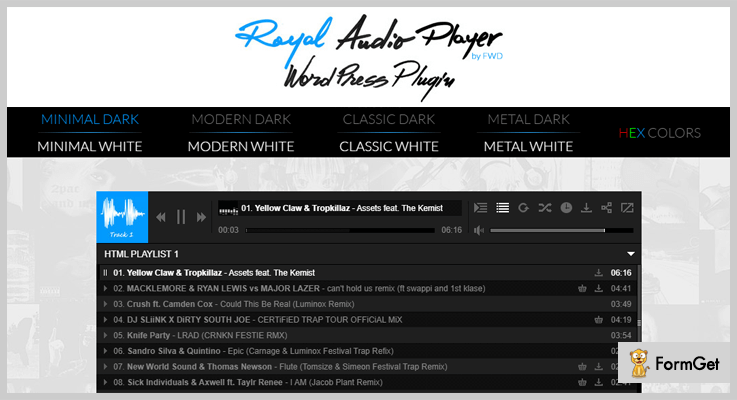
Pricing Plans –
The Royal Audio Player WordPress Plugin has a Regular License plan of $36/6 months which can be extended to 12 months in just $12 only.
Features of Plugin –
- It provides three varieties of hover effects for the playlist window selector thumbnails.
- Provides unique and shareable deep linking for the current track and playlists.
- Optional encryptions for video source/path so as to protect it from stealing.
- If the text does not fit it produces animated track title text.
2. Audio and Video Player – Best in Audio Player WordPress Plugins
The name says it all, it is an audio/video player plugin for WordPress.
The plugin allows you to embed multimedia files on your website. It provides compatibility with major browsers like Chrome, Firefox, Opera, Safari, IE. And is also compatible with mobile devices also such as iPhone, iPad, and Android. It plugin support numerous formats like .mp3, .wav, .wma, .ogg for audio file and .mp4, .ogg, .webm, .wma for video files.

Pricing Plans –
The AVP WordPress Plugin is free for the basic installations and has $29.99 Classic plan for all skins.
Features of Plugin –
- Allows to blend a playlist to your media player and modify its looks to match the design of your website.
- Allows selling files associated with the media player through a PayPal account to the media player.
- Allows the sale of files associated with the media player.
- Includes sales reports future updates.
3. Responsive HTML5 Music Player– Audio Player WordPress Plugin
The Responsive HTML5 audio player is an audio player WordPress Plugin. It allows you to create an unlimited number of players and the respective playlists. You can place multiple instances of audio player anywhere on the website such as in posts, pages, and sidebar via shortcode player and player API.
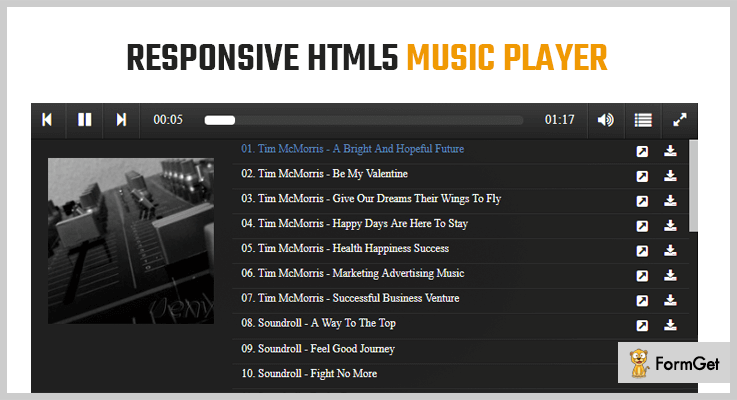
Pricing Plans –
The Responsive HTML5 WordPress Plugin has a Regular License plan of $24/6 months which can be extended to 12 months in just $7.50 only.
Features of Plugin –
- For older browsers that don’t support HTML5 audio, FLASH fallback is included.
- Automatically creates playlists of recent songs other options are also available for creating a playlist.
- SoundCloud option for track set, single track, favorite and user group.
- When a new audio starts, it automatically pauses/stops playback.
4. Disk Audio Player– Plugin with optional Colors in Audio Player WordPress Plugins
To embed an audio player with unlimited colors option and a scrollable playlist in your website use Disk Audio Player WordPress Plugin. It provides a vast variety of functionalities to customize the plugin. The plugin also provides external links for Buy, Download, and Information.
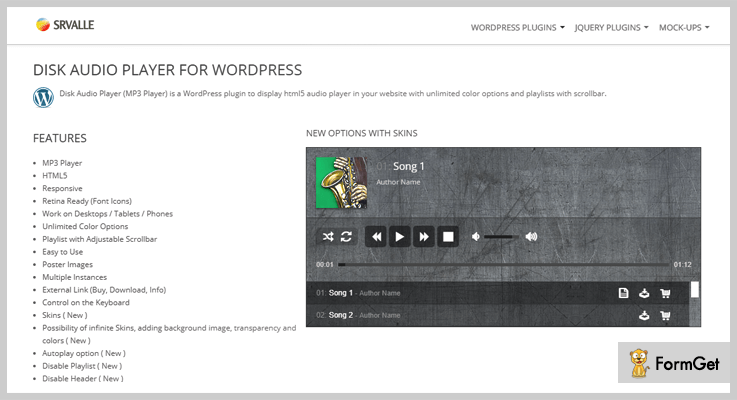
Pricing Plans –
The Disk Audio Player WordPress Plugin comes with a regular license fee of $16 and has a 4.94-star rating.
Features of Plugin –
- Works on Many devices like Desktops, Tablets etc.
- Provides Keyboard Controls and Autoplay Option.
- Easy to use, responsive and retina ready.
- Can create duplicate player skins.
5. Modern Audio Player– Plugin offering Flexibilities in Audio Player WordPress Plugins
Use Modern Audio Player WordPress Plugin for lots of flexible features on your website. It facilitates complete admin statistics of played songs, downloads, and likes with the facility to create a custom playlist from those data. It also provides the functionality to jumble up many kinds of music type(mp3, SoundCloud, Podcast) in the playlist.

Pricing Plans –
Modern Audio Player WordPress Plugin has a Regular Licence fee of $29 only.
Features of Plugin –
- Support .mp3 and .wav audio formats.
- Supports media files from public links such as Google Drive and Amazon S3.
- It Supports Shoutcast server having mp3 streaming.
- Instant social sharing options available.
6. Audio Player with Playlist– Audio Player WordPress Plugin
Audio Player with Playlist WordPress plugin is designed with customizable and open source HTM5, CSS3 and jPlayer jQuery Plugin. The plugin is elegant and fully responsive. It supports Song title, Artist, progress-bar, seek, volume control, shuffle, repeat and many more options in the audio player.
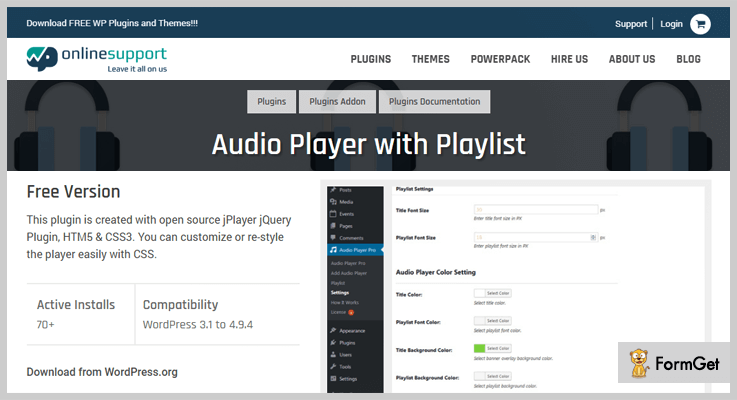
Pricing Plans –
The recent update of Audio Player with Playlist WordPress plugin has a $9 Regular Licence fee.
Features of Plugin –
- Easy integration with any theme.
- Support four Audio Player with grid and slider styles.
- Options like Vertical Playlist, Playlist Toggle and
- Multiple Player support on the same page.
7. Compact WordPress Audio Player– Audio Player WordPress Plugins
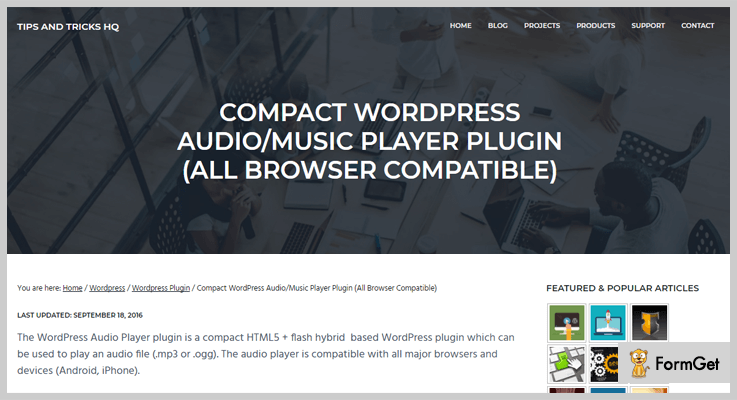
Compact WordPress Audio Player is a hybrid WordPress plugin. You can embed mp3 audio files to your WordPress post/page using a shortcode. The plugin is attractive as well as compact. The plugin work with major browsers and devices.
Pricing Plans –
The Compact WordPress Audio Player Plugin is completely free to use.
Features of Plugin –
- As soon as the page loads, It uses the autoplay option to play an audio file.
- The audio player provided is highly responsive.
- Offer a preview of the audio file for selling.
- Support .ogg and .mp3 formats.
8. Html5 Audio Player – Easy-to-use Plugin for Audio Player WordPress Plugins
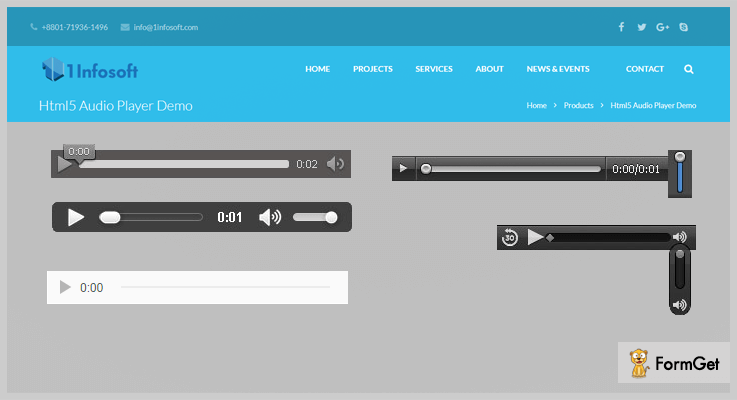
Integrate HTML5 Audio Player WordPress Plugin in your website. Audio files embedded using this will work on all devices. It supports .mp3 and .ogg formats and has the ability to specify and play any file using the appropriate format.
Pricing Plans –
The HTML5 Audio Player WordPress Plugin is a FREE to use WordPress plugin.
Features of Plugin –
- Supports browsers Chrome, Firefox, Safari, IE7, IE8, and IE9.
- This plugin will play the embedded audio files on iOS devices because it is HTML5 compatible.
- Html5 Audio Player Plugin is compact.
- Html5 Audio Player can be used to embed the audio files while Podcasting, to compose digital recordings of broadcasts ready for downloading.
Conclusion
Above listed are the best audio player plugins with advanced functionalities. Please let us know which suits you best.
Are You having any query related to this article? do comment below.
We’ll get back to you ASAP.
Thanks for reading!
7 Best 360 Panorama WordPress Plugins 2022 (Free and Paid)

Adding 360 Panorama WordPress Plugins for media purpose on your websites can enhance your website’s status.
Images have become too stereotype and it’s time for a shift. Panoramas have become the new hot favorite because of the wide-angle view, 3D effects and a “WOW” after effect that it leaves on the visitors.

These plugins let you add the 360-degree panorama to any posts, pages, widgets or wherever you want to add. Quickly add 360-degree view in your website through its shortcode generator tool.
In fact, you can use these panorama plugins to give 360 Degree view of the products and services that you’re selling.
Here we’ve selected 7 Best 360 Panorama WordPress Plugins (Free & Paid) for your website which can be easily adapted on any screen.
1. Magic 360 for WordPress – 360 Panorama WordPress Plugin
Magic 360 Panorama WordPress Plugin is an easy to use plugin which displays a series of photos, videos, 3D images and more on your website.
Magic 360 is designed for WordPress and WooCommerce business services. It provides HD effects on the images. The plugin also provides auto-caching, image resizing, SEO optimization and many more.
Estimate –
The plugin offers its services for single at just £99 and extended up to £1,397.00 for unlimited sites and users.
Features of Magic 360 for WordPress –
- Magic 360 will improve the conversions of WordPress version you are using.
- The plugin has become reliable and trustworthy by offering better services for more than 6+ years.
- Allows you to show any type of images in an interactive spin in 360 or 3D axis.
- The plugin is SEO friendly and responsive on any screen.
2. iPanorama 360° – Virtual Tour Builder Plugin
iPanorama 360 degree is the virtual tour builder plugin that lets you create static and videos, images, music etc in a sequential manner.
It doesn’t require any technical knowledge for using it. You can enrich a hotspot on your website with text images, videos etc. The plugin is fully responsive and works on every major browser or devices.
You can also create maps, presentations, interactive tours through this plugin.

Estimate –
The plugin starting price is from $25 for 6-month support and extended up to $99 for unlimited features.
Features –
- It provides various scene options like a cube, sphere, and cylinder.
- Through hotspots, you can mark different areas as well.
- Its thumbnails allow the people to see quick pictures of your scenes.
- Through its autoplay option, the scene of your images rotates automatically.
3. 360° Panoramic Image Viewer – Panorama WordPress Plugin
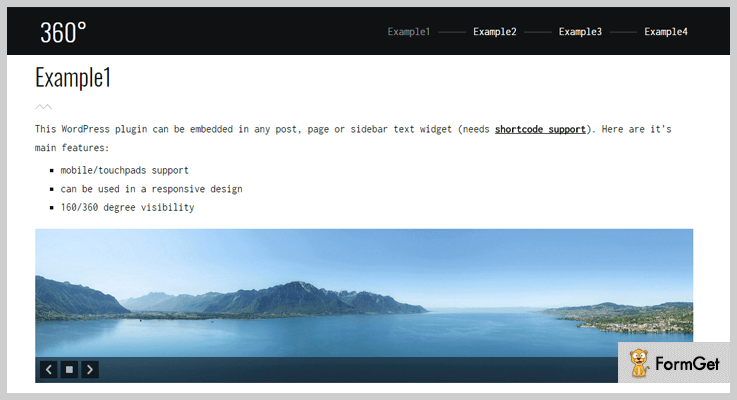
This 360-degree Panoramic Image Viewer plugin lets you take static panoramic photography and images.
The plugin supports multi-site configuration and responsive layouts. It lets you manipulate your previous images in an immersive manner.
Adds rotations, hotspots etc, to provide extra functionalities for an ultra-realistic view experience.
Estimate –
Get its premium service at just $25 for a multitude of features.
Features –
- It supports flat panoramic images to provide more ease for the users.
- Support mobile, touchpad, and responsive designs.
- Support multi-site generator.
- 180/360 degree visibility.
4. ShortPixel – One of the best Image Compressors and Optimization tools out there
As promised, we discussed Panorama WordPress plugins. But now the time has come to find out what happens to your site’s load speed if the panorama image is not compressed or properly optimized. Here is where ShortPixel comes into play, as one of the best tools for compression and optimization.
ShortPixel is a WordPress plugin that automatically compresses all your website’s images, while safely keeping the originals in a backup folder, just in case you need them. ShortPixel increases your site’s SEO ranking by optimizing any image or PDF file.

Estimate –
The plugin comes with a free plan of 100 credits per month and if you decide to upgrade your plan, you can do that at any time for as little as $4.99 per subscription.
Features –
- The WordPress plugin optimizes all the JPEGs, PNGs and GIFs.
- The tool is compatible with WP Retina 2x, which means that all retina images are automatically compressed.
- You can choose from 3 different compression methods: Lossy, Glossy or Lossless, whichever suits your needs.
5. 360 VR Gallery WP – Panorama Plugin for WordPress
This 360-degree panorama plugin is the responsive and user-friendly WP plugin which displays 360-degree virtual tours directly in the browser. You can quickly use 360*180 side of panoramic pictures into your website’s pages or posts.
The plugin is simple and you don’t need to have advanced technical knowledge for making a virtual tour.

Estimate –
Get its ton of features from just $19 for the 6-month supports and extended up to $75 for its advanced features.
Features of 360 VR gallery WP –
- Supports completely responsive designs.
- Required less programming language.
- Support responsive slides for multiple panoramas.
- Provides auto scroll option.
6. 360 Virtual Tour WP – Virtual Tour WP Plugin
This is another powerful & responsive virtual tour plugin for WordPress to displays 360-degree virtual tours directly.
Use its 360*180 panoramic photos for creating a dynamic virtual tour. The plugin is simple and easy to use. Showcase all your products with a virtual tour.

Estimate –
Buy its services at just $24 for 6-month support and extended up to $75 for unlimited features.
Features of 360 virtual tour WP –
- The plugin is fully responsive and compatible with any screen.
- Supports 360*180 pixel panoramic photos.
- Easy to install and use with shortcodes.
7. PanoPress – 360 Panorama Plugin for WordPress
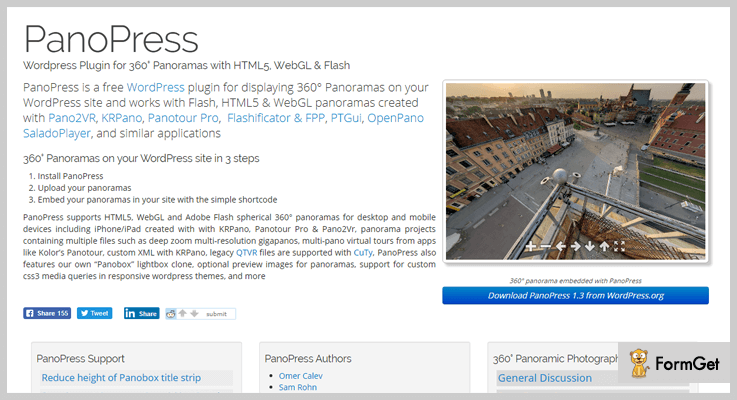
PanoPress is the free 360-degree panorama plugin for WordPress which lets you display a virtual tour panoramic photos created with KRPano, Flash Panorama Player & Flash Panorama.
The plugin is compatible with 360-degree video, gigapixel, zoom panoramas, object movies, virtual tours, etc.
It supports HTML5 panoramas, Flash, and all modern 360-degree pictures.
Estimates –
Download the plugin from its official site i.e., wordpress.org for at FREE of cost.
Features of PanoPress –
- Supports all modern 360-degree panorama and stitched image formats.
- Supports all major browser, mobile devices or WordPress themes.
- Option to customize panopress to match your site.
- Supports panorama embedding options.
8. WP Photo Sphere – Free Panorama Plugin for WordPress
This WordPress plugin is completely free panorama plugin for WordPress which allows you to create a static panorama picture and allows to display 360*180 degree of a pixel.
With WP photo sphere your visitors can navigate your panorama without installation of any plugin.
The plugin is designed on JavaScript library.

Estimate –
Download the plugin to get its more advanced features from its official site wordpress.org.
Features of WP photosphere –
- Completely responsive on any screens.
- You can customize it according to your way.
- WP photosphere is an open source plugin.
- Supports classic camera.
Ending –
And this is where my writing comes to a close. During this blog, we’ve covered the usage and installation of 7 Best 360 Panorama WordPress Plugins (Free and Paid).
If you think I’ve left some out, please do let me know in the comments below!
Few posts that you can feast on:
7+ Best Knowledge Base WordPress Plugins 2022 (Free and Paid)

Knowledge base WordPress plugins are basically designed for people who want to display frequently asked questions and common customer queries on their website in an attractive way.
These plugins help them manage, create and add Knowledgebase details on any WordPress site with ease.
This blog will offer you the best in class Knowledge base WordPress plugins which will meet all the requirements of your website. We have defined each & every detail of the plugins like pricing, features, and other info.
Before you commence with the plugins, give a glance at the blogs below which can help you create attractive website:-
- Webinar WordPress Plugins
- Google Photos WordPress Plugins
- 360 Panorama WordPress Plugins
- Inventory WordPress Plugins
1. BWL Knowledge Base Manager – Plugin
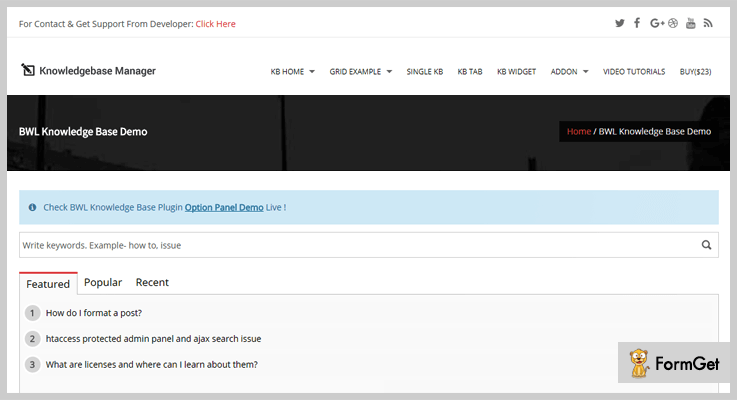
With BWL knowledge base manager plugin you can have a support system on your website which is capable of answering customer queries.
Using this plugin you can create unlimited Q&A and stick AJAX search to provide best search results. Custom widgets and option panel along with shortcode editor is also available.
Price Details Of BWL Knowledge Base Manager – Plugin
- The cost of regular license is $29 which allows you to create and manage knowledge base documents on WordPress sites.
- You will be charged $145 for the extended license as it offers extra features and services.
Features:-
- Custom layouts of 6 different types to project knowledge base.
- AJAX searching option for quick and easy answers.
- Define categories and tags for knowledge-based articles.
- Helps you collect customer feedback, likes and dislikes.
- Give custom styling by using custom CSS & unlimited color option.
Click For More Details On Knowledge Base WordPress Plugin
2. Knowledge Base WordPress Plugin
Knowledge Base WordPress plugin helps you create articles, posts and answers for popularly asked customer queries. This is a responsive plugin which is easy to install on WordPress sites and comes pre-loaded with a variety of advanced features.
Price Details Of Knowledge Base WordPress Plugin
- The regular plan of this plugin will cost you $39 and will allow you to create responsive knowledge base articles.
- Extended plan is priced $195 for all the features that will help you manage complex knowledge base.

Features:-
- Define custom and unique styling for your knowledge base.
- Drag & drop feature to reorder posts, articles, and categories.
- Set different colors for category links, article link and more.
- Accept comments and reviews in the form of likes & dislikes.
- This is a responsive plugin which appears great on various mobile devices.
Click For More Details On Knowledge Base WordPress Plugin
3. Heroic Knowledge Base – WordPress Plugin
Heroic knowledge base is a WordPress plugin using which you can create and edit knowledge base articles. You can collect feedback on articles, define categories & tags, apply password on articles and more.
This is a powerful plugin which easily gets integrated with WordPress themes, provides awesome customer support, plus it is developer friendly.
Price Details Of Heroic Knowledge Base – WordPress Plugin
| Basic Plan | Professional Plan | Business Plan |
|---|---|---|
| Single Site | 3 Websites | 10 Websites |
| $129 | $159 | $399 |
| Premium Support | Premium Support | 1 Year of Updates |

Features:-
- Provides analytics to track which knowledge base is helping the most.
- Drag & drop feature to arrange and perform ordering of content.
- Help the customers find the right answers through AJAX live search.
- Create, edit articles and attach images & downloadable files in them.
- This plugin is fully responsive and developer friendly.
Click For More Details On Knowledge Base WordPress Plugin
4. Knowledge Center – WordPress Plugin
The knowledge center WordPress plugin has got all the features which will enable you to create and manage articles properly on any WordPress site.
This plugin allows you to create a centralized knowledge base which is available 24/7 for customer help. You can easily organize, rearrange content through drag & drop, create groups & views through shortcodes.
Price Details Of Knowledge Center WordPress Plugin
| Starter Plan | Single Site Plan | 5 Sites | 10 Sites |
|---|---|---|---|
| $0 | $99 | $299 | $799 |
| Comments | Updates for 1-year | Premium Support | All Updates |
| Basic Support | Drag & Drop | Add Attachments | Drag & Drop |

Features:-
- Extremely responsive, mobile friendly and looks great on all types of devices.
- Provide custom views like Q&A style or glossary style.
- Collect comments on articles to increase user interactions.
- Search option for the customer to fetch the exact answers.
- Attach downloadable files and media content on to articles published.
Click For More Details On Knowledge Base WordPress Plugin
5. MinervaKB Knowledge Base – Plugin For WordPress
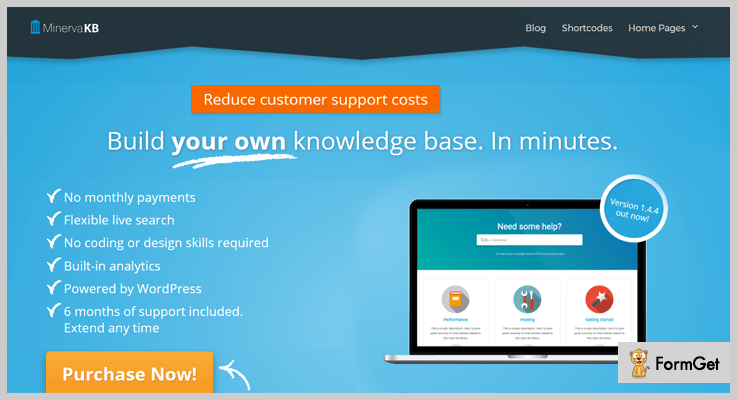
MinervaKB knowledge base WordPress plugin will help you create articles and posts to display customer queries on a website.
You can define restrictions on content, add custom styling, like/dislike buttons, use unlimited color & fonts, integrate google analytics and more.
Price Details Of MinervaKB Knowledge Base – Plugin For WordPress
- $35 is the price of regular license. It will give you access to handle complex knowledge base and customer queries on a website.
- Extended license comes with a price tag of $92 and allows you to project knowledge base in an attractive way.
Features:-
- Apply login restriction on articles, topics or on entire content.
- Fully responsive, translation ready and provides multisite support.
- Supports various third-party applications.
- Provides FAQ module and 7 different themes for custom styling.
- Define ordering of articles and topics using drag & drop feature.
Click For More Details On Knowledge Base WordPress Plugin
6. Knowledge Base – Plugin for Documents & FAQs
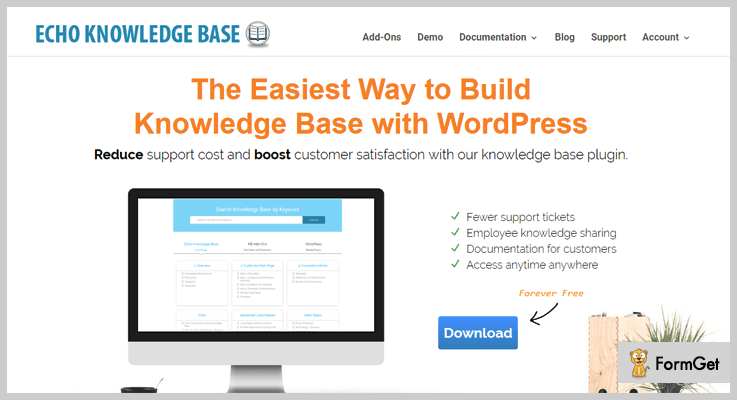
This plugin is designed for people who are looking for a professional WordPress tool to display documents and FAQs on their site. You can easily define knowledge base about your business using this plugin.
It is a highly rated plugin which holds more than 4,000 active installations around the world.
Price Details Of Knowledge Base – Plugin for Documents & FAQs
- This is one of the best plugin which provides all the features and facilities to handle knowledge base on WordPress sites for free.
Features:-
- Provide unique looks through 4 style options and 16 color themes.
- Attach buttons, tags, feedbacks, and comments.
- Add search box which is AJAX enable to simplify customer searching.
- Create documents that hold media content like videos, images and other files.
- Easy to use and responsive plugin.
Click For More Details On Knowledge Base WordPress Plugin
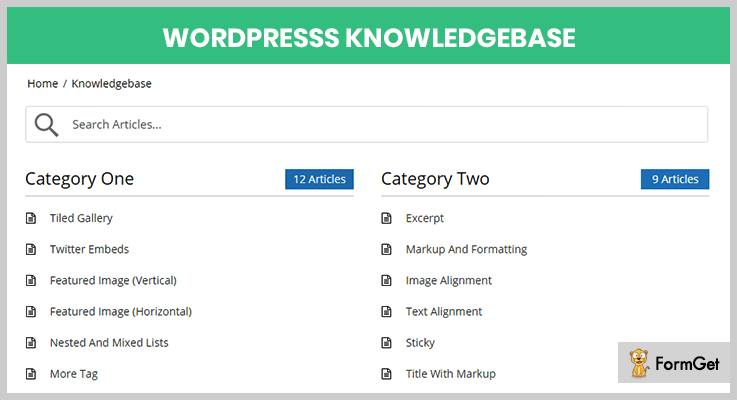
7. WP Knowledgebase -Plugin For WordPress
This plugin works well on any WordPress theme and permits you to create professional looking pages & posts to showcase knowledgebase. With WP Knowledgebase Plugin it becomes easy to customize, add and edit frequently asked queries and questions.
Price Details Of WP Knowledgebase -Plugin For WordPress
- This is free of cost plugin which has got numerous advanced features for building a proper knowledge base.
Features:-
- Extremely simple to use and offers responsive design.
- Use color options, layouts, and other style options to design custom catalogs.
- Easy to use search bar with suggestion text.
- Define custom order with the help of drag & drop.
Click For More Details On Knowledge Base WordPress Plugin
Conclusion
This is all we have got about knowledge base WordPress plugins. Hope that all the plugins defined over here would help you create an attractive and self-explanatory knowledge base on your website.
There are a lot more things we can add to the content of this blog, just mention them in your comments below and we will get back to you soon.
For more related information check our following blog –
7+ Best Vulnerability Scanner WordPress Plugins 2022 (Free and Paid)

Choosing the best vulnerability scanner WordPress plugins & trying to make your site secure is not so easy. The reason is that the hackers are finding even 1% chance of attacking your site.
Although, there are thousands of plugins which provide the features of security for your site. So if we really try those plugins then there might come the following conclusions:
- The plugins are fake.
- They are not capable of preventing attacks from computer-generated malware.
- Tracking suspicious IP address(s) is not their cup of tea.
- Or they can’t hide some pages such as login, register, settings pages of your WordPress account to prevent attacks from hackers.
As a result, there are less than 20% vulnerability detector tools on the web which can guard you WordPress account for day & night.
So for those believers who are really in need of ‘The One Protector‘, here are some of the best free as well as paid vulnerability scanner WordPress plugins which will save you from the hacker’s wrath.
Before going through the article, I’d like to mention more blogs with you which you’ll find interesting & genuine for your WordPress as well as your personal sites:
1. Security Ninja Pro: Best in Vulnerability Scanner WordPress Plugins
Security Ninja Pro is WordPress plugin for scanning threats & vulnerabilities. All of this is done to prevent getting attacked by hackers & threats.

Pricing Of Security Ninja Pro:
- Single-Site: $29, 1 site installation, updates & premium US-based support for 1 year & many more.
- Multi-Site: $79, single-site features with installation for 99 sites, malware, core scanner etc.
- Agency Lifetime: $199, features of the single & multi-site with lifetime support & updates, events logger & many more.
Features:
- Security holes/threats & vulnerabilities checking.
- Database optimization to boost up the site & clean unnecessary disk space.
- Track user actions, posts, login active time, IP & so on.
- Automatic update of the plugin on time.
Click Here For More Information
2. Bravo WordPress Security Plugin:
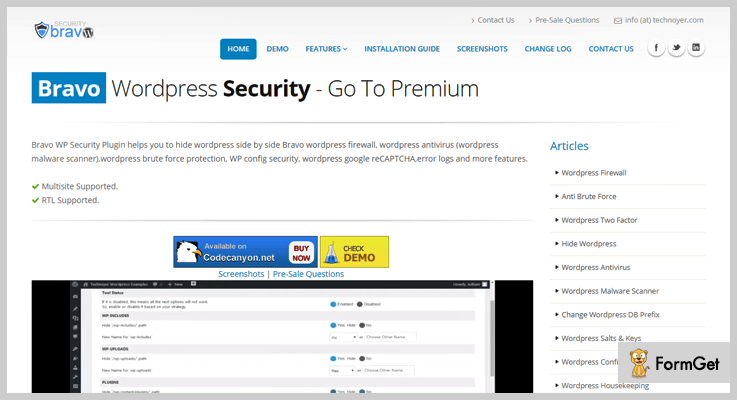
Bravo WordPress Security plugin is an add-on through which one can hide many elements of WordPress. Some of them are wp-login, wp-admin, plugin path from the page source & many more.
Pricing Of Bravo WordPress Security Plugin:
- Regular: $36, one user, no charges on end user.
- Extended: $220, 1 user, end users are charged.
Features: Vulnerability Scanner WordPress Plugin
- Create a new login link & hiding the previous link.
- Delete trash, unused files, revisions, comments etc.
- Prevent users from registering & login.
- Visitor tracking system, new plugins & themes scanning.
Click Here For More Information
3. WProtect: Security & Vulnerability Scanner WordPress Plugin
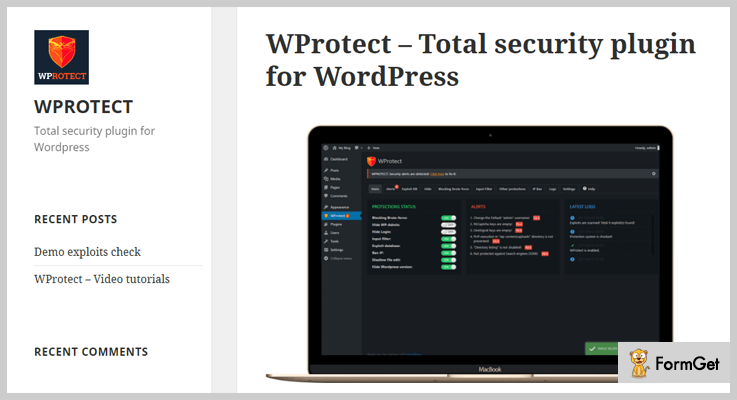
WProtect is a perfect security & vulnerability scanner WordPress plugin which helps to perform many things such as:
- WordPress version checking to find its dissimilarity with the database.
- Preventing individual testing of themes & plugins installed.
Pricing Of WProtect: WordPress Plugin
- Regular: $24, 1 client, no charge on end-clients.
- Extended: $140, one client, end-clients can be charged.
Features: Vulnerability Detector WordPress Plugin
- Hiding wp-admin directory.
- Preventing search engines from attacking database.
- Filtering using HTML, CSS & JS.
- Stopping brute force login attempts.
Click Here For More Information
4. Website Application Firewall: WordPress Vulnerability Scanner Plugin
Website Application Firewall (WAF) by Sucuri is cloud-based security service provider. Its basic moto is to prevent attacks & hacks on the website.
This plugin is mostly used by large organizations, developers, educational institutions & many more industries.

Pricing Of WAF: WordPress Vulnerability Scanner Plugin
- Basic: $9.99/mo, blogger website type, WAF, performance optimization & many more.
- Pro: $19.98/mo, e-commerce website, basic plan features with SSL certificate support, Advanced DDoS Mitigation & many more.
- Business: $69.93/mo, business website, features of Basic & Pro plan with PCI & SSL Compliance via Firewall, Load Balancing/High Availability & many more.
Features Of WAF: WordPress Vulnerability Scanner Plugin
- Blocking hackers instantly.
- Brand reputation protection.
- Server load reduction.
- Zero-day exploits prevention.
Click Here For More Information
5. Smart Security Tools: Firewall Addon & Vulnerability Scanner
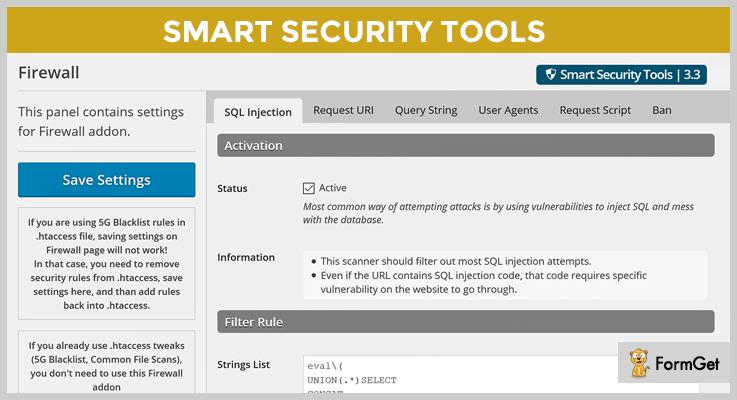
Smart Security Tools is a firewall addon & a vulnerability scanner WordPress plugin. It adds 5 more scanners for URL and user agent used for requests to scan out known and big vulnerabilities.
Pricing Of Smart Security Tools: WordPress Plugin
- Regular: $15, one client/user, no charge to end users.
- Extended: $75, one user/client, end users are charged.
Features Of Smart Security Tools:
- Ban suspicious IP addresses.
- SQL injection detection.
- Bad user agent detection.
- Bad request script attempt trapping.
Click Here For More Information
6. VaultPress: Cheapest in Vulnerability Scanner WordPress Plugins
VaultPress is WordPress plugin through which one can easily detect viruses, hackers, host failures, malware & many more.
This plugin can be easily used by professionals, individuals as well as agencies without any hindrance.

Pricing Of VaultPress: WordPress Plugin
Personal Plan:
- Jetpack Personal: $3.50 per month or $39/year, a backup archive for 30-days, easy site migration, spam protection & many more.
Business Plan:
- Jetpack Premium: $9/month or $99 annually, data backup, ad-free video hosting, security scanning & many more.
- Jetpack Professional: $29 monthly or $299 on yearly basis, automated security scanning, SEO tools as well as Google Analytics integration & many more.
Features Of VaultPress:
- Automatically storing of backup in the offsite digital vault.
- Helps in fixing viruses, malware & threats.
- Protecting your readers as well as SEO by blocking spammers.
- Restoring the site in case of any fault.
Click Here For More Information
7. Plugin Vulnerabilities: Best In Free Vulnerability Scanner WordPress Plugins
Plugin Vulnerabilities is the best free vulnerability scanner WordPress plugin which checks the plugins. After doing it, it highlights those plugins which are against to the security from hackers.

Pricing Of Plugin Vulnerabilities: WordPress Plugin
- This plugin doesn’t charge any amount.
Features Of Plugin Vulnerabilities:
- Continuous update of the plugin on daily basis.
- Using third-party libraries with well-known vulnerabilities.
- File uploading and deletion in an unpredictable manner.
- Randomly updating & deleting WordPress settings which are no longer required.
Click Here For More Information
8. Plugin Security Scanner: Security & Vulnerability Detector WordPress Plugin
Plugin Security Scanner is a WordPress plugin which helps in determining the security vulnerabilities by checking the vulnerability database of WPScan.
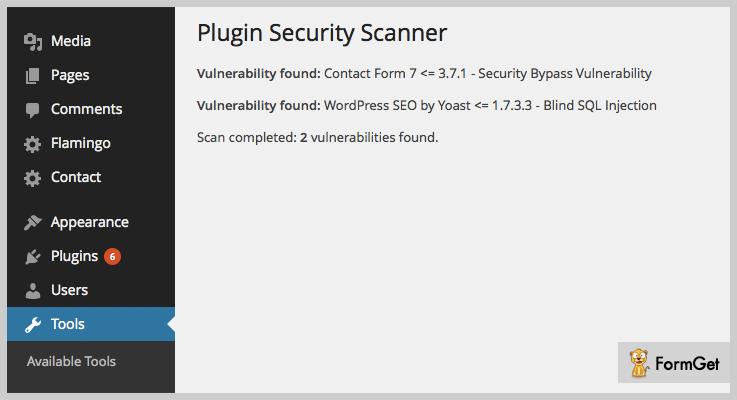
Pricing Of Plugin Security Scanner: Vulnerability Scanner
- It is completely free to use.
Features Of Plugin Security Scanner: Vulnerability Scanner
- Keeps the WordPress account secure.
- Scans plugins automatically on daily basis.
- If a vulnerability is found, the user is notified via email.
- Easy to install & access it.
Click Here For More Information
Conclusion:
So above are some of the most noteworthy free as well as paid vulnerability scanner WordPress plugins. All of them are especially relevant & are capable of protecting your site.
Some of them are able to detect spammers, fake IP addresses & hackers while other hides some functionalities of the WordPress account to make it invisible to the hackers. So choose the best plugin & I hope to let the odds be ever in your favor.
If you have any kind of questions or suggestions, feel free to comment below. After all, we do think about our readers!
5+ Best Inventory WordPress Plugins 2022 (Free and Paid)

Are you getting confused while selecting the Inventory WordPress plugins for your WooCommerce website? If you are starting out your eCommerce online store, inventory management is not a chill wind. But, choosing the best tool is like playing hardball.
It’s no secret that as your online business grows, demand for your products increases and your sole supplier will not be able to meet it. Therefore, every Woo-commerce website must have Inventory WordPress plugins.
If you are hunting high and low on the internet for this plugin, you have got to see that there are dozens of them out there, which can be a bit overwhelming. But we know you want a “Wow’ plugin, not the “Umm” one.

Therefore, here we are sharing the 5+ Best Inventory WordPress Plugins which are our top recommendations, as well as they are currently ruling the market.
1. Advance Point of Sale Plugin
Looking for a full-on inventory management solution for your eCommerce WordPress website? Advance Point of Sale Plugin is a dedicated WordPress inventory and order management platform that lets you quickly streamline your business.
It is ready to control your stock in multiple business locations, sales management and automates the process of your purchase order and requisition from one single platform.
To better understand your sales channel, native integration of QuickBooks will allow you to track your sales and no-sales. This will monitor the analytics of accounting, taxation, shipping, where sales begin, what’s selling, who’s doing and much more.
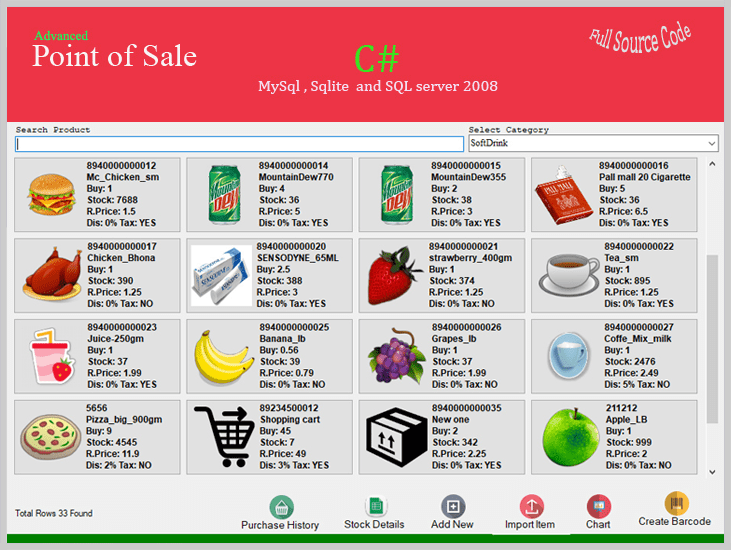
Features of Advance Point of Sale Plugin
- Customer & supplier management
- Inventory with barcode scanner
- Multi-channel sales management
- Manage orders & fulfillments with ease
- Keep stock levels up-to-date across all sales channels
Pricing
Pricing starts at $39.
2. Katana for WooCommerce – WooCommerce Inventory Management Plugin
Katana is a manufacturing ERP for WooCommerce that gives you a live look at your business. By unifying all your manufacturing tools in one view, Katana makes production scheduling efficient, accurate, and hassle-free.
Features include live inventory and manufacturing management, batch tracking for end-to-end traceability, a Shop Floor App for total floor-level control, open API, and a growing channel partner network. Thanks to its visual and intuitive dashboard, Katana is by far one of the easiest-to-use tools of its kind.
As it smoothly integrates with WooCommerce, it allows you to keep track of your entire business operations from one centralized point of truth. You can integrate one or several WooCommerce stores, as well as accounting software like QuickBooks or other business essentials.
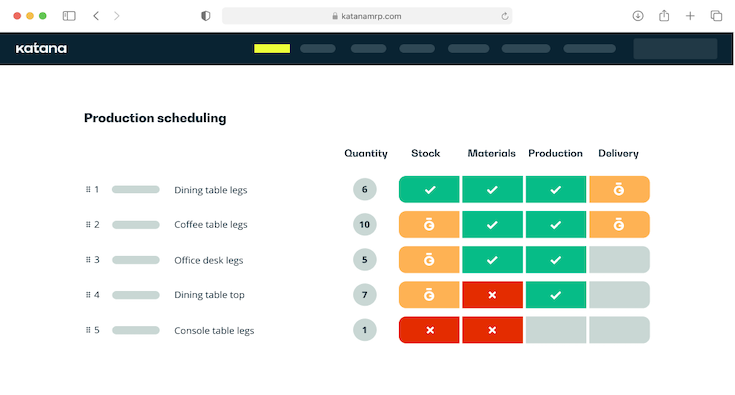
Features of Katana:
- Track materials and product stock to avoid stock-outs
- Production, scheduling, and resource management in one place
- Floor-level control from scheduling to task prioritization
- Unified B2B and e-commerce sales order management
- Tracing for batches, materials, expiry dates, and more
- Automatic reallocation of materials based on set priorities
- Granular purchase order tracking for maximum visibility
- Real-time reliable costing
- Sync inventory data with hundreds of e-commerce, shipping, accounting, and reporting platforms
Pricing
- Free 14-day trial
- Starts at $99/month
3. Woocommerce Product Stock Manager
Woocommerce Product Stock Manager is one of the best plugins. Using this amazing plugin, you can always keep control over your stock levels. Furthermore, it will add a new interface in your admin bar where you can get the list of all products and their variations.
Moreover, it happens to be all of the things at once, like Log reports, allowing you to audit inventory elegantly, which is why thousands of WordPress-based online businesses are already using it to make their Woocommerce online streams flourish.
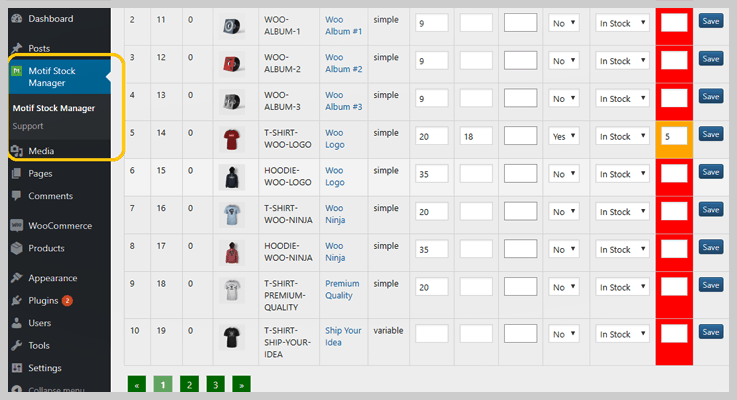
Features of Woocommerce Product Stock Manager
- The plugin has support for both simple and variable products.
- It has the ability to manage stock of all products from a single screen.
- With the help of this plugin, you can control the per page product pagination.
- Offers various color options for stock level highlights.
Pricing
Grab this all-in-one plugin for $29.
4. Veeqo – WooCommerce Inventory Management Plugin
Veeqo is a WooCommerce Inventory Management tool that helps retailers manage their entire back end. You can manage multiple WooCommerce stores as well as multiple other sales channels, shipping carriers, accounting integrations and more. Veeqo will feed from all of these channels into a single, central platform where you can view sales and inventory figures.
With Veeqo you can control how much stock shows on your site, edit product information for multiple stores in one place and allows you to list items from your WooCommerce store to other channels. When you make a sale in one of your channels, Veeqo will update all of your other stores for you.
You can also manage orders and pick, pack and ship the orders from within the system too. A Mobile app is also available for managing your stores on the go, as well as Veeqo’s very own barcode scanners that can be used to manage, book-in and pick stock.
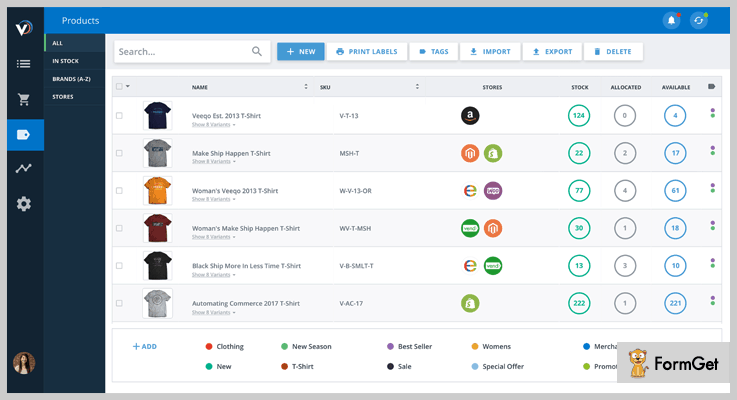
Features of Veeqo – WooCommerce Inventory Management Plugin
- Create product kits and bundles while still keeping inventory accurate.
- Customize paperwork for different brands and sales channels.
- Create multiple warehouses and keep inventory synced across them all.
- Pinpoint exactly where products are located in your warehouse.
- View a complete history of interactions.
- Bulk edit all of your inventory in a few clicks.
- Manage your inventory from anywhere in the world with the smartphone app.
Pricing
Pricing starts from $180/month.
5. Rapid Stock Manager – Inventory WordPress plugins
The Rapid stock manager is another well-established name among the inventory management plugins. It updates your stock inventory, manages it as well as audit it automatically. It’s the time-saving customizability of Rapid stock manager that makes it so appealing at the CodeCanyon marketplace.
What this plugin helps you to do is to set low stock indicator, which means you get to know straight away what is in low stock to take immediate action.
It’s Audit records every action on the uploaded stocks, allowing you to track “who” and “when” last edited the stock amount for the given products. This outweighs the downfall due to fraudsters on your WordPress site. In the end, you will love rapid stock manager as it can be personalized seamlessly.
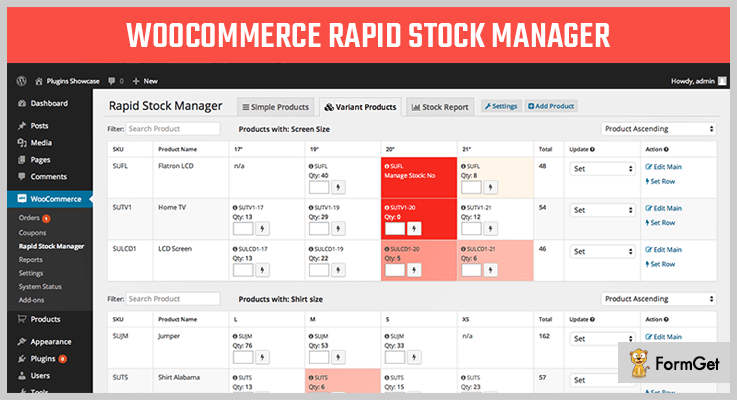
Features of Rapid Stock Manager – Inventory WordPress plugins
- Set/adjust stock amounts for simple products
- Display all variable products for the main product within one row
- Easy copy/paste to Excel, Google Spreadsheets, OSX Numbers, to allow further filtering and calculations
- Every stock inventory amount change done by Rapid Stock Manager is recorded
- Stock Audit report – date range or multiple SKUs to display product stock modifications
Pricing
It has a pricing of $46.
6. Stock Synchronization for WooCommerce
Synchronization is one of the best ways you can update your stock inventory daily since it saves manual chores and a lot of time. This is where Stock Synchronization Inventory WordPress plugin swoops in for the rescue to take care of this for you. Plus, it’s easy to use.
This plugin also goes above and beyond the clouds because it doesn’t just do stock updates. Stock Synchronization also synchronize information from external CSV file, prices, data stored in Dropbox and Google Drive. Happy Syncing!
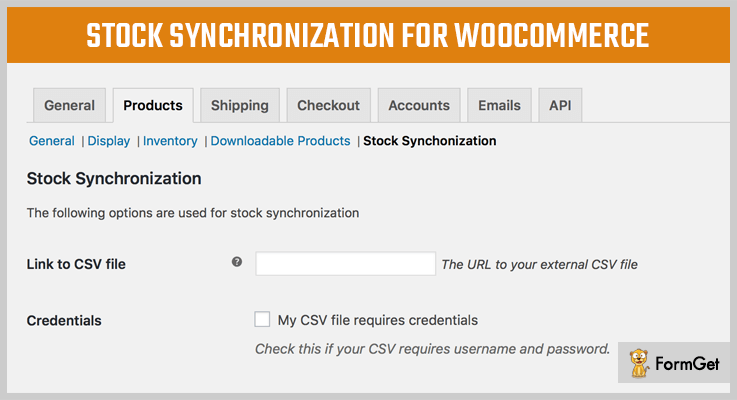
Features of Stock Synchronization for WooCommerce
- Daily, twice daily or hourly updates
- Works with files that require credentials
- Compatible with Variation Products
- Dropbox support
- WPML support
- Choose your delimiter (comma, semicolon or tab)
- Supports large CSV-files (10.000+ lines)
- FTP-support
Pricing
Stock Synchronization has a costing of $14.
7. WP ERP Inventory – WordPress Inventory Management System
WP ERP Inventory is an easy-to-use inventory management solution for WordPress. Its easily customizable options let you manage everything just as you like. Besides the basic stock management, it is also usable for tax calculation, voucher, and invoice creation.
It comes as an extension with the Accounting module of WP ERP. So, the functionalities can be extended with other accounting features according to your need.
To efficiently manage your stocks and inventory, to eliminate repeated product entry, to keep track of source and sells seamlessly, and to get automatic reports for better analytics, WP ERP Inventory is a popular and smart choice among the WordPress users.
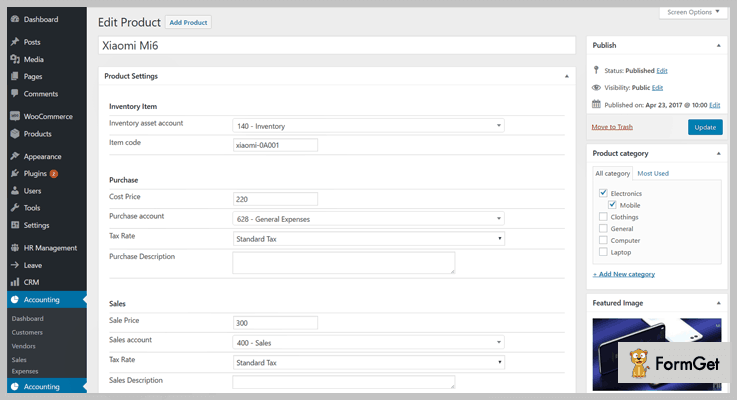
Features of WP ERP Inventory Module – WordPress Inventory Management System
- Simplified interface to ensure user-friendly interface for WordPress users
- Parent category for more accuracy in data entry
- Integrated sales/pre-sales tax calculation feature
- Option to auto-generate invoices & vouchers
- Automatic reporting for both product purchases and sales
- Integration with other solutions for simplified data export/import
Pricing
Price Starting from $79.
8. WP Inventory Manager – Free Inventory WordPress plugins
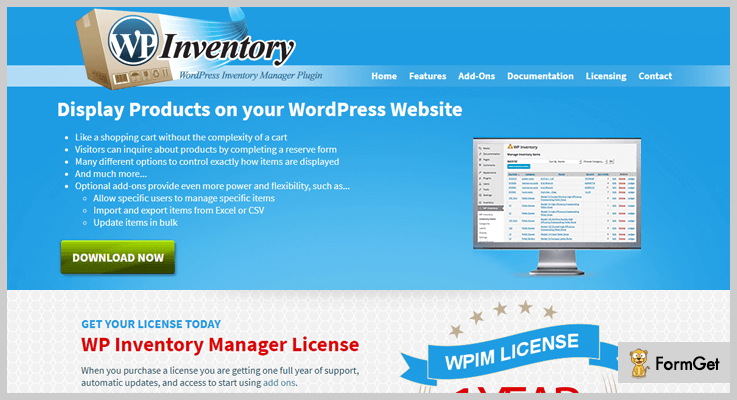
WP Inventory Manager is an open source software that perfectly tracks items that you would like to display or sell on your WordPress site. You can control the access permission for who can add or edit items in your inventory.
WP Inventory Manager offers a suite of powerful features for your WordPress site. Enhanced multiple categories, fully customizable labels, templating system, and developer friendly with hooks, filters, and utility functions are all part of this plugin.
Features of WP Inventory Manager – Free Inventory WordPress plugins
- Multiple categorizations
- Fully customizable labels
- Easy customization by templating system
- Access permissions for editing items
- Uses separate database tables for faster database access
Pricing
Freely downloadable from WordPress website.
9. Z Inventory Manager – Free Inventory Plugins For WordPress
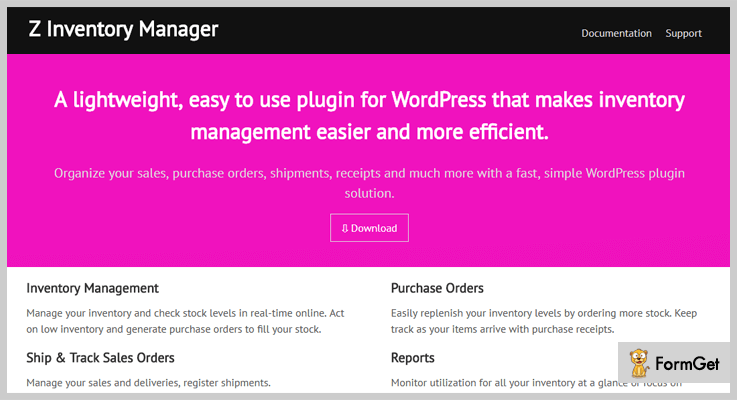
It is an intuitive online inventory management plugin for your WordPress website. Z Inventory Manager lets you keep your sales, purchase orders, shipments, and receipts in an organized manner.
Its easy-to-go inventory management helps to manage and check stock levels in real-time online. Z Inventory Manager also provides low inventory alert, enabling you to replenish your inventory levels by ordering more stock.
Features of Z Inventory Manager – Free Inventory Plugins For WordPress
- Inventory Management
- Purchase Orders
- Ship and Track Sales Orders
- Reports
Pricing
Z Inventory Manager is a free inventory management plugin for your WordPress website.
Over To You
That’s all, we hope this blog helped you find the best Inventory WordPress Plugins for your website.
So, explore these 5+ Best Inventory WordPress Plugins and select the one you like the most. All of them are powerful in terms of features.
Good Luck!
Never mind! We are here to help you out. Do let us know if you have any query or we have missed something.
More recommended set of plugins:
5+ Best Google Photos WordPress Plugins 2022 (Free and Paid)

Do you know there are few amazing Google photos WordPress plugins which automatically updates all your images from social platforms like Google+, Facebook, and Flickr, etc on your WordPress website.

Gathering different albums from your social media accounts and uploading them to your official WordPress website separately can be a time-consuming task.
What if a WordPress plugin do this for you with just a click?
Google Photos WordPress plugins grab all your photo albums from Google+, Facebook, Instagram, Pinterest and display them on your website in a beautiful way.
So, let’s move forward and explore the listing of the best Google Photos WordPress plugins –
1. Plus Gallery – Best in Premium Google Photos WordPress Plugins
Plus Gallery is a premium Google Photos WordPress plugin which gives you a hassle-free way to display photo albums on your website from your social gallery like Facebook, Google, Instagram, and Flickr etc.
Whenever you take pictures with your phone and post it to social networking sites then it will automatically be added to your Website as well with the help of this WordPress plugin.

Pricing
Grab this plugin at just $19 which offers 6 months support. But, if you want to extend its duration for a year then you’ll have to pay extra $6.38.
Features of Plus Gallery –
- You can easily manage your gallery by including and excluding desired albums and displays a limited set of photos according to your choice.
- The plugin comes with detailed documentation and good customer support.
- It is a fully responsive plugin which displays as it is images, on any device or screen size without affecting its quality.
- This plugin is compatible with visual composer.
- It has flexible configurations and easy to install.
2. TZ Plus Gallery WordPress Social Gallery Plugin
TZ Plus Gallery is yet another premium Google photos WordPress plugin which grabs all your images from social media like Google+, Facebook, Instagram, and Flickr etc and displays them on your website.
It easy to use plugin and performs its task very effectively, that is to say, when you upload your pictures on social platforms then these photos will be added to your site automatically. So, that you don’t need to upload those pictures to your site separately.

Pricing
You can get this plugin from the Envato market at $50.
Features of TZ Plus Gallery –
- This plugin support 24 layouts for a gallery. In short, you’ll gonna have a large variety of layouts to choose from.
- TZ Plus supports different styles such as Grid, masonry etc. So, you can display your images attractively.
- With this plugin, you can easily manage your albums and perform tasks like edit, delete, and list view etc.
- It also supports lightbox. So, you can display your images with lightbox effects.
- You can also easily add an entire album in your blog post in just a click.
3. Google Photos Gallery with Shortcodes
Google Photos Gallery with Shortcodes is based on Google Picasa API. With the help of its given shortcodes, it is easy to embed numbers of albums or singles on to your WordPress website.
This Freemium Google Photos WordPress plugin helps you to displays all your photos from social media sites onto your WordPress website with responsive layout.

Pricing
It is freely available on the WordPress.org.
Features of Google Photos Gallery –
- Different styles to display albums (Grid, Masonry, Carousel view).
- You can display image albums in (Grid view, Masonry, Carousel view).
- You are allowed to show or hide albums and their titles.
- The plugin gives you the facility to override general settings of each shortcode.
- You can show public and private albums too.
4. Photonic Gallery – Google Photos Plugin
Photonic Gallery lets you use the shortcode for WordPress gallery. Along with lots of added functionality which somehow, changes the look and feel of your gallery.
The plugin supports Flickr, Google galleries, SmugMug albums, and Instagram photos etc. You can also enable authentication and let your visitors see private and protected photos from each provider.

Pricing
It is free of cost available on the official WordPress site.
Features of Photonic Gallery –
- You can display your Instagram feed and location-based searches on your website.
- It provides a deep linking support for the non-WordPress website.
- The plugin comes with different layouts to display your images in a beautiful way.
- Collections from 500px.com are also supported by Photonic.
- SmugMug concepts like user tree, folder, and albums are supported in Photonic.
5. Google Photos Pro
Google Photos Pro is a professional WordPress plugin which helps you to embed google photo album on your website in a click away.
The plugin is fully based on Google Picasa API. Hence, it made embedding your Picasa albums on WordPress blogs so easy.
Moreover, this Google Photos WordPress plugin displays you google photos in different album styles such as grid view, list view or carousel which are again fully responsive and looks awesome on any screen sizes.

Pricing
Google Photos Pro is of £29.00. You can buy this plugin from its website.
Features of Google Photos Pro
- It has a touch-sensitive lightbox which supports zoom in, zoom out, basic gestures, flick to the next picture and so on.
- You are also provided with a shortcode which you can insert it anywhere in your post easily.
- The kit contains a shortcode with album ID through which you can display your Google images in different types of album styles.
- You can connect this plugin with your Google account then, this plugin will manage your entire Google photos.
- You can also control the display of title and details and customize them accordingly.
In Conclusion
So, this was our listing of some of the best Google Photos WordPress plugins.
Choose one of these Google photos WordPress plugin to beautifully display your photos from social media on your WordPress site. Consequently, engage your site visitors to a great extent.
What are your thoughts about the above plugins?
Do you have any recommendations?
Let us know in the comment section. We’ll love to hear from you all!
Have a look on these blogs too –
7+ Vimeo WordPress Plugins 2022 (Free and Paid)

Vimeo WordPress plugins are needed at most as there are many users on WordPress who wish to use it quite often in their business as well as in personal blogging.
Apart from it, there’re thousands of plugins on the web. So to enlighten everyone, here are some of the best Vimeo WordPress plugins. Each & every WordPress user should try them once in their life.
Even there are many people who want to get their videos on a good ranking, they can count on these plugins.
You can also read the following blogs which have multiple quality plugins for various uses:
1. Video Gallery WordPress Plugin: Video Gallery Vimeo WordPress Plugin
Video Gallery WordPress Plugin is plugin through which any WordPress user can create beautiful video galleries containing Youtube, Vimeo & other videos.
Apart from being a video gallery, it can also work as a video player. Its RTL admin support adapts to work with Hebrew as well as Arabic languages too.

Pricing Of Video Gallery WordPress Plugin: WordPress Plugin
- Regular: $19, one user, no charge for access to end users.
- Extended: $90, 1 user, end users are charged.
Features:
- Either you can use its 5 skins to charm your page or you may create new skins from the design center.
- Use its existing shortcodes like [Vimeo], [Video], [Youtube] or generate the shortcodes using Shortcode Generator.
- Fully responsive to all types of devices.
- Add captions/subtitles by uploading .srt files.
- Connected with Vimeo API to access Vimeo channels, galleries & many more.
For More Information Click Here!
2. ARVE Pro Addon:
ARVE Pro Addon by NextGenThemes is a plugin through which you can do many things with videos like loading the image instead of video on the page to avoid slow site loading.

Pricing Of ARVE Pro Addon:
- €35, 1 site.
- €85, 2-5 sites.
- €150, unlimited.
- €500, lifetime.
Features:
- Fully responsive thumbnails.
- Two play icon & hover styles which can be used in the video/images.
- Automatic as well as custom titles displaying.
- Feature image/video expansion on click.
- It can be embedded on 40+ service providers such as Vimeo, Youtube, Facebook & many more.
For More Information Click Here!
3. Video Blogster Pro: Vimeo Plugins for WordPress
Video Blogster Pro is a WordPress Vimeo upload plugin which helps to import unlimited videos & contents on the WordPress site.
Hence it will result in the increment of your video’s rank. If you want to look for a new video while playing the old video at the same time, this plugin will run the old video in the background.

Pricing Of Video Blogster Pro: WordPress Plugin
- Regular: $25, one client, end clients are not charged.
- Extended: $110, 1 client, end clients can be charged.
Features:
- Add limitless videos for the content of our page.
- Import videos, comments, details & more from any specific page URL or from any channel.
- With Google Translate, translate the video’s title & description.
- SEO friendly video title, details as well as descriptions for more uniqueness to get a higher ranking.
- Continuous updating of the site automatically.
For More Information Click Here!
4. Ultimate Video Player: Primest in Vimeo WordPress Plugins
Ultimate Video Player is a fully responsive Vimeo WordPress plugin. Basically, it is a video player for the WordPress site.
It supports multiple video types such as MP4, Vimeo, Youtube videos as well. You can do it by using bottom & right gallery to include images.

Pricing Of Ultimate Video Player: WordPress Plugin
- Regular: $35, 1 user, no charge to end users.
- Extended: $150, single user, end users can be charged separately.
Features:
- Pre roll & pop up video advertisements for Vimeo, Youtube & HTML5 videos.
- Supported by Google Drive videos & Amazon S3.
- Control the video gallery by using click & drag.
- Social media share on Twitter & Facebook.
- Add logo with .png & .jpg extension.
For More Information Click Here!
5. Vimeo Video Player WordPress Plugin with Playlist:
It is one of the most affordable plugins in Vimeo WordPress plugins with fully customizable playlist, player & CSS file. Apart from Vimeo, it supports Google Analytics too.
One can easily modify the size of its admin page by:
- Changing the width of the video player.
- Modifying the height of the player.
- Editing the width of the playlist.

Pricing Of This Vimeo WordPress Plugin:
- Regular: One user accessibility with no charge to end users at just $12.
- Extended: $60 with charges on end user.
Features:
- Add multiple video players on the page & remove them anytime.
- Single video assignment to multiple categories.
- Track the videos of the page by using Google Analytics.
- Auto-hiding of settings after mouse movement away from the video.
- Click on the video to make it play & pause.
For More Information Click Here!
6. Vimeography: Top Most In Free Vimeo WordPress Plugins
Vimeography by Dave Kiss is one of the best free plugins in the market of Vimeo WordPress plugins.
With the help of it, one can easily create customized Vimeo video galleries in a couple of seconds. There is a limit for editing the limit of the videos which is 25.

Pricing Of Vimeography: WordPress Plugin
- This plugin is free of cost.
Features:
- Add videos to the video gallery from Vimeo channel, account, albums etc.
- With customized themes, change the theme of the page.
- Unlimited galleries of videos.
- Add featured video to the videos for user’s ease.
- Modify the width in pixels & percentage to control the interface of the video gallery.
For More Information Click Here!
7. WP Video Lightbox: WordPress Plugin
To embed the quality videos on the page, WP Video Lightbox by Tips And Tricks HQ is also popular. All of it is one using lightbox overlay display. This plugin is used to display videos, images, Vimeo, flash & many more.
By using the shortcode containing video id, width, height, anchor text & link, one can easily embed the Vimeo videos.

Pricing Of WP VIdeo Lightbox:
- This plugin doesn’t charge any amount.
Features:
- Pages with normal, fast & slow speed animations.
- Youtube videos loading in HTTPS.
- Use of both HTML & shortcode to show pop up about the desired media.
- Multiple themes such as Default, Dark Rounded, Light Rounded, Facebook, Dark Square & more.
- Enable & disable autoplay of videos.
For More Information Click Here!
Conclusion:
Above are some of the best free as well as paid Vimeo WordPress plugins through which can be used as a video player, embedder, gallery creator, SEO friendly video details & many more.
In conclusion, choose the best plugin wisely as it may affect the ranking of your video on the Google as well as on video sharing sites too.
And I believe that you’ll surely get a better rank on all of the video sharing sites as well.
For any queries & suggestions, please comment below & we’ll surely get back to you!
7+ Project Management WordPress Plugins 2022 (Free and Paid)
Are you aiming for best project management WordPress plugins to stay organized and maintain the dignity of your business?
Then adding a project management plugins on your website will let you take the advantage of the success of your business.
Staying organized is one of the most important things when running a business.
Project management lets your business be properly planned, organized, it provides more quality. Also, it lets the project run smoothly in a disciplined manner by following procedures and policies to ensure the tasks meet their deadline in the budget. Plus it keeps updated on whether each of your projects is on track or not.
The importance of being structured when running a business is to go stress-free. It helps in a segmentation of projects and task associated with your team member.
Though there’re various project management WordPress plugins available in the market to handle all your project related aspects but picking the right one to yourself is tricky and essential.
Here we’ve gathered 7+ Best (Free and Paid) Project Management WordPress Plugins which might be helpful to stay more organized on your task.
Before we start that let’s see some few more posts:
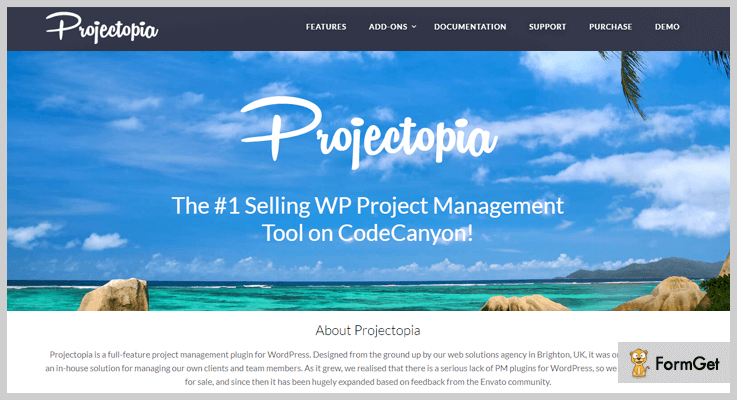
1. Projectopia – Project Management Tool For WordPress
Projectopia is the best selling WordPress plugin for project management. The plugin helps you to run your business effectively and efficiently through its advanced features and functionalities.
It provides your clients to communicate directly with the team member of a project. The plugin is easily accessible and conveniently so that you can keep all the information in one place.
Estimates –
Get its multitude of features at just $42 ant extended up to $205 for more advanced features.
Features –
- Customize the themes and background according to your choices.
- Permits you to view all quotes, invoices, projects, and tasks.
- Responsive dashboard.
- Support various currencies.
2. WP Project Manager – Project Management Plugin for WordPress
WP Project Manager is one of the most powerful and user-friendly project management plugin WordPress. The plugin lets you to create a project and assign the specific task to your user in a well-organized manner.
The plugin is integrated with BuddyPress, Gantt Chart, Kanban Board, WooCommerce, time tracker, invoices and much more. It makes your task even much easier and systematized.

Estimates –
It comes in both free and premium version. To get additional features try its premium version from at just $79/Y.
Features –
- Allows you to create an unlimited number of projects, tasks and much-related stuff you want.
- Through calendar option, you can check the progress report of your projects.roles and responsibility.
- Provide relevancy and privacy in every task.
- Provide personal dashboard to all users.
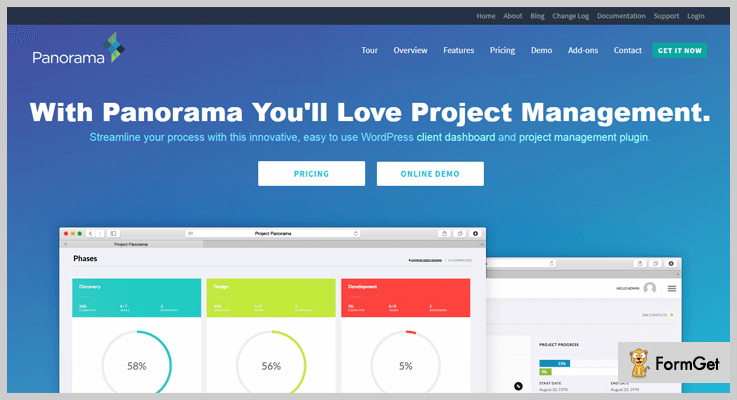
3. Panorama – Project Management Plugin in WordPress
Panaorama is another powerful WordPress project management plugin in WordPress which maintains the communication between your client and your team.
With this plugin make your team and clients satisfied with the progress of the project. Keep going on your project smooth and scheduled.
Estimates –
It provides its services in 3-stages.
1. For agency purchase its services at just $119.
2. For Business purchase its services at just $69.
3. An individual can purchase at just $59.
Features –
- It automatically calculates the status of project completion.
- Allows the client to approve or request changes to key documents.
- Automatically email notification on progress to anyone during the project completion.
- Identified delayed projects automatically.
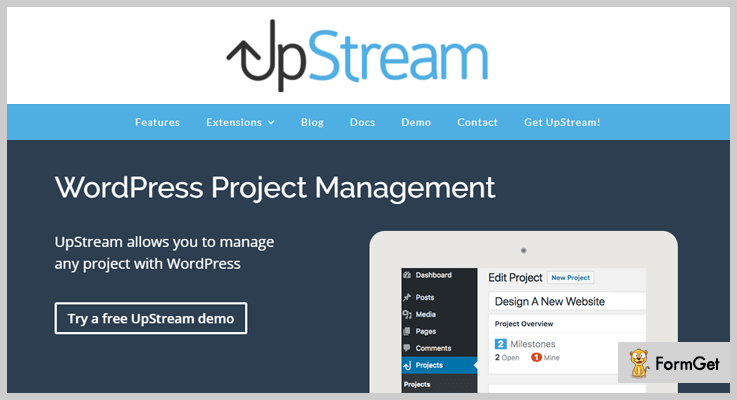
4. WP Project Management by Upstream – Project Management WordPress Plugin
The plugin is simple and easy to use WordPress project management plugin that lets you manage various and any type of projects at the same time.
Through its front-end project view, your clients will be able to track the status/progress of the projects.
Estimates –
Gets its powerful features from $49/Year for a single site and extended up to $149 for unlimited sites.
Features –
- Through its milestones tool, you can track your projects progress status easily.
- Use its task tool buttons to get all the things done properly.
- With its Bug tracking and issue reporting, you can easily report the issues if any happened.
- A plugin is highly customizable and responsive.
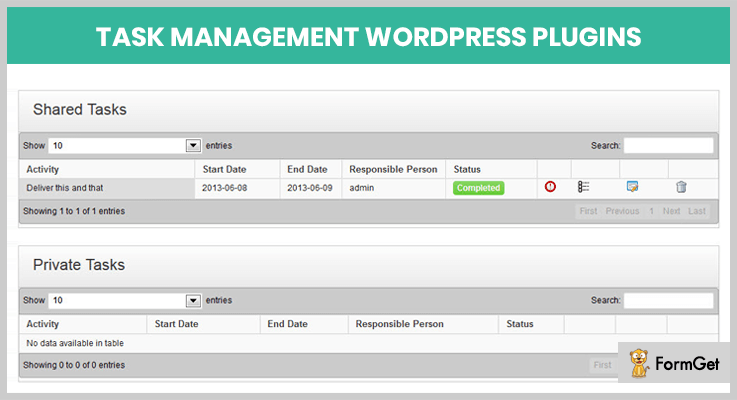
5. WordPress Task Management (Task Manager) – Project Tool
This premium project management WordPress plugin comes with tons of awesome features to handle all your project related task and reports in one place.
The plugin is simple project management tool that helps the groups or team to track activities. It can also be used by consultants or user support team to checklists the activities of overall the day.
Estimates –
Enjoy its multitude of features from starting at just $18 and extended up to $90 for multitudes of features.
Features –
- The plugin is clean and easy to use.
- It allows you to build multiple forms.
- Track the activities status of team & clients.
- Generates report on the project status.
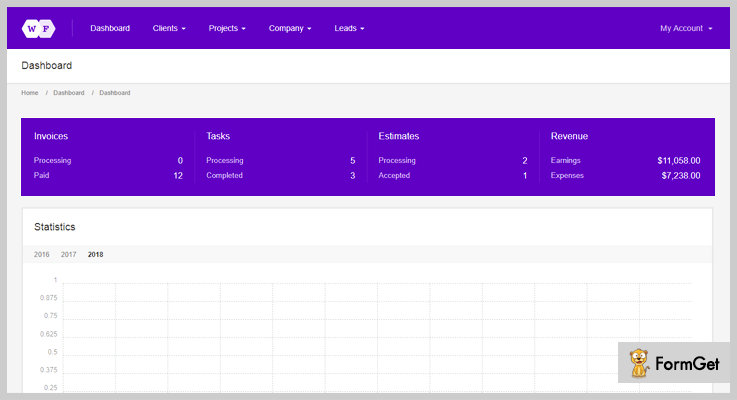
6. Workforce – Project Management Plugin
A workforce is another advanced project management tool for WordPress site that lets you simplify business processes for the organization.
Get best CRM solution based on WordPress by installing it. It gives you the advantages to install the plugin in your own hosting, modify its functionality & visuality of your website.
Estimates –
Get its services at its starting price from $29 and extended up to 499.
Features –
- The plugin is easy and provides one-click installation.
- Use its child theme to make customization and do not lose changes after updating.
- Provides CSS styles for a bundled theme are written in SASS by using Susy library.
- With its Envato Market plugin updates the themes automatically.
7. SP Project & Document Manager – WordPress Project Management Plugin Free
SP Client Document Manager plugin manages how a business can quickly hold interactions with their clients, sales, vendors and other they work with.
By using this plugin can maintain records, documents, files, videos and more. The plugin also lets you to handle organizations, accounts, supplier documents etc. This plugin provides you an assurance that the user has complete control over the workflow of data.
Moreover, this plugin manages each individuals data is also very easy.

Estimates –
Download this plugin at FREE of cost from its official site wordpress.org.
Features –
- Allows you to upload the files and data unlimited and manage them as well.
- It provides login access to each individual to provide more security.
- Download all the files in a simple zip file.
- Allows the user to create projects as well.
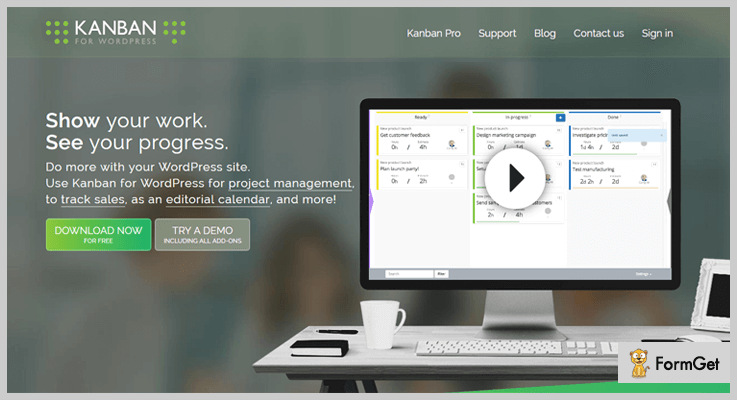
8. Kanban Boards for WordPress – WordPress Project Management Plugin Free
Kanban project management plugin for WordPress is free and one of the best widget that is used for tracking sales, scheduling contents publishing time, new hiring and more.
Simply install the Kanban plugin and make your entire task easy. You can also assign task yo your team and ensure their performance as well.
Estimates –
Take advantages of its various features at free of cost only. You can download it from its official site wordpress.org.
Features –
- Easy to install and use.
- Track the task status and time of each team member.
- Create custom views by filtering and searching for the task.
- Multilingual and mobile friendly.
Wrapping Out –
Listed out 7+ Best Project Management WordPress Plugins. Hope these plugins will help you to pick the correct plugin for your project management task.
If you think I’ve left something in this post, then do comment us below.
5+ Webinar WordPress Plugins 2022 (Free and Paid)

Webinar WordPress plugins are there to help you conduct customized and informative webinars straight from your website.
Webinars hosted on a website will grab the attention of people around the globe. Using these plugins you can schedule live as well as pre-recorded webinars without any problem.
For your ease, we are going to discuss some of the best webinar WordPress plugins currently available in the market in this blog.
Let’s get started with the detailed description of the plugins.
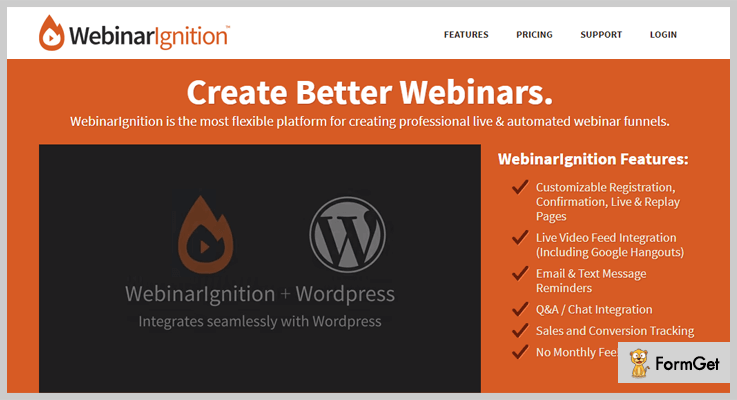
1. WebinarIgnition – WordPress Plugin
WebinarIgnition WordPress plugin comes pre-equipped with a variety of features that helps you conduct well-organized webinars on any WordPress site.
With this plugin, you can create separate and custom pages for webinars. You can run live and automated webinars (pre-recorded) on your site.
Price Details Of WebinarIgnition – WordPress Plugin
| Basic Plan | Pro Plan | Enterprise Plan |
|---|---|---|
| $97 | $197 | $297 |
| Single Site | 3 Sites | Unlimited Sites |
| Custom Templates | Unlimited Attendees | Lifetime Support |
| Lifetime Support | Buyer Reports | Custom Templates |
[Note:-All the plans defined comes with a price tag with is payable only one-time]
Features
- Easily gets integrated with top email service providers like MailChimp, Aweber, iContact, etc.
- Create webinar pages by using pre-designed templates which can fully be customized.
- Manage each & every webinar directly from the dashboard of your website.
- Allows you to accept questions and reply answers in live webinars.
- Supports multiple payment gateways to collect membership fees for webinars.
More Info On Webinar WordPress Plugin
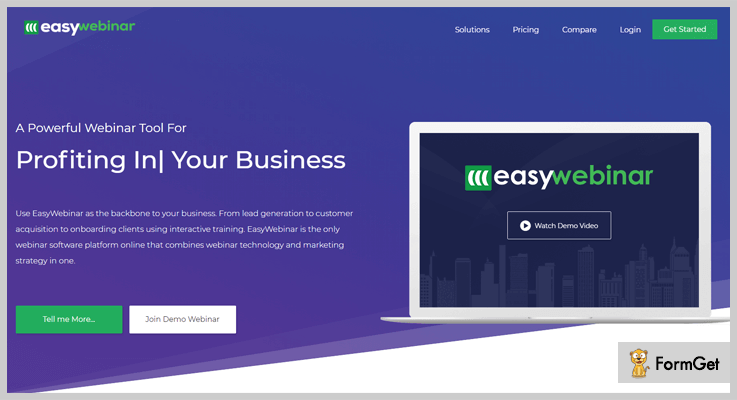
2. EasyWebinar – Plugin For WordPress
EasyWebinar is one of the best webinar WordPress plugin which is been trusted by over 8000 people around the globe.
It offers features like live webinars, automated webinars, fully responsive design, multiple integrations, live interaction with attendees, plus you can export essential information about attendees with a few clicks.
Price Details Of EasyWebinar – Plugin For WordPress
| Standard Plan | Pro Plan | Enterprise Plan |
|---|---|---|
| $39 Monthly | $89 Monthly | $499 Monthly |
| 50 Live Attendees | 200 Live Attendees | 2k Plus Attendees |
| 4 Presenters | Real-Time Chat | Translations |
| Webinar Analytics | Multiple Integrations | 4 Presenters |
[Note:- On yearly subscription of each plan you will get straight 28% discount]
Features
- Delivers best video quality even in live webinars and avoids delay & buffing.
- Single webinar with multiple presenters (upto 4 speakers).
- Allows you to share audio, video, and screen.
- Interact with the attendees through the live chat option.
- You can perform one-time, recurring and series of webinars.
More Info On Webinar WordPress Plugin
3. bzplayer Pro – WordPress Plugin
bzplayer Pro is the best plugin for streaming live sessions. This plugin is quite famous among peoples who want to stream the content live. With this version of this plugin, you are allowed to run a custom-designed live stream within any WordPress site. It is supported by all devices like Android, iOS and etc.
You can easily organize automated and live streams with just a few clicks.
Plan Details Of bzplayer – WordPress Plugin
- bzplayer provides suitable plans through which you can create live webinars. It provides two licenses to their customer of $21 and $145 in which you’ll get all the future updates and 6 months of support. Bring unlimited attendees on the webinar and send email reminders to them.

Features
- Connect with an unlimited number of attendees.
- Create unlimited webinars without paying a single penny.
- Send email notifications and regular reminders.
- It allows text overlay during media playback
- With the use of age lock, you can restrict people of a certain age to watch the video.
- Extract details about the attendees in the form of text or CSV files.
- Provide custom styling for each & every webinar page.
- You can put a logo or image on the player as a watermark.
More Info On Webinar WordPress Plugin
4. WebinarJam– WordPress Webinar Plugin
WebinarJam will be a great help if you want to cast live events and webinar broadcasting from a website.
This is an advanced plugin through which you can stream in high definition with flexible and dynamic layouts.
Plan Details Of WebinarJam – WordPress Webinar Plugin
- Basic – This plan allows 500 attendees with 3 presenters and it will cost you $479, which will be billed annually.
- Pro – Specially crafted for professionals that allows 1000 attendees with 4 presenters. The price of this plan is $783 per year.
- Premium – It is made for experts. The charge of this plan is $997 which includes 5000 attendees with 6 presenters and provides 24/7 support.

Features
- With this plugin, you can increase your audience engagement easily.
- It is compatible with all the devices and operating systems.
- You can import PDF, PowerPoint or keynote in your webinar according to the need.
- It allows the feature of draw and markup directly on the screen which plays an important role in highlighting and writing annotations.
More Info On Webinar WordPress Plugin
5. WebinarSystem – Plugin
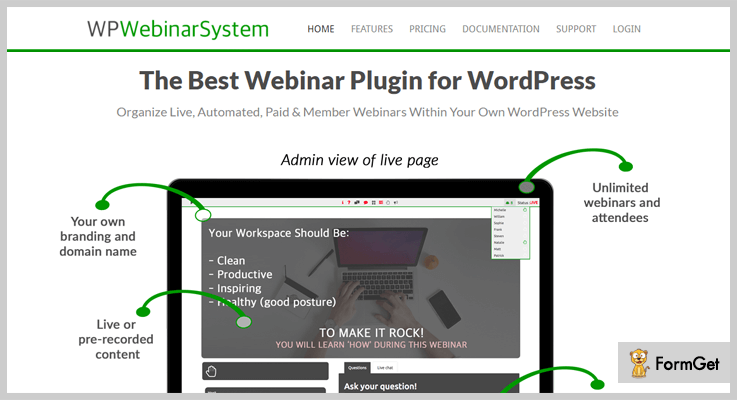
With WebinarSystem WordPress plugin you can conduct live, paid/free and automated webinars with an unlimited number of attendees from a WordPress site with ease.
Webinars conducted through this plugin allows you to share voice, video and even screen. You can also integrate WooCommerce to sell tickets and collect payments via PayPal, Stripe or any other third party modes.
Price Details Of WP WebinarSystem – Plugin
| Free Plan | Single Site Plan | Agency Plan |
|---|---|---|
| $0 | $197 Yearly | $497 Yearly |
| Reminder Emails | Single Site | Unlimited Sites |
| Live Webinars | Recorded/Live | Limitless Attendees |
| Live Chat | Online Support | Export/Import |
Features
- Third-party applications like MailChimp, Aweber, WooCommerce, and more are easy to integrate.
- Using YouTube, Amazon S3, video files, and other sources conduct automated webinars.
- This is a responsive plugin which allows the attendees access the webinars from different devices.
- Permits you to conduct live as well as recorded webinars.
- Supports around 20 plus languages to simplify communication process.
More Info On Webinar WordPress Plugin
6. Zoom – WordPress Plugin
Nowadays when we talk about webinars and online conferences zoom is the name that definitely comes to the mind. It is a simple tool for conferencing with minimum complications and maximum functionality. With this plugin, you can integrate Zoom with WordPress easily.
Apart from this, you can add meeting links on your WooCommerce product pages and the user can directly join you in just a click.
Price Details Of Zoom – Plugin
You don’t have to pay anything to use this plugin.
Features
- It is a user friendly and developer-friendly plugin
- You can manage live sessions and get account reports on a daily basis.
- With according to the local time, join links and start time are shown.
- Using Zoom you can manage and link your WordPress post to the live meetings
- Apart from this, the meeting can be joined directly through the web browser from the front end.
More Info On Webinar WordPress Plugin
Conclusion
This blog was all about webinar WordPress plugins and we have explained some of the best here with important details like features, pricing, and other essentials information.
One thing I am sure that after going through this blog you will end up finding a responsive webinar WordPress plugin which is best for your WordPress site.
If you have any questions or queries related to this blog, please mention them to us through comments.
I would like to focus your attention on the blogs mentioned below:-
7+ Team Members WordPress Plugins 2022 (Free and Paid)

In this post, we’re presenting 7+ best Team Members WordPress Plugins. You will get the mixture of free and paid plugins suitable for all budgets.
Each of these plugins will showcase your team so that your visitors can get a peek behind the curtain! They can catch the glimpse of the people who are making the magic happen in your company.

Being a faceful entity helps to add credibility to your website as well as it provides more “humanized” layout to it.
We thought long and hard over and have come with the below listing of 7+ best Team Members WordPress Plugins that can give a page-turner team page to your website.
Check out our more compiled list of best plugins of 2018 that can charge up your website:
1. AWSM Team Pro – Team Showcase WordPress Plugin
This is a versatile WordPress plugin with features like being able to show Team page with 8 exclusive presets and multiple styling options.
The notable feature of this plugin is that you can customise the positioning of social media icons in each team profile. This functionality is not present in most of the plugins, as the social icons position is fixed in them.

Remarkable Features of AWSM Team Pro – Team Members Plugin For WordPress
- 8 Unique Presets
- Clean design
- Responsive and Touch Enabled
- Visual Composer Element to easily insert teams
- Detailed documentation
- Icon font included
- 20+ Style Options for each preset
Pricing Information
Get 6 months support and lifetime updates at $19.
2. Team Showcase – WordPress Plugin
This plugin is built to serve for displaying staff member on your WordPress website. It can also be used for multiple purposes. If you have this plugin then you don’t need any other plugin to display a list of images/products/services together with any content like testimonials/item details/reviews.
You will have the option to showcase the team members in 4 different styles like Grid with and without hover, tabulate form and thumbnails pager layout.

Remarkable Features of Team Showcase – WordPress Plugin
- Filter by categories
- Drag & Drop Reordering
- Drag & Drop Reordering
- Widget Ready
- Shortcode and PHP Function Generator
- Input fields for specific content
- Custom Feature Name
- Default Image sizes
Pricing Information
Get future updates and 6 months support at $16.
3. DV Team – Team Members WordPress Plugin
This premium responsive team members plugin can be used to create the team showcase, product galleries, portfolios, logos etc. This easy to use DV Team plugin has great design and fully compatible with SiteOrigin Page Builder plugin.
It is integrated with WordPress multilingual plugin, which means no matter which language is being used by your website, it is always translatable.

Remarkable Features of DV Team – Team Members WordPress Plugin
- Fully responsive clean design
- Unlimited teams, members, categories
- 5 different grid style ( masonry, square, rectangle, filterable, thumbnail )
- All Colors, font sizes, spacings, icons etc. are changeable via plugin settings panel
- 6 custom post format ( standard, gallery (bulk image upload and drag-drop ordering is available), image, video, link,quote)
- Social icons bar (Custom icon upload is available.)
- 5 custom widget
- 3 panel side (right,left,center)
Pricing Information
Grab this plugin for just $19.
4. Team Members PRO – By WP Darko
This 5-star plug-in helps to enhance the visibility of your team members. After installing Team Members PRO, a separate team section is created at your WordPress dashboard which allows managing the team details from it.
This premium version is able to showcase the profiles of 1 to 5 members per line. You can manifest team members photos, social links, rank, bios and much more with this plugin.

Remarkable Features of Team Members PRO – Team Members WordPress Plugin
- Display up to five members per line
- Apply filters to your photos (saturated, vintage, black & white)
- Add up to five social links per member
- Select colour settings to match your branding
- Unlimited teams and members
- Fully mobile responsive
- Add a more info box that opens when hovering over the link
- Add a second photo that will show when hovering over the first one
Pricing Information
- Team Members – Single site for $19
- Team Members – Unlimited site for $49
5. TC Team Members Pro – WordPress Team Plugin
This excellent plugin can show more detail of a team member in a Pop-up window, being able to add 23 different social icons and 7 different layout styles.
You can also add unlimited member image transparent colour overlay on hover. Altogether, this TC Team Members Pro comes with a great admin panel and immense customization features.
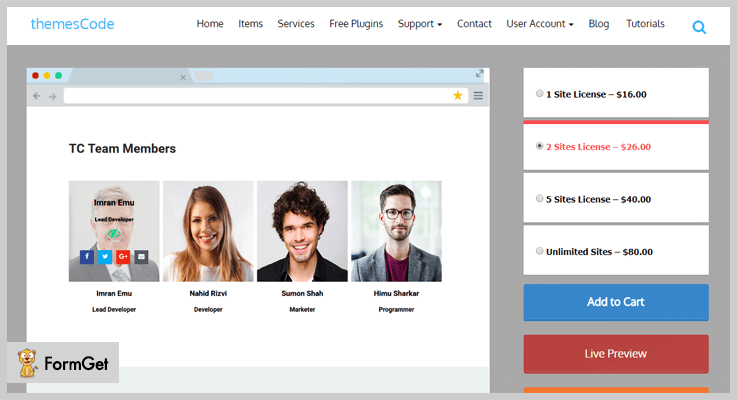
Remarkable Features of TC Team Members Pro – Team Members Plugin For WordPress
- Custom post type with category
- 4 Social links available
- Automatic shortcode generator
- Unlimited teams and members
- Fully mobile responsive
- Supported all the latest browsers
- Work with all WordPress theme
- Developer friendly & easy to customize
Pricing Information
- 1 Site License for – $16.00
- For 2 Sites – $26.00
- 5 Sites License – $40.00
- For Unlimited Sites – $80.00
6. TLP Team Pro for WordPress
This WordPress team management plugin can display the isotope and grid view of the team details. You will get great customization options, 11 layouts, drag and drop functionality and visual composer, all in all in this TLP Team PRO WordPress plugin.
Great thanks for the responsiveness! this feature-rich plugin always flourishes beautifully on every device.
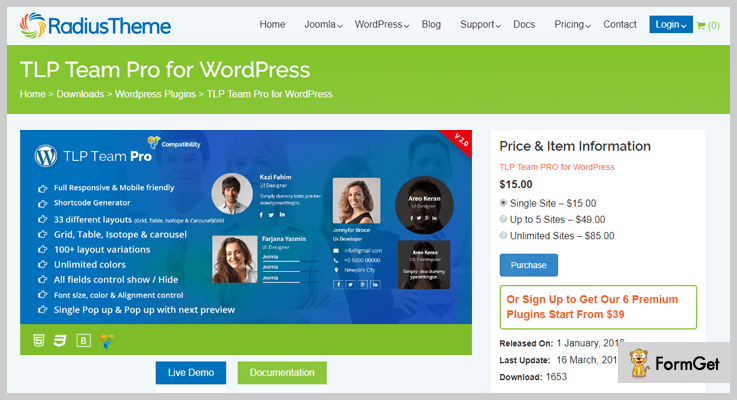
Remarkable Features of TLP Team PRO WordPress Plugin
- All Bottom colour Control
- Single Member Popup
- Added additional image to gallery
- Member Latest post show in detail/popup page
- Order by Random
- Filter by Department & Designation
- Dynamic Image Resize added
- Email & Web add as the icon in the social button
Pricing Information
- Single Site – $15.00
- Up to 5 Sites – $49.00
- Unlimited Sites – $85.00
7. Cherry Team Members
This Team Members WordPress plugin is developed by Zemez, who are known as the major vendor on TemplateMonster marketplace.Cherry Team Members Plugin is free and integrated with the Elementor page builder plugin. Showcase personal profile, location, position and contacts of each team member on any desired page.
This plugin is a great team profile management tool which you can use to display the skills level of the team members, which lets you proof the well-qualified team on your WordPress website.

Remarkable Features of Cherry Team Members – Team Members WordPress Plugin
- Multiple display configuration options
- Includes single member and team listing templates
- Integrates with Elementor page builder
- Unlimited teams and members
- Fully mobile responsive
Pricing Information
Freely downloadable from WordPress website.
8. Team – Team Members Plugin For WordPress
This open source plugin helps to display the team members grid showcase. It is purely based on HTML & css3.
Team is fully responsive and display the member profiles with social links and member details using shortcodes.

Remarkable Features
- 30+ Ready Different Skin.
- Display from member categories(group).
- Display by member id.
- Custom icons for custom social links.
- Clickable link to custom post team members.
- Popup profile box on click member thumbnail.
- Mixitup style team grid.
- Skill bars.
Pricing Information
Download this super easy free plugin for free.
Over To You
We have brought you the list of 7+ Best Team Members WordPress Plugins to create stunning team showcase seamlessly. Add the human touch to your WordPress website so that your visitors can also feel connected to you.
Do let us know in the comments below if any of best plugin was missing on this list.
For more related information check our following blog –
7+ User Profile WordPress Plugins 2022 (Free and Paid)

If you don’t want to code for front-end user profiles, login and registration form, then there is an easy alternative for you which is “User Profile WordPress Plugins”.
Does it sound complicated?
No, it is not!
These plugins provide you an easy way to create front-end profiles of registered users, login and registration forms, etc. Along with awesome functionalities like social media connect WooCommerce integration and many more.
You may also like –
What are you waiting for?
Let’s get started with the list of best user profile WordPress plugins –
1. LoginPress by WP Brigade – Best in Free User Profile WordPress Plugins
LoginPress simplifies the user management task for your WordPress site. It does all the required things from creating a beautiful front-end user profile to log in and registration forms.
It is a free plugin but its premium version includes some advanced features such as pre-designed login templates, Google reCAPTCHA, etc.
Pricing
It has 4 pricing plans and you can download its free version from the WordPress site.
- Personal – $39/year, pre-designed login templates, Google reCaptcha & fonts, one year of support & updates.
- Startup– $79/year, Everything in personal & auto-login, social login, 1 website, priority support & many more.
- Agency– $199/year, login limit attempts, redirects, widgets, unlimited sites, hide/rename login & many more.
- Lifetime – $399 – one-time, unlimited sites, premium support & lifetime updates.
Features of LoginPress –
- Comes up with Google Fonts.
- Provides Pre-Designed login templates
- Limit Login Attempts
- Hide/Rename Login
- Supports Google reCaptcha.
2. Profile Builder Pro – Premium WordPress Plugin
Profile Builder Pro is one of the best User Profile WordPress Plugins. It allows you to insert user login and registration forms with editable fields using shortcodes.
This plugin has the inbuilt Role Editor which manages user roles and their capabilities.
In either case, users with admin rights can customize the pre-set form fields or add new fields to the front-end.
Pricing
Here is the list of amazing User Profile WordPress plugins, which helps you to create registration and login forms. Displays the registered user profile
- Hobbyist: $69 for one site. (ReCaptcha, unlimited fields with conditional logic and 9 advanced add-ons etc)
- Pro Version: $149 for unlimited sites. (advanced user modules, 19 advanced add-ons and so much more.)
Features of Profile Builder Pro –
- Email confirmation of user registration.
- Facility to login with email or username.
- Conditional logic fields.
- Avatar upload feature for users.
- Premium add-ons like WooCommerce integration, social connect, and bbPress & so on.
3. UsersWP – WordPress User Management Plugin WordPress
UsersWP is the only lightweight user profile management plugin for WordPress. It is so simple and easy to use tool which offers drag and drop custom fields.
Furthermore, it is fully compatible with Elementor, Oxygen, Divi, Beaver Builder, Gutenberg, and many more page builders.
This plugin takes seconds to set up, it is super fast and it’s perfect to create a community of users within your website.

Pricing
- 4 Month Plan: Buy this plan just at $59.
- 6 Month Plan: Get this plan at $69.
- 1 Year Plan: For getting this plan, you require to pay $99.
- Lifetime: To get this plan, you need to pay $495.
Features of UsersWP Pro –
- Drag and Drop forms builder with all kinds of custom fields for your user profiles.
- Connect WooCommerce, WP Job Manager, & bbPress, with UsersWP.
- Display “Downloads” and “Purchases” tab in user profile pages.
- Allows the user to subscribe to your newsletters via Mailchimp during registration.
- Your users can send and accept friend requests, just like Facebook with Friends addon.
4. UserPro – User Profiles with Social Login
User Pro is an all in one plugin which offers you front-end user profiles, interactive login, and registration forms.
It is very easy to use and helps to create multiple registration forms with custom fields.
Along with that, it provides the facility to connect with social networks in a click away!
Pricing
This user profile WordPress plugin costs you only $30.
Features of User Pro –
- Easily search members by mini thumbnail list.
- Facility to set up a social connect.
- Attractive user profiles with badges, images, and achievements.
- Email marketing integrations (Campaign Monitor, MailChimp etc)
- Multi-language compatible supports WPML.
5. User Profiles Made Easy – WordPress Plugin
User Profiles Made Easy (UPME) is an easy to use user profile WordPress plugin provides you the best front-end profile, log in and registration plugin for WordPress.
This plugin gives the full control to the admin that which field are required and which fields can be editable. In addition to it, you can also hide some private fields. You can display your registered users in a beautiful directory.
Pricing
Buy this plugin from Codecanyon.net at just $29, for extra support up to 12 months you’ve to pay extra $9.38.
Features of UPME –
- Security of private profile and content restriction.
- A feature of multiple tab profile.
- 35+ custom fields type + additional add-ons.
- You can send private messages.
- Contacts and social connections.
6. User Registration – WordPress Plugin
This User Registration plugin eliminates your hefty tasks of creating manual registration forms.
It has a simple drag and drops feature which helps you to create your beautiful customized registration forms in no time.
With this plugin, you are allowed to create as many forms as you want. The plugin can be easily integrated with popular add-ons like MailChimp, WooCommerce, etc.
Pricing
- Personal: $49 for 1 site.
- Plus: $89 for 5 sites.
- Professional: $129 for unlimited sites.
Features of User Registration –
- 5+ premium add-ons (File upload, content retention, MailChimp, WooCommerce, and Social Connect).
- Multiple column grid forms.
- Easily translated into any language.
- Email notification.
- ReCaptcha and shortcodes are also in the kit.
7. ProfileGrid – WordPress User Profile Plugin & BuddyPress Community
ProfileGridc is the best WordPress user profile plugin for your business of all time, with all the features you need and more to build a community where users can express themselves and interact with each other.
It’s a great WordPress plugin for creating user registration, login, and simple contact forms.
Also, RegistrationMagic comes with an amazing design and a powerful admin panel. Along with that, it integrated with many famous plugins like Woocommerce, BBpress, MyCred and more.
Further, this free WordPress plugin provides shortcodes for many ready-to-use sample forms which you can simply copy and paste into your custom pages.

Pricing
This WordPress plugin offers three plans where you can access its amazing features:
- Standard: In the free version of this plugin, you will get extended functionality with 90+ powerful standard features and 3 extensions.
- Premium: You can download this version just at the cost of $79 for 1 site & 1 year of updates and support. Here, you get even more amazing features as it comes bundled with 42 powerful extensions.
- Premium+: For its Premium+ plan, you need to pay $139. With it, you will get unlimited sites & lifetime free updates & support.
Features of ProfileGrid –
- Sections: Divide your profile information into proper sections so your profile looks well organized to other users.
- Blogs: Its a handy tool when you need to display blog posts only on your own profile. With it, users are alllowed to create blog posts on the site that appear under the ‘Blog’ tab of their user profiles.
- Messaging: With ProfileGrid’s private messaging system, you can communicate with other users discreetly.
- Friends: Using it, you can add other users as friends and create a wide network of user profiles closely related to your own.
- Other Features: 90+ Powerful Core Features like Content Restriction, Demo Content, Hero Banner, Custom Profile Tabs, Group Photos, Stripe Payments, Group Wall, Social Login and many more.
8. WordPress User Registration, Front-end Login & User Profile – ProfilePress
ProfilePress WordPress plugin helps you to create professional-looking user registration forms and user profile. This plugin doesn’t require extra coding knowledge.
Moreover, with simple HTML and CSS, you can insert a user profile and forms into your website and the rest work will be handled by this plugin.
Pricing
It is free of cost available on the WordPress repository.
Features of ProfilePress –
- Multi-Step registration forms.
- Social login – Facebook, Twitter etc.
- Tabbed Widget.
- Unlimited user profiles with edit option.
- Automatic redirection after login.
Wrapping up
Well, hope that the above listing of the user profile WordPress plugins will help you to select the best out of hundreds of user profile and registration plugins.
All the mentioned plugins are tested and they are compatible with almost every WordPress theme.
Hurry!! Enhance your website user experience with the help of user profile WordPress plugin.
You can also share your experience in a comment section if you already tried these plugins.
7+ Donations WordPress Plugins 2022 (Free and Paid)

Online Donations and fundraising have now become possible using Donations WordPress Plugins. To get a complete sketch of your online fundraising needs you need a powerful, well-managed and optimized donation plugin.
Your WordPress donations website has to be managed in many aspects such as Donor list, Donor statistics, Reports so as to achieve the goal of accepting charitable gifts through online giving.
Before getting started let’s have a look at some of these our blogs on WordPress plugins:
In this article, We are going to discuss 7+ Best Donations WordPress Plugins (Free & Paid ). Let’s have a look at some efficient Donations WordPress plugins on the basis of their performance and popularity. You can choose the one, which suits you best:
1. Give– A Donations WordPress Plugin
Give is the best Donations WordPress Plugin. Give is a well known WordPress Plugin in the WordPress world because of its highest ratings, numerous downloads and the best support. It provides you with a robust and optimized donation platform for online giving. This plugin has very powerful features to help you raise more funds for your purpose from one, effective platform.

Pricing Plans –
The Give Donations WordPress Plugin basic tools are about $15/mo. that are billed annually.
Features of Give WordPress Plugins –
- Used to build customizable donation forms in your WordPress administration.
- To integrate seamlessly Give inherits your theme’s styles.
- Reports contain filters such as date, payment method and much more.
- Give is used to measure performance across multiple campaigns.
- Give controls your data with reports and exports.
2. Donorbox – Fundraising WordPress Plugin
The Donorbox WordPress plugin is an excellent choice for handling both once-off and recurring donations. Donorbox is a robust donation platform that makes online fundraising a quick and secure experience for your donors.

Pricing Plans –
Donorbox is free if you get less than $1,000 in donations for a month. If you exceed that free tier, the fee is 1.5%. Stripe and PayPal fees still apply.
Key features of Donorbox Plugin –
- Supports weekly, monthly, quarterly and annual recurring donations with no extra registration steps for donors.
- Seamless color coordination with the look and feel of your current website.
- Access to all your donor and donation data for reporting. All info can be exported as a CSV file.
- Supports Stripe and PayPal, 2 of the most popular payment processors available. So you can accept donations via cards, ACH, Google Pay, Apple Pay, and PayPal.
- Extend your fundraising abilities using our optional integrations with MailChimp, Salesforce, company matching, and Zapier.
3. Charitable– Fundraising WordPress Plugin
To create easy to use fundraising campaigns use Charitable Donations WordPress Plugin. You can create and manage as many campaigns as you would like. The peer-to-peer fundraising can be used to leverage your supporters network of friend and family with Ambassadors.

Pricing Plans –
Charitable plugin Basic Bundle plan begins with $19.
Key features of Charitable Plugin –
- Provides PayPal and Offline Donations for free, and variety of premium gateway extensions.
- Provides donations management system to manage each donation and arrange and export donations as a CSV file.
- Its developer-friendly and contains a library of code snippets to customize.
- Provides specific integrations with some themes.
3. PayPal Donation Pro– Donations WordPress Plugin
PayPal Donation Pro WordPress Plugin allows you to organize recurring donations on each button and set up the recurring payment details. Just install the plugin and enter your PayPal Email ID or a Merchant ID in the plugin settings and start receiving donations.
Pricing Plans –
PayPal Donations Pro WordPress plugin has a single site purchase of $79.95 for a yearly License plan.
Highlights of PayPal Donation Pro WordPress Plugin –
- Provides page/post inserter and a widget area.
- Supports recurring donations on each button.
- Drop-downs can have different recurring options.
- Instead of only 10 dropdown options Now, the standard version contains 20 in the non-recurring drop-down menu.
4. Donation Manager for WordPress– Multiple Gateway WordPress Plugin
Donation Manager for WordPress is the only WordPress Plugin that supports 6 payment gateways. To start receiving donations you only need to create a donation campaign and place shortcodes on the page. After a donation, it automatically adds your user to the donor list. It accepts payments via PayPal, EgoPay, InterKassa, Authorize.Net, Payza/AlertPay and Skrill/Moneybookers.

Pricing Plans –
The Latest Version 2.00 of Donations Manager WordPress plugin begins with a regular licence fee of $18 for 6 months which can be extended to 12 months in just $5.25.
Some features of Donation Manager WordPress Plugin are listed below –
- Provides AJAX-ed donations forms i.e, submission of donation form is without a full page refresh.
- Donations Manager is a Shortcode driven WordPress plugin.
- The best design for light and dark themes.
- Supports Multiple payment gateways.
5. Button PayPal Donation– Donations WordPress Plugin
Button PayPal Donation WordPress Plugin is an easy to use WordPress plugin. It allows you to embed buttons on any page or text widget for the donation functionality on your website. You can choose in between any button amongst the 27 adjustable and highly responsive buttons it provides.
Pricing Plans –
Button PayPal Donation plugin’s pricing begins with a regular licence fee of $16 for 6 months which can be extended to 12 months in just $4.50.
Features of Button PayPal Donation WordPress Plugin –
- Available for a preference of about 25 types of currencies.
- A Widget ready Plugin i.e, no need for any additional installations.
- Buttons have a customizable width.
- A PayPal ready Plugin.
6. Woocommerce Donation plugin– Easy to use Donations WordPress Plugin
Use Woocommerce if you want to accept donations in accordance with the user’s donation choice, let them donate any amount they wish to. The donations are visible as Woocommerce product or on the cart. It’s a plugin that can easily integrate with any template that you have.
Pricing Plans –
Woocommerce Donation plugin’s pricing begins with a regular licence fee of $18 for 6 months which can be extended to 12 months in just $5.25.
Highlights of Woocommerce Donation WordPress Plugin –
- Can create products with existing properties such as non-taxable, non-shipping, not viewable or can create a product with custom properties of your choice.
- Links for donation are visible on both the cart page and the checkout.
- Reports are available each and every about donation.
- Woocommerce support Campaigns.
7. Recurring PayPal Donations– Donations WordPress Plugin
To accept recurring donations via PayPal on your website. Use the latest Recurring Donations plugin. The setup is very simple and quick. Once you are done with the installation of the plugin, all you need to do is enter a PayPal Email address in the settings and you are ready to accept recurring donations from users on your website. It allows your users to specify a donation amount that they wish to pay. Whether it is for subscription, one-time donation or monthly donation.
Pricing Plans –
The Recurring PayPal Donations Plugin is available for FREE.
Key features of Recurring PayPal Donations WordPress Plugin –
- Create the donations buttons easily and embed them anywhere on your site using a shortcode.
- Produces an eye-pleasing and user-friendly Widget.
- Allows you to create multiple Widgets for various purposes.
- A user-friendly and simple shortcode that let you place a donate button.
8. PayPal Donations– Donations WordPress Plugin with Advanced Features
The PayPal Donations WordPress plugin is used to add advanced features like sidebar Widget and PayPal donation shortcodes to WordPress. It provides a options menu to let you set up your PayPal ID and other optional settings as well. You can override the functionalities for any inserted instance via shortcode option or Widget settings. Customizable options are available for buttons, payment page style, the return page and currency.
Pricing Plans –
The PayPal Donations Plugin is available for FREE.
Peculiarities with PayPal Donations WordPress Plugin –
- Generates valid XHTML Transitions and Strict code.
- 50,000+ active installations.
- Customizable widgets with optional purpose and references for the donation button.
- Provides simple shortcodes for buttons in your posts and pages.
Conclusion
Plugins are judged on the basis of their performance in many aspects. Above listed are the Plugins which are the best fit for our Donations WordPress plugins need.
If you are having any doubts or suggestions related to the topic please do share it in the comment section. We will get back to you as soon as possible.
Thanks for reading!
7 Top Bar WordPress Plugins 2022 (Free and Paid)

Want to have a custom message displayed at the top of your site, then Top Bar WordPress plugins will help you to do that in just a few minutes.
Adding a top Bar WordPress plugins in your website provides more functionality and flexibility for your users. You can customize your website according to your choice by adding fun emojis as well.
One of the purposes of adding top bar plugin is to easily add navigations and notifications on the top of your site for you and your users.

The plugin provides a lot of amazing features like it allows users to add a bottom border on a website, set or unset the timings before the top bar appears, make it visible only for authenticated users and guests. It also allows you to choose font-size, colors, designs and much more.
It also allows you to add anything you want to do on your website through customized text field or by creating a custom page.
Here’s is our take on ‘7 Top Bar WordPress Plugins (Free and Paid)’.
1. Apex Notification Bar– WordPress Top Bar for Menu
Apex Notification Bar is the highly effective WordPress notification plugin that comes with 15 pre-designed templates that can be used to display a stylish notification bar on your website.
Moreover, this plugin is responsive to various screens like mobile, tabs, computers, etc. Its notifications look great on every device. It allows showing multiple notification bars.

Estimate –
Enjoy the benefit of its regular license at the charge of $22 only.
Attributes of Apex Notification Bar –
- It comes with inbuilt multiple icons and custom icons.
- With this plugin, you can create unlimited notification bars.
- It is compatible and easily works with different themes.
- You can import its demo notifications bars.
- The plugin provides unlimited customization bar options.
2. Top Sliding Bar – WordPress Plugin Top Bar
The Top Sliding Bar WordPress plugin is the powerful tool to build an awesome widgets area in the section of your website.
You can create an unlimited number of widgets, configurations, and more. The best thing about it is that it offers a neat and clean user interface.
Estimate –
This powerful plugin offers its services at just $17 and extended up to $76.
Attributes of Top Sliding Bar –
- The plugin is 100% customizable and offers an unlimited number of configurations.
- Through custom CSS you can change and save the styles accordingly.
- Unlimited color options are available.
- More than 600+ Google fonts available.
3. Social Share Top Bar AddOn – Social Media iCons in Top Bar
Social Share top Bar plugin is the best choice for every WordPress website. It provides the ability to add Social Share Icons as a top bar on any page of the website.
Social share plugin provides more flexibility for your visitors to interact with your website. Because most of the users are comfortable with social share bars so Social Share becomes an interesting tool for, everyone, as well.

Estimate –
You can get its multitude of features starting from $7 and extended up to $35 for unlimited features.
Attributes of Social Share Top Bar AddOn –
- The plugin loaded fast social buttons.
- Supports responsive Social themes.
- It supports Visual Composer integration
- It displays the pictures as per the page’s type.
4. xPromoter – Notification Bar For WordPress
This is another powerful notification bar for WordPress plugin for the WordPress website. It emphasizes the best offers of your products and services, about events, contests and much more.
The best way to emphasize your business work or website. It is easy to use and responsive to every screen.

Estimate –
Gets its packed features and functionalities at just $10 and extended up to $50 for unlimited features.
Attributes of xPromoter Notification Bar For WordPress-
- The plugin is extremely customization and responsive. Over 50 parameters where you can customize the plugin.
- With its lots of features like colors, borders the plugin is suitable for any website.
- The plugin is completely SEO friendly. Modify your website links.
- Available all the updated versions.
5. NOTIBAR – Notification Bar for WordPress
This notification bar plugin for WordPress is a beautified top bar to efficiently convey your message.
You will love Notibar’s customizer because it comes with a live preview builder. Every change you make on the sidebar will take effect immediately on your web page. When you click Save changes, you know exactly what this header bar looks like when published.
Notibar is super easy to customize color, text, click-to-action and positioning. Display options let you choose which pages you want this bar to show on.
On top of that, Notibar provides preset colors taken from concise results of A/B color testing marketing campaigns. So go ahead to see how this simple plugin helps boost your conversion rate.
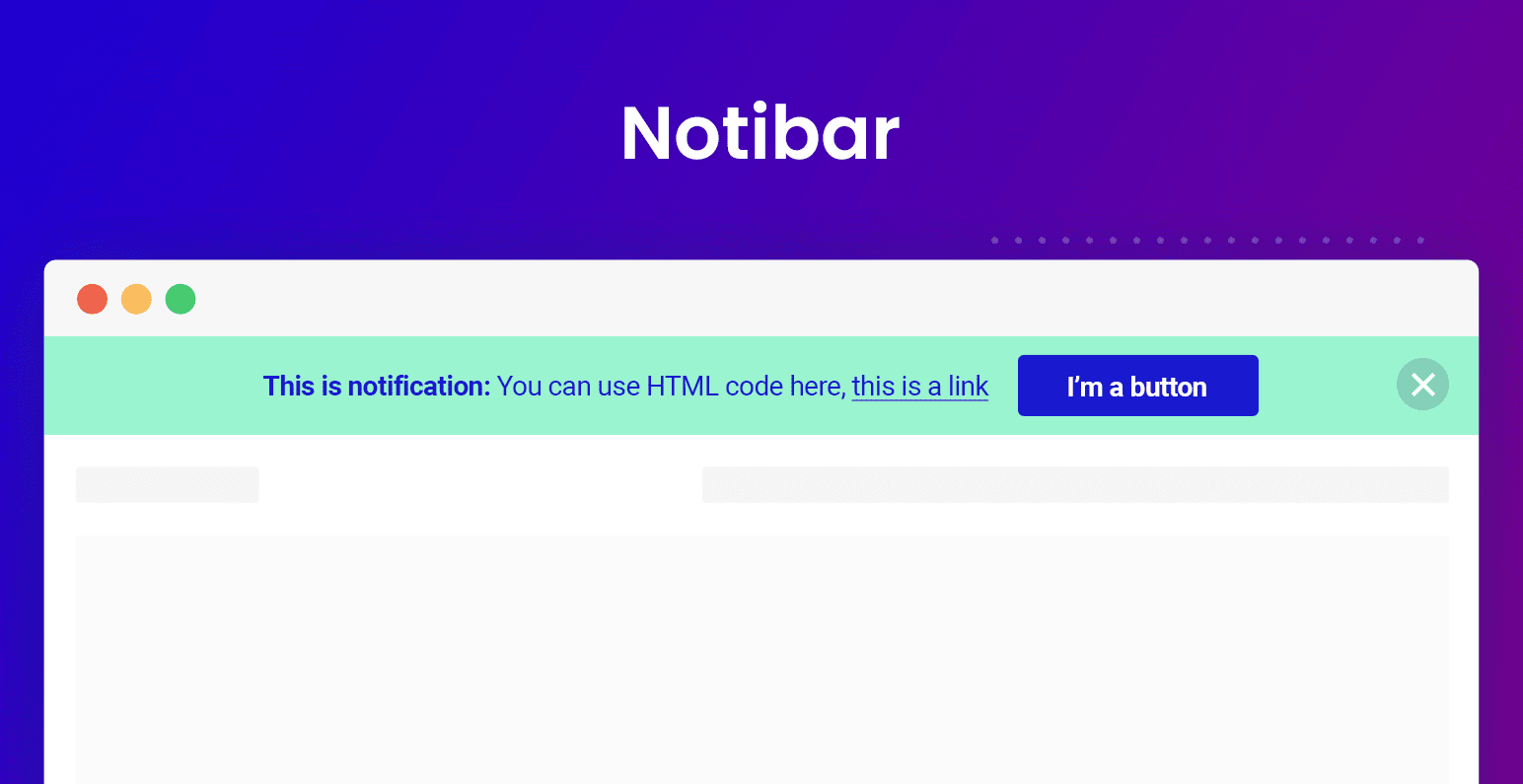
Estimates –
Download the plugin at FREE of cost.
Attributes of NOTIBAR –
- Live preview editor
- Elegant design
- Fully responsive
- Many options for mobile optimization (coming soon)
- Completely free – No asking for upgrade
6. Category Bar For WordPress – Top Bar Plugin For WordPress
Category top bar plugin for WordPress is the most powerful WordPress plugin for the website. The plugin lets your user easily scroll through all posts category by using touch or mouse action.

Estimates –
Gets its tons of features at just $17 and extended up to $85.
Attributes of Category Bar For WordPress –
- It supports more than 700 Icons to choose.
- Allows you to set bottom bar height and post item width.
- Supports all devices like Ipad, iPhone, Android, etc.
- You can set what post content to be posted on a quick view panel.
7. Top Bar – WordPress Top Bar Plugin
This WordPress Top Bar plugin is simple and clean notification bar for your WordPress site. It allows you to show messages, notifications and much more to your user.
Top Bar lets your users know about special offers, newly released stuff or whatever you’re using this plugin for, events, contests and more. This plugin is eye-catching which can grab the visitors attention at once.
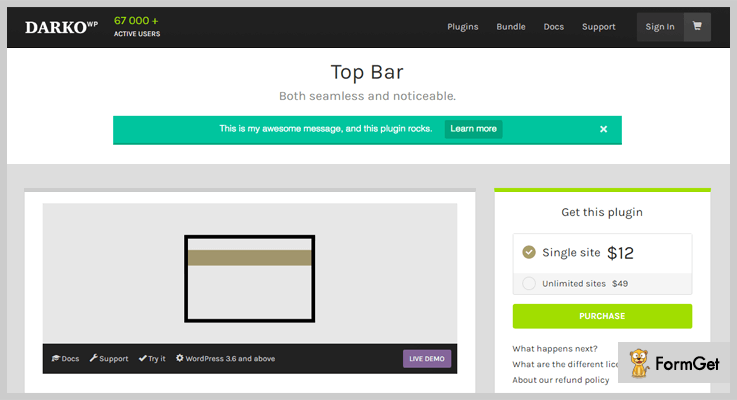
Estimate –
For a single site Top Bar its services at just $12, wherever for unlimited site extend up to $49.
Attributes of Top Bar WordPress Plugin
- The plugin is user-friendly which allows them to open and close the top bars anytime.
- It is secure so that only guests and registered users can view and use it.
- You can change its font-size, color schemes at any time.
- Fewer data required for updation.
8. Top Bar – Free Top Bar WordPress Plugin
This Free Top Bar WordPress plugin is a simple and user-friendly interface. The plugin is customized with lots of amazing features which ideally most of the bar plugin failed to serve.
It doesn’t need any coding skills, any technical skill, and is fully responsive with all your notifications related needs. Add any type of content, images, videos with simple shortcodes and also helps you to collect leads.

Estimates –
Download the plugin at FREE of cost from its official site
WordPress.org.
Attributes of Free Top Bar WordPress Plugin –
- It provides an easy and simple user interface.
- Add custom HTML, stylish fonts, colors and much more.
- Allows you to display the ads as well.
- Clean, simple and elegant designs.
Ending Note:
And here we covered some of the best top bar WordPress plugins. The collection of bars can serve different purposes for different users to determine what use is most effective for your WordPress website. Hope that you were able to find the best plugin which fits on your site.
Comment us below if you liked the post!
Let’s start with few blogs which might be helpful for your business:
7+ PDF Viewer WordPress Plugins 2022 (Free and Paid)

Using the PDF viewer WordPress plugins is very easy but choosing a best one, way too difficult.
But How?
Just read the illustration below –
When you go to a clothing shop, the shopkeeper puts so many dresses in front of you. After seeing all the dresses, there might come a moment when you’ll not be able to select even a single cloth. The reason is you like almost all of them but not all can afford to buy them all.
That’s the same case with PDF viewer plugins. In the market, all of them have unique features & functionalities. But pricing plays a major role.
Infact, every 8 plugins out of 10 are not free.
So for those people, we’ve mentioned some of the best PDF viewer WordPress plugins. Every WordPress user who is in need of these plugins will surely get happy.
With these plugins, they can download, upload & display the PDF files with ease.
Before going through the blog, you can also read our other blogs for more WordPress plugins (Both FREE & PAID):
1. PDF Viewer For WordPress:
PDF Viewer For WordPress is PDF viewer plugin through which you can easily embed & display PDF files on the WordPress site.
Using Google Analytics, you can track the visitors who read your PDF files.

Pricing Of PDF Viewer For WordPress –
- Regular: $17, one client/user, end users are not charged separately.
- Extended: $85, one user/client, end users can be charged separately.
Features
- 100+ languages translation.
- Social media sharing, fully customizable PDF viewer.
- Enable 7 disable print, download, option, social sharing, zoom, logo & many more.
- Create PDF files with no limitation on size.
- Install this plugin on your website without any 3rd party links.
2. PDF & Print: Primest In PDF Viewer WordPress Plugins
PDF & Print by BestWebSoft is a PDF viewer WordPress plugin. Through it, one can create PDF files & pages with attractive buttons & view the page in a new window.
This plugin is completely compatible with both WordPress & WooCommerce.
Pricing Of PDF & Print – WordPress Plugin
- Annual: $30.98 with one year support & upgrades.
- Lifetime: $309.80 with upgrades & support for lifetime.
Features
- Add PDF & Print buttons to posts, pages, search results automatically.
- Buttons can be added via shortcode.
- Download PDF & display it in next window.
- Create & add customized header & footer with texts, images, source page URL & many more.
- For certain posts & pages, one can disable PDF & Print.
3. BSK PDF Manager: PDF Viewer Plugin For WordPress
BSK PDF Manager by BannerSky is PDF viewer plugin for WordPress which lets you upload & display PDF files/document on the site.
One can create multiple categories & upload the PDF files in those categories. After doing it, they can display it in a category with the help of either a widget or a shortcode.
Pricing Of BSK PDF Manager – WordPress Plugin
- Personal: $0, output PDFs, custom order, show PDF link, date, custom link text & many more.
- Professional: $25, unlimited site license, 1 year of improvement, updates & plugin support & many more.
Features
- Category- add, edit & delete.
- In multi-column layout, display PDFs.
- Show PDFs with ID widget, automatically upgrade.
- Add a featured image with proper title & manage its size.
- Order PDF files by date, title, filename or by the customized order.
4. PDF Embedder Premium: WordPress PDF Embedder Plugin
PDF Embedder Premium is a WordPress PDF embedder plugin which provides a stylish & dynamic viewer for the website’s visitors. This plugin is responsive to both desktops & mobile devices.
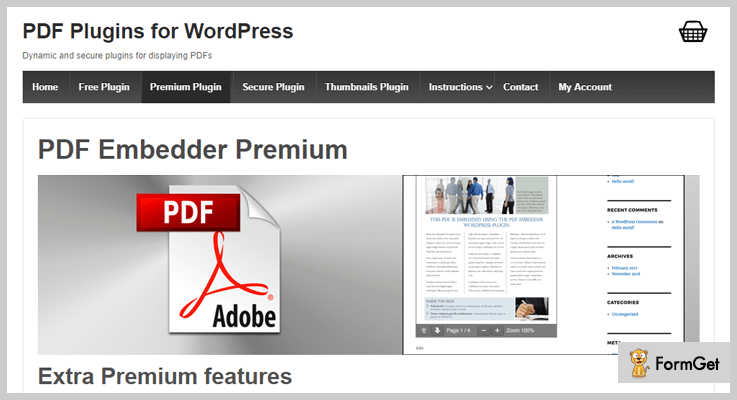
Pricing Of PDF Embedder Premium – WordPress Plugin
- $20, single site access.
- $30, 2-5 site access.
- $50, unlimited site access.
Features
- Scrolling between pages continuously.
- ‘Download PDF’ button allows the users to acquire the PDF file to read according to the choice of viewer.
- Track number of downloads and views.
- Hyperlinks with full functioning capability.
- By typing the page number, you can reach the desired page.
5. WP Advanced PDF PRO
WP Advanced PDF is an Advanced Custom Fields plugin in WordPress plugin by CedCommerce with multiple advanced features for pdf generation. The plugin provides email mode (guest users) and direct download mode for pdf generation.
This feature of the plugin gives the reader the feeling of going through a real document. Based on the requirement it is easy to add watermark, customized styling, insert brand logo, deciding the visibility of post based on its type and much more.
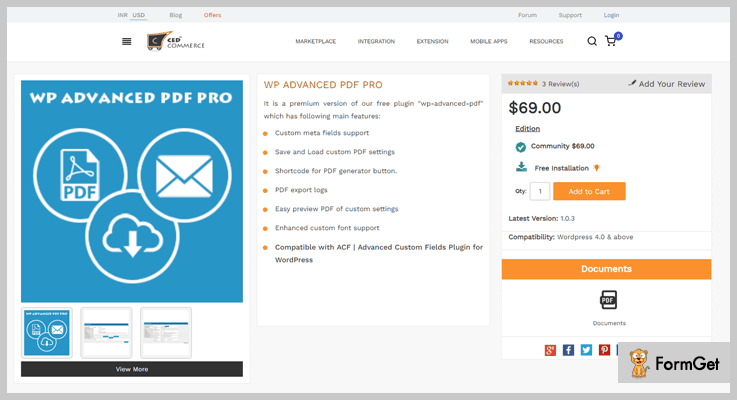
Pricing of WP Advanced PDF PRO –
The plugin can be availed at just $69, with 24*7 FREE support and no hidden charges.
Features
- PDF generated is ready for translation.
- Post styling can be customized to make it user-friendly.
- Despite the advanced feature, it is remarkably easy to use.
- Different accessibility levels for the guest and registered users.
- Log maintenance of PDF exported.
- Light of server memory due to the cached PDF feature.
6. WordPress PDF Viewer and Embed Plugin:
WordPress PDF Viewer and Embed Plugin is used to embed the shortcode with any page to display a full screen-readable PDF document.
Either you can upload the PDF file from the desktop or import it by using PDF URL.
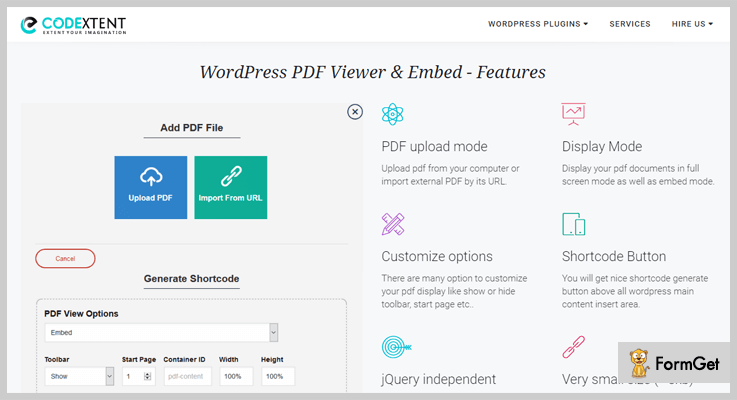
Pricing Of WordPress PDF Viewer and Embed Plugin –
- Regular: $16, one user, no charge to end users.
- Extended: $95, 1 user, end users can be charged.
Features
- PDF viewer with two display modes: embed & full screen.
- Compatible with browsers like Google Chrome, Mozilla Firefox, Latest version, Safari, IE etc.
- Shortcode to generate buttons on PDF files.
- Printing the PDF file by the user is optional. The admin can enable & disable the printing option anytime.
- Using share option, the user can share the PDF file on Pinterest, LinkedIn, Twitter, Facebook & on many more social media platforms.
7. PDF Light Viewer PRO Addon: WordPress Plugin
PDF Light Viewer PRO Addon is one of the most affordable plugins in the market of PDF viewer WordPress plugins. You can add unlimited PDF files with limitless file size on your page through it.
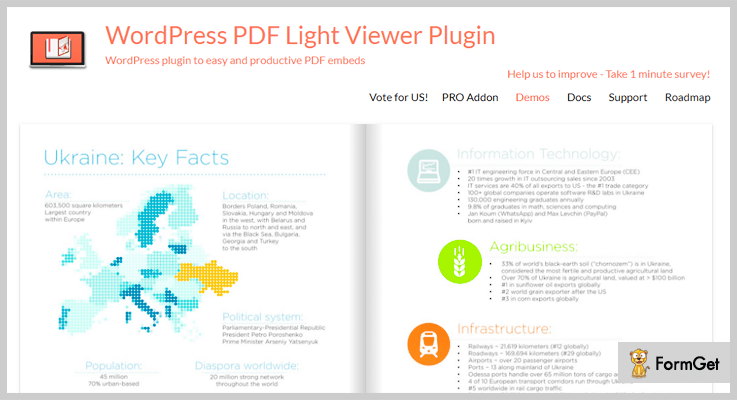
Pricing Of PDF Light Viewer PRO Addon – WordPress Plugin
- Regular: $16, one client, no charge to end users.
- Extended: $60, 1 client, end users may be charged.
Features
- Integrated with turn.js flipbook, slider thumbnails navigation & lazy loading pages.
- By using .po files, pages are fully translatable to any language.
- PDF upload in bulk.
- Attractive pages with the zoom feature.
- SEO friendly mode for the texts in the PDF files.
8. Embed Any Document: WordPress Plugin
Embed Any Document by Awsm Innovations is used to upload & embed any type of document on the WordPress site. This plugin is one of the best in free PDF viewer WordPress plugins.
It doesn’t need any third party plugins such as Acrobat & Flash Reader. To display any document, Google Docs Viewer & Microsoft Office Online can be used.
Pricing Of Embed Any Document – WordPress Plugin
- This plugin is free of cost.
Features
- Quick uploading & embedding of the document just by clicking ‘add document’ on the interface.
- Microsoft Office Online services & Google Docs Viewer are used to display the documents.
- Files type support: docx, docm, dotm, dotx, pdf, pptx, ppsx, ppt, pps, pptm, potm, ppam & many more.
- Responsive to all types of browsers & mobile phones.
- Embedding the document comes with a clutter-free & clean UI.
9. Interactive 3D FlipBook: PDF Viewer For WordPress
Interactive 3D FlipBook is a PDF viewer WordPress Plugin which grants to browse PDFs, images or HTML like a flipping book.
For demonstration magazines, cards, books & many more, it can be used. Apart from it, it has a very nice interface to which every user will be attracted.

Pricing Of Interactive 3D FlipBook – WordPress Plugin
- It doesn’t charge any amount for using it.
Features
- Flipping animation while changing pages.
- Effective algorithm to display the book (PDF & Image files) in a comfortable according to the interface.
- Prediction of user’s behavior by tracking the user’s actions.
- Customizable with HTML, CSS & JavaScript for various effects like hover, navigations & many more.
- Multiple skins for dark & light themes.
Conclusion:
Above are some of the best PDF viewer WordPress plugins which any WordPress user can add to the page & display PDF files with ease. Some of them are free & others are paid.
So we’d like you to try out these plugins such that you & your visitors will easily be able to perform any kind of operations on it.
If you have any suggestions & queries, please comment below & we’ll get back to you shortly. We do value our blog readers!
7+ Marketplace WordPress Plugins 2022 (Free and Paid)

Do you want to create your own marketplace like Amazon, eBay, Magento, Shopify? Then, you must have Marketplace WordPress Plugins.
Most of the users are unaware of the fact that, WordPress, a versatile CMS can also be used to create your own marketplace through plugins.
Why switch your favorite WordPress theme when you can get all your work done with the WordPress marketplace plugins!
There are several marketplace WordPress plugins comes with the complete package of functionalities such as product management, commission management (set with minimum) and provide you the best way to build your marketplace on your WordPress Website.
There is no dance without the dancers. Ergo, here are some handpicked marketplace plugin packed with awesome features and it suits your pockets too.
Let’s explore the list of some amazing marketplace WordPress plugins for your e-commerce store –
1. Dokan Multivendor – WordPress Multi-Vendor Plugin
Dokan Multivendor is one of the best Marketplace WordPress plugin powered by WooCommerce.
With this WordPress plugin, you are able to build your own marketplace like OLX, Amazon, and eBay in a matter of few minutes.
Moreover, it nurtures you with the fastest and easiest way to sell your products and earn through commissions.
Pricing
- Starter: $149/year, (vendor management, powerful reports, social login etc.)
- Professional: $249/year, (starter + subscriptions, seller verification, store support and so on.)
- Business: $499/year, (Professional + WC Booking integration, staff manager etc)
- Enterprise: $999/year, (Business + 20 sites license, Live chat support & many more.)
(This plugin offers Free plan too, which includes some basic features)
Features of Dokan Multivendor –
- Personalized dashboard for each seller.
- Complete product management (Create and manage your products).
- Manages offers and discounts coupons for each product.
- Insight report on sales generated statements etc.
- Admin can view their vendor’s earnings report.
- Compatible with any WooCommerce theme.
For more features, click the button below –
2. WC Vendors Plugin – Premium Marketplace WordPress Plugins
WC Vendors is #1 among all marketplace WordPress plugins and it is packed with rich features. This plugin is trusted by over 200,000 users and the number is growing continuously.
This Marketplace WordPress plugin allows users to sell physical, virtual and downloadable products from your website. Further, you can also set commission rates for your vendors.
Pricing
- WC Vendors Pro Annual: $199 per year (vendor dashboard, flat rate shipping, and coupon management etc.)
- WC Vendors Pro Lifetime: $499 Lifetime amount (Pro Features & many more.)
It Offers free plan also.
Features of WC Vendors –
- Individual vendors stores with unique URL.
- User-friendly front-end dashboard.
- Comprehensive shipping module.
- Reports for vendors (Commission paid and sales data).
- Automatic notification to vendors for new orders.
- The header for vendors is customizable.
Read more Features, click the button –
3. WordPress WooCommerce Marketplace Plugin
The WordPress WooCommerce Multi Vendor Marketplace Plugin transforms your online e-commerce store into the multi-functional and interactive marketplace.
The plugin offers the full facility of product management, sellers can easily add the products from seller panel.
Withal, admin can also manage the seller’s products and commission rates for the vendors

Pricing
This marketplace WordPress plugin cost you $99.
Features of WordPress WooCommerce Multi-Vendor Marketplace –
- All types of products are supported.
- Separate seller profiles.
- Admin can assign a product to any seller.
- Order and invoice management.
- Supports social network accounts.
- Flexible commission management.
Click the button to explore more features –
4. Multi Vendor Marketplace for WooCommerce
WooCommerce Multi-Vendor Marketplace plugin helps you to create your own marketplace fast and reliable like Amazon and eBay etc.
It also allows your vendors to sell real, virtual or downloadable products from your WordPress site.
Admin has the full authority to approve manage vendors and their products on the dashboard. Along the lines, each vendor also has their own dashboard where they can manage their products and sales.
Pricing
This WordPress plugin on the Envato market cost you only $26.
Features of WooCommerce Multi-Vendor Marketplace
- Fully responsive on any device.
- Anyone can register for vendor store.
- Each vendor has their own admin panel.
- Admin can set the commission rates.
- Stores can be organized based on categories.
- Admin cam monitor statistics of sales.
Explore more features, click the button below –
5. WooCommerce eBay Integration With Dokan Compatibility
Dokan compatible WooCommerce eBay Integration extension is a feature-rich extension by experienced developers at CedCommerce to ensure efficient product management on eBay. It has been trusted by multiple online merchants to fulfill their dream of selling on eBay.
It will save a lot of time by executing important tasks like real-time product sync, bulk upload, eBay to WooCommerce order fetching, quick debugging and much more. In this manner, the plugin upon integration helps online merchants gain a competitive edge over others.
It comes with 8 exciting free features. As an e-commerce store owner you will find this plugin putting an end to all your woes. It also has a user-friendly admin console to make the process a breeze.
Pricing
You can get the WooCommerce eBay Integration extension in $399.00, with 24*7 FREE support and no hidden charges.
Features of WooCommerce eBay Integration With Dokan Compatibility –
- Many to one product category mapping.
- Profile-based pricing system and product upload.
- Simple lucid and configurable product upload.
- Notification for products that are rejected.
- Notifications for new orders keep the merchant updated.
- Inventory synchronization
- Plugin Installation, basic configuration, and support is free.
Know more –
6. WordPress WooCommerce Marketplace Auction Plugin
This is an Auction plugin works only with Webkul’s WordPress WooCommerce Multi-Vendor Marketplace. This plugin enables you to add an auction feature in your marketplace.
It is an amazing add-on plugin through which sellers can add auction on their products and buyers are allowed to bid on them.
The admin and seller can have 4 types of auctions standard, incremental, automatic, and reserve auction.
Pricing
You can purchase this auction plugin for WordPress at just $69.
Features of WordPress WooCommerce Multi-Vendor Marketplace –
- All types of auctions can be applied to the single product.
- The buyer can set the standard as well as an automatic bid.
- Notification via email to outbid customers when a new bid is placed.
- Only admin has the option to show current bid.
- Both admin and seller can add different types of auctions.
- Admin has the option to show the bidder’s details.
Want to know more features –
7. WooCommerce – Best in Free Marketplace WordPress Plugins
WooCommerce is a free plugin on WordPress repository which allows you to sell anything from your WordPress website beautifully. Almost, 30% of online stores significantly use WooCommerce as their tool.
It gives access to many free and premium extension of WordPress with seamless flexibility.
Besides this, you can sell any type of products whether it is digital or physical along with premium extensions of recurring subscriptions, membership, and bookings etc.

Pricing
It is available as free plugin the official WordPress site.
Features of WooCommerce –
- Offers you multiple payment options.
- Shipping facility is also there.
- WooCommerce gives you 100% control over your store.
- This plugin can integrate with almost every service.
- Supports Google Analytics.
- Storefront theme is available additionally.
Click the button to explore more features –
8. MarketPress – WordPress eCommerce Plugin
It is a WordPress plugin which offers varieties of marketplace services on a single platform and is installed in few moments easily.
This plugin also includes AJAX cart widget and powerful shortcodes.
With MarketPress, you can sell your virtual or real objects in a hassle-free way. Moreover, you can link your products to other external links.

Pricing
Grab this product for free from WordPress.org
Features of MarketPress –
- Automatically hides the “Out Of Stock” products.
- Supports PDF invoicing.
- TAX and VAT are also supported.
- Single “One-page” Checkout.
- Stock tracking and alerts.
- Social media share buttons (Facebook, Twitter, and Pinterest.)
Explore more features of this marketplace plugin –
Closure
Hopefully, you’ve found this list of some of the best and comprehensive marketplace WordPress plugins beneficial. Now, you don’t have to hunt for the best because this article has made it easy for you.
All you have to do is, click on that marketplace WordPress plugin which suited you the best and start using it!
Do you want to add your favorite to the list of marketplace WordPress plugins?
Share them in a comment section below.
Want to know more about –
7+ Weather WordPress Plugins 2022 (Free and Paid)

Weather WordPress plugins are mainly required to display latest and updated weather information on websites, this facility attracts the attention of visitors landing on your site.
In this blog, we have listed and defined 7+ Best Weather WordPress Plugins which are premium as well as free.
All the plugins elaborated here offer top class services and have been shortlisted after testing thousands of plugins available online.
Going ahead with the details of the plugin, I would like to give blogs on some commonly needed plugins which you should have on your website:
1. Simple Weather – Plugin For WordPress
With simple weather WordPress plugin, you can attach eye-catchy weather report on your website. It helps you display real-time weather updates, 7days forecast, and allows you to apply various customizations.
In this plugin, you can also define the number times you want the weather details to get updated.
Price For Simple Weather – Plugin For WordPress
- Regular license is priced around $14 and provides basic features and simple customizations. In case you require extra support for 12 months then you have to pay $3.75 additional.
- $110 will be charged for the extended license with which you get shortcode support, multiple styling options and many other facilities.

Features:-
- Custom date formats and unlimited color option available.
- Provides option to display next 7 days forecast.
- Define title, background and text color.
- Allows you to display weather reports in 18 different languages.
- You can select the location via coordinates as well.
Click Here For Weather WordPress Plugin Details
2. Awesome Weather Widget – WordPress Plugin
This is a beautiful weather widget especially developed for WordPress sites using which you can graphically show weather details.
Awesome weather is a pro WordPress plugin which allows adding custom background images, built custom layouts, etc. This plugin is trusted by over 40 thousand WordPress site owners around the globe.
Price For Awesome Weather Widget – WordPress Plugin
- This plugin has designed only a single plan which provides unlimited site implementation. It will cost you $49 and you can pay the amount through credit card or via PayPal payment gateway.
Features:-
- Construct shortcodes in posts and pages using WYSIWYG editor.
- Provides multiple types of layouts to project weather reports.
- Translation for 9 different languages provided which can be extended anytime.
- Collect weather details from Yahoo! Weather, OpenWeatherMap and other trusted sources.
- Displays weather details on the website based on GeoLocation, IP, etc.
Click Here For Weather WordPress Plugin Details
3. Location Weather Pro – Plugin For WordPress
Location weather pro guarantees top quality, attractive design, real-time updates and easy application on any WordPress site. It allows you to include weather reports for cities and countries and auto recognizes the location of the site visitor.
Price For Location Weather Pro – Plugin For WordPress
- Single website plan is priced around $15. Through this plan, you can apply the plugin only on one WordPress website.
- The 5 websites plan will cost you $49 for all premium features and allow you execute this plugin on 5 different websites.
- Unlimited websites plan comes with a price tag of $149 and permits you to deploy this plugin on limitless website with multiple customizations.
Features:-
- Easy to use and fully responsive in design.
- Provides unlimited background colors and border color options.
- Automatically detects the location of the browser to display the weather.
- Supports shortcodes for easy implementation.
- Shows Real-time forecast with humidity, wind, and other details.
Click Here For Weather WordPress Plugin Details
4. Better Weather – Forecast WordPress Widget
Better weather is a top class WordPress plugin that helps you project weather reports and forecast on your site with ease. This is an advanced plugin which comes with multiple styling options like layouts designs, forecast show option, color options and more.
Price For Better Weather – Forecast WordPress Widget
- $19 is the price of the regular plan with which you can easily add weather forecast on your website along with various customizations.
- Extended plan will cost $100 and comes preloaded with enormous features & weather services.

Features:-
- Offers 10 unique designs which are responsive and customizable.
- Detects the location of the user automatically using the IP address.
- Supports 4 different sources for weather details.
- Auto changes the design at times of sunrise and sunset.
- Also displays the forecast for the next four days.
Click Here For Weather WordPress Plugin Details
5. Astero – WordPress Weather Plugin
Astero is one of the most popular WordPress plugin for showing weather reports on websites. It allows you to create weather widgets that hold animation, video clips or images in their backgrounds.
You can also define custom titles, borders, choose colors for text or background, etc.
Price For Astero – WordPress Weather Plugin
- With the regular plan, you can execute this plugin on one WordPress site just by paying $18.
- Extended plan comes with a price tag of $85 and provides advanced features & facilities.
Features:-
- Define custom backgrounds with video, image or flat color.
- Allows displaying weather details multiple times on the same page.
- Provides multisite WordPress support.
- Supports over 19 languages for correct weather translation.
- Display details like wind, cloudiness, humidity, sunrise etc.
Click Here For Weather WordPress Plugin Details
6. Bonobo – WordPress Weather Widget
Bonobo weather WordPress plugin provides you 22 different weather types which are easy to use and are fully customizable. You can choose colors, temperature units and define styles as well. It will regularly update details about humidity, wind, etc.
Price For Bonobo – WordPress Weather Widget
- Regular license is the cheapest among the list as it cost $6 for all the features provided.
- Extended license will charge you $30 and will give you access to various features and facilities.
Features:-
- Easy to use and offers responsive design.
- Provides multilingual support.
- 8 different color options available.
- Supports both Celsius & Fahrenheit for temperature.
Click Here For Weather WordPress Plugin Details
7. Weather Station – Plugin For WordPress
Using weather station plugin for WordPress you can display meteorological data fetched from various weather stations directly on your website.
This data about the weather condition gets automatically updated on the site.
This plugin has got around 84 plus downloads and 3,000 plus installations, due to the features and facilities provided by this plugin.
Price For Weather Station – Plugin For WordPress
- Weather station is a WordPress plugin that offers its features & services free of cost.

Features:-
- Provides different layouts which can be inserted in the page, post or even sidebar.
- Extracts information about the weather from reliable weather stations.
- Supports more than 7 weather stations around the world.
- Real-time updates are projected on the website.
- It is fully responsive and retina ready.
Click Here For Weather WordPress Plugin Details
8. Weather Master – WordPress Plugin
Weather master WordPress plugin provides various facilities using which you can display weather updates at city, state or country level on your site.
This plugin mobile responsive, SEO friendly and delivers weather information based on user location.
Price For Weather Master – WordPress Plugin
- This is an entirely free WordPress plugin which helps you project weather details and other information on a website.
Features:-
- Widget title can be changed, hide or display.
- Deploy on any WordPress site with ease.
- Provides real-time forecast and weather updates.
- Fahrenheit or Celsius option are available to display weather.
Click Here For Weather WordPress Plugin Details
Conclusion
Before going through this blog, I am sure that you would be having a problem finding a good weather WordPress plugin. But now I am definite that you must have found a plugin that matches all your expectations.
Hope this blog helped you. If you have any question regarding WordPress plugins, you can ask us anytime through the comment section below.
7+ Job Board WordPress Plugins 2022 (Free and Paid)

If you want to create your own job board WP website then you need the effective job board WordPress plugins.
Do you know 90% of Jobseekers are googling Job portals on their mobile to get hired? “Job portal” is the hot topic, running like a wind among job aspirants.
You must be aware of the fact that creating job portals is not a piece of cake! It involves social presence, networks, applications, resumes, cover letters and much more that you couldn’t do with your closed eyes!
But don’t you worry!
We have reduced your headache and here we are disclosing the compiled list of 7+ Best Job Board WordPress Plugins that better fit as a fiddle to your WordPress website.
Don’t forget to go through with the set of our new complied best WordPress plugins:
1. JobSearch WP Job Board WordPress Plugin
This plugin provides all the required Job portal tools to the employers as well as the candidates. CareerFy is the best compatible theme with this plugin.
JobSearch helps to track application deadline as well as candidates can apply with Facebook and LinkedIn. You can also display Indeed Jobs on your portal. From job application to resume builder, it has everything that an effective job search website must have.

Features Of JobSearch WP – Job Board WordPress Plugin
- One click installation
- Free job submission
- Email Alerts
- Job CV packages
- Job alerts and suggestions
- Seo friendly and social app login
Pricing
JobSearch – fully featured job board plugin for WordPress has pricing of $32.
2. Job Board Manager – Add Ons Bundle Job board
Job Board Manager plugin helps to create job submission page for your job board WordPress website. This plugin allows the employment agencies to post jobs hiring, providing a benchmark recruitment portal to the online job seekers.
You can also use this plugin to earn money from the hiring agencies for posting their requirement. For this, you have to integrate this plugin with the third party Paid Memberships Pro. So that, recruiters can get access to your job submission page by providing the specified payment.
Features Of Job Board Manager – Job Portal WordPress Plugin
- Awesome company profile single page via short-codes & published job list from the company at the bottom.
- Ajax list of location list on job submission page.
- Display Content from Wikipedia for the empty content of location descriptions.
- Easy job listing package & pricing create via WooCommerce variable product.
- All successful payment listed under paid_list post types.
- Display custom HTML/scripts/publisher network ads (Like Google AdSense) after multiple nth elements of the job list.
- Earn extra money by displaying your popular ads networks ads.
Pricing
- 1 Domain: $12
- For 10 Domain: $49
- 100 Domain: $99
2. WP Job Hunter – WordPress Job Board Plugin
WP Job Hunter is the simple job board WordPress plugin that allows you to display jobs of other best job portals on your website.
By using this plugin you can enhance the extendability of your website. For this, you simply need to showcase the job offers present in the database of other big Job Portals.
This plugin helps you to earn money from the Job affiliates of the service provider’s website. Whenever your website visitors click on the sponsored job link on your website, the service provider website will pay the commission to you. (pay per click method)

Features Of WP Job Hunter – WordPress Job Board Plugin
- Super simple setup
- More informative job roll widget than the usual with a short jobs’ description
- Fully customizable external indeed link with four inbuilt views or with your own HTML elements
- Feed jobs by CRON with customizable limits, used by the inbuilt adjustable keywords and location parameters
- Ability to feed jobs only when the job fit to any existing category
Pricing
The cost of WP Job Hunter – job board plugin for WordPress has the simple ricing of $29.
4. Jobs Plugin for WordPress
Post all the latest Indeed jobs on your WordPress website by using WPJobPlugin. Enjoy the full benefits of Indeed Publisher Program with its API for your website in over 60 countries.
This SEO optimized lightweight plugin helps to earn more money and can be used in any niche. It also provides reports for your website traffic and credits earned.

Features Of Jobs Plugin for WordPress
- Create an instant job search functionality to your WordPress site
- Restrict to fixed Country
- Search-engine Mode or Fixed Niche Job site.
- WordPress and Location Search.
- Search Full-time, Part-time, Contract, Internship, Temporary jobs
- Content is indexable for search engine (no Javascript)
- Sort by date or relevance
Pricing
This epic Job search plugin has cost of $19.
5. WP Job Manager
WP Job Manager adds job-board functionality to your WordPress site. It goes well with any theme because it is shortcode based.
Custom Post Types of WP Job Manager helps to give the various outlook to output job formats.This core plugin is free of cost, however, you can extend its usefulness by the available add-ons in the given below link.

Features Of WP Job Manager – Free Job Board WordPress Plugin
- Add, manage, and categorize job listings using the familiar WordPress UI.
- Allow job listers to preview their listing before it goes live. The preview matches the appearance of a live job listing.
- Searchable & filterable ajax powered job listings added to your pages via shortcodes.
- Frontend forms for guests and registered users to submit & manage job listings.
- Searches also display RSS links to allow job seekers to be alerted to new jobs matching their search.
- Each listing can be tied to an email or website address so that job seekers can apply for the jobs.
Pricing
You can freely download this website from the official website of WordPress.
6. Job Board by BestWebSoft – Free Job Board Plugin For WordPress
Create a personal job WordPress website from Job Board. It creates a common platform for recruiters and job seekers. This plugin allows adding unlimited jobs, employers and job categories.
Job Board enables candidates to search jobs, register on your website as well as they can submit their CV online.

Features Of Job Board by BestWebSoft – Free Job Board Plugin For WordPress
- Customize your jobs additional info: Requirements, Location, Organization, Salary, Expiry date
- Choose employment type: Freelance, Full time, Internship, Part-time, Temporary
- Custom: Name, Slug, Parent, Description
- Choose salary per: Hour, Day, Week, Month, Year
- Choose job featured image position
- Change location field in the frontend sorting form
- Customize text after CV sending
- Set the job offers default expiry time
- Job candidates can customize their account: Upload resume/CV file, Set the job search category
Pricing
Freely downloadable from WordPress website.
7. Simple Job Board – Job Board Plugin For WordPress
This robust plugin helps to add a lightweight job board to your WordPress website. You can customize the board to manage various job offers from your WordPress website.
You can add customized application forms for every listed job as well as add notes to them.This plugin is available in multiple languages like English, Japanese, Polish, Arabic, Brazilian, Italian, Chinese, Serbian, Swedish, Urdu, Dutch, Portuguese, and Russian.

Features Of Simple Job Board – Job Board Plugin For WordPress
- Add, categorize and manage all jobs using the granular WordPress User Interface.
- Add a combination of multiple shortcodes for a job listing.
- Allow job listers to add job types in job listings.
- Use the Anti-hotlinking option to enhance the security of your documents.
- Upload documents in various extensions.
- View Applicants’ list who applied for a particular job.
Pricing
This press tiger’s Simple Job Board plugin for WordPress is absolutely free.
Final Thoughts
As we know that “ Experience is the mother of knowledge”. And, this blog is based on installations, reviews, ratings, web scorching and on personal usage. I am sure you must have got your pick from our listing of 7+ Best Job Board WordPress Plugins.
Do share your thoughts in the comments below.
Now, you have got the best plugins for your website but is your job board website the best amongst the stack?
So, here we have the best collection of Job Board WordPress Themes for your website to be the above par.
7+ LMS WordPress Plugins 2022 (Free and Paid)

Are LMS WordPress Plugins important for your online learning business?
Indeed, it is!
In this article first, let’s know a little about LMS.
LMS is a platform which allows you to offer online courses to your students from all over the world.
LMS WordPress Plugins helps you to establish the online educational business/system by handling all your subscriptions, managing contents, events, quizzes, communication with your students directly and much more.
Apart from these features, LMS plugins provide multi-courses, utilities like question banks, books etc with convenience. It handles all your documentary, administration sections and completes the assessments.

In this post, we’ll introduce you to the 7+ Best LMS WordPress Plugins (Free & Paid ) options you can choose from.
Through these tools, you’ll be able to create classes, enroll students, set up tests or exams and much more.
Few more blogs to read:
Let’s go through these 7+ LMS WordPress plugins:
1. Lifter LMS – LMS WordPress Plugin
Lifter LMS is the powerful WordPress plugin comes with a multitude of features. The plugin is easy-to-use, easy-to-setup, and fully customized.
The plugin handles all your multiple courses including training modules, lessons etc. LifterLMS provides you a full flexibility to create part time, full degree program and distance learning programs.

Pricing Plans –
Personal add-ons at $99 for every single site, and Universal add-ons at just $299 for multiple sites.
Features of Lifter LMS Plugin –
- It provides multimedia lessons via video, audio, image, text and more.
- It accepts payments with PayPal, Strite or via check.
- Provides various dynamic quizzes to enhance learning or test competitions.
- It tracks the completion of degree or certification courses manually.
- Easy to use and customize.
2. LearnDash – E-Learning WordPress Plugin
LearnDash is another powerful e-learning plugin for WordPress site. It provides online courses to major universities, training organization, and entrepreneurs.
It comes with tons of amazing features through which you can give assignments to your students and then approve or comment on them. Apart from this, your students can upload their coursework and you can quickly asses them.
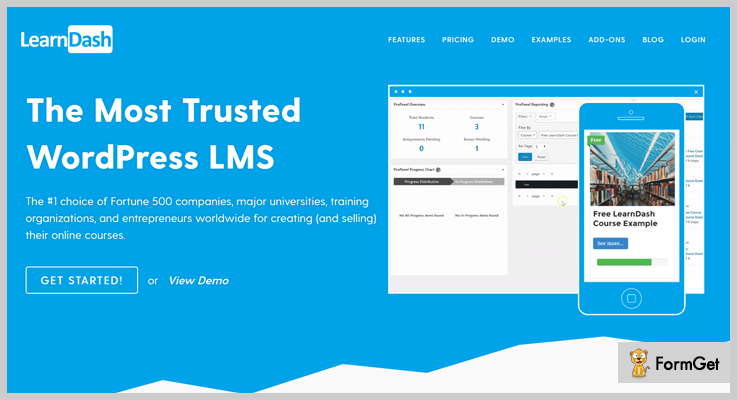
Pricing Plans –
Its starting price is $159 for a single site with 1 year of support and extended up to $329 for up to 25 sites.
Features of LearnDash e-Learning Plugin –
- It supports multiple payment gateways like PayPal, Stripe, manually Cheques and more.
- Gives the flexibility to determine which courses need to be taken and in what order.
- Provides dynamic forums to encourage course among learners.
- Provides Certificate & Badges based on quiz performance to the candidates.
3. Good LMS – Online e-learning Plugin for WordPress
This is another powerful learning management system plugin for WordPress site. Good LMS plugin provides great features and functionalities for creating and selling online or onsite courses.
It also allows you to pay the amount for purchasing the onsite courses for friends or family.

Pricing Plans –
Get tons of features and functionalities at its regular license starts from $21.
Features of Good LMS –
- It supports multiple payment gateways like PayPal, Stripe, Paymill or directly through the banks.
- Well documented and organized so, it is easy to use.
- Responsive layouts and customized so you can choose colors and schemes according to your choices.
4. Tutor LMS– Powerful WordPress LMS Plugin
Tutor LMS is a feature-rich and complete solution to create an e-learning platform. Any online education portal can benefit from this easy to use and simple to set up a WordPress plugin.
So individual trainers, coaching centers, schools, universities and such have an easy way to publish courses online and even generate revenue from it.
Tutor LMS also has an advanced quiz creator with 10 unique question patterns, quiz time limit and more. The plugin incorporates WooCommerce and EDD (Easy Digital Downloads) support to ensure that you can monetize courses.

Pricing Plans –
Tutor LMS has a free version as well as a paid version. You pay $149 for a single license, $199 for 5 license pack, and $299 for unlimited licenses.
Features of Tutor LMS Plugin:
- Tutor LMS comes with an extensive course builder which uses drag & drop functionality and offers plenty of options to create a complete course.
- Powerful stats and sales analytics to define how your courses are performing.
- 7 highly functional add-ons and counting!
- Multi-instructor ready platform.
- Supports various multimedia attachments with a video resume option.
- Option to define pre-requisites with Tutor Prerequisites addon.
- Great UI and very easy to use.
5. WPLMS – Learning Management System for WordPress
Choose WPLMS – Learning Management System for a complete management learning solution, chosen and tested by several companies of fortune 500+. It fits best with platforms like Educational Training Centres, Corporate sector training, Universities, Colleges, Schools, etc. It renders equipment for various course management, instructor and students management.
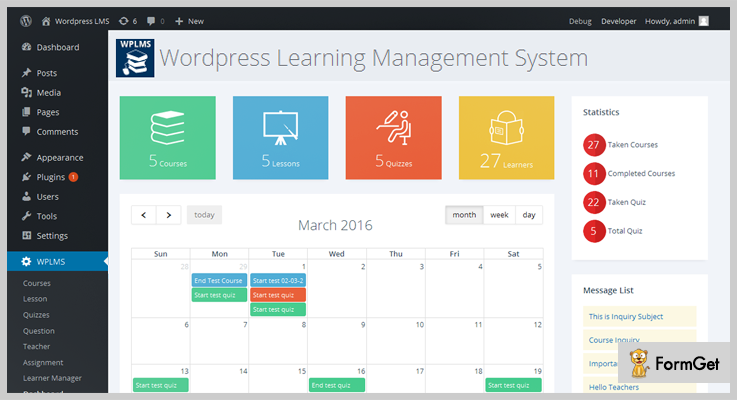
Pricing Plans –
WPLMS – Learning Management System WordPress Plugin has a regular license fee of $39.
Features of WPLMS Learning Management System –
- WPLMS is a flexible, expandable and strong platform.
- Create courses with audio, video, and image within it.
- Provides assignment management support.
- Design email templates for important events and shortcodes for personalizing emails.
- Generates Reports for the payment, management team, measure performance.
6. MasterStudy LMS – Free Learning Management System WordPress Plugin for Online Courses
MasterStudy LMS is a powerful and feature-rich Online Education, Course and Learning Management System Plugin for WordPress.
As the ultimate LMS WordPress Plugin, MasterStudy makes it simple and hassle-free to build, customize and manage your Online Education WordPress website.
Create brilliant lessons with videos, graphs, images, slides and any other attachments thanks to flexible and user-friendly lesson management tool powered by WYSIWYG editor.

Pricing Plans –
MasterStudy LMS – Learning Management System WordPress Plugin is free! However, extra features are available in MasterStudy Theme on Themeforest.
Features of MasterStudy LMS Plugin –
- Messaging Board and Announcement System;
- Create courses with audio, video, and image within it;
- Recurring subscription to courses;
- Integration with PayPal & Stripe;
- Countdown timer in a quiz;
- Quiz results with correct/incorrect answers;
- Certificate generation;
- Instructor & Student Profiles;
7. Edivently LMS – Online Course Management Plugin
To turn your website into an online academy use Edivently LMS WordPress Plugin. Edivently LMS provides a powerful dashboard to send messages and track program from a single dashboard. Enrolled students can manage as well as track course progress via their personal accounts.

Pricing Plans –
WordPress Edivently LMS Plugin has a regular license fee of $9.
Features of Edivently LMS –
- Drip feed content to your students by a schedule of your choice.
- Courses follow multi-tier architecture with lessons, topics, assignments, and quizzes.
- Flexible categories, there is no restriction on categorizing level, subjects, and language of your course.
- It protects content and courses by controlling access to online courses.
- It provides control access so as to make lessons sample and provide course materials to the students easily.
8. LearnPress – WordPress LMS Plugin
LearnPress is a WordPress LMS Plugin to create and sell courses online. The plugin has an easy-to-use user interface to manage the course curriculum built with lessons and quizzes.

Pricing Plans –
The LearnPress WordPress LMS Plugin is available for free.
Features of LearnPress WordPress LMS Plugin –
- Supports excellent user interface to create and manage a full curriculum layout of a course.
- LearnPress is a WordPress LMS Plugin support multisite.
- Provide facility for sharing, managing, watching statistics of a wide variety of students and more.
- Awesome No distraction mode for Quiz.
- Multilingual support.
- Allows you to sell your courses with support of billing methods like Paypal, WooCommerce, Stripe, etc.
9. Namaste! LMS – e-learning Plugin for WordPress
Namaste! LMS is a learning management system to provide facilities for managing the student course learning system. You can use Grades and Points system to calculate the performance of a student based on test results, assignment completion and sincerity of task submission. Students earn certificates after completion of courses.

Pricing Plans –
The Namaste! LMS is available for free of all costs.
Features of Namaste! LMS –
- Namaste! LMS can manage a large number of courses at a time.
- It can manage unlimited lessons in a single course.
- Paypal and Stripe integrations of charging on paid courses are available for enrolled students.
- A complete management and essential directions for assignment completion, manual approval and exam completion.
- To help the student resolve their problems add notes to there submitted solutions.
10. WP Courseware – LMS Plugin for WordPress
WP Courseware is a popular LMS plugin for WordPress for e-learning management. The plugin can be easily customized so that you can turn any WordPress website into an online course delivery platform easily.
Install this plugin on your website and start creating multiple courses, modules, lessons and start selling them globally.
WP Courseware also provides question banks to its students along with different courses.

Pricing Plans –
Get its tons of amazing features at just $99/Y for a single site.
Features of WP Courseware LMS Plugin –
- Allows you to create large and small courses.
- The plugin supports all popular eCommerce and membership plugins.
- It provides its students those who complete their certification courses.
- Supports multiple themes.
Wind-Up:

