

An ordinary website cannot promise you an extraordinary traffic. Think beyond. Beautiful WordPress themes won’t be a magic spell to get all the traffic diverted to your website. However, it will amplify the appearance of your website to give you an edge over others.
It is in a blink that a viewer decides to stay on your website or to bounce back. Your website has to be captivating to hold these viewers and make them stay longer. But how? By making your website beautiful.
For a beautiful website, all you need is beautiful WordPress themes. A few clicks and presto! Your beautiful website is all set to go!
Here is our take on the 10 beautiful WordPress themes that are rich in features.
From responsive design to parallax layout, customization to a full-width slider, it has got all the features to top rate your website.
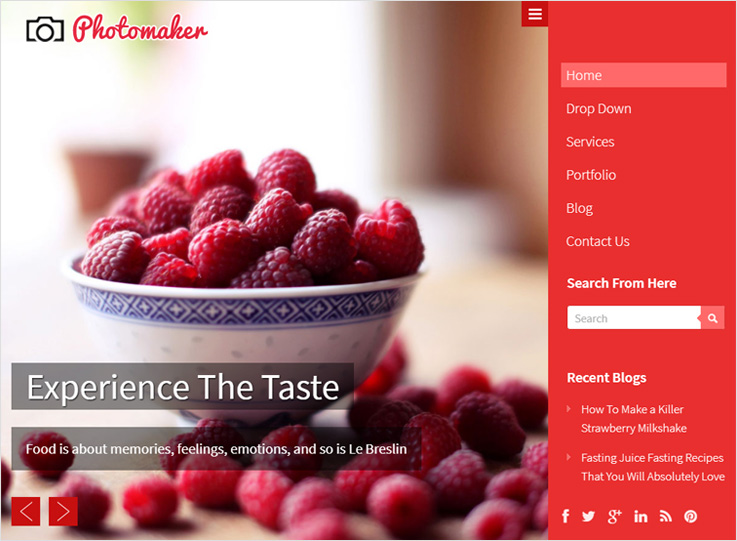
1. PhotoMaker
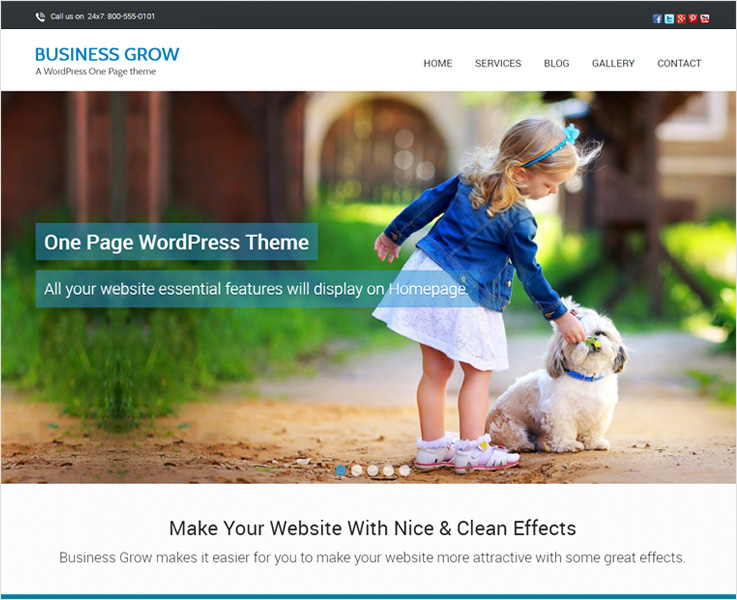
2. BusinessGrow
3. MyBlog
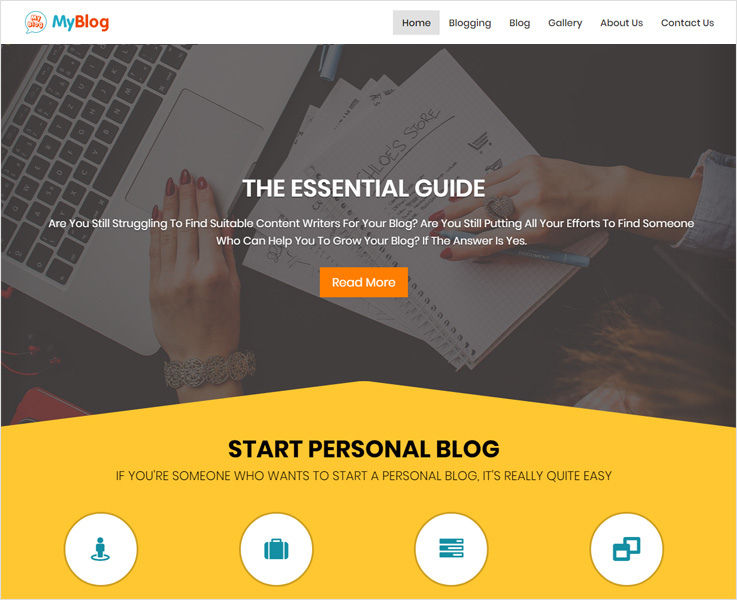
MyBlog is a premium multipurpose WordPress theme for blogs.
Talking about features, this retina ready theme is WPML ready, with Google Fonts, 7 color schemes, social media icons integration, and more.
4. BlogSpring
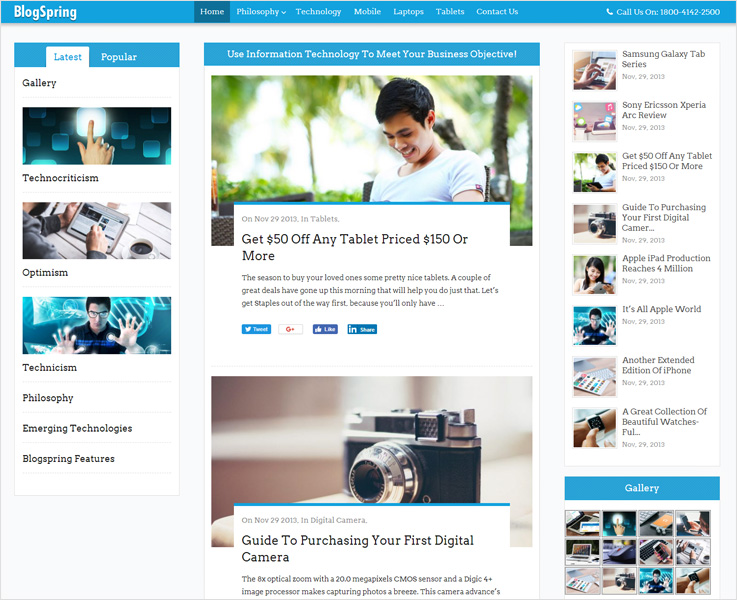
This premium WordPress theme is ideal if you are looking to get a professional blog website in a few clicks. The developers must be thought of news, magazines, blogs while creating this beautifully designed WordPress theme.
It features three column layouts with 8 different color schemes. You get a four column widgetized footer and social sharing on platforms such as Facebook, Twitter, LinkedIn, etc.
Moreover, BlogSpring is one of the most popular WordPress themes for blogs, news, and magazines. So, you can rely on it for creating an eye-pleasing blog website.
5. SwiftRay
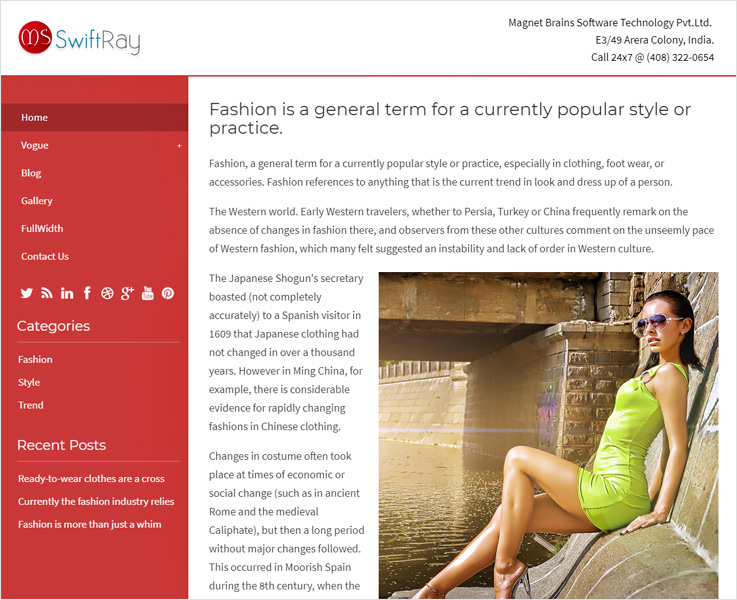
While searching for responsive WordPress themes that can speed up your website to the fullest, SwiftRay can be an ideal pick.This SEO optimized WordPress theme is one of the fastest. Also, this template isn’t just fast loading but has also got a lightning speed for navigation.
Due to complete SEO Optimization, the website is made easy for Google Algorithms to understand and scan the content.
The theme is social media ready with responsive design that doesn’t disappoint on any device. It offers you features such as customization, unlimited color schemes, left and right menu bar, widgetized footer area and a lot more.
6. StartPoint
7. Blossom Feminine
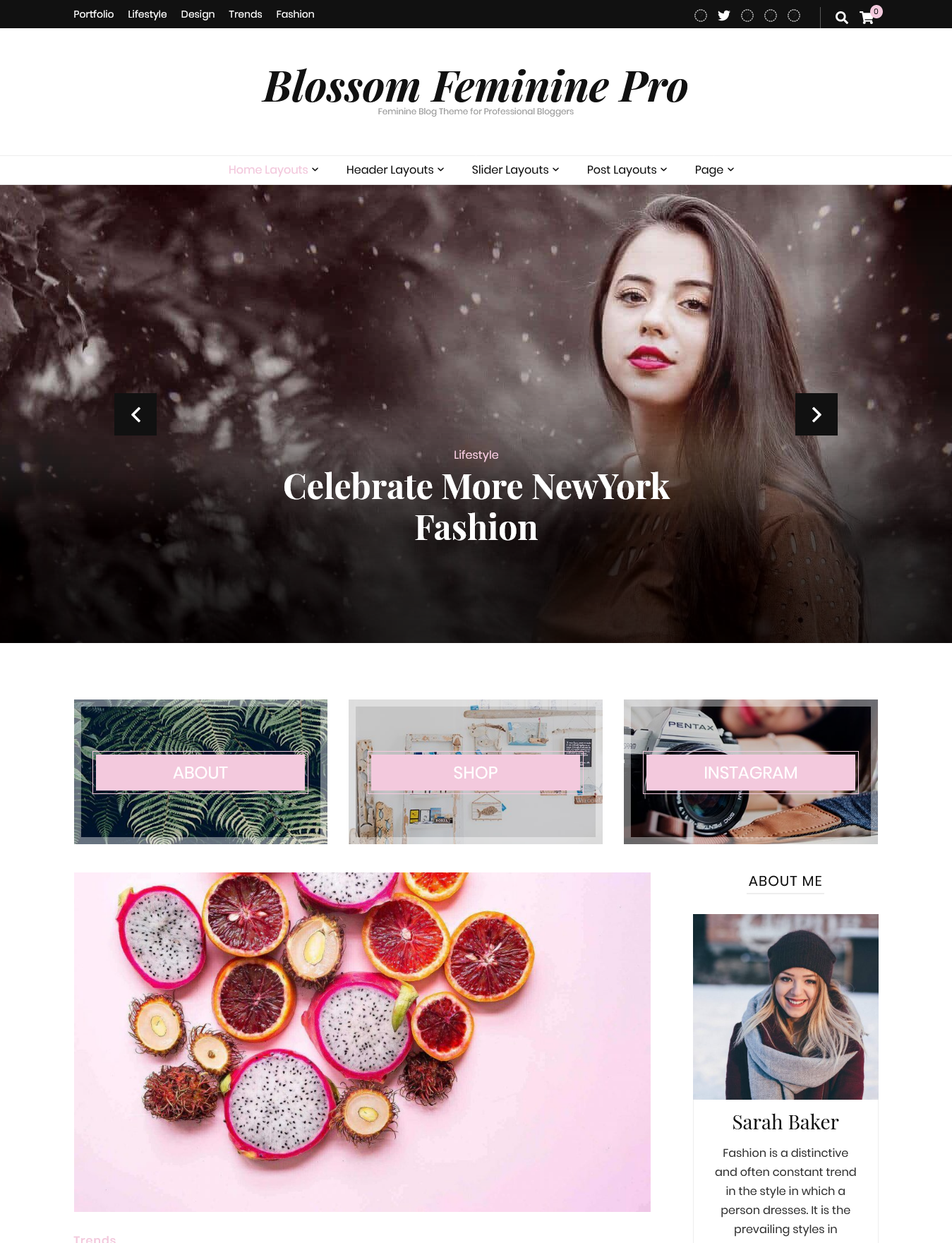
Blossom Feminine is a beautiful WordPress theme for creating beautiful, ambient, women-centric websites. Since it’s designed for blogs, you can use it to create different kinds of blogs like lifestyle, fashion, food, journal, motherhood, beauty, etc.
It offers sliders, sticky posts, featured areas, home page designs, single post designs, paginations, widgets, custom logos, fonts, colors, etc., to design your blog pages.
You can integrate Instagram into your website for sharing your Instagram posts with your site visitors. Plus, you can also find post widgets for Facebook, Pinterest, Snapchat, Twitter, etc.
In addition, Blossom Feminine has an inbuilt Google Adsense optimized Advertisement areas, making it easy to monetize your site with Google Ads.
8. Raindrop
9. Eureka

Eureka is one of those premium beautiful WordPress themes which leaves a Wow effect in seconds.
This parallax theme is powered with bootstrap 3.0 which makes this theme complete responsive as well as mobile first ready. For its appearance, you get complete customization, unlimited color options, parallax backgrounds with retina ready design.
As for features, it has Google Fonts integration, is SEO optimized for better search engine rankings. It also has a shortcode generator, AJAX portfolio isotope, and AJAX contact form.
Eureka is a fruition of the creative heads and is an absolute fit for photographer, designers, bloggers, and businesses.
10. Zara
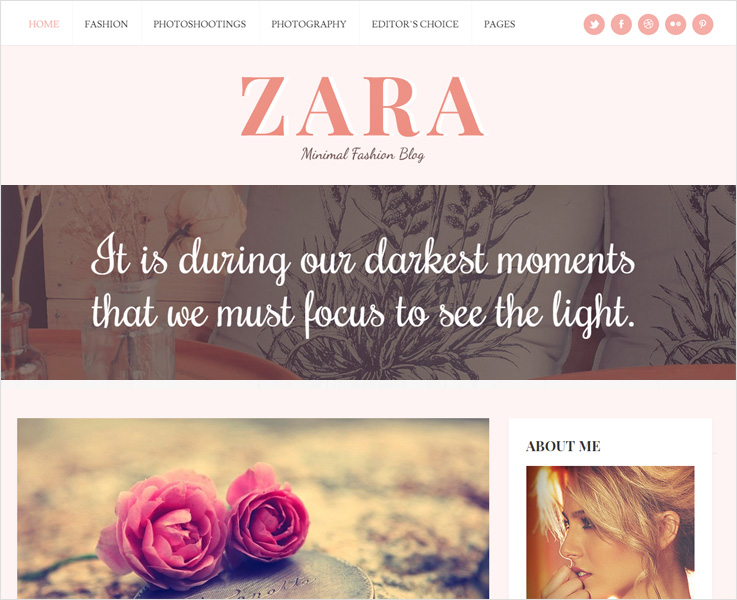
For blogs or photography, we look for a minimalist WordPress theme with elegant designs.
Why? To give the most limelight to the works that we have done.
If you have a similar website idea in your mind, Zara WordPress theme for blogs is a perfect for you.
Zara is a minimalist WordPress theme with an elegant and clean layout which looks perfect on every device.
Talking about the appearance of the theme, the design is full of creativity with a full-screen slider and boxed sliders, you get unlimited color options and custom choices for your logo, favicon, banners etc.
Furthermore, there is also a dedicated space for advertisements with a widegetized footer.
Let’s come to the features now, it has CSS3 features and animation, Google web fonts, pagination inbuilt, and static menu for quick navigation.
11. Prollective
Concluding
Finally, you have got it, the 10 beautiful WordPress themes that will surely upgrade the appearance and functioning of your website.
If you are still looking for more then you can check our collection of:
10+ Best Responsive WordPress Themes 2022

There’s is an excellent choice of Responsive WordPress themes for all users and everyone want to build a website which fits on every screen.
Now when it comes to choosing a theme, I would probably recommend choosing responsive one because it would expand the horizon of your reach by making your website better navigated on any device.
A responsive website gets you organic SEO favor thus acquire better search engine rankings, hence more business.
A Responsive design allows users to view your content clearly across a multitude of platforms. So, here’s the collection of different responsive WordPress templates which we have handpicked for you!
Here, we have a listed out some of the best Responsive themes of 2018!
1. VideoCraft-
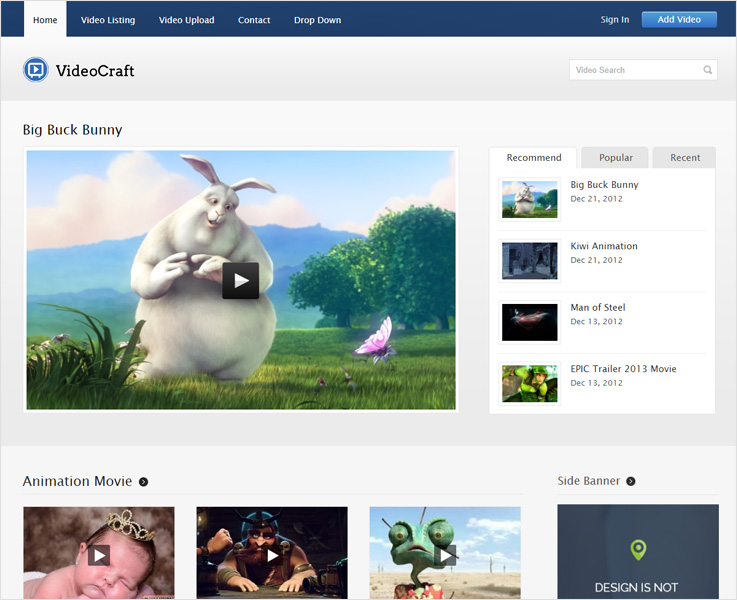
VideoCraft is a fully Responsive video WordPress theme.
This theme is not only the source of entertainment but also act as means of business, education, knowledge and many more. A video is the easiest way to deliver your messages, thoughts, and ideas.
The theme makes a really easy and fully functional video website. Through the video website, you can share posts, blogs, videos in a presentable way.
It has a customizable layout, responsive view, stylish color to grab your customer’s attention. Embed your videos on YouTube, Vimeo, Dailymotion, and others.
2. BlogSpring-

BlogSpring is one of the best WordPress themes which helps to create a complete solution to design your blog website.
For creating an online news portal or an online magazine site BlogSpring might be your first choice to make impression on a reader to grow your business.
It has crisp features and an abundance of post option layouts. The theme lets you link the author ID by providing social network links. Three comment options available for the user. It has 8-different colors along with 3-column layouts to make your website stylish.
3. Phototastic-

Phototastic is an acknowledged, powerful and premium WordPress theme suited for photoblogs. It is clean and full-screen photography website template.
With this Photostatic template, one can create its own photography studio and can share their creative images, posts and many other online. One of the best ways for cameramen, photographers etc., to stand out from the crowd.
The theme has easy navigation and front page on/off option available. It is compatible with wooCommerce so that you can even sell your photographs as well.
4. Sale Junction–

Sale junction is an easy, minimal, modern and business WordPress theme so that you can build your online e-store. The theme has integrated PayPal payment gateway. It is seamlessly integrated with WooCommerce and is easy to use and it has got easy digital download plugins.
5. Prollective-

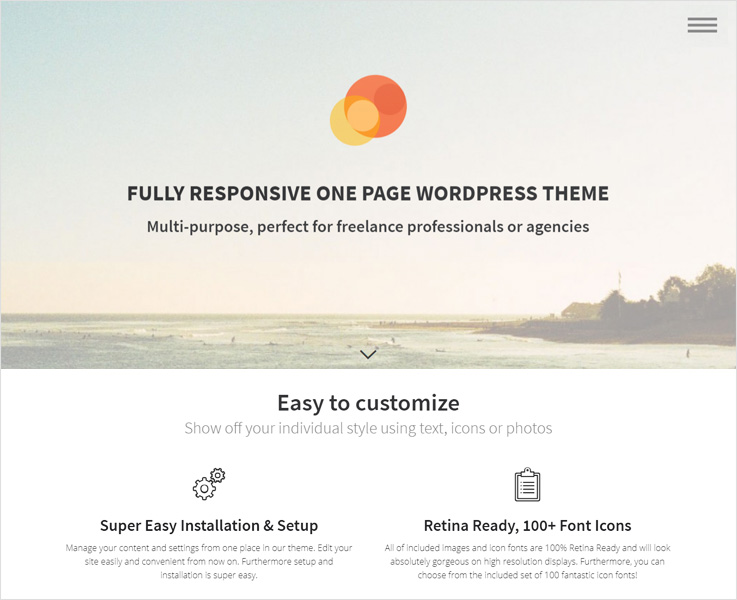
Prollective WordPress theme is a theme that offers tonnes of features and lots of quality designs. It’s fully SEO optimized which will increase the chances of your website to reach on the first page of search engine.
This theme is multipurpose and specially developed for the freelancers, business professionals and agencies. The theme is user-friendly and customized with powerful admin panel.
Its features include 100+font icons and is social media optimized. It is clean and easy to use, semantic code and a perfect solution for all creative ones.
6. AppointWay-

AppointWay is a powerful and impressive WordPress theme. It is a one-page template designed to promote your new mobile app and many other tech related things.
It is Bootstrap WordPress theme which is built on an open-source framework. This app landing page is perfect to make your business presence in a market by launching your any digital products and web applications.
This theme comes with full-screen background with perfect iPhone PSDs. AppointWay support AJAX email subscription and a contact form to monitor your every data or record.
7. HipsTech-

This powerful, fresh and responsive themes help to execute your digital projects and provide the best solution to the customer queries through a website.
HipsTech is a capable framework for creating a minimal and customized website. This theme makes your device adaptable with any devices.
It comes with a parallax background to provide a 3D effect to your website. Multiple shortcodes to provide various functionalities into your post, pages, and widgets. The theme has breadcrumb video to keep tracking of user’s location. Premium coding page-builder to create an unlimited number of templates for your WordPress themes.
8. Gommero-
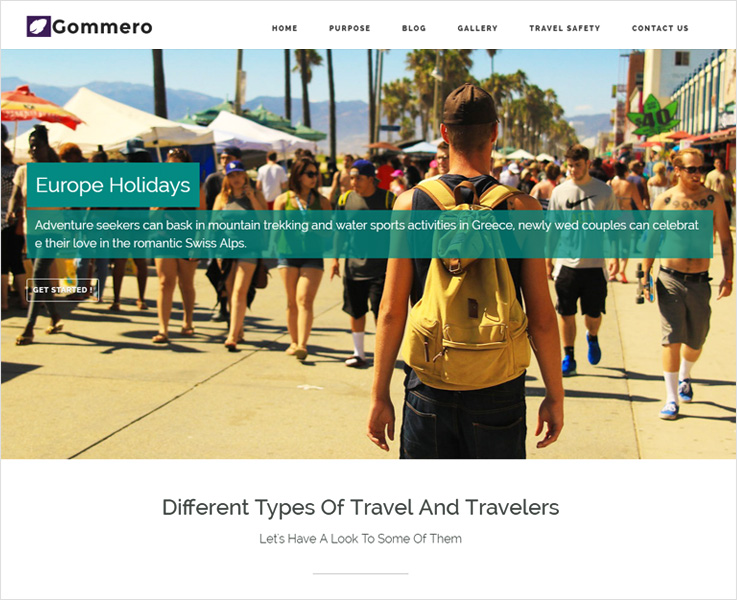
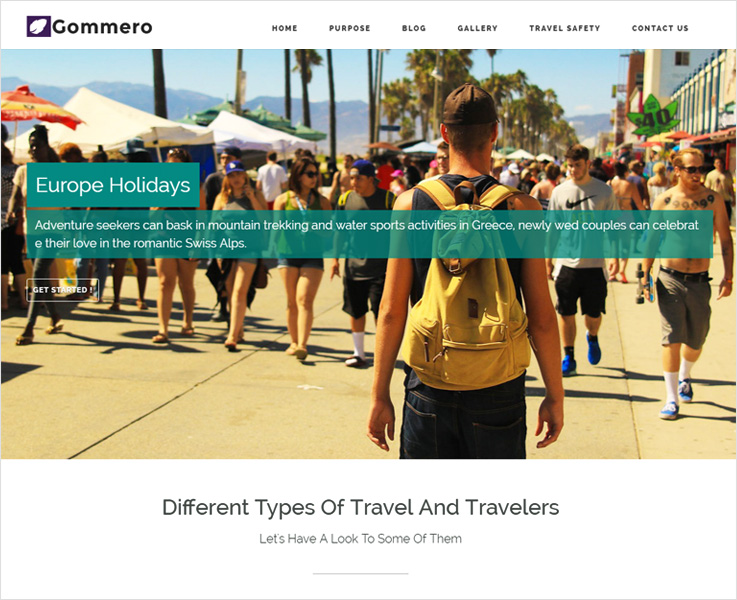
Like everyone else you also want the WordPress theme with all necessary features and impressive design. Gommero comes with all in one package.
The theme is best suited for traveling agencies, reporters, bloggers or online magazine agencies, etc. It makes your website a great medium to successfully grow your brand.
This beautiful WordPress theme is designed to create a professional traveling website where you can take the booking details of places and more.
The theme supports Google fonts and has widegetized left and right areas of the homepage. It has 1140px size layout. Make your website a multilingual with WPML compatible.
9. Dekor-
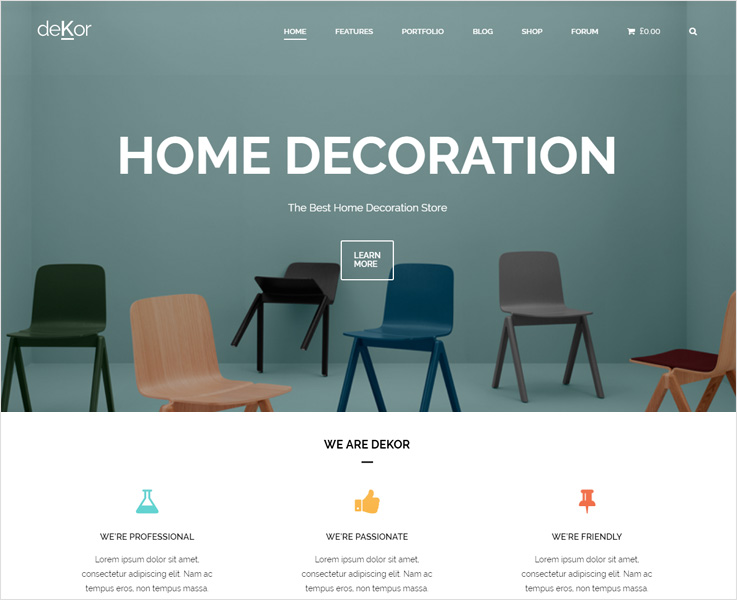
Are you are looking for a stunning WordPress theme for your website?
This might be the best choice for you.
This Minimal WordPress theme is a virtue that provides a platform which suits any kind of furniture store, decor store, interior store and for many other related to this.
DeKor is compatible with WooCommerce so that you can even sell your products easily. It has a well-oriented design, responsive layouts which definitely help to boost your business.
It comes with easy customization for visual interface. Through Visual composer, anyone can create attractive sites by converting your imaginations into a real website. It is WPML compatible, and many more.
10. Traffica–
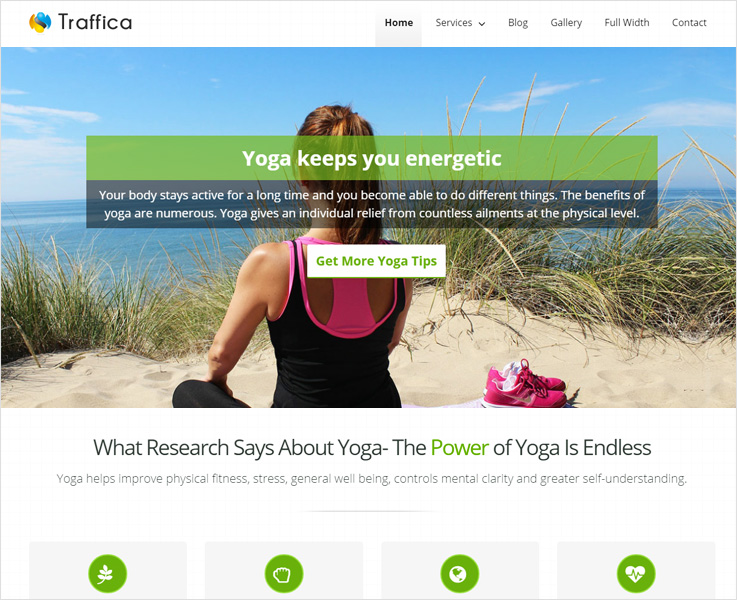
Now, it’s the time to elevate your yoga and fitness channel to the next top level with Traffica WordPress theme.
Traffica is a feature-rich, user-friendly, easily navigable and highly responsive Yoga WordPress theme designed professionally to highlight the feature of your fitness and GYM website.
This theme is simple and easy to use. Compatible with all devices and browser, reliable and robust WordPress theme with a layered slider. Advanced animation and topography. The theme is RTL compatible for better user experience. Has inbuilt Facebook plugin to publish your own Facebook page.
Some more relevant blogs for you:
- 30+ More responsive, beautiful WordPress themes
- 20+ More responsive portfolio WordPress themes
- 20+ More WooCommerce WordPress themes
10 Best Premium WordPress Themes 2022

With so many free themes available in WordPress depository then why on the earth would you ever pay for Premium WordPress themes?
That’s one among the few basic questions for every beginner coming to WordPress.
Welcome!
The major reason being that premium WordPress themes have more features and customization options compared to their free versions.
As a customer, we are always looking for user-friendly WordPress templates that have tons of features like- classy layouts, templates, colors and many more.
But free themes are very limited when it comes to freedom.
Moreover, as a premium theme customer, you will find dedicated customer support upon facing any difficulties while using it.
All in all, there is a multitude of reasons to keep distance with the alluring free themes and to choose a premium theme for your WordPress site.
So here we have curated the list of 10+ best premium WordPress theme:
1. Titania
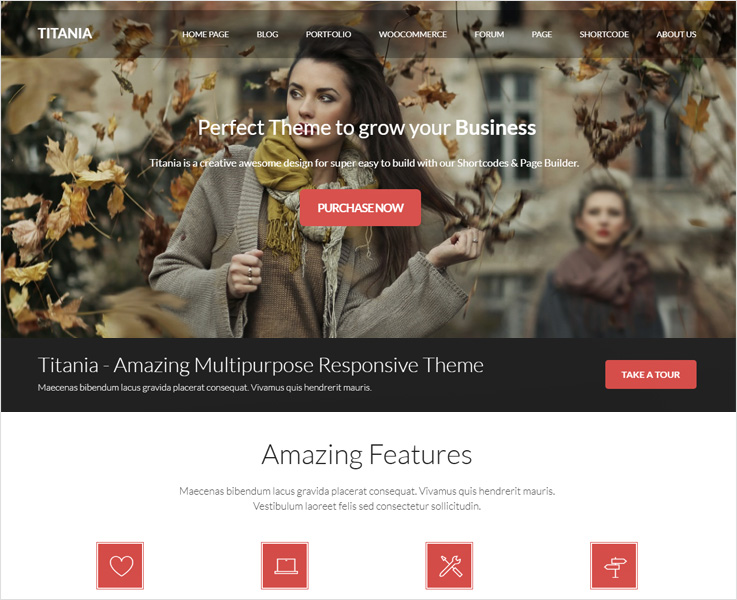
Titania is one of the versatile, easy and multi-purpose WordPress themes, with tons of functionality and flexibility. It’s fully responsive towards every screen sized mobile device. It is suited for every business, shops, and individuals.
It’s time to talk about features. Titania has a large number of Shortcodes to add various functionalities to your post, pages, and widgets without doing any coding. You can give pleasant look to your website with parallax background. Titania is fully loaded with useful plugins like WooCommerce, bbPress, BuddyPress and more for your better experience, and supports Google fonts and provides 16 homepages possibilities.
2. Rare

This is the 2019 best portfolio WordPress website creator templates, with almost unlimited portfolio options ready to go-with in addition with an advanced posts-grid builder engine this is the best theme to showcase your projects and latest works in a beautiful, elegant, modern and responsive way.
Another good Rare WordPress theme features are the advanced documentation and an extensive number of video training material. As a result, everyone, experienced or not can create amazing pages without the needs of coding or spend hours in a learning curve.
3. Home Builder
Home Builder is one of the best WordPress themes for real estate agents that allows you to showcase your properties as well as to manage them also its functionalities help to engage more user, collect lead and many more.
The theme is designed for the property related work and basically for dealers, builders, brokers, agents etc. It also allows you to coordinate with all your agents directly for property submission works, money and many other at a single place
Its features allow you to search locations for your property according to your choice. You can place the most attractive property theme on the top of your website. The theme is self-hosted so that if you publish any new property it automatically gets listed accordingly. It has a navigation slider so that you get to know what the user is exactly looking on your website.
4. BlogSpring
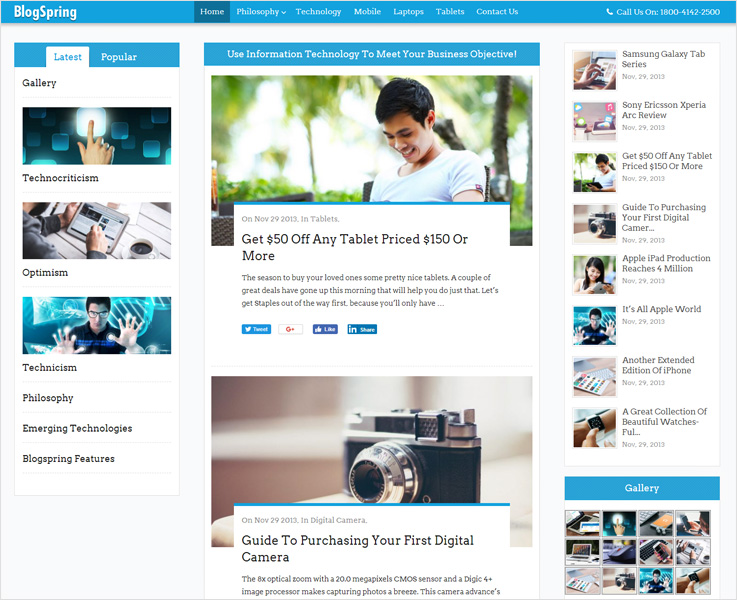
BlogsSpring is the best premium WordPress blog theme with a modern twist in its design. If you are looking to build a website for an online magazine, article, news, then look no further.
The reason to choose it because of its numerous functionalities and flexibility. This theme is the complete solution both for creating a news website and magazine website.
It has all the features that you need exactly to create a professional and stylish news blog website.
Look at these several features of its which will help you to choose BlogSpring.
BlogSpring is a fully responsive WordPress theme. You can link the author ID by providing social network links. Also, people can share their blogs, articles, and thoughts socially i.e., via Facebook, Twitter, Google+, LinkedIn. Share your latest post and popular new with its three-column layout.
5. BlackWell
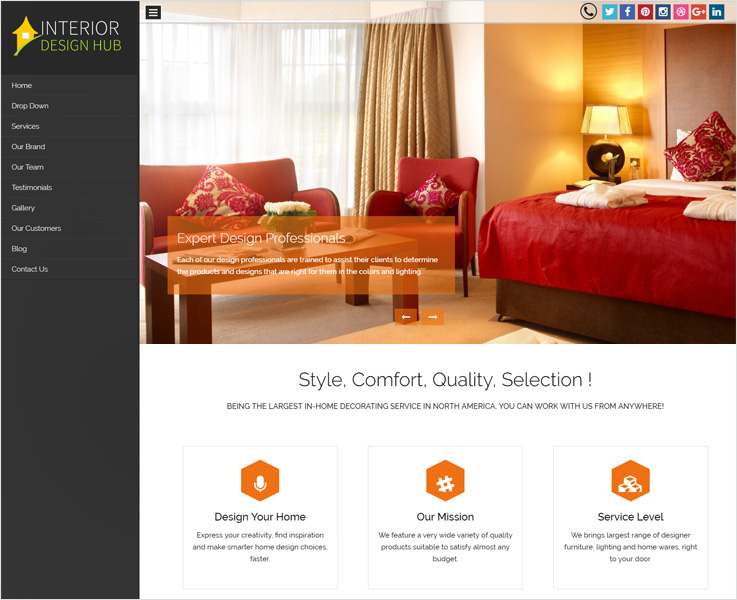
This premium beautiful one page WordPress theme gives a simple and stylish look to your business website. Its responsive layouts and clean features help you create a stunning website in a stroke. Its plenty of functionalities are simple to use. It has awe-inspiring slider image section is only what you see in the image above. Why not hit the demo button and get a better view.
6. Premium Art Canvas color

Canvas Color is among the top most premium art portfolio WordPress themes that come with freshly designed templates. Its background and photos really make the theme beautiful which shows you how the couple images make the theme different from others.
This theme is an excellent platform to show the artwork skills & ideas of artist, designers, portrait maker & many others. You can create a beautiful portfolio design with this theme to center the attention of your audience and make your own identity.
The theme has got a full-screen slider with wave scrolling effect. Through its dynamic sidebar, you can show or hide the features. Share your blog post in different ways through image, art gallery, videos, and many others.
7. Real Photography
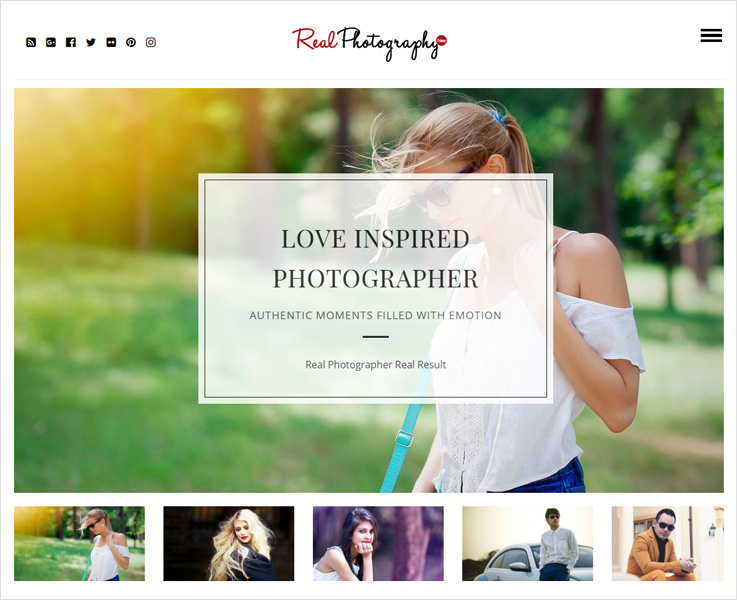
Real Photography is the premium photography WordPress theme with a vintage touch in which your pictures look more beautiful. The theme is responsive in all media and is completely SEO optimized.
This premium template has an amazing portfolio to showcase your eye captivating pictures, 3D images, collage etc. Its prominent features make it more perfect and attractive. You’ve got 9 different color options are available to give your website more pleasant look. Real photography is WPML compatible. It is fast loading, and fully SEO optimized.
8. Blogstrend
Blogstrend is the highly responsive food blog WordPress theme which is freshly designed and developed for publishing the magazines and blogs and sharing your food recipes.
It is the premium responsive WordPress theme and complete solution to create an online food business website. BlogsTrend has tons of features and functionalities needed for every blogger and writer.
The theme has plenty of color styles and fluid layout which gives accessibility feature on technology. This theme provides valid HTML5 code for consistency in web pages, cleaner markup etc. The best part about this is it is easy and simple in use.
9. Right Choice
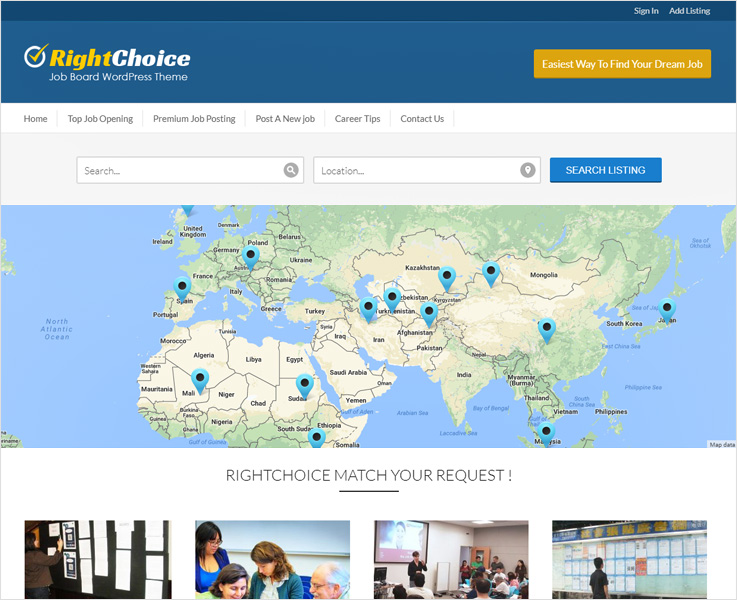
The right choice is the clean and excellent job board business WordPress theme to create a directory website for job seekers, consultancies, and placement agencies.
The theme has templates for all the necessary pages of recruitment related things like job category, employers details, hirers etc.
Right choice helps to provide the job seekers their desired job and location. Online form submission options are also available for the interested candidates. The template allows the customer to track the applicant’s details if they are interested to apply through Google map.
This allows you to create free/paid business lists. Seven color schemes are available to give your website more attractive look according to your choice. It has valid HTML & CSS code. Custom loader and favicon uploader through which visitors can find the things easily which they are looking for.
10. Shuttle World
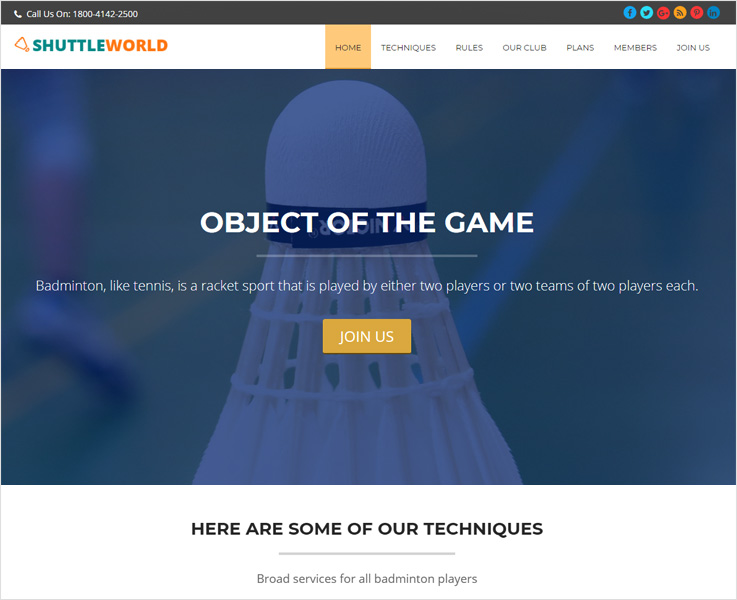
To begin with, this well structured and beautiful WordPress theme gives you the fast and perfect online badminton association website.
The theme has been designed to help you construct an excellent looking site for various sports services like Badminton Club, Sports center, summer Olympic and many other.
Shuttle WordPress theme is the one-page page where you can put all your sports details in one place.
You can also regularly update on your website the sports news, articles, images, videos etc.
It offers you unlimited customizer color option, google font integrated, hexagon portfolio gallery where you can give your website a stylish look. Its plug-in compatibility provides better functionalities. Through its Masonry blog layout, give your website cleaner and organized.
11. Video Member
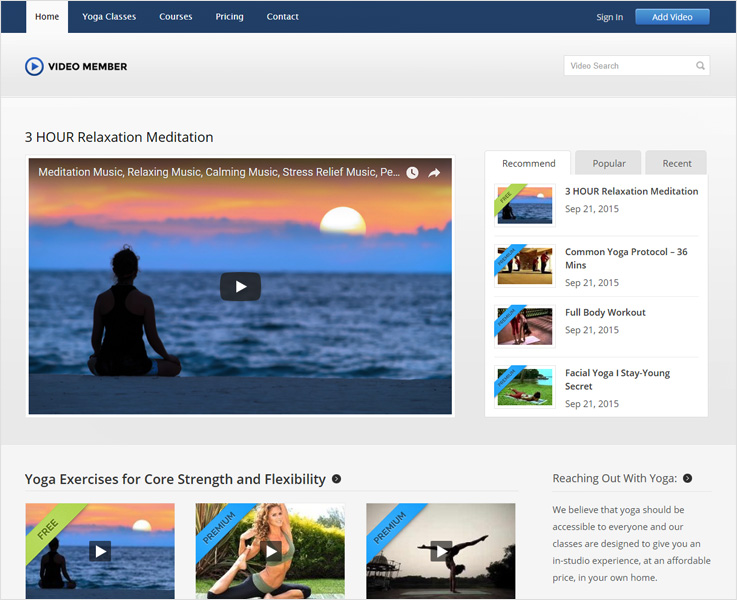
When you are planning to build a website platform website Video member can be the right choice.
It is one of the best video themes where you can share all type of videos, movies trailer, games, videography techniques and many more.
Video member is the right choice that meets all your requirement to create a video selling website.
Its features allow you to add unlimited video contents. Set the subscription period to your choice. This theme gives you the option to select the currency mode as per your requirement. Videomaker is integrated with PayPal payment methods. It supports MP4 & FLV video formats and videos are embedded through Youtube, Vimeo, DailyMotion & MetaCafe.
Conclusion:
This is the lists of top customizable and user-friendly Premium WordPress theme.
Among these themes, you are sure to find what you need exactly to create your own website.
You may also like some WordPress Themes & Plugins:-
- Best WordPress Themes
- Minimalist WordPress themes
- Search WordPress Plugins
- Login WordPress Plugin – List Of Best 8 PluginsWith so many free themes available in WordPress depository then why on the earth would you ever pay for Premium WordPress themes?That’s one among the few basic questions for every beginner coming to WordPress.
Welcome!
The major reason being that premium WordPress themes have more features and customization options compared to their free versions.
As a customer, we are always looking for user-friendly WordPress templates that have tons of features like- classy layouts, templates, colors and many more.
But free themes are very limited when it comes to freedom.
Moreover, as a premium theme customer, you will find dedicated customer support upon facing any difficulties while using it.
All in all, there is a multitude of reasons to keep distance with the alluring free themes and to choose a premium theme for your WordPress site.
So here we have curated the list of 10+ best premium WordPress theme:
1. Titania
Titania is one of the versatile, easy and multi-purpose WordPress themes, with tons of functionality and flexibility. It’s fully responsive towards every screen sized mobile device. It is suited for every business, shops, and individuals.
It’s time to talk about features. Titania has a large number of Shortcodes to add various functionalities to your post, pages, and widgets without doing any coding. You can give pleasant look to your website with parallax background. Titania is fully loaded with useful plugins like WooCommerce, bbPress, BuddyPress and more for your better experience, and supports Google fonts and provides 16 homepages possibilities.
2. Home Builder

Home Builder is one of the best WordPress themes for real estate agents that allows you to showcase your properties as well as to manage them also its functionalities help to engage more user, collect lead and many more.
The theme is designed for the property related work and basically for dealers, builders, brokers, agents etc. It also allows you to coordinate with all your agents directly for property submission works, money and many other at a single place
Its features allow you to search locations for your property according to your choice. You can place the most attractive property theme on the top of your website. The theme is self-hosted so that if you publish any new property it automatically gets listed accordingly. It has a navigation slider so that you get to know what the user is exactly looking on your website.
3. Visualmodo
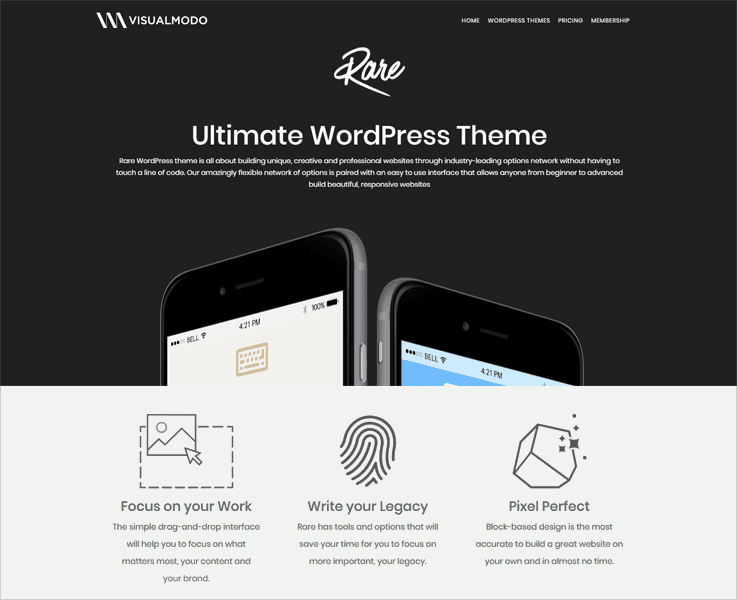
This is the 2019 best portfolio WordPress website creator templates, with almost unlimited portfolio options ready to go-with in addition with an advanced posts-grid builder engine this is the best theme to showcase your projects and latest works in a beautiful, elegant, modern and responsive way.
Another good Rare WordPress theme features are the advanced documentation and an extensive number of video training material. As a result, everyone, experienced or not can create amazing pages without the needs of coding or spend hours in a learning curve.
4. BlogSpring
BlogsSpring is the best premium WordPress blog theme with a modern twist in its design. If you are looking to build a website for an online magazine, article, news, then look no further.
The reason to choose it because of its numerous functionalities and flexibility. This theme is the complete solution both for creating a news website and magazine website.
It has all the features that you need exactly to create a professional and stylish news blog website.
Look at these several features of its which will help you to choose BlogSpring.
BlogSpring is a fully responsive WordPress theme. You can link the author ID by providing social network links. Also, people can share their blogs, articles, and thoughts socially i.e., via Facebook, Twitter, Google+, LinkedIn. Share your latest post and popular new with its three-column layout.
5. BlackWell
This premium beautiful one page WordPress theme gives a simple and stylish look to your business website. Its responsive layouts and clean features help you create a stunning website in a stroke. Its plenty of functionalities are simple to use. It has awe-inspiring slider image section is only what you see in the image above. Why not hit the demo button and get a better view.
6. Premium Art Canvas color
Canvas Color is among the top most premium art portfolio WordPress themes that come with freshly designed templates. Its background and photos really make the theme beautiful which shows you how the couple images make the theme different from others.
This theme is an excellent platform to show the artwork skills & ideas of artist, designers, portrait maker & many others. You can create a beautiful portfolio design with this theme to center the attention of your audience and make your own identity.
The theme has got a full-screen slider with wave scrolling effect. Through its dynamic sidebar, you can show or hide the features. Share your blog post in different ways through image, art gallery, videos, and many others.
7. Real Photography
Real Photography is the premium photography WordPress theme with a vintage touch in which your pictures look more beautiful. The theme is responsive in all media and is completely SEO optimized.
This premium template has an amazing portfolio to showcase your eye captivating pictures, 3D images, collage etc. Its prominent features make it more perfect and attractive. You’ve got 9 different color options are available to give your website more pleasant look. Real photography is WPML compatible. It is fast loading, and fully SEO optimized.
8. Blogstrend

Blogstrend is the highly responsive food blog WordPress theme which is freshly designed and developed for publishing the magazines and blogs and sharing your food recipes.
It is the premium responsive WordPress theme and complete solution to create an online food business website. BlogsTrend has tons of features and functionalities needed for every blogger and writer.
The theme has plenty of color styles and fluid layout which gives accessibility feature on technology. This theme provides valid HTML5 code for consistency in web pages, cleaner markup etc. The best part about this is it is easy and simple in use.
9. Right Choice
The right choice is the clean and excellent job board business WordPress theme to create a directory website for job seekers, consultancies, and placement agencies.
The theme has templates for all the necessary pages of recruitment related things like job category, employers details, hirers etc.
Right choice helps to provide the job seekers their desired job and location. Online form submission options are also available for the interested candidates. The template allows the customer to track the applicant’s details if they are interested to apply through Google map.
This allows you to create free/paid business lists. Seven color schemes are available to give your website more attractive look according to your choice. It has valid HTML & CSS code. Custom loader and favicon uploader through which visitors can find the things easily which they are looking for.
10. Shuttle World
To begin with, this well structured and beautiful WordPress theme gives you the fast and perfect online badminton association website.
The theme has been designed to help you construct an excellent looking site for various sports services like Badminton Club, Sports center, summer Olympic and many other.
Shuttle WordPress theme is the one-page page where you can put all your sports details in one place.
You can also regularly update on your website the sports news, articles, images, videos etc.
It offers you unlimited customizer color option, google font integrated, hexagon portfolio gallery where you can give your website a stylish look. Its plug-in compatibility provides better functionalities. Through its Masonry blog layout, give your website cleaner and organized.
11. Video Member
When you are planning to build a website platform website Video member can be the right choice.
It is one of the best video themes where you can share all type of videos, movies trailer, games, videography techniques and many more.
Video member is the right choice that meets all your requirement to create a video selling website.
Its features allow you to add unlimited video contents. Set the subscription period to your choice. This theme gives you the option to select the currency mode as per your requirement. Videomaker is integrated with PayPal payment methods. It supports MP4 & FLV video formats and videos are embedded through Youtube, Vimeo, DailyMotion & MetaCafe.
Conclusion:
This is the lists of top customizable and user-friendly Premium WordPress theme.
Among these themes, you are sure to find what you need exactly to create your own website.
You may also like some WordPress Themes & Plugins:-
- Best WordPress Themes
- Minimalist WordPress themes
- Search WordPress Plugins
- Login WordPress Plugin – List Of Best 8 Plugins
10 Best Free WordPress Themes 2018

What are the best free WordPress themes you have ever come across?
Actually, best WordPress theme is not a static definition but it keeps on changing from person to person according to their various needs.
Let’s get it straight.
If you are a photographer, you must be looking for a WordPress theme that strikes a pose like your photographs. If you run a business, your search will end on a WordPress template with responsive layout, premium features such as customization and constant customer support.
Now…
Whether you were searching for the best business WordPress themes, blog, or let’s say photography, you have an ocean of WordPress themes to pick your choice out of.
That’d be some serious hard work!
But don’t worry, we have done it all…
Here’s our take on the 10 best free WordPress themes from which you can pick the one you need.
1. Gommero
2. WoodBerry

While looking for the simplest responsive WordPress themes, look no further than WoodBerry.
It’s free and capable of creating a website single-handedly.
WoodBerry is perfect if you want to give an astounding look at your website with easy layouts. The look of the website is visually pleasing with Parallax effects in the background.
This theme is suitable for bloggers, start-ups and eCommerce firms.
The limelight of this theme is the lightning speed, in spite of loads of feature and eye-pleasing appearance.
Let’s get to the features now.
The theme has got WooCommerce integration along with full customization options. Yet its installation and its usage are as easy as a pie and it takes a few minutes to set up
Further, it has 8+ color options with multiple layouts and with built-in SEO for optimization.
PS-WoodBerry is one of those beautiful WordPress themes which creates an impression in the very first second. If you are looking forward to having an impressive looking website for your start-up, business or blog, go for WoodBerry.
3. One-Page

By now, we went through some of the premium WordPress themes with amazing features.
Now it’s time to introduce you to a theme with premium features but zero cost.
One Page is a beautiful one page WordPress theme with full customization options.
This theme is offering you a lot for free and leaves no grounds to prove its efficiency.
Let us list down some of its features that we actually liked.
A complete responsive layout, advanced slider options, unlimited color schemes. In addition to this, you get 2+ different theme layouts, Google Fonts integration, and flexibility to add or remove sections.
Yet we cannot ignore the professional and sorted look it gives to the website.
So, this WordPress theme stands as a good option to consider for your website.
PS-It’s free with all the essential features, you must give it try!
4. BlogSpring
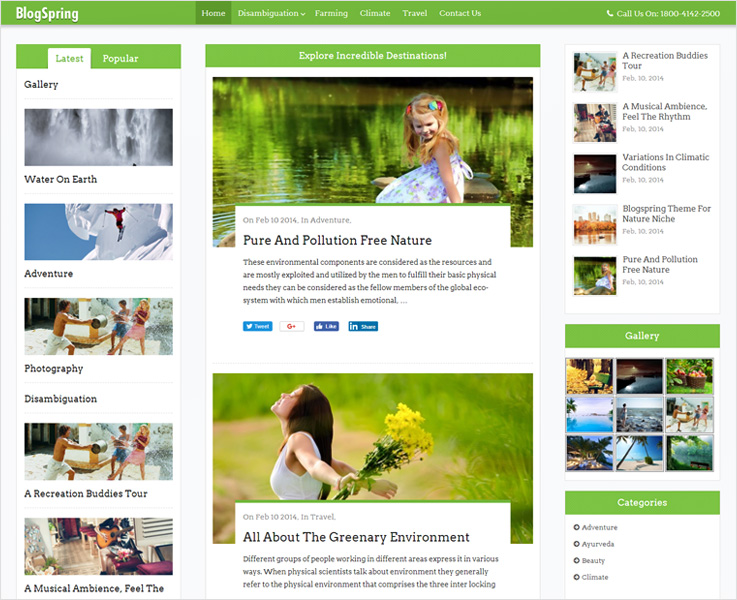
This premium WordPress theme for blogs, magazines, and news is our top pick.
Want to know why?
Its popularity has been one of the factors behind our choice. This theme is one of the most popular WordPress themes for blogs, magazines, and news.
This popularity is a result of its long list of features with which you can upgrade your website to a next level.
There are a few features we have handpicked for you.
The BlogSpring theme is fit for all the screens with its completely responsive layout. With 8+ color styles, creating a visually pleasing website is going to be a matter of minutes.
Moreover, share your blog and receive feedback on Facebook, Twitter, Google+, LinkedIn in few clicks as this template is socially alive and active.
PS- Go for BlogSpring WordPress theme if you are looking for a popular, eye-pleasing theme with constant customer support for your blogs, magazines or news house.
5. ButterBelly

For ButterBelly WordPress theme all we can say is we are fond of its elegant and clean look.
In fact, its a multipurpose WordPress theme with which you can create a professional looking website for every business.
Now, how do you want your business website to be?
Responsive, translation ready, WooCommerce compatible, integrated with Google fonts, more?
Okay, we missed customization where you can add a logo, favicon, banner, and a full-width slider.
So, these are the must-have features of a business WordPress theme.
You get all these features with ButterBelly WordPress theme and a lot more.
That’s the reason why we quoted it a WordPress theme for business.
PS-We recommend this theme if you are looking for a professional looking WordPress business theme, loaded with essential features. ButterBelly is good to go!
6. PhotoMaker
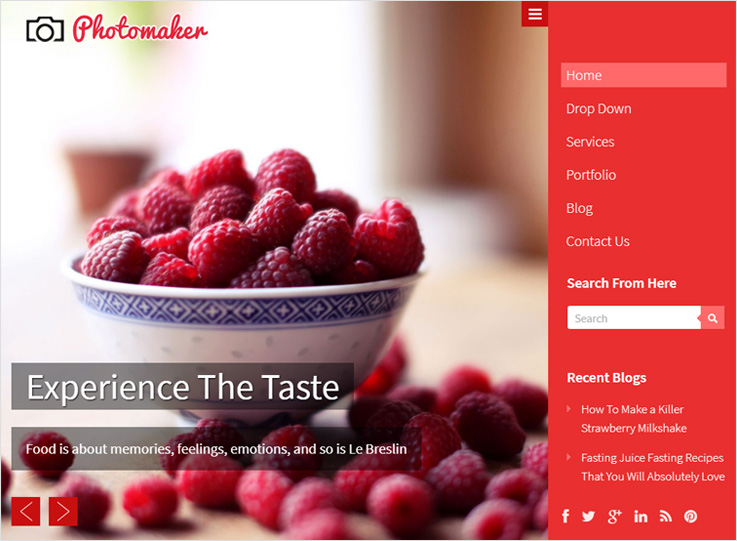
If you were looking for a WordPress themes for photography, end your search on Photomaker.
PhotoMaker is a full page WordPress template with a dynamic full-width slider that lets your pictures do the talking.
The catchy look of this responsive theme fits all the screen whether it’s your mobile or your PC.
The theme has got integration of all the major social networking icons and comes with built-in SEO to work on the Google ranking.
Furthermore, this retina ready theme is a user-friendly one and is simple to install and easy to use.
What makes it stand out?
First, the appearance is magnetic without over emphasizing your clicks or the designing.
Second, it has various color styling options, animated galleries and is conversion optimized
PS-For photography, PhotoMaker is one of the best WordPress themes. If you are truly dedicated to hike up your photography at the online platform, trust PhotoMaker blindly.
7. Foogo Pro
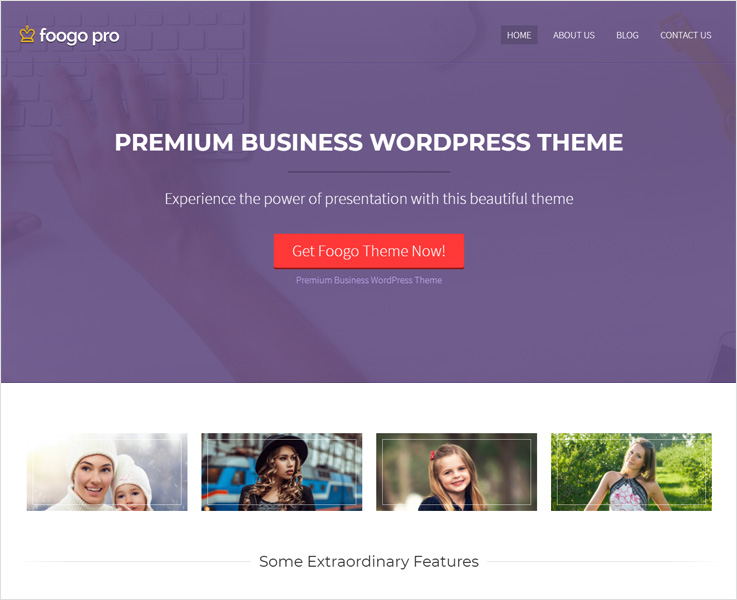
Foogo Pro is a clean and simple, multipurpose WordPress theme with a completely responsive layout.
It is a fully fledged theme to your cater business needs.
There’s more to it.
We are calling it a perfect take for your business because it has a lot more to offer.
This theme enables complete customization for your business website. It is a combination of 8+ color accents, super simple layout, and modern, attractive design.
It has WooCommerce integration along with PayPal integration for online payments.
Furthermore, compressed CSS and JavaScript optimizes the speed and enhances user experience.
In addition to this, it is translation ready, conversion-optimized with a call to action button and ad space banner.
You also get Google Fonts integration along with SEO and tracking code option.
And still, the theme has a lot more to offer.
PS-Pick Foogo Pro when you are looking forward to use a lot of features to optimize your website. This is ideally for business but suits blogs as well.
8. Video Member
Video Member is a right WordPress template for your video platform website.
And here’s the reason why.
It is a membership responsive WordPress theme. So, create a website to sell your video content and earn a monthly recurring income without any hassle.
It has PayPal integration for the collection of recurring payments.
With this theme, you get multiple page layouts and complete customization options.
Also, this WordPress template lets you import videos from YouTube, Vimeo, and more in a click.
In addition to this, you can earn more by featuring advertisements and banners in the ad module using this theme.
What I found remarkable about this theme is you do not have to depend on anything external for subscriptions. You get all your subscription based needs catered under the umbrella of Video Member.
PS-Video Member WordPress theme can be a pick for you if you have decided to get some money out of your video collection.With PayPal integration and subscription management, this theme is a good pick!
9. Real Photography

Real Photography is a classic WordPress theme for photographers.
With this theme, you can create an online studio and promote your pictures in a classy manner.
Talking about its features, it is completely responsive and has got a thumbnail slider region that displays pictures like a movie.
The theme wins it all by its eye-pleasing and flashy appearance.
It is complete translation ready and is super easy to install and use.
Furthermore, you get built-in SEO, social icon integration, and cross-browser support.
PS-With this theme, the online platform could be the place where you set up your online studio and give the hike to your photographic work.
Expand the horizon and take your work to the masses then go for Real photography WordPress theme.
10. ZugoTopia
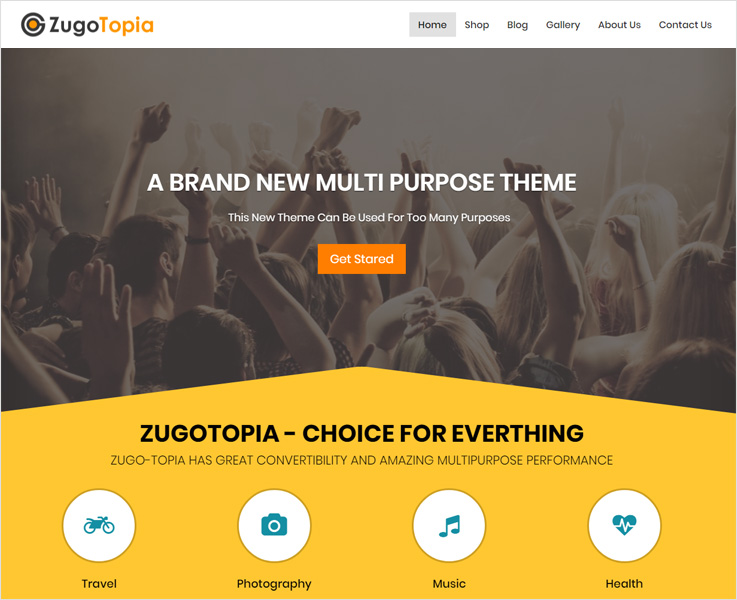
ZugoTopia is a multipurpose WordPress theme with a multi-vendor plugin.With this plugin, different businesses can submit their products to your site and for every sale, you can earn a decent commission.
For those who want to expand their businesses online, ZugoTopia stands as a perfect pick.
Now, let’s get to the features.
ZugoTopia is encapsulated with full customization options, WooCommerce integration, social sites integration, along with Google fonts integration.
The list doesn’t end here, this theme is well coded in PHP, CSS & JS files.
The appearance of this site is very lively with swinging and swaying of products as you scroll up or down.
Also, it has got the complete responsive layout and is search engine optimized.
PS- ZugoTopia can be a pick for you when you want to have the essential e-commerce plugins ready in your website. This theme has all the features for your multiple business ideas and it doesn’t disappoint.
11. QuickOnlineShop
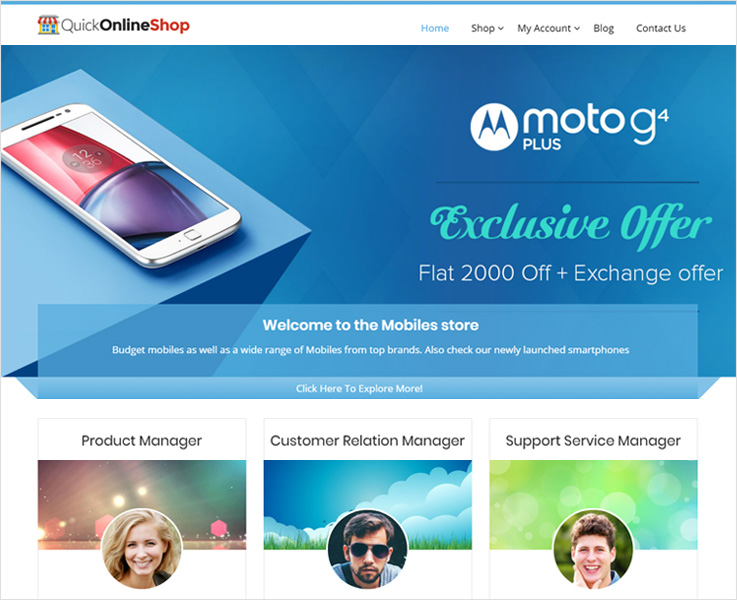
QuickOnlineShop is an Amazon affiliate store builder WordPress theme.
This theme is a straightforward solution to create an Amazon affiliate store in no time.
You simply need to configure your access, secret keys IDs and Amazon affiliate ID to start your earning by promoting a product and receiving commissions for sales.
It has Affiliate shop and WooCommerce plugins integrated.
Also, you can also import a product instantly from Amazon your website with this theme.
The features don’t stop here, you get social sites integration with 8+ classic color skins.There are inbuilt page templates like contact, default, full width & blog.
PS-This can be a pick for you if you are looking for over $500 worth bonus included by Amazon. You simply can earn by promoting and affiliating store so, if that’s your plan, this theme is good to go!
Final Thought
This list of 10 best free WordPress themes is a result of our several hours of delving.
Finally, we hope that you must have found a theme that proves an asset for your needs.
You may also like some WordPress Themes & Plugins:-
How SendBlaster 4 Works : Integration with MailGet SMTP

SendBlaster 4 is a bulk email software to manage your mailing lists and set up email marketing campaigns in few easy steps. SendBlaster combines
into one product with the practicality of a mass email software and with the flexibility of a bulk email web service.
With SendBlaster 4 you can create newsletters and manage lists directly on your desktop.
You can also track your email sending statistics to improve your email campaigns.
In this tutorial, we will be learning how SendBlaster 4 works. How to Install it and How to configure SMTP in SendBlaster.
1. Download SendBlaster 4
To download SendBlaster, go to it’s website www.sendblaster.com
Click on [Download For Free] button to download the free version of for initial use.
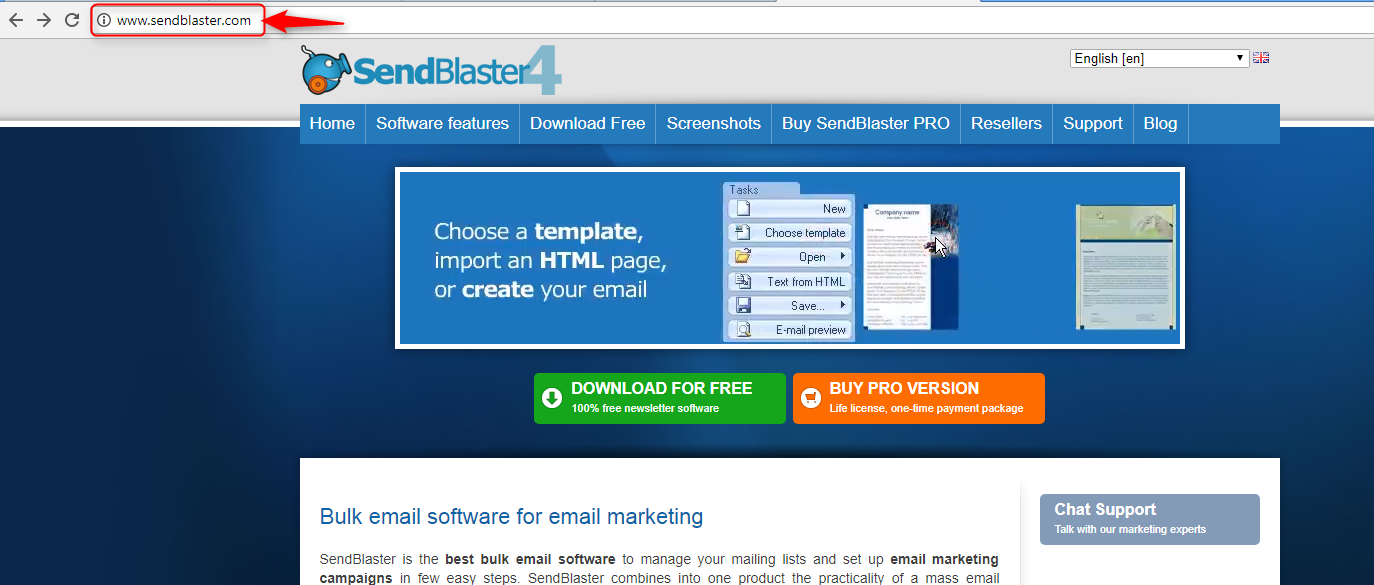
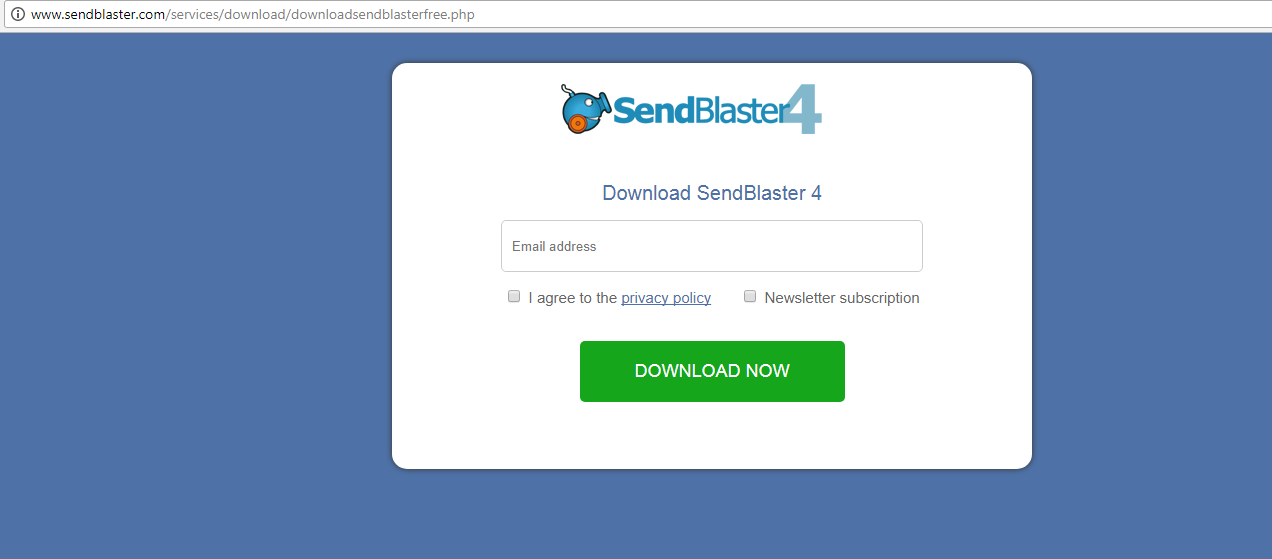
After clicking on Download For Free, a download window will pop-up.
Enter the valid email address and click on the checkbox to agree with the privacy policy.
Click on the [Download Now] button to start the download process.
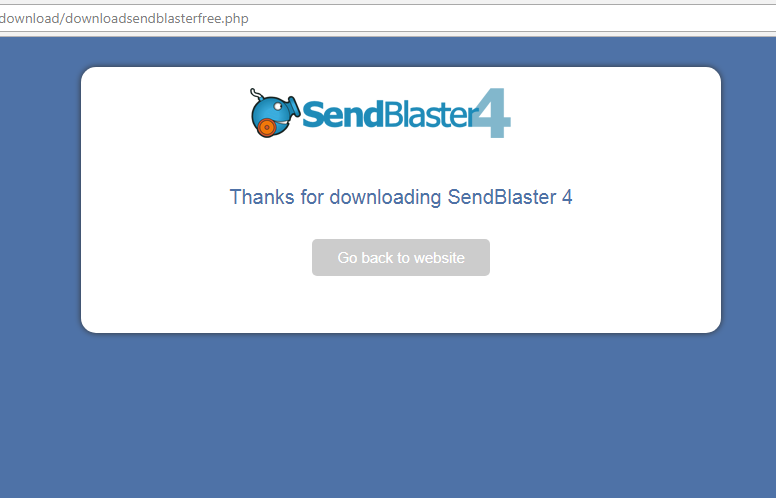
Once SendBlaster is downloaded, you will receive the following message.
You can click on Go back to website if you wish to visit the website again.
2. Install SendBlaster 4
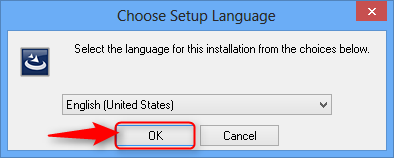
Go to the download folder in your computer and open the downloaded SendBlaster file.
In the pop-up select the language you wish to operate in and click on the OK button to continue to the next step.
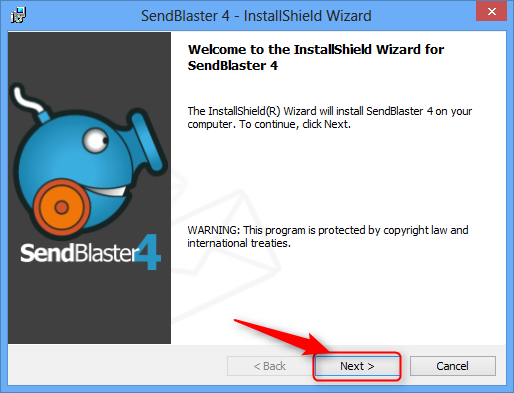
Once you select the language, you will get a Welcome to SendBlaster window.
Click on Next button to continue to the next step.
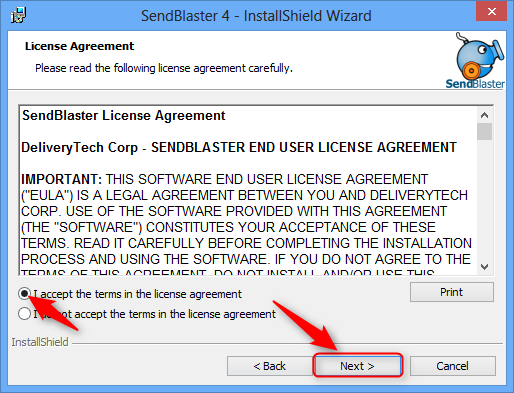
On reaching the License Agreement page accept the terms and click on the next button to continue to the next page.
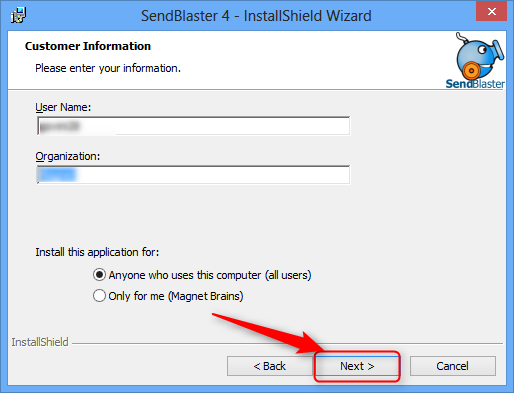
Fill the Customer Information on the next screen.
Fill in the User Name and Organization name and click on the Next button to go to the next page.
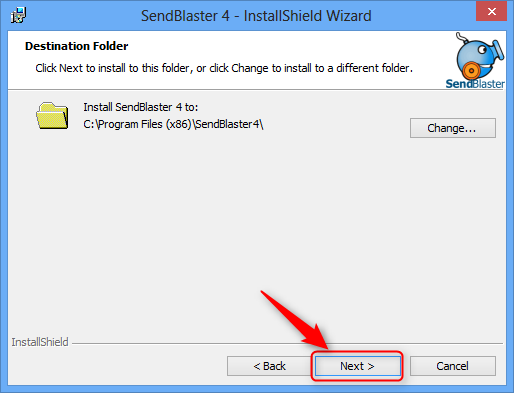
Select the destination folder to install the SendBlaster and click on the Next button.
Once the installation folder is selected, SendBlaster is ready to install.
Click on the Install button to complete the installation process.
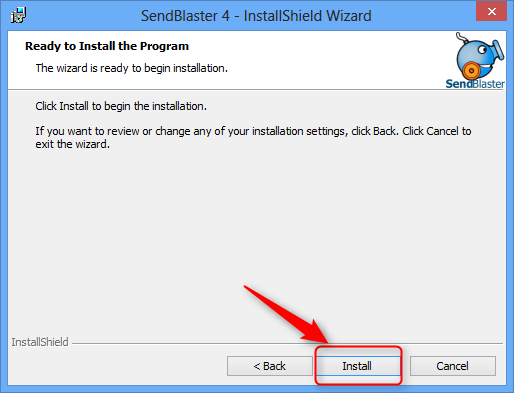
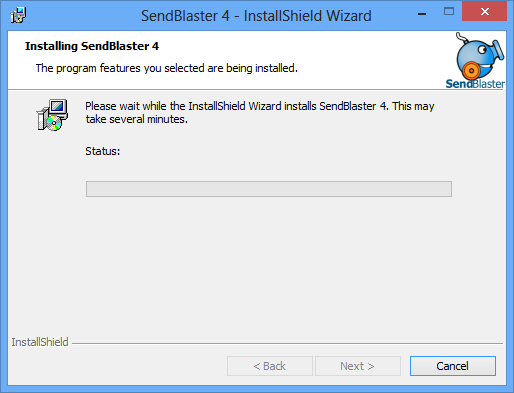
The installation process is now started. Wait till the software is completely installed.
There are some other easy to use Email marketing tools which serve as a great SendBlaster alternative like Mailget and Mailget Bolt. You need not download or install any application for it, just register directly on MailGet website and start sending bulk emails.
3. Integrate SMTP with SendBlaster 4
Once the installation of SendBlaster is complete, login to your SendBlaster account and go to the homepage.
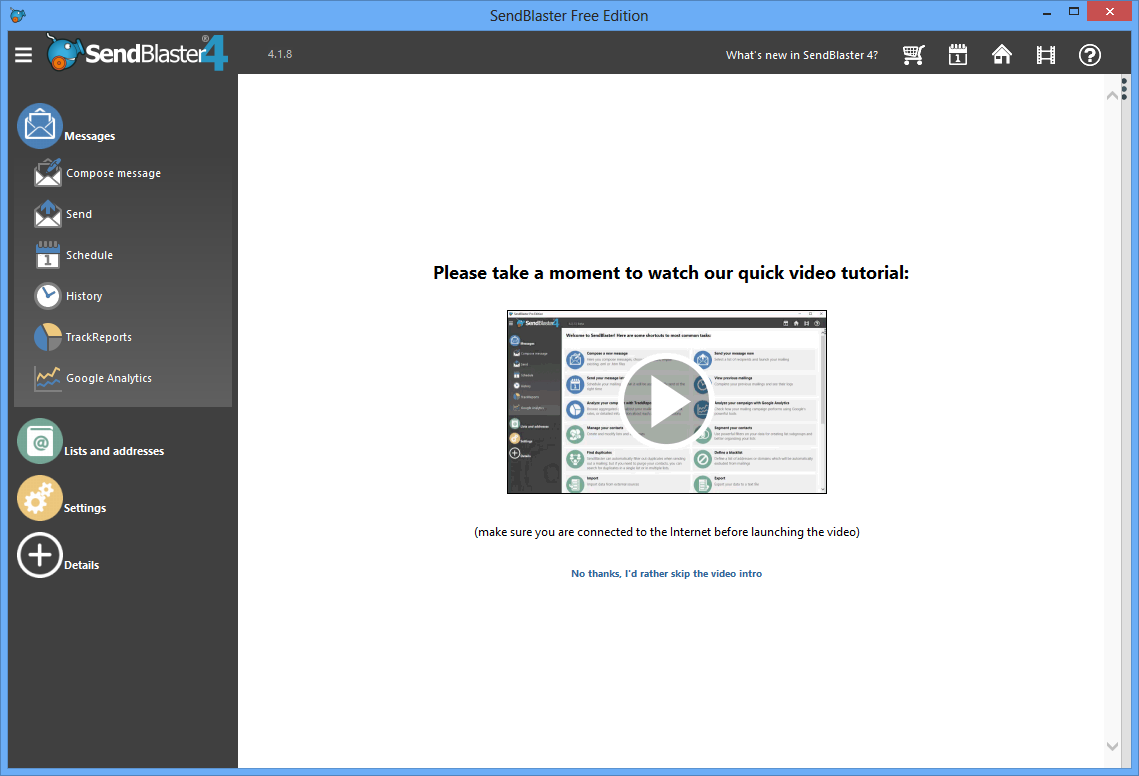
On the homepage of your SendBlaster account go to the menu on the left side of the page and click on Messages.
In the Messages option select Send option.
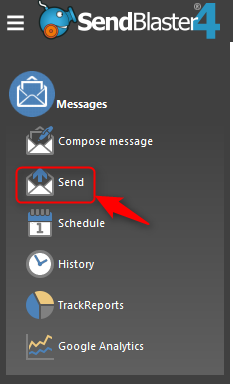
Once you click on the Send button you will be redirected to the page with all the settings for sending the email campaign.
In the send settings, select Use SMTP server as Send Mode and proceed with the SMTP setup.
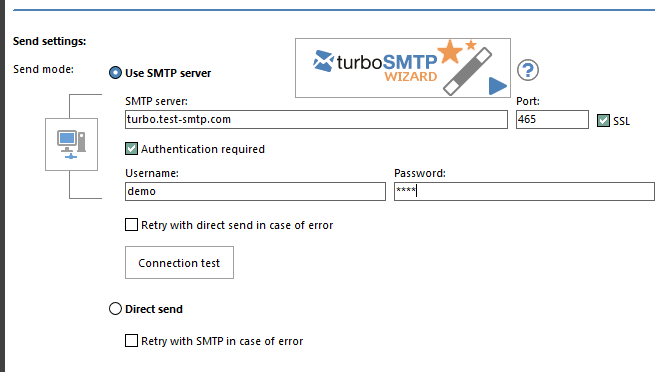
Go to your Mailget or your SMTP account and fetch all the SMTP details.
Note: In this tutorials, we are using MailGet SMTP as an example.
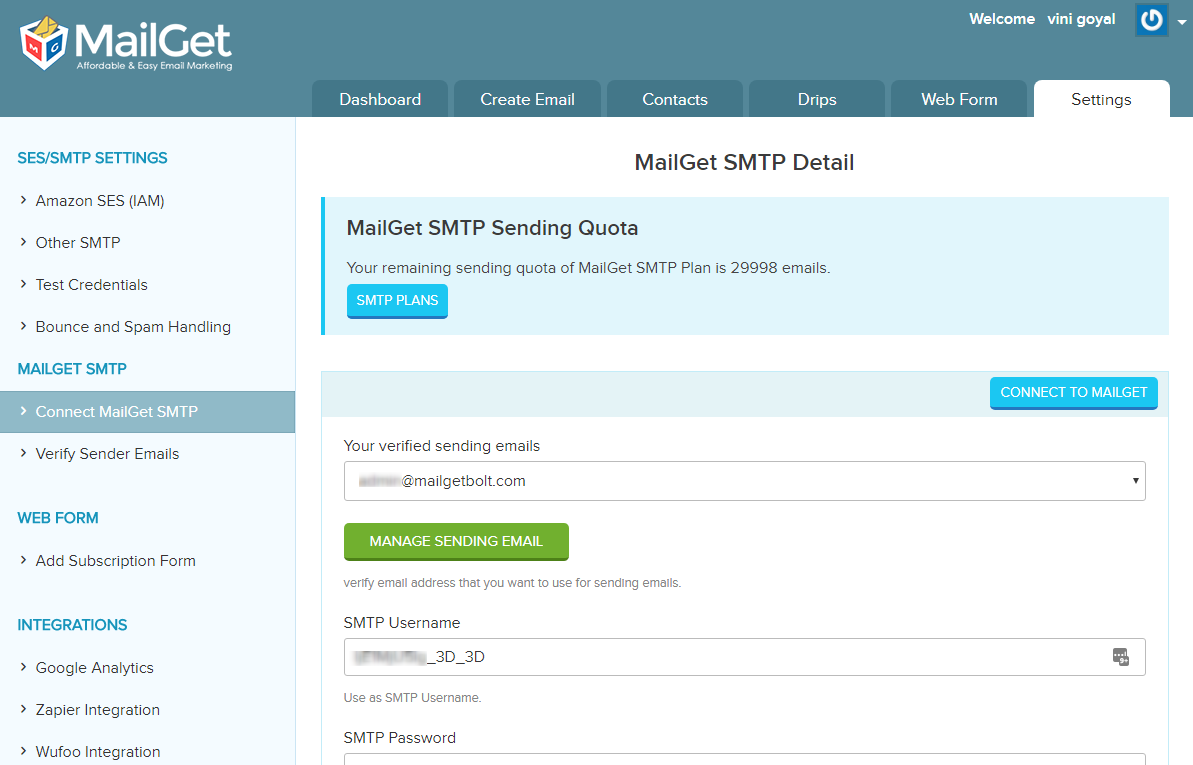
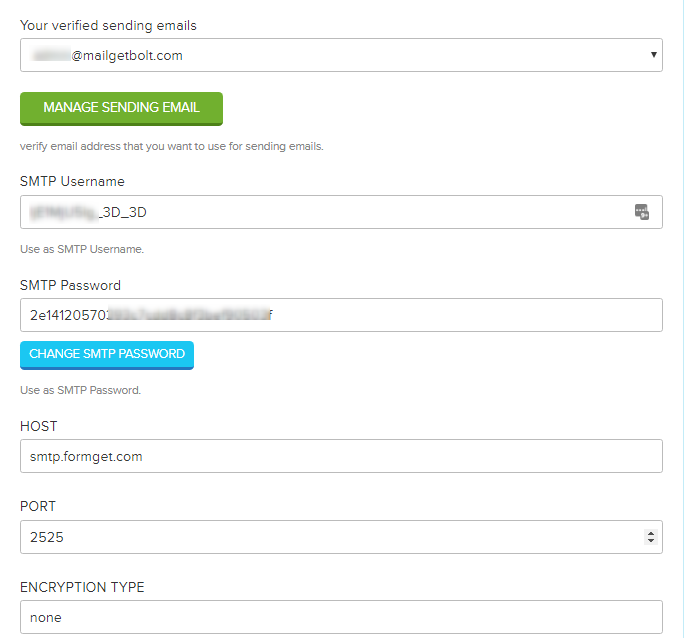
Take all the details like Sending email address, SMTP username, SMTP password, Host from your SMTP account.
Fill-in the respective details in the SendBlaster SMTP settings option.
SMTP Server: smtp.formget.com
Port: 2525
Username: As mention in your SMTP account
Password: As mention in your SMTP account
Note: Make sure to un-check checkbox for SSL
After filling all the details click on Connection test to set up the connection of the SMTP with SendBlaster.
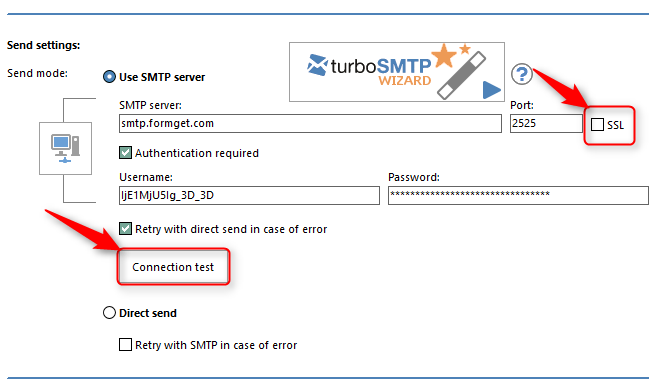
A popup with Connection established message will be displayed after the credentials are verified and the connection is successfully made.
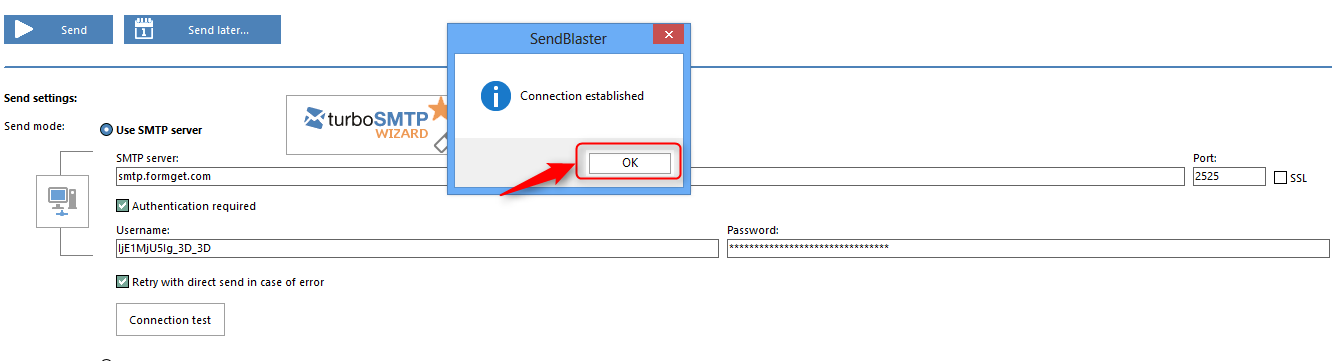
After following all the above steps, you have learned.
- To download SendBlaster 4 application
- Installing it.
- Integrating MailGet SMTP with SendBlaster.
You are now good to proceed with creating an email list and start sending your bulk email campaign.
You can also refer to similar tutorials on SMTP-
Find 1000 LinkedIn Profiles At $19 | 5 Data Enrichment Tools

Find LinkedIn profile by email with the help of data enrichment tools.
Knowing your potential customer is a tough task?
Yes!!!
Enriched your lead data & will get to know everything about them.
But how exactly will you get enriched data?
In this post, I have accumulated Data enrichment tools through which you can not only find person’s LinkedIn profile by their email address but also get other social media account such as Facebook, Twitter, Google+, & many others with ease.
And, you will get everything about the person including name, age, gender, location, job profile, company size, & much more at your fingertips.
For more related stuff, you can also go through these blogs:-
- Email Enrichment Tools
- Find Social Media Profiles By Email Address
- Clearbit Alternatives
- FullContact Alternatives
Let’s take a deep dive into the data enrichment tools one by one:-
1. Clearbit | Find LinkedIn Profile By Email
Clearbit is wondrous data enrichment solution through which you can seek people information from multiple social websites at once. With Clearbit, you can fetch data such as social media accounts, personal, educational & professional information with ease.
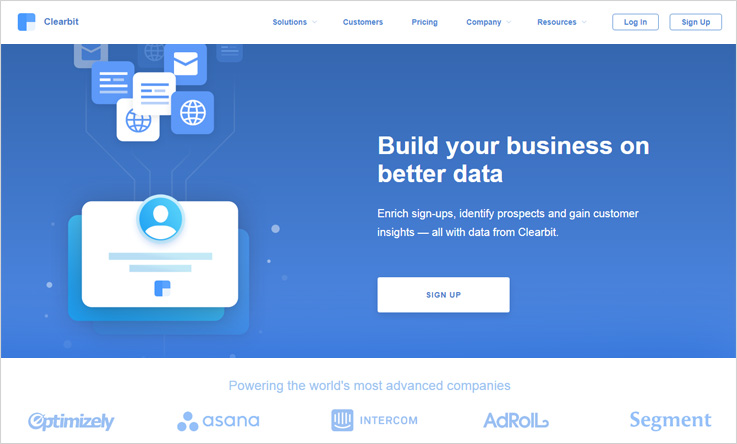
Features:-
- In addition, this lead enrichment software can be connected with SalesForce, Zapier, Marketo, Slack, Segment and many other services.
- When you enter person’s email address & hit the search button then Clearbit extracts additional information about the person such as name, gender, social media accounts, professional profiles and a lot more.
- Clearbit social profile search engine works with an only email address. By using person’s email address you can retrieve all information associated with that email.
Pricing:-
The Plan A will charge $99 for 2500 lead information.
Under this plan, the charges would be $149 where the user can search data of 5000 leads.
In this plan, you would be charged $199 per month in which the user will get 10,000 lead details.
Note:- If you are using marketing automation tools such as Salesforce & Marketo then Clearbit will charge you $499 for a single month.
2. Pipl:-
Pipl is an advanced social media search engine which converts any email address, phone number, & name into complete lead information. This is the most popular lead enrichment software which is used globally for finding lead information.
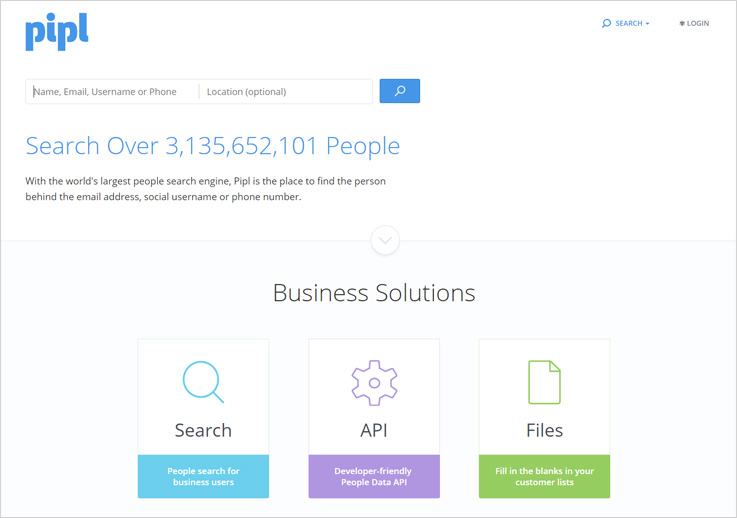
Features:-
- Pipl people search engine scours someone’s profiles on the web through an email address, social username or phone number.
- With the Pipl search engine, you can upload a list of email address and start searching person’s information in bulk.
- In a few clicks, you will get a clear picture of your lead at your fingertips. The software doesn’t require any technical skill or knowledge.
Pricing:-
In the Plan A, you have to pay $99 where you can find 200 matches in a month.
Under the Plan B, you will charge $199 in a month where the user can search 500 matches.
Plan C will charge $299 where you can seek unlimited matches in a month.
3. Been verified | Get LinkedIn Profile By Email
Another interesting & popular social profile search engine is BeenVerified which extract lead information in a few min through an email address, phone number, or residential area.
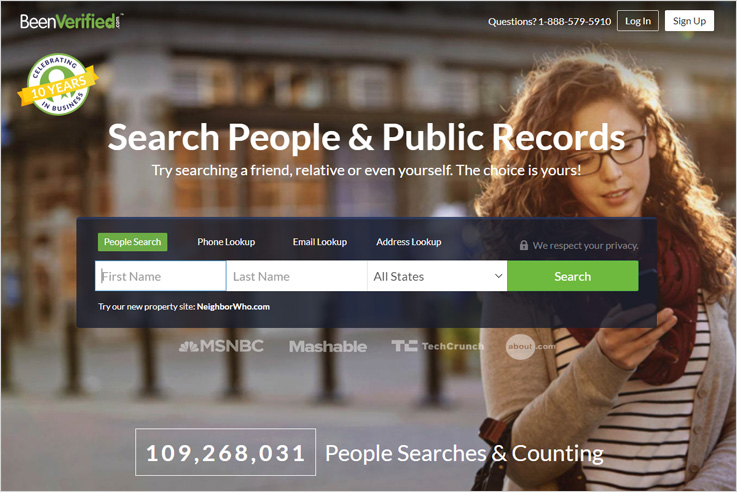
Features:-
- With the help of BeenVerified, you can find people age, location, property records, social media details and professional information effortlessly.
- BeenVerified is the only tool which provides a criminal history of the person that will help you to understand the person & deal with them accordingly.
- The results which are generated by BeenVerified lead enrichment software is very accurate and display it in the understandable form.
Pricing:-
In $26.89, you will get 1-month membership where the user can search person’s name, address, age, location, phone number, photos, social media account and a lot more.
BeenVerified offers 3-month membership in $17.48 where the user will get person’s name, address, age, location, phone number, photos, social media account and more.
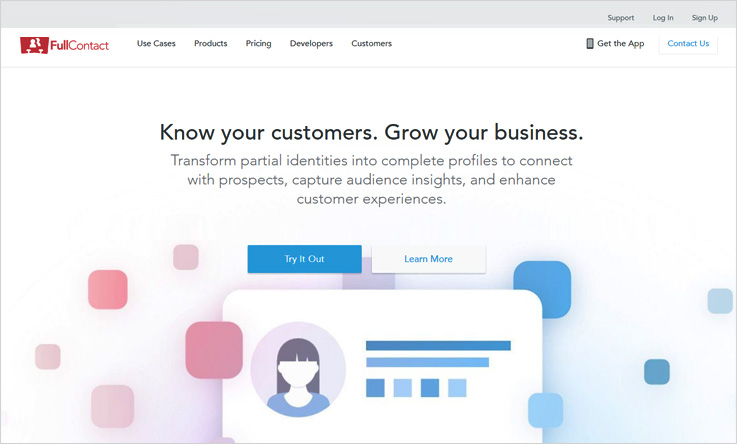
4. FullContact:-
FullContact is an amazing data enrichment software through which you can hunt people professional profiles & social accounts – LinkedIn, Facebook, Twitter, etc with ease.
Features:-
- FullContact social profile search engine acts with an email address, twitter handle, or phone number.
- Moreover, the software provides person’s additional details such as person’s name, job data, company, size, gravatar and a lot more.
- The software fetches complete information of the person from the social web & returns in the form of HTML, XML, or JSON languages.
Pricing:-
FullContact offers a free plan where you will find 100 matches.
Starter Plan:– The starter plan will charge you $99 for 2500 matches. Here, you will get person matches, company matches, & data add-ons.
Plus Plan:– Under the plus plan, you would be charged $299 for 15000 matches where you will get person matches, company matches, & data add-on.
Premium Plan:– In the premium plan, you have to pay $499 where the user can find 50,000 matches in a month which includes person matches, company matches, data add-ons and various other features.
Enterprise Plan:– For enterprise plan, you have to contact the FullContact sales team.
5. MailGet Enricher | Get 1000 LinkedIn Profiles At $19
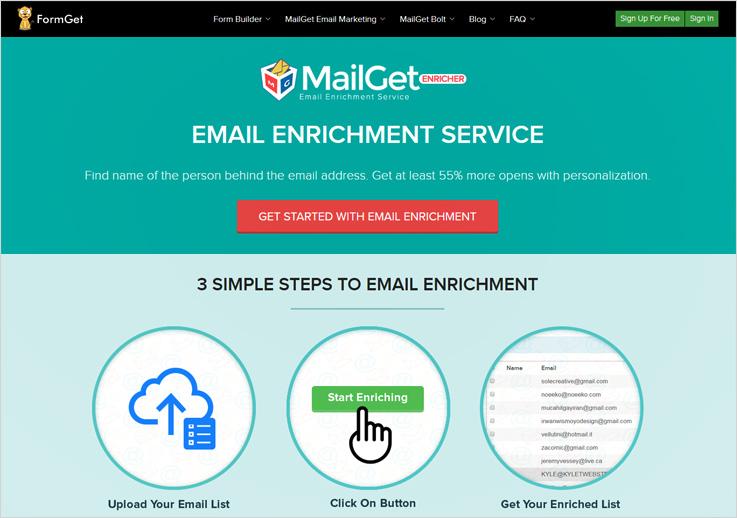
MailGet Enricher is a reliable data enrichment tool through which you can enrich leads data in a few minutes. All you have do is to enter an email address of the person & the software transforms a single piece of data into a complete person’s profile.
The software is used and trusted by a number of giant companies like Cisco, Avaya, ISKCON, theguardian and many others.
Features:-
- The respective software gives additional information about the individual such as name, job data, age range, social channels & much more. All these information help you to understand the person in a much better way.
- MailGet Enricher profile search engine finds lead information in bulk. You just have to upload the list of email address and the software will retrieve all information at once.
- By knowing your lead you can initiate interactive conversation with them that will help you in developing a better relationship with the customer.
Pricing:-
MailGet Enricher data enrichment tool offers multiple plans which is based on the number of leads, so you can choose a plan according to your needs & requirements.
The pricing starts from $19 where the user will find out 1000 lead information in a month.
Under the second plan, you have to pay $99 for 5000 leads information.
The next plan would be charged $175 where you can search 10,000 leads data.
After tried a lot of lead enrichment software, I found MailGet Enricher is the best software. As it finds lead information in bulk and gives accurate results in just 2 cents/lead. The amazing thing is that it is the cheapest software in comparison to other services. Along with it, you can increase the open rate up to 55%.
Conclusion:-
Above mentioned data enrichment tools are reliable through which you can easily scour person’s social & professional information in a few seconds. They retrieve all information from the social web like Facebook, Twitter, Linkedin, Pinterest & prepared a comprehensive report on the person that will help you to understand the person in a much better way.
If you want more information about the lead enrichment software, you can also go through the following blogs:-
5 Best Clearbit Alternatives: Start @ 2 cents | Cheapest Options
Clearbit is considered a great software because of its features and the accurate profile information that it provides.
But at the same cost better and economic Clearbit Alternatives are also available that are capable of performing similar functions.
In this blog, some of the best alternatives for Clearbit available in the market are discussed. All these softwares can derive information of the people and present it in one of the best possible ways.
These softwares will give you all the social accounts of the lead and other public records that are present on the web so that it is convenient for you to gauge a potential customer before you contact them, thereby, saving you from investing a lot of time & energy in contacting junk.
Let’s explore these softwares one by one :-
1. Beenverified
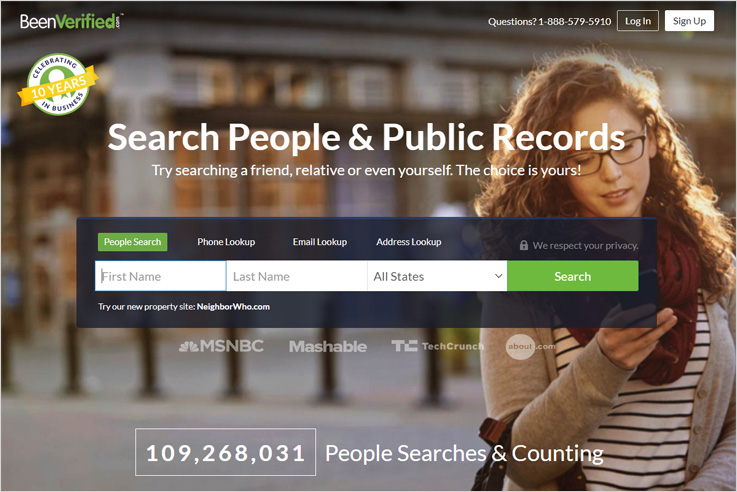
Beenverified is a software which let you search your lead through a number of options. Basic information like full name, phone number, email id of that person. It also projects residential address of that individual which can be used to get effective results for interaction.
Features :-
- The software also shares the sources from where the data or the information of an individual has been fetched. It goes a step deeper by exhibiting the criminal records of the lead if that exists.
- All the records are being fetched from social networking sites like Twitter, Facebook, LinkedIn, etc.
- Essential details are also searched from professional records, court records, bankruptcy records, online photos & much more for greater help.
Pricing :-
Plan 1 :- As per the plan 1, at the price of $26.86 the user will have age, location, email, photos, social media accounts, phone number of the particular lead being searched.
Plan 2 :- In the plan 2, the amount that the user will have to pay is $52.44 per month, for which he will get a 3-month membership where you can search people age, location, email, photos, social media accounts, phone number etc.
2. Pipl
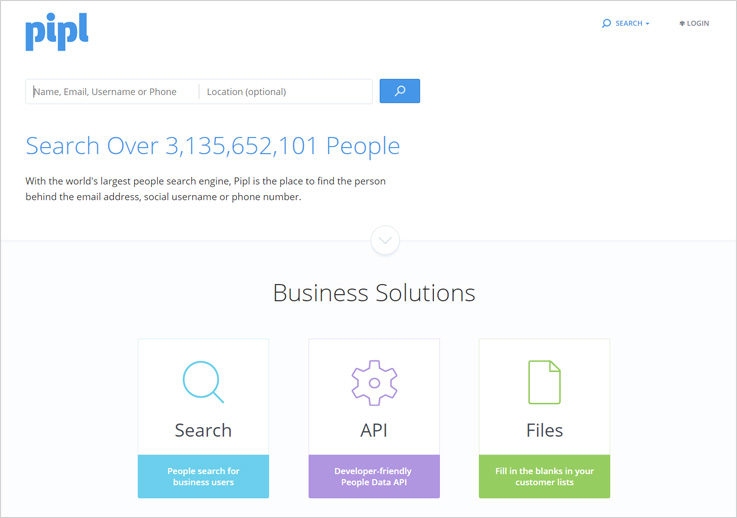
Pipl is yet another amazing data enrichment software that allows you to search leads and gather all the enriched data, the software enables a user to collect all the information on the profession of the person like company, designation location and other.
Features :-
- You get the flexibility to add email id, phone numbers, residential addresses & then fetch the data relevant to it.
- Details received through the software are like age, gender, spoken language & also education details of that person.
- The system also allows you to upload email lists with bulk contacts. It can find information for over 100,000 individuals at once.
Pricing :-
In the Pipl software you will find 3 plans which are as follows :-
Contact :- In this plan, the user will have to pay $0.05 per match in which he will get age, name gender, address and landline phone of the lead.
Eg :- For 100 matches 0.05*100 = $5
Social :- On the same track, the user in this plan will pay $0.10 per match for which he will get everything in contact plan and images, associates and social handles.
Eg :- For 100 matches 0.10*100 = $10
Business :- Likewise, the user for the business plan will pay $0.20 per match for which he will get everything in social plan and job, education mobile number, and email address.
Eg :- For 100 matches 0.20*100 = $20
3. FullContact
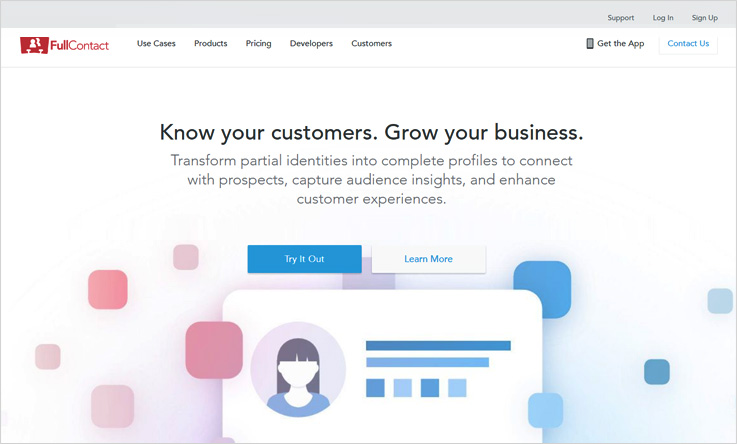
FullContact is a software which acquires all the relevant information about the lead on the web. The system acquaints you with the lead fully by grabbing the complete details, you will be able to contact these leads accordingly once you get to know them better.
Features :-
- The software gives customized & filtered data which you exactly need to segment, personalize, verify and enrich your contacts.
- Around a billion individual profiles and over 15 million company profiles are searched deeply for updates and enrichment.
- You will get the most recent data delivered in real-time. Through this software most updated results of the leads being searched and provided instantly.
Pricing :-
The developers plan by FullContact is also offered which allows 100 matches for free. Other than that paid plans pricing are:-
Starter :- In the starter plan, the user will pay 2500 matches including the person matches, company matches, data add-ons for $99.
Plus :- For the plus plan, the buyer gets 15000 matches person matches, company matches, data add-ons for $299.
Premium :- In the premium plan, the user will be paying $499 for which he will get 50000 matches which includes person matches, company matches, data add-ons and various other features.
Enterprise :- Need to get in touch with the sales team.
4. PeekYou
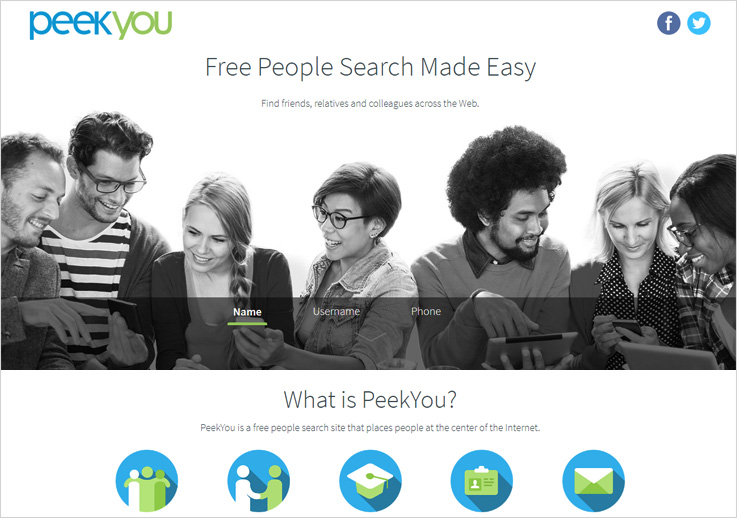
PeekYou is a user-friendly software that allows you to receive data of the leads through name, username and phone number. Through the software you can find, friends, acquaintances, business circle and the most important your potential customers.
Features :-
- The software provides the information of the leads by presenting social media details from different sites like facebook, twitter & much more.
- Moreover, it also fetches the residential address and the phone number of the lead. And gives you the flexibility to contact the lead through various mediums.
- It analyzes contact details over 60 social sites, news sources, homepages & blog platforms, inorder to recognize the actual people behind it.
Pricing :-
Need to get in touch with the service providers.
5. MailGet Enricher : Best Clearbit Alternatives
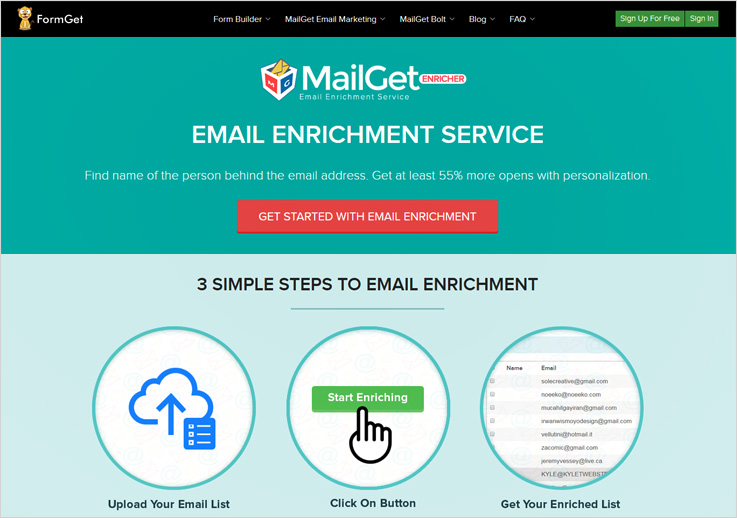
One of the most productive email enrichment software that you will come across today is MailGet Enricher. It is a productive system which gives the full information behind a person’s email id. Essential details like the name, job profile, age, designation, department and several other traits.
Features :-
- Through this software you can upload email lists with bulk contacts and filter the details with ease. The enriched list generated will contain all the pertinent details of the lead being searched.
- The information received will be pure and 100% authentic. All the data available on social profiles of the people like facebook, twitter, Pinterest and similar other profiles will be fetched.
- One value-added functionality of the software is the “download” of the enriched list which you can use for your future reference to increase your sales.
Pricing :-
MailGet Enricher has designed a number of flexible pricing plans.
1st Plan :- As per the plan 1, the buyer will pay $19 for which he will get the information of 1000 leads.
2nd Plan :- Likewise, In the plan 2 the buyer will have to pay $99 for which he will have the information of 5000 leads.
And for the highest plan the user will have 1,000,000 leads information in $9999.
For more pricing plans and their details, you can visit the service provider site.
In my opinion, MailGet Enricher is the best software as it gives authentic & defined lead enrichment results and that too at an economical price.
If you analyze a lead info in just 2 cents which is way cheaper in comparison to other service providers.
Conclusion :-
The above mentioned alternatives to clearbit are the most appropriate email enrichment software. All these will help the buyer to get the authentic and correct lead information that they can use by getting in touch with them that too with precise data.
These softwares benefits the user in more than one way. It basically acts as a powerhouse of information of a number of people to whom you have been hunting for so long.
Just go through the following blogs to know more about Lead Enrichment:-
- Email Enrichment Tools
- Lead Enrichment Tools : Top 5 List
- Free Social Profile Search Tools
- FullContact Alternatives: Get Leads Info
- Find Social Media Profiles By Email Address: 5 Lead Enrichment Tools
5 FullContact Alternatives Start at $0.02 |Leads Info 2X Cheaper
Here You Will Get 5 Best FullContact Alternatives
When you want a lead enrichment software than you think of FullContact software because of the features and the define people data search that it provides but for the ease & the accessibility that has been provided by the respective software, you have to pay a lot of bucks.
What if you get the same set of features and facilities in less money, sounds good, right?
For the sake of the people who are searching for an effective and productive lead enrichment software, here we have accumulated a bunch of software which will give precise & the desired people search data that you wanted for so long.
These software are quick, scans all the public & the possible records on the web of the person and serves it in front of you in a blink of an eye. Furthermore, these software will extract data that will be more relevant to match up to your business needs, so that, you can be as sure & confident about your lead when you are about to contact them.
For more related stuff, you can also go through these blogs:-
- Find Linkedin Profile By Email
- Email Enrichment Tools
- Find Social Media Profiles By Email Address
- Clearbit Alternatives
So, without any delay have a quick glance at these mesmerizing alternatives of FullContact: –
1. Clearbit
Clearbit is a software that provides clear & accurate profile information through the database from the dozens of sources in real time so that you get the most updated data. The search is done through an email id which is transformed into a complete profile of an individual.
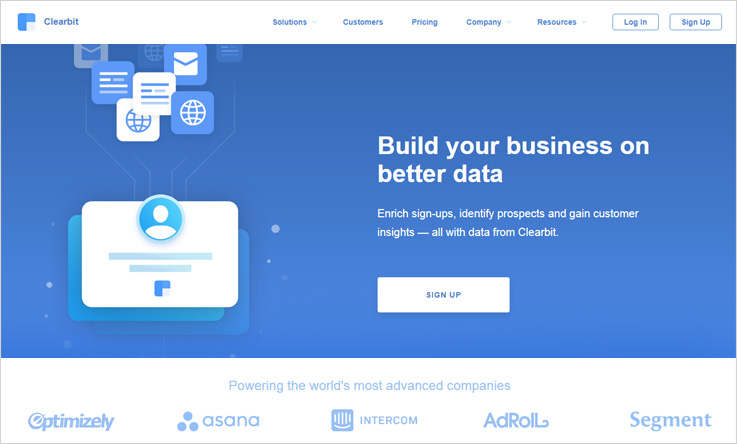
Features :-
- The software enables you to have data pertinent to your leads & contacts which will help you to have full access to your hyper-targeted segment.
- A free & commercial API of the software through which you can get automated profile generation, risk scoring algorithms have been incorporated in the software.
- Besides that, the system can be integrated with SalesForce, Zapier, Marketo, Segment & other services.
Pricing :-
In the Clearbit enrichment software there are 3 plans in which it has been classified :-
First plan:-In this plan, you have $99 in which you will have data of 2500 person searched.
Second Plan:- Under the second plan, the charges $149/month where the user can fetch data of 5000 people.
Third Plan:- In this plan, the user will have to pay $199/month & will get profile data of 10,000 people.
Besides that, the software offers Salesforce and Marketo integration, then you will be required to pay $499 per month.
2. Beenverified
The Beenverified software allows the user to have the social presence of a person on Facebook, Twitter, LinkedIn, and more. The software searches an individual’s data by name, phone number, email address, and the residential address of the person.
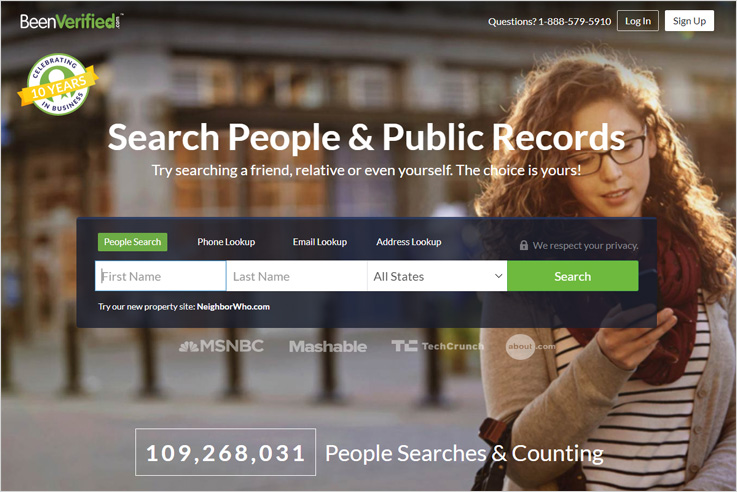
Features :-
- The software also shares the sources from where the data has been extracted, the system also tells the user about the records such as criminal & court cases against the individual being searched.
- The system searches a person’s age, current and prior addresses, social media profiles, family members, phone numbers & similar other features.
- The mechanism which is used to fetch the data is done through various records & the system maintains a fair deal by aggregating countless sources of public records and puts them in one report.
Pricing :-
The two pricing plans of the software are as follows:-
First Plan:- In the first pricing plan of the software the amount that will incur on the user will be $26.86 in which the user will be able searched age, location, email, photos, social media accounts, phone number & much more.
Second Plan:- As per the plan 2, the buyer will have to pay $52.44 per month, for which the user will have a 3-month membership where you can search people age, location, email, photos, social media accounts, & phone number etc.
3. Pipl
Pipl software is a productive software that gives profile searches through name, email id, username, phone number. The software digs out the complete information of the individual by checking the background checks, residential address, professional records, social links & much more.
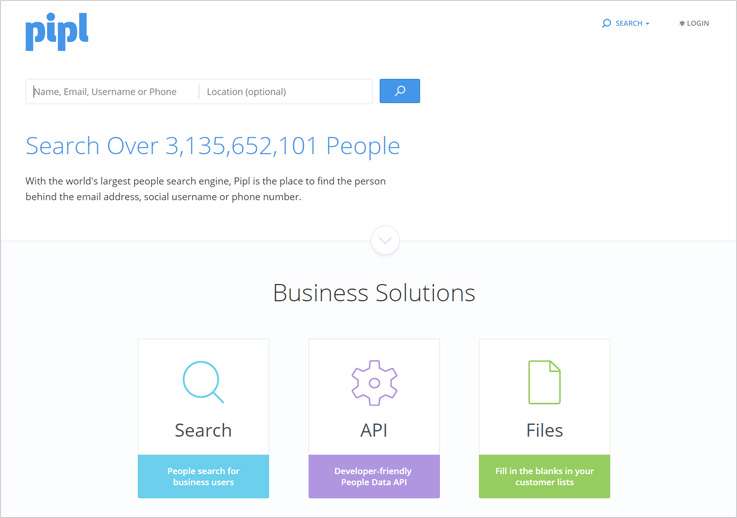
Features :-
- You can segregate and differentiate your audience by getting information like job titles & company in which they are working just by uploading contact info of the individual.
- The information digging of the software is deep as it provides demographic results such as age, gender, spoken language & also education details of that person.
- A comprehensive way of sharing a person’s details is done by this software. Usually, by accumulating all the images also of the person which is available on the net.
Pricing :-
Contact :- In this plan, the user will pay $ 0.05 per match for which the user will get age, name gender, address and landline phone.
Eg :- For 100 matches 0.05*100 = $5
Social :- In this plan the user will be required to pay $ 0.10 per match in which the user will get everything in contact plan and images, associates and social handles.
Eg :- For 100 matches 0.10*100 = $10
Business :- In this plan the user will be required to pay $ 0.20 per match in which the user will get everything in social plan and job, education, mobile number, and email address.
Eg :- For 100 matches 0.20*100 = $20
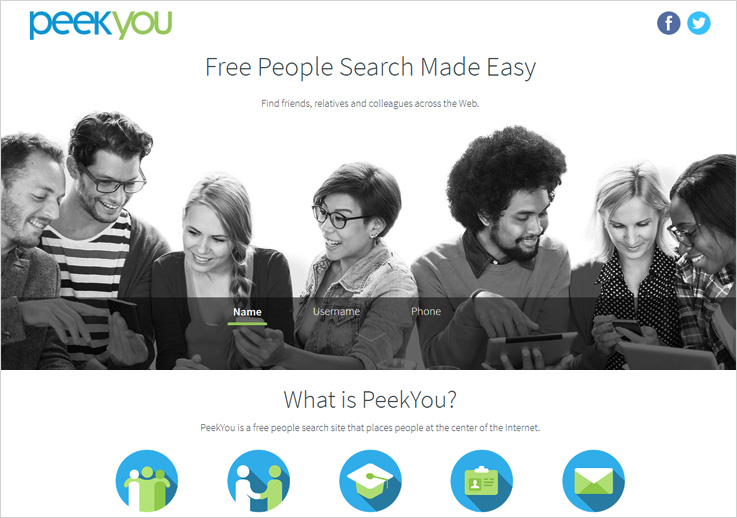
4. PeekYou
The PeekYou software is free to search people website that helps you to find your friends, classmates, business contacts, customer details & similar other searches can be done. You can get the social media details of that person by Facebook, Twitter, LinkedIn, and others.
Features :-
- The software grabs the information from the public records as well, the images through various web profiles like Instagram & Facebook are collected by the software.
- In addition, the software extracts information from the encyclopedia sites like Wikipedia links are also displayed, & just in case if the searched person has a page on that.
- An API feature has also been incorporated into the software through which you can add contact, work & social information to your applications.
Pricing :-
Get in touch with the service providers.
5. MailGet Enricher | Best FullContact Alternative
MailGet enricher is the best enrichment software that allows you to search the person’s social & professional profiles just through the email address. Moreover, the software extracts the name, age, job profile, company details in which he works, and similar other factors.
Features :-
- You can search a bunch of person’s profile by uploading the email list of that person on the software. The system will find the enriched data through emails.
- The software serves you the profiles which are present on Facebook, Linkedin, Pinterest, Twitter & much more.
- In addition, the respective enrichment tool also allows you to download the enriched list that has been obtained as the search result.
Pricing :-
The software has the following plans:-
The lowest two plans are:-
First plan:- This is the lowest price plan in which the user will get 1000 leads information in $19.
Second plan:- Similarly, in the second plan the user will have information of 5000 leads in $99.
Third plan:-In the highest plan, the user will have 1,000,000 leads information in $9999.
For more pricing information, you can visit MailGet Enricher’s official website.
After going through all the software it’s my recommendation to you that you should opt for the MailGet enricher software. As it is the cheapest among all the software. The tool gives lead info @ just 2 cents, which is insanely economic in comparison to other software. Also, the software also increases your chances to get a better open rate which is around 55%.
Conclusion :-
We have covered the best alternatives to full contact that will act as better lead enrichment tools for your profile search tasks & give you accurate results of the person being search through the specific software.
The software listed above is unique in its own way because of the various features that they retain. Besides that, these tools are way cheaper than the FullContact software.
You can also go through following blogs:-
- Find Social Media Profiles By Email Address: Lead Enrichment Tools
- Email Enrichment Tools: Personalized Customer Experiences
- Free Social Profile Search Tools |100 Records $0 By Email & Phone
- Lead Enrichment Tools: 100 Social Profiles & Data [FREE]
Once you acquire the leads through these softwares the next thing that you might be giving a thought to is marketing & the efficient way to do so is through an email marketing software.
A phenomenal email marketing software is the MailGet Bolt which helps you to formalize an email from the scratch & send it to a number of people simultaneously saving your time and energy.
The email marketing software enables you to make customized templates & send them as autoresponder as well, which is an autogenerated email send to the customer when fills a subscription form on the site.
6 Free New Year Email Templates + 500 Newsletter @ $0 [Download]

Open the book “Opportunity” which has blank pages…start filling it by yourself as the first chapter of it is “NEW YEAR’s DAY”
Is your store ready for new year rush?
If no, then quickly set it up because we are done with our task of designing stunning & responsive email templates for your different stores such as –
- Event Planner Email Newsletters
- Cosmetic Emporium Email Templates
- Clothing Store Email Templates
- Footwear SuperStore Email Templates
- Legacy Email Newsletters
- Restaurant Email Newsletters
These are very few templates I have mentioned, but you can easily create various newsletters according to your trade outlet that too for FREE…
..Or can also customize these pre-built templates as per the requirement of your store.

#1. New Year Templates For Decoration & Event Planning Businesses

Promote your decoration business by making use of event planning email templates and assure your customers about the best quality you offer whether it’s about the DJ’s, proms or anything else. Make the holiday of your customer memorable with the perfect party venue.
Template PreviewClone Template - Try Now
#2. Spread The Glow All Over The World | Cosmetic Email Templates

Time to shine because its NEW YEAR now sends amazing cosmetic email newsletters and grab more sale for your business by telling the customer about latest deals, offers & discount. So, get started today onwards and start email marketing of your cosmetic product business or lounges.
#3. New Year Email Templates| Get More Clothing Sale This Season

Get more sale for your store by simply sending perplexing HTML email templates to the customers in bulk and make them up-to-date about every deal, offers & discounts that are running this new year.
Template PreviewClone Template - Try Now
#4. Make Shoe Contact Before Eye Contact| Amazing Footwear Email Newsletters

A perfect pair of stockings is the basic requirement of every people on any occasion so, don’t waste your time waiting for your customer. Send them beautiful footwear email newsletters and make them aware of the latest collection of this new year. It is only the best time to hike up the conversion rate of your business.
Template PreviewClone Template - Try Now
#5. Make Someone Feel Special In This New Year | Responsive Gift Email Templates
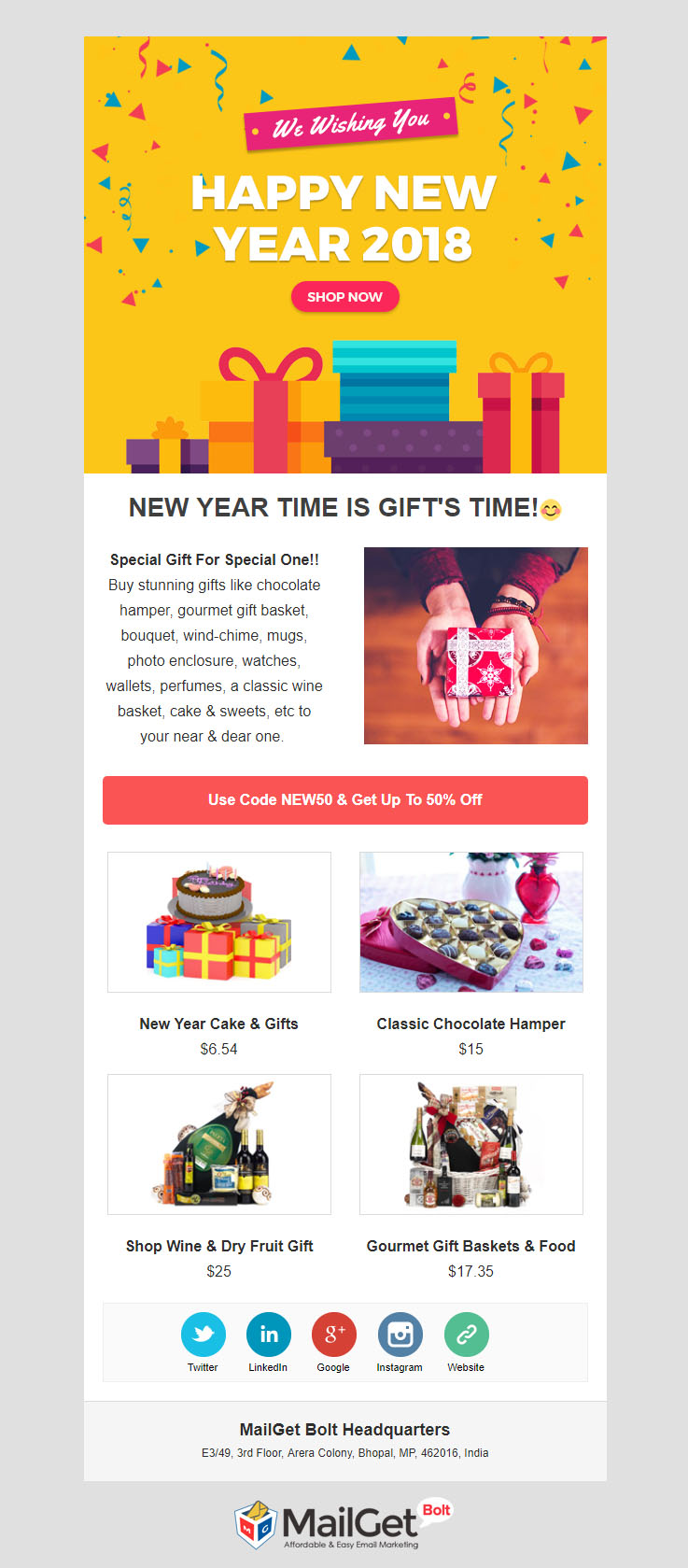
Surprise is loved by every person!!! So, let your customers make their near-one feel special this new year. Send gift email templates to your customers in bulk and informed them about the running discounts & deals that you are offering at your gift store.
Template PreviewClone Template - Try Now
#6. Best Restaurant Email Newsletters | Survey Delicious Food Everywhere
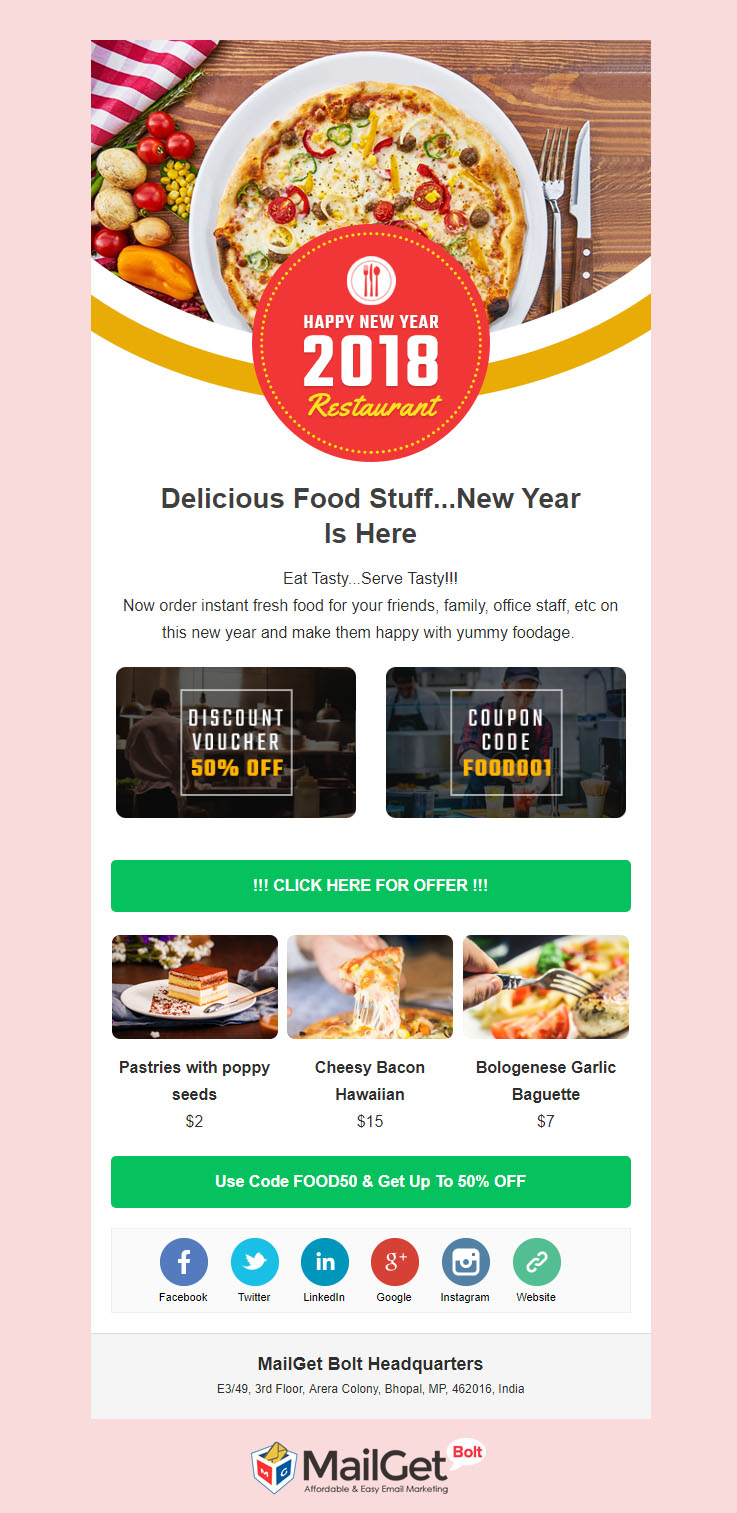
Every juncture is incomplete without Food so, here is an outstanding restaurant email newsletter by making use of which you can promote your business worldwide in simple steps. Also, you can collect a huge amount of sales with this email campaign.
Closure –
This is the end of my post but not of email templates, we FREE email templates in different niches. So, don’t go anywhere as you will find everything on this single platform. And the best part of these templates is that you can FREELY customize them according to the requirement of your firm.
Email marketing is the perfect way to promote your business and make your customer newfangled about every free deals, offers & discount. So, make this NEW YEAR profitable & beneficiary for you and your customer too.
For more interesting templates check out the following blog –
This New Year try something NEW as I have found an electrifying email marketing service – MailGet Bolt with which you can create wonderful email templates and for the same service, you can spread that newsletters to the number of audiences at a time with the guaranteed high inboxing rate.
So, get ready for the high conversion rate with this powerful email marketing tool that will energize your business this NEW YEAR!!!
MailWizz Tutorial: Connect with MailGet SMTP

MailWizz Email Marketing Application is simple to use, efficient and full-featured E-mail Marketing application with and impressive feature set. In this MailWizz tutorial we will be going through the following steps to setup MailWizz:
A. Installing XAMPP and Creating Database for MailWizz:
Downloading and installing XAMPP server and creating database by phpmyadmin.
B. How to install MailWizz :
Installation of MailWizz involves downloading MailWizz application and setting it up using server and database.
C. Server setting for the MailWizz account:
This requires integration of MailWizz to the SMTP. In this tutorial we will be Demonstrating integration of MailWizz with MailGet SMTP. This is done at the backend on the system.
D. How to create subscriber lists and send email campaign:
This process is done at the frontend of the system.
Note: You can leave any step step if you have already completed it.
So, lets start with the following steps:-
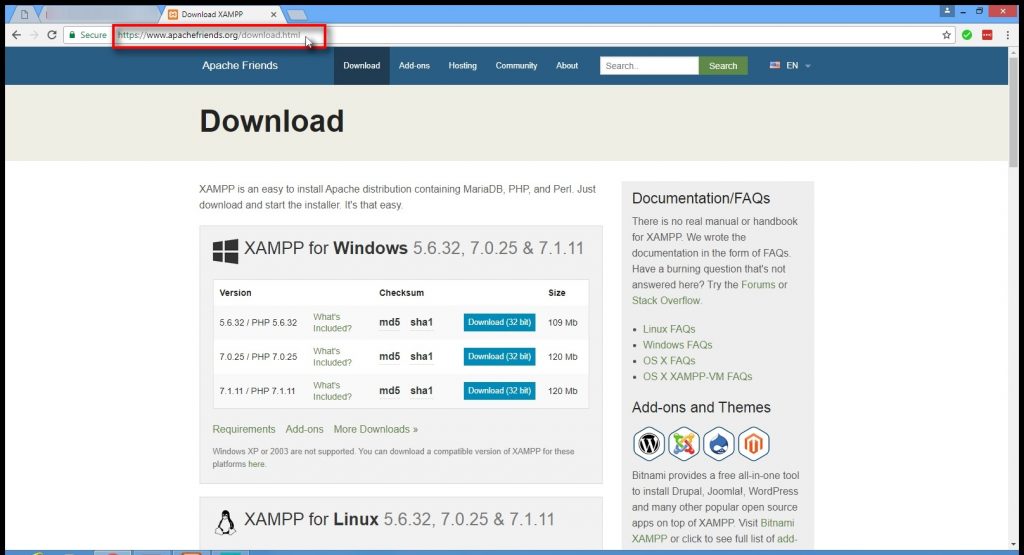
1. Download the XAMPP server
To run MailWizz script on your local computer, you need to download and install XAMPP server.
XAMPP is the short form of Apache, MySQL and PHP. This software installs all the required software in one package.
To download, go to “https://www.apachefriends.org/download.html” and download XAMPP server for your system.
I have downloaded the latest version – 7.1.22/32 bit for this tutorial.
2. Install XAMPP server
To install XAMPP server on your local system-
1. Go to download folder.
2. Double click on the XAMPP installer to start the installation process.
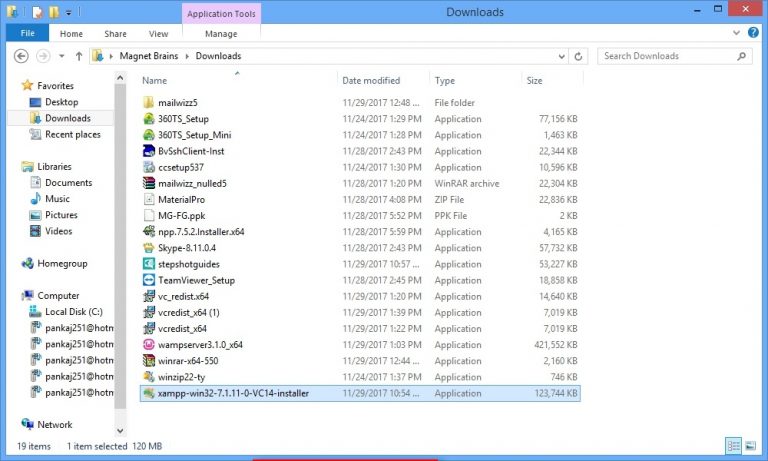
3. Start XAMPP server
Once XAMPP is installed, you can start XAMPP application.
1. Open the XAMPP server application by clicking its icon on your computer.
2. Click on start in front of Apache and MySQL to start them.
Note: Make sure you don’t have software like Skype or Teamviewer running on your computer as it may hinder with XAMPP startup.
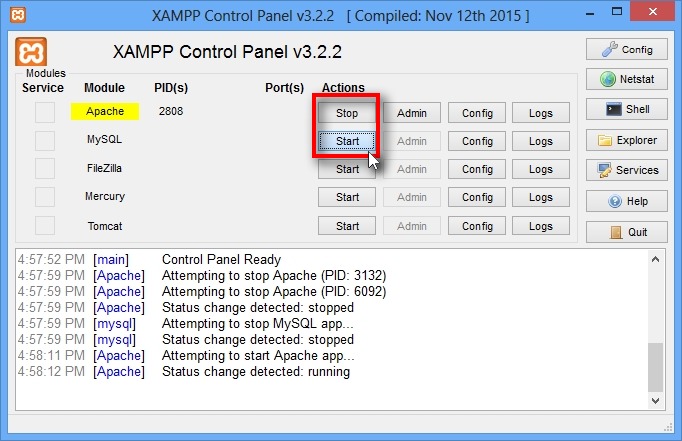
4. Starting PHPMyAdmin to create database
Once Apache and MySQL is running through XAMPP.
Go to your web browser and open the link below.
localhost/phpmyadmin/.
We will be creating database using MySQL PHPMyAdmin for MailWizz.
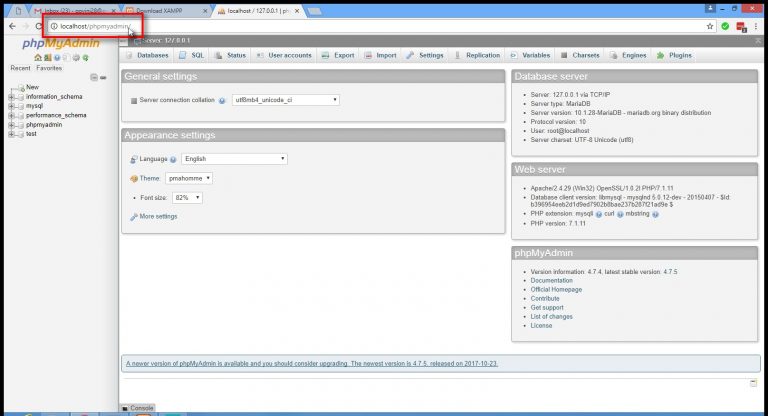
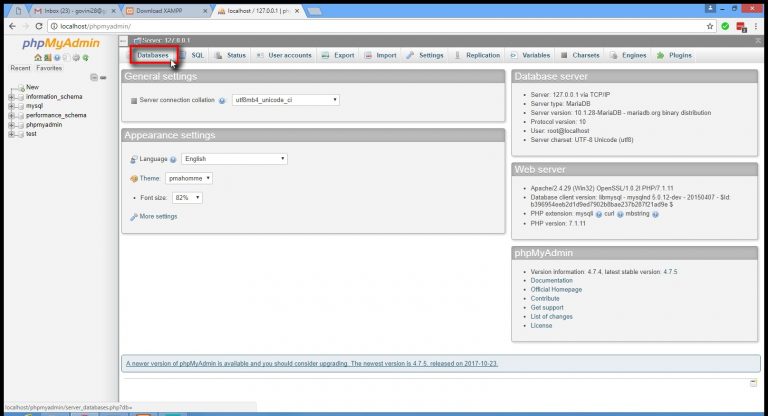
For creating Database:
In phpmyadmin, click on Databases to create a new database.
In databases, create a new database for your MailWizz account.
Give it a suitable name.
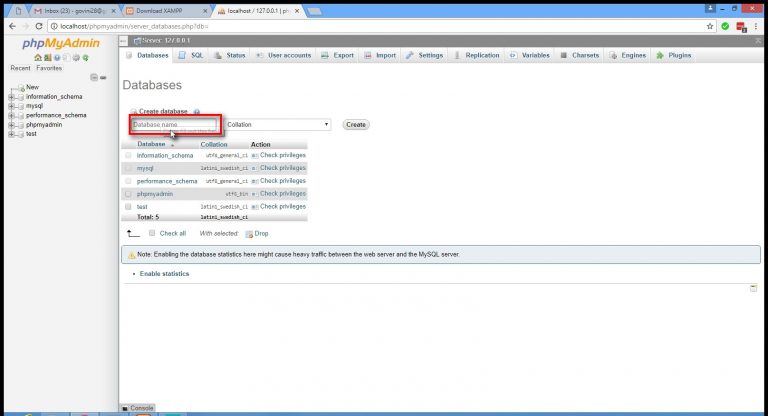
In the tutorial I have taken mailwizz as my database name.
Click on create button.
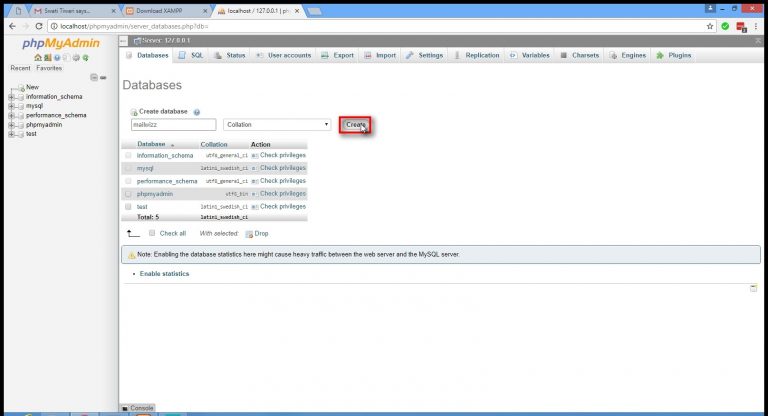
Your database is successfully created.
5. Install MailWizz
Go to https://www.mailwizz.com/ and download mailwizz.
Go to the download folder of you computer and extract all files from MailWizz compressed file.
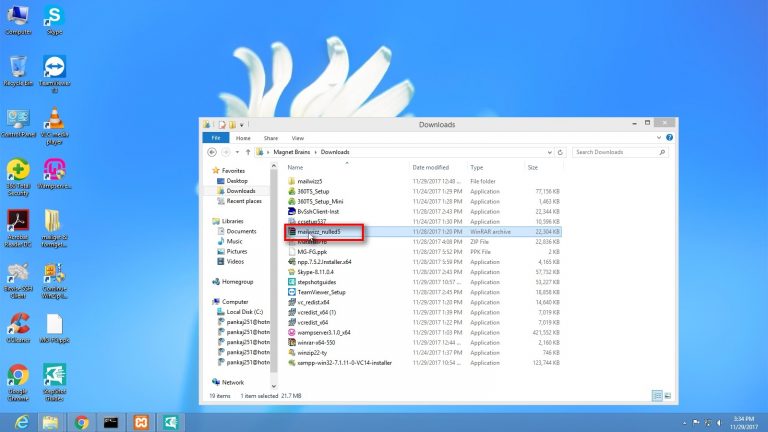
Copy the MailWizz file from the download folder to place it in the XAMPP server folder.
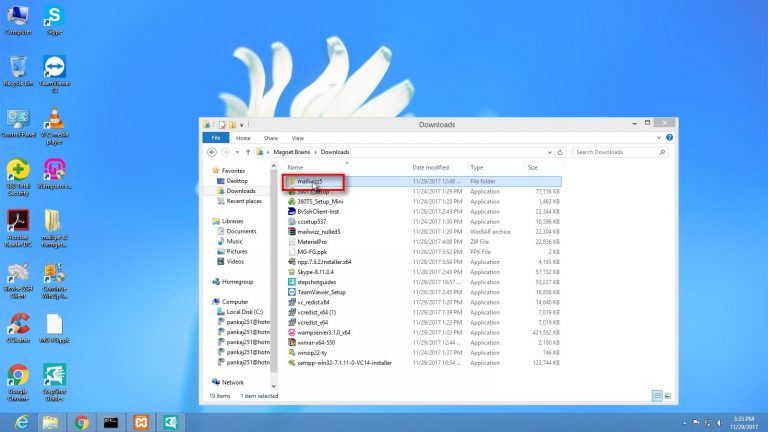
Go to Local Disk (C:) [C drive] of your comuter.
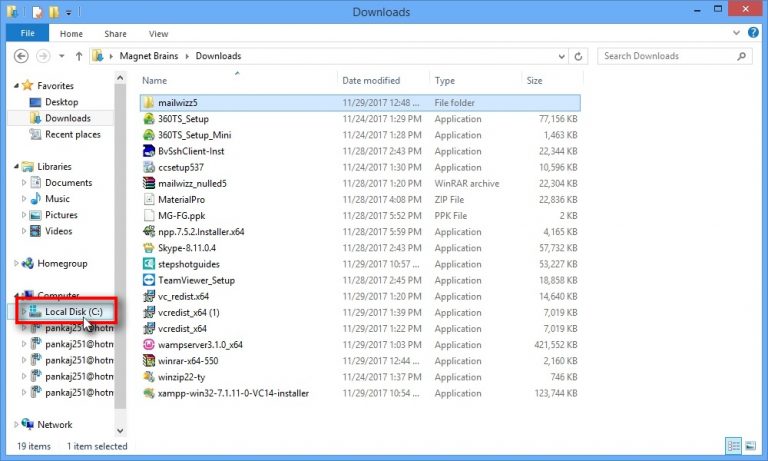
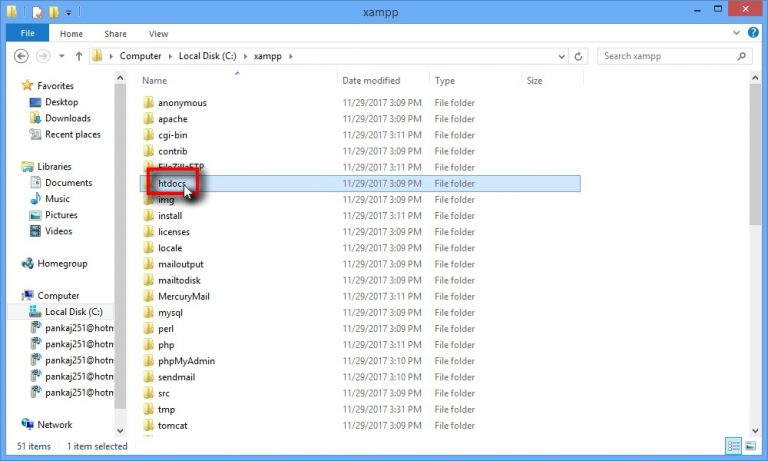
Open XAMPP folder created earlier in the C drive.
Go to htdocs folder and open it.
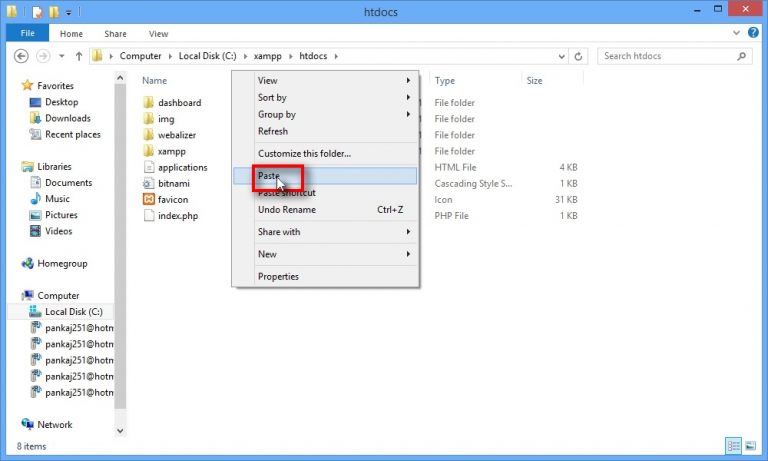
Paste MailWizz folder in the htdocs folder of the XAMPP server.
Once you are done with setting up the MailWizz in the required folder, it’s time to start with the installation process.
To install MailWizz on your system,
Open web browser and type –
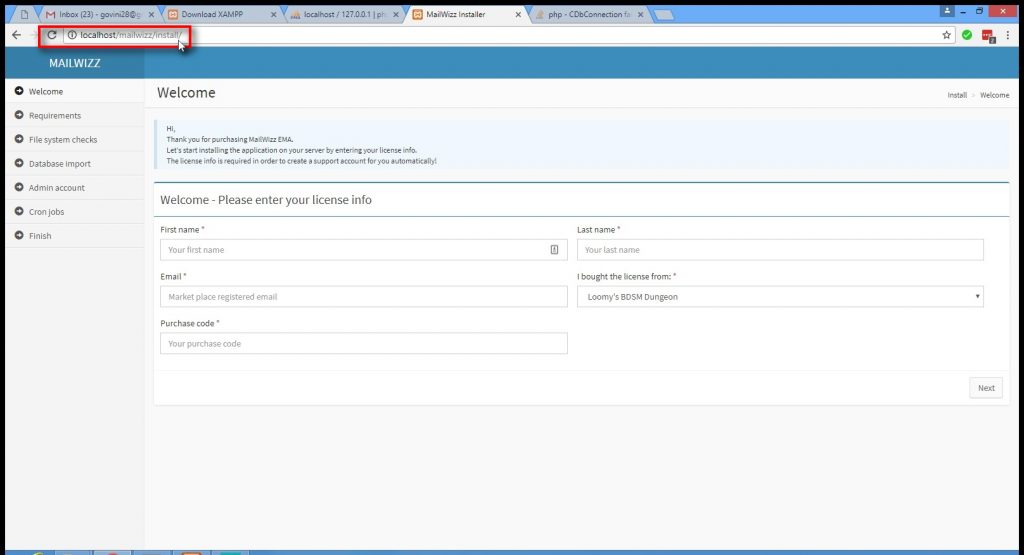
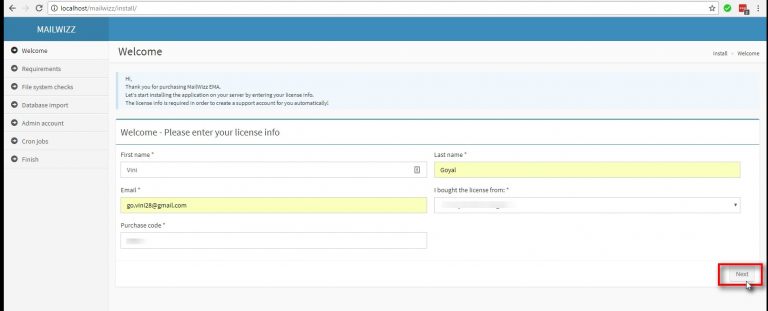
On the Welcome page, fill in all the basic details.
Your first and last name, email address, source from where you bought the software and the purchase code.
Click on the Next button to continue.
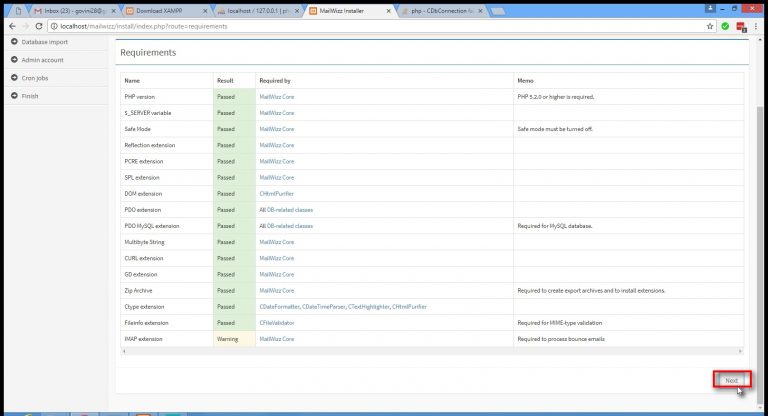
On the Requirements screen it MailWizz will tell you if all the pre-requisites are installed properly on your system.
It will also give you the warnings and error messages, that needd to be sorted out for the successful installation of MailWizz.
Click on Next button once you get the confirmation message that all the requirements bt MailWizz EMA are satisfied.
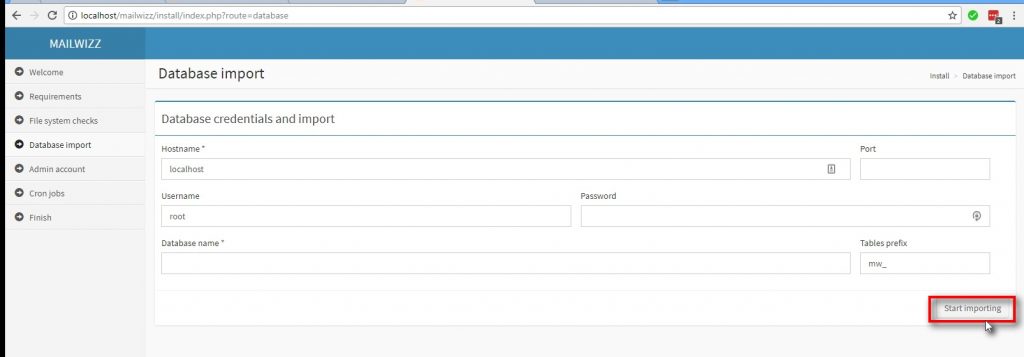
To connect database to your MailWizz account-
Fill in all the details of your database created earlier.
Hostname: localhost
Username: root
Database name: mailwizz
And click on Start importing.
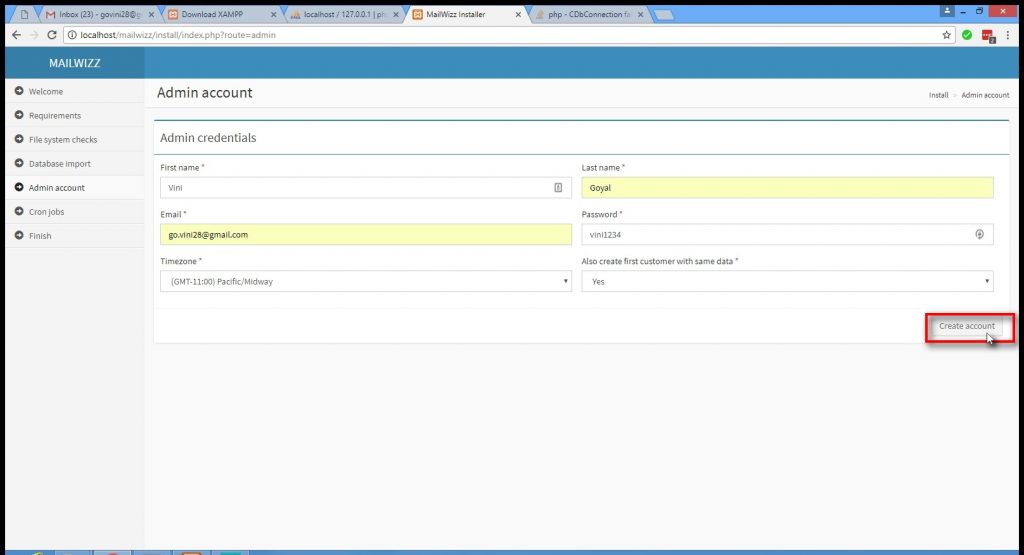
Fill in all the required details to create a new Admin account.
And click on Create account.
Cron Jobs: Cron jobs automatically triggers the file on predefined schedule to send the email.
Cron jobs are to be added to your server to start sending your email campaigns.
Once you have installed all the cron jobs on your server, click on Cron jobs are installed, continue.
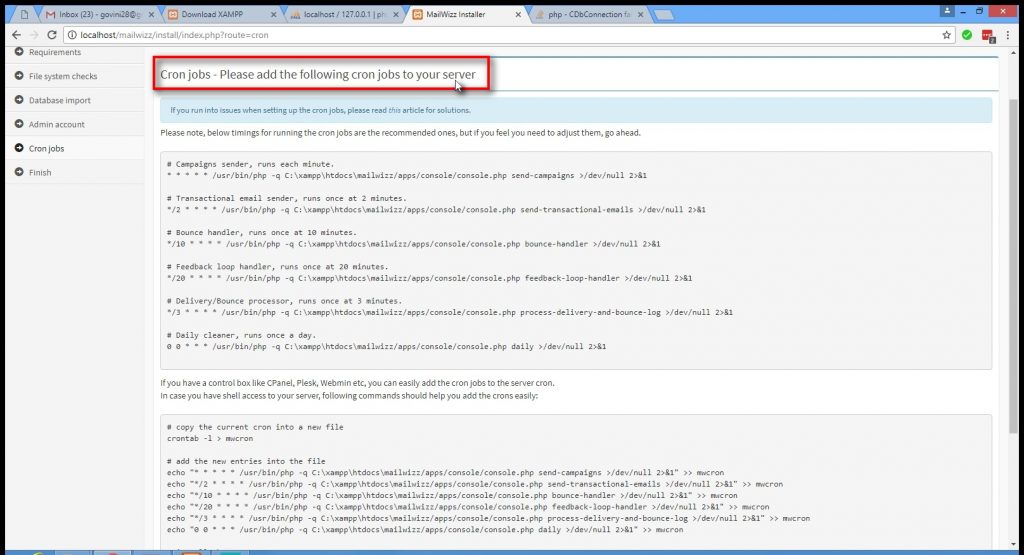
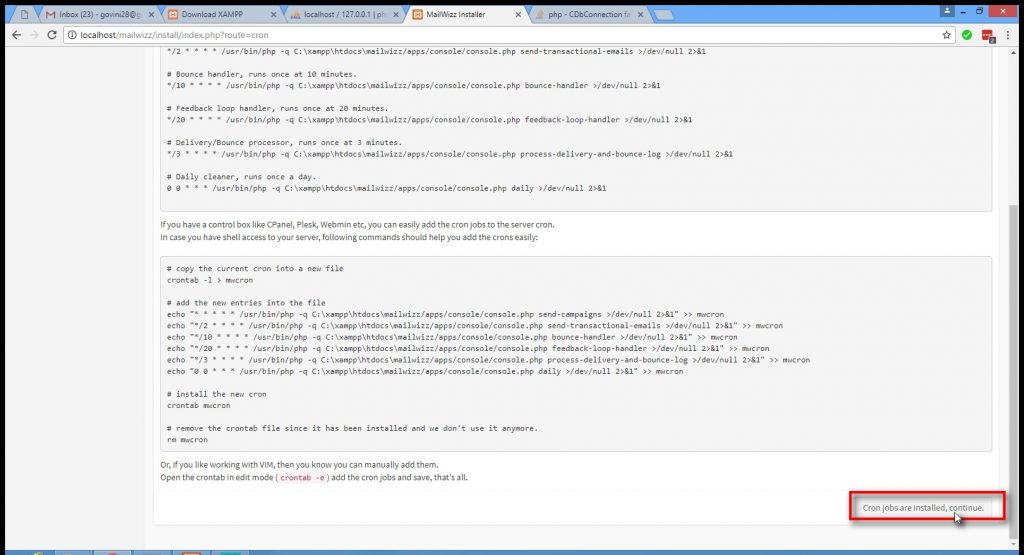
Your MailWizz account is successfully installed on your system.
Once you are done with the installation process, go to MailWizz backend set-up to integrate the server with your MailWizz account.
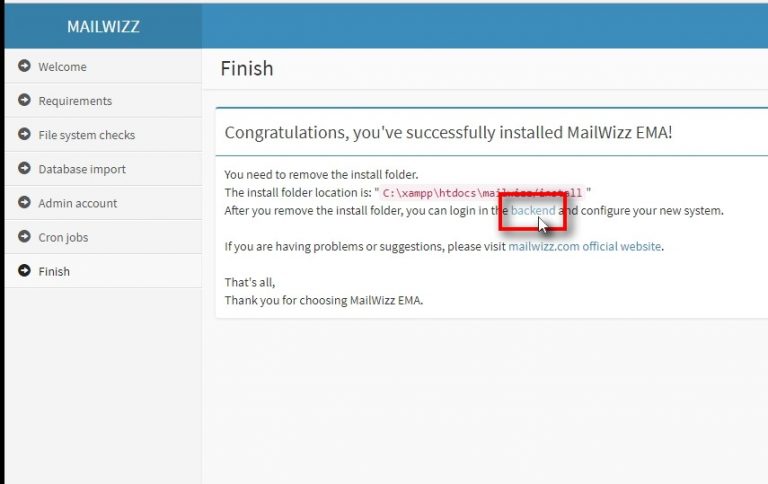
6. Integrate SMTP with MailWizz account
To complete the SMTP integration will your Mailwizz account, log in to the backend of the Mailwizz application.
To log-in to the MailWizz backend-
1. Either click on the backend hyperlink on the last page if the installation set up.
2. Or type localhost/mailwizz/backend in the web browser.
Fill in the log-in credentials created earlier and click on Login.
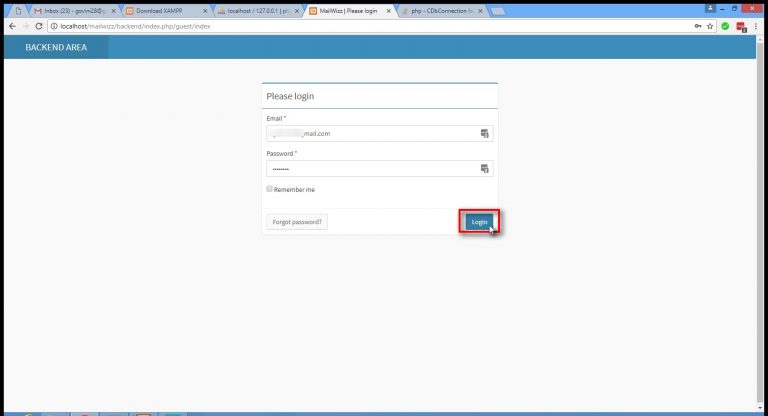
Go through all the instructions on how to set-up the server details in your MailWizz account by clicking on next arrow button, and once complete click on End the tour or Close for now.
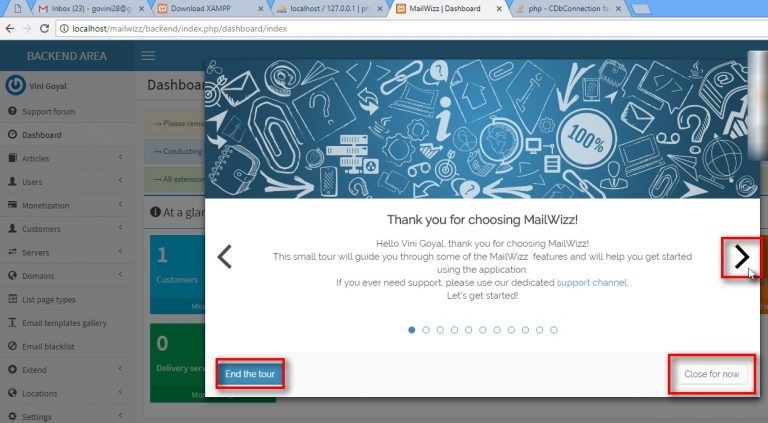
Once you are through with all the instructions on the setup procedure, click on Servers in the list on present on the left side of the screen.
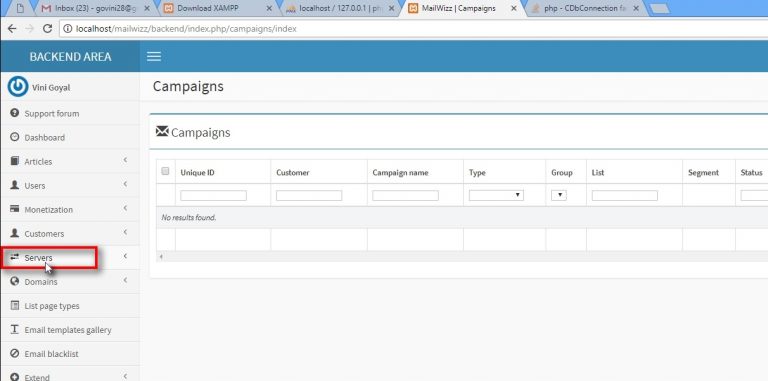
Click on Delivery servers present in the dropdown menu of Servers.
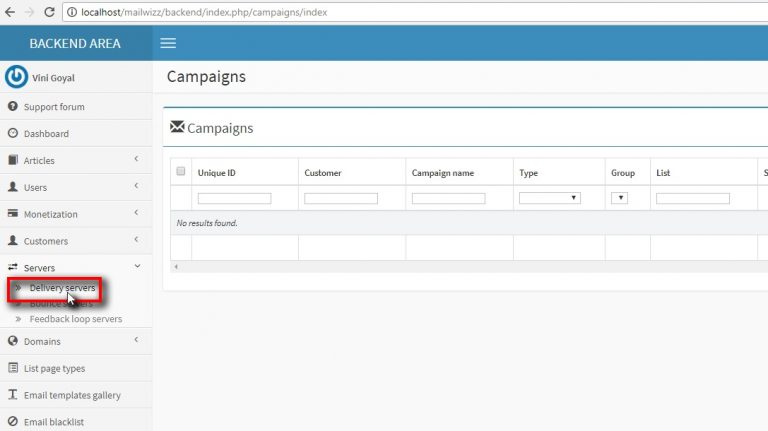
In the Delivery servers, click on Create new server to continue with the server set-up process.
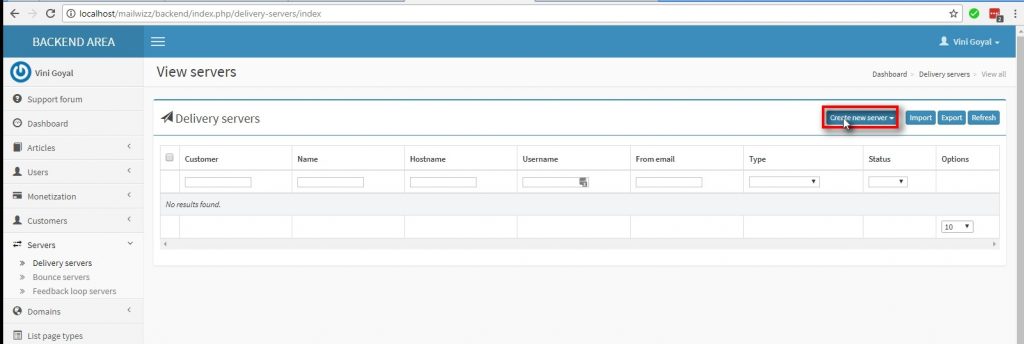
Note: In this tutorial we will be setting up MailGet SMTP to the Mailwizz account.
In the Create new server dropdown menu select SMTP option from the list.
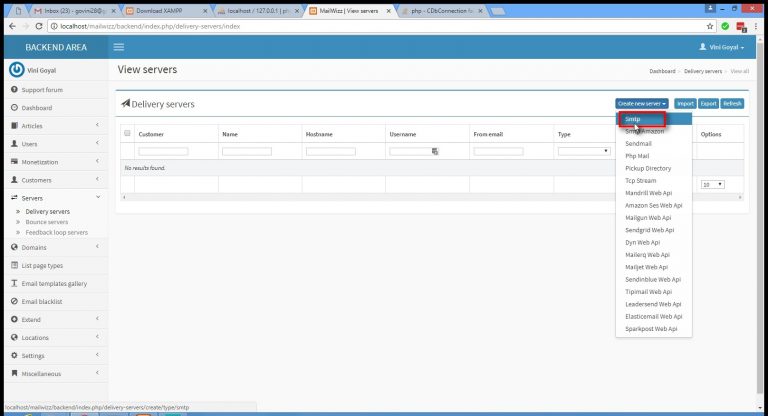
Once you click on the SMTP, you will have to fill in all the necessary server details to create new delivery server.
All the important fields are –
Name: MailGet SMTP
Hostname: smtp.formget.com
Username: As given in your MailGet account.
Password: As given in your MailGet account.
Port: 2525
From E-mail: Your email address from which you will send the e-mail campaign.
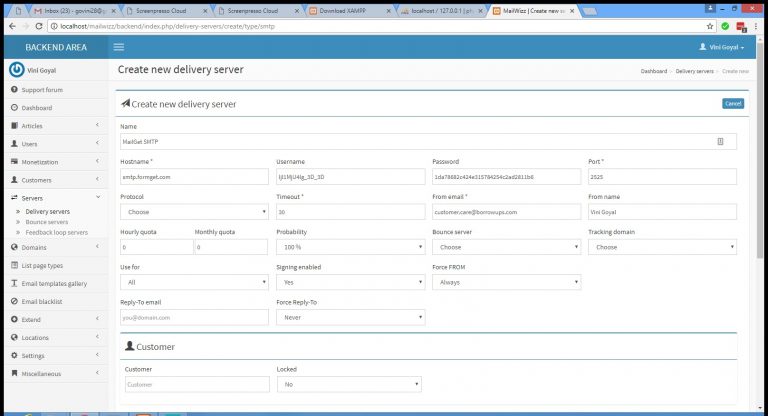
Once you fill-in all the details required, scroll down and click on the Save changes button on the bottom left corner.
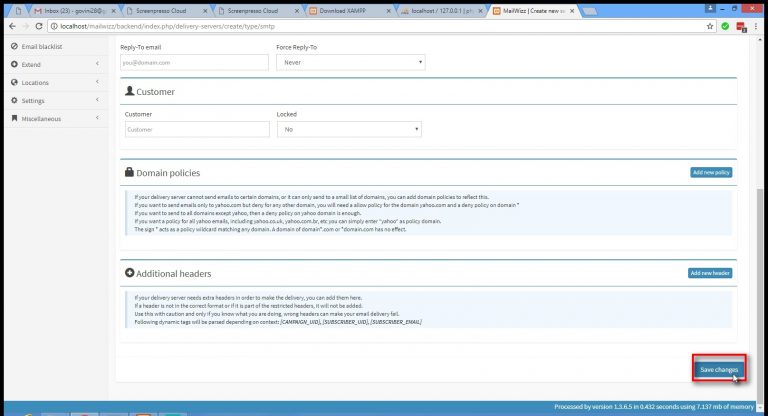
Once all the server details are saves in your account, you will need to validate the server.
For that you have to enter your preferred E-mail address in the box provided and click on Validate Server.
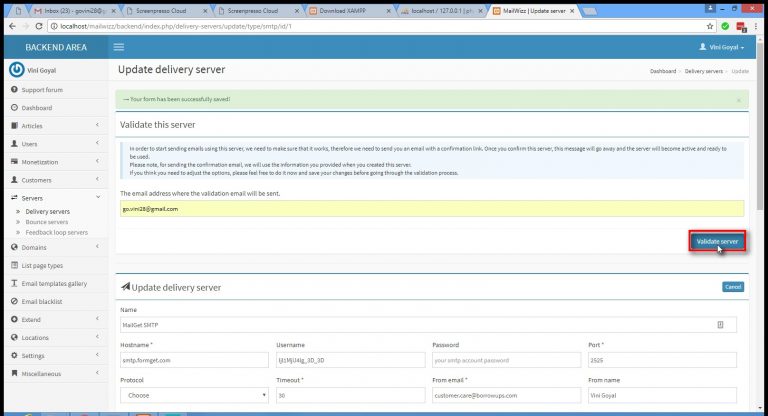
When you click on Validate Server, you will receive a confirmation e-mail to the E-mail address provide.
If you don’t receive any e-mail, check your server details again and make sure you have added correct details.
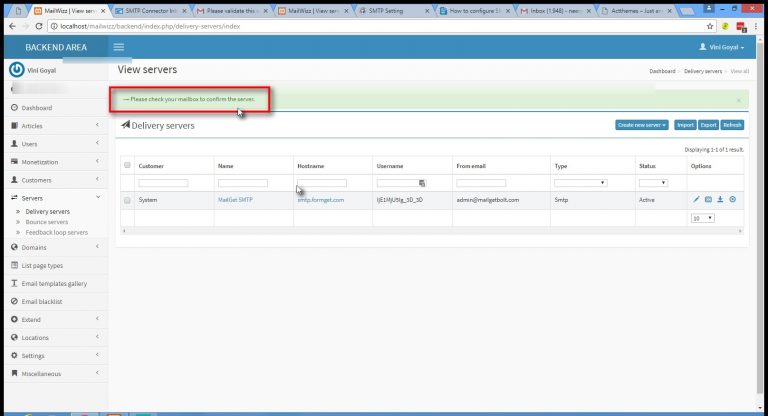
Open the e-mail received in your mailbox, and click on the confirmation link provided in blue.
Note: In case you do not receive email for sometime, check your spam folder as well.
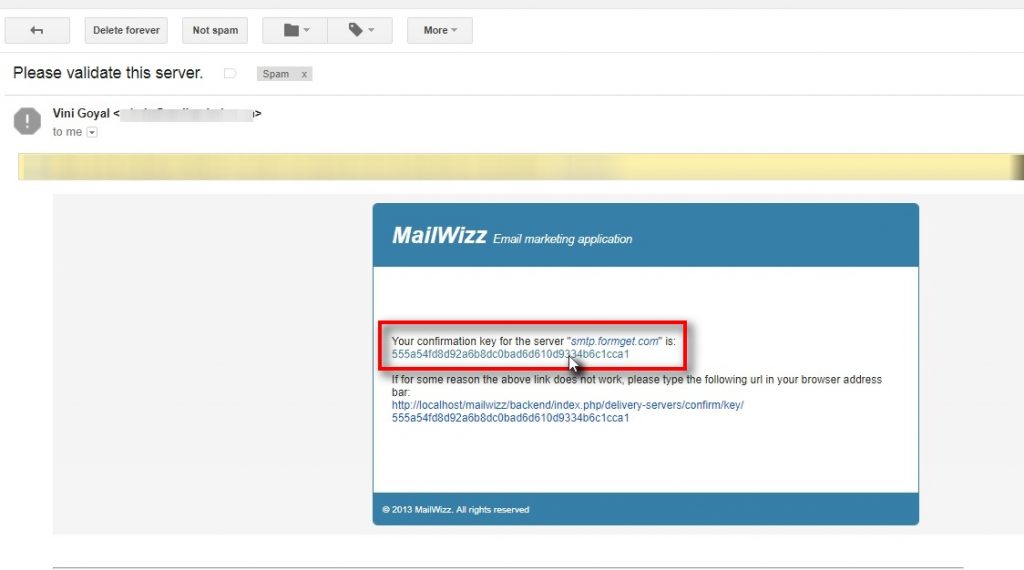
After clicking on the confirmation link in the mail, you will be redirected back to the MailWizz backend page.
The backend page should have a confirmation message – You have successfully confirmed the server smtp.formget.com .
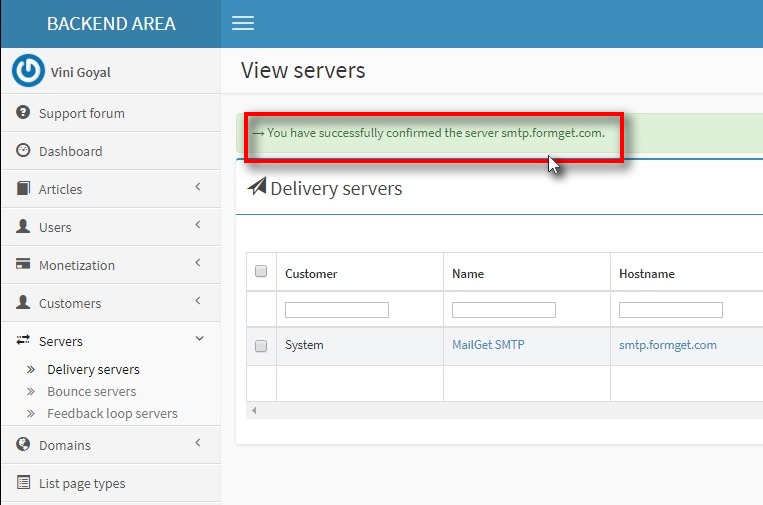
7. Create E-mail list and campaign
The last part of our MailWizz account set-up that is from E-mail list creation to sending the first campaign is done from the Frontend of the application.
You can go to the Frontend of the application by –
Openning localhost/mailwizz/customer/ in your web browser.
Log in with your user credentials.
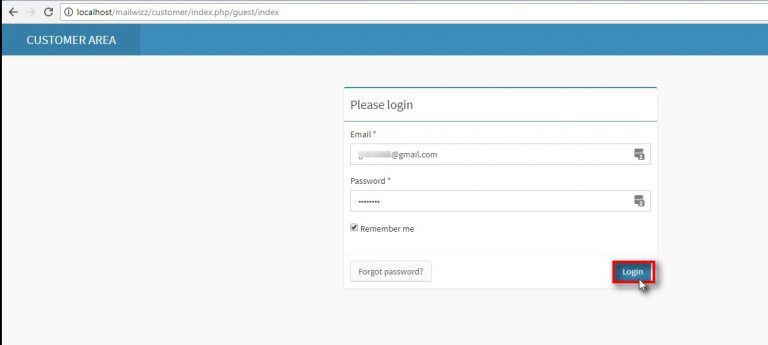
Once you are logged into the Frontend or the Customer Area, click on the Lists option from the menu on the left side of the screen.
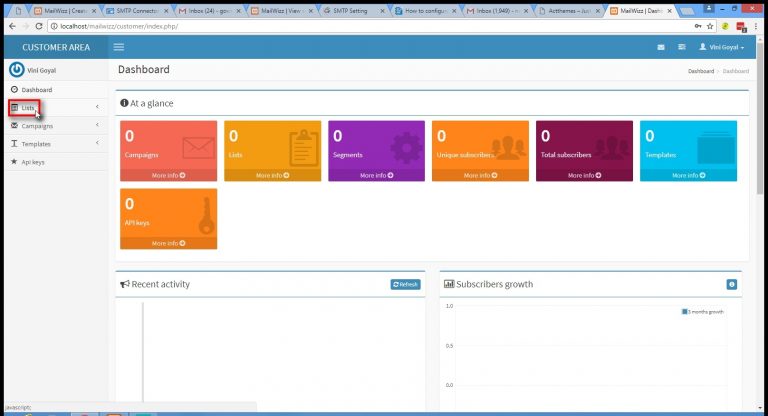
In the Lists dropdown menu select Lists option.
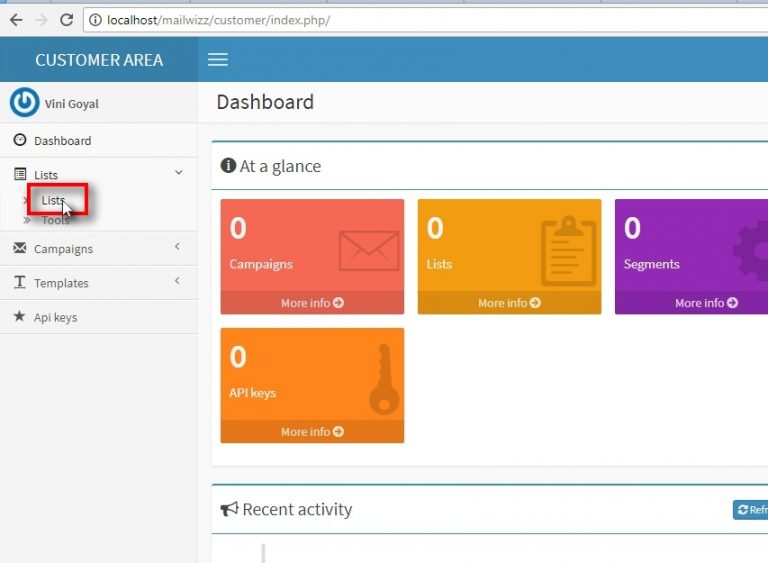
In the Lists section, click on Create new for creating new e-mail list.
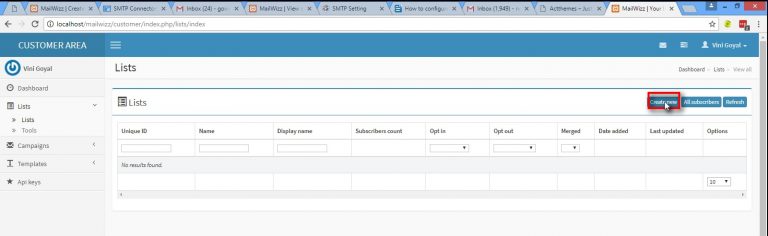
Fill in all the required details like Name, Description etc.
Default details will be pre-populated form the account settings.
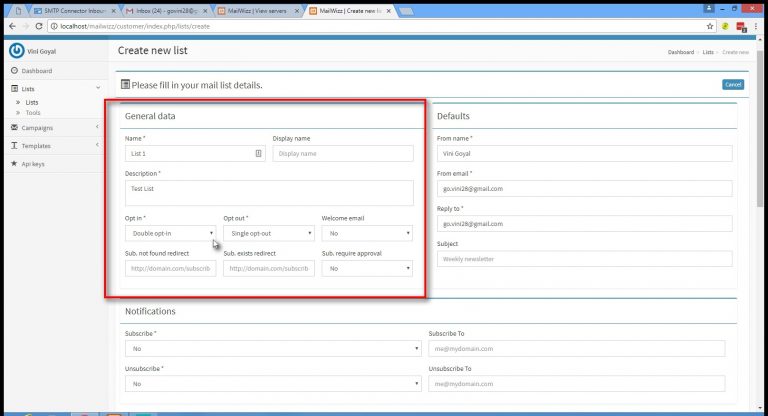
Fill in all the Company details like Name, Country in which your company is established, address.
Once you have filled in all the details click on Save changes.
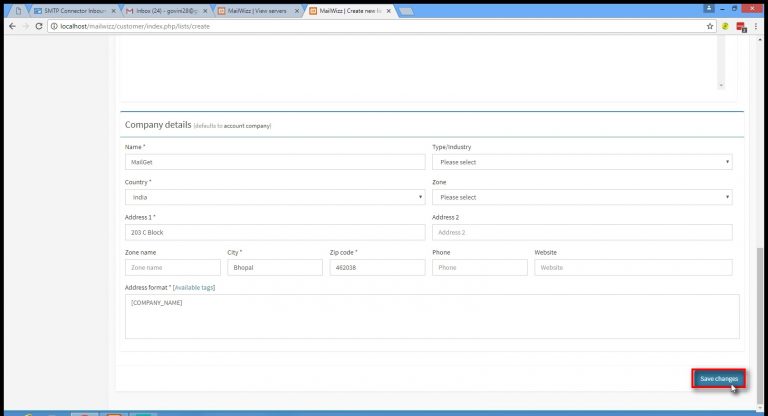
When all the details are correctly filled in the List form, you will receive a message “Your form has been successfully saved!“
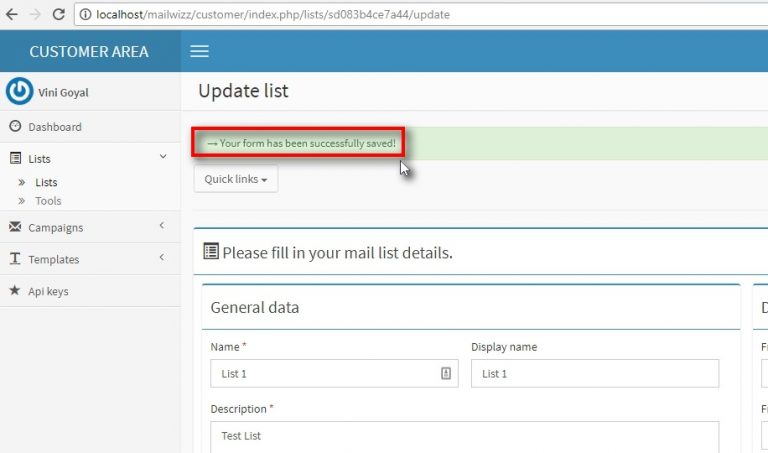
To add subscribers to the list created earlier, click on the Lists in the menu on the left of the screen.
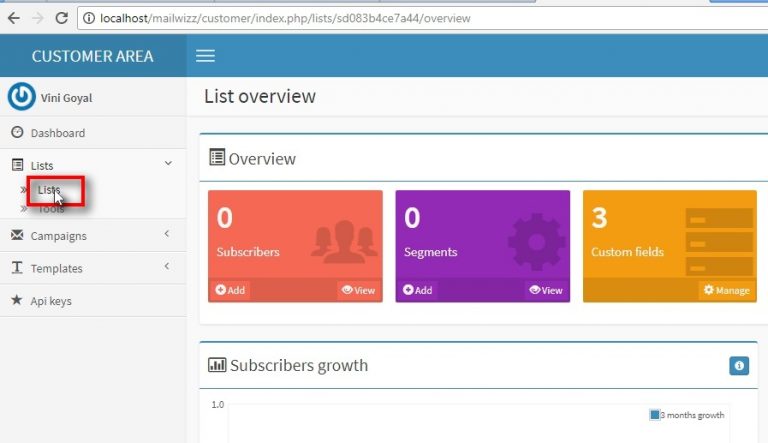
When you click on the lists, you will be redirected to page with the series of the list created earlier.
In the Lists section, open the list your created from the options.
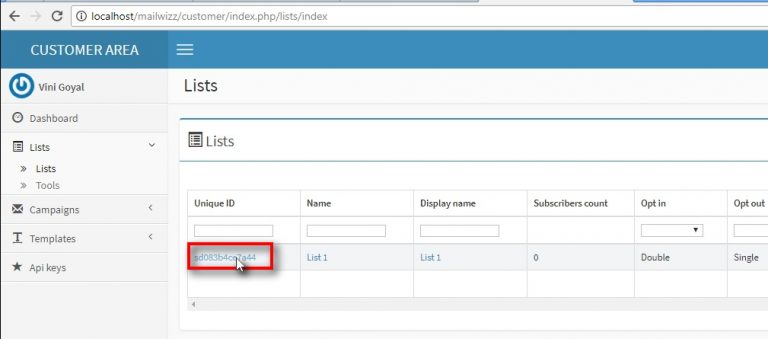
To add subscribers to the list, click on Add button in the Subscribers block.
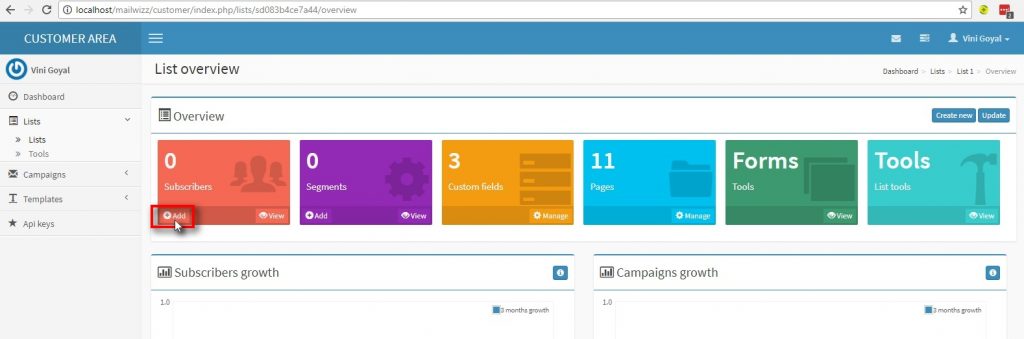
When adding a new subscriber to your list, fill-in all the required details like First name, Last Name, Email and Status.
Note: Make sure to change the status to Confirmed .
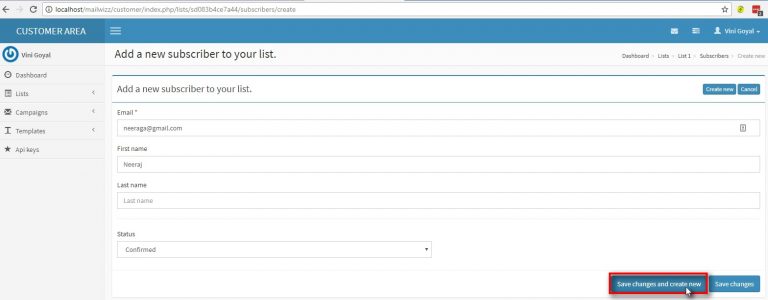
Once you successfully create your list and receive the message “Your form has been successfully saved!“, you are ready to send your first campaign.
Click on Campaigns from the Campaigns dropdown menu.
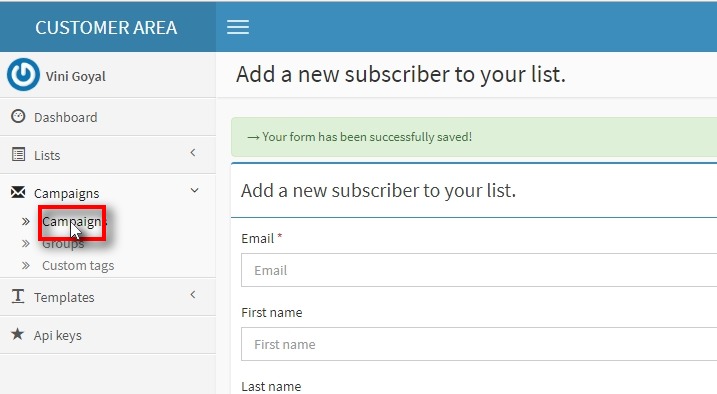
Once to reach to Your campaigns screen, Click on Create new to create a new campaign.
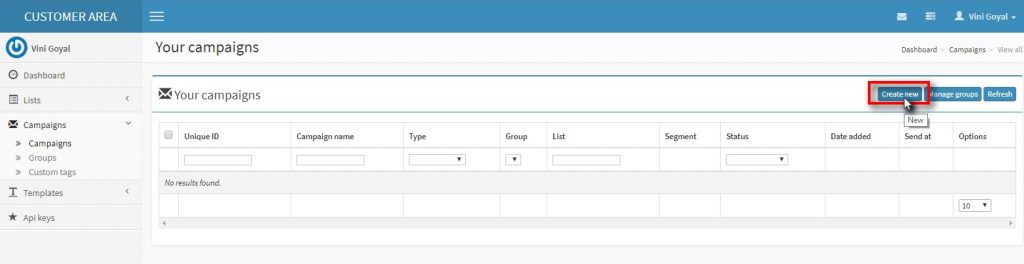
In Create new campaign, give the campaign your preferred name and select the list to which you want to send the campaign to.
After filling all the details click on Save and next to continue with sending your first email campaign.
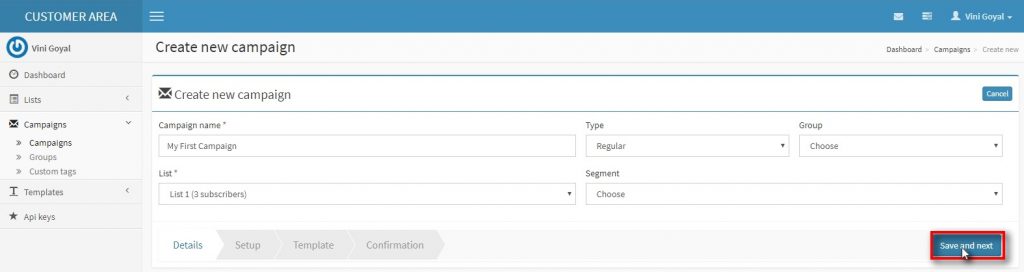
Once you have filled all the campaign details, you are all set to draft your campaign and send across your subscriber list.
Draft your e-mail campaign and click on Save and next button on the bottom left.
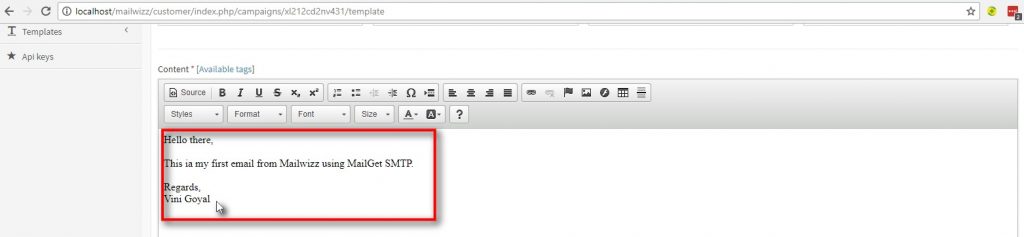
After saving the draft of the email campaign , you are redirected to a screen to check all the details like campaign name, List name, From name, etc.
Click on Send campaign to successfully send the campaign.
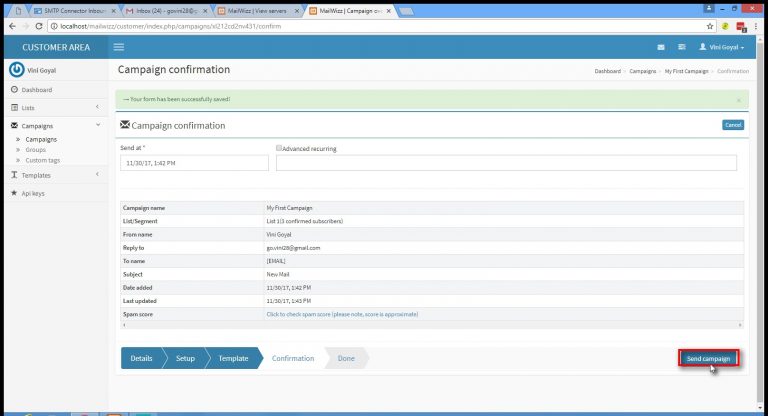
Once you have send the email campaign you will receive a message “Your campaign (Regular) named “My First Campaign(your campaign name)“has been saved and will start sending at 11/09, 1.22PM(Date and time scheduled by you)!”.
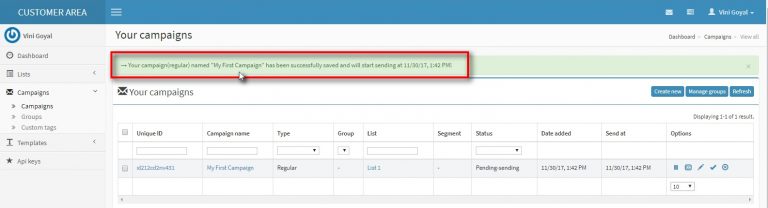
Congratulations!!! you have successfully created a MailWizz account, connected it to MailGet SMTP and send you first email campaign.
I hope our MailWizz Tutorial was helpful to you.
In addition to this you can also refer to other tutorials related to SMTP:
Find Social Media Profiles By Email Address : 6 Lead Enrichment Tools
In such a competitive world where everybody is fighting neck to neck, the factor which is very crucial is the “time”, and you cannot afford to lose it in searching for your potential customer’s information. For that, you should have a tool which helps to Find Social Media Profiles By Email Address.
A software that can give all the social links like the Facebook, Twitter, LinkedIn and similar other social presence.
An email enrichment software will do the task of digging out the people’s profile. It will be beneficial for the companies who are in the sales & marketing field, banking sectors, medical representatives, media and advertising and similar another sort of organizations and firms.
So, if you want to expand your business through a strategic planning. In that case, lead enrichment software will help you find all the social media profiles of leads just through email address, phone number or Twitter.
Here we have accumulated some of the finest lead enrichment tools that will hopefully do the job for you. All these systems will put an end to your hunt for the perfect lead enrichment software.
Furthermore, knowledge about lead enrichment can be grasped from blogs below:-
- Clearbit Alternatives
- Email Enrichment Tools : 5 Best Options
- Find Linkedin Profile By Email : 5 Affordable Solutions
Let’s explore the softwares sequentially:-
1. FullContact
FullContact is the most productive email enrichment software as it manages your contacts very easily. You can perform segmentation, prioritization, as well as lead scoring. Plus, the whole system helps you reduce the churn rate by the targeted management.
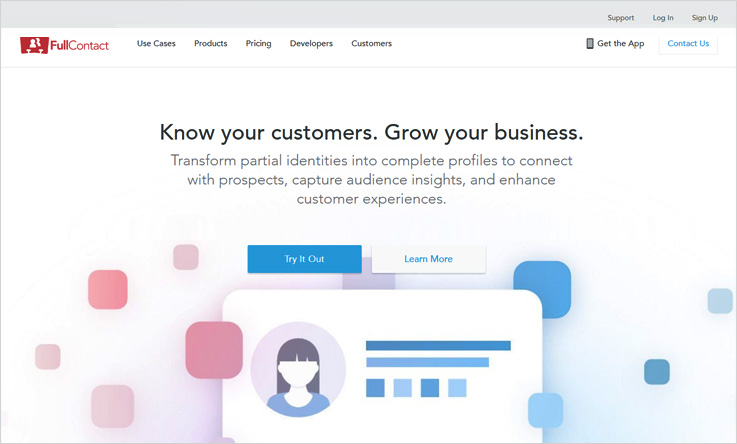
Features :-
- The dashboard of the software enables you to search the people’s profession, social profiles & other information across the web. These can be done using email id, phone number, and twitter id.
- Entities such as duplicate contacts, scan business cards, capture email signatures can be merged by the software.
- The system supports an API feature in which a key is provided. The key can be use to integrate other systems with your software.
Pricing :-
For developers, there is a free plan in which they will get 100 matches.
Starter Package:- For the starter plan, the user has 2500 matches which include person matches, company matches, data add-ons for $99.
Plus Package:- In this plan, you will get 15000 matches which includes person matches, company matches, data add-ons for $299.
Premium Package:- In the premium plan, the user can refine 50000 matches which includes person matches, company matches, data add-ons and various other features for $499.
Enterprise Package:- For the details of this plan you have to contact the sales team.
2. Clearbit
When you think about the software which is unique for email enrichment Clearbit is the answer. It can transform any mail into a complete profile of that person, wherever it is existing on the web. The system searches a number of database which gives the user up to date data in real time rather than a static way.
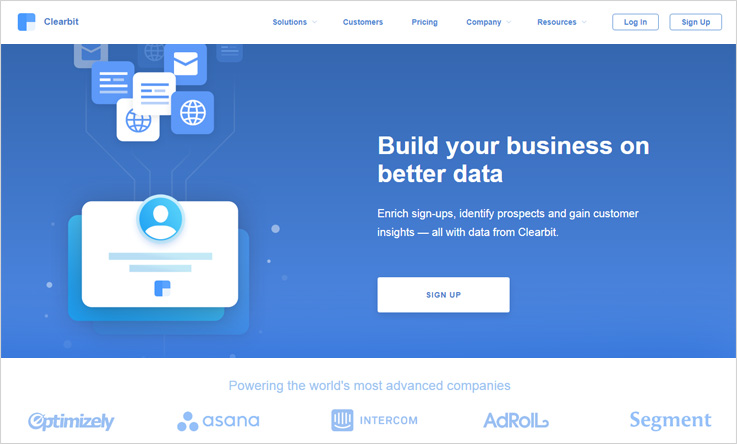
Features :-
- Working mechanism of this software is very simple.Relevant information about any person can be fetched with the connected email address.
- Clearbit provides data like person’s name, job profile, photo, bio, location and work domain.
- The Clearbit software can be integrated with the Marketo, Zapier, Segment SalesForce and other such software.
Pricing :-
There are broadly three pricing plans:-
1st Plan :- In this plan, the user will have to pay $99/month and for that, you will get data of 2500 person.
2nd Plan :- In the plan 2, the buyer will have to pay $149/month for which he can fetch data of 5000 people.
3rd Plan :- Similarly, in the plan 3, the buyer will be paying $199/month and will get profile data of 10,000 people.
Note* : If you are using Salesforce and Marketo then you just have to pay $499 per month for unlimited search data.
3. Been Verified
Been Verified is a software which is prominently used by the people around the world for finding a person information using their email id. The software provides information like social media profile, name, surname, company name & location, job title, profile, designation and similar other stuff.
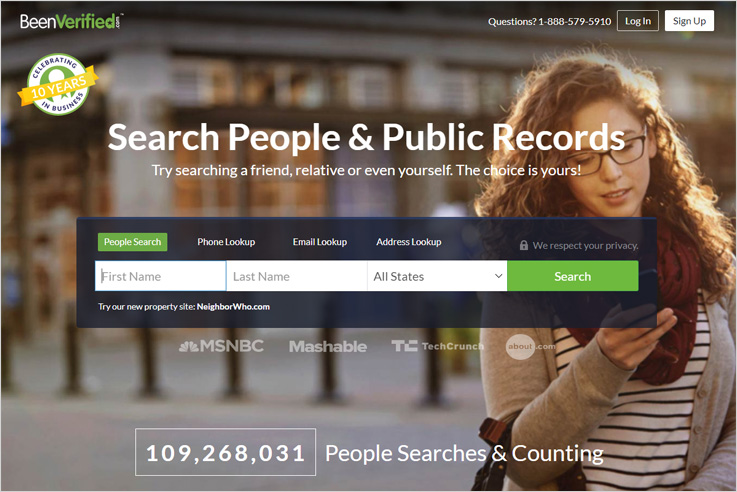
Features :-
- The software gives you verified results and goes a level ahead by fetching the criminal record of that person.
- The system also provides you the benefit of background reports, contact information, phone and email lookups, address lookups.
- The Been Verified not only finds the person’s complete information by the email address or phone number. But also lets you search people by their residential address.
Pricing :-
Basically two pricing plans available for this software which are as follows:-
First Plan :- In plan 1 you have to pay $26.89/month for which the user will be able to search people age, location, email, photos, social media accounts, phone number and much more.
Second Plan :- For plan 2, the user will be required to pay $52.44 per month, in which the user will get a 3 month membership where you can search people age, location, email, photos, social media accounts, phone number etc.
4. Pipl
The software enables you to search people for business purposes, the software also allows you to manage files in which the customers missing email address, phone numbers & address. You can also do the bulk search by which you can get information for over 100,000 individuals at once.
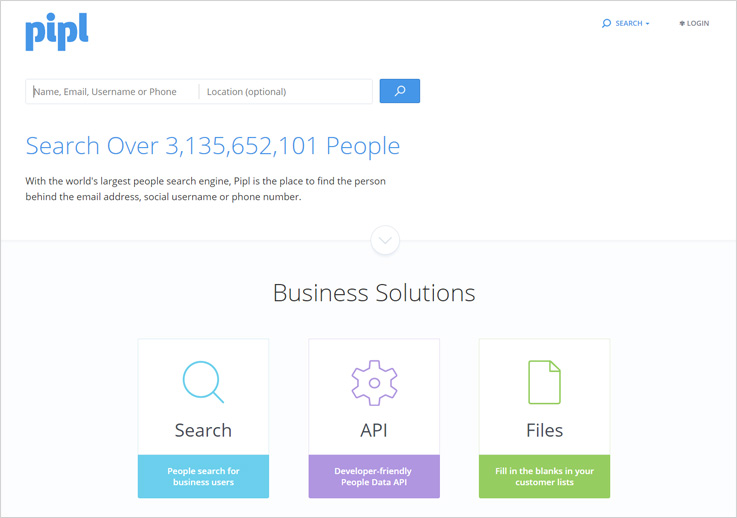
Features :-
- You can upload a list with names, emails address, phone numbers and the software will manage all types of search.
- The software will fetch the complete profiles of the individual which will get their name, work email, mobile phone, social handle, job title & more.
- All the task can be done within a few clicks as no technical skills required. Plus, the software provider gives you an instant price estimate & a quick peek.
Pricing :-
Contact :- In this plan, the user will be required to pay $ 0.5 per match in which the user will get age, name gender, address and landline phone.
Eg :- For 100 matches 0.05*100 = $5
Social :- In this plan the user will be required to pay $ 0.10 per match in which the user will get everything in contact plan and images, associates and social handles.
Eg :- For 100 matches 0.10*100 = $10
Business :- In this plan the user will be required to pay $ 0.20 per match in which the user will get everything in social plan and job, education mobile number, and email address.
Eg :- For 100 matches 0.20*100 = $20
5. PeopleLooker
PeopleLooker is a stupendous software that allows to search people by name, email address, phone number and via address of the person. In other words, the software provides an easy background check which includes criminal & court records of the person as well.
Features :-
- Apart from the obvious, it also lets you monitor personal identities, updating contact lists, looking up phone numbers & more.
- The software also traces the date of birth and relatives also. But all these searches are only limited to the United States.
- It also finds out who called your phone, to research property, or find a person’s public social networking profiles.
Pricing :-
For pricing, you need to get in touch with the sales team.
6. MailGet Enricher : Find Social Media Profiles By Email Address
MailGet Enricher is one of the best email enrichment software which allows you to find details behind an email id. You simply have to enter the email addrsss and it will present details like age, name, job profile, designation, etc.
Features :-
- The software mechanism is straight and easy. In it, you just have to upload the email list and it will dig out the enriched details.
- The system grabs the profiles of the person present on the Facebook LinkedIn, Pinterest, Twitter and similar other social profiles.
- Another facility that is provided by the software is that it can be downloaded as well, so just after getting the enriched list you can use it for further contacting.
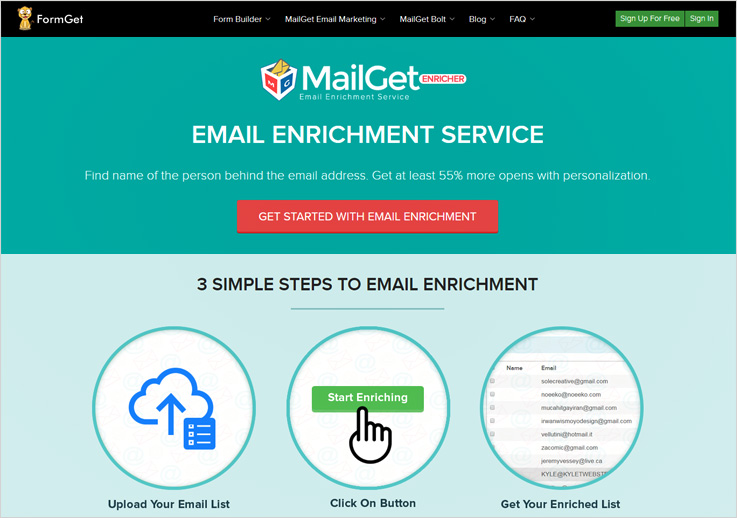
Pricing :-
There are many plans that are available, among them the lowest two and the highest one has been explained here:-
In plan 1 services are available at $19 in which information of 1000 leads can be serached.
Plan 2 is available at a price of $99 in which you can find information of 5000 leads.
For the highest plan, the user can have 1,000,000 leads information in $9999.
Note :- For other various pricing plans, you can visit the service provider website.
MailGet Enricher is the best and cheapest software to Find Social Media Profiles By Email Address at a low price. A single match or lead information will cost you just 2 cents. In addition, it also gives you the chance to increase the open rate upto 55%.
Conclusion :-
We have covered best aspects of leading email enrichment software that will surely help you choose the most befitting tool.
These software will work as a great push for your business. It helps you save your time and energy as it becomes quite easy to work on a specific lot rather than scattered profiles.
But these software will sort out things for you and will return only specific & relevant details of individuals.
So, without further ado give your business a software that provides you authentic & relevant social profiles of the people. Through which you can reach heights in business.
5 Free Christmas Email Templates [Fully Customizable + Responsive]
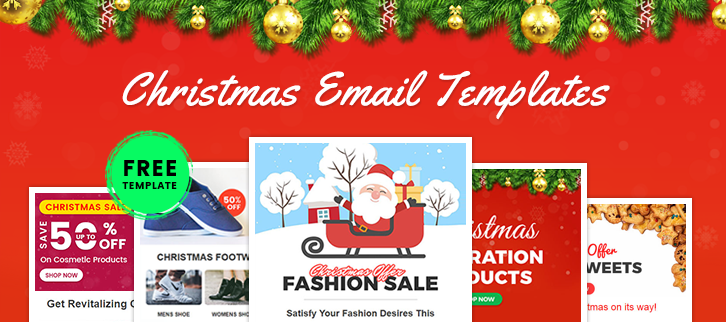
Do you hear what I hear?
Yes, it’s Christmas, the birthday of Jesus Christ and modern Christmas is toasted by shopping new apparels, stockings, exchanging gifts and hanging out at perfectly decorated venues with delicious barbecue.
It is the best time to hike-up your business & grab more sales with
stunning + 100% responsive + customizable + totally FREE + HTML based email templates
for different stores such as – Clothing, Footwear, Cosmetic, Foods, & Decorations.
If you are having any other business then you can simply clone these email templates and prepare them according to your trade outlet.
Following are some best emails newsletters for Christmas, which you can use to clutch the attention of the audience towards your store by sending emails right to their inbox.
All the email templates have been created using – MailGet Bolt Drag & Drop Builder
1. Get More Customers This Christmas | Amazing Clothing Email Templates

On this Christmas, promote your clothing business by sending perplexing newsletters to the customers, which will definitely help you in snatching more sales for your organization. You can either go with the same template or can customize it according to yourself.
2. Best Email Templates For Decorations & Party Planning Businesses

Go with the email templates if you are promoting a decoration & party planning business online, it will help you a lot in making a huge marketing campaign & sale drive this Christmas. Use the same or arrange it according to yourself without spending days & hours in designing or development.
3. Christmas Email Templates For Food Points & Restaurants
Keep customers connect with your latest menus & food offers this Christmas by sending this stunning email newsletter to them. This will surely help restaurants, bar, food points, hotels to enhance their business sale this season.
4. Enhance Footgear Sale | Christmas Footwear Email Newsletters
This prodigious email template is perfect for any footwear or stocking businesses. With its outstanding look, one can easily catch the attention of customers towards their products which will doubtlessly help in the growth of your business.
5. Top Cosmetic Email Templates | Spread Glow All Over The World
Notify the customers about the best deals, offers & discounts that are running in this Christmas with the help of this email newsletters. Enhance the sale and conversion rate through this elegant email templates.
Conclusion –
Hope you like all the above-mentioned email templates and if not then you can FREELY customize them according to you in just a few clicks.
OR..
Take advantage of FREE email templates and enhance sales and conversion rate of your business and keep your customers up-to-date about each and every deal or offers in this Christmas.
Lastly, I would like to reveal that all these email templates or newsletters are built using MailGet Bolt Software with which you can easily design accessible email templates for your business without any technical knowledge.
Along with designing, the software offers a lot of other features that make it a COMPLETE EMAIL MARKETING PACKAGE. So, no more wait…grab this tool & send UNLIMITED emails to 10,000 subscribers this Christmas festival.
4 Top Email Enrichment Tools: Search Social Profiles
When you contact people for domain-specific purposes, you tend to waste a lot of time talking to those people who don’t even fall in the league. This is because, apart from the email id, you don’t know what the person’s profile is. To make this job easier, you should have Email Enrichment Tools which can dig out all the social information.
A software that can present to the individual’s all the web existence in whichever form he is prevailing on the world wide web. One can analyze the person more deeply and communicate with him accordingly when he got the social profiles & other information of a person.
Email Enrichment Tools will allow you to connect and integrate multiple other software of yours through an API key. There are similar other features which will help to manage data and email enrichment task smoothly.
Want to explore more about Lead Enrichment below are some blogs which can help:-
- Find Social Media Profiles By Email Address : 6 Cheapest Solution
- Find Linkedin Profile By Email : List Of 5 Best Tools
- Clearbit Alternatives
- Fullcontact Alternatives
Let’s explore these contacts digging software one by one:-
1. FullContact:-
One of the finest data and email enrichment software in the market that you will come across today, the FullContact like its name manages your contact related activity fully, the software keeps you all the contacts in one place. The contacts which have been updated within the software are traced all over the web and are enriched with the social profile data.
Features:-
- The software gives you a special feature to enrich your API. An API key of random characters is generated which can be used to integrate other software with this service.
- In the software’s dashboard, you’ll get a feature of fetching the person’s social profiles. It retrieves all the relevant stuff of the person being searched.
- Merge duplicate contacts, scan business cards, capture email signatures, and similar other stuff. Contacts continuously get synced with all the devices as well.
Pricing:-
For a developer, there is a free plan in which they will get 100 matches.
Starter:– In the starter plan, the user will get 2500 matches which includes person matches, company matches, data add-ons for $99.
Plus:– In the plus plan, the user will get 15000 matches which includes person matches, company matches, data add-ons for $299.
Premium:– In the premium plan, the user will get 50000 matches which include person matches, company matches, data add-ons and various other features for $499.
Enterprise:– Get in touch with the sales team.
2. AeroLeads:-
AeroLeads is a cloud-based prospect generation tool suitable for businesses in a variety of B2B industries. AeroLeads is a lead generating software that is used to find email addresses, phone number of prospects. It is a chrome plugin that will collect the data from platforms like LinkedIn, AngelList and many more.

Features:-
- The user can capture contact information in real-time from very valuable sources like social profiles, company databases, Crunchbase, etc.
- With the help of AeroLeads, you can get the specifications such as Industry, title, location, email and phone number in a CSV format.
- You can transfer your prospects to sites like MailChimp, Hubspot, Salesforce, and Zapier with one click.
Pricing:-
Take off Plan:- $49/Month The user will get 700 credits under this starter plan.
Climb Plan:- $149/Month In this plan the user will get 2500 credits and some extra features.
Cruise Plan:- $499/Month The user will get 10000 credits under this plan.
Enterprise Plan:- You Quote your needs as per your Requirements and We Quote you a price.
3. Clearbit:-
Clearbit is an amazing contact finder software through which you can easily find someone’s data at your fingertips. For that, you just need to enter a person’s email address, and Clearbit transforms that data into a complete person’s profile.
Features:-
- Clearbit provides a person’s information including person first & last name, job profile, photo, bio, location, company name, size, and even which technology they are using.
- The software only works with an email address that associates with a person and finds information related to that person.
- Easily integrates with SalesForce, Zapier, Marketo, Slack, Segment and many others.
Pricing:-
$99/month:- Under this plan, you can find data of 2500 people.
$149/month:- In the plan, you can find data of 5000 people.
$199/month:- Here you can search for data of 10,000 people.
Note: If you are using Salesforce and Marketo, then just need to pay $499 in a month for unlimited lead data.
4. Been Verified:-
Been verified is one of the most popular email enrichment software which gives a wide range of information on a person by using their email address. It provides complete information including all social media profiles, gravatar, name, surname, company name & location, job title and much more.
Features:-
- BeenVerified helps you get the verified results i.e you can even see the criminal history of the particular user which you’re looking after. This will help you understand your lead in a much better way.
- The benefits offered are background reports, contact information, phone & email lookups, address lookups, and sex offender lookups. You will be also notified quickly if there is any variation or update in a report.
- With the help of Been verified software, you can fetch complete information about someone via the email address or phone number. The best thing is that you can search for people by their residential address.
Pricing:-
In $26.89/month, you can search people age, location, email, photos, social media accounts, phone number and much more.
You get a 3-month membership for $52.44. With which you can search people age, location, email, photos, social media accounts, phone number, etc.
5. MailGet Enricher : Email Enrichment Tools
With MailGet Enricher, you can simplify the process of lead enhancement either with email contact, phone number or Twitter handle. Either one of these contact info will help to extract information from multiple sources with just a few clicks.
The add-on to this enrichment service is that you get access to multiple other features as well. The starting plan of service is very low i.e 2 cents per lead which is very cheap as compare to other software.
Features:-
- More authentic and verified data is returned, as the sources searched for results are trusted ones on the web.
- Details like gender, age, workplace, professional details, education info, social media details and much more can be extracted easily.
- Social profile details are searched on Linkedin, Facebook, Twitter, Pinterest, and multiple other sources.
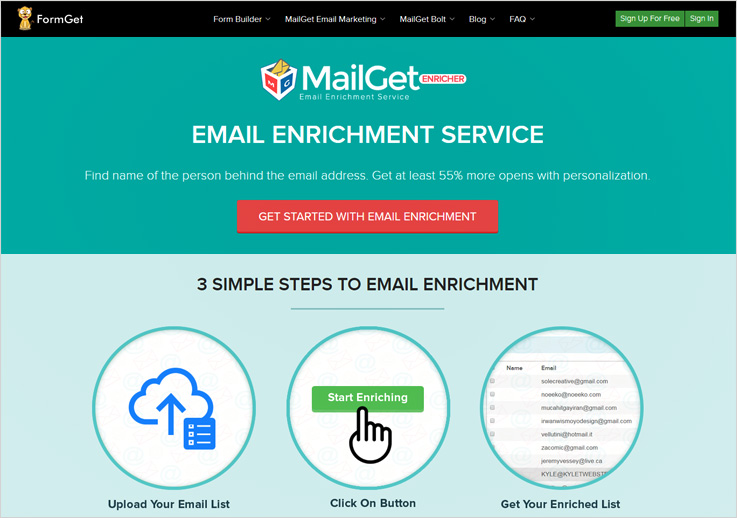
Pricing:-
- Start your lead enrichment procedure just by paying $19 and process 1,000 emails with ease.
- The second plan will cost $99 and will allow to refine 5,000 emails.
- The next plan gives access to 10,000 email enrichment at a price of $175.
MailGet Enricher offers more plans which can be helpful for larger email lists.
Interested in reducing lead enrichment costs and want to have a service that is good, user-friendly and delivers authentic data?
Well, my personal recommendation will be the MailGet Enricher tool. This is one service that we found capable of delivering data accurate user details at the cost of 2cents per search only.
Conclusion:-
All these software will give you an authentic customer database or social profile of the customer and save a lot of energy and time which you can utilize in some other productive work. Start analyzing all your leads in deep and simplify your email enrichment task with these amazing tools.
Outlook SMTP settings : Integration with MailGet

What is Outlook?
Microsoft Outlook is an email application that let the user send and receive emails.It comes as a part of Microsoft Office Suite. Other that send and receiving emails, outlook also includes calendar, task manager, contact manager etc. This tutorial explains Outlook SMTP settings in very detailed, simple and easy to replicate steps.
Microsoft Outlook can be purchase from internet from the below mentioned link.
https://www.microsoft.com/en-us/store/d/outlook-2016/cfq7ttc0k5cf?activetab=pivot%3aoverviewtab
Multiple SMTPs can be configured in your outlook account. In this blog we will be using MailGet SMTP to demonstrate the SMTP configuration procedure for outlook.
Outlook SMTP settings:
1. Open Outlook on your system
Once you have downloaded Microsoft Outlook from the link above, open it on your system and create your outlook account.
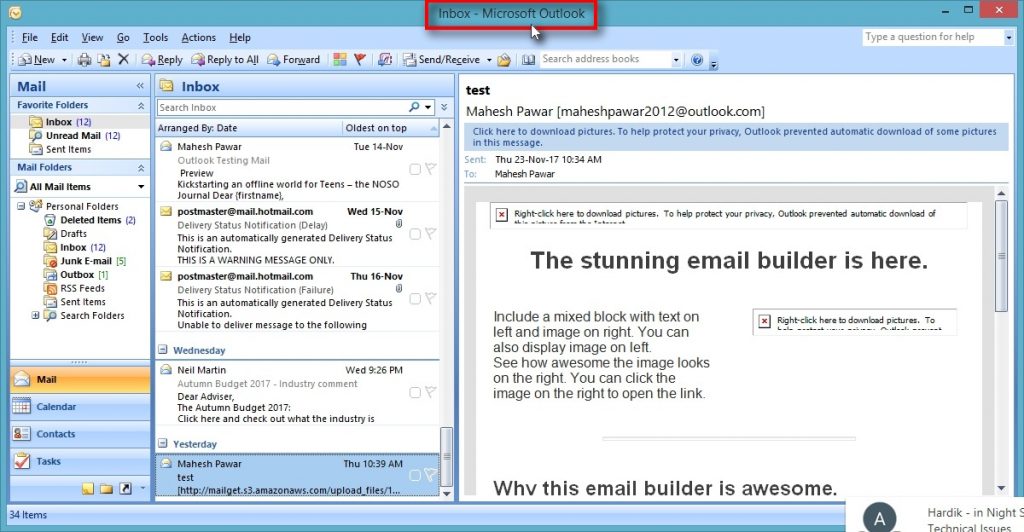
2. Click on “Tools” menu
Click on Tools menu to start the SMTP configuration process.
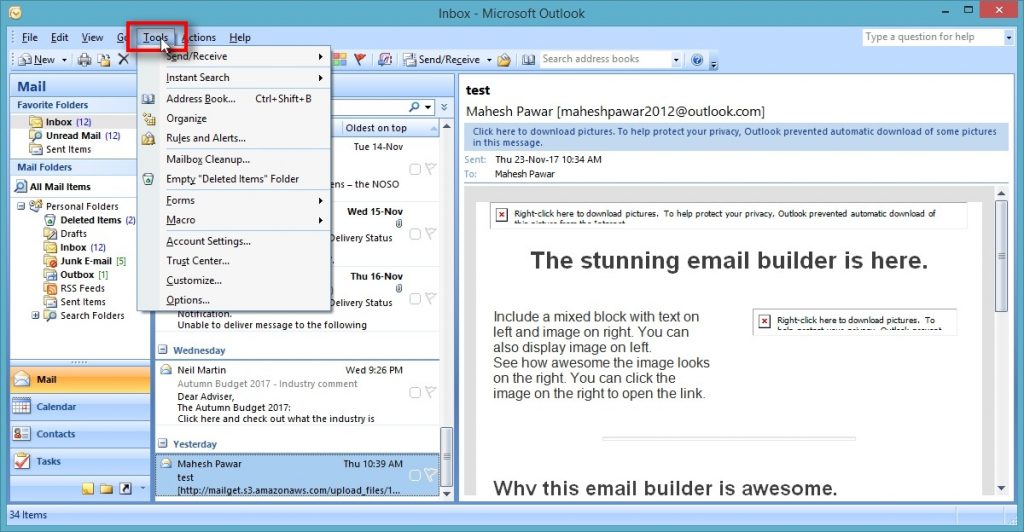
3. Click on “Options” menu
Select Options from the Tools menu to got to the mail set up window.
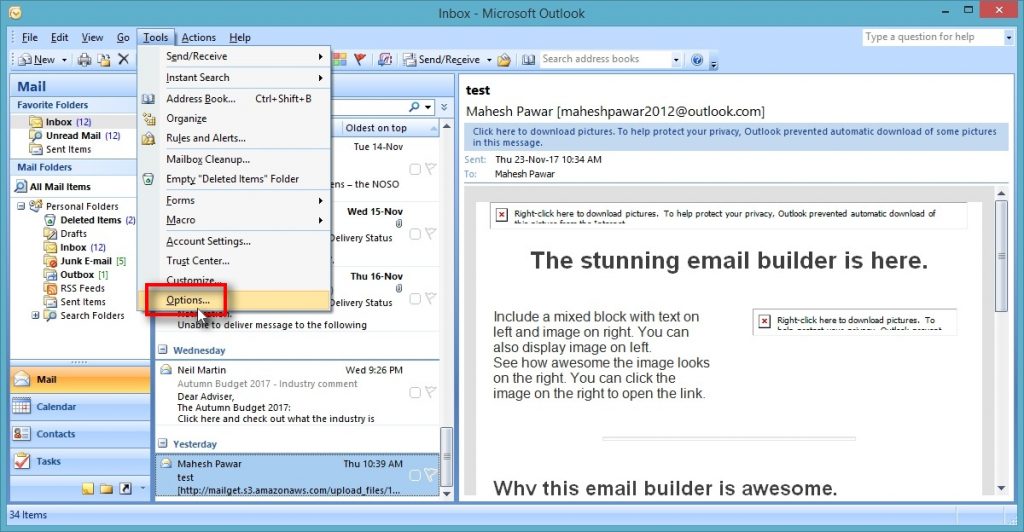
4. Click on “Mail Setup” tab
Click on Mail Setup to configure your email account details.
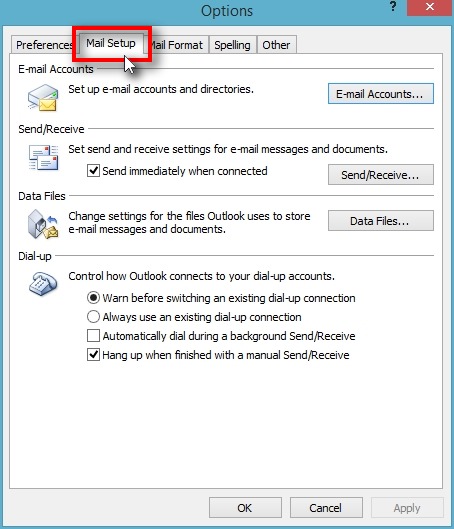
5. Click on “E-mail Accounts” button
Click on “E-mail Account” button to set-up new accounts and directories.
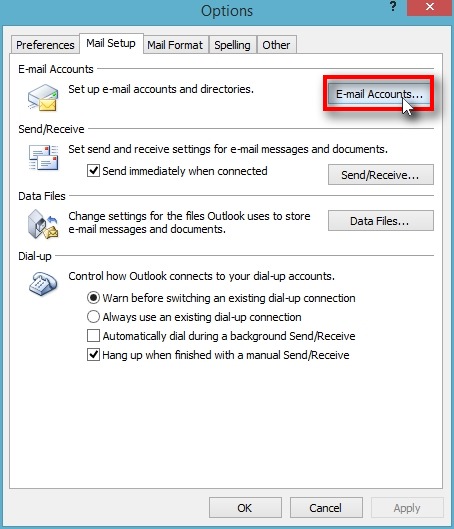
6. Click on “New” button
Click on “New” button to add your new e-mail ID.
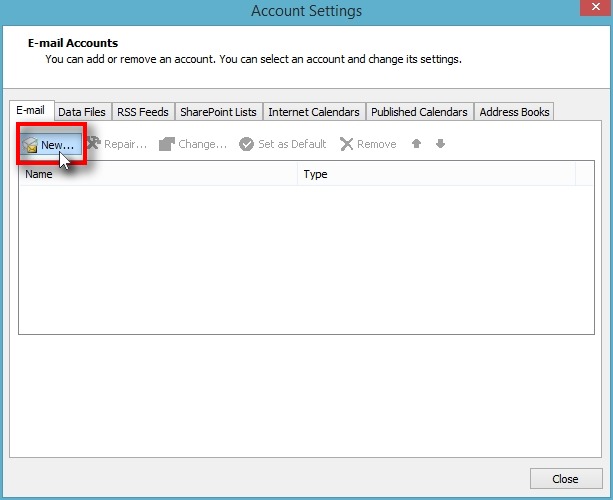
7. Configure E-mail manually
Select “Manually configure server settings or additional server types” and click on “Next” to go to the next screen.
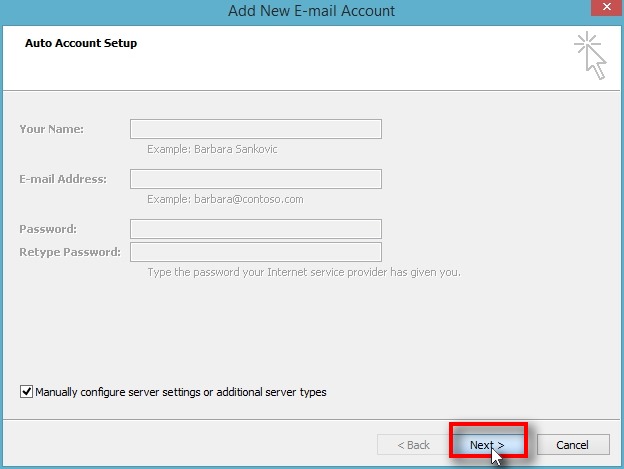
8. Select “Internet E-mail”
Select “Internet E-mail” from the options and click on “Next” button.
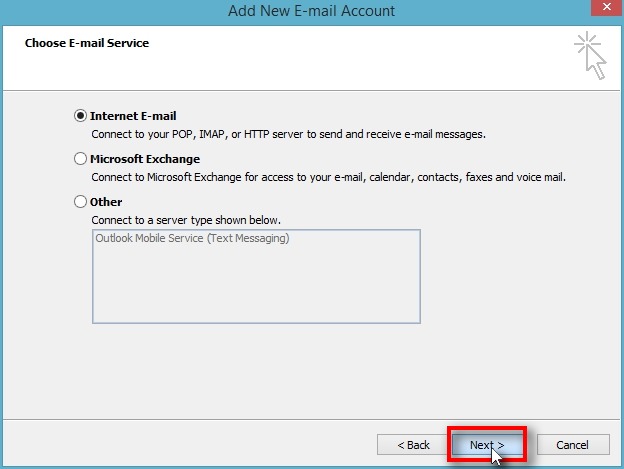
9. Fill in User Information
In User Information section fill-in :
1. Your name
2. Your email address from which want to send the e-mail campaign i.e. your sender’s e-mail ID
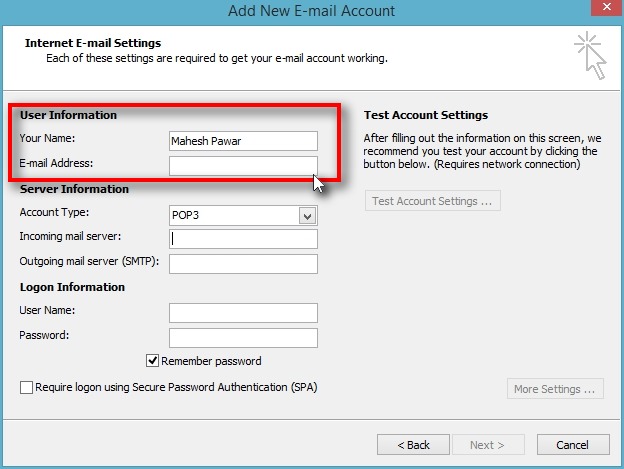
10. Fill-in Server Information
In the server information section fill in the following:
1. Account type: POP
2. Incoming Mail Server: pop-mail.outlook.com
3. Outgoing Mail Server(SMTP): smtp.formget.com
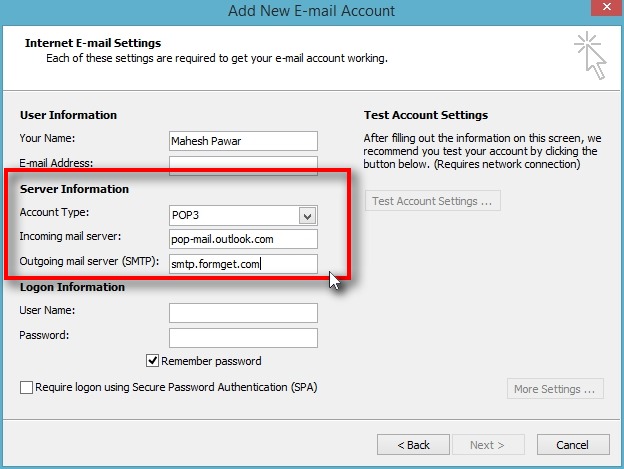
11. Fill-in the Logon Information
In this section fill-inyor Outlook account credentials i.e. your out look username and password.
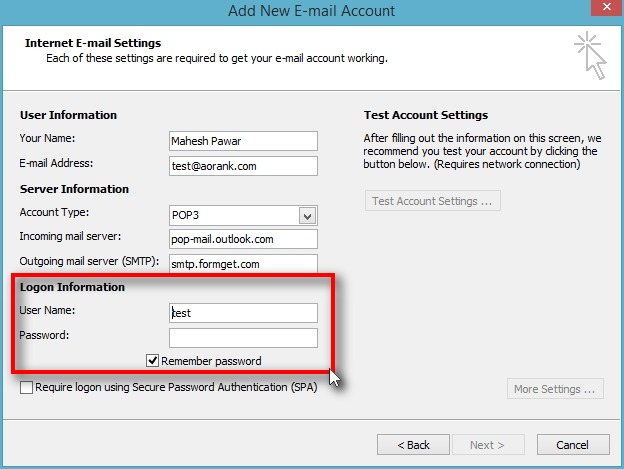
12. Click on “More Settings” button
Click on “More Settings” button to go to the outgoing server setting options.
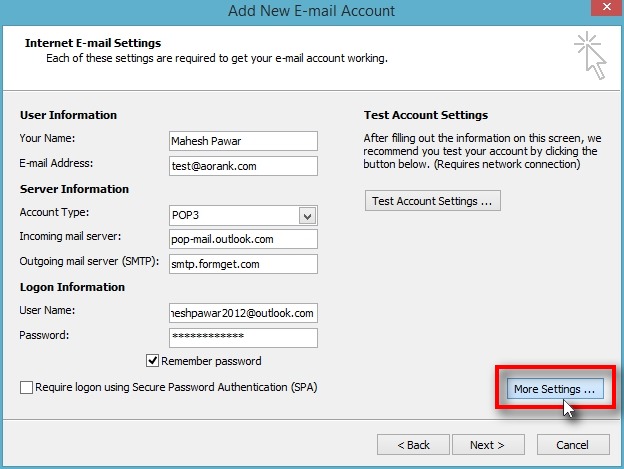
13. Click on “Outgoing Server” tab
Click on “Outgoing Server” tab and check “My outgoing server (SMTP) requires authentication“
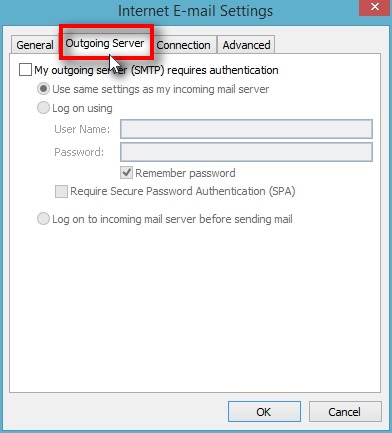
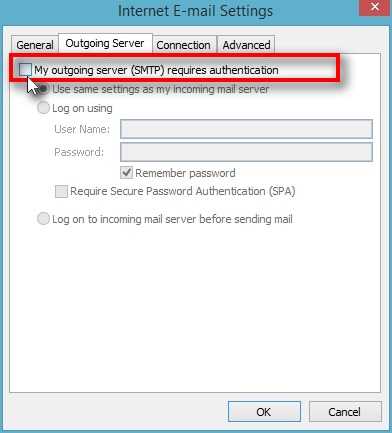
14. Choose “Log on using” option
Choose “Log on using” option to to create new Log on credentials for outgoing server.
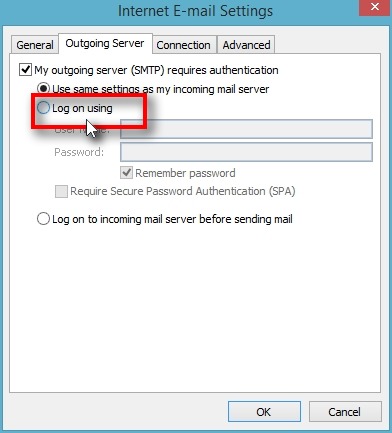
15. Fill in the “User Name” and “Password”
Fill in new “User Name” and “Password“.
Note: Make sure to un-check the “Require Secure Password Authentication(SPA)”
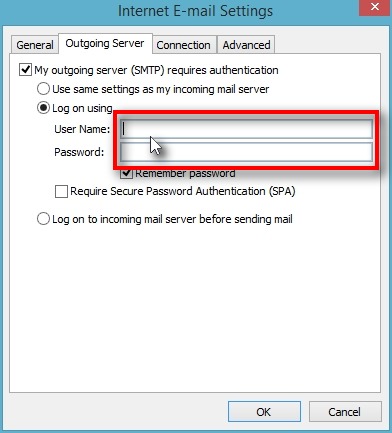
16. Click on “Advanced” tab
Click on “Advanced” tab to make changes to advanced server setting.
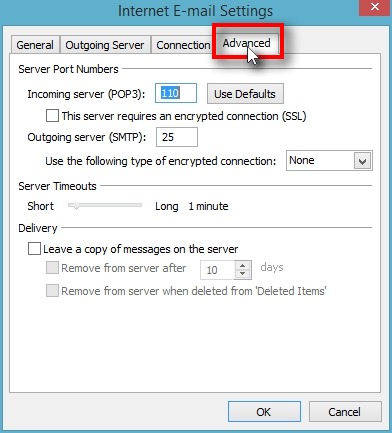
17. Click on “Incoming server (POP)“
Click on “Incoming server (POP3)” and change the default port number of the incoming server to 995.
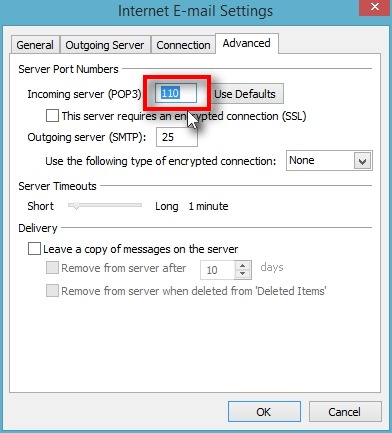
18. Check “This server requires an encrypted connection (SSL)“
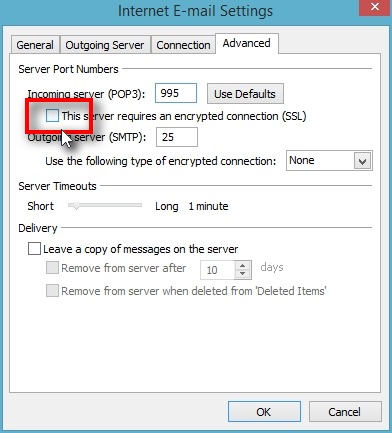
19. Click on “Outgoing server (SMTP)“
Click on “Outgoing server (SMTP)” and change the default port number of the outgoing server to 2525.
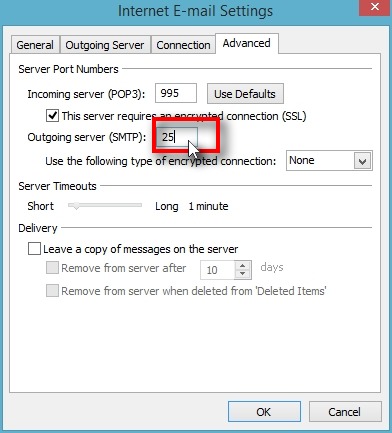
20. Click on “OK” button
Click on “OK” button to complete the set-up process.
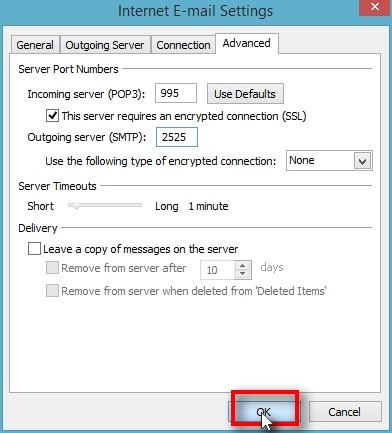
21. Click on “Test Account Settings” button
Click on “Test Account Settings” button to check whether all the modifications have been successfully implemented and the SMTP configuration is complete.
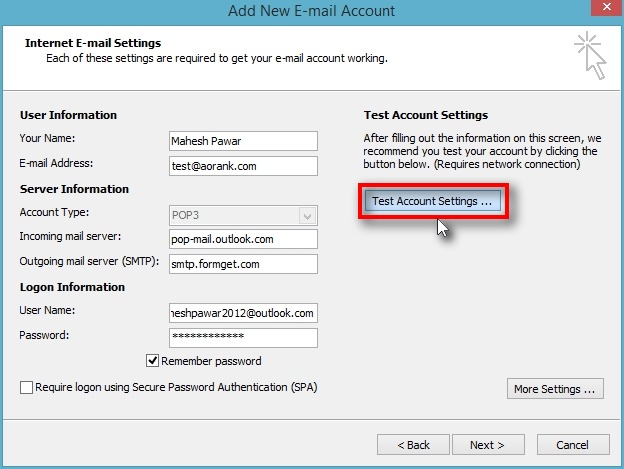
22. Click on “Close” button after verification
When the account settings have been test and the Green tick marks appear adjacent to all the tasks in the tasks column, account setting are completed successfully.
Click on “Close” button to close the window and go back to Outlook Dashboard.
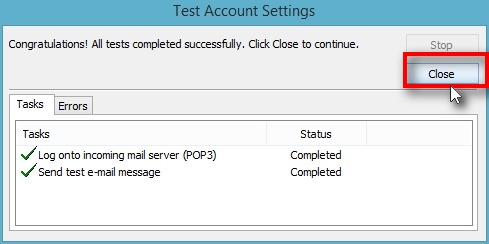
Your Outlook accounts now connected successfully with MailGet SMTP. You can now start sending your e-mail campaigns now.
You can also refer to our other SMTP related articles:
5+ PayPal Payment Forms [Receive One-Time & Recurring Payments]
Want to design payment forms to collect more revenue for your business?
Then you’ve landed at the right place!!!
This article enlists the 5 best PayPal payment forms maker software which will help you in designing attractive payment forms. Moreover, the software also allows you to collect one-time as well as recurring payments in much safe and secure way.
Create forms of your choice. Such as-
- PayPal payment forms
- Signups forms
- Event & Order forms
- Lead generation forms
- Contact forms
- Feedback forms and more.
Have A Quick Glance At The Comparison Table
| Services | Pricing | Social Sharing Buttons | Multiple Users Access | Google Analytics Tracking | Ratings |
| FormGet | $5/M | ✔ | ✔ | ✔ | 5.0/5.0 |
| Pabbly Forms | $5/M | ✔ | ✔ | ✔ | 4.8/5.0 |
| Formstack | $19/M | ✔ | ✔ | ✖ | 4.3/5.0 |
| FormAssembly | $89/M | ✖ | ✖ | ✖ | 4.3/5.0 |
| FormSite | $14.95/M | ✖ | ✖ | ✖ | 4.0/5.0 |
Below is the list of 5 best payment forms maker tools which allow you to make payments via PayPal payment gateway.
So let’s explore it one by one –
1. FormGet – Best In PayPal Payment Forms
FormGet is a leading form builder software for integrating forms, whether you need a simple contact form or a secure payment form. This software facilitates 260+ ready-to-use templates and an extremely easy to use drag and drop interface.
FormGet supports major payment gateways such as PayPal and Stripe. This advanced feature will let you securely receive one-time as well as recurring Payments from your customers.
Furthermore, the auxiliary feature will let you keep track of your viewers through a View Counter.
I have tried all the form builder software and found out that FormGet is the best software in each and every aspects like features, functionality, and pricing.
This Form Building software won’t let you down when brought into practice.
Features –
- It posses advanced conditional & branching logic functionality to dynamically change the form fields when specific conditions are met.
- For advanced security, it provides SSL encryption, spam protection and reCAPTCHA.
- This software can create forms in many languages which helps you to connect your customer from any region.
- You can also use the canned replay feature as a response to the successful submission of a form in an automated manner.
Pricing Plans –
The FormGet software has 4 pricing plans. The form features vary in accordance with the number of users, forms and submissions/month.
- Free Plan- A entirely free plan to build a single form using with all the features. The user is completely free to use this form for any purpose to on any site.
- Starter Plan- A regular starter plan of $5 for a single user, a single form and 1200 submissions/month.
- Rookie Plan- A rookie plan of $35 for 5 users, 25 forms and 25K submissions/month.
- Pro Plan- A premium plan of $79 for 10 users, unlimited forms and 60K submissions/month.
- Advance Plan- An advanced plan of $99 for an unlimited number of users, unlimited forms and unlimited submissions.
For more related stuff, you can also go through the following blogs:-
2. Pabbly Forms – Finest In PayPal Payment Forms
The Pabbly Forms software will let you build many types of forms such as payment form, signup form, lead generation form etc. The overall interface provided by this tool is very user-friendly and also facilitates many custom options to enrich the quality of your forms.
After creating a form, you can easily embed the form to any site or page. Moreover, this tool provides a users dashboard to keep track of all your forms as well as manage them using a single interface.
Features –
- You can build forms & directly embed them anywhere on your site as a tabbed widget.
- Social media options are also available to share the forms on platforms to attract more users.
- There are two trusted modes of payment integrated into this tool the PayPal and the Stripe gateway.
- In-built autoresponder for auto response generation to form submission. No manual emailing required because now notifications are automated.
Pricing Plans –
The Pabbly Forms has four different pricing plans. The plan features vary on the basis of the number of users, forms & submissions/month.
- Free Plan- A dadicated plan to test the advanced functionalities through a single form.
- Starter Plan- This plan will cost $5 for one user, one form & 1200 submissions/month.
- Rookie Plan- It will cost $35 for 5 users, 25 forms & 25K submissions/month.
- Pro Plan- The pro plan will cost $79 for 10 users, unlimited forms & 60Ksubmissions/month.
- Advance Plan- This plan will cost $99 for an unlimited number of users, forms & submissions.
3. Formstack – PayPal Payment Form
Formstack is an amazing online form builder software through which you can design simple to complex forms in few minutes. This software can be integrated with PayPal payment processor so you can easily receive your payment through a secure payment gateway.
Features –
- By using the Formstack tool, you can easily design beautiful and attractive online forms without any programming knowledge.
- Formstack’s export data feature enables you to arrange and export the form data in any other format.
- This form maker software provides e-signature facility so you can easily add an electronic signature field in any of your forms.
Pricing Plans –
Formstack offers 4 monthly plans that are billed annually. They are-
Bronze Plan – This plan costs $19 for a single user, 5 forms and 700 submissions.
Silver Plan – The Silver plan will charge $32.50 where you can create 20 forms, can have 5 user access, and accept 1000 submissions.
Gold Plan – Under the Gold plan, you can create 100 forms, 10 users access, and accept 10,000 submissions and it will charge you $82.50.
Platinum Plan – The Platinum plan would be charged $207.50 and allows you to create 1000 forms, 25 users access and 100,000 submissions.
4. FormAssembly – PayPal Payment Form
FormAssembly is an awesome form maker tool which enables you to create forms through which you can generate leads, collect payments & customer information easily.
This form builder platform is trusted by giant companies like Amazon, Volvo, Suntrust, Lenovo, Merck and many more.
Features –
- Form Assembly form builder tool provides a number of integration including Stripe, Authorize.Net, Salesforce, WordPress, Google apps, Drupal and more. Consequently, it enables you to connect your form with other services easily.
- With the help of the software, you can automate your form’s availability by setting a date range. Also, you can customize the unavailable message which shows when your form is no longer available.
- When someone fills out your form, you can send customized email notifications to the users automatically with the help of this software.
Pricing Plans –
Professional Plan – Professional plan charge you $89 per year ($99 on the monthly basis) and gives you live chat support, salesforce connector, file attachment, email notification functionality etc.
Premier Plan – Under the premier plan, you will be charged $224 per year ($249 on the monthly basis) and provides you live chat support, advanced prefilling, e- signature, API & connector facility.
Enterprise Cloud Plan – This is the most popular plan which charges you $599 per year and allows you to manage user & permissions, single tenant hosting, CAS authentication, live chat support etc.
Compliance Cloud – Compliance cloud gives you live chat support, HIPAA compliant, PCI DSS level 1 certification. For pricing details, you have to contact FormAssembly sales team.
5. Formsite – PayPal Payment Form
Formsite is user-friendly form creator tool which supports major payment gateway – PayPal through which you can accept payment from the customers securely. The software also allows you to create a survey and lead forms as well.
Features –
- This software provides you file upload facility by which user can submit documents, pictures, videos and additional information via the form.
- Through this form builder tool, you can track your online form performance as well as analyze your results in a chart, graph, and table formats.
- Formsite allows third-party integrations such as Dropbox, Google Sheet, MailChimp, Salesforce, Onedrive, Zapier etc which can help you to improve your workflow.
Pricing Plans –
1. Free Plan – In this free plan, you can create 5 forms and accept 10 submissions per form and 50MB file space.
2. Deluxe Plan – The Deluxe plan will charge you $149.95 per year ($14.95 on monthly basis) and give you 5 forms creations, 500 results per form and 500MB file space.
3. Pro 1 Plan – This plan would charge you $249.95 per year ($24.95 on monthly basis). And allows you to create 10 forms, 1GB file space and get 1000 forms submissions/form.
4. Pro 2 Plan – Under this plan, you are able to create 25 forms along with 2500 forms submissions per form, and get 2GB file space. It will charge you $499.95 per year ($49.95 on monthly basis).
5. Pro 3 Plan – This plan gives you 4GB file space, 100 forms creation along with 10,000 results/form and will charge you $999.95 per year ($99.95 on monthly basis)
6. Formidable – PayPal Payment Form
Another wondrous form maker tool which allows you to create professional forms within a minute is Formidable. It provides you all the features that you need, to build powerful forms. Moreover, you can integrate it with other services including Bootstrap, MailChimp, AWeber, WooCommerce, Zapier and more.
Features –
- This software helps you collect various information about your customers by simply putting an upload field into your form and can gather data like images, videos, resumes, etc.
- Get full control of your forms with a comprehensive import & export function. With it, you can export forms, entries, views, and style individually or in a bundle.
- The forms which are designed using Formidable software are 100% responsive and mobile friendly.
Pricing Plans –
Personal Plan – The Personal plan will charge you $49 per year. You will get 1-year ticket support, 1-year plugin updates, and standard support. If you want more advanced features then you can purchase add-on separately.
Professional Plan – In the professional plan, you would be charged $99 per year. It will provide 3 sites visibility, 1-year ticket support, 1-year plugin updates, and standard support along with 5 premium add-ons.
Small Business Plan – For the small business plan, you have to pay $199 per year. It gives you 15 sites visibility, 1-year ticket support, 1-year plugin updates, and priority support along with 15 premium & advanced add-ons.
Enterprise Plan – Under the enterprise plan, you would be charged $399 per year. It gives you unlimited site accessibility, 1-year ticket support, lifetime plugin updates, and elite support along with 20 premium & advanced add-ons.
Conclusion:
In conclusion, finding the best form builder software is a tough task.
That’s why we came up with this article. Above, I have mentioned 5 best PayPal payment forms maker tools which allow you to create payment forms to collect online payments easily and securely.
I hope above-mentioned form maker tool list will surely cut down your search and you will get perfect software for your business.
5+ Best SMTP Servers For Mass Mailing [3X Cheaper]
With the technological advancement in the digital marketing sector, email marketing has suddenly flourished and become the reliable means of business promotion and customer targeting.
But in order to extract maximum results out of these email campaigns, you must incorporate a reliable SMTP server.
Quickly, Go through the Comparison of Best SMTP Servers For Mass Mailing
| Services | Pricing | No. Of Subscribers | Email Tracking | SMTP Routing | MX List Cleaning |
| Pabbly Email Marketing | $29/m | 5k | ✔ | ✔ | ✔ |
| SendinBlue | $25/m | 2k | ✔ | ✖ | ✖ |
| Pepipost | $15/m | 100k | ✖ | ✖ | ✔ |
| Inboxroad | $65.38/m | Unlimited | ✖ | ✔ | ✔ |
| Mailjet | $18.86/m | Unlimited | ✔ | ✖ | ✖ |
While choosing the best SMTP server for your mass mailing needs, you must keep in mind that it should send emails at much greater speed, offer high deliverability rates and can be easily integrated.
There are tons of SMTP service providers who claim to fulfill these criteria but this blog narrows the list down to 5+ Best SMTP servers which are also 3X cheaper than the rest.
Let’s explore them individually –
1. Pabbly Email Marketing
The all-in-one mass mailing solution offers various features but the built-in SMTP server is the prominent one. Since the SMTP is pre-installed, you are exempted from the heavy task of SMTP integration.
Features –
- Apart from the pre-integrated SMTP server, Pabbly Email Marketing is also known for its bulk emailing services.
- Pabbly Email Marketing provides valuable insights on several email campaign metrics like open, clicked and unsubscribed rates.
- The bulk emailing software also helps you to achieve maximum open rates with the help of auto follow up functionality.
Pricing –
Pabbly Email Marketing has been very generous with its pricing plan. The service offers multiple pricing plans with unlimited emails sending capabilities but only limiting the recipient’s factor.
There are several plans but the basic one starts from –
- You can go with the 7-day FREE plan where you can send unlimited emails to 100 subscribers.
- $29/month which allows you to send unlimited emails to 5000 subscribers.
- Similarly, $49/month increases the subscriber’s bandwidth up to 15,000 with unlimited email sending ability.
And so on…
The mass emailing software also provides you the option to avail the services by paying on an annual basis which in turn would also grant you 20% OFF.
Know More About Pabbly Email MarketingKnow More About Pricing Plans
2. SendinBlue
If we’re talking about best SMTP servers than SendinBlue definitely counts in. It is used for sending both transactional and marketing emails.
SendinBlue provides all tools required for managing the email marketing campaign. And the most important part is, it provides SMS marketing as well.
Features –
- It effectively controls the bounce rate and doesn’t let your emails die in the spam box of a user.
- SendinBlue also provides the complete report of your open emails, click rate, bounce rate, and even deliverability rates.
- It even allows you to integrate with PrestaShop plugin, WordPress plugin, Magento plugin, Drupal plugin, and custom subscription forms.
Pricing –
SendinBlue comes with 5 pricing plans, which are as follows:
- Free: In this plan, you can send 300 emails per day to unlimited contacts.
- Lite: It will cost you $21.84 to send up to 40,000 emails for a month.
- Essential: Without any sending limit for a day, you can send up to 60,000 emails in a month at $33.34.
- Premium: In the premium plan, you can send 120,000 emails at $56.33 and 350,000 at $148.29. In fact, you can check the send time optimization, edit your landing page, increase your workflow with unlimited automation, and use free dedicated IP.
- Enterprise: The pricing of this plan is customized, so you can change it according to your need. It is best suitable for agencies, and big scale companies. With this plan, you can have an account manager and other benefits.
3. Pepipost
Pepipost is one of the finest SMTP service which provides best inbox rates of your emails. You can send the emails in a flash, & deliver all the critical emails on time. Additionally, you can get the live delivery status of the emails in a matter of minutes.
Further, the service is highly secure as it uses email protocols like SSL & TLS encryption which protect your data.
Features –
- You can easily track open, click through rate, etc of your emails with the help of real-time tracking feature of Pepipost.
- With the help of a simplified account management system, you can add various sub-accounts with different sending domains under one account.
- It instantly notifies you about the hard emails bounces via email so, you can monitor bounces at your end.
Pricing –
Pepipost provides different pricing plans which are varied on the basis of the number of emails.
- You can send 100,000 emails per month at $15. Also, if you want extra 1000 emails you have to pay an additional amount of $0.60.
- At just $65, you can send 300,000 emails per month along with all the essential features. Further, you have to pay $0.55 for per 1000 extra emails.
- Pay only $145 and send 500,000 emails per month along with prioritized support. Also, you can get 1000 extra emails at just $0.50.
- Send 1000,000 emails per month at only $245 along with advanced features and a 24/7 support system. Moreover, you can get 1000 extra emails at $0.45 only.
For more information check out the following blogs
4. Inboxroad
A renowned SMTP relay provider is hitting the industry by storm. Based in Amsterdam, Inboxroad steps up the SMTP server market with a unique, personal approach focused on excellent delivery and customer support.
What makes this company different is in how client accounts receive a dedicated expert who closely monitors the delivery performance of your account followed by weekly insights and practical advice for improvement.
An industry game-changer, Inboxroad helps businesses looking for long term commitments to work together with an SMTP relay provider that understands their business through personalization.
Features –
Easy setup and use
A configuration of Inboxroad’s SMTP relay only takes a few minutes. And, with the flexibility to connect to various existing front-ends and custom made solutions, Inboxroad is ideal for businesses of all sizes.
Exceptional Delivery rates and ROI
- With a successful record of 99.7% delivery rate, Inboxroad offers increased ROI opportunities to all businesses.
- Your emails have an exceptional rate of delivery to successfully reach your recipient’s inbox, thus bringing your brand, your name, your offers right to your customer’s inbox.
- To improve your campaign performance, your assigned delivery expert is in charge of closely monitoring your account activity and results providing you with practical, actionable advice on a weekly basis.
Pricing
- Pricing is based on monthly volume with no restriction on the number of subscribers.
- The lowest basic plan is €59 and contains 100,000 emails a month.
- For businesses with higher demands, pricing can be as low as €0.10 CPM.
5. Mailjet
Mailjet is another example of an all-rounder mass mailing software that also packs its own SMTP relay server. Mailjet is compatible with 80+ software and offers its services for marketing as well as transactional emails.
Features –
- Mailjet SMTP server incorporates real-time dashboard which authorizes you to monitor various key emailing metrics like opens, clicks, unsubscribe rate, etc.
- This SMTP service provider promises to improve your sender’s reputation by optimizing your delivery rates and keeping up with anti-spam regulation.
- Apart from being a renowned bulk emailing and cheap SMTP servers provider, Mailjet also possesses plugins for WordPress, Joomla, Magento, and more.
Pricing –
There are three different pricing plans which Mailjet offers –
- Free – Mailjet generously offers 6000 emails/month (200 emails per day) in its FREE plan with unlimited contact storage and full API access.
- Self-Service – This is the monthly plan of Mailjet which has various schemes embedded in it.
For instance,- Bronze – The plan offers 30,000 emails/month with unlimited contact storage and full API access in $7.49/month.
- Crystal – In this plan, you get 60,000 email sending quota for a month at a price of $27.95/month.
And so on…
- Enterprise – This plan is perfect for organizations with higher emailing requirements. The plan provides dedicated account management services for the pricing of which you have to contact the Mailjet sales team.
6. turboSMTP
turboSMTP can very well answer the question – which is the best SMTP service provider for bulk emailing? The SMTP server can be easily integrated to achieve maximum delivery rates of marketing and transactional emails.
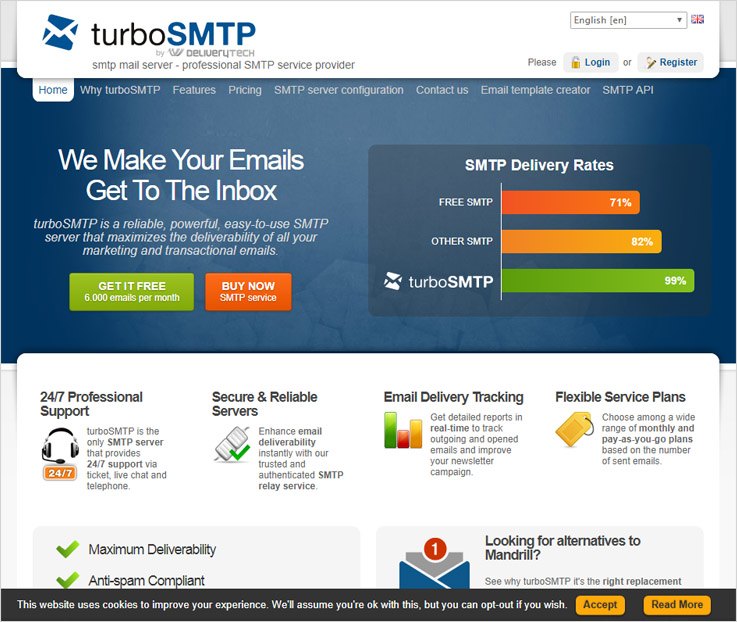
Features –
- This SMTP relay service provider proudly talks about their compatibility with other major bulk emailing software and services.
- turboSMTP service assures high-speed email delivery with 24×7 multilingual customer support.
- The SMTP server also offers white-listed servers for better delivery rates along with bounce, spam and unsubscription management.
Pricing –
The SMTP server has diverse pricing schemes which offer 24×7 customer support and unlimited email sending capability on every plan.
- Bronze – The plan offers 30,000 relays/month at the cost of $9/month.
- Silver – You are allowed to send 50,000 relays/month at the cost of $30/month.
- Gold – Send 100,000 relays/month with dedicated IP address by paying $70/month.
- Resell – Send 300,000 relays/month with dedicated IP address by paying $190/month.
- Titanium – The plan offers 500,000 relays/month with dedicated IP address in $310/month.
- Diamond – For the higher email sending needs like 1,000,000 relays/month, you can get this with the payment of $510/month.
If your mass mailing needs are still not met, you can contact the sales team to get yourself a custom Enterprise plan. And, if you want to test out the server then you can sign up for their FREE plan which offers 6,000 emails per month (with 200 emails/day limit).
If you want to save yourself from the hassle of monthly payment contracts, you can avail their Pay As You Go service.
The list of the Pay As You Go plans start from the most basic plan which offers 10,000 email sending limit in $15 followed by 30,000 email sending permission in $35 and so on, which ends on the plan offering 1,000,000 emailing quota in $790. All the unused emails expire one year after purchase.
7. SendGrid
SendGrid is probably the simplest SMTP service as it negates the task of maintaining the email servers, hence allowing you to send emails through their cloud-based SMTP server.
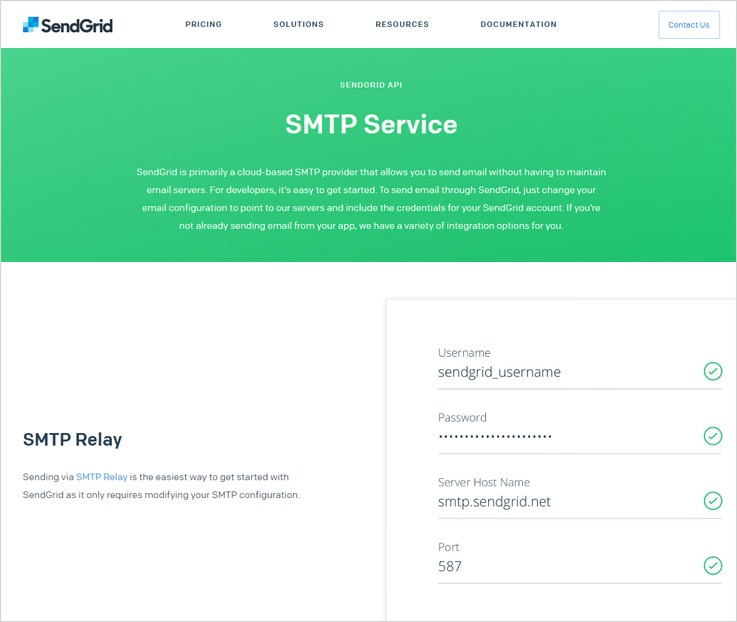
Features –
- SendGrid offers 7 different API development frameworks viz. C#, Go, Java, NodeJS, PHP, Python and Ruby for quick SendGrid integration.
- SendGrid, apart from providing the best SMTP servers and relays, also offers emailing tools to facilitate your transactional and marketing email campaigns.
- This SMTP server is also backed by email deliverability experts, dedicated IP addresses and ISP monitoring.
Pricing –
SendGrid offers affordable plans depending totally on your email sending needs, which is comprehensively described using a pricing calculator on its official webpage.
For instance,
- You get to send up to 40,000 emails/month in just $9.95/month.
- $19.95/month would offer you 50,000 – 100,000 emails per month.
- Similarly, $57.45/month will increase your email sending quota up to 150,000 emails per month.
And so on.
All the above-mentioned cost is applicable only for using the SMTP servers. In case you are sending emails using SendGrid’s Marketing Campaigns then you would also incur additional charges for storing contacts like so –
- $10/month will allow you to store contacts up to 10,000.
- 20,000 contacts can be stored by paying $20/month.
And the remaining details can be fetched using price calculator.
8. MailGet SMTP
MailGet SMTP in recent times has been regarded as the best SMTP server because of its highly efficient functionalities and pocket-friendly pricing plans. To add more potency, MailGet SMTP is compatible with several esteemed email marketing software.
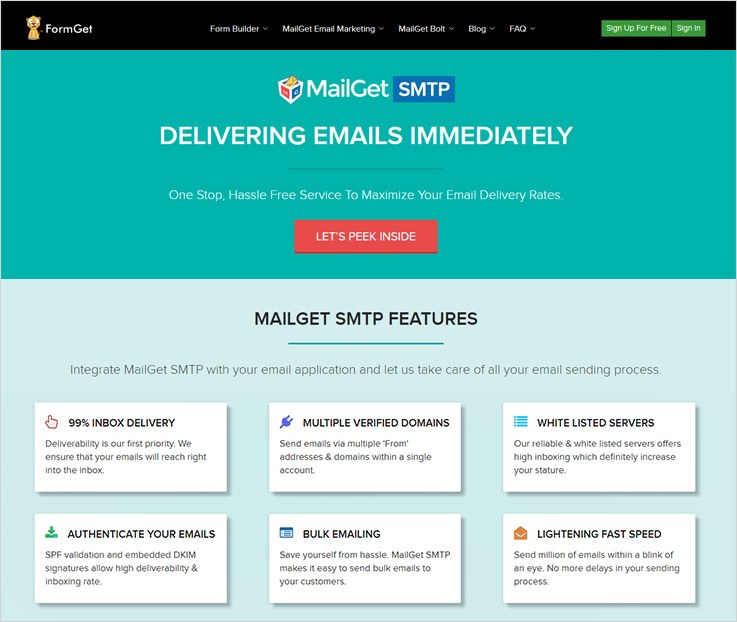
Features –
- One of the foremost advantages of using the MailGet SMTP server is that it offers 99% inbox delivery because of its whitelisted servers.
- This SMTP service provider also has an upper hand in managing your bulk emailing needs.
- In order to maintain or achieve a respectable reputation, this SMTP server is packed with SPF validation and DKIM signatures.
Pricing –
As discussed earlier, MailGet SMTP offers its services in an extremely cost-effective manner. The plans offer you a pre-defined set of emails without any expiration date.
Breaking down the plans –
- In $5/month, you can send 5,000 emails.
- In $29 per month, the email sending limit is extended to 50,000.
- Similarly, for $79 and $132 in a month, you get to send 150,000 and 250,000 emails respectively.
- Lastly, with the payment of $419 per month you get to send 600,000 emails.
All the SMTP service providers have been rigorously tested and then evaluated. Undoubtedly, MailGet SMTP tops the chart in terms of deliverability, managing bulk emailing needs and affordability.
For sure, MailGet SMTP server is worth the try.
What’s Next?
Now that you have gone through the list of 5+ best SMTP servers and service providers, it’s time for you to make a much-informed decision to incorporate the best SMTP relay for your mass mailing needs.
Have no doubt, all the listed SMTP service providers are very well renowned in providing hassle free services in an affordable way.
If you are still not convinced and want to explore more options then consider reading these blogs too –
- Best SMTP Services For Bulk Email Marketing
- Best SMTP Relay Services & Softwares
- Latest SMTP Servers, Softwares & Service Providers
- Email Marketing Solutions For Small Business
- List Of Email Marketing Companies
- Top SendinBlue Competitors
5+ Best Stripe Payment Forms To Collect Recurring Payments
Payments are the first concern in every business. True!
And it is the most crucial part. That’s true again!
So, whenever there is money involved, maximum security is demanded.
I do appreciate your choice that is, the Stripe payment gateway. It is one of the safest ways to securely use the payment system
There are numerous software/tools that support these gateways for forms but, the ones which are giving you a brand and reliability together are few.
In this article, we’ve listed the best software that are owned by prime business owners. These tools allow you to create custom forms & add Stripe payment forms to collect safe & secure payments. Also, these tools enable you to customize the forms as per your needs.
Moreover, there are bundles of surprises within the listings because it’s not only limited to payment forms. There are other worthy and relevant features such as adding conditional logic, email attachment, support to multiple currencies etc.
A Quick Glance At The Best Stripe Payment Forms
| Services | Pricing | Multiple DropBox Accounts | SSL Encryptions | Social Media Sharing | Ratings |
| FormGet | $5/M | ✔ | ✔ | ✔ | 5.0/5.0 |
| Pabbly Forms | $5/M | ✔ | ✔ | ✔ | 4.8/5.0 |
| FormStack | $19/M | ✔ | ✔ | ✖ | 4.3/5.0 |
| 123ContactForm | $24.99/M | ✖ | ✖ | ✔ | 4.6/5.0 |
| Cognito Form | $10/M | ✔ | ✖ | ✖ | 4.2/5.0 |
Without wasting much time let’s have a look at these software –
1. FormGet – Prime In Stripe Payment Forms
FormGet is the best software that enables you to create attractive forms. You can apply various conditional logic without hard-coding. This software facilitates extremely interactive interface to add complex logic very easily. The form builder enables the user to create Stripe payment forms easily and lets you collect payments safely and rapidly.
Furthermore, it renders many advanced features like the Clients Dashboard, View Counter, Canned replies, Email Attachments etc.
As I have tried and tested all the software available and figured out that FormGet is the best software among all, all the features are so appropriative with the business perspective that it will surely make your payment form creation an easy task.
Features –
- The software contains a drag and drop builder through which you can create different sort of forms by simply dragging a specified field on the content section.
- Canned Replies to automate the emails after successful submission of forms.
- It provides extremely enhanced security through SSL encryption. In addition, there is a reCAPTCHA field for protection against non-human entities.
- The user can manage all the forms at one place using Client Dashboard. Also, you can create forms in multiple languages which will give a regional touch to the forms and customers will be able to connect more.
Pricing –
Free Plan – A completely free plan that allows you to build a single form using all the features. You are free to use this form for any purpose to collect leads, share it online or embed it on any site without a single payment.
Starter – This respective plan costs $5/month in which a single user will get single form creation privilege.
Rookie – In this plan, the user will be required to pay $35/month and in this, he will get all the extensions applicable for 25 forms, payment collection via Stripe and PayPal, email notification and 2 GB File Uploads.
Pro – The pro plan contains everything in the Rookie plan, the only difference will be in the extensions which will be applicable for unlimited forms and the charges would be $79/month.
Advance – The advance plan contains everything in the Rookie plan, the only difference will be that the extensions will be applicable for unlimited forms, Unlimited users and the charges would be $99/month.
You can also go through the following blog posts :-
2. Pabbly Forms – Unrivalled In Stripe Payment Forms
The Pabbly Forms let you create a wide variety of forms such as lead collection, payment forms, user information gathering etc. It is a very easy to use tool that allows embedding a single form on multiple websites.
There are about 260+ pre-designed form templates ready to use. This software also provides upload storage, custom branding, RTL support and much more.
Features –
- You can easily build forms and insert them anywhere on your website as a tabbed widget.
- This tool provides social media options to share the forms on universal platforms to attract more users.
- It supports the major trusted modes of payment the PayPal and the Stripe gateway.
- Integrated with built-in autoresponder for auto response generation to form submission.
Pricing Plans –
The Pabbly Forms offers 4 pricing plans. The plan features vary on the basis of the number of users, forms & submissions/month.
- Free Plan – A free plan permits one form creation. No charges are applicable on that form and the form creator can embed it anywhere.
- Starter Plan- It is a beginner plan also best suited for the feature testing of the product. It will cost $5 for one user, one form & 1200 submissions/month.
- Rookie Plan- The Rookie plan costs $35 for 5 users, 25 forms & 25K submissions/month.
- Pro Plan- This plan will cost $79 for 10 users, unlimited forms & 60K submissions/month.
- Advance Plan- Contains all the advanced features and cost $99 for an unlimited number of users, forms & submissions.
3. FormStack – Stripe Payment Form
Another amazing software for creating Stripe payment forms is FormStack which let you create forms and include add-on tools that permit you to gather information more efficiently and clearly.
Features –
- The system also supports the conditional logic feature. This will automatically show/hide the form fields based on the answers received.
- An exclusive feature termed as “save – resume” allows you to leave the work midway and then resume it later.
- A built-in & easy to use drag and drop builder to create forms faster.
Pricing –
Silver – The user will be charged $39 per month giving 20 forms and 1000 submissions.
Gold – Similarly, the user will be charged $99 per month giving 100 forms and 10,000 submissions.
Platinum – In this plan, the user will be charged $249 per month giving 1000 forms and 100,000 submissions.
4. 123Contact Form – Stripe Payment Form
123Contact Form allows you to create multiple forms that support the Stripe payment gateway. So, whether you create an order or registration form, you can easily sell everything easily through Stripe payment integration.
Features –
- This software provides strong security through SSL encryption. Also, features like captcha make the respective form builder a reliable system.
- You can connect all your forms through various online services and automatically process your data collection in a jiffy.
- A unique feature of analytics to track the performance of the online form. In addition, you can have graphical reports from the real-time form builder.
Pricing –
Basic plan – The basic plan is a free plan in which the user will get 10 fields/form, 5 forms and 100 submissions per month.
Gold plan – In the gold plan, the buyer would be required to pay $19 per month for which he will get unlimited fields per form, 20 forms, 5000 submissions per month.
Platinum plan – With the platinum plan, the buyer would be required to pay $39 per month for which he will get unlimited fields per form, unlimited forms, 20,000 submissions per month.
Corporate plan – In the corporate plan, the buyer would be required to pay $79 per month for which he will get dynamic form builder along with several advanced features.
5. CognitoForms – Stripe Payment Form
CognitoForms is one of the finest software to create a Stripe payment form which allows you to process your credit cards through secure integration via Stripe. Also, as soon as you start collecting payments, you will also receive email notifications.
Features –
- The forms created by CognitoForms allows you to review orders, manage all your entries as well as refund your customers.
- Also, the user will be tensionless on the calculation part. Since the forms do all the maths for you, from costs to compare dates and much more.
- One of them is the conditional logic which let you show or hide any respective field that the user wants.
Pricing –
Individual plan – This plan is a free plan in which you can create unlimited forms, entries up to 500 per month and 1% of the transaction charges, plan applicable for a single user only.
Pro plan – In the pro plan, the user has to pay $10 per month which is applicable for 2 users and in which the user will get 2000 entries per month, 1% of the transaction charges and storage up to 1 GB.
Team plan – In the team plan, the user has to pay $24 per month which is applicable for 5 users and in which the user will get 5000 entries per month, no transaction charges and storage up to 10 GB.
Enterprise plan – In the enterprise plan, the user has to pay $99 per month which is applicable for 50 users and in which the user will get unlimited entries per month, no transaction charges and storage up to 100 GB.
6. JotForm – Stripe Payment Form
JotForm is a user-friendly form builder that supports Stripe integration where the customers can pay through the stripe secure payment gateway. This software also allows you to create lead generation forms and order forms as well.
Features –
- The system does not ask for any sign-ups for the free user and the responses can be received by adding the email id in the end.
- This software allows you to create templates and the forms through a smooth drag and drop mechanism.
- The customization of the form is quite easy with UI interface of JotForm. In addition, it provides 2500 ready-made templates and 40 themes.
Pricing –
Starter – Starter plan is a free plan in which the user will get 100 monthly subscriptions, 100 MB available space for 5 forms and various other features.
Bronze – In the bronze plan, the buyer would have to pay $19 per month in which the user will get 1000 monthly subscriptions, 10 GB available space for 25 forms and various other features.
Silver – In the silver plan, the buyer would have to pay $39 per month in which the user will get 10,000 monthly subscriptions, 100 GB available space for 100 forms and various other features.
Gold – In the gold plan, the buyer would have to pay $99 per month in which the user will get 100,000 monthly subscriptions, 1 TB available space for unlimited forms and various other features.
Conclusion:
Most of all these software are noteworthy for collecting payments as they provide the safest Stripe gateway. So without lingering on, you can fearlessly go ahead with the above-mentioned payment form builders.
Not only the payment forms, the software also allows you to create diverse forms for your business. It also increases the probability for you to convert strangers into permanent customers.
The system that these tools follow is quite easy from the user perspective. Plus the owner doesn’t have to hunt for any sort of assistance to construct forms. So in the end, you will have a sense of pride that you have framed your own forms and the freedom to make it customizable as per your will.
5+ Cheap Payment Collection Forms | Accept PayPal & Stripe
Payment collection is a crucial job as your revenue depends on it!
Gone are the days when people used to make invoices and collect payments in cash or via cheques.
Now the scenario is, you can simply embed a payment collection forms on your website and collect payments. All you gotta do is simply integrate your forms with any of the payment gateways. Amongst these payment gateways, the most reputed ones are Stripe & PayPal.
Moreover, you can easily build Payment Collection Forms using SaaS-based form creator software which are effective and economic at the same time.
The payment collection forms provide you a safe & secure environment to collect payments without hassling around and losing the details about the payments as well.
So, for preventing you from going on the hunt for cheap payment collection forms, we have bundled up few of the finest ones for you.
Swiftly, go through the comparison of various software to generate Payment Collection Forms
| Services | Pricing | Multilingual Forms | GDPR Compliant | Ratings |
| FormGet | $5/M | ✔ | ✔ | 5.0/5.0 |
| Pabbly Forms | $5/M | ✔ | ✔ | 4.8/5.0 |
| FormAssembly | $99/M | ✖ | ✔ | 4.3/5.0 |
| JotForm | $19/M | ✔ | ✔ | 4.2/5.0 |
| Cognito Forms | $10/M | ✔ | ✖ | 4.5/5.0 |
| Formsite | $14.95/M | ✖ | ✖ | 4.5/5.0 |
1. FormGet – Form Creator Software
Create unlimited forms from any niche and embed it on your website without any trouble. FormGet is veritably the best software for creating SaaS-based payment collection forms. It provides you with efficient features like more than 260 pre-built templates to choose from, custom branding, file uploads & much more.
The forms created can be customized as & how you want it to be. Plus, you can collect the payment via payment gateways like PayPal & Stripe. Further, you can collect recurring as well as one-time payment from the customers.
Amongst the form builders in the list, FormGet is tried and tested software. It gives high-quality solutions to generate forms which are cost-effective at the same time. If you are seeking a perfect form creator software then it is highly recommended.
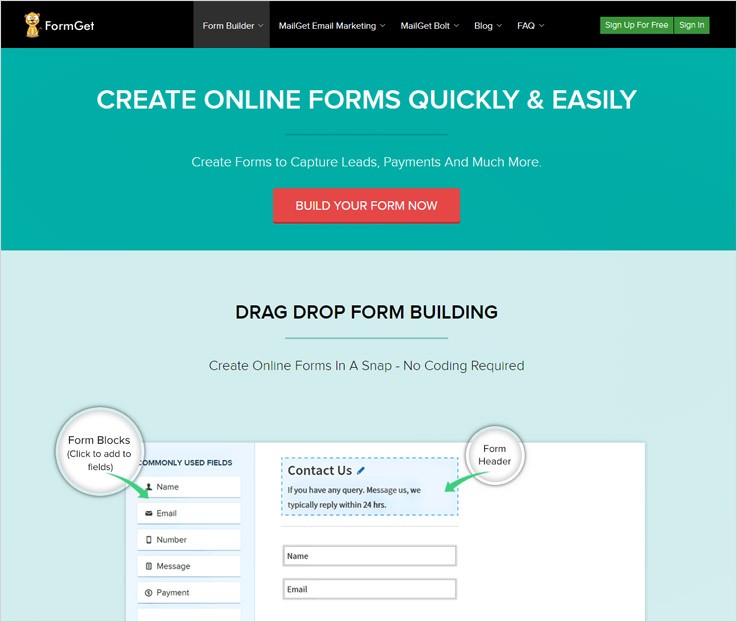
Pricing:-
Plan 1:– In this plan, the user will not be charged anything as it is a free plan, you can create a form, get unlimited leads and users as well.
Plan 2:– In this plan, the user will be charged $5/month and will get access to 5 user accounts, can create 25 forms and get unlimited Google Analytics integration. It also includes other features such as email notification and conditional logic.
Plan 3:– The user will get everything in the plan 2 but will have an accessibility of all the extensions for 5 forms for which he will be charged $ $35 for each month.
Plan 4:– Similarly, The user will get everything in the plan 3 but will have an accessibility of all the extensions for unlimited forms for which he will be charged $99 month.
Features:-
- This software let you add a redirect link to the submit button. As the user clicks on the submit button it will land him on the desired webpage.
- You can prevent your data from being hacked as it provides SSL encryption. It swiftly establishes a link between the web server & a browser. Hence, it ensures that data remains private & integral.
- It allows you to give form access to specified members of the team and let them manage their own forms.
You can also go through some of our interesting blogs :-
2. Pabbly Forms – Create Payment Collection Forms
Pabbly Forms is an astounding software which let you create payment collection forms without any hassle. It facilitates you with various features like custom branding, pre-designed templates. So, you can effortlessly create one for yourself.
Moreso, you can easily collect payments via gateways like Stripe & Paypal. Also, you can prevent bots from submitting your forms by enabling the ReCAPTCHA feature. Hence, saving time, efforts as well as forms.
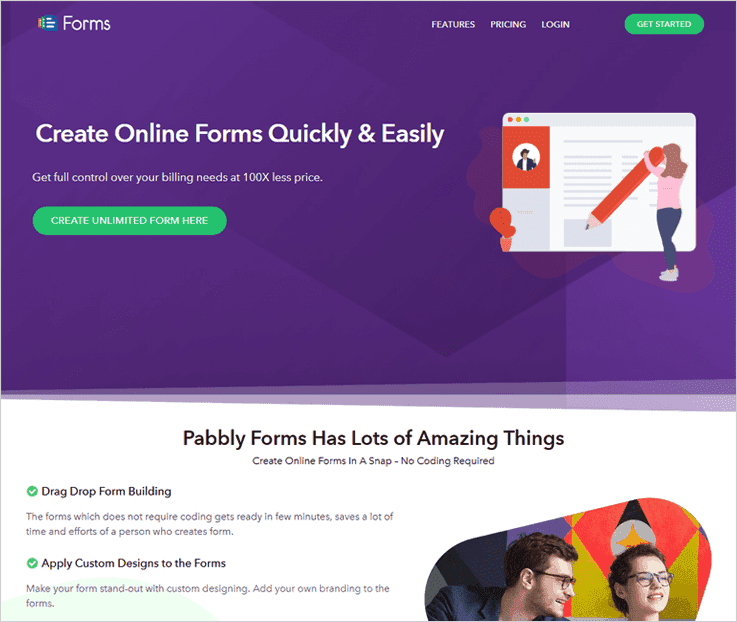
Pricing:-
- It provides you with a free form that you can create using all the features & facilities. Further, you can also embed the created form in the website or in the widgetized area of the website.
- Now, the first plan will cost you $5 per month which provides you with a single user access, 1200 monthly submission of forms, Google Analytics as well as Stripe & PayPal integration.
- For second plan you have to pay $35 every month and get access to 5 payment accounts, embed forms up to 35 domains, 100k form views/month along with Stripe & PayPal integration.
- The third plan grants access to 10 users, allows PayPal & Stripe integration, 60k submissions/month & a lot of other features at $79 monthly cost.
- This is the last plan which enables you to create unlimited forms, upload files up to 10 GB, embed forms to unlimited domains & integration with multiple DropBox account along with Paypal & Stripe just by paying $99 for a month.
Features-
- It enables you to send responses on submission of forms like ‘ Thanks for submitting the form! ‘ via autoresponder.
- You can give access to a specific amount of forms to your clients or team members & allow them to manage their own forms.
- This software empowers you to connect with email marketing application. So, you can easily collect leads which subscribe to your email marketing solution through the subscription forms.
3. FormAssembly – A Software To Create Forms
FormAssembly is an awesome form builder that allows you to create payment collection forms. Apart from this, it also includes some smart features like conditional logic, calculated fields, Save & Resume and other such features.
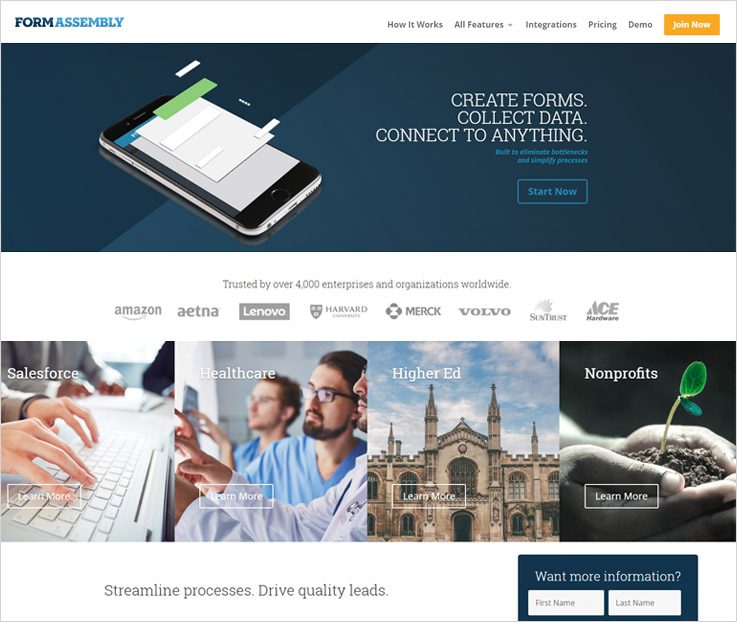
Pricing:-
Professional:- In the professional plan, per user will be charged $89 which will be billed annually and for the same service will be charged $99 per month when the user pays the bill monthly.
Premier:- On the same track for the premier plan, a single user will be charged $224 per month when paid annually and will be charged $249 per month when he pays the bill monthly.
Enterprise Cloud:- In the enterprise plan, three users can start using the service at $599 which will be billed annually.
Compliance Cloud:- For the cloud compliance plan, you need to get in touch with the sales team of the service provider.
Features:-
- This software contains a drag and drop builder through which the user can simply drag the desired field in the content section.
- It is also fully responsive in nature which means it resizes automatically on any device or mobile.
- You can empower your customers to make payment from both the giant payment gateways termed as the PayPal and Stripe.
4. CognitoForms – Form Builder Software
CognitoForms provides one of the best ways to create forms. It enables you to process credit cards through secure integrations. Moreover, you can create a form that accepts payments or online donations as well.
Pricing:-
Individual:- The individual plan of the software is a free plan, the buyer will get unlimited forms, up to 500 entries per month, 1% charge of the payment gateway used by the user and storage till 100 MB.
Pro:- To avail the pro plan, the user is required to pay $10 per month for which he has unlimited forms 2,000 entries per month 1% charge of the payment gateway used and storage till 1 GB for 2 users.
Team:- For acquiring the team plan, the monthly charges are $24 per month and valid for 5 users, providing unlimited forms, 10,000 entries per month and no transaction fee, and storage space up to 10 GB.
Enterprise:- Similarly, in the enterprise plan, the charges monthly would be $99 per month and valid for 50 users, providing unlimited forms & entries per month, no transaction fee, and store window up to 10 GB.
Features:-
- You can construct order forms, event registrations and more just in a jiffy. Further, this system also supports various dynamic features like conditional logic and calculations.
- This software supports multiple integrations like Stripe, PayPal, and Square. Thereby, the customers get a number of options to make payments through the forms created by you.
- Among the various features, there are email notifications & file upload functionality that gives you an intimation as soon as a customer submits the form.
5. Formsite – Generate Payment Collection Forms
Formsite provides a platform to create attractive forms that support payment integrations such as Authorize.net, PayPal, Stripe and many more. You can effortlessly create forms of your own choice and add them to your website.
Pricing :-
Free:- As the name suggests that its a free plan, so you won’t be charged anything to 5 forms and will get 10 results per form, also 50MB file space.
Deluxe:- To get the deluxe plan, the user will be charged $14.95 per month in which he will get 5 forms and will get 500 results per form, also 500MB file space.
Pro 1:- For availing the pro 1 plan, the user will be charged $24.95 per month in which he will get 10 forms and will get 1000 results per form, also 1 GB file space and ads free.
Pro 2:- This pro 2 plan, the user will be charged $49.95 per month in which he will get 25 forms and will get 2,500 results per form, also, 2 GB file space, no ads, 5 sub-users, unlimited PDFs and unlimited workflows.
Features:-
- The user can use form fields to calculate values and score. Plus, this software also allows you to embed any form in any page.
- You can collect the data through secure forms. Also, it facilitates file uploads and links forms with the workflow logic of the system.
- The system lets you import or export data for external processing, plus, share custom reports within a click.
6. JotForm – Tool To Create Unlimited Forms
JotForm is a user-friendly form builder enabling you to create your own forms. Further, through these forms, you can generate leads, collect order payments or register people for an event. All this stuff from a single software.
Pricing:-
Starter:- The starter plan is a free plan which gives 100 monthly subscriptions and 100 MB of available space.
Bronze:- For availing this plan, the user will be charged $19 per month for 1000 monthly submissions and 10 GB available space.
Siver:- You have to pay $39 per month for 10,000 monthly submissions and 100 GB available space.
Gold:- This plan will cost the user $99 per month for 100,000 monthly submissions and 1TB available space.
Features:-
- It does not ask for any free sign-ups from the user. Also, you can receive responses by adding the email id in the end.
- This software allows you to create templates and the forms through a smooth drag and drop mechanism.
- You can customize the forms effortlessly with UI interface of JotForm. Also, there are also more than 2500 templates and 40 themes.
Conclusion:-
In this blog post, we have listed the best & the cheapest software to create payment collection forms.
Furthermore, these payment collection forms will for sure help you in easing the task of collecting payments. You can trigger these forms by simply embedding the forms on your website.
We hope, by now, you must have found the perfect software for collecting payments online.
On this positive note, we take your leave.
Drop in your views in the comments section.
Also, feel free to contact us for any more queries and suggestions. We’ll get back to you as early as possible.

