
jQuery Social Share plugins are a great help for people who want to add social media icons, buttons and networks details on their website.
These are plugins are mostly responsive, support various browsers, and multiple social media sites are also supported. You get the functionality to add social share links along with button icons and other important details.
So, now the question arises which plugin to choose as the market is flooded with such plugins that guarantee numerous services, but are not that good.
Therefore, in this blog, we have listed some of the 6 best and top-notch jQuery Social Share Plugins with their details, features and pricing info.
All these plugins support multiple social media networks, all latest & modern browsers, plus they offer various types of customizations as well.
But wait before getting into plugin details have a look at the blogs listed below:-
1. jQuery Social Share Buttons Plugin
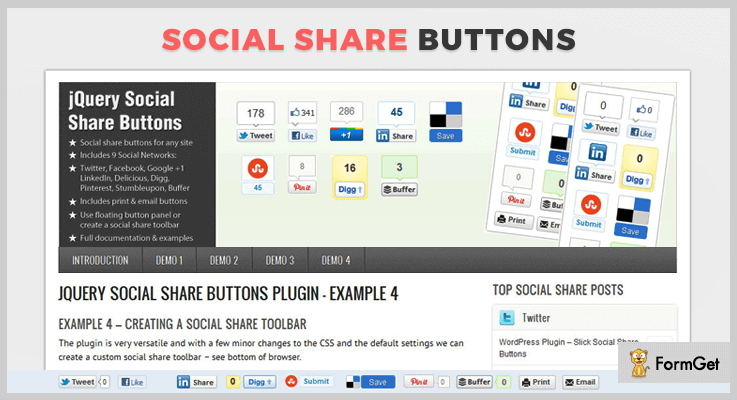
With jQuery Social Share buttons plugin you get the option to include social media buttons with images. It also provides anti-spam protection for the email address, you are allowed to position the buttons as per your wish and more.
It also provides a demo for various social share buttons like for quickstart, custom buttons, positioning & styling, and toolbar as well. Plus it supports more than 20 plugins as well.
Pricing:-
- $6 is the price which is charged for the regular plan of this jQuery plugin.
- The price charged for the extended plan of this plugin is $30 with all the advanced services.
Features:-
- This plugin offers support to around 9 popular social media networks which are Twitter, Facebook, Google +, LinkedIn, Digg, Pinterest, Stumbleupon, Xing, and Buffer.
- You get the option to create a custom title and text description, plus it automatically detects page URL as well.
- Allows you to add social share buttons on different websites at different locations.
- With this jQuery plugin, 3 different button sizes are available which are a vertical & horizontal button with count & horizontal button no count.
Click For Details On jQuery Social Share Plugin
2. Share+ – jQuery Social Share Plugin
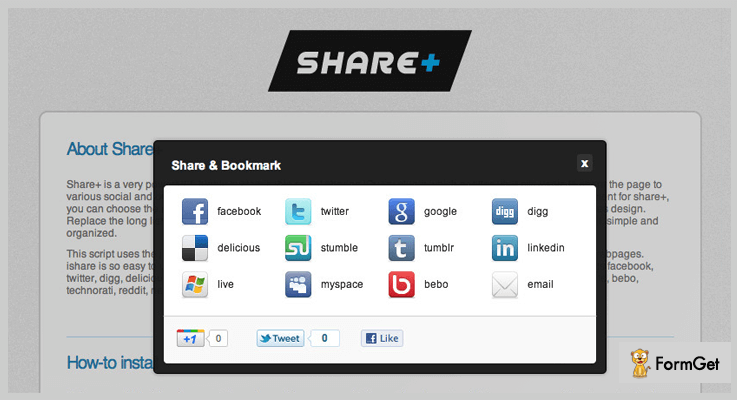
Share+ is a top class and affordable jQuery plugin which HTML5 and CSS as well. It is easy to integrate on static and dynamic websites, offers responsive layout which looks great on different devices.
This plugin provides multiple themes which help you display various social media details along with links and information in an attractive way on your website.
Pricing:-
- It has got only a single price plan which will cost you $7 and will provide various social sharing features and facilities along with other services.
Features:-
- It supports all major social media networks like Facebook, Twitter, Google+, Pinterest and many more.
- With the help of Google analytics, you can simply track user actions and activities as well.
- This plugin is can easily be activated just by adding ‘shareplus’ as a class to links. It also offers a good document support which holds all the plugin details.
- You get five full fledge themes and it also allows you to modify the style using CSS as well.
Click For Details On jQuery Social Share Plugin
3. shareGrapes – Social Media Sharing Plugin
If you are using shareGrapes plugin you get options to customize data, positioning, shape, size, hide, theme and more. It is easy to implement on a website as a document with code details is provided along with this plugin.
With this jQuery plugin, you get various files like JS files, sass files, CSS files, SVG icons, fonts, documentation pdf, etc which are helpful in proper functioning of this plugin.

Pricing:-
- The first plan provided by this jQuery plugin is priced around $8.
- $25 is the cost of this jQuery plugin with which you get multiple advanced features and services.
Features:-
- This jQuery plugin includes more than 80 social networks like Facebook, Twitter, LinkedIn and other popular networks.
- You get floating as well as inline social buttons along with various button designs.
- It is well-documented which provides codes and details for proper implementation. Plus multiple browser compatibilities with IE11, Firefox, Safari, Opera, Chrome, Edge, etc are available.
- With this plugin, you also get various custom style options like button positioning, selector, button shape, height, theme and more.
Click For Details On jQuery Social Share Plugin
4. Socialsharer – jQuery Social Share Plugins
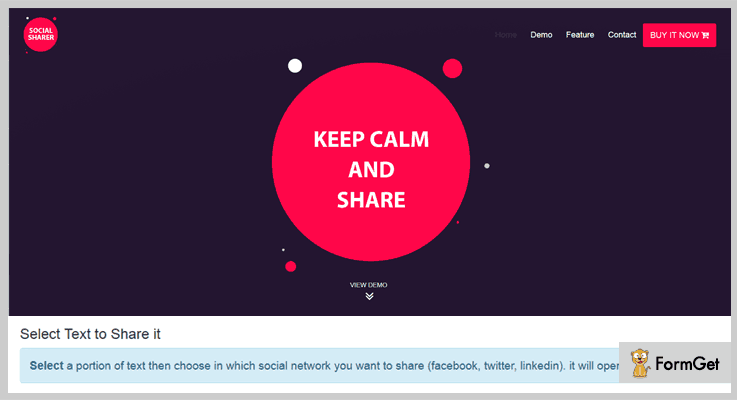
Socialsharer is an easy to use jQuery plugin which supports all modern browsers and provides free as well as regular updates to it users. You can share data from various social media sources from different networks on your site.
It is a responsive plugin which is cleanly coded and one of the cheapest solution for social sharing in the market.
Pricing:-
- The regular license of this jQuery plugin will cost you $7 with various features and social sharing services.
- To avail the extended license you will have to pay $30 and it will include various enhanced features in it.
Features:-
- With this plugin, you will be allowed to share on 3 famous social networks which are facebook, twitter, and LinkedIn.
- It is fully compatible with IE9+, Chrome, Firefox, Edge, Safari, Opera and other latest browsers.
- Provides all updates for free once this plugin has been bought, plus you also get a documentation which simplifies the process of implementation.
- This is a cleanly coded jQuery plugin which holds valid HTML and CSS along with all JS rules.
Click For Details On jQuery Social Share Plugin
5. jsSocials – jQuery Social Share Plugin
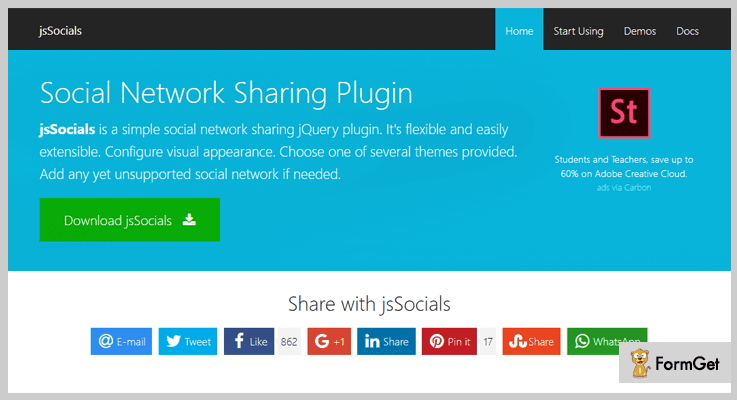
jsSocials is a user-friendly, customizable, and responsive plugin which is equipped with enormous features. It allows you to include any social media network which is not available in this plugin.
It permits you to customize the appearance of the social sharing buttons and add icons with attractive effects.
Pricing:-
- jsSocials is an entirely free jQuery plugin which comes loaded with multiple social sharing features and button facilities.
Features:-
- This plugin perfectly supports various social media networks like Facebook, Twitter, Google+, Linkedin and more.
- It is an easy to implement jQuery plugin which comes with a well-documented support that holds all the features with example and code details.
- Different types of options to add social share icons on the website are available like round icons, icons with count inside, a button with a label, popup, etc.
- With this plugin, you can apply various types of customizations to give an attractive look and eye-catchy appearance.
Click For Details On jQuery Social Share Plugin
6. Jquery-Share – Social Share Plugin
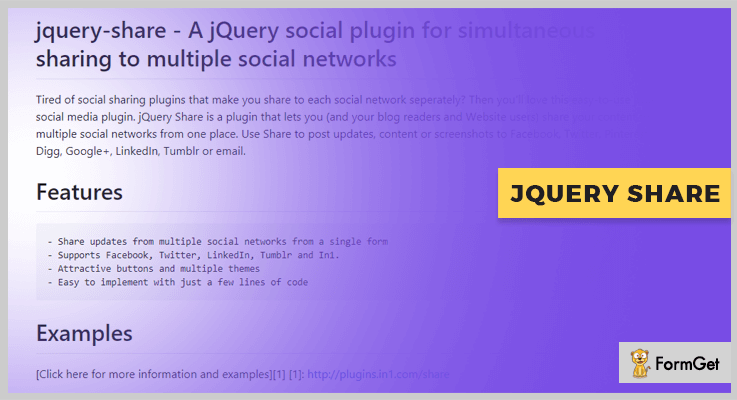
jQuery-Share is a social share plugin which helps you add various social network details on your website. With this plugin, you can simply share posts, content, screenshots and more on different networks like Facebook, Twitter, Pinterest, Digg, Google+, etc.
Pricing:-
- Another plugin which you get without spending a single penny. This is an easy to download free jQuery plugin which you can get from github.com with all the features.
Features:-
- This plugin supports Facebook, Twitter, LinkedIn, Tumblr and multiple other social media networks.
- Allows you to share frequent updates from multiple social networks from a website.
- It also provides you multiple themes and buttons with attractive stylings.
- This is an easy to use jQuery plugin which can be deployed on a website with just a few lines of code.
Click For Details On jQuery Social Share Plugin
Conclusion
We have arrived at the end of this blog and tried to explain some of the best jQuery Social Share Plugins here. I hope that going through this blog once you will find the best suitable plugin for your website which will fulfill all your needs.
If you have any type of doubts or queries in mind feel free to ask us in the comments section below. We will be happy to hear from your side.
4 Read More jQuery Plugins (Free and Paid)
Want to affix read more buttons on your website with the help of jQuery plugins?
In today’s article, we have brought down the best collection of read more jQuery plugins with the help of which you can add customs buttons. These help you out to compress content and, therefore you can break the content into pieces. Further, the read more functionality will apply buttons which will act as a bridge between the different bits of your content.
Also, the other advantage of read more buttons is:
It speed up the loading process as it allows the execution of lazy loading. In the same way instead of opening the full content, the remaining content can be fetched by read more buttons.
Adding a read more functionality to your website is very simple. It can be easily added by using HTML, CSS and few lines of jQuery code. All these plugins allow you to add animations effects, text and color options on the custom button also you can add external links. You can further add backgrounds and a lot more without any difficulty.
In addition to this, most of the plugins present here are lightweight, riched with documentation, compatible with different browsers versions etc.
So, let’s move to the advanced feature and pricing section.
We also have some more popular jQuery plugin blogs for you:
These plugins helps webowner to add social media icons, buttons and networks details on their website.
These plugins help out the web owner to increase the strength of password on their website.
Through these plugins, web owner can add zooming effects to the images on their website.
1. jQuery Advanced Read More Plugin
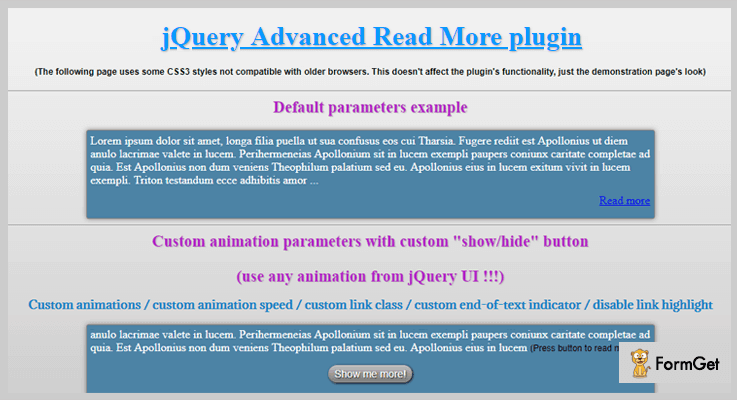
This is one of the best read more jQuery plugins through which you can add read more buttons on the web pages having long content. It allows you to shorten any element on the page that has text or add a show/hide link to it.
jQuery Advanced Read More plugin is cross-browser compatible like IE6, IE7, IE8, IE9, Firefox, Safari, Opera, Chrome.
PRICING:
- jQuery Advanced Read More plugin regular plan will cost you $ 5 with lifetime updates.
- To extend more features of it you can pay $25
FEATURES:
- You can use the extensive animation effects for each and every step of show/hide process.
- This plugin provides you with the benefit that you can control the timing and directions of the animations effects in 10 different forms.
- It allows you to use any HTML code to shorten the content of web pages on the website.
- Also, it works with the elements that have more than text, like images, forms and more.
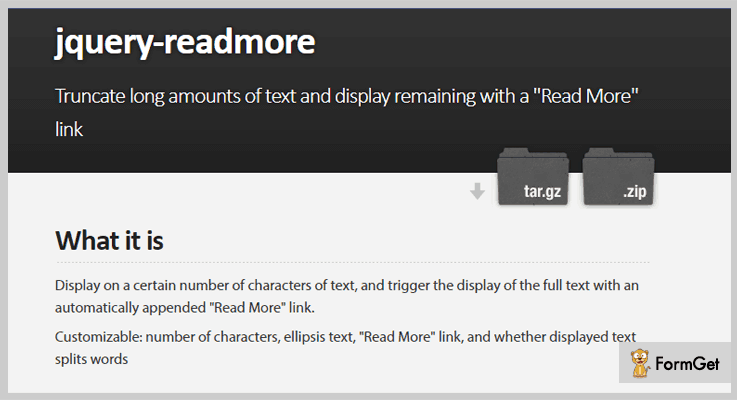
2. jQuery ReadMore – A Part Of Read More Plugins
This plugin is an open source jQuery plugin which can be easily found on GitHub. It’s present with different examples which will help you to in downloading this plugin.
Further, it allows you to display a certain number of characters of text, content and active the full-text display of the page automatically with read more link.
PRICING:
As its open source plugin which is available free of cost.
FEATURES:
- This plugin allows you to customize the number of characters, ellipsis text and read more links on the pages and post.
- The plugin is well document that you only have to copy and paste the code into a website.
- It allows you to select the particular selector for the sub-elements to perform read more operations.
- You can also use different options for read more buttons: substr_len, split_word, ellipses, more_link, more_clzz, ellipse_clzz, and hidden_clzz.
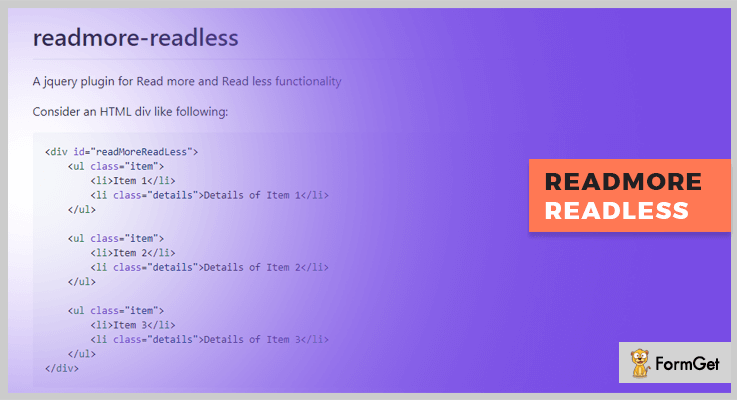
3. Readmore-Readless – jQuery Plugin
Readmore-Readless is one of the best read more jQuery plugin present amongst all. As its name says, it allows you to add a read more and read less button on the pages of the website.
It is a well-documented plugin present on GitHub which will help you out to add read more and read less buttons on web pages.
PRICING:
- Readmore-Readless jQuery plugin is free of cost.
FEATURES:
- You can use its default mode which has two items in the summary and by clicking on read more one of them will be open.
- This plugin allows you to customize the read more links with user define tex and CSS class.
- You can display the read more class and apply the link to it which is by default present as “read more”.
- Also, it helps you to represent the link to read less button with the help of default “Read less”.
4. jReadMore – A Part Of Read More Plugins
jReadMore is a very simple jQuery plugin for read more buttons on the website. It allows you to add a button and a link to the element you wish to collapse or open.
Moreover, this plugin is well documented which can be use on the website.
PRICING:
- It is an open source plugin which is free of cost.
FEATURES:
- This plugin allows you to modify the height of collapsed link element, by using the data option attribute.
- You can use the default link element for read more button which is “read-more__link”.
- The jReadMore plugin is cross-browser compatible which means can work with every kind of browsers like Chrome, Opera, FireFox etc.
Conclusion:
Above were the best read more jQuery plugins with their complete description and pricing plans. We hope you will find the best one for your website. As all of them are unique in features like add default links, color option etc.
If you liked the blog or have any suggestions please comment below.
4+ Best jQuery Password Strength Plugins
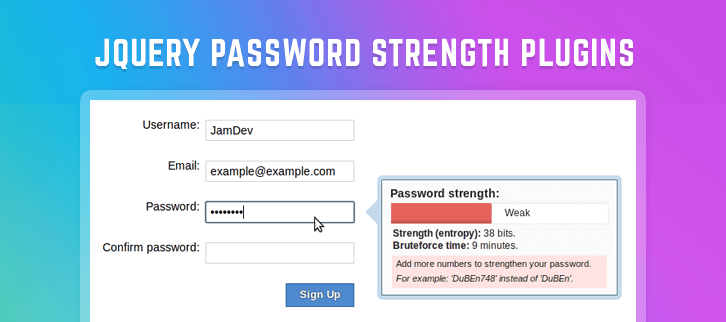
The jQuery password strength plugins are extremely important to keep your data secure. And, today we are going to discuss these plugins on our blog.
Nowadays, many sites require login credentials and often ask users to complete the password requirements. These requirements ensure that user’s password is strong enough and cannot be hacked easily.
Using these jQuery password strength plugins you can validate the password and meet the requirements. You can also display a password strength indicator bar, and allow to show or hide current password value.
With the help of these plugins, your users can create strong passwords. In fact, some of the plugins will offer you not only a password strength meter but some other features as well which your users would love to use.
These days having a strong password is an important requirement, you can easily choose any of the jQuery password strength plugins and provide the users for the better data security to constitutes a good password.
Here are the best-handpicked jQuery password strength plugins.
You might be interested in reading these blogs as well:
1. PassReview – Best In jQuery Password Strength Plugins
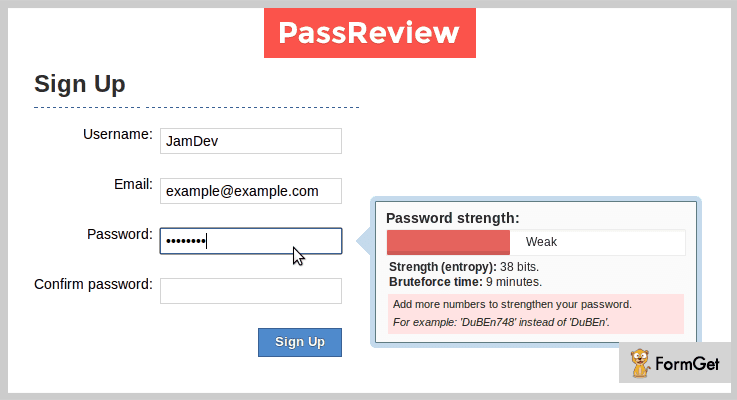
PassReview is one of the best plugins in the world of jQuery password strength plugins. It holds many features which are important in password confidentiality.
This plugin is smart and has multi-parameter password strength valuation like – controlling number of letters, the numeric values and a lot. In fact, this plugin is compatible with all old and new browsers like – IE( all versions), Firefox, Safari, Opera, Chrome, and Edge.
Price –
- You can purchase this plugin at $7 with a regular license and a six-month support from JamDev.
- If you want to extend the support for a year then the cost price will be $8.88.
Features –
- Helps in the computation of the cryptographic password strength.
- This plugin also controls the minimum number of letters, numbers, and alternating case letters in a password.
- It guides the users while creating the password.
- Displays an estimate of passwords cracking time on modern hardware.
2. Password Strength – jQuery Password Strength Plugin
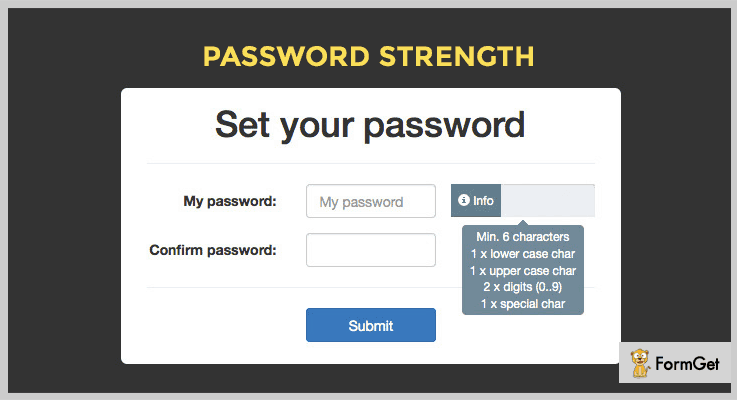
This plugin helps you a lot and provide numerous features like – you can add unsafe passwords to an array of strings and amount of different chars.
It is very easy to use and implement. You will have 10 configuration options, error message on submission, and a well-documented demo and live preview to understand it better.
Price –
- The cost price of this plugin is $7 and provides 6-months support from x-ops.
- If you want to extend the support for 12-months then you have to pay $8.88.
Features –
- It provides custom hint text for – weak, strong, very strong, and success.
- You can decide the amount of special and different characters.
- Display the amount of lower and uppercase characters.
- Also, you can decide the amount of the number of digits.
3. JPassword – Paid In jQuery Password Strength Plugins
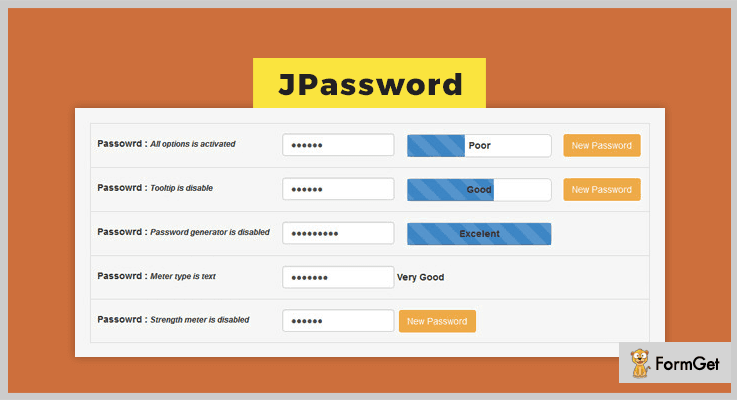
This plugin is very easy to use. And it has a password meter plugin which checks the strength of a password. Also, known as a strong password strength checker.
In fact, you can generate the random password generator for your users using this plugin.
Price –
- The price of this plugin is $4 whose quality is checked by Envato and provides a free support of 6-months with the help of WebD3m.
- You can extend the support for 12-months by paying $4.75.
Features –
- This plugin is can be used with BootStrap easily.
- It provides password strength checker to tell you about the power of your password.
- You can easily modify this plugin.
4. Strength.js – Free In jQuery Password Strength Plugins
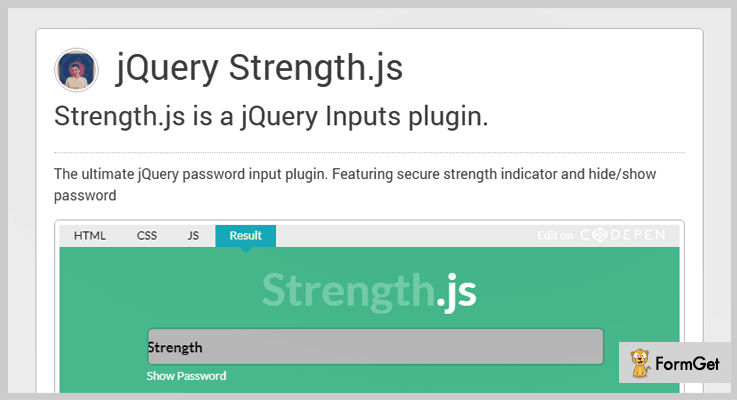
This ultimate jQuery password input plugin will help your users in making a strong password with eight characters, with one lower & uppercase letter, and one number.
Your users must give their password input which is a unique ID for example – <input id=”myPassword” type=”password” name=”” value=””>. Further, this plugin is compatible with all the browsers and responsive to all screen sizes.
Price –
This plugin is available free of cost and can be downloaded for free from GitHub.com.
Features –
- It shows secure strength indicator to your users.
- Your users can hide or see the password.
- The password security indicator is marked on 4 scores like- 8 characters, 1 lowercase & an uppercase letter, and 1 number.
5. jQuery.passwordStrength – jQuery Plugin
This plugin is very useful and easy to use. You can add each character, space, or can use at least one lowercase or uppercase character, one number, and one symbol.
You just need to call a single method on the password field which you want the plugin to monitor.

Price –
You can download this plugin for free from the official website of GitHub.
Features –
- It displays the strength of a password entered into an input field.
- This plugin shows you titles like – very-weak, weak, mediocre, strong and very strong.
- You can even change or apply the CSS formatting to the classes provided.
Conclusion –
These are the some best jQuery password strength plugins. You can choose any of them and enjoy their strong password strength with your users.
We hope you like it and by the end of this blog, you have found the best out of all the plugin of jQuery password strength plugins.
Do share your words in the comment section!
Top 5 Youtube jQuery Plugins (Free and Paid)
Do you want to play Youtube videos directly on your website? Then, Youtube jQuery plugins let you do so with an ease!
Youtube jQuery plugins help you to integrate your website with Youtube. It allows users to watch youtube videos on your website.
Moreover, these plugins let you create an amazing player for your Youtube as well as Vimeo videos.
So here, we’ve compiled a list of the best Youtube jQuery plugins that allows you to create unlimited video gallery with lots of customization options.
The below-listed plugins are fully responsive and compatible with all the web browsers. Some of them provide the flexibility to embed the videos from different sources and organize them into different categories.
You might be searching for
So, if you really eager to flourish your website with Youtube. Then, let’s explore the list and find the best for yourself.
1. Youtube Vimeo Popup Plugin
Youtube Vimeo Popup Plugin allows you to play videos in a pop-up window. You can specify what player you use whether it is Youtube or Vimeo. By clicking on a specified element which can be an image, link or whatever you want, a pop-up video appears.
All you have to do is pass the video id into the plugin to specify the video that you want to play and the plugin will assign the video to that element.

Price
This Youtube jQuery plugin cost you only $4 which includes 6 months support. For extended support, you’ll have to pay extra $0.75 only.
Features
- It provides you the option to auto-play the videos.
- The plugin allows you to make images as a trigger to videos.
- Compatible with all the major browsers such as IE7 to IE11, Chrome, Safari, Opera, Firefox etc.
- It is responsive to all screen sizes and gives an amazing user-experience by playing HD videos.
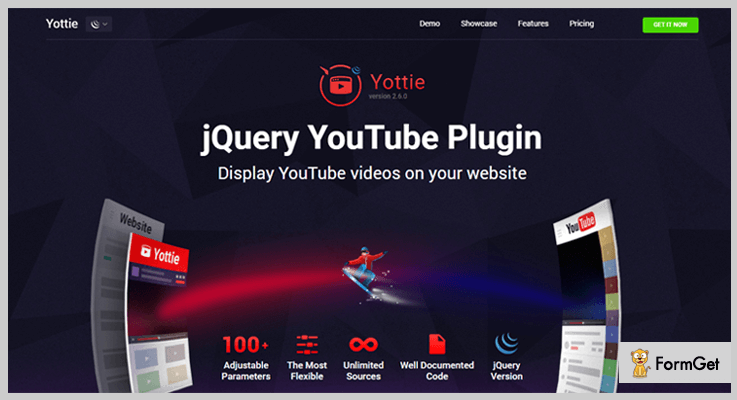
2. YouTube Gallery – jQuery Plugin for YouTube
YouTube Gallery is a jquery plugin with the help of which you can display the high-quality Youtube videos on your simple HTML website. It allows you to display your youtube channel or you can also make the playlist of your desired videos.
It allows you to combine all the videos from different sources and group them into categories. You can sort the video list as per your choice.
Price
Download this plugin from the codecanyon.net at a cost of $22.
Features
- You can show your Youtube channel information such as logo, description, channel name etc.
- It allows your users to subscribe your channel directly from your website.
- There are 5 animations for video sliding such as slide, fade, overflow etc.
- It offers you multiple layouts. So, you can change the look of the Youtube video preview.
- Make your Youtube gallery looks outstanding by customizing it with numerous color schemes.
3. YouTube And Vimeo Video Player With Playlist
It is yet another jQuery Youtube plugin that lets you add Youtube and Vimeo player on your website. It gives you the full flexibility to embed Youtube and Vimeo videos simultaneously on your website.
The plugin comes with different types of layouts and customization options. Moreover, it also can be used as a multimedia slider.

Price
This plugin cost you $12 only for 6 months. Further, you can extend it to 12 months by paying additional $3.75.
Features
- You can set mixed Youtube and Vimeo player.
- Three color schemes are also available.
- It provides you the option to set the video as full-width, fixed-width, and responsive.
- The plugin allows you to add image and video sliders along with the animated text.
4. YouTube Embed Optimizer
YouTube Embed Optimizer jQuery plugin improves the speed of the website by preventing videos from automatic loading. It displays the preview image and a play button instead of playing the video instantly.
The plugin helps you in removing the extra loading time of your website because these videos will affect your website’s performance.

Price
Download this plugin from the codecanyon.net at a price of $6 only.
Features
- Automatically retrieves and crops high-resolution preview images.
- Supports all the major web and mobile browsers.
- It also works well in all web environments such as WordPress.
- The plugin is completely responsive, it automatically resizes to fit browser.
5. jQuery TubePlayer Plugin
jQuery TubePlayer Plugin allows you to add a Youtube player on your website. The plugin lets the developers focus on the advanced functionalities of the Youtube player. The plugin comes with API that provides full control over the player.

Price
Get this plugin for free from the GitHub.com.
Features
- Fully customizable plugin.
- Developers can also create customized remote for a video player. So that they can control the player easily.
- Responsive to all the screen sizes.
- It is compatible with all the major web browsers.
Wrapping Up!
In this blog post, we’ve reviewed some of the top class Youtube jQuery plugins that help you to create a Youtube video gallery on your website without any hefty steps. For using and customizing these plugins, one should know the basics of HTML, CSS, jQuery. So, that they can easily configure it on their website.
What are your favorite Youtube jQuery plugins?
Comment your favorite plugin and we will include it in our list. Please, Let us know your experience regarding these plugins.
4 Most Popular PayPal jQuery Plugins (Free and Paid)
PayPal jQuery plugins are used for the professional websites which are using PayPal gateway interface for selling their products online. These plugins provide an excellent interface as well as tremendous functionality for the e-commerce web space.
Let’s take a look at the main features of using PayPal jQuery plugins for your business website:
- Functionality for buying, subscribing and checkout.
- Pre-designed interface with excellent animations, styling, and buttons.
- Documentation and examples: To make full use of the plugin functionality and features.
- API methods: For storing the desired data.
- Valid HTML5 markup: To follow the designing standards.
- JSON file string and data attribute: To storing data and further retrieval.
Without wasting more time, have a look at the listing of 4 best PayPal jQuery plugins both free and paid.
Swipe through these populat jQuery blog listings:
1. PayNow – PayPal jQuery Plugins
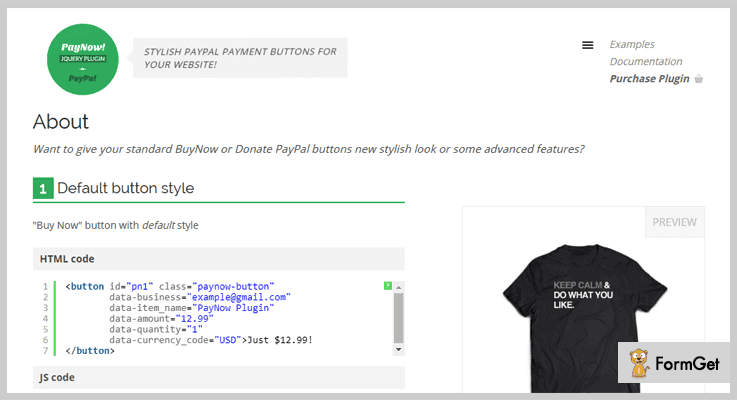
With PayNow you can add stylish PayPal payment buttons to your website’s layout. This plugin support “Buy Now”, “Donate” & “Subscribe” payment buttons. It also provides pre-designed button styles to match your site’s color and pattern i.e, the look & feel.
Moreover, it supports the swipe gestures and works well on mobiles as well as tablets. It stores the PayPal variable in a data attribute or as a JSON file string. Also, it provides a callback function to mitigate the PayPal variable before a checkout activity done on your website.
Pricing Plan:
It has a regular plan of $7 which comes with 6-months support and it has another extended plan of $35 which provides unlimited features & functionalities for 12-months support.
Features:
- 6 pre-designed button styles available.
- It also provides optional tooltips to display more information about the hover element.
- This jQuery plugin uses pure CSS3 animations on button styling.
- API methods available to make it more developer-friendly.
2. Paypal HTML Shop – PayPal jQuery Plugin
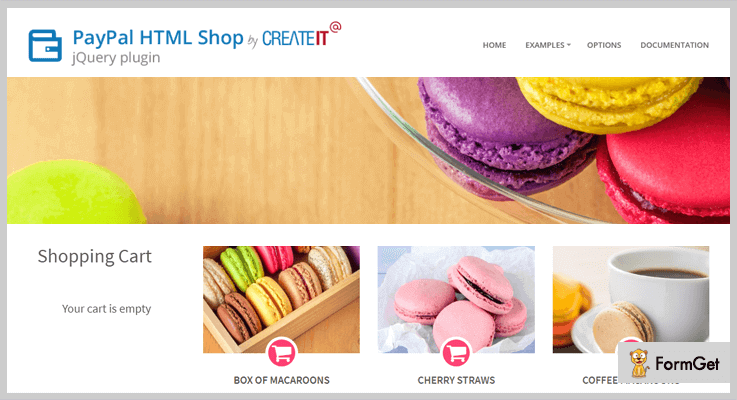
It is a must-have plugin for those websites which are using various means and strategies towards increasing their site profit rate. As of now, you can create an e-shop only with pure HTML. This jQuery plugin has a unique feature that it supports every currency. It consists of six ready-made and unique styles. Also, you can add custom HTML markup on your web application.
The latest version of this addon has two advanced integrations and they are the Coupon Codes & Small Cart/Cart in Top Bar.
Furthermore, it also includes coffee script files to make the JavaScript code more readable. Plus, you can add an unlimited number of products on every page. It is compatible with major browsers and is a completely mobile-ready product.
Pricing Plan:
The Paypal HTML Shop has two cost estimate plans. They are-
- Regular – $15
- Extended – $75
Features:
- This plugin exhibits variable products support quality.
- No PHP coding required.
- Highly compatible with HTML5 & XHTML.
- It provides seamless PayPal integration.

3. PayPal Shopping Cart – PayPal jQuery Plugin
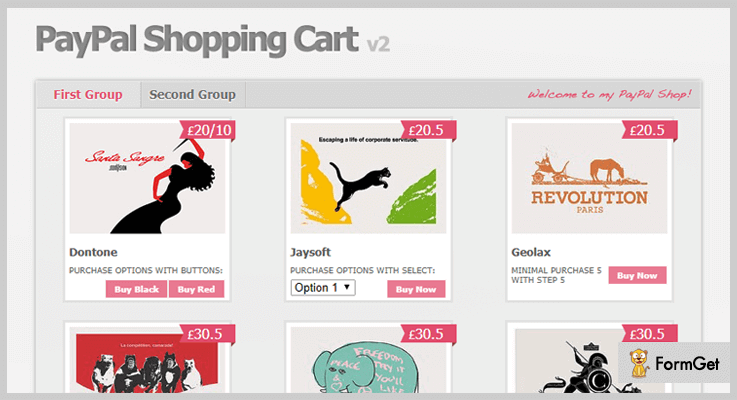
PayPal shopping cart is a ready-to-use PayPal shopping cart plugin made with jQuery. It is super fast and lightweight as there is no need for any database or server script. With the efficient use of this plugin, your customer can purchase multiple products & directly pay for all of them at once.
In addition, there are many configurable options available for animation and styling. Moreover, there are multiple options amongst which you can choose a paricular currencies. Also, there is an availability of local storage for the cart content.
Pricing Plan:
The PayPal Shopping Cart jQuery plugin has a regular license plan of $9 and an extended license plan of $45 only.
Features:
- It facilitates a products grid with price & a short description.
- Ability to add an unlimited number of items & categories.
- This plugin also provides 20 configurable option.
- It allows sharing the stored cart content among different pages of the website.
- Unique custom price handler functions are available.
4. Smart Cart 3 – Free in PayPal jQuery Plugins
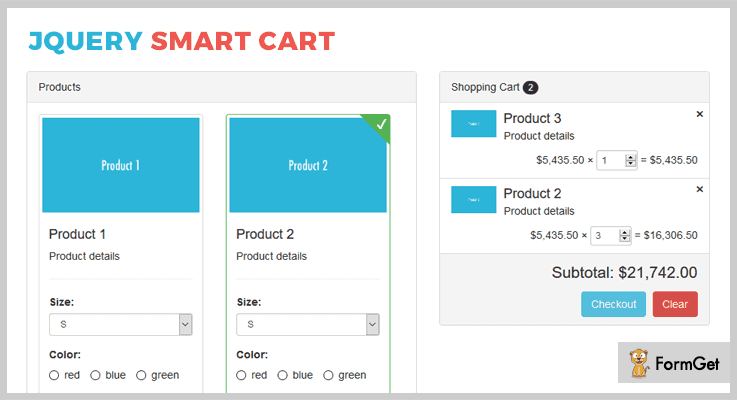
It is a smart & interactive jQuery plugin with PayPal payment gateway support. The plugin is a lightweight plugin with minimal code. This plugin supports various submit mechanisms for the cart item like Form submit, AJAX submits & PayPal submits.
It also provides lots of customization options & events to fulfill your site requirements. Moreover. it can easily integrate with your already existing shopping list. You can even use your CSS knowledge for styling or can use the default bootstrap style as an alternate.
The latest update has many new functionalities such as theme support, customizable toolbars/options, public methods, event support, Bootstrap support & much more.
Pricing Plan:
Smart Cart 3 is a free product of GitHub and you can easily download it from the official site.
Features:
- It provides additional public methods for the external function calls.
- It has an extremely enhanced event support.
- This plugin is compatible with the latest jQuery versions.
- Auto-calculates the subtotal and the product quantity is editable from the cart list.
Conclusion:
Consequently, these were the most noteworthy plugins of the domain PayPal jQuery plugins. If you are aware of another much worthy product, please do share the same with us in the comment section below, we’d really love to hear your feedback.
Thanks for reading!
4+ Premium jQuery Tour Plugins 2022
“A lot of things would become automatically easy if I find a guide/manual before using a product”. That’s what every user expect before trying something new.
Of course, everyone loves spoon feeding.
This prerequisite is applicable for a website as well. People out there do get attracted to the sites where they are welcomed and asked to take a tour of the website. This helps them to get a quick review of where they are because they need an interactive approach.
We create a website either to have more visitors to our work or to sell our product. And there must be certain areas, which we definitely want the user to focus as soon as they land up on the website. A helping hand in the form of a tour for your site will highlight its significant features.
Even after providing the simplest description to the users, sometimes they might get caught up in some complexities. The guides then offered will brief them about what you actually intended to portray.
Adding a jQuery tour plugin is way better approach than cluttering your webpage with static texts to introduce new functionality of your website to the users.
Following discussed jQuery tour plugins are the technology-based add-ons for your website which will make your site more lively to the visitors. Highlighting your preferred elements in exactly your preferred style. You create and the tour will do the smart representation of your creativity.
Features like Map of the tour, continue an unfinished tour, positioning of the tour texts on the desired place on the webpage, easy navigation etc. are very prominent attributes of these plugins.
Do try these important blogs as well that will help you for sure
1. Power Tour
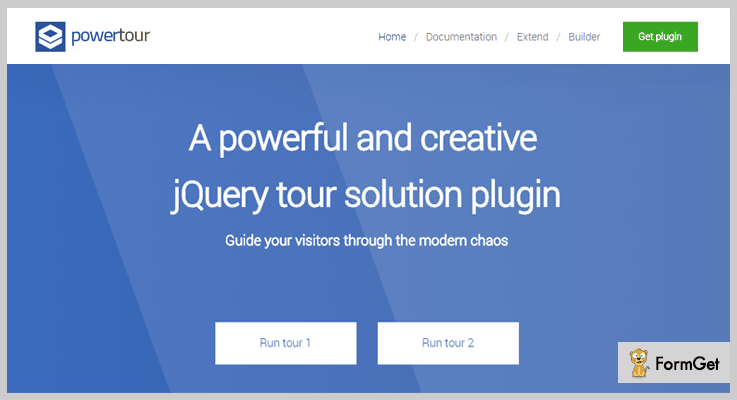
This plugin allows you to have either of the two versions of the tour. With simple slides at the center of the page or with many description boxes across the different corners of the page, where the individual tour is hooked with its respective elements.
Further, you can integrate any size (full, lite, tiny) of the plugin into your site.
It also allows redirecting tours to a different page whenever needed.
With the use of free builder tool, the process of making tours becomes very easy and quick.
Pricing
The pricing plan for this plugin is very affordable, at $10 with 6 months support. Further, you can extend the support for 12 months at $3.
Features
- You can run the tour on the page in a loop (after it ends), where the tour can have any kind of content like form, video, PHP, JavaScript etc.
- The tour can be manual with keyboard navigation via buttons (play, next, goto etc.) or automated, having a time limit for every tour.
- The plugin allows validation of every step of the tour with its provided method.
- Also, the multiple steps of a tour can be customized to a great extent as this plugin includes all the CSS files like CSS, LESS, SASS etc.
2.jQuery Tour – The Flexible Tour plugin
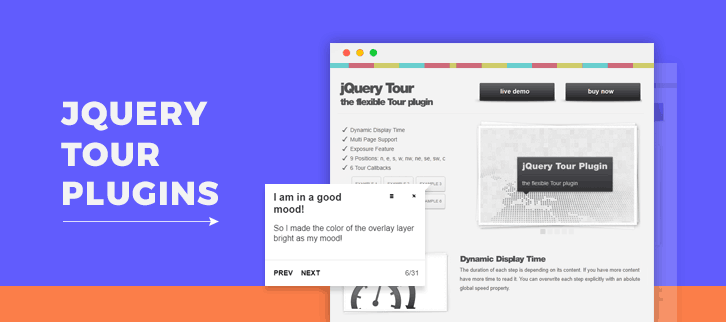
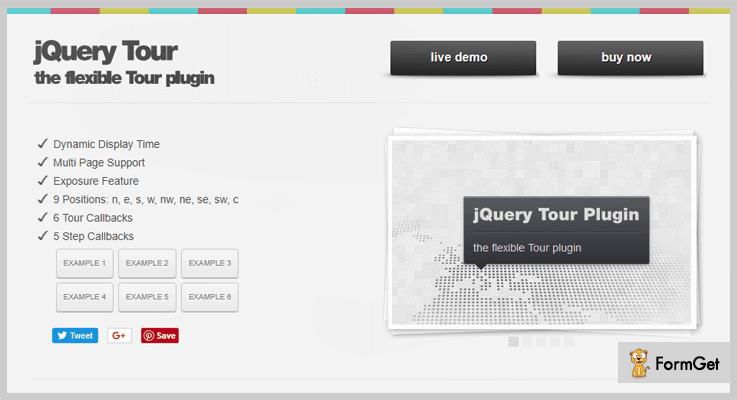
This jQuery plugin comes with an exposure feature that grabs your visitors attention to a point where the tour is focusing. For instance, freezing rest of the page (background).
It allows dynamic display time, which means you can set a different time for different steps of the tour according to the content size.
The plugin allows tour control via keyboard navigation. For instance, esc- stop, spacebar- pause, speed up/down etc. Further, you can also use up to 100 callbacks for each step.
Pricing
This ready to use plugin can be added to your website at $10 only.
Features
- The plugin allows using any of the 6 given examples to implement on your website, like displaying one or two texts to introduce the visitors, targeting tooltip at different elements at different positions etc.
- You can locate each step of the tour individually (with 9 position options covering almost all the corners of the page). The position can be changed with smooth transition even if the step is on stage.
- It comes with 8 built-in style variations for the tour to create a powerful impact. You can also create it of your own choice.
- The plugin provides many callbacks (6 tour callbacks and 5 step callbacks)
- Tour works even when the next step is on the other window/webpage, as the plugin scrolls through the window to reach the next step.
3. iTour – An Easy Tour for the Complex Interface
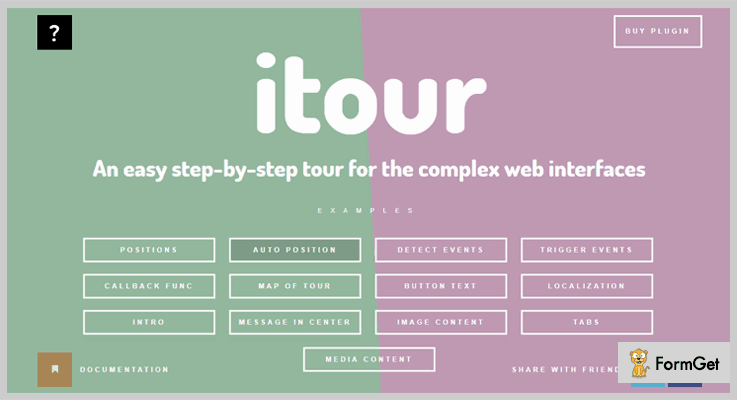
If you want to brief the users about your web application or site functioning in an interactive way, then this plugin is the best option to create pages tutorial with jQuery. Start the tour by a small opening remark “hello” followed by intro or description.
The plugin comes with the tour builder to ease out tutorial creation simply by customizing the given values of builder according to the requirement.
On finding an abrupt closure of the tour, it generates a message to either continue from the same point or start a fresh tour.
Also, this step-by-step guide for a product on your website is very responsive, with CSS transitions optimized for the window of all the devices.
Pricing
Spend only $12 (6 months support included) for integrating this plugin with your website. Extend the support to 1 year with $3.75 only.
Features
- Localised with 60 languages to reach out to the maximum audience.
- The plugin automatically locates the tour’s message at best position on the screen out of 36 options. It can be done manually as well.
- Its compatibility with jQuery UI Tabs plugin allows you to add information in tabs (with content and its description)
- Map the tour, a list of steps is displayed that you have already covered.
- You can customize the default labels given on the next and prev buttons.
- Further, it allows you to include any media content like HTML audio and video, YouTube video.
4. TouristGuide – Advanced Website Tour Creator
TouristGuide comes with an easy interface demo for 3 reasons:
1. Provides website tours/guide for your visitors, especially new ones
2. To introduce the new design (upgradations) of your site to users.
3. Help new users about the usage of your website.
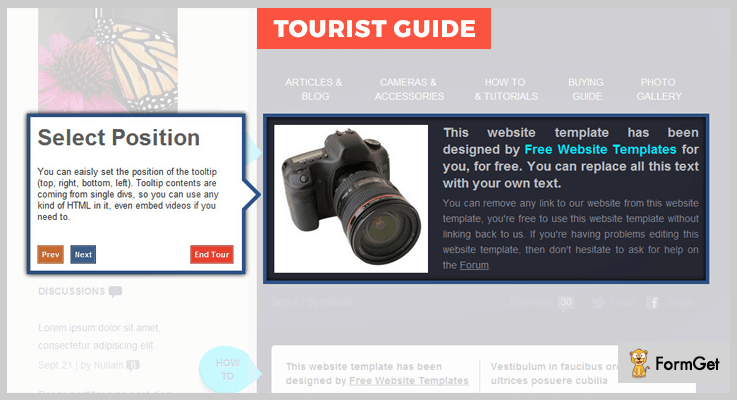
It allows you to customize tooltip (offset, position, width etc.) with various data attributes. Smooth animations are created using CSS features.
Further, you can use the JavaScript parameters to customize the complete tour for your webpage like autoPlay, offset, speed etc.
It gives a prompt on the accidental closing of the tour, asking to continue or re-start.
Pricing
Get this feature rich plugin for your website at just $14.
Features
- TouristGuide uses CSS selectors to highlight desired elements on the webpage.
- This plugin has an inbuilt animation engine which allows you to create keyframes.
- It gives 8 positioning options for tooltip on the page. You can use any kind of HTML content or embed videos in the tooltip.
- The plugin is integrated with Scrollto plugin to empower the smooth scroll between tooltips.
- It provides 9 callbacks (onBeforeLoad, onNext, onGo, onFinish etc.) to create unique events (actions). Also, various methods are provided to create unique navigations.
5. iGuider
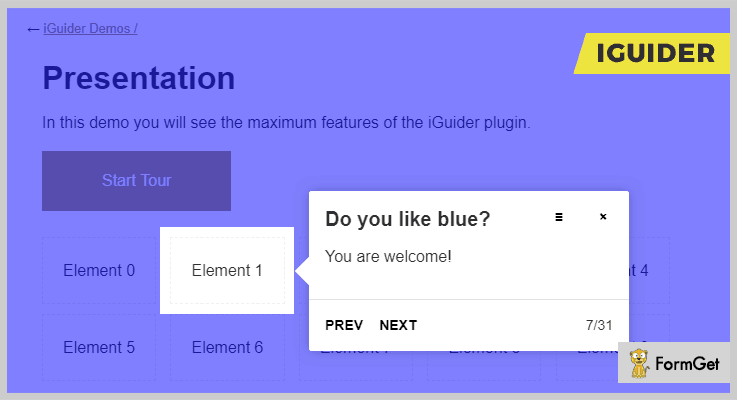
The plugin allows a user to highlight multiple elements on the same page at once, hooked to a common description.
Pricing
Allow this plugin to enhance your website in $16 only with 6 months support. For additional 1 year support, you just need to pay $5.25
Features
- It gives you 3 distinguish shapes to highlight the targeted elements. Circle, rectangle, rounded rectangle.
- There are various inbuilt styling options to define unique colors of the tour box along with the background (i.e. rest of the page).
Conclusion
With the help of these most popular plugins that we just discussed you can have one of the best interactive and easy to understand website for every kind of users. We just ask you to have a deeper reading on this listing, in order to take a quick decision about which one suits your website most.
Your suggestions and queries are always welcomed.
Thanks!
5+ PDF Viewer jQuery Plugins (Free and Paid)
“Use PDF viewer jQuery plugins & display all of your PDF files on your website within a single click!“
If you ever wanted to display the text files on your website and for that you try lots of techniques such as doing the programming part, using web-based software, SaaS applications etc. But are these tasks that easy?
As programming consumes a lot of time and efforts. Along with it, the web-based software occupies too much space on your website which might slow it down.
So what should you do now?
Well, there is a solution! With the help of PDF viewer plugins, you can directly enable the PDF displaying functionality on your site. And yes! They consume very less space which doesn’t even bother the performance of your website.
Even if you have a basic coding knowledge then also you will be able to deploy these plugins on a website and alter source code according to your needs.
That’s why I’ve listed some of the best PDF viewer jQuery plugins in this article which can help you out. Some of these plugins are free while others are paid.
Two most important thing about this blog:
- There are even some plugins mentioned in this article which also allows to display videos, audios, images & other types of files along with PDFs.
- Also, you & your visitors can directly open the PDF files through Google Docs Viewer.
That’s a lot of stuff now. Don’t get surprised. All of it is the truth!
To find out about more features, all you have to do is to go through this article & finalize the best jQuery PDF viewer plugin for your work!
Note: Both you & the visitors of your site can open the PDF files with the help of the plugins mentioned below.
You may also love to read more blogs of jQuery plugin. Who knows? They might help you out in your work.
Let’s dive in together!
1. PDF Viewer jQuery Plugin:
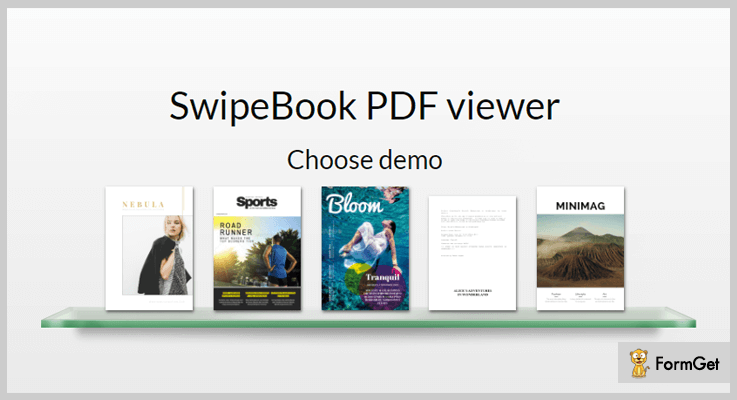
It is a jQuery plugin which enables users to view the PDF files easily on a website with just a few clicks. You can also use this plugin on your site to make the look of PDF files more systematic. Once you have installed this jQuery plugin on your site, all you have to do is to use one of the templates & then start editing it. At last, you can display the PDF files with lots of creativity.
Pricing:
- This jQuery plugin has a regular plan which costs $19 only.
- Also, it has another extended plan which charges only $39.
Features:
- Its PDF viewer is fully responsive according to all types of screen sizes & devices. So you don’t have to worry about any layout distortion.
- You can also add the images in the swipe book when you are displaying the pages of the PDF files.
- Plus you will be able to add custom HTML code for embedding audios, videos, links & many more elements to it.
2. Document Viewer: jQuery Plugin
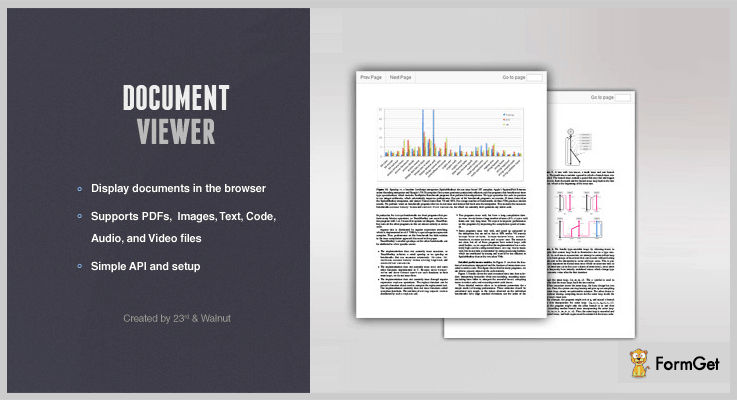
Document Viewer is a jQuery plugin which helps you to display multiple types of file formats on the website directly. Apart from PDF files, you will be able to display other elements such as videos, audios etc.
Well, it uses some third party functionalities like pdf.js, Flowplayer, jPlayer & Google Code Prettify for other kinds of file access work.
Pricing:
- This PDF viewer plugin has a single plan which charges only $7.
Features:
- You can also showcase the unsupported files in the ZIP format. This shows that it is a versatile plugin.
- It allows you to display all of the files in two ways: either standard view or the modal view.
- This plugin is simple to setup which also offers API settings that are easy to configure.
3. PDF Viewer:
PDF Viewer is a responsive plugin for adding the PDF files on a website. This plugin is specifically coded in JavaScript. That’s why it can also be used on ReactJS & AngularJS applications.
Along with it, you will also get the analytics feature of tracking the user visibility status on various PDF files.
Pricing:
- This PDF viewer jQuery plugin has a regular plan charging $12 for basic features.
- You can also pay an amount of $60 for advanced features.
Features:
- It helps you add multiple PDF files on the same web page according to your needs and requirements.
- Either, the visitors can see the PDF in a simple screen or full screen. It is up to them according to their needs.
- This plugin also allows setting the theme of the PDF according to the current layout of your website which can match best.
- One important feature of this plugin is that you can set the password of the PDF file for those cases when someone wants to download it.
4. Document Library: PDF Viewer Plugin
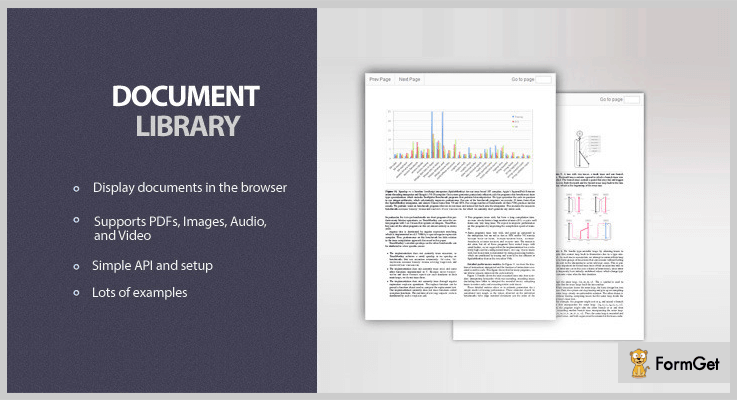
The document library is a jQuery plugin which will help you to showcase audio, PDF, video & other types of files in different formats like jpg, png, jpeg, mp3, m4v, .ogg etc. You can add them in such a way that the users can open these files on your webpage in full width.
Pricing:
- This PDF viewer plugin also has only one plan charging $10 for the entire lifetime.
Features:
- In a single page, you can display multiple files of different-different formats such as simple views, list views, tiles views, etc.
- After the upload of files, this plugin has a ‘listType’ function which automatically determines the format of the document.
- You can override the previous settings of the video player at anytime you want to.
5. Google Docs Viewer: jQuery Plugin
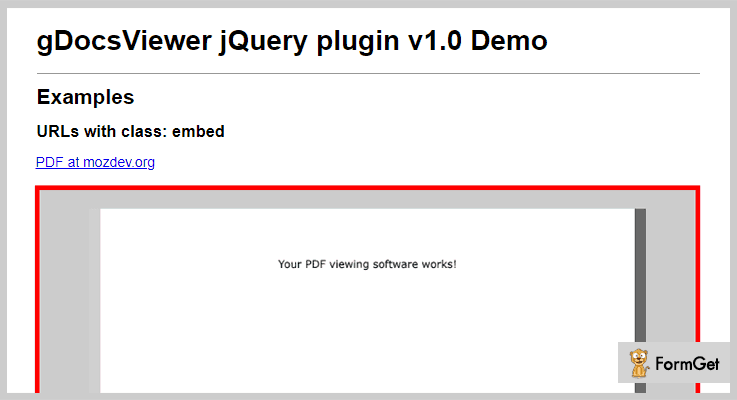
It is a jQuery plugin which automatically embeds the ‘Google Docs Viewer’ to your website. After doing it, you can display the files such as doc, pdf, ppt, docx & many more. Apart from it, the source code of this plugin is easily understandable by a programmer who has even a little bit of coding knowledge. That’s how he/she can customize its settings according to the needs
Pricing:
- It is free jQuery plugin for viewing PDF & other types of documents on screen.
Features:
- In its configurable settings, you can set the height & width of the document which can embed in the IFRAME.
- It works well on both Android as well as iOS application devices because this plugin is developed using Jquery Mobile and Cordova.
- This plugin is way too easy to use even by a non-technical guy without any hindrance.
6. PDF Pager: jQuery Plugin
PDF Pager is plugin through which you can add the Google Docs Viewer feature to your website. Through it, the users on your site can see any type of PDF file without any complications. It is best for the multi-page PDF documents which are not easily visible on the screen without the distortion in the layout.
Pricing:
- This jQuery plugin does not charge any kind of amount for accessing it.
Features:
- When you are using this plugin, all of the PDFs are named as 1.pdf, 2.pdf, 3.pdf & so on.
- The responsitivity of the PDF file, while opened on any type of screen, does not change.
- You can change the alignment & margin of the PDF document from the source code according to your needs.
Conclusion:
So above are some of the primmest PDF viewer jQuery plugins which you can integrate with your website. Through them, you can display the PDF files on your webpage when someone chooses to open them.
Apart from PDFs, there are other files you can add such as video, image, audio etc. This functionality can be found in other plugins mentioned in this article.
Also, there are some plugins through which you can directly open the PDFs through Google Docs. See! A lot of variety!
So all you have to do is to try them out & finalize the best PDF viewer plugin according to your needs.
You can also drop a comment below if you have any kind of suggestions & queries. We’d love to help you with it!
4+ Best jQuery Audio Plugins (Free and Paid)

Today, music has a remarkable effect on people. Previously, including an audio file in your web pages without any native player was a little bit hard. But now, jQuery audio player plugins turn out to be handy while developing music related websites or to upload any mp3/audio and some other media file on your website.

In this article, we have covered some of the best jQuery audio player plugins that will help to play the favorite music files for your site visitors and also give them an entertaining platform.
These jQuery audio player plugins are really useful and you can add them easily with few lines of codes to your web applications. Some of the plugins in this blog are free while others are paid. Also, they are light weighted, feature-rich, responsive and supports different old & new browser versions as well.
Moreover, these plugins enable you to create the playlist in HTML and permit you to manage those playlists by using XML files. You can also provide a tutorial video for your customer of how to implement these plugins on your website and many more.
So, without any further delay, explore the list below!
But before that look at some more blogs here we’ve selected for your:
1. Fullwidth Audio Player jQuery Plugin:
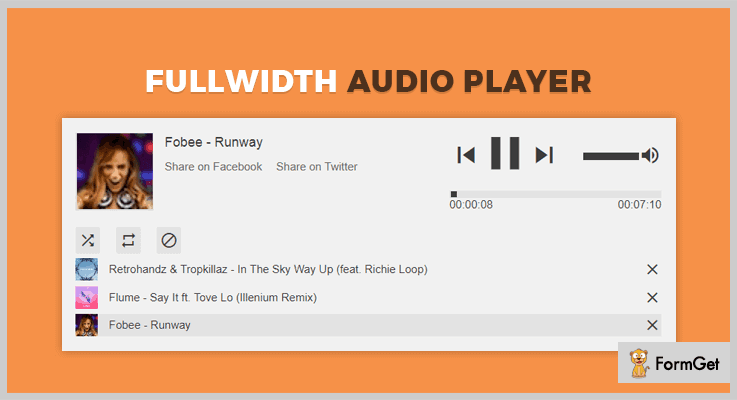
Fullwidth Audio Player is a simple jQuery plugin that plays audio natively in modern browsers and comes with Flash Fallback. This plugin allows you to add the audio player at the top, a bottom of the window or even anywhere on the page of your website.
This plugin uses latest browser technology and works across all devices. It is fully responsive and comes with unlimited features and functionalities. It supports various audio sources/platform like MP3, soundcloud.com, official.fm etc. Plus, it also integrated with a custom method to control the player easily.
Moreover, fullwidth slider also allows you to create your own playlist in HTML document and use XML files to manage those playlists.
Another Useful Feature:
- You can add tracks to the player with 5 different techniques i.e. Start Playlist, In-Page Playlist, In-Page Single Link, Start XML Playlist, and XML In Page Playlist.
- It provides unlimited keyboard shortcuts like previous button, next button, volume up, down etc.
- This plugin has an unlimited color variation, no image files are used in this plugin.
- You can also add a playlist from a button or a link easily.
Pricing:
The plugin will cost you $11 for the above-listed features or you can also get its more advanced features at $99 with 12-months support.
2. MediaBox jQuery Audio Plugin:
MediaBox is a jQuery audio player and sound library. It helps you to create multimedia applications very quickly on your website. Its library is designed to add sounds to your playlist.
This MediaBox leverages the power of jQuery and jPlayer and utilizes HTML5 with a flash fallback. It handles all aspects of playlist management and automatically updates all active widgets if the playlist changes.

Another Useful Feature:
- It provides an anchor object which is an HTML element that defines where the widget should be displayed on the page.
- MediaBox automatically retrieves metadata if it is available on your website.
- The plugin contains unlimited API methods for music start button, play, next, previous etc.
- It comes with 20 pages of documentation that explains usage, widget configuration, API & FAQs.
- This plugin also contains visual form builder option to create beautiful forms in just a second.
Pricing:
For the above-listed features, this plugin will cost you $17 and provides you free updates and team support.
3. Audio Element jQuery Audio Plugin:
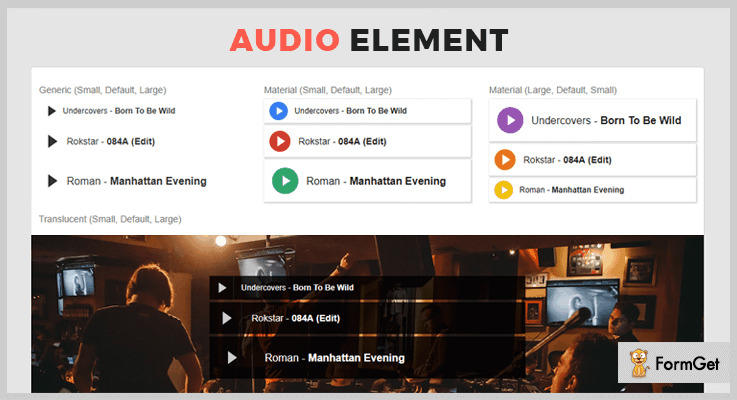
Audio Element the most usable jQuery audio plugin that allows you to integrate audios / mp3 / or wave files into your page. The plugin supports modern play/stop and seeks features. Also, it comes with 3 different color schemes such as standard, material & translucent.
It provides readme file (within the archive) to provide a full description about how to install and use Audio Element jQuery plugin.
Another Useful Feature:
- It contains play/pause features so that you can play or stop music anytime.
- Audio Element is compatible with a Bootstrap framework to provide speed, responsiveness, consistency and more.
- The plugin consists seek features to find the exact audio for you.
- It provides various color schemes for background purpose.
Pricing:
This plugin will cost you $3 only for its advanced features and functionalities. And, later you can extend its services at $ 20 with its 12-months support.
4. Embed Player jQuery Audio Plugin:
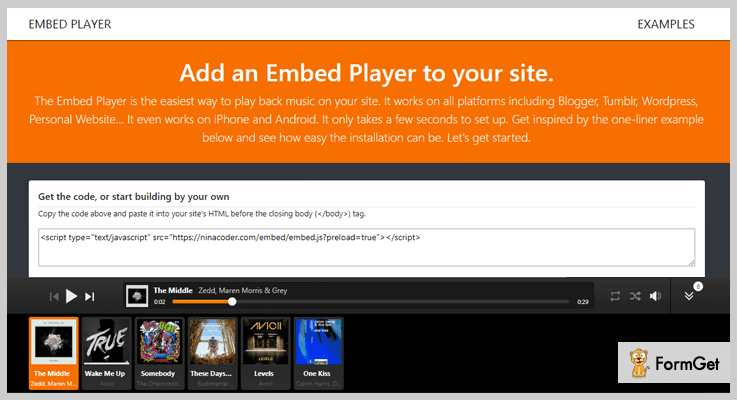
The Embed Player is the easiest way to insert music player on your website. It works on almost all platforms like blogger, tumbler, WordPress, or even on a personal website.
The plugin works well with SoundCloud playlist. Also, you can play mp3s file hosted in a folder automatically. Your user can also fetch songs, artist, and even covers from your mp3 file. Embed Player is 100% pure JavaScript plugin so you no need to add any framework.
Another Useful Feature:
- The plugin offers drag & drop option to sort the song in playlist or queue.
- It supports JSON to preload playlist format on your website.
- Provides autoplay option so that you don’t need to play music again and again.
- The plugin can be easily customized with the help of HTML or CSS files.
- It has a toggle button to hide or unhide the playlist contents.
Pricing:
Its regular license comes at $16 with its 6-months support & you can further extend its services at $460 for 12-months support.
5. AudioLibraryJs jQuery Plugin:
AudioLibrary is completely free and open source jQuery audio player plugin which uses media library written in JavaScript. It contains various jQuery UI widget design pattern to easily create a web audio player.
Another Useful Feature:
- The plugin provides various custom buttons such as playSave, stopButton, saveButton and more.
- It only works on WebKit browsers like Chrome/Safari etc.
- This plugin contains two in-built Js plugin which is based on audio player and audio editor.
Pricing:
The plugin will cost you nothing. This is free so you can download it from GitHub’s official website.
Closure:
So here, we have arrived at the end of this blog. We have covered some of the best jQuery Audio Player plugin which is most popular in the market. These are fully responsive, customizable and able to meet all your requirements.
Plus, by getting these plugins you will also get the best team support ever in case if you have encountered any issues.
Do comment us below if you have any query or suggestions regarding this blog.
4 Best Premium Currency Converter jQuery Plugins
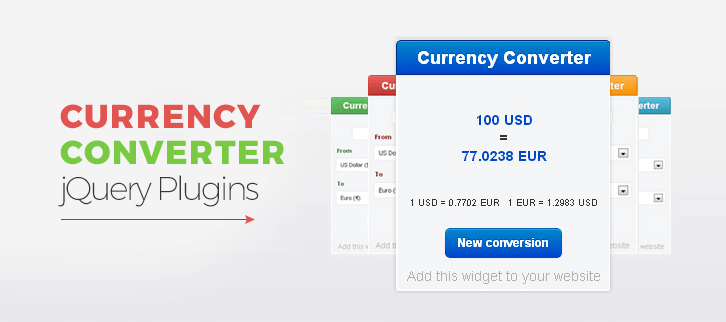
Today we are sharing a list of 4 best currency converter jQuery plugins. These plugins will let your visitors convert currencies like from $ to €. So, it a front end currency converter on your website which a visitor can use.
It will help you to show multiple currencies on your website. Let me tell you how.
If you are going to start a new financial blog or putting together a website related to financial markets then currency converter jQuery plugins are the foremost requirement. As using these plugins, you can show the prices of various shares, or financial assets in terms of various currencies.
Below listed currency converter jQuery plugins are highly customizable. This will help you to do easy changes in the code using these plugins. Further, the plugins support various languages and more than 200 currencies make your conversion work easy.
The noteworthy feature in these plugins is they help you to convert currencies using real-time updated rates. So you need not do any hard work for updating your website.
Read some more jQuery plugins too!!!
Use these jQuery tour plugins and highlight significant features of your website.
These plugins allows the user to input date and time values in just fraction of time.
Use these plugins and add beautiful yet effective overlay in your website.
There are a hell lot of features which you’ll find in these plugins. To know more about each function let us discuss each currency converter jQuery plugins in detail.
1. Smart Currency Converter jQuery Plugin
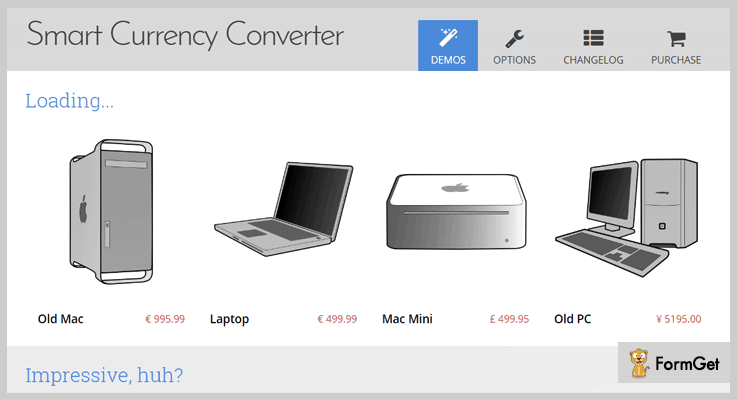
Smart Currency Converter is a powerful jQuery plugin that automatically detects the currency and makes your work easy. The plugin also allows you to converts all the prices of the products of your website into various currencies. Like you can show the price of a product in US$ then a visitor can convert this price to Euro€ in a single click.
This plugin supports customization of individual price tags by HTML data attributes so that you can do easy changes at your end with ease.
Pricing:
You can buy this plugin and get all of its features along with future updates at two varied prices-
- The regular license cost you $9 with quality checked by Envato.
- You can buy the extended license, at a reasonable price of $45.
Features:
- The plugin allows to convert and show prices in multiple currencies at the same time.
- In this plugin exchange rates are fetched using Yahoo Finance API. That’s why they are always updated.
- Smart converter plugin consists of modern design with 5 predefined themes and animations gives your site a better look.
- It supports more than 237 countries and 157 currencies. Also, the plugin is compatible with all modern browsers including IE 8.
2. Currency Converter – Best In Currency Converter jQuery Plugins
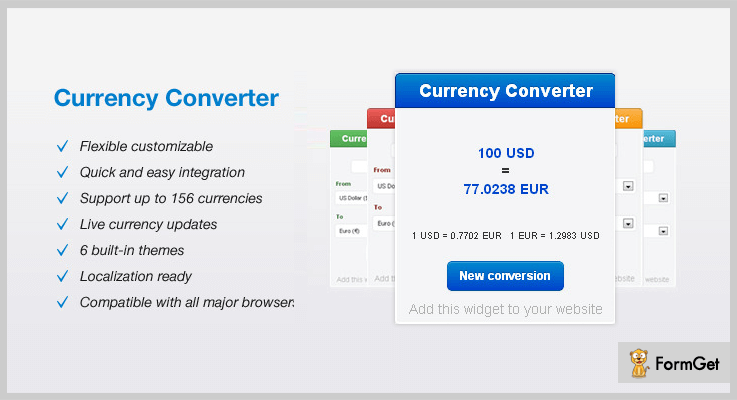
This is an effective jQuery plugin which helps you to create currency conversion widget on your website. Further, it allows your website visitors to convert currencies using latest exchange rates.
Currency Converter plugin is very well documented and comes along with user guide so that you can easily implement it on your site.
Pricing :
Buy the regular license of this plugin at $6 with all the future updates and full support up to 6 months. You can extend your support up to 12 months by paying $1.50 only.
Features :
- The plugin supports more than 177 currencies and helps you to convert the currency in a fraction of time.
- Currency converter plugins help to give live currency updates which make your website up to date.
- It comes with 6 inbuilt themes which will give your online business website a better display.
- This plugin is flexible and it is highly customizable so that you can make changes in codes according to your requirement.
3. Top Currency Converter jQuery Plugin
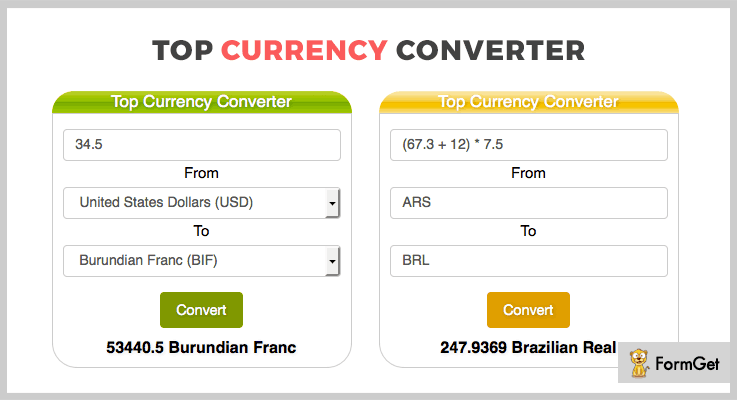
Top Currency Converter is the finest plugin in the list of currency converter jQuery plugins. This plugin allows creating a currency converter widget. Further, it converts currencies using real-time updated rates.
The noteworthy feature in this plugin is there is no server-side required. The code is written in jQuery script which comes with complete user’s guide. Also, this will make this plugin integration easy and smooth.
Pricing:
There are two different licenses available at different pricing plans. You will get full support and regular future updates with this above license.
- Regular license – $7.
- Extended license – $35.
Features :
- This plugin supports 10 different predefined styles and 2 themes which give your website an elegant look.
- All texts present in this plugin are customizable one can do changes in code very easily with the help of this plugin.
- Top currency converter jQuery plugin supports more than 173 currencies. Also, we know that many different countries use same currencies.
- It has a functionality of autocomplete and the drop-down for choosing currencies.
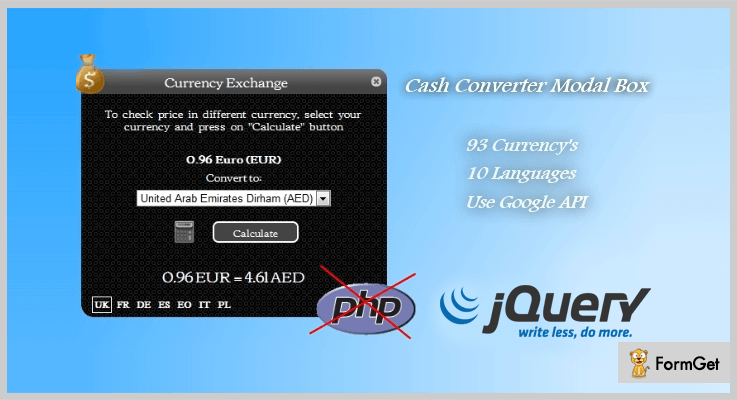
4. Cash Converter- Cute Modal Box jQuery Plugin
Cash converter is a powerful jQuery plugin. It is easy to implement, responsive and a lightweight plugin. Moreover, this plugin has a modal box that permits your users to check the price of your products in their currency.
Pricing:
- This premium plugin is available at a reasonable price of $6 with a 6-month support.
- You can even extend the support month up to a year by paying $1.50 with regular updates.
Features :
- It supports 93 different currencies. Further, it supports multiple languages such as English, French, German, Spanish and more.
- Cash converter is very flexible you can add new currency’s and new languages for your modal box
- This plugin uses Google API for calculation of currencies easily.
Conclusion:
Now as you read all the 4 best premium currency converter jQuery plugins, we hope you have understood each and every aspect of this article.
All the above-mentioned plugins are well documented with a user guide which makes your work more easier. Hope you have found the currency converter jQuery plugins according to your requirement.
Stay tuned for more plugins.
You can ask your queries in the comment section.
4 Best jQuery Video Background Plugins (Free and Paid)
“Using a simple image or colored background is too mainstream, isn’t it?”
If yes, then try adding something cool on the background of your website.
Use jQuery Video Background Plugins to add attractive video & slider backgrounds on your website.
With these plugins, you can actually drop the whole video functionality in the background of any site. That is, you can effortlessly add videos from YouTube, Vimeo or HTML5 & mp4 files. You can also add images, slides and their titles as well.
Moreover, it will decrease your bounce rate holding your audience a little longer. Thereby, engaging them by providing useful information about the site simultaneously.
On top of that, you can also add various parameters to automatically resize, load the videos and more.
Not only this, these plugins provide a clean code and a nicely written documentation which you can refer if you get stuck at any part and easily resolve the problem.
For this reason, in today’s blog, we will discuss some of the best jQuery Video Background Plugins along with their major attributes, pricing plans & several other details. While some of these plugins are free, others are paid.
Plus, you may also like to read the blogs from popular niches below. So do peep in-
Now let’s get on with the details of these plugins.
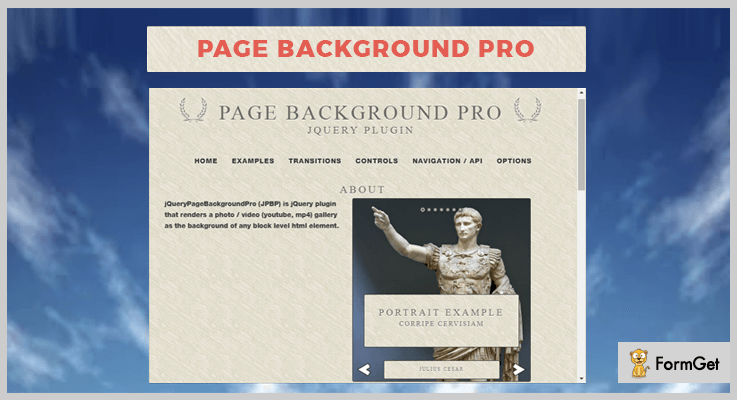
1. Page Background Pro – jQuery Plugin
jQuery Page Background Pro is a jQuery video background plugin. It is studded with impeccable features such as 4 plugin options, 3 navigation styles, 55 control arrows to choose from & a lot more.
With this plugin, you can create as many image galleries on a single page as you want. And it also supports video background inclusive of YouTube videos, HTML5 or mp4 videos as well.
You can add your own JavaScript function to current & next slide callback as soon as one slide finishes its transition the next without any delay.
It includes a single page site example code in HTML, CSS & Javascript to provide ease implementation.
Pricing:
You can acquire this plugin along with all its features and future updates –
- To avail the regular plugin you have to pay $4.
- For purchasing the extended license, the cost is $45.
Features:
- You can add slides, slide title, gallery controls, easy navigation options & automatically resizes slide images to fit the viewport.
- This plugin enables you to apply various transition effects on the background slide like fade in & out, slide up, down, left, etc.
- In addition to this, you can also add gallery navigation icons & place them in a gallery with a horizontal-vertical combo.
- It enables you to hook gallery options to any element of your page via jQuery events.
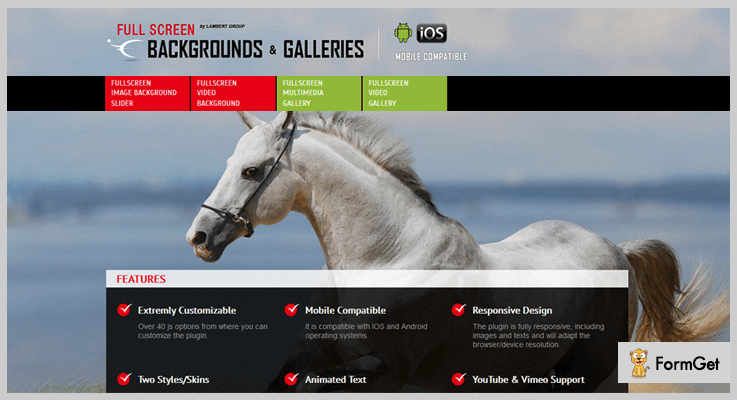
2. FullScreen Background /Gallery – jQuery Plugin
This is an astounding plugin which is used to add a full-screen multimedia background. You can also add a multimedia gallery, full-width image & video slider in the background.
Along with this, it also provides various parameters to enable touchscreen navigation features plus, parameters for color, dimensions & clock timer.
Moreover, you can also add links for each slide by passing several parameters for _self or _blank and it provides you two transition effects to choose from ‘fade’ or ‘slide’ as well.
Pricing:
This plugin is available at two different costs as per the license you select & you also get all the features as well as future updates –
- Regular license – $11.
- Extended license – $55.
Features:
- It provides about 40 js options for hassle-free customization.
- By using HTML & CSS you can format & add animated text from any direction i.e. top, left, right or center.
- You can also add any video from YouTube or Vimeo behind the main page & provide a play button to signal this.
- Also, you can use a certain parameter to add a texture to all images. With the help of this, you don’t have to add texture again & again to every single image.
3. Modern Video and Slider Background – jQuery Plugin
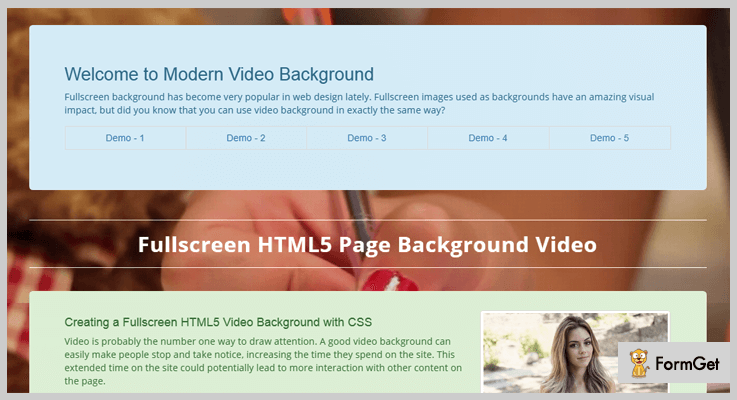
Modern Video and Slider Background is a super cool jQuery plugin used for adding a fullscreen video or slider to the background. It grants you various exemplary features like GIF/Canvas effect, different types of video & slider backgrounds, etc.
The full-screen HTML5 sliders are created using CSS which means you can easily customize them as you want to.
Apart from all this, it is a very user-friendly plugin which is compatible with any website and latest browsers. You can effortlessly initiate this plugin by inserting a few lines of code.
Pricing:
You can seal the deal for this plugin and get all the features as well as future updates at two distinct price –
- The cost of the regular license is $6.
- While the extended license is available at $40.
Features:
- This plugin provides you with 5 types of video & slider backgrounds.
- You can easily customize the plugin using few code lines.
- It provides you a clean code & design which makes it easy to use.
- Besides, you also get many GIF/ Canvas effect to enhance the look of a website.
- Along with this plugin, you also get a very well written documentation to refer in case of any doubt while using the plugin.
4. Video Background plugin – jQuery Plugin
This is a freemium plugin which enables you to add a video to the background of the page or designated element.
It can resize according to the dimensions provided at the back-end rather than fitting itself on the screen. Moreover, it will display an image if a poster image is provided in case the browsers do not support HTML5.

Pricing:
You can grab all the features of this plugin without spending a single penny. Simply go to ‘github.com’ and download the plugin at free of cost.
Features:
- You can trigger various events on background video like pause/play & mute/unmute. These events will work on click, if the video is paused it will play and vice-versa.
- It enables you to remove the event along with all its HTML attached to DOM files.
- This plugin also provides you certain parameters for controlling the position of the video, its text, autoplay, reload and many more.
- With preload & loaded Callback option, you can enable a function to be called once the video is loaded or before the video is loaded.
Coclusion:
We mentioned various jQuery video background plugins above. Further, we also discussed their multiple functionalities like-
- You can add the videos to the website background.
- It allows you to auto resize these video & sliders.
- Also, you can customize them as per your requirement.
- Along with them, you also get documentation with examples and demos.
And a lot more..
We hope that after scrutinizing the details, you must have found an ideal plugin which will enhance your website and garner a lot of traffic.
You can mention the queries in the comments section below.
5+ jQuery Notification Plugins (Free and Paid)
Speak directly to your website visitors by displaying notifications with the help of jQuery Notification Plugins.
Notification is an important tool for a website for letting visitors know about the latest updates, deals and important announcements.
Websites using notifications are reaping more benefits than those which don’t.
If you want to flourish notifications such as error, alert and simple notification messages on your website then you should integrate jQuery notification plugins.
These plugins let you create custom notification messages that can give the visitors better end user experience. You can set the display positions and timing of the notification messages.
Some of these plugins are also able to track number of unread notifications by the visitors so that you can figure out the status of success or failure of task being carried out.
Check out the list of 5+ jQuery notification plugins to notify visitors with simple popup boxes, notification bars, slides and other dynamically interactive ways.
Swift through more jQuery plugins:
1. Smart Notification Reload – jQuery Notification Plugins
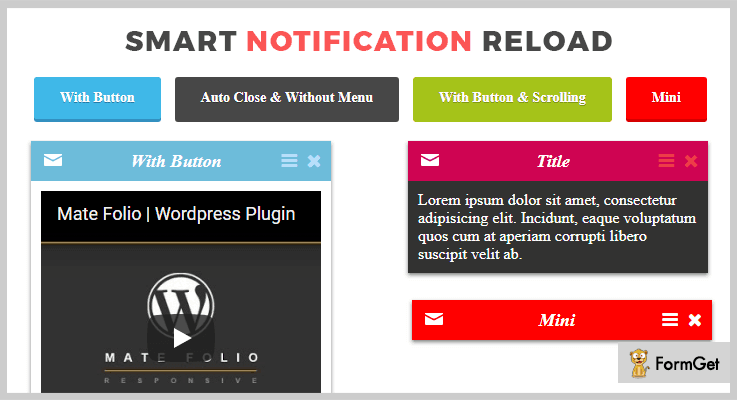
It is a jQuery plugin, used to create advanced pop-up notifications. You will get the flexibility to add videos, images and forms in the notifications.
This plugin offers a way to call notification windows by clicking on a picture, text, button. Also, it allows to call the notification without button.
For closing the notifications, you can set period of time of notification window appearing.
Features
- It provides optional on/off sound effect when notification pops out.
- The plugin comes with toggle mode to switch from one setting to another.
- Notifications created through this plugin will open like lightbox.
- You can set the timeout mode for showing and hiding the notifications on your website.
Pricing
Get this plugin at $7 with 6 months support from Zalki-Lab.
2. StoCookie jQuery plugin – jQuery Notification Plugins
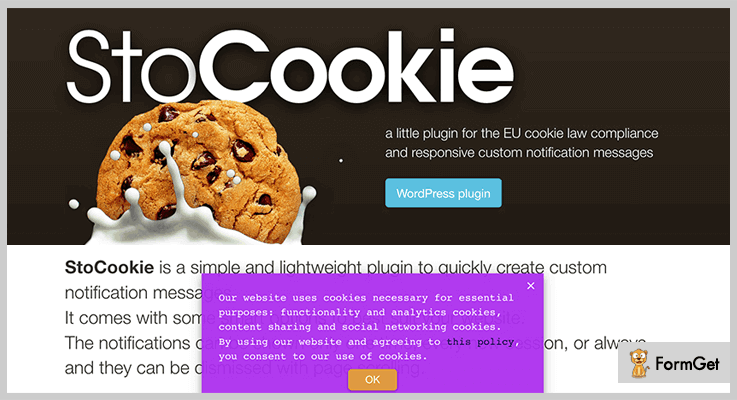
If you are looking for an addon for the EU cookie law compliance then you should give this plugin a try.
With this plugin you can create responsive custom notification messages for your website.
It gives you all the necessary settings to display the notifications only one time, every new session, or always. Additionally, you can also set to dismiss the notifications with page scrolling.
Features
- The plugin provides the possibility to call a different custom notification in every page of your website.
- It allows to setup the manager with live preview.
- You can set unlimited background colour for the notifications, choose the text color and modify the border radius and font size.
- Also, the plugin allows to set the position of the notification anywhere on your web page.
Pricing
Get this plugin at $80 with 6 months support from the author.
3. Noist.js – Flat Notification Messages
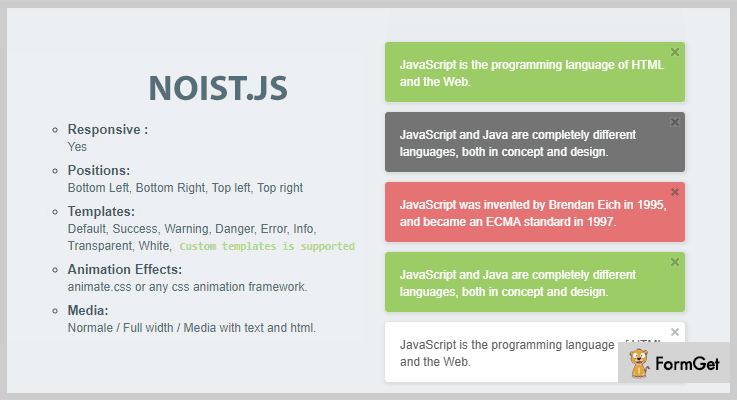
Noist.js is another popular jQuery notification plugin for creating variety of notifications. You can create error, alert and simple notification messages to notify visitors on your website.
It uses JavaScript codes with HTML and PHP as the primary design standards for all its notification boxes and patterns.
This plugin is most beautiful of all the available plugins here, as it provides support for desktop and mobile notifications as well.
Features
- The notification positions can be set at bottom left, bottom right, top left and top right.
- You will get the notification templates for default, success, warning, danger, error, info, transparent and white.
- Also, the plugin comes with unlimited animation effects like animate.css or any CSS animation framework.
Pricing
You can purchase this plugin at $9 with 6 months support from 22 Codes.
4. Owl,Unobtrusive CSS3 Notifications – jQuery Notification Plugins
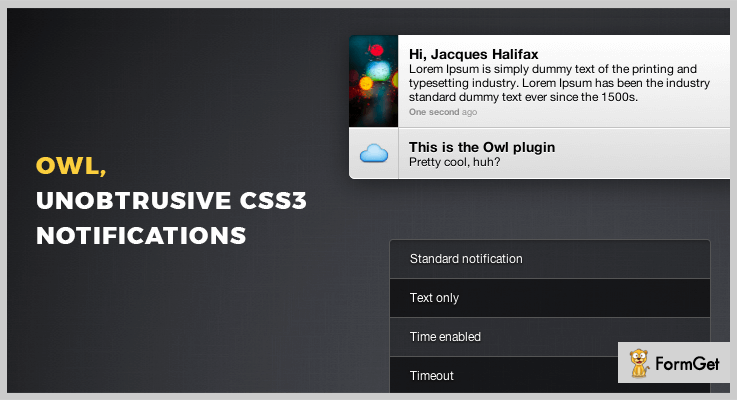
Owl is one of the feature-packed plugin for jQuery notification libraries. With this plugin, you can create standard and error notifications for your website.
The plugin also helps you to create notifications for dynamic callbacks within the website. It boasts a modern approach to include images in your notification. You can use images either as an icon or as a bigger filed photo.
Features
- The plugin allows to select over 100 vector glyphs, if you don’t want to use an image in the notification.
- You can set the timeout period to hide the notification after a certain period of time.
- It has a lightweight script of 3 KB.
- The plugin works well with Chrome, Safari, recent versions of Firefox and IE10.
Pricing
The cost of this plugin is $5 in which you will get future updates too.
5. Notification Center – jQuery Notification Plugins
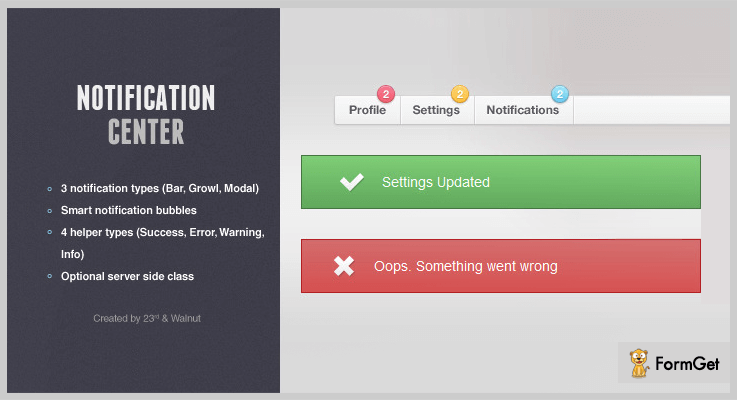
It is an established notification plugin, provides two different themes, light and dark for your website. You will get the functionality of notification bubbles which displays the number of unread notifications by the visitors.
The dashboard of the plugin provides the option to create unlimited number of categories for the notifications. You can track the number of unread notifications by your website visitors within each individual category.
Features
- You can display the notifications in 4 different types i.e. modal, bar, growl and default.
- It supports 4 helper notification types success, error, warning, notice.
- The plugin provides the flexibility to create notifications in Javascript and PHP.
Pricing
Grab this plugin at $5.
6. Lobibox – jQuery Notification Plugins
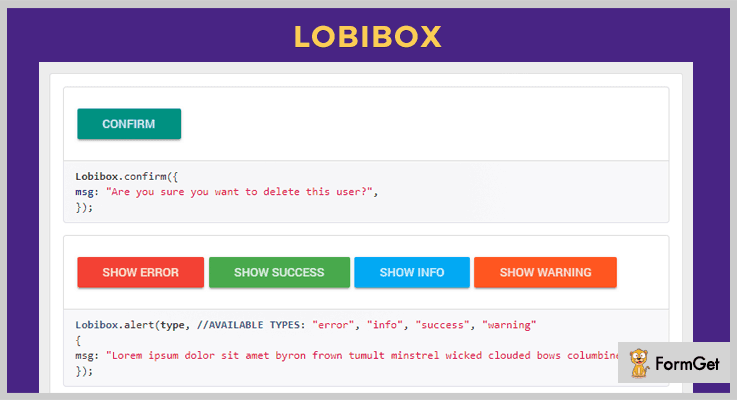
Lobibox helps to create modern and appealing notification messages that can be stretched far and wide. The plugin uses a lot of Bootstrap based design patterns and mostly utilizes the FLAT design aspects.
With this plugin you can create message boxes, confirmation dialogs and boxes for direct integration.
You will get a lot of documentation for Lobibox for its easy implementation.
Features
- The plugin allows to create the message boxes that can be modal and not modal.
- You can display multiple notification messages on your website.
- It allows to use any available animation class for displaying or hiding message boxes.
Pricing
It is a freemium plugin by GitHub.
Wrapping It Up!
If you want to add notification tool to your website then installing jQuery notification plugins is the way to go.
It improves the user experience by let you inform the important notifications to your visitors in real-time.
Go through the live demo of each of the above listed notification plugins and pick the best suite for your website!
Used any of these jQuery notification plugins? Which is the best? Do let us know in the comments.
Happy trails to you!
5+ jQuery Timepicker Plugins 2022 (Free and Paid)

What are jQuery Timepicker Plugins?
These are plugins which help to enhance the functionality of basic input fields available on forms and allows the user to input date and time values.
Such plugins are extremely useful for people who have booking sites, travel agencies, tour guides and travel planners. As these plugins help them accept time specific values and data which is of greater use to them.
In this blog, we have discussed various jQuery plugins that allow you to collect time in 24 hours or AM/PM, provide various time modes, multiple form fields, and more.
Plus, all these plugins are fully responsive, cross-browser compatible and we have elaborated both free & paid plugins on this blog.
So, let get started with the plugin details.
But before that, you must have a look at the blogs listed below:-
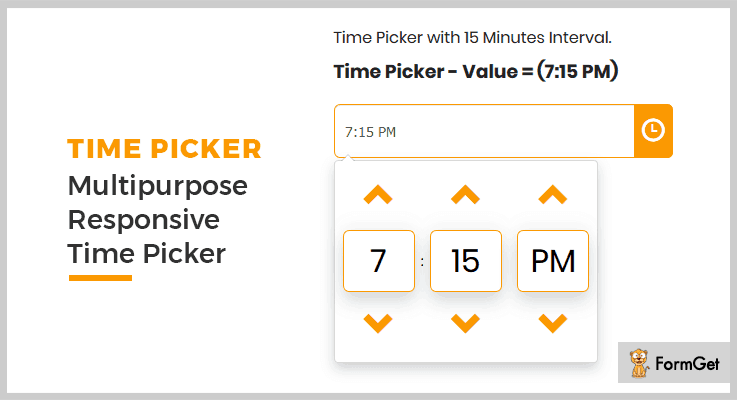
1. Time Picker – Multipurpose Responsive jQuery Plugin
Time Picker is a multipurpose jQuery plugin which can easily be integrated on websites as it offers documentation which has all the explanation and details. It supports different types of devices, browsers and provides multiple timepicking modes.
All these modes come with custom time options which helps you access time and date as per your websites and business needs.
Pricing:-
- This jQuery Timepicker plugin will cost you $6. It is easy to integrate on websites and comes loaded with an enormous amount of features.
- For the extended features and services of this plugin, you have to pay $60.
Features:-
- This is a responsive & mobile-friendly jQuery plugin which easily gets integrated with live websites.
- It provides 18 types of time picker options with different time mode and counters.
- 100% browser compatibility with latest browsers like IE10, IE11, Firefox, Safari, Opera, Chrome, Edge.
- You get various color customizations, dedicated support and step by step documentation with implementation instructions.
Click For Details On jQuery Timepicker Plugin
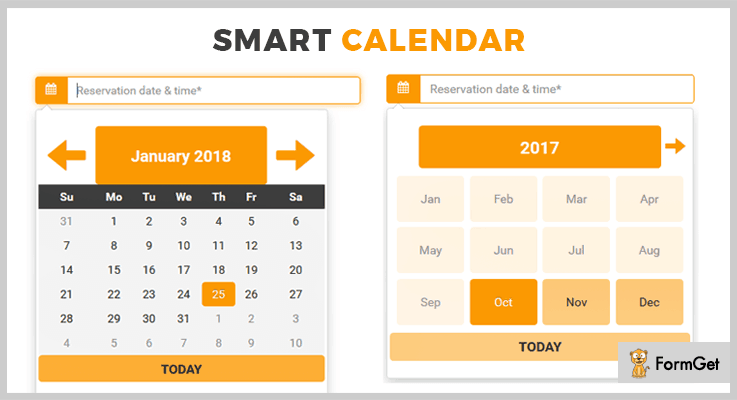
2. SmartCalendar – jQuery Timepicker Plugin
SmartCalendar is one of the best jQuery timepicker plugin as it is clean coded, website integration is simple, provides a well-documented demo with codes & examples.
Other than that, it offers multipurpose style, booking style, 24-hour format style, calendar style and more to pick a time from a website. It also provides options to pick date & time, plus datepicker separately.
Pricing:-
- The regular plan will cost you $6 which will include multiple features for time picker.
- The extended plan of this plugin will cost you $50 and it will include enhanced features.
Features:-
- Provides multilingual support as it includes 82 language files for calendar and 46 language files for time.
- This plugin works well on both bootstrap and non-bootstrap website.
- It is a multipurpose date and time picker which offers inline and dropdown options as well.
- With this jQuery plugin, you get custom color options, easy integration facility, and responsive layout which looks attractive on different devices.
Click For Details On jQuery Timepicker Plugin
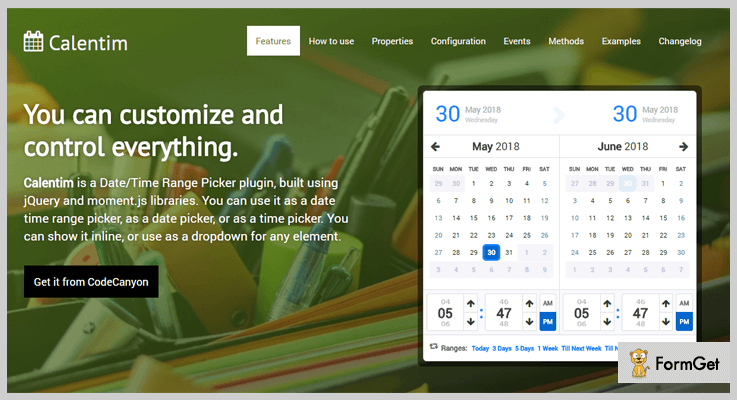
3. Calentim – Date Time Range Picker Plugin
With Calentim jQuery plugin, you get options to pick specific date/time or range of date/time. This is a responsive plugin which is built using jQuery and moment.js libraries.
It gives you multiple configuration options like start date, end date, date and time format, separator and more. In addition, you also get methods to enhance the date time picking functionality available on your website.
Pricing:-
- The first plan offered by this plugin will charge $12 for the time picker features and facilities.
- The second plan comes with extended features and services of this jQuery plugin at a cost of $50.
Features:-
- With this plugin, you get access to multiple time picker styles like dropdown, inline 3-calendars style, mobile portrait view, mobile landscape view, etc.
- It also permits you to hide or cover specific parts like the header, footer, etc.
- This plugin comes with a well-documented page which holds details related to the plugin usage, implementation, previews, codes along with examples.
- Supports a wide range of browsers and languages. Plus also includes Sass templates and grunt file in it.
Click For Details On jQuery Timepicker Plugin
4. jQuery Time Picker – Plugin
By using jQuery Time picker plugin, you can improve the appearance as well as the functioning of your web forms. It is easy to deploy and comes pre-equipped with various facilities like date/time format, background image option, color, and multiple other stylings.
You also get a proper documentation which has all the details along with the sample form and code details.
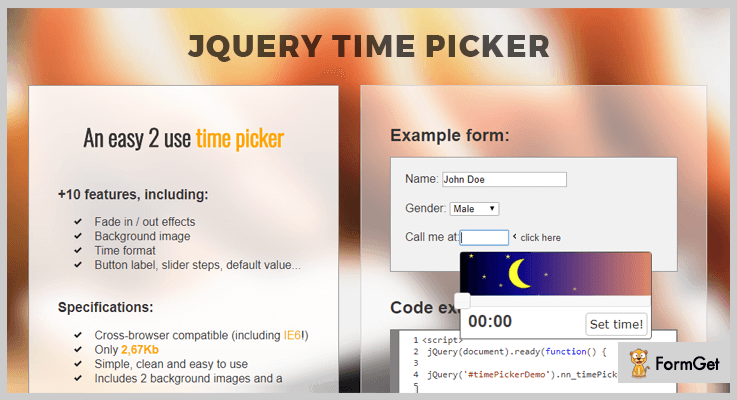
Pricing:-
- Regular license of this jQuery plugin is priced around $6.
- For the extended license of this plugin, you have to pay $30.
Features:-
- This plugin is super light and offers fast loading speed as its size is only 267 kb.
- Provides various effects like fade in/out, blind, clip, drop, explode, fold, etc.
- Both 12 and 24 hours time format is permitted with an hour and minute separator.
- It also provides options to add button label text and background image.
Click For Details On jQuery Timepicker Plugin
5. jQuery Simple Datetimepicker Plugin
jQuery Simple Datetimepicker is a totally free plugin which offers you multiple date and time picking functions and methods that can be applied on a live website with ease.
This plugin has the feature to automatically show and hide picker when it is needed. Plus, it also provides functions like onHide, onSHow and more.
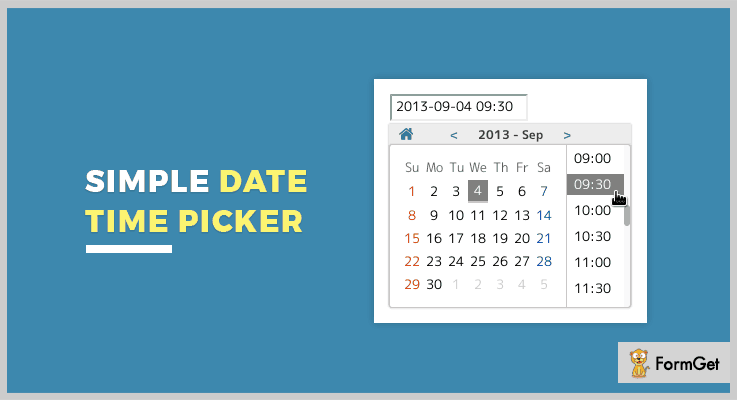
Pricing:-
- This is entirely free of cost jQuery plugin which can easily be downloaded from github.com. Even being a free plugin it offers multiple dates and time picker facilities.
Features:-
- You get multilingual support for more than 18 global languages with this plugin.
- It provides multiple dates and time options like inline, appends to input-field, current date, date format, etc.
- This is an easy to use & fully responsive jQuery plugin which supports various latest browsers.
- You can easily integrate this plugin on a website and allow users to select date and time in different formats.
Click For Details On jQuery Timepicker Plugin
6. jQuery DateTimePicker Plugin
DateTimePicker is a responsive jQuery plugin which provides multilingual and browser support as well. You can simply add datetimepicker, datepicker or timepicker dropdown on your website using this plugin.
It helps your users specify date and time on your website through touch, draggable, keyboard, mouse, etc.
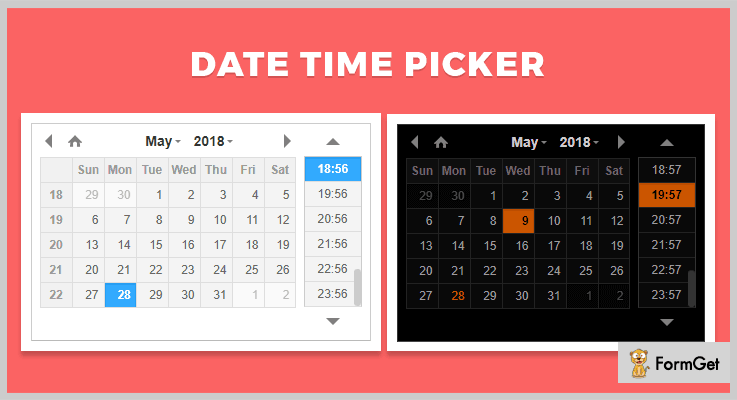
Pricing:-
- Another free jQuery plugin which comes pre-equipped with multiple timepicker features and facilities.
Features:-
- This jQuery plugin provides options to add Datetimepicker, Datepicker, Timepicker, allows you to highlight individual dates and more.
- It is super easy to use as you just have to include it in the page CSS and js files.
- Supports various latest browsers and offers a responsive design which looks great on mobile and tablets as well.
- It also provides a detailed documentation where you can find all the features well explained with all the essential information.
Click For Details On jQuery Timepicker Plugin
Conclusion
Now we are at the closure of this blog on jQuery timepicker plugins and I hope that must have got the best suitable plugin for your website. It is an important necessity to have a date or time picker on a website to collect bookings and other operations.
In case of any kind of doubts or queries, you can freely mention them in the comment section below. We will be happy to reply.
5 Best jQuery Overlay Plugins (Free and Paid)
jQuery overlay plugins allow you to add overlay cover with text, images, or a page loader on your website.
Everyone wants completely responsive and interactive websites. Awesome functionalities like pop-ups, sliders, animations, and overlays make your website look beautiful, even users also love to visit only those sites.
Mostly, overlays are used to notify your users about something important which you want your visitors to notice.
Moreover, they are generally used to create an animated page loader to inform your visitors that website is under processing and they’ll have to wait until the loading is done.
So, here we are reviewing some of the best jQuery Overlay plugins that will make the creation of overlay on your website a piece of cake.
The plugins we’ve listed here lets you add overlay pop-up, overlay page loaders, social media sharing icons overlay on images etc.
You may also like –
All the plugins are responsive, lightweight, and are compatible with all the major web-browsers. So, you will not find any difficulties while implementing these.
Let’s begin with the list of jQuery overlay plugins.
1. Mate Hover – jQuery Plugin
Mate Hover is a jQuery plugin to create image hover animations. It allows you to change the appearance of the pop-up elements. You can embed text, icons, social sharing buttons etc.
With this plugin, you can create a pop-up login form, a text overlay with more than thirty animation effects.
It offers multiple overlay styles such as classic, rolling (right, left, top, bottom) etc that looks beautiful on all screen sizes and devices.
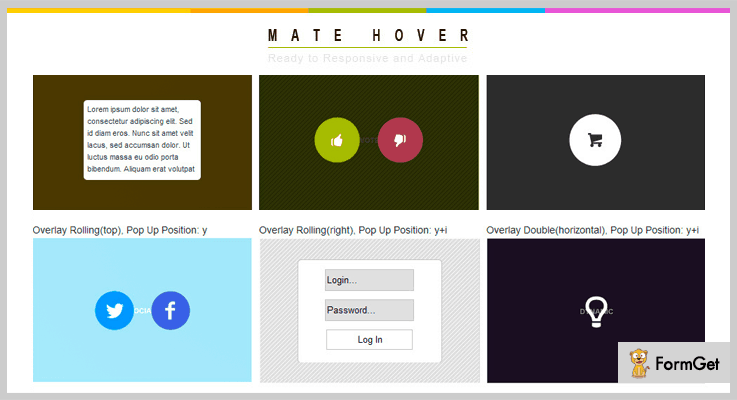
Price
Buy this jQuery plugin from the codecanyon.net at just $9.
Features
- It is a lightweight jQuery plugin. Min version of this plugin is of 8 kb only.
- You can on and off inherit padding.
- Multiple pop-up positions are also available.
- Fully customizable and simple to use the plugin.
- It is cross-browser compatible.
2. jQuery Object Overlay
jQuery Object Overlay plugin enables you to add an overlay to any element on your website. It is basically used to create an overlay with a page loader that informs your users that your website is currently processing.
The uniqueness of the plugin is that its ability to style the overlay or any text of your website.
Price
Download this plugin from the codecanyon.net at just $4.
Features
- The plugin is fully customizable, you can add your own CSS for further styling.
- You can add images as well as text to overlay.
- It gives you the option to create blur or grayscale background.
- The plugin also has the functionality to blur any element or make it colorless using latest CSS filters.
3. Social Image Hover for jQuery
Social Image Hover for jQuery lets you add smooth hover effects to your images and share them on Pinterest, Facebook, Google+, Reddit and more instantly.
With this plugin, you can allow your users to directly share images on social media from your website. It comes with a powerful wide site support which automatically covers all the images of your website.
Price
Buy this plugin from the codecanyon.net at just $9.
Features
- The plugin includes 8 image hover effects.
- It also offers two different light and dark overlay schemes.
- Provides full documentation and instructions.
- There is an optional close button that allows users to remove social hover.
4. jQuery Loading Overlay
jQuery Loading Overlay is a plugin that lets you create a loading overlay for your website. It is added in order to inform your visitors that your website is processing.
The plugin is fully customizable, you can control the animation of the loader such as size, position etc.
Price
Download this plugin for free from GitHub.com.
Features
- This plugin is compatible with Font Awesome.
- It can auto-resize according to its container.
- You can show a loading overlay on the whole page.
- No external CSS is required.
- It is compatible with almost all the browsers.
5. jQuery-plainOverlay
jQuery-plainOverlay allows you to add customizable overlay which covers the entire page. Also, it is a simple and easy to use a plugin that has no images files or additional CSS.
It is used when you want your visitors to wait until your application is ready. Further, you can style the overlay according to your choice that matches your website appearance.
Price
Get this jQuery overlay plugin for free from the GitHub.com.
Features
- The plugin supports CSS3 animations.
- It allows you to add different types of overlay animations.
- You can also add a full-screen overlay of the countdown timer.
- Compatible with all the major browsers.
- Fully customizable plugin.
Closure!
So, that was all on jQuery overlay plugins. We’ve covered both free as well as paid plugins. Premium plugins are recommended if you want advanced functionalities and customization options.
Furthermore, if you don’t wanna spend a single then, there are freemium jQuery overlay plugins also available on the list.
Hopefully, you’ve found the article informative. For further queries, kindly let us know in the comment section.
5+ Best 3D Slider jQuery Plugins (Free and Paid)

Today, we will talk about 3D slider jQuery plugins which you can use on your websites.
You must be wondering what these plugins will do?
Well, the answer is these plugins will help you in configuring images, reflections, text description, and in amazing 2D & 3D slide transitions. Further, these will also help in navigation controls like you can use the mouse-wheel, or keyword to navigate the slides.
In this blog, some plugins will provide you slide in 6 directions with animations and shadow effects, and some will help you in displaying transparent slide images, multiple sliders on a single site, etc.
Most of the plugins in this blog are lightweight, responsive that is screen independent and are compatible with most of the browsers.
Here, we have penned-down some of the best 3D slider jQuery plugins. You can choose any of them and embed the beautiful sliders on your website.
You may also be interested in reading these blogs:
1. CardSlider – Popular In 3D Card jQuery Plugins
CardSlider is a responsive jQuery slider plugin. It can make images into 3D card-style and animate them, all this will be done by use of CSS 3D transforms and animations.
It has a 5-star rating, which clears that this plugin is quite popular. Also, it has more than 200+ active installations.
Price –
You can buy this plugin at $10 with lifetime free updates and also its quality is checked by Envato.
Features –
- You can use the slider in 6 different styles with amazing shadow and animations.
- The CSS3 3D transforms work on all the modern browsers.
- It helps you in doing 3D card-style, hardware accelerated CSS 3D transforms & animations with the help of CSS3.
- This plugin also includes dark and light skins which can beautify your website.
2. Featured 3D Slider – Best In 3D Card jQuery Plugins
Featured 3D slider is one of the best plugins in the family of 3D card jQuery plugins. Also, it is very easy to integrate into your website.
With this plugin, you can even add the transparent slide images onto your sliders.
This plugin comes with well-documentation which helps you in understanding every aspect of its functionality. In fact, this plugin is also available with ready to use WordPress version – f3D WordPress plugin.

Price –
The price of this plugin is $9 and its quality is checked by Envato with lifetime free future updates.
Features –
- You can display slideshows, presentations, banner, ads rotators, portfolio galleries, photo and video galleries.
- In this plugin, you can apply 3D animation effect, dynamic reflections, shadows, 6 different color themes, and more.
- This plugin helps you in handling the navigation controls of the 3D sliders.
- Moreover, you can add multiple sliders on a single site, and with the unique set of options.
3. Motion Slider jQuery Plugin – Paid In 3D Card jQuery Plugins
Motion Slider jQuery plugin holds a lot of features like – animate images or text, simple and easy sliders, take control of the slider animation, and a lot more.
It plays smartly, for example – if you are working on other page leaving the video in standby mode, then the slider will sense it and automatically pauses the video. You can even add tons of browser prefixes to work on multiple browsers.

Price –
- Anyone can purchase this plugin at $15 with a regular license and a 6-month support from RonFeliciano.
- If you want to extend the support for 1 year then the price of this plugin will be $19.88.
Features –
- You can animate the CSS properties like border, background, opacity or display or visibility.
- This plugin allows you to animate the 2D and 3D properties like rotation, rotationX, scaleX, scaleY, x, rotationZ, z, and y.
- In fact, you can create the encrypted text effect with scramble text plugin, followed by a curved path with Bezier plugin or create physics-based effects with the Physics2D plugin.
- It works with all the major browsers including IOS and Android.
4. Cake Slider – Premium In 3D Slider jQuery Plugins
CakeSlider is a feature-packed plugin. This plugin will provide you an option of auto slideshow with an optional pause button. It is easy to implement and use.
CakeSlider is compatible with Firefox, Safari, Opera, Chrome, and Edge. It also supports CSS and JavaScript JS. This plugin also provides mouse swipe and easy navigation on the desktop.
Price –
- The amount for this plugin is $10 with six-month support and a regular license.
- And, if you want to extend this support for 12-months then the price changes to $13.
Features –
- You can adjust the height and width of thumbnails.
- In this plugin, you can add looping feature, circle timer, captions, bullets, prev and next buttons.
- It has 10 different and amazing slide transitions in 2D & 3D.
- This plugin is compatible with all the major browsers.
5. Carousel-3d – Free In 3D Slider jQuery Plugins
Carousel – 3D is a very amazing plugin. It is free to download and provides many features. With the help of this plugin, you can have many carousels with no effort.
This plugin comes with a lot of code examples which you can use to add the header and add CSS theme.
Price –
This plugin will cost you zero amount as it is available free of cost and can be downloaded for free from GitHub.
Features –
- This plugin supports IE8, Chrome, Safari, Firefox, Opera, iOS-Safari, and Android-browser.
- It works not only with all images but any HTML elements as a child.
- You can create items in <div data-carousel-3d></div> tag, then all the items on the list will be arranged in 3D position.
6. Slicebox – Free In 3D Slider jQuery Plugins
Slicebox helps the person in adding 3D image slider. This plugin comes with all the code examples and a perfect demo.
It allows you to use a simple slider in case the browser does not support 3D transforms. Also, this plugin is responsive and compatible with all the browsers.
Price –
This plugin cost you no amount as it is freely available on GitHub.com, from where you can download it.
Features –
- It uses the CSS 3D transforms to provide your website more attractive look.
- This plugin provides 3D transforms properties and different kind of animation effects.
- Slicebox comes with a set of options that you can adjust for various types of effects like – vertical transition, horizontal or random transitions.
- You can easily add the div to add any kind of description for the respective image.
Conclusion –
Add animation effects, 2D & 3D transitions, slide transitions, and a lot more by using these 3D slider jQuery plugins.
We hope you have found your best choice according to your personal preferences and websites requirement.
Don’t forget to share your experience with your words in our comment section!
5+ News Ticker jQuery Plugins 2022 (Free and Paid)

Can you recall where have you seen News tickers?
Need help? Actually, they are continuously scrolling at the bottom of almost every news networks to highlight breaking news, daily trends, Sensex, gold rate etc.
Now imagine if you too can have this option on your website.
Why? Well, if I tell you the core advantage in simple words, you can hold on your website viewers for a much much longer time. As they can be updated while staying active on the same website, hence the chances of switching to another site are negligible.
And an obvious, yet an important reason to mention is – How lively your website would become!
The good news is, you can have this feature on your website with News Ticker jQuery plugins. Because with them, you are free to display different HTML content in your webpage as a continuous ticker. For example, highlight special deals, popular brands, news, testimonials etc. with various configuration options.
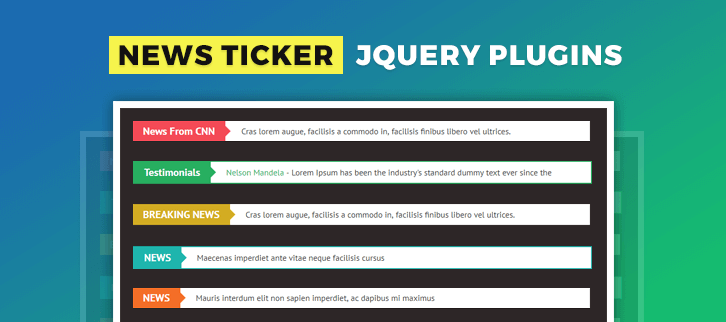
Following plugins will add with these important features to your site. Eg. Multiple tickers in a single page, RTL support for multiple languages, update the changing status of the content etc.
Moreover, you can add text, HTML and image content in the ticker of your webpage. All of these tickers are highly customizable according to the website need.
Few more worth reading blogs
1. BWL Sticky Animated News Ticker
BWL News Ticker plugin is a lightweight and easily installable plugin to add breaking news and RSS feed jQuery feeds to your website.
The plugin comes with 10 colorful themes (and you can create your own version as well) along with 15 animation choices to provide an absolute unique layout for the user. You also get 3 positioning options – sticky header, sticky footer, and inline ticker.
Well commented jQuery and validated HTML markup allows easy build-up and customization of plugin according to the website need.
The plugin allows using a variety of fonts from Google Font and icons from Font Awesome for your content.
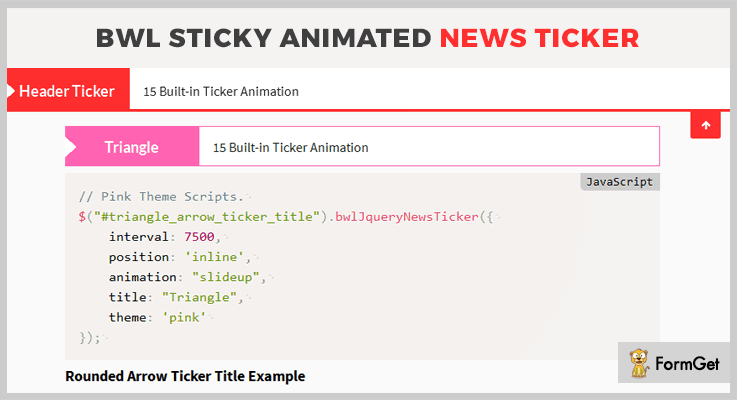
Pricing Plan
Avail this plugin for your website at $15 only with 6 months support. And extend this support at $4.88 for 1 year.
Features
- The plugin allows to add up multiple news tickers on a single page
- This RTL enabled ticker will facilitate the ticker in the Arabic language as well.
- It allows you to add up RSS/ATOM feeds as well for your ticker.
- The plugin provides easy navigation with next and previous buttons to switch, show/hide ticker option and stop news scroll on mouse hover.
2. liMarquee
liMarquee jquery plugin allows you to add text, HTML as well as image content (brand logos)in the ticker of your webpage. These content can be stored in 3 separate tabs.
You can also have multiple HTML tickers, sliding on the same page in different directions.
Further, the additional languages supported by this plugin for the displayed content are Hindi, Arabic, and Chinese.
It provides 2 options for dragging the content, either by mouse or by touch event (for the mobile device)
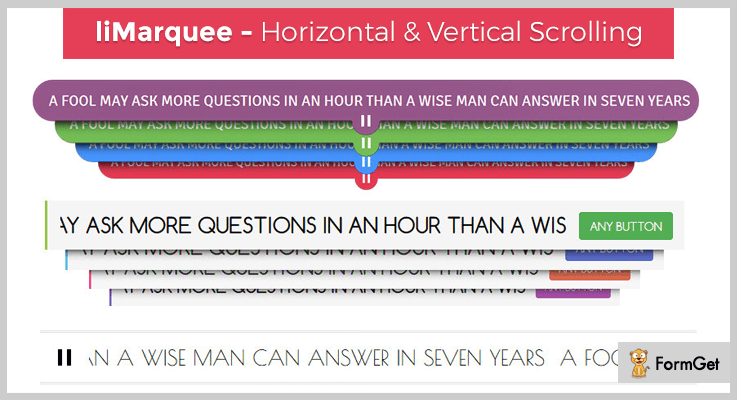
Pricing Plan
Get this feature rich plugin for your website at just $10 with 6 months support. Extend the support to 12 months at $3
Features
- The plugin comes with 7 custom templates with different layouts for tickers with a variety of options. For eg. pause/play button at left/right/top/bottom side of the ticker, different fonts styles for the text etc.
- With data attribute parameter you can even slide the content in left to right direction.
- Using Ajax you can update the changing status of the content after a specified time (say 3 sec). This is very important for various fields like Sensex, gold rates etc.
- The customization is applicable to every small element, eg. pause or stop on hover, delay start etc.
3. Breaking News Ticker
With its high grossing sales across the world, Breaking News Ticker allows you to add various kinds of ticker on the website. Few examples are – CNN news, testimonials, bulletins, breaking news etc.
Further, it lets you display these tickers with distinguishing options like scroll up/down. This has been the simplest plugin to use so far, containing all the current characteristics required for your website.
The responsive feature of this plugin is an add-on and therefore, is used widely for all devices.
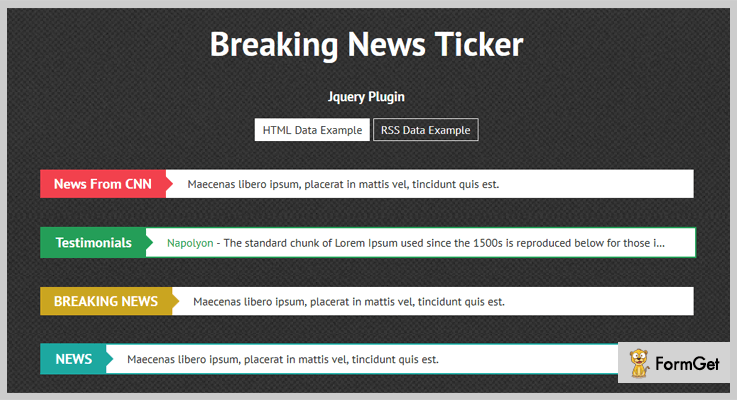
Pricing Plan
Add this popular plugin to your website only at $5.
Features
- The plugin has also enabled multiple RSS feeds in the ticker, in addition to the above-mentioned list of contents.
- It is inbuilt with 11 different colors so that every single ticker can be assigned a unique color.
- Also, the plugin provides next and previous buttons at the end of the ticker.
- For handling such multiple tickers with a variable format, this plugin gives easy customization options for speed, direction, dimension etc.
4. JNewsbar – jQuery Floating News Ticker Bar
This plugin comes first on the list when you are searching a floating (in addition to fixed) ticker for your website.
It comes with 3 powerful default animation effects (slide up, slide down and fade) to enhance the visual effect of your website.
However, having dual ticker options still makes it an easy-to-integrate plugin with your website with high efficiency.
The plugin comes with 4 default skin for background and themes to make the overall layout more appealing. You can also create it with your own choice.
For further assistance, this plugin provides you with a detailed documentation.
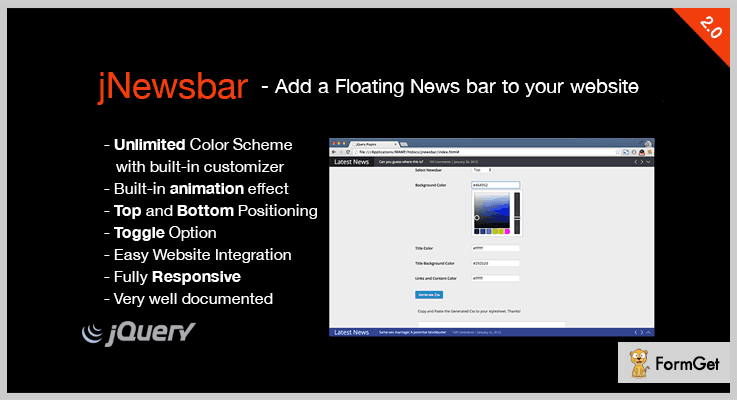
Pricing Plan
You can have this amazing plugin for your website at just $3 with 6 months support. To extend the support for 12 months spend only $0.38 extra.
Features
- JNewsbar lets you add two news bar on the same page at distant positions (top and bottom).
- The tickers adjust automatically on the screen on window/browser resizing, which makes it perfectly responsive on any device.
- Further to add more the plugin provides unlimited color scheme with the built-in customizer.
- The plugin is absolutely compatible with IE7+, Firefox, Opera and many more.
5. jQuery Advanced News Ticker
This animated vertical news ticker plugin stands out among other News Ticker plugins. Both in terms of usage and their complex descriptions.
Bundled with numerous easy and single line examples, the plugin lets you get a hold on its usage real quick. This plugin provides various customization options for the vertical scrolling tickers to make it even more impressive.
It is a lightweight and optimized plugin that gives high performance for your website.
Further, various Callback and methods provide high flexibility, as you can set the parameters absolutely of your choice.
Pricing Plan
Take away. Get this plugin for free.
Features
- It allows you to set the number of rows that will be displayed at the same time. Also, the height of the rows can also be customized.
- You can define the animation speed in milliseconds for the moving rows (both up and down direction).
- Also, the duration at which a row automatically slides can be specified with this plugin.
- The various buttons provided to control the motion of tickers are – stop, start, next, previous.
6. jQuery News Ticker
InSpired from BB News website ticker, jQuery News Ticker is an extremely easy-to-use plugin. Integration of this lightweight plugin commits maximum performance of your website with high loading speed.
Pricing Plan
You can get this plugin without spending a penny. Absolutely Free!
Features
- This plugin also allows loading content of RSS feeds in the ticker with the help of Ajax.
- It has a great performance with most used browsers such as Chrome, Opera, IE6+, Firefox 3.6+ etc.
- You can also add feeds from a different domain with JSON proxy.
Conclusion
The above-mentioned feature rich News ticker jQuery plugins will give you the exact functionality you have been searching for. Just go through them once and you will be certain about using anyone from them for your website.
Post your valuable suggestions and queries in the below section.
Thanks and regards!
4 Fullscreen Slideshow jQuery Plugins (Free and Paid)

The websites with fullscreen image background literally look super cool and also put a great impression on your site visitor. So, think what if these fullscreen background images form a slideshow or there is a video in the background, it’s much like a cherry on the top.
I personally recommend you to be a show-off. Showcase beautifully your products, adventurous images, and other interesting pictures in a full-width slideshow. Because it really looks amazing.
Coming to the point, if you want it to be fully automated that means no hand-coding, then this is possible via fullscreen slideshow jQuery plugins.
These plugins help you built a highly professional website interface. The numerous functionalities of the plugin will let you include cross-browser compatibility, responsiveness, auto-delay and much more to your site easily.
Both the professional as well as personal websites such as business, fashion style, architecture, beauty etc., can easily enhance the overall look by including this add-on.
In this blog, we’ve enlisted the top 4 fullscreen slideshow jQuery plugins (free and paid). Scroll through our list and find out which one can work best for your site.
Tip- Make sure to make it to the end the free listing is also of great relevance. So, don’t miss it.
Have a look at these popular WordPress blog listings-
Add hover effects on the images & make them lok more appealing.
With the help of these plugins, you can offer filtering & sorting interface for your site visitors.
Present the images of your website in a 360 degrees angle with a panorama view.
1. mightySlider – jQuery Database Plugins
mightySlider is a premium jQuery plugin with 2000+ active users and a 4.4 stars rating. It helps you create an advanced single-directional slideshow. It also supports item based navigation. You can make use of this plugin to build simple image slider, gallery, content slider, banner rotator, carousel and even video gallery.
Moreover, it is a robust and developer friendly API that provides powerful methods for full control over almost everything.
Pricing Plan:
The mightySlider plugin has two cost estimate plans.
- Regular licensed plan – $16
- Extended license plan- $80
Features:
- Beautifully animated HTML captions with highly customizable effects.
- This plugin is customized to a much higher extent for the Search engine (SEO).
- Unlimited slides, caption layers & caption effects.
- Extremely smart lazy loading feature which loads nearby images in the background. So the visitor need not worry or to wait images became available instantly.
2. FullScreen Background Slider – jQuery Database Plugins
FullScreen Background Slider jQuery plugin uses the latest CSS3 transitions to display a fullwidth gallery background slideshow. This plugin consists around 36 animation types and 20+ patterns.
Furthermore, it is a modern tool which supports image preloading. Also, the plugin is 100% responsive in all manners and mobile-friendly.
Pricing Plan:
It has a regular license plan of $10 and an extended one at $50 only.
Features:
- The plugin has 20 pre-designed patterns.
- This plugin has a detailed documentation to make full use of the plugin functionality and features.
- It contains very lightweight jQuery files and cleanly coded to reach maximum customization.
- The optional image text over the pictures supports 650+ Google font styles.
3. Resizable FullScreen Gallery – jQuery Database Plugins
Display your photography or other skills via a slideshow on your website. Resizable FullScreen Gallery has features available to easily achieve your goal while enhancing the functionality by auto-set slideshow delays. This plugin will help you resize the large images effectively as well as set a redirect hyperlink.
In addition, this theme also supports the swipe gesture on mobile phones.

Pricing Plan:
Grab the Resizable FullScreen Gallery plugin at just $8 for a regular license plan and $40 for an extended plan.
Features:
- It has options available like auto delay slideshow & paused the image sliding when user hover on the image.
- This plugin has very basic functionality no additional files included. Which make it extremely lightweight.
- Also, it supports major browsers such as IE7, IE8, IE9, Firefox, Safari, Opera & Chrome.
- Resizeable options to resize the fullscreen images.
4. MaxImage – jQuery Database Plugins
MaxImage is a jQuery slideshow plugin for full-screen background images. It is the first plugin which uses the jQuery Cycle plugin. These cycle plugins will automatically empower it to use the jQuery cycle functions, methods, transitions etc.
Moreover, this easy to use plugin will handle the overall slideshow functionality and additionally gives you full control for styling.
Pricing Plan:
MaxImage is a completely free product of GitHub. Also, you can download it from its official website.
Features:
- It makes use of the jQuery Cycle plugin for utilizing the options and handling the control from the Cycle.
- Also, it detects every user browsers abilities and accordingly uses the slideshow functionalities such as- CSS transitions and animations.
- This plugin has the ability to make anything like-images, HTML5/Youtube videos fullscreen.
- A cleanly coded and well-commented developer friendly plugin.
Conclusion:
Consequently, this was our take on the domain fullscreen slideshow jQuery plugins. If you are aware of another worthy plugin which is more useful, please do share the same with us in the comment section below, we would really love to hear your feedback.
Thanks for reading!
5+ jQuery Banner Rotator Plugins (Free and Paid)

“jQuery banner rotator plugins let you create beautiful banners of images with eye-popping animations and effects.”
Responsive and interactive websites are likely more powerful in engaging the users to a great extent!
Websites with good content, images, and graphics are not enough. To make it more pleasant, one should use sliders, banners, galleries along with different effects and animations.
You might be searching for
So, here we are providing the list of the best jQuery banner rotator plugins that lets you add banners, a slideshow of images.
Moreover, these plugins contain lots of features like 3D effects, custom transition effects like fade, push, slide in and out etc.
Consequently, it’ll make your website look more beautiful and engaging.
Let’s dig into the list and discover the latest jQuery banner rotator plugins for your website
1. jQuery Banner Rotator
jQuery Banner Rotator is a plugin that lets you add beautiful banners on your website with amazing transition effects. You can add an unlimited number of images along with custom text description and hyperlink.
The banner rotator is configurable and re-sizable. So, you can customize the banner in that goes well with your website’s theme.
Price
This plugin is available at $11 on codecanyon.net.
Features
- You can show or hide components like play/pause button, a directional button, tooltip, and text panel etc.
- It allows you to add images and links in the HTML text description box.
- The control panel and text description panel can set at different locations.
- You can set description text to appear on mouse hover.
- There are multiple transition effects are available. You can set different effects per slide.
2. ZoomShowcase – A jQuery Banner Rotator
ZoomShowcase is a unique jQuery banner which gives a beautiful look to your website. This banner rotator plugin comes with several customization options that can be tweaked easily. It only supports 3 slides.
It gives you the facility to link the entire slide or just the text. Furthermore, you can also create as many text slogans on the slide as you want.

Price
This jQuery plugin cost you a one -time amount of $5 only.
Features
- It is compatible with all the major browsers such as Chrome, Safari, Firefox, IE7 to IE11 etc.
- You can adjust the animation speed and easing type.
- It uses @font-face for the font and CSS3 for the shadow effects.
- You can also adjust the opacity of the side banner items.
3. ZoomFlow – Banner Rotator / Teaser
ZoomFlow is an interactive banner rotator to showcase portfolio on your website. It is an advanced and responsive jQuery plugin.
It uses HTML5 techniques in a gallery which delivers the never seen before experience to your clients. The gallery uses cutting-edge CSS3 technology to render awesome 3D effects.
Price
This plugin cost you $8 on purchasing it from the codecanyon.net.
Features
- The plugin also supports slideshow mode. So, you can display images in a beautiful slideshow.
- It is completely responsive and looks good on mobile and HD screens as well.
- Mobile operating systems like iOS and Android works great with this gallery.
- It comes with full documentation. Hence, it is easy to use and install.
- This plugin is compatible with all major browsers like Chrome, Safari, Opera, Firefox, IE7 to IE10.
4. Translucent – Responsive Banner Rotator / Slider
Translucent jQuery banner rotator plugin allows you to add a beautiful banner of images with different transition and animation effects.
It is perfect for a website’s homepage slider or an image viewer. The plugin provides 8 example variations of the banner with a source package.
Price
Download this plugin at $12 from the codecanyon.net.
Features
- It supports swipe touch navigation functionality on Android and iOS tablets.
- Four different transition effects to choose from: Move, Fade, Slide-in, and Slide out.
- You can manually set the transition speed as per your choice.
- It also provides you the option to add blur effect captions on each image of the banner.
- The plugin supports responsive and fluid layouts.
5. Rotator.js
It is a banner rotator plugin purely based on jQuery. It takes the elements of the page and allow them to rotate and adds transition effects between them.
This plugin is packed with extensive features and functionality. It provides full documentation. So, it is very easy to use and install.
Price
Get this plugin for free from the GitHub.com.
Features
- It is flexible enough to use as a rotator, gallery or slideshow of the images.
- You can add a new transition or overwrite the existing effects.
- It also generates navigation switch between slides.
- The plugin provides extreme configuration options. So, you don’t need to modify the core code for any changes.
6. Advanced List Rotator
Advanced List Rotator is a freemium jQuery plugin that allows rotating the list items at certain intervals with beautiful effects. It is a perfect plugin to create galleries, banners, table sheets and so on.

Price
Grab this plugin for free from the GitHub.com
Features
- It is easy to use.
- The plugin offers lots of customization.
- Multiple transition effects to rotate the elements of the webpage.
Conclusion
Well, the above listed are the best jQuery banner rotator plugins. All the mentioned plugins offer great functionalities which enhances the user experience of your website. So, if you also wanna try the banner rotator for your website. Then, there is no better option than these plugins.
We’ve collected both free and paid plugins. So, pick the one which satisfies your requirements.
Thanks!
4 Best jQuery Search Filter Plugins (Free and Paid)

“Offer filtering and sorting interface to your website visitors by integrating jQuery search filter plugins”.
If your website has huge datasets then search filters let your potential clients to know exactly what they’re looking for.
Do you know 30% of visitors use the search filter to navigate websites for finding their particular needs and interests. Websites that don’t have search filters or offer a lacklustre filtering are likely to lose these 30% of visitors for sure.
Therefore, if you want to offer a reasonably good filtering experience to your website visitors then you should integrate these jQuery search filter plugins.
These plugins can be used to manage the placement, paging and organization of your website template. You can also use them for managing list views e.g. for a portfolio, FAQs & product page of any ecommerce website.
Some of these plugins also do auto search and display results in a real time to your visitors.
Therefore, to help you out, we are sharing the list of 4 Best jQuery Search Filter Plugins (Free and Paid) that allow users to browse, filter and evaluate your website elements.
Check out!
Swift through more jQuery plugins!
1. Swift Filter – jQuery Content Filter
It is a jQuery search filter plugin that can create custom search fields for your website. Visitors can use these fields to filter and search your website content.
The plugin provides the great solution to filter content on any kind of website. You can allow the visitors to search content in FAQs, portfolio and product pages of your website.
Also you can create complex search with connected search fields, numeric search (>, <, >=, <=, BETWEEN), or simple IN/NOT_IN search fields.
Features
- You can add unlimited number of separate or connected custom filters in your website template.
- The plugin allows to use any HTML input (radio, text, checkbox) or select elements as filter.
- With this plugin you can customize your search fields with simple javascript initialization or with data attributes.
Pricing
The regular license of Swift Filter will cost you $10 for all the advanced features. It charges $50 for the extended license of this plugin.
2. UniFilter – Multipurpose jQuery Plugin for Filtering, Sorting & Searching
Through this plugin you can create filters, range sliders, sort & search boxes together as well as they can also be used separately. Like, you can add a single search box for a gallery and add 6 filters for your online products shop.
The plugin is great to go with any kind of lists where you need to perform sorting or filtering. It is a perfect solution for galleries, online shops and portfolios of your website.
It comes with four CSS3 animation effects for styling your portfolios. The plugin is also compatible with Masonry jQuery plugin, allowing you to create a grid layout by placing images in optimal position based on available vertical space.
Features
- The plugin offers the flexibility to the visitors for searching by one or few words.
- It also supports multiple range select boxes by which you can create a select box with various selection.
- Multilevel filtering option can also be added on your website by this plugin.
Pricing
Buy the regular license of UniFilter at $10 with 6 months support from flGravity.
3. Javascript Auto Suggest Search
It is a JavaScript based auto suggest search plugin that offers results in real time i.e. displays the result as you type.
The plugin is well documented and can be easily integrated with HTML or PHP pages. You can also add style css code with your website stylesheet.
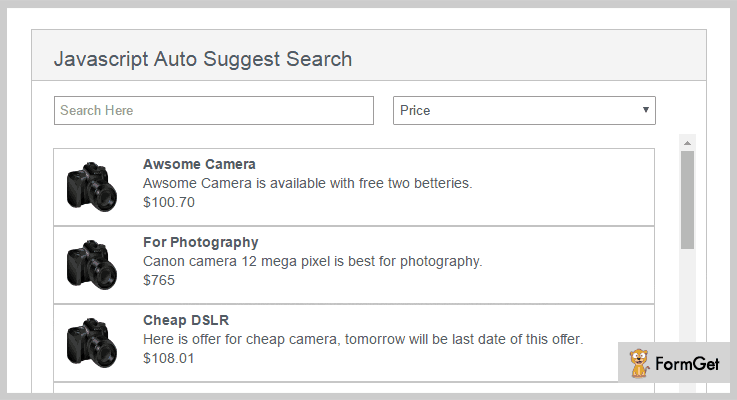
Features
- The plugin allows to search the content by its “Type”.
- As it is Javascript based therefore there is no page reloads.
- It comes with clean code.
Pricing
You can grab this plugin at $3.
4. Jquery Searchable Plugin – Free jQuery Search Filter Plugin
It is a freemium and lightweight plugin having only ~1kB minified and gzipped. The plugin lets your visitors to search through elements as they type.
jQuery searchable plugin supports multiple search types like fuzzy matching, strict (case sensitive) matching and case insensitive matching.
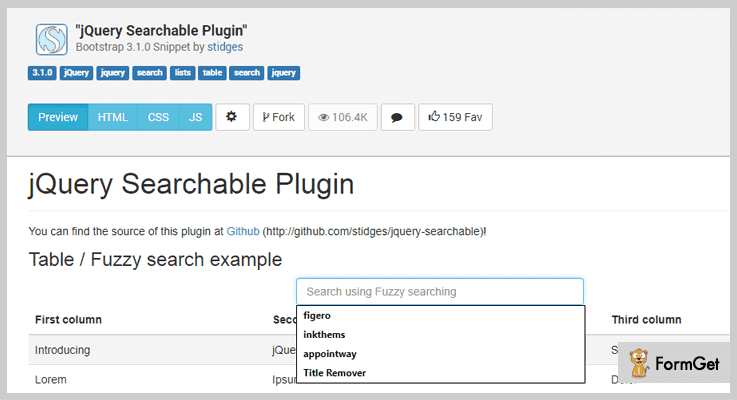
Features
- It is well optimized for lagless and fast searching.
- The plugin supports automatic row striping so that you can set CSS for odd and even rows of a table, it also updates them while searching.
- You can also define custom functions for showing and hiding the elements while searching.
Pricing
It is a free plugin from GitHub.
Wrapping It Up!
If you want to add filtering & sorting tool to your website then installing jQuery Search Filter plugins is the way to go.
Search filters improve the user experience. They don’t need to navigate overly broad content to get access to their interested data.
Check out the live demo of each of the above listed plugin and pick the best suite for your website!
Used any of these jQuery search filter plugins? Which is the best? Do let us know in the comments.
Happy trails to you!

