
“jQuery Checkbox Plugins revamp the obsolete checkboxes of your website into a modern outlook!”
Checkboxes are the tick boxes that allow the users to make a choice between mutually exclusive options on your website.
If you want to add checkbox field to your website or style the checkbox buttons then you should integrate these plugins.
Some of these plugins also let you style the radio buttons too, beautifully.
There are plethora of checkbox plugins available in the market thus to help you out we are representing a list of 5 best free jQuery checkbox plugins which are easy to integrate.
Check out!
Swift through more jQuery plugins:
1. prettyCheckable – jQuery Checkbox Plugins
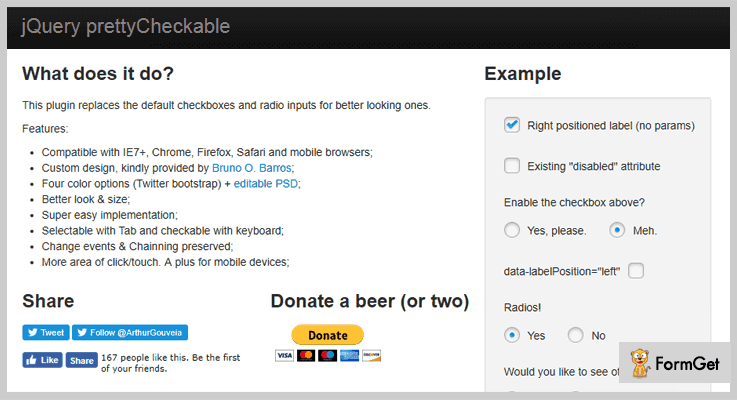
prettyCheckable jQuery plugin replaces the traditional checkboxes and radio buttons to the modern looking ones. The plugin comes with a clean code. So that you won’t find any difficulties while implementing it.
The plugin also allows you to create your own customized checkboxes. All you have to do is download the prettyCheckable PSD file and add your own custom CSS for further modifications.
Features
- It has clean and beautiful interface.
- The plugin is compatible with IE7+, Chrome, Firefox, Safari and mobile browsers.
- You will get four color options for providing the best outlook to your website.
- It is well documented therefore implementation of this plugin is super easy.
Pricing
Click the below button to get this plugin for free.
2. iCheck Plugin – jQuery Checkbox Plugins
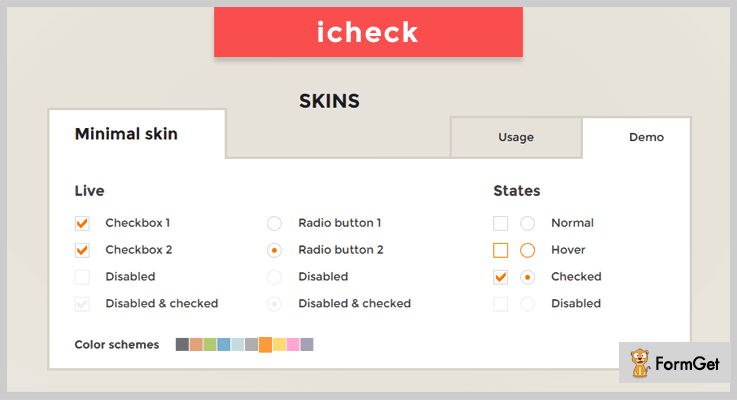
It is a highly customizable plugin to create checkboxes and radio buttons for jQuery and Zepto. As it uses Zepto, the plugin works well with all the modern browsers.
You will get 11 callbacks with this plugin so that it becomes easy for you to handle changes. These are powerful to use and provide great benefits to your website.
You can also do changes programmatically as it comes with 9 methods. These jQuery event methods can be triggered to handle events.
Features
- The plugin is verified to work with Internet Explorer 6+, Opera 9+, Firefox 2+, Google Chrome and Safari browsers. It also supports mobile browsers like Opera mini, Chrome mobile, Safari mobile, Android browser and Silk. The plugin is well tested on iOS (iPad, iPhone, iPod), BlackBerry, Android and Windows Phone devices.
- It is lightweighted having the size of 1 kb gzipped.
- You will get complete customization freedom by HTML and CSS.
Pricing
It is a free plugin by GitHub.
3. Checkboxes.js – jQuery Checkbox Plugins
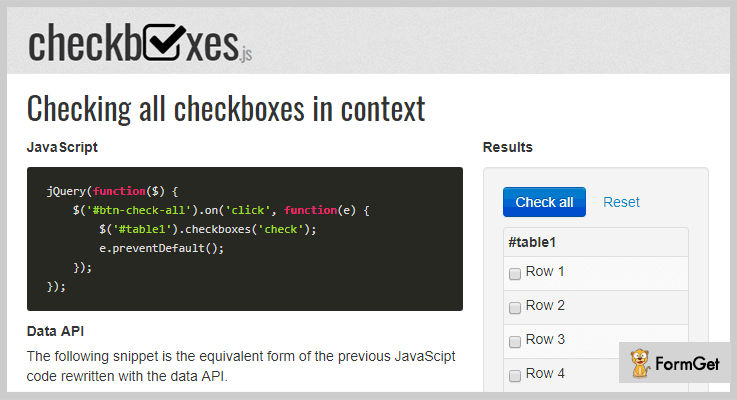
It is a jquery plugin that gives you various controls over checkboxes. You will get Javascript and Data API for checking, unchecking and toggling all the checkboxes in the context.
With the help of this plugin you can enable range selection and limit the number of checked checkboxes in a context.
Features
- The plugin uses Data API like Twitter Bootstrap.
- You will get the option to reset the checkboxes to their previous state.
- The plugin works carefully with any selectors.
Pricing
Get this plugin for free from GitHub.
4. Deep Checkbox – jQuery Checkbox Plugins
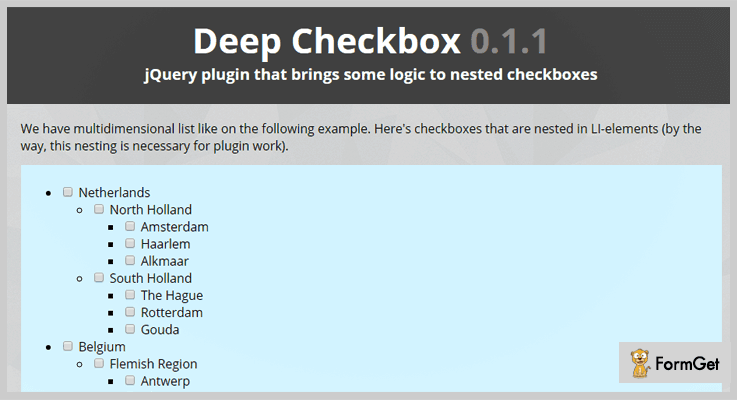
This plugin is designed to work with nested checkboxes having multidimensional list. Nesting is the necessary framework for this plugin to work.
The child checkboxes have inherited parent checkboxes property. When you will check or uncheck the parent checkbox, child checkboxes are automatically check/uncheck as well.
Users are also able to select/deselect the specific items. The plugin can tell the selected items in the complex tree hierarchy and their position in the branches.
Features
- The multiple checkboxes are arranged in LI-elements (list form).
- You will get the collection of callback functions with this plugin.
- It uses data-id and data-name attributes in checkboxes.
Pricing
Buy this plugin for free from GitHub.
5. Checkboxradio – jQuery Checkbox Plugins
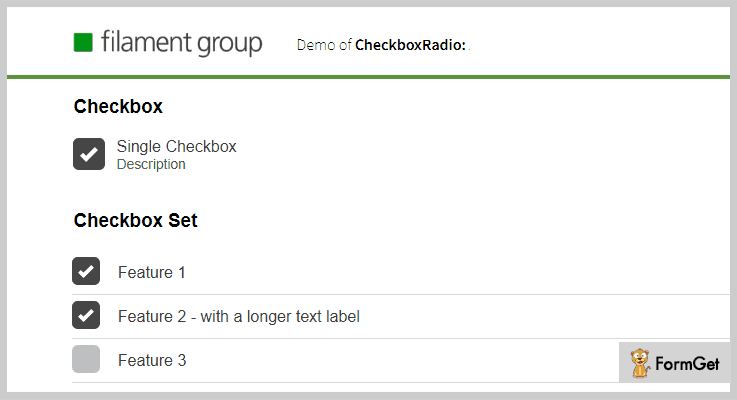
It is a jQuery or Shoestring plugin designed for enhanced radio buttons and checkboxes.This plugin lets you to swiftly create checkboxes for multiple categories. You can use it for creating single checkbox, radio set, checkbox set and radio strip.
Features
- It is a lightweight jQuery Checkbox Plugin.
- You can download both the product and download version of this plugin.
- The plugin comes with demo to check its working.
Pricing
It is a free plugin from GitHub.
Wrapping It Up!
Installing these checkbox plugins will provide you visually stunning checkboxes to your website.
Go through the live demo of each of the above listed jQuery Checkbox Plugins and pick the most suitable for your website!
Have you tried any of these checkbox plugins? Share your thoughts in the comments below!
4+ Premium jQuery Timeline Plugins 2022
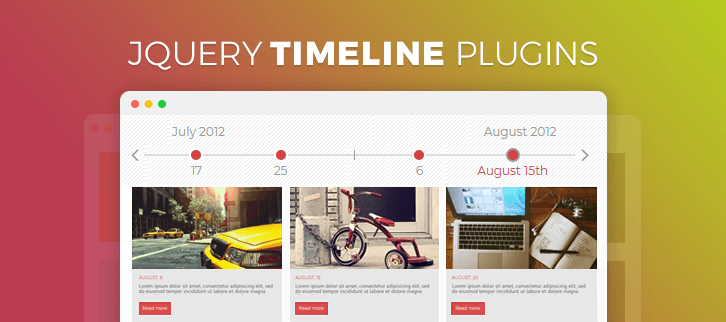
The overnight growth in the popularity of Facebook after introducing timeline in the users account left everybody awestruck.
For those who still haven’t heard the term Timeline, here is the key –
The timeline displays order of events in a progressive manner. The process of creating a timeline is even more simple.
You can mark the dates along with its events on a long bar and you are done.
Having the timeline on any website makes a huge difference.
As a user prefers to choose a website where the content can be understood just by giving a glance. That too if it is organized according to the time of their occurrence.
You have no idea how much this simple and systematic representation attracts a visitor!
It’s more like a story that you create for the viewers on the homepage.
Now it’s sure shot success for every website made people Google about how do I get timeline feature for my website?
And all the genuine answers pointed to – jQuery Timeline Plugins
The purpose of discussing these premium jQuery timeline plugins is that you get a tool with maximum features enabled in it for your websites. For eg. You can add unlimited elements on the timeline, fetch contents from multiple social media networks to use in the timeline, various animations and for the timeline styles.
Also, there are various customization and control options to have the timeline of absolutely your choice.
Do take a look at these following trending jQuery plugin blogs as well-
1. Content Timeline
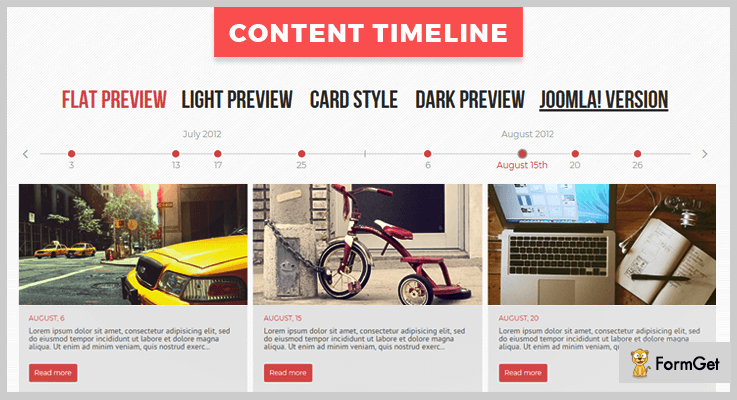
The plugin allows displaying the content of your timeline in the form of sliders. The content could be video clips, images, gifs, flash animations etc.
The timeline added to the content will further control the posts in the slide, like positioning the contents according to dates etc.
Further, for lengthy posts, “read more” button can be added to the description field.
A single node of the timeline can hold more than one content. Whereas, these contents can be grouped together in a shadow.
This plugin also gives various eye-catching layouts for the timeline like blog style, portfolio style, card style, light, dark preview etc.
Pricing
Content Timeline is available at an unbelievable low rate of $26 and 6 months support. Get an extension to this support for 12 months at $9 only.
Features
- The 11 customizing setting gives a different structure to the timeline altogether. Change the background and color of the post, give only images in the slide, hide/show the date on the post etc. are few to mention here.
- The power-packed plugin further includes 5 class events and 7 script control methods.
- You can also control what all elements you want to hide. For eg. hide timeline or display timeline without years and months, hide controls etc.
- It lets you add unlimited items on the 30 content slots on left and 30 on the right of the timeline, which can be activated as per requirement.
- Also, this plugin enables various easing effects on the timeline to add more animation.
2. jQuery Social Timeline
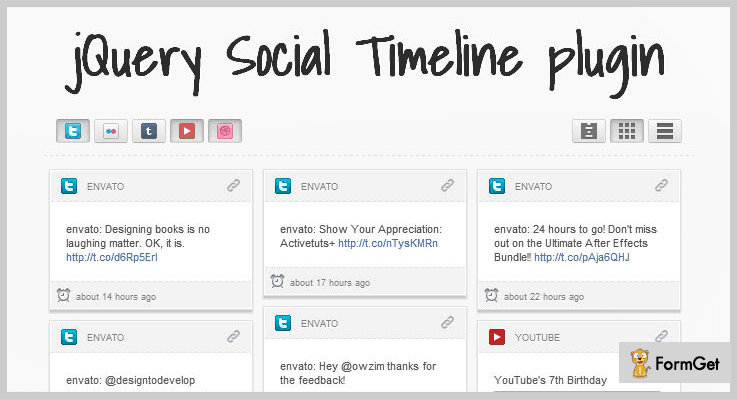
With this plugin, you can retrieve various posts/status and media content from social accounts of different social networks to add up to the timeline in the newest to oldest sequence.
Twitter, Facebook, Youtube, Delicious, Flickr, Pinterest, Tumblr, Instagram, Google+ and more are the sources.
Retrieve the content via various ways like page ID, username etc. For eg. retrieve youtube videos using search keywords, and for tweets you hashtag.
Further, you can scan and prevent inappropriate content to be used on the timeline with the help of social filter tool.
Pricing
Add this plugin to your website at $7 along with 6 months support. You can also extend the support to 1 year at $1.88
Features
- You can set a limit for the retrieved feeds from social media as per your choice.
- It provides multiple display type options such as timeline, full width, one column etc.
- With various controls provided, you can hide the social icons, apply light/dark skin to the timeline etc.
- Options like retweet, reply, like and share button on almost every post makes it user interactive.
- Showing the social icons on the header is optional with this plugin.
3. JSON Slider, Carousel & Timeline
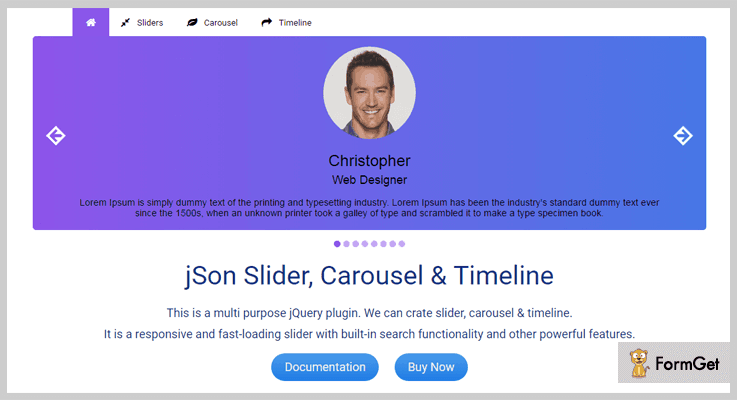
This plugin offers multiple features for your website in addition to the timeline. You can create image and movie carousel and image and video sliders as well.
In this way, you get multiple options to display the content on your website with much more transitions and effects from CSS and jQuery animation.
Moreover, you can display the content in the slides using thumbnails, bullets or HTML form.
The multipurpose plugin is 100% responsive for every kind of device.
Pricing
Get this all in one plugin at the most reasonable price of $13 with 6 months support. Further, extend this support at $4.13 for 12 months.
Features
- The plugin includes 3 main js files each for timeline, slider, carousel. Eg. json-timeline.js for Timeline.
- The plugin converts JSON object to HTML at loading time. Which results in speedy loading of a web page.
- It gives unique options for carousel and sliders as well. Like allowing sorting in the carousel, and search within the slides, full screen or fixed width sliders.
- This plugin also allows testimonials and numerous tabs containing the data to display on your site.
4. TimelinzJS
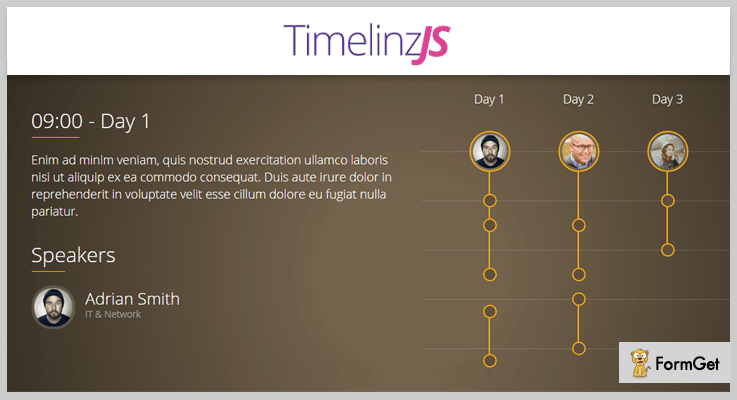
This flexible javascript library allows creating one, or even multiple timelines for your website.
Another important aspect of using this plugin is that being so much important for your website, the plugin is still not at all a heavy tool on the system. As light as 2KB.
CSS made it possible for you to create timelines with beautiful themes that go well with your website.
Further, the plugin is fully customizable in order to make timeline completely as per the user’s choice.
Pricing
Have this plugin for your website at a very affordable rate of $8 plus 6 months support. You can extend the support to 1 year at $2.25 only.
Features
- Build with language-independent JSON data format.
- This javascript application is created with the fast and lightweight framework.
- It performs well with all the modern browsers you can think of. Chrome, Firefox, IE9+, Safari to name a few.
- The plugin comes with most easy to understand documentation along with illustrated examples.
5. Timeliner
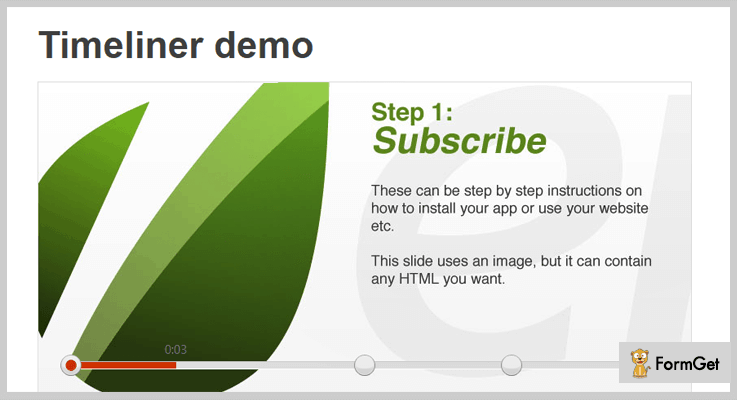
This jQuery plugin lets you create a slideshow for your timeline. The time interval can be variable for different slides.
You can use any static items like HTML text, image or flash embedded videos in the slides.
You get the option to customize your timeline in terms of setting height, width, and position of the timeline.
It also allows node tooltip to show start time of the slide and use image as a node.
The plugin also includes autoplay, keyboard functionality, pause/resume toggle.
Further, along with detailed documentation and commented source code, you get multiple instances on the same page to know the plugin’s in and out.
Pricing
Get this amazing plugin for your website at $9 only with 6 months support. Extend the support to 12 months at $2.63
Features
- The plugin allows 4 transition types namely, fade, slide, reveal, instant to give an extraordinary layout of your timeline.
- Use of CSS allows various animation options like you can show a message “slide ends in 3.2..1” in the slide and “Get Ready”, “The End” on tooltip hover etc.
- The user can click the timeline to start timeline from the first slide or jump to any node to play its corresponding slide.
- Uses various callback functions like for activating new slides, presentation starts/ends etc.
- The plugin also allows having an external control for the slideshow with buttons (start/pause and next/prev).
Conclusion
The reason why we introduced these jQuery Timeline Plugins to you is, they are widely used by the global users with positive feedbacks. I am sure the only task remaining for you now, is to pick up a suitable one for your website.
Though, it’s tough to select the best out of the best, once done you’ll be flooded with great responses to your website.
Do not hesitate to post your query and suggestion in the below section, as they are equally valuable for us.
Thanks!
4 Best jQuery Feedback Plugins (Free and Paid)

jQuery Feedback Plugins facilitate various feedback facilities for site admin as well as site users. These facilities include error reports, informative messages and customer reviews for the site admin. And review window and forms for the site visitors.
No matter how much big or small your business is, the feedback always play a vital role in the growth and fallback.
So, monitoring the same is very essential for a site. Don’t go for managing the whole interface manually, try the ready-made jQuery plugins for the feedback functionality. Through these plugins, users can share their views & ideas about your products.
The site visitors can share their views, ideas about your new products, without any distractions. With the integration of user feedback form to your site, you can give your visitor’s a flexibility to revert you as quick as possible, without even leaving your WordPress website.
Moreover, integration of a feedback form on your site will help you connect with your site users and also get benefitted by their reactions. These plugins also possess the power to avail the form for your user without leaving your website.
Have a look at these popular jQuery blog listings:
So here in this article we have handpicked some very useful jQuery feedback plugins both free and paid. Have a look throughout the blog listings and choose the one best suitable for your site needs. Enjoy!
1. FeedbackNow – Prime In jQuery Feedback Plugins
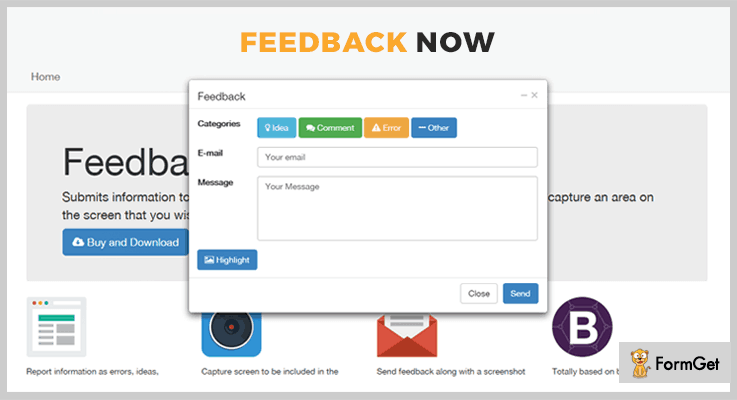
This plugin is basically developed for the website developers. It submits the information regarding various errors, comments etc. Also, it captures that particular area of the screen that you choose to highlight and sends it as a feedback.
Moreover, it is very easy to use as well as a helpful jQuery plugin. The FeedbackNow is a jQuery plugin with maximum sales and a 3.6 stars rating.
Pricing Plan:
This plugin has a regular licensed plan of $9 and an extended license plan of $45 only.
Features:
- It sends feedback email to the administrators with a screenshot.
- You can choose any desired area as feedback.
- This plugin can feedback various comments, ideas and error reports.
- Report for various errors.
2. Feedback Rating – jQuery Feedback Plugin
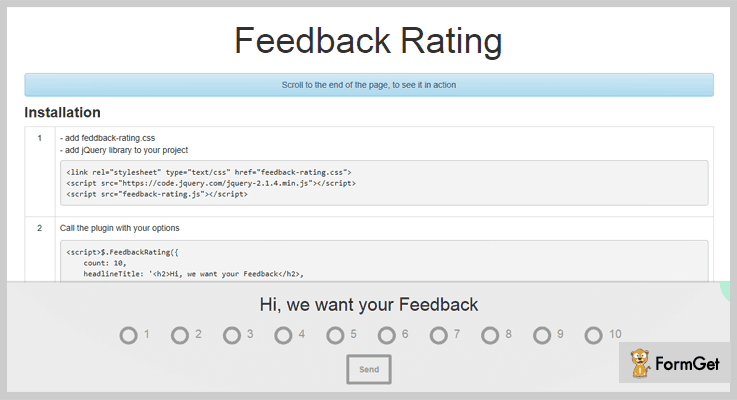
This plugin is crafted for user’s feedbacks and ratings. It is an extremely small jQuery plugin with very lightweight packages and basic functionality. The plugin’s functionality will allow you to add a feedback box at the bottom of a page. This feedback box pops out as the visitor finishes the page visit.
It renders feedbacks from 1 to 10. Also, it also makes wonderful use of cookies so as to store the feedback of user and to not show the box again and again after every page refresh.
Furthermore, it makes use of a simple PHP file to insert the visitor’s feedback into your site’s database.
Pricing Plan:
Feedback Rating has two cost estimate plans. They are-
- Regular license plan- $4
- Extended license plan- $55
Features:
- Fully responsive feedback-box which can adjust to any screen size efficiently.
- Automatically a Feedback box appears as soon as a user reaches to the bottom of a page.
- Let your visitor rate your site from 1-10.
- Cookies and PHP included for automation.
3. Feedback Me – Prime In Free jQuery Feedback Plugins
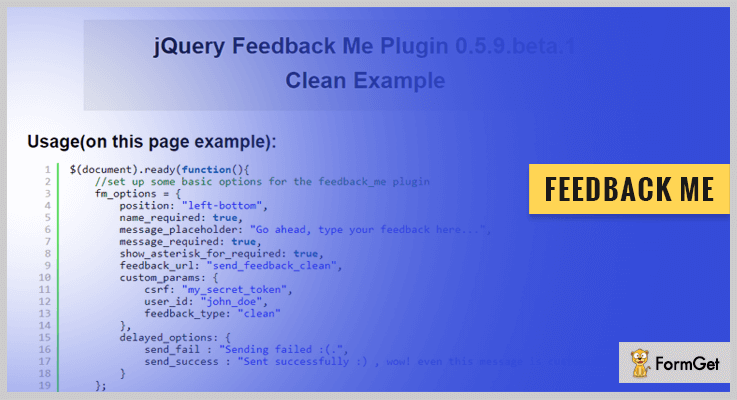
It is a jQuery plugin which renders a widget with a feedback form on your site. Feedback Me jQuery plugin uses CSS3 Transitions for sliding the feedback from the side of the screen. Also, there are options available for the input fields like required attribute, an asterisk next to required fields, and pattern attribute.
There are various customizable options available for success/failure of feedbacks such as growl dialogue response, notification response etc.
Also, it uses AJAX post to send data parameters like name, message, email etc. to the server. Further, it can also send additional custom params such as tokens, logged in user_name etc. Moreover, it gives you the ability to insert any external/inline HTML code file inside the plugin widget for max customization.
Pricing Plan:
Feedback Me is a completely free-to-use plugin. You can easily download it from the official website GitHub.com.
Features:
- This theme has full support to jQuery UI themes and Bootstrap.
- You can add multiple feedback on a single page but on different locations.
- It also enables you to add many types of labels with full customization options.
- This plugin support RTL (Right To Left) writing formate.
4. Feedback – jQuery Feedback Plugin
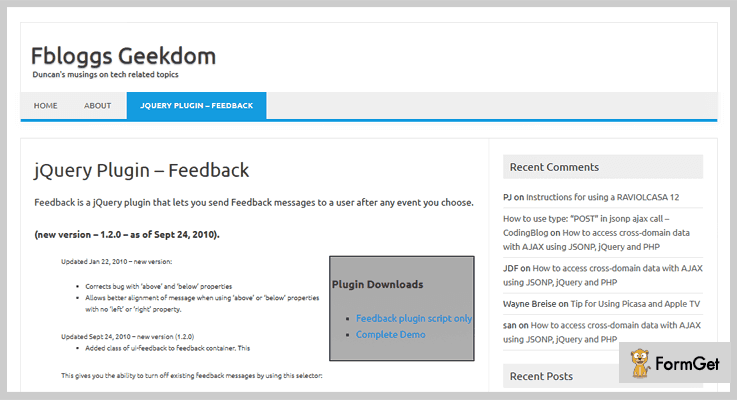
Feedback jQuery plugin enables you to send a Feedback message to the site user after a particular event. The site admin can choose the particular event between multiple site events. These messages can contain specific information, error report or customer feedbacks.
In addition, it makes efficient use of the jQuery UI plugin to determine the type of the message/feedback.
Pricing Plan:
Feedback jQuery plugin is another free product of GitHub.com
Features:
- This plugin can be used for custom error handling.
- With the use of this plugin, you can send feedback as well as informational messages.
- You can easily place the feedback message next to an existing element.
Conclusion:
This was our take on the 4 best jQuery feedback plugins. Hope this article helped you. For any suggestions and queries comment below. We’ll get back to you ASAP.
Thanks for reading!
5 Best Breadcrumbs jQuery Plugins (Free and Paid)
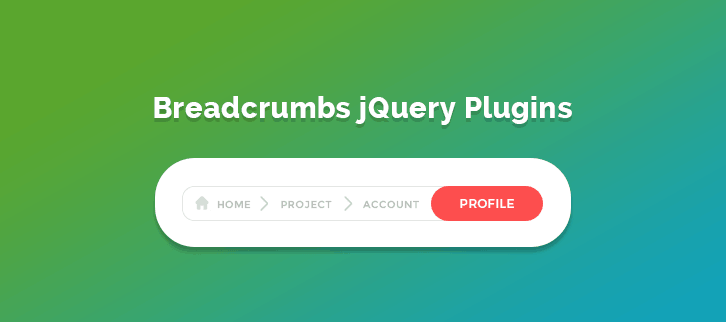
”Integrate Breadcrumbs jQuery Plugins to provide an effective website navigation in an easy-to-find way.”
If your website contains a lot of pages then breadcrumb navigation indicates the location of the user within the website’s hierarchy.
But why do you need breadcrumbs for your website?
Your website is not like a house – one does not only come from the front door! Visitors used to come in willy-nilly, they can navigate to any page they desired.
So, the roadmap of your website should be in such a way that if someone ends up on a product page, they can easily navigate to any desired page on your website.
If your website is a ramshackle, nobody is going to visit it again.
Thus, you need Breadcrumbs jQuery Plugins to outline an interactive roadmap through your website.
Here is the list of 5 best Breadcrumbs jQuery Plugins that you can use to implement this feature on your website too without hassle!
Check out!
Swift through more jQuery plugins!
1. xBreadcrumbs – Dynamic & Expandable Navigation
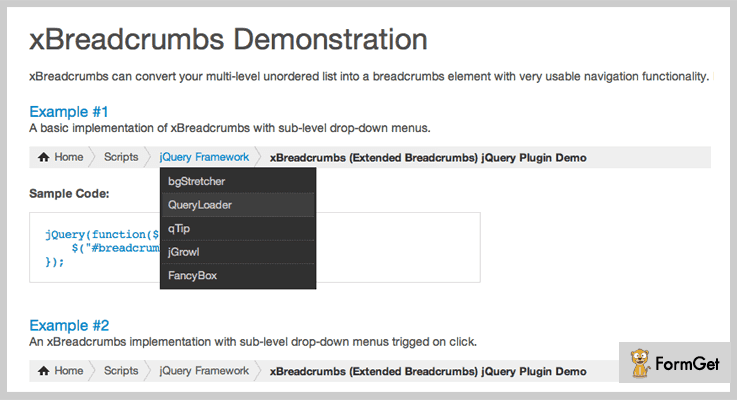
If you want to create categorized breadcrumbs for your website then xBreadcrumbs will be a solid choice for you. This plugin allows the visitors navigate easily through the websites having deep structure.
It provides an excellent breadcrumb interface by introducing drop-down menus for a clearer context. As well as, it has the ability to collapse inner crumbs for deeply nested pages. These collapsed breadcrumbs will expand upon hover, making this feature perfect for preventing long breadcrumb trails.
Features
- It has unobtrusive script making the plugin setup simple.
- The plugin works with unordered lists (UL/LI) making your website optimized for SEO.
- xBreadcumbs is easy to integrate with all popular CMS’s.
- Good to go with long-text Paths.
Pricing
You can buy this plugin at $6.
2. Path selector – Breadcrumbs jQuery Plugins
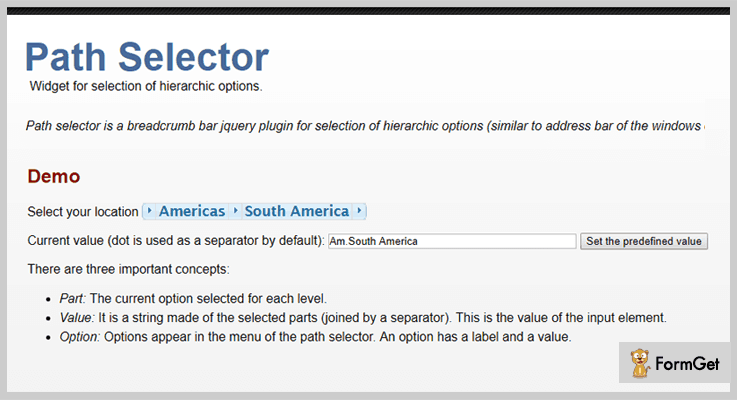
It is a jquery plugin for breadcrumb bar which provides selection of hierarchic options. The plugin looks similar to the address bar of the Windows Explorer in Vista and Windows 7.
Path selector indicates the current page’s location within a navigational hierarchy. Dot separator is used between the selected parts.
Features
- The plugin supports options for both static or dynamic. You can use the preset setting in which the options are ordered by default, or dynamically, by defining how you want the search results listed.
- It is integrated with 25 jQuery UI themes to choose from.
- The plugin is tested on Firefox 3.6, Chrome, Safari 4 and IE 8 (with and without compatibility mode).
Pricing
It is a free plugin by Victor Hugo Herrera Maldonado. You can download it by clicking the below button.
3. JCrumb – Instant Breadcrumbs
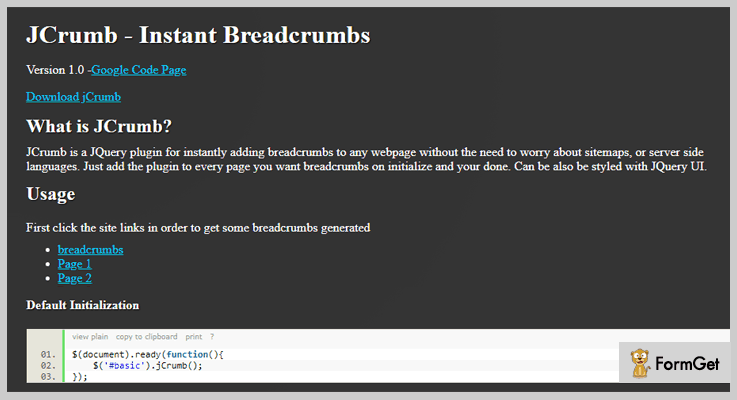
This JQuery plugin can instantly add breadcrumbs to any webpage. You don’t need to worry about sitemaps or server side languages, it seamlessly integrate with any website.
JCrumb can be added to every page where you want breadcrumbs on your website. You can also do its styling with JQuery UI.
Features
- You can set the number of crumbs displayed on the page.
- The plugin allows to control the look of the breadcrumbs.
- It also allows to set the desired separator between the breadcrumbs.
Pricing
Click on the below button and visit the website to download this plugin for free.
4. Breadcrumbs – Breadcrumbs jQuery Plugins
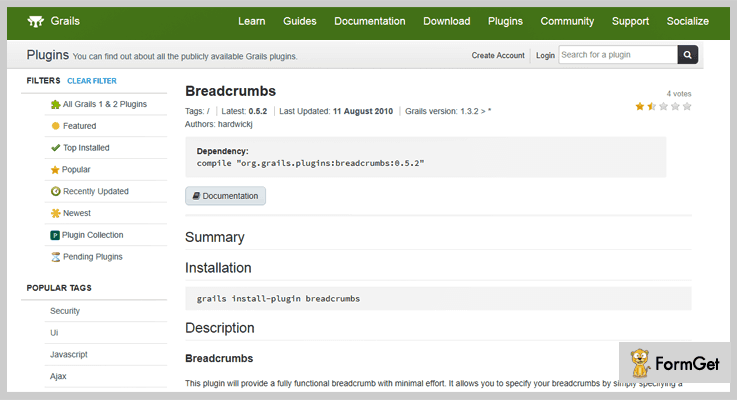
You will get the fully functional breadcrumb with minimal efforts through this plugin. It specifies the CSS selector for the select element on the current page for representing the breadcrumb name.
The plugin saves the crumb information across page views and sometimes just add a single taglib entry to the layouts.
Features
- The plugin uses multiple resources, including: jquery.js, jquery-easing.js, jquery-jBreadCrumb.js and BreadCrumb.css. You are free to install these into your application and include them in your desired webpages.
- By default the length of the breadcrumb trail is 10 crumbs. However, you can change it as per the requirement.
Pricing
It is a freemium plugin provided by grails.
5. rCrumbs jQuery plugin
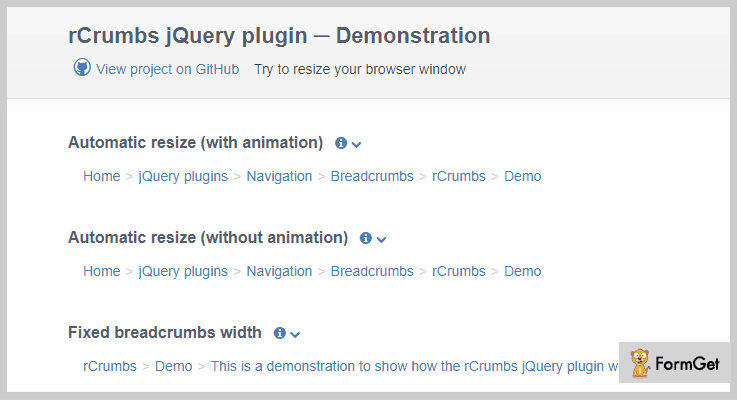
It is a jquery plugin that converts the bunch of list elements into a responsive breadcrumbs. The plugin dynamically adapts the number of navigation items depending on the available space in the browser window.
You can set the option to show/hide the ellipsis if the last navigation element is not fully displayed in the navigation bar.
Features
- The plugin can automatically resize the breadcrumbs. The size of the div changes with the window size. It represents the items according to the space available.
- Set the number of non collapsible navigation elements on window resizing.
- You can set the animation effects as well as its speed for display/hide the crumbs when the window is resized.
Pricing
It is a free plugin by GitHub.
Final Thoughts!
Installing these breadcrumbs plugins are going to do wonders for the user experience and SEO on your website.
Go through the live demo of each of the above listed jQuery Breadcrumbs Plugins and pick the best suite for your website!
Have you tried any of these Breadcrumbs plugins? What experience do you have with breadcrumbs? Share your thoughts in the comments below!
4 Best jQuery Image Display Plugins 2022

jQuery group has a wonderful collection of image display plugins through which you can create an astonishing website.
Texts are not engrossing anymore. Being a webmaster you would like to elevate the appearance of your website using media files and what can be better than images! As nowadays high-quality images are in demand.
So, to ease you and help you out in making your website look more efficient and amaze in the stream of images we have roundup some of the best jQuery Image Display plugins in this article.
These plugins will allow you to display images, content, videos and beautiful pictures on sites without any hassle. Integrating such kind of plugins on your website will help you to make the website look beautiful and visually stunning.
jQuery Image Display Plugins have multitude advanced features like responsive image gallery, transitions-shadow effects, image slideshows and much more advanced features.
In addition, these all plugins are lightweight, cross-browser compatible and we have involved the best premium plugins on this blog.
So, let us move to its features and pricing session in detail.
Before that have a look at some more jQuery plugin blogs:
1. jQuery Mega Image Viewer – jQuery Plugin
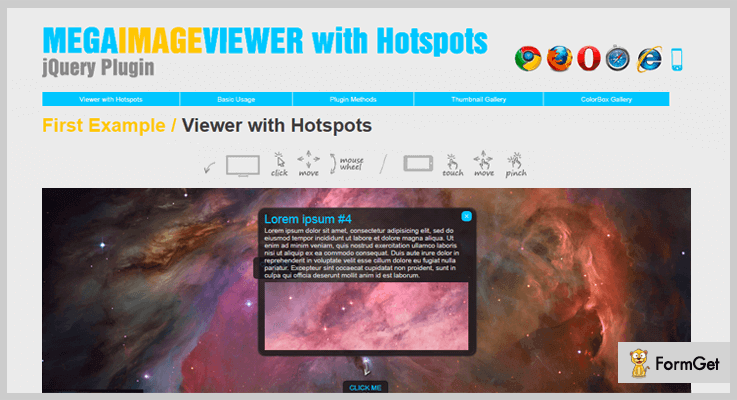
jQuery Mega Image Viewer is a unique jQuery plugin which is super flexible and you to replace the <div> tags with an animated image viewer.
It helps you to display all the high-resolution image formats like JPG, PNG, GIF and you can control the position, zooming effect of the image on the website. Also, you can organize the sliding effects of the image so that it can occupy the whole screen of the device.
PRICING:
- This amazing plugin will cost you $9 with 6 months client support and lifetime updates.
- So to get its more advanced features you can pay $45.
FEATURES:
- You can enrich your viewers to zoom in and out the images with the help of mouse wheel.
- It has very smooth animations effects with the full scalable benefit that will display the images in an amazing manner.
- This plugin allows you to display the hotspot on images and add popup windows with hotspot.
- You can easily decide the position of the navigation bar on the site like TL, T, TR, L, R, BL, B, BR.
2. jQuery Giga Image Viewer – jQuery Plugin
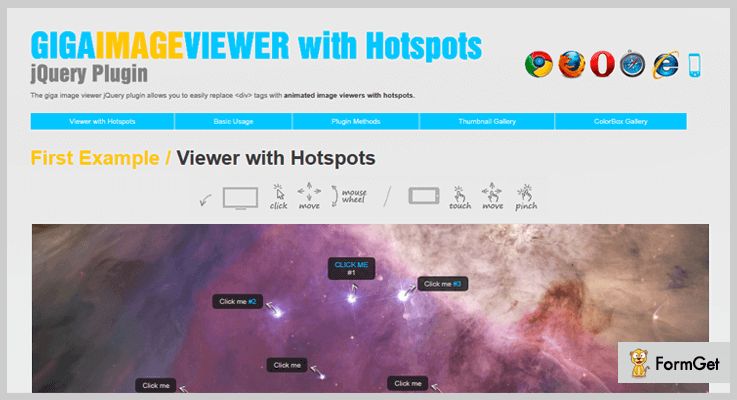
This is very good at displaying the large images without requiring to load the whole image. It only loads the required section of the image which is further divided into small pieces (256×256 px).
This plugin allows you to display the high-resolution images of JPG format and it has a package which contains command line program (for Windows only), PHP script for dividing the images into pieces (max tested image had size 9000×9000 px).
PRICING:
- jQuery Giga Image Viewer plugin will cost you $10 and to get more features you can buy it at $50.
FEATURES:
- Its package contains a program for cutting large images, for building thumbnails gallery and for building lightbox gallery (ColorBox Gallery).
- You can display the image map palette on the website to quickly change the view using thumbnails.
- This plugin allows you to set the start coordinates, scales and animation duration of the images in the dashboard settings.
- Also, you can easily install this plugin on the HTML page of the website.
3. jQuery Image Select – Part Of jQuery Image Display Plugins
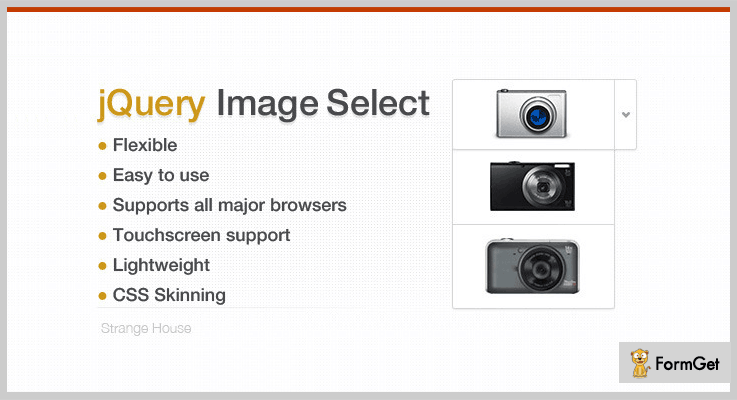
jQuery Image Select is one of the most simple and easy to use plugin present in the market. It allows you to use the images and pictures as the HTML tag select element on the sites.
This plugin enriches you with two modes:
- In the first mode, drop-down list (up, left, right etc), and checkbox/ radio buttons which helps you to display the images on different web pages.
- In other modes, you can define the number of pictures to be displayed on site and you can also choose the axis of a scrollbar.
PRICING:
- jQuery Image Select plugin will cost you $7 with lifetime updates and 6 months client support.
- To use its advanced features you can buy this at $19.
FEATURES:
- This plugin is lightweight which doesn’t cause any trouble while activating the plugin on the website.
- It has CSS skinning that helps you to provide the styling and effects on the images.
- You can modify the tag styles of the images in the admin panel of the dashboard.
- It supports all major browsers like IE8, IE9, IE10, Firefox, Safari, Opera, Chrome.
4. Point of ViUU – Part Of jQuery Image Display Plugins
One of the most popular image display jQuery plugin present on this blog. It is a simple and powerful jQuery plugin for adding images in the slider. You can show the images in a slideshow using jQuery framework.
This plugin provides you with 4 different orientation display options like transitions speed display, darkening color, opacity and a lot more.

PRICING:
- Point of ViUU jQuery plugin will cost you $6 and its extended plan will cost you $30.
FEATURES:
- You can auto-rotate or set the manual positions of the images and videos.
- It allows you to set the timer for image display on the web pages.
- With this plugin its very easy to manage the photos, videos, and gallery section on the website.
- Also, you can add the text and content to the images or videos on the website.
Conclusion:
Above we have discussed the details of jQuery image display plugins that you can integrate into the website. With the help of them, you can add images, pictures, videos and slideshows within few clicks.
All you have to do is select the best one and try it on your website.
For any kind of queries or suggestion, you can comment below. We will reach you as soon as possible.
4+ Best jQuery Autocomplete Plugins 2022
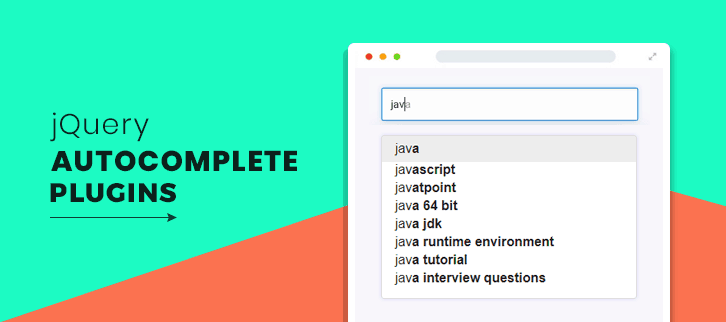
Use jQuery Autocomplete Plugins to provide your users all possible suggestions to choose from. Thereby, enhance their search experience.
Very often the visitors on your site struggle while typing the long phrases in the search section & hence might get frustrated.
In that case, they may bounce back and rather surf some other site where they can get several suggestions by analyzing the initials they have entered. That would definitely be a much easier option for users.
To prevent the loss of website visitors and higher bounce rates, integrate your website with jQuery autocomplete plugins.
With the help jQuery Autocomplete Plugins, you can add a drop-down list to the search option without any hassle where a range of words for user convenience is provided.
This will also decrease your bounce-rate as the visitors will tend to stay a little longer as they explore various details on your website.
Moreover, most of these jQuery plugins provide a well-written documentation & demos which makes sure that you don’t have to wander around in case of any query or problem & ensures easy implementation.
That’s why, to ease your burden, in today’s weblog, we have come up with some of the best jQuery autocomplete plugins. Also, we will discuss their major attributes, pricing pattern & several other details.
Besides this, you may also like to read –
So, if you really eager to flourish your website with Autocomplete functionality. Then, let’s explore the list and find the best for yourself.
1. Autocomplete – jQuery Plugin
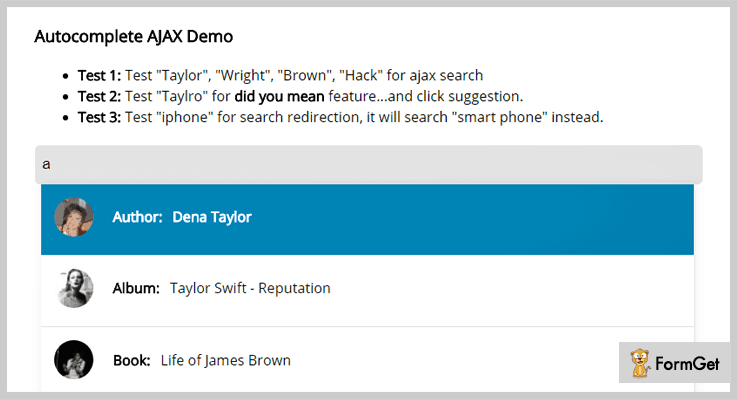
Autocomplete is an advanced jQuery plugin which enables you to add the autocomplete functionality to your website. This plugin provides you with exemplary features like “did you mean” suggestion and many more.
It comes bundled with a PHP/MySQL demo which enhances the understanding & implementation. Plus, it is compatible with all the modern browsers like Firefox, Safari, Chrome, IE 10, IE 11, Edge & Opera.
Pricing:
With this plugin, you also get regular updates & all the features at the price of –
- For the regular license, you have to pay $7.
- While for acquiring the extended license, the cost is $40.
Features:
- It enables you to insert the plugin content into any HTML element.
- This plugin provides UX features which makes it easy to surf the drop-down using arrow buttons.
- In addition to this, it comes with two unique features i.e. adds ‘did you mean’ features and search redirect as well.
- Also, this plugin comes with a PHP/MySQL demo which demonstrates HTML output.
2. GS Custom Autocomplete Input – jQuery Plugin
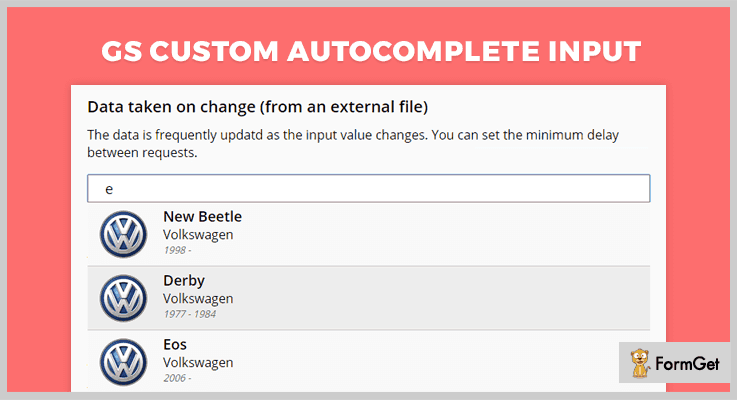
This is an efficient jQuery plugin that holds various features like data list tag, server-side scripting and a lot more. It is an extremely user-friendly plugin which you can be implemented with a few changes.
With this jQuery plugin, you get a nicely written documentation, plus it is also cross-browser compatible as well.
Also, this plugin is very responsive and lightweight which doesn’t take much time to load.
Pricing:
You can get this plugin & all of its features at two varied prices-
- The regular license of this plugin will cost you $5.
- And the price of an extended license is $25.
Features-
- You can add any number of autocomplete inputs on a page.
- It empowers you to pull the data in different ways like data list tag, server-side scripting & JSON files.
- This plugin allows you to modify the drop-down as per your convenience.
- Apart from this, you can add up/down arrows for easy navigation.
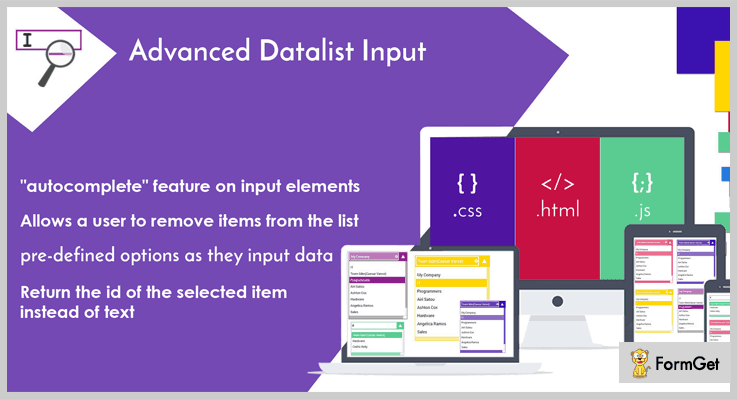
3. Advanced Datalist Input – jQuerry Plugin
This is an astounding plugin which allows you to create an autocomplete list. It provides you with several features such as your users will view a drop-down list of options while they input the data.
Along with this, it is very easy to use & compatible with almost all the browsers like IE 8, IE 9, IE 10, IE 11, Firefox, Safari, Opera, Chrome & Edge.
Pricing:
This plugin is available at two different rates.
- For availing the standard license, you have to pay $3.
- To get the extended license, you have to pay $29.
Along with the product, you also get the benefits of getting all the future updates and support which can be extended for another year by paying the amount of $0.38 & $7.13 respectively.
Features:
- You can allow your users to remove the items from the list.
- It enables you to customize the styling like color & size of dropdown using CSS.
- This plugin facilitates you to return the id of selected items instead of text.
4. Drop Down Tree – jQuery Plugin
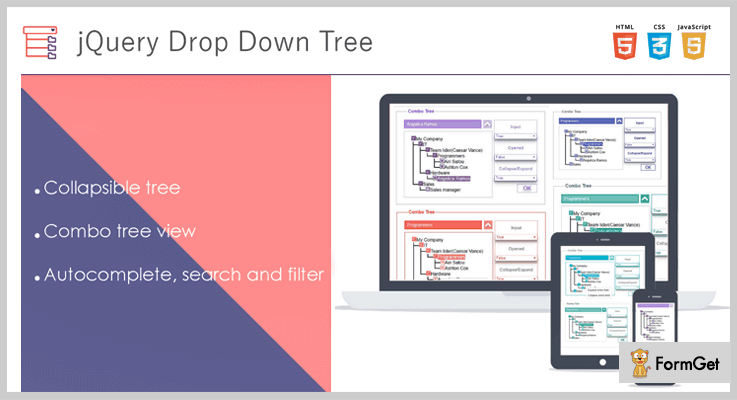
Drop Down Tree is one of the finest plugins which is used to classify the transmitted data. The combo box enables you to create a drop-down list which can further be divided into sub-items.
It is very lightweight & feasible plugin which provides features of dynamic search & filter.
Additionally, this plugin is built using JavaScript & you can easily pass the parameters as it has a structure of typical JavaScript object.
Pricing:
To acquire this plugin & all its key features along with the future updates, you have to pay –
- Regular license – $6.
- Extended license – $34.
Features:
- By using CSS, you can effortlessly customize the styling and appearance.
- This plugin returns the id of the selected item rather than returning the text.
- It provides you a collapsible tree view where you can easily collapse & expand the tree elements.
- Along with this, the search & filter option works perfectly with all the browsers such as Internet Explorer, Opera, Safari, Edge, etc.
5. Advanced Multi Select – Autocomplete jQuery Plugin
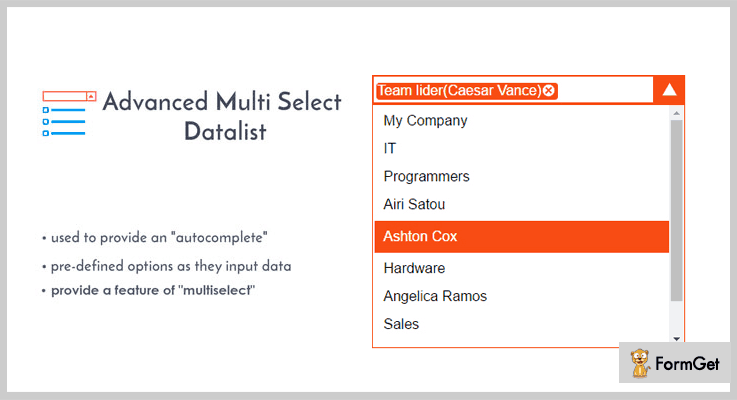
This jQuery plugin allows you to add the autocomplete features on input elements like a drop-down list, etc. Consequently, it provides the users a better search experience & easily accesses the content on the website.
Moreover, it is a user-friendly i.e. fully customizable plugin that easily fits in every possible screen & mediums like mobile, tablets, desktop, etc.
Pricing:
You can simply buy this plugin at two different prices according to the choice of license. Plus, you get all the excellent features and future updates as well.
- The regular license of this plugin is available at $7.
- Whereas, the extended license will cost you $39.
Features:
- Its filter & search options work efficiently in almost all browsers such as Opera, Safari, Internet Explorer, etc.
- You can empower your users to remove the items from the list provided.
- Plus, you can easily customize the layout by using CSS.
- Also, it allows you to return the id of selected item instead of text.
Wrapping Up!
We have mentioned few of the best jQuery autocomplete plugins in today’s blog.
Further, we also discussed their highlighting features like
- You can add a drop-down list by using these plugins.
- These plugins allow you to customize this list as per your requirement.
- In addition to this, you can also return the id of the item at the place of text.
- A detailed document or demo is provided with most of these plugins.
And many more features …
We hope that from the list of jQuery plugins, you must have found the plugin which best suits your website.
Mention your favorite plugin in the comments section below, we will add them to our list as well!
Don’t forget to share your views & feel free to contact us for any more queries or suggestions.
5 Best Form Builder jQuery Plugins (Free and Paid)
“Use form builder jQuery plugins to create useful online forms on your website.”
If you want to make strong communication with your customers then building an online form on your website is your foremost need.
Now the question is how to create forms on your website?
The answer is very simple by using form builder jQuery plugins.
These form builder jQuery plugins help you to create a contact form, lead generation and other various types of forms.
Some of the key features you’ll find in these plugins are adding text area, radio buttons, checkboxes etc which you can add to your online forms.
As finding an up to the mark form builder jQuery plugins is not an easy task. That’s why to make your work easy here we have collected a list of 5 best form builder jQuery plugins.
All these plugins are well documented. So, if you have a little bit knowledge of programming then you can easily implement these form builder jQuery plugins on your website.
Read some more blogs too!!
Now, without taking your much time, let us discuss each form builder jQuery plugins in detail.
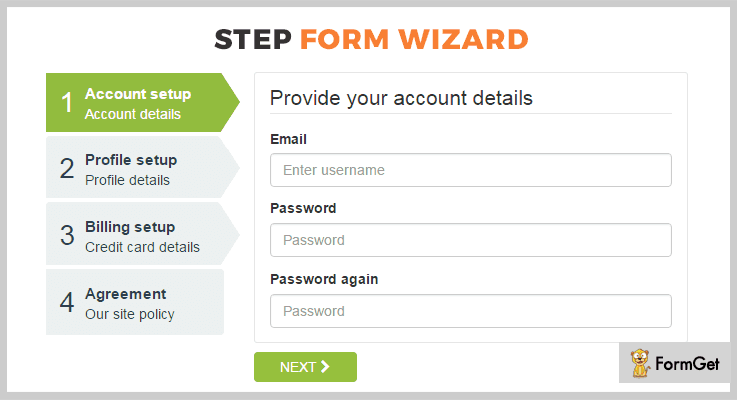
1. jQuery Step Wizard With Step Form Builder –
This plugin is the powerful jQuery plugin which is used to create beautiful forms in your online website. You can easily create and customize any form according to your needs using this jQuery Step Wizard with step form builder plugin.
Further, the plugin comes with detailed documentation along with complete user guide which makes your work easy. This will help you to publish your multi-step form quickly and easily.
Pricing :
There are two different licenses available at different pricing plans. You will get full support and regular future updates with this above license.
- Regular license – $10.
- Extended license – $50.
Features :
- The plugins come with combo of 21 different styles, and 8 different transition effects which give an elegant look to your online form.
- You can create a validation in your step form so that the button to go to the next step should only work if the required fields in the form are not empty.
- jQuery Step Form Wizard with step form builder plugin has predefined set of form sizes. Also, it has prebuilt forms available in which you can make tweaks and those are ready to use.
- It has an easy options editing feature which allows you to quickly edit options without any difficulty.
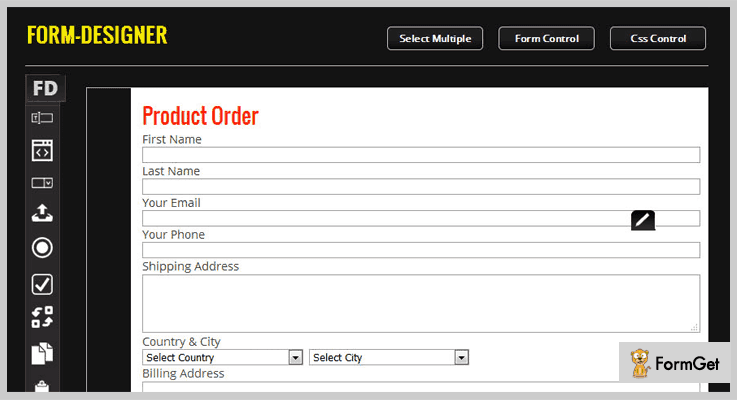
2. Form Designer – Best In Form Builder jQuery Plugins
Form Designer is a jQuery form builder tool which will help you to build an interactive form to use on your website page.
Further, the plugin has the help file which helps you to understand every part and functionality of this form generating tool. So that you can install it on your site very easily.
Moreover, this is an HTML developer’s tool, but anyone who has a little knowledge about CSS and HTML structure can use this plugin.
Pricing :
Buy the regular license of this plugin at $17 with all the future updates and full support up to 6 months. You can extend your support up to 12 months by paying $5.63 only.
Features :
- This plugin has inbuilt custom CSS along with 49 fonts to select from to give your online form a better look.
- It is highly customizable so that one can easily edit or delete style and object of the online form with just a few changes in code.
- You only have to select form width and form type after that your form will be ready in just a few clicks.
- Form Designer plugin has beautiful font awesome icons you can easily use them in your form building.
3. Hubeleke jQuery Form Builder
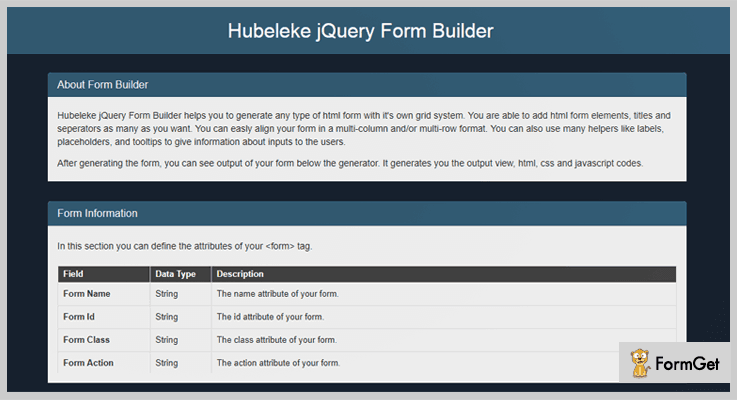
Hubeleke jQuery Form Builder is a powerful plugin. This plugin helps you to generate any type of HTML form in an elegant way.
Further, the plugin comes with predefined 16 columns grid system for creating beautiful forms. Also, you are able to add various HTML form elements, titles, and separators in your form building.
Pricing:
You can buy this plugin and get all of its features along with future updates at two varied prices-
- The regular license cost you $6 with quality checked by Envato.
- You can buy the extended license, at a reasonable price of $30.
Features:
- The plugin allows you to easily align your form in a multi-column or multi-row format.
- It has functionalities to place labels, placeholders, and tooltips to give information about inputs to the users.
- Hubeleke jQuery Form Builder plugin allows you to see output layout of your form below the generator after generating the form.
- This plugin is cross browsers compatible and it is easy to customize.

4. KwikForms A Comprehensive Material Design Plugin
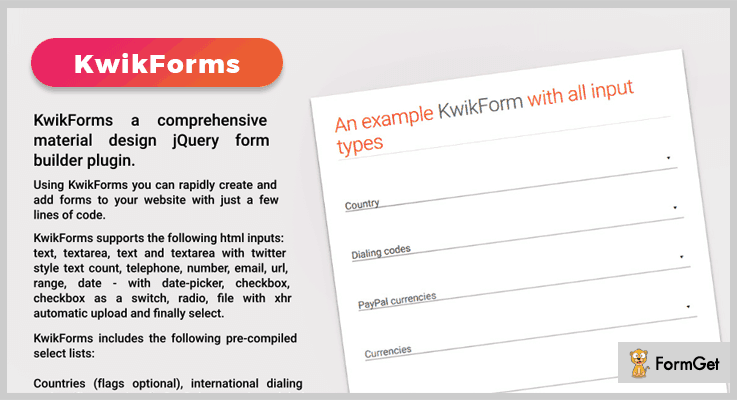
KwikForms a comprehensive material design plugin is one of the finest plugins in the list of form builder jQuery plugins. Using this plugin you can rapidly create and add forms to your website with just a few lines of code.
Pricing:
You can buy this plugin at $19 with 6 months support and regular updates.
Features :
- KwikForms includes the pre-compiled select lists. Such as international dialing codes, PayPal currencies, global currencies, etc.
- This plugin supports the HTML inputs. These inputs are text, text area, text and text area with twitter style text count, telephone, number, and a lot more.
- You can add a captcha in your online form using this plugin for security purpose.
5. formBuilder – Free in Form Builder jQuery Plugins
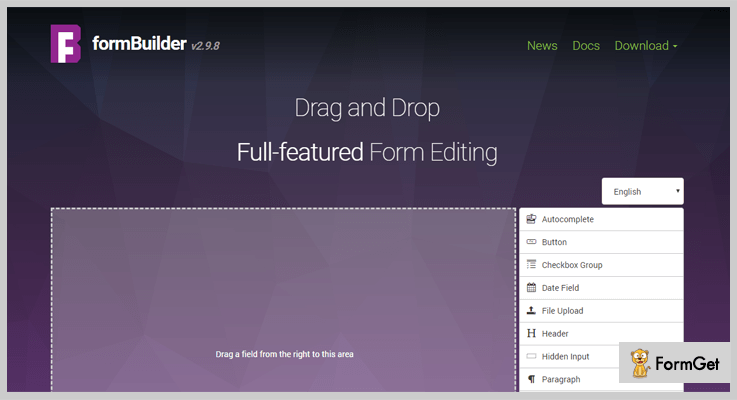
formBuilder is a jQuery plugin for drag and drop form creation. This plugin has many options and is completely translatable in nature. It has well-arranged documentation along with full explanation guide which will help you to implement this plugin with ease.
Pricing :
The formBuilder plugin is free of cost. Download it from the official website of GitHub.
Features :
- The plugin has easy configurable and translatable in nature.
- formBuilder jQuery plugin consists of XML and JSON data formats.
- It has fully featured form editing option which will help you to create useful online forms on your website.
Conclusion:
Now as you read all the 5 best form builder jQuery plugins, we hope you have understood each and every aspect of this article. Hope you have found the form builder jQuery plugins according to your requirement.
Stay tuned for more plugins.
You can ask your queries in the comment section.
4+ Best jQuery Loader Plugins 2022
Loading images, backgrounds, ajax content and other media files on a website in boring styles may cause you loss of precious users.
So, to make this boring process more entertaining and attractive jQuery Loader Plugins were designed.
These are plugins with the help of which you can add attractive styles, animations, color and other effects to make the loading progress look attractive.
In this blog, we have described some of the best jQuery loader plugins which provide compatibility with latest browsers, lightweight, easy to customizes and offer multiple setting options as well.
Want there is more, you also get options to define the loading speed, auto detects progress, and apply icons of your choice to display loading process on a website.
But before going into plugin details have a look at the blogs on popular niches listed below:-
1. MelonHTML5 – Royal Preloader jQuery Plugin
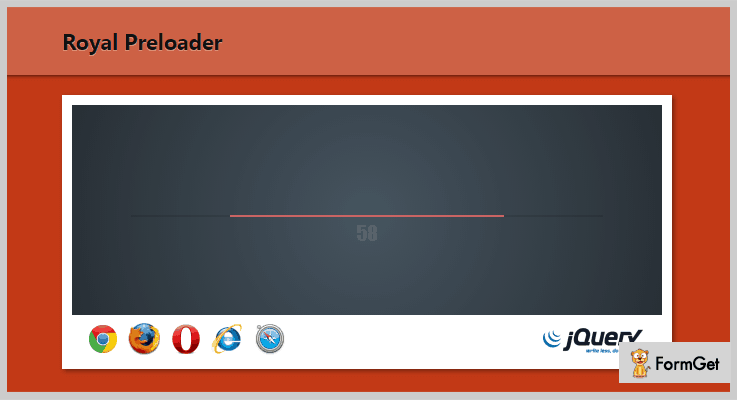
Royal Preloader is one of the best and affordable jQuery plugin for loading progress indicator. It is an advanced plugin which preload background images, Ajax content, and photos.
It also offers various API methods that allow you to configure the loader with ease. Plus you don’t have to change complex HTML or js codes, just include the files and the rest will be done automatically.
Pricing:-
- The regular plan comes at a cost price of $6 with which you get loading progress indicator with multiple customization options.
- The extended plan of this jQuery plugin will cost you $30 and will provide enhanced features & services.
Features:-
- This plugin automatically detects the loading progress and displays it in the loader on your website.
- It preloads all the website assets in a loading screen before displaying on the website.
- With this jQuery plugin, you get multiple loading progress designs which come with different styling and customization options.
- It is capable of detecting cached or invalid images automatically which is a great advantage.
Click Here For More Details On jQuery Loader Plugin
2. Simple Content Loader – jQuery Plugin
Simple Content Loader is a jQuery plugin which gives you the perfect alternative to iFrame and helps you show images and content loading in an attractive manner.
It provides you a sleek and user-friendly interface to display loading process on your website. This plugin is loaded with various customization options, style settings with which you can show image and content loading on your site with ease.

Pricing:-
- You can get the regular license of this plugin at a cost of $5. It will include various loading facilities and customizations options for a great design.
- The extended license has got a price tag of $25 with which you are offered enhanced loading features and facilities.
Features:-
- It is a cleanly coded plugin which gives you the ability to call data from remote pages.
- Provides well-documented demo which holds all the examples of the loading process which are available with this plugin.
- This jQuery plugin is compatible with various browsers like IE6, IE7, IE8, IE9, Firefox, Safari, Opera, Chrome, etc.
- With this plugin, you can add custom options and styling to give an attractive look to the loading process on your website.
Click Here For More Details On jQuery Loader Plugin
3. Loading Script – jQuery Loader Plugin
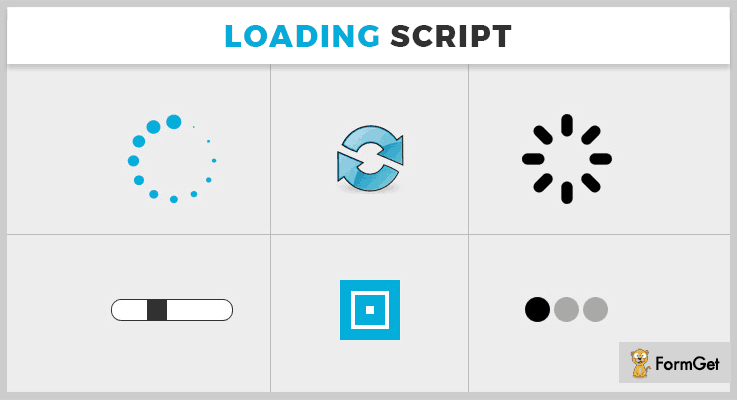
With Loading Script jQuery plugin you get more than 40 loading examples which work well with all major browsers. It has got a variety of loading options using which you can change animation speed, color combination, size, etc.
It helps you apply colorful loading effects and different types of animation effects on your website.
Pricing:-
- The first plan will cost you $6 and allow you to add custom loading effects to your website with ease.
- The second plan comes with various extended features and services at a cost of $30.
Features:-
- Helps you add animation effects to the loading process without GIF image.
- With this plugin, you get full access to 12 methods for loading effects.
- Different types of customizations like color, size, animation speed and more are offered by this plugin.
- A complete documentation which holds each and every detail along with example and codes for easy application.
Click Here For More Details On jQuery Loader Plugin
4. PageLoader – jQuery Loader Plugin
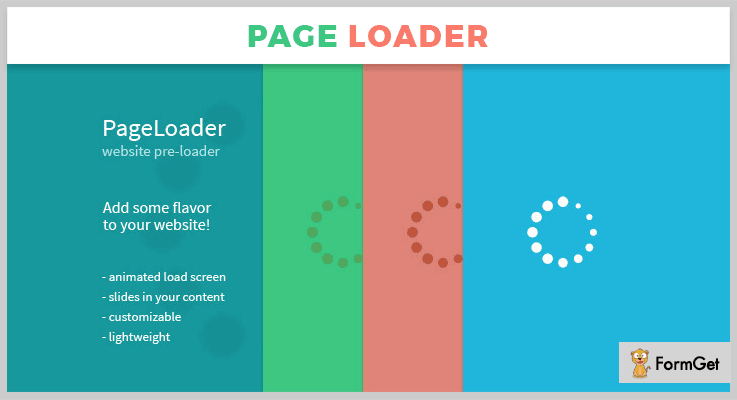
PageLoader is a fully customizable preloader with content slide-in functionality through which you can add animated loading screen on your website. This is an easy to implement jQuery plugin which is fully responsive, multi-browser compatible and more.
You get multiple advanced functionalities like customization options and the support provided for this plugin is quick and helpful.
Pricing:-
- $10 is the price which is being charged for the regular services of this jQuery plugin.
- $45 is the price which is collected for all the extended features and services of this plugin.
Features:-
- It helps you add slide-in, fade way, slides down and other attractive animation effects to all the loading content.
- Allows you to define multiple styling options like color, icon, effects and more for custom styling.
- This plugin is compatible with all major and latest browsers, plus it also fully supports the mobile (iOS, Android) versions of them as well.
- This is a super lightweight jQuery plugin which does not reduce the loading speed of your website.
Click Here For More Details On jQuery Loader Plugin
5. Circular HTML5 Preloader – Jquery Plugin
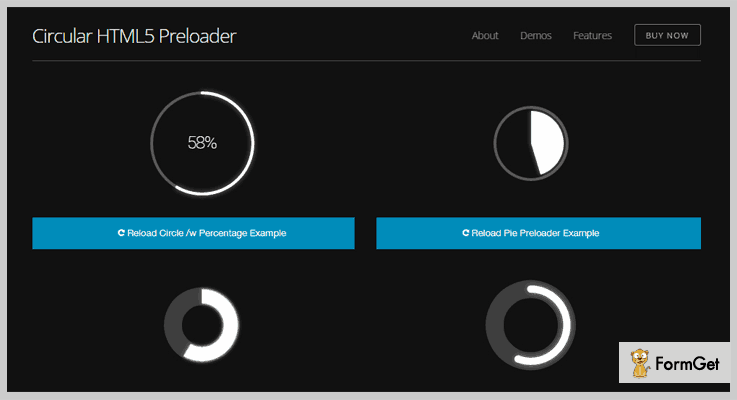
This is a jQuery plugin which is lightweight, easy to use and provides various loading functionalities. It allows you to add animated in SVG, you also get options for js callbacks. In addition, the demo documentation is also included which is a great help.
Pricing:-
- With this plugin, you get a regular plan which is charged $8 and the extended plan for which $40 is being charged for all the features.
Features:-
- You are allowed to preload files in different formats like JPG, JS, CSS, JSON, etc.
- Other than the default options you get more than 30 custom setting options with this plugin which can easily be applied on a live website.
- This plugin offers 3 draw methods, autoload function, cache busting and other options as well.
- Loading progress looks great on different devices like mobiles, tablets, etc. This is a retina friendly plugin which easily resizes to any device screen.
Click Here For More Details On jQuery Loader Plugin
Conclusion
This was all on the best jQuery Loader Plugins and I hope that you must have got the right plugin for your website which meets all the requirements and needs. All these plugins are responsive, user-friendly, easy to implement and comes loaded with an enormous amount of features.
If you have got any queries or doubts related to these plugins feel free to ask us in the comments section below. We will be happy to hear from your side.
Happy website building.
4 Best jQuery Tree View Plugins (Free and Paid)

jQuery tree view plugin simply enables you to show your data into a tree-like structure on your website. It’s a plugin that allows rendering various structures with nested elements and forming a tree view on the front-end.
We can further simplify the tree as a hierarchical representation of data. Better understood with the structure of computer’s file system.
These plugins provide functionalities like structuring the data in a tree view, add/edit/delete specific nodes to it, use collapse (show/hide) functionality, search abilities, filters and much more.
The jQuery tree view plugins are ideal for quick and easy navigation. It allows the users to easily sail through information bases. There are several jQuery plugins which provide the tree view functionality. So, here we’ve compiled a list of 4 best jQuery tree view plugins, free for the beginners and the premium ones for the professional users.
Check out these popular jQuery blogs:
1. Horizontal Tree – Prime in jQuery Tree View Plugins
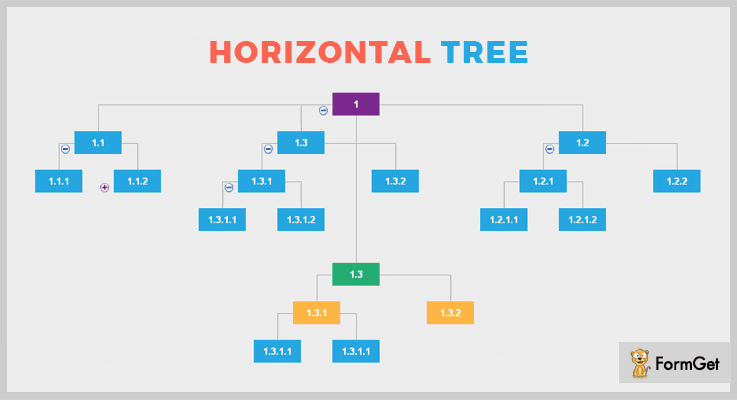
This plugin helps you visualize the data in a horizontal tree structure. The tremendous functionalities of this plugin will let you perform add, edit & delete operations on the tree nodes very easily. This is all possible through the efficient use of AJAX. Moreover, it supports drag and drop interface for re-organizing the tree nodes.
To embed this functionality on your site you need to follow few steps. First, make a single line call to this plugin. Second, set the parameters required. Third, supply the HTML element id for a nested unordered list which in terms is a representative of the data you’d like to display.
Pricing Plan:
The Horizontal Tree jQuery plugin has a regular license plan of $8 and an extended license plan of $40 with 6 months support.
Features:
- You can simply show or hide a branch by clicking on the show/hide icon.
- Allows you to highlight a branch by simple click onto the highlight icon.
- The tree nodes can contain any amount of HTML element.
- Draw lines in between the tree nodes with beautiful animations and effects.
2. Tree Filter – jQuery Tree View Plugin
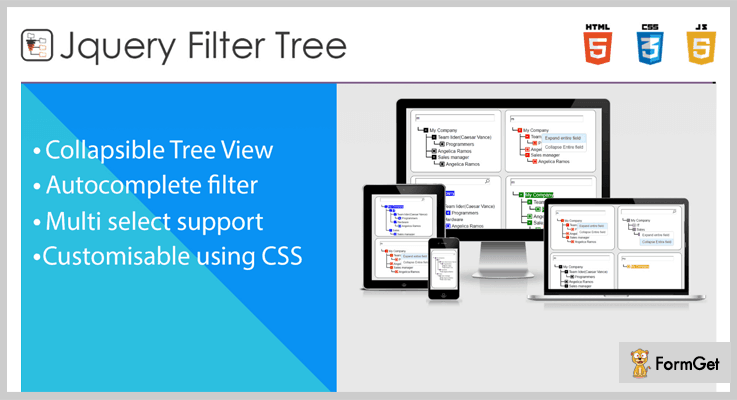
The Filter Tree jQuery plugin renders a collapsable (i.e, cave-in and conk out) tree view interface. Also, it supports dynamic searching as well as filters to refine your results. This plugin has options available for the autocomplete and multi-select functionalities. Furthermore, the overall appearance is easily customizable with pure CSS only.
You can simply start using this plugin without any special programming knowledge. The only language needed is the JavaScript and jQuery.
In addition, the Tree Filter plugin has 4 appearance options Collapsible Tree View, Autocomplete filter, Multi-select support, and Customisable using CSS.
Pricing Plan:
The Tree Filter plugin has two cost estimate plans.
- Regular Plan – $5
- Extended Plan – $29
Features:
- It provides search option on the top and filter functionality on mouse right-click.
- Multiple color options and styling through CSS.
- You can expand and collapse the tree data through a simple click functionality.
- Select/deselect a tree data by simple click mechanism. Also, you can enable or disable the multi-select functionality.
3. Drop Down Tree – jQuery Tree View Plugin
Drop Down Tree is best known to structure a collapsible tree for the transmitted data. This mode of classification is very systematic and easy to understand for everyone.
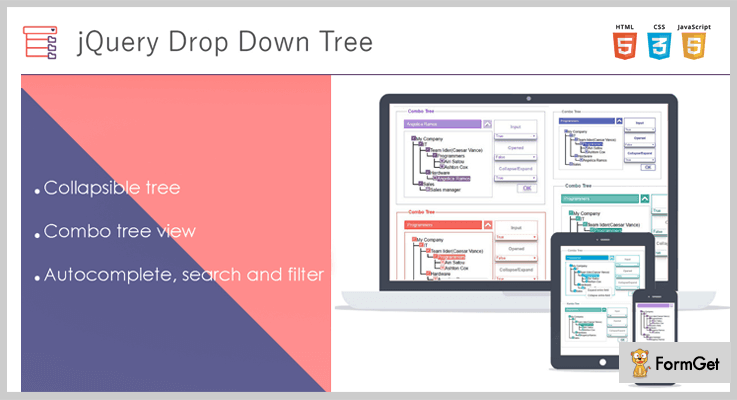
The plugin displays a combo tree view, where data is categorized in sets and its subsets.
You can expand and collapse a tree node anytime by clicking the respective icons. The expansion can be done with (+) and collapse with (-). That is, the window opens up only on clicking a specific arrow present on the bar.
The plugin allows easy filter option for the tree. You will have multiple branches in a tree ( like a company tree having can have branches such as- IT, Sales, Support etc. ), you can easily retrieve any particular single subset (say Sales).
Pricing Plan:
Get this most used plugin for your website at a very affordable price of $6 with 6 months support. You can extend the support to 12 months in $1.50 only.
Features:
- With CSS you can customize the appearance of the tree. For example, different color options for node icon and text, the width of margin etc.
- The selected node from the tree can be seen on the input field, which remains there even after opening the tree again.
- It has autocomplete mode of search is very quick and dynamic. So, if you give the initials or its combination in the input field, the plugin will show you all the possible outcomes from that tree starting from that initial.
- You can get the unique Id of the respective item in the input field instead of its text.
4. Easy Tree – Free in jQuery Tree View Plugins
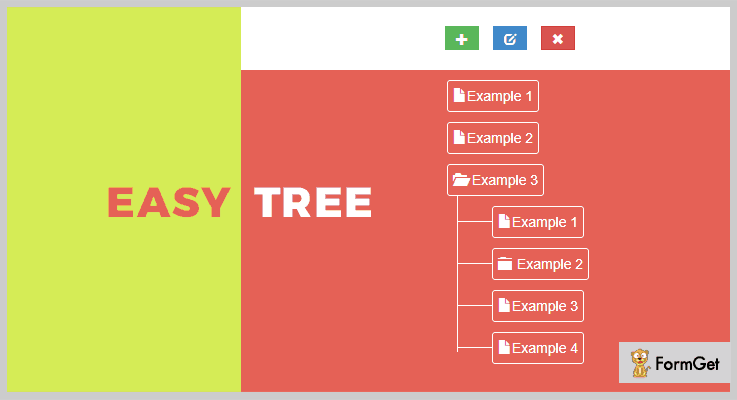
The easy-tree enables an easy tree constructor for an unordered list of data. Since the plugin has a base of jQuery and Bootstrap 3, it gives a high functionality to your website on every device. This lightweight plugin is very easy to set up for any kind of website.
Further, with JSON file format and HTML support, the readability of text is perfect for all kind of menus on a page.
Pricing Plan:
Take away. You can add this plugin to the website without spending a penny. It’s free!
Features:
- This plugin allows you to create a well-formatted tree for the data in the parent-child hierarchy.
- It gives a feel of data flow representation, where you can pick the specific parent with its children easily.
- Also, it displays the tree having a header which has 3 icons assigned to add, edit and delete any node of the tree.
- Easy Tree supports embedding multiple menus on a single page. Plus it also support extreamly large menus.
Conclusion:
You must be certain about their vital roles in your website, after going through all these jQuery Tree View Plugins. And these well-known plugins have always provided the best of its functionalities to enhance your site in every possible way.
Be the first one to grab anyone from the list that syncs with your website. As I am sure you’ll find one.
For more suggestions and queries, drop your comment below.
Thanks for reading!
5+ jQuery Dialog Plugins 2022 (Free and Paid)
“Integrate jQuery dialog plugins with your website & enable the modal window feature with lots of tweaks!”
Modal dialog windows are way too important for those types of purposes when you want to display any kind of important information extensively. They are widely used in the cases like alerting the user for errors, warnings, questions & so on.
Well, that’s not an easy part as these popup windows should open on the same window without refreshing the entire page. Also, it is tough to do the programming part for various types of conditional elements which you can display on the screen.
That’s why we’ve listed some of the best jQuery dialog plugins in this article which can help you in this work. Some of them are free while others are paid.
They all come with pre-designed templates of modal windows which you can customize according to your needs.
Even there are some plugins in this article which can include a popup inside another popup.
To get more variety of features, we suggest you to go through this article once & try out a best dialog jQuery plugin according to your needs.
You may also like to read other blogs consisting of more jQuery plugins which might help you in your work.
Let’s dive in together!
1. Super Dialog Modal Window – jQuery Plugin
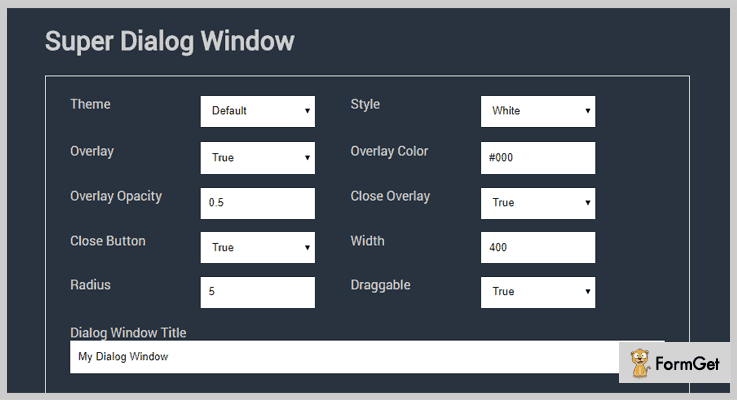
Super Dialog Modal Window is a responsive jQuery plugin which has got 5 inbuilt themes and it provides multiple styling effects as well. With the help of this plugin, you can create unlimited contents and buttons for dialogs.
You get easy to use dialog window through which dialog creation becomes an easy task, you just have to select the option from the dropdown list and create your own custom dialog box.
Pricing:-
- The regular plan of this jQuery dialog plugin is priced around $9. It includes multiple features and facilities to collect dialogs and comments.
- It has also got the extended plan of this plugin which will cost you $45.
Features:-
- With this jQuery plugin, you get a live demo option through which you can create dialog boxes, preview them and generate their code with a single click.
- It comes pre-equipped with multiple styling options like overlay, overlay color, radius, width, add a new button and more.
- This is a responsive, modern and easy to use jQuery plugin which supports various browsers like IE9, IE10, IE11, Firefox, Safari, Opera, Chrome.
- Helps you create dialog content in pure text form as well as in HTML form content.
Click For Details On jQuery Dialog Plugin
2. Minimize, Maximize Dialog/Modal – jQuery Plugin
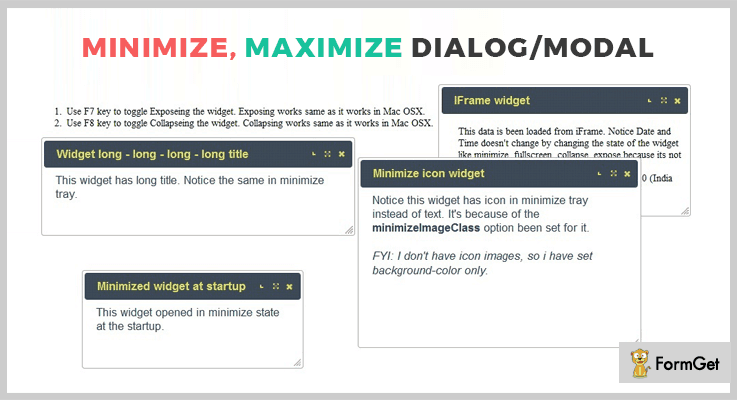
Using this jQuery plugin you can simply customize dialog boxes as per your website design. These dialog boxes are responsive, browser friendly and look great on different devices.
You can change the state of the widgets with just a few clicks or through code changes as well. It allows you to represent widgets as image icons and text icons.
Pricing:-
- The first plan with regular features and services will cost you $7 and it will offer various customization and editing options.
- The second plan of this plugin holds extended services which will cost you $35.
Features:-
- This plugin provides different styles like iFrame widget, long title widget, fullscreen widget and more to create attractive dialog boxes.
- You get options to collapse all the widget in the front and expose them off the screen as well.
- This plugin allows you to have widgets that hold iFrames inside it.
- It is responsive, mobile friendly and compatible with browsers like IE6, IE7, IE8, IE9, IE10, IE11, Firefox, Safari, Opera, Chrome.
Click For Details On jQuery Dialog Plugin
3. Vex – jQuery Dialog Plugin
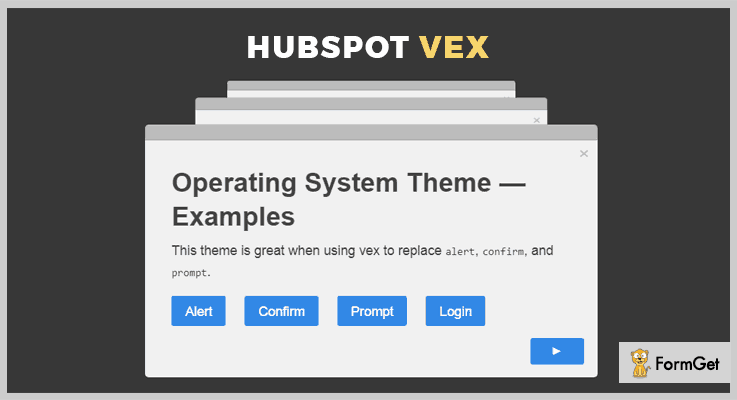
Vex is a totally free jQuery plugin which offers different types of customizations for dialog boxes. It is extremely lightweight 5.6kb gzipped which provides faster loading, it offers API and other documentation as well.
This plugin works well on mobile devices and allows you to apply various types of stylings with just a few clicks.
Pricing:-
- Vex is a jQuery dialog plugin which you will get without spending a single penny from github.com. It can easily be downloaded from this site and is extremely simple to install on a website.
Features:-
- It has got inbuilt CSS spinner for asynchronous dialogs and looks great on mobile devices as well.
- This is an extremely lightweight plugin which sized around 5.6kb which improves the load time of your site. Plus it is not at all dependent on external resources.
- It offers easy to include vex, vex-dialog, the vex CSS file, and a theme file for proper implementation of this plugin.
- With the help of this plugin, you can open multiple dialogs which users can close all at once or individually.
Click For Details On jQuery Dialog Plugin
4. Zebra_Dialog – jQuery Plugin
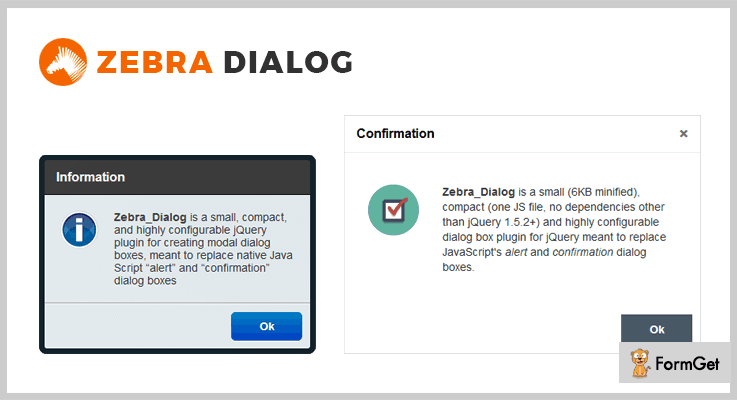
It is an easy to use & highly configurable dialog jQuery plugin for building the modal dialog windows. Through these windows, you can easily display any kind of important information on the window without distracting the user of that browser.
Well, there is no limit on adding the textual information inside the dialog box. So, there is no need to worry about any kind of limitations.
Pricing:-
- This jQuery dialog plugin is completely free of cost for the entire lifetime. All you have to do is to download it from ‘github.com’.
Features:-
- It comes with 5 types of pre-designed dialog boxes such as confirmation, warning, question, error, and information.
- Also, you can use its two themes: flat & default. You can choose any of them depending upon the look & responsibility of the box.
- It consists of CSS files which are customizable. So if you have even a little bit programming knowledge, you can customize the appearance of the dialog box.
- Apart from all of these features, you can add customizable buttons on the popup without any hindrance.
Click For Details On jQuery Dialog Plugin
5. jQuery Easy Confirm Dialog – Plugin
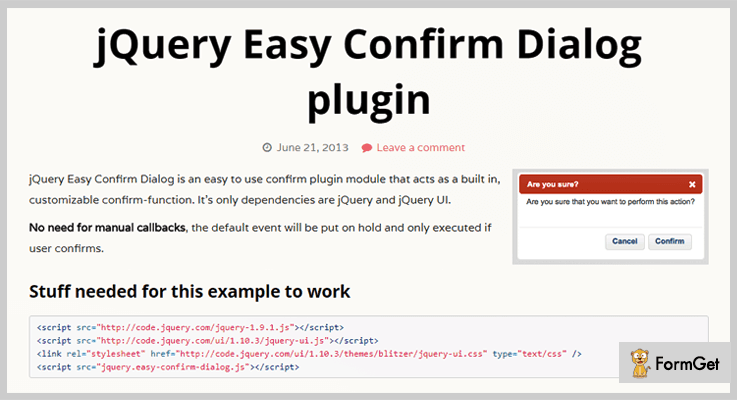
jQuery Easy Confirm Dialog is a compact plugin which intimates with the standard confirm-action. Yet it shows the messages in a popup by using principle jQuery dialog module. It comes with lots of customization tweaks which are understandable by a normal user too.
Apart from it, this plugin is very easy to integrate without any need of callbacks. It means that the current event will be put on hold & will only execute when the users give the confirmation of it.
Pricing:-
- It does not charge any kind of amount once you download it from ‘github.com’.
Features:-
- This plugin allows creating such types of dialog boxes which include two buttons as ‘Yes’ & ‘No’. That means you will be able to question your users if they want to execute that statement or not.
- Also, you can add the slider functionality to the box for managing the large content in it.
- It also allows setting the language of the content as well as buttons such as Swedish, French, Italian & so on.
- Apart from it, you can set a custom link for the buttons. If a user clicks on any of them, he will be redirected to another page with respect to his submitted request.
Click For Details On jQuery Dialog Plugin
6. jQuery Popup Window: Dialog Plugin
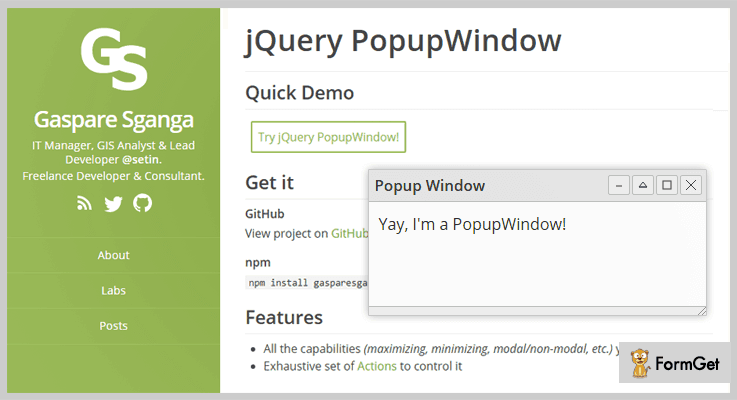
Now comes the simplest dialog plugin! Through it, even a non-technical guy who has no programming knowledge can use it to display popup modal window on his website. The speed of its popup opening never depends on the speed of the current system.
One more interesting fact about the plugin is that it allows customizing the CSS files without any restrictions. So you can transform the look of the popup window according to your needs.
Pricing:-
- This plugin is free of cost & also downloadable from ‘github.com’ where you will find lots of features along with demo link.
Features:-
- Apart from all of this, you can choose any of the two themes, either the default or the customizable one.
- It comes with various types of features such as window minimizing, maximizing, collapse & many more.
- Also, this plugin provides multiple types of actions such as open, close, init, uncollapse, set positions, get the position, etc. They all can truly help you in your work.
- You can add a button on a modal window. When a user clicks on it, another popup window will open. That means you can create unlimited notification windows inside a single one.
Click For Details On jQuery Dialog Plugin
Conclusion
We have arrived at the end of this blog on jQuery Dialog Plugins and we have tried to explain some of the best plugins here. I definitely hope that you will find a plugin which will meet all the needs and requirements of your website.
In case, you have got any type of queries or doubts, you can freely ask us in the comments section below. We will be happy to hear from your side.
4+ Best Infinite Scroll jQuery Plugins (Free and Paid)

Do you use Facebook? Have you noticed how the content keeps on loading automatically when you reach the end of the page.
Well, that’s infinite scroll.
Today we have come up with a great list of 4+ best infinite scroll jQuery plugins. You can choose the one according to your personal preferences and website requirements.
Basically, infinite scrolling means the content of a website will automatically load once the user reaches the end of a web page.
This is a common feature nowadays that you would find on many sites like – Facebook, Instagram, Twitter, and more.
These plugins help your users by saving their time, scrolling from the window, and a lot more.
Using these plugins you can provide your users a better user experience and all information on a single page. This will help you in engaging the users as the flow of contents will not stop, if a user doesn’t want it to stop.
Infinite scrolling is also known as endless scrolling and an alternative to paging. That is why we brought the idea of the use of infinite scroll jQuery plugins.
So, let’s dig deep and know more about the features and pricing of each of the plugins.
You may like to read these blogs as well:
1. Lazy Loader – Paid In Infinite Scroll jQuery Plugin
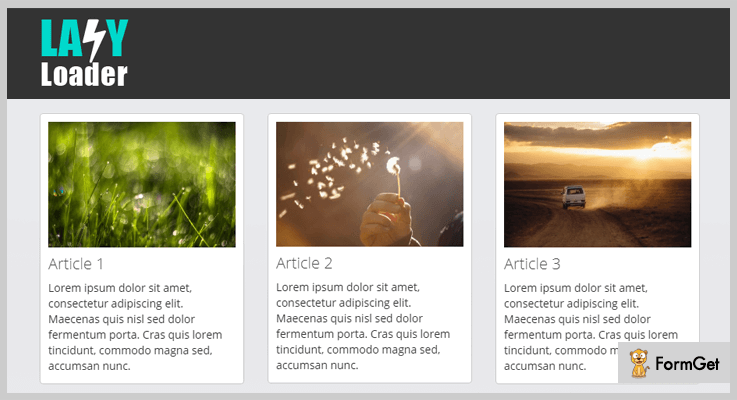
This plugin is perfect for displaying long page contents like a blog, pictures of a gallery section. It includes files like JavaScript JS, JavaScript JSON, HTML, CSS, PHP.
PRICING:
- This plugin comes with a regular plan of $9 with lifetime updates and 6 months client support facility.
- To extend more features of it you can pay $40.
FEATURES:
- This plugin allows you to load only one item at a single time others are not loaded until the user scroll them or click the button.
- It helps you to select the number of items at a time to scroll on the website.
- Lazy Loader is compatible with another plugin like Isotope which helps to display the filter and sort layouts.
- Its cross browser compatible with IE9, IE10, IE11, Firefox, Safari, Opera, Chrome, Edge.
Click Here To Know More About This Plugin
2. jScroll – A Part Of Infinite Scroll jQuery Plugins
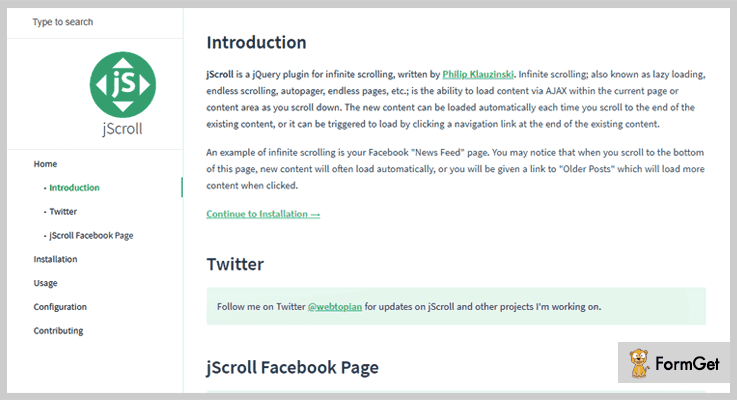
jScroll has the ability to load the content with the help of AJAX in the current page or the content area where you scroll down. It is well documented which helps you in understanding its functionality better.
PRICING:
FEATURES:
- With the help of this plugin, you can turn on the debug mode on the website so that if any error occurs it automatically recognize it.
- You can set the integer value greater than 0 to turn off the auto triggering of the pages after every specified number of pages.
- This is an HTML code “loadingHtml (‘<small>Loading…</small>’)” which has to be written on the bottom of the contnet page while loading the next one.
- You may define a callback function to be called after a content of the page is been loaded.
Click Here To Know More About This Plugin
3. jQuery Infinite Scroll – Best In Infinite Scroll jQuery Plugins
This plugin is very simple and easy to use. It has many callback function options like – ondataloading, onDataLoaded, and onDataError. All these callback functions will perform differently that is according to the page requirements.
It has two different options as well – dataPath and itemSelector. Datapath helps in loading the more data from the URL, whereas, itemselector helps in selecting a single item selector for loading the data items initially via AJAX.
PRICING:
You can download this plugin for free from the official website of GitHub.
FEATURES:
- This plugin makes the call to AJAX for loading more data on the web page.
- It has a callback function onDataLoaded, it is called whenever additional data items were loaded.
- onDataError is a callback function which is called whenever there was an error loading data through AJAX.
Click Here To Know More About This Plugin
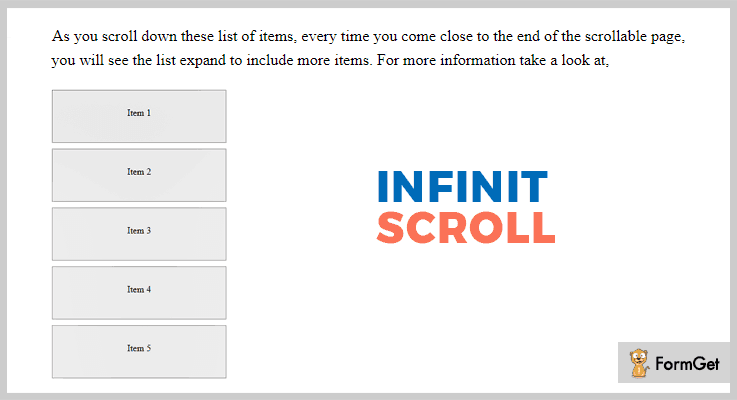
4. Infinite Scroll – jQuery Plugin
It’s very simple and easy to use jQuery plugin within the few clicks you can activate this on your website. It also gives you some of the basic callbacks like data loading started.
PRICING:
FEATURES:
- You can select the items with the help of item selector option initially loaded or by the AJAX.
- Its onDataLoading is a callback function whenever it is called more data items are loaded.
- Moreover, you can call an onDataLoaded function whenever you want additional data items to be loaded on the pages.
- onDataError function helps you to detect the error on the page through an AJAX.
Click Here To Know More About This Plugin
5. Infiniscroll – A Part Of Infinite Scroll jQuery Plugins
Infiniscroll is also known as lazy loading, endless scrolling, autopager, endless pages plugin. It comes with well-documented files which help you to try each and every function of the plugin.

PRICING:
FEATURES:
- You can use ‘.pagination a.next’ function for changing the page numbers on the website.
- ScrollOnLoadDistance function is the distance to scroll down whenever the new content is load by default then the limit is set to be 200.
- A scrollOnLoadSpeed function is used to see the speed of the scroll down when the new content is loading on the page by default it’s 500.
- Also, this plugin is cross-browser compatible with Opera Mini, Chrome, FireFox etc.
Click Here To Know More About This Plugin
Conclusion –
These were the best hand-picked infinite scroll jQuery plugins for you. We hope you have found the best match according to your requirements.
So, what are you waiting for? Pick the one use it and turn your web page into a never-ending page.
Don’t forget to share your words in our comment section!
4 Best Survey jQuery Plugins (Freemium)
Conducting surveys is so much tiring! And for this, you need lots of time and manpower.
So, there is a smart alternative for this is Survey jQuery plugins that allow you to conduct surveys on your website.
These plugins provide you a seamless way to conduct surveys, polls, and examinations with lots of advanced functionalities.
So, for those folks who manage polls, quizzes, and surveys. We’ve compiled a list of the best freemium survey jQuery plugins.
These plugins are responsive and work well in any web browser. And, for these plugins, you don’t need to pay any single penny!
Take a ride on these blogs too
Let’s dive in and find the best survey jQuery plugins.
1. Exam Wizard – Survey jQuery Plugin
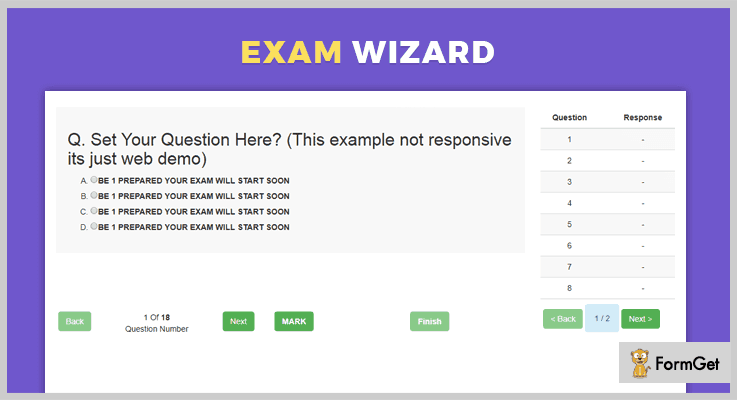
Exam Wizard is one of the finest survey jquery plugins that allows you to create surveys, online examinations, quizzes, and so on.
With the help of this plugin, one can easily build exams with unlimited questions. Moreover, you can also effectively use this plugin to conduct surveys and allow the people to give their feedback instantly.
Free Download
You can download the freemium version of this jQuery survey plugin from the GitHub.com.
More Features
- It provides the ability to users to mark the questions and use the quick access menu.
- Automatically saves all the users answers in cookies.
- Provides you the ability to retrieve the marked, answered, and remaining question from examVeriable directly.
- The plugin is responsive to all screen sizes and devices.
2. JqPool.js – Survey jQuery Plugin
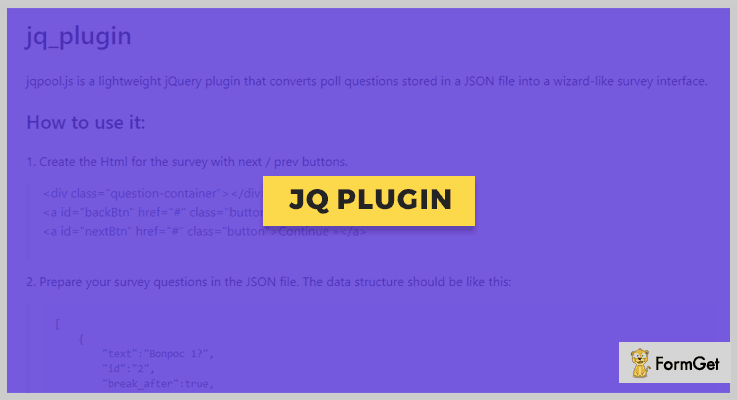
JqPool.js is a responsive jQuery poll plugin which allows you to create attractive surveys. It converts the poll questions which is stored in a JSON file into a wizard-like survey interface. The plugin lets you hassle-free creates user-friendly polls and surveys.
It provides you the full HTML code to place the “next and previous” buttons in your polls. So, even a beginner can use this plugin by just having some basic coding knowledge.
Free Download
Download this jQuery survey plugin for free from the GitHub.com.
More Features
- The plugin is lightweight. So, it won’t harm your website speed and performance.
- It is responsive and works great on all devices with different screen sizes.
- The plugin is compatible with all the major web and mobile browsers.
- It comes with full documentation and source code. So, you won’t find any difficulty while implementing it.
3. jQuery.Survey
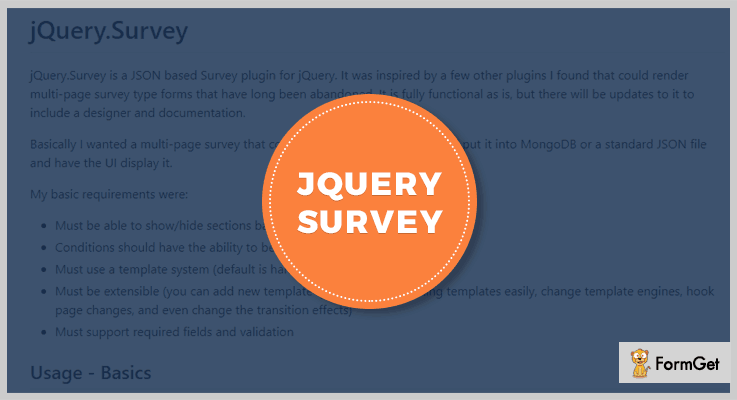
jQuery.Survey is an astounding plugin which is used for generating survey and gathering the required information. This plugin provides various features for creating multi-page survey type survey forms and validating them with the required fields.
This JSON base jQuery plugin allows you to create templates, hook the templates to other pages, and a lot more.
Besides, these plugins are responsive to all screens and mediums. Thereby, people can fill these forms using any device like mobiles, tabs, desktop, etc.
Free Download
This is a freemium plugin. You can simply download it form ‘github.com’ and start using the provided features.
More Features
- You can easily initialize the survey form or load the survey data from other URL.
- It enables you to show or hide data based on data entered.
- This plugin provides you templates which you can customize as per your convenience. You can also add new templates if you want.
4 jQuery.Survey Bootstrap
This is an efficient jQuery survey plugin. It provides you with various impeccable features like creating a survey, templates and a lot more.
You can easily customize the plugin as you want and gather the information from your customers, visitors, etc.
Apart from this, it is compatible with most of the modern browsers and is also responsive. And it also comes bundled with a nicely-written documentation which you can refer in case of query arises.
Free Download
You can download this plugin from ‘github.com’ and get all of its features without spending a single penny out of your pocket.
More Features
- You can easily pass the required validations and also add the fields like name, email address, contact number, etc.
- This plugin allows you to effortlessly create and initialize a survey form
- It enables you to customize the provided templates and add/delete the required data.
Conclusion:
Consequently, we have mentioned few of the most popular survey jQuery plugins which are used to gather the information from the visitors on your site in the form of a quiz.
Further, we also scrutinized their major attributes, pricing plans & various other details –
- These plugins allow you to create survey forms. These forms can be created for any niche like collecting demographic info, market research, training evaluation, website survey, etc..
- You can easily use the templates as it is or you can modify it as you want.
- It allows you to create various fields and pass validations.
- Apart from this, they come with a well-written documentation so you don’t have to wander here & there in search of a solution to your queries.
And a lot more…
So, now we believe you must have found an ideal survey plugin which suits best for your site.
Don’t forget to share your views with us!
Feel free to contact us for any more queries and suggestions. We will get back to as early as possible.
5+ Calculator jQuery Plugins 2022 (Free and Paid)

Think of it, you have a web store and people have started filling their online carts but at the time of check out, there’s no final value to be paid.
I mean, you can build a website anyhow but there’s a lot more to add. Like a calculator!
Yes, it may seem a very minor element but it makes a huge difference.
You have to integrate calculator to your website. As every visitor of your site wants information in figures and stats.
Now, a calculator can do a lot of tasks on the front-end too. In fact, sometimes you would need this tool to present stats like BMI index, Currency calculators and more.
So, these calculators will ease out your workload too! Because computing the values would not take any manual efforts. Plus, you are dead sure about getting the accurate results.
Don’t rush to get a physical calculator, as we have a better option in the form of calculator plugins instead, rather Calculator jQuery Plugins.

Following discussed Calculator jQuery Plugins are introduced in order to accelerate the working of your website. The reason being, they calculate the values dynamically on the web page, calculations are done for all kind of tangible and web services. You can also assign keystrokes with the functionalities to calculate values.
Learn more about some useful jQuery plugins with these blogs
1. jQuery Build A Meal
This absolute responsive plugin is highly recommended for professional websites for nutritionists, restaurants, health improvement sites etc.
The plugin lets you create an online ingredients list with its relative nutrition values for a healthy meal. The nutritional value is calculated in terms of calories, saturated fat, fibers, protein etc.
Once the meal processing is done, you can proceed with any of the 3 options. Reset meal, Print meal and Shared meal (on popular social media like Facebook, Twitter, Google plus)
Further, the user can get an idea about the serving size (amount of food) in an ounce.
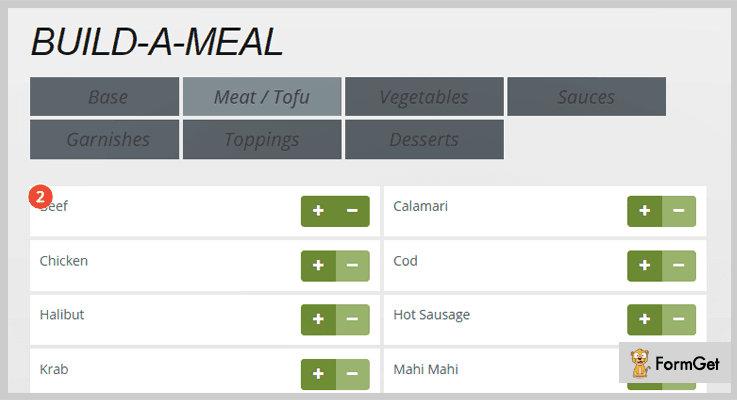
Pricing
Get this super functional plugin for your website at an unbelievable rate of $10 with 6 months support. You can also extend this support to 12 months at $3 only.
Features
- With this plugin, you can have a systematic list of ingredients in tabular form. Which will display the number of individual ingredients and options to add (+), remove (-) or delete them.
- Further, in the list, you can find the detailed nutritional information in two ways. The numeric nutritional values calculated by weight units (G, Mg) and nutritional values calculated by %
- The users will also find one of the most required information about the “might-be-allergen” ingredients used in the meal.
- The plugin uses Font Awesome CDN icons to have easily resized and changeable icons.
2. Fitform BMI Calculator
Just as the name suggests, this plugin calculates the BMI according to height and weight of a person. Along with the BMI result, the user can also get more detailed information about BMI from the most trusted WHO.
This is one of the most widely used plugins because of its easy integration with HTML, JavaScript and PHP application.
The color, fonts, and fields of the form are absolutely customizable.
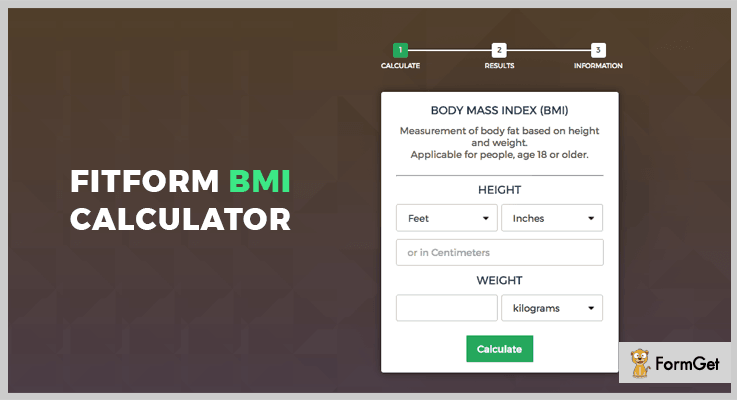
Pricing
Have this feature- loaded plugin on your website now at just $14 and a 6-months support. Extend the support for 1 year at $4.50.
Features
- If the height is fed in feet and inches, it gets converted into centimeters for BMI calculation automatically.
- As soon as you feed the height weight details, the user gets notified of the calculated result. Further, You get stats related to category and respective BMI’s along with important notes and precautions.
- This lightweight plugin is built using robust jQuery and jQuery easing plugin.
- The plugin uses two measuring unit system, imperial(inches/pound) and metric (centimeter, kilogram)
3. Simple Price Calculator
Simple Price Calculator allows you to calculate the price of the service/product dynamically, as the user can see the calculated price quotes parallelly while order placing.
The services could be of any type, for example, any tangible product, web forms etc.
Also, the plugin lets you convert a simple HTML based form into an active price calculator form. For instance, the estimation and details of a product or service can be provided instantly.
With its easy form text changing option, this plugin is highly customizable.
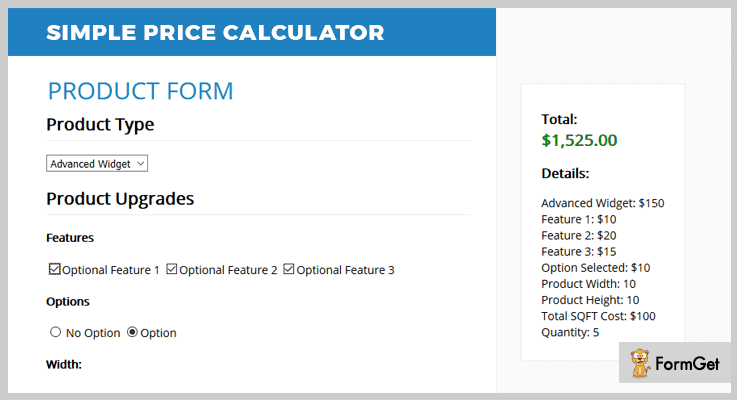
Pricing
Allow this plugin to enhance your website by paying only $8 which comes with 6 months support. Extension of this support to 12 months is available at $2.25
Features
- The price calculator form will display total amount and details of the order at either sidebar or bottom of the page
- Product costing is done on the basis of added features, options, dimensions and amount of product ordered.
- The plugin provides options to change currency according to the need.
- It also illustrates with various examples of the email mode of notifying the users about the details and total costing of the products.
- You can multiply numerical values of two fields for calculating the price. Also, you can add a quantity field in the form whenever required.
4. VOIP Pricing Calculator
VOIP Pricing Calculator is exclusively designed to calculate VOIP business rates. For example, calculation of VOIP calling rates, SMS rates, and mobile top up rates.
The rates for which is based on USD
For example, simply select the country name and currency, and a list will be generated showing calls tariff for mobile, landline etc. with applied VAT.

Pricing
You can add up this plugin on your website at a very affordable rate of $39 which comes with 6 months support. And extend the support to 12 months at $13.88.
Features
- The plugin comes with W3C validated code for your website.
- It is absolutely compatible with the modern browsers like Firefox, Opera, IE9, IE10, IE11, Chrome etc.
- A user is allowed to update and edit this plugin with the plugin’s clean code (as it is easy to understand and changeable)
- Based on bootstrap version 3.3.7, this plugin can make your website utter responsive to give perfect layout for all the devices.
5. Calculator
With this plugin, you can add a pop-up standard or scientific calculator in the input field. In simple words, you can do all the calculations in the popup calculator and display the result in the attached input field.
The plugin provides various functions to pop up, hide, disable the calculator for particular fields.
With its 15 localized options, you can change the text and tooltip language in the desired language.
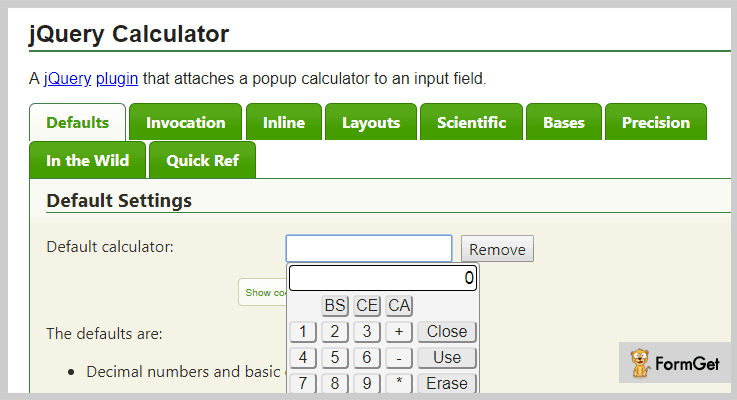
Pricing
Absolutely free!
Features
- This plugin allows you to round off the result by setting a precision value. The rounded value result is displayed on the input field only, while the calculator will hold total computation for further use.
- It also enables keyboard functioning of the calculator. Simply press the ALT key to know the corresponding keystrokes for all the buttons. You can also add the keys for computation.
- The plugin lets you have multiple styling options with eye-catching background and big buttons for an attractive calculator.
- Besides default decimal base, the calculator also works on binary, octal, and hexadecimal bases.
6. jQuery blackCalculator
jQuery blackCalculator is an open source plugin that contains best of the features of calculator for a variety of websites.
With CSS customization you can have a unique layout for the calculator, that would suit any kind of website.
Further, you can also enable and disable the keyboard operation to handle the calculator.
Pricing
It is a free-to-use plugin for any website.
Features
- The plugin enables two types of mostly used calculators. Standard and scientific, with absolute accurate results.
- It provides 100% functionality for almost all famous web browsers.
Conclusion
I hope you would find the best choice of these Calculator jQuery Plugins, which are both free and paid. Grab the perfect plugin in order to make your website worth use for the visitors.
Feel free to post your suggestions and queries anytime.
Thanks!
5+ Instagram jQuery Plugins (Free and Paid)

“Integrate your website with Instagram jQuery Plugins to fetch & post the photos/videos from any Instagram feed.”
These days, Instagram is amongst one of the most used and popular social networking sites. People create an account and post photos and videos on various categories like food, photography, art & craft & a lot more.
Therefore, many website owners wish to display their Instagram updates on their site as well.
So, what can be done if you want to display these posts on your site or in some widgetized area?
The answer to the question is Instagram jQuery plugins!
All you gotta do is, install these plugins on your website and you will get an API via which you can automatically fetch the pictures and videos from various accounts, hashtags, location, etc. Then, you can easily select the photos you want to post on your site. Easy enough!
These plugins are of great help as they save your time & energy by preventing you from searching & downloading pics from different accounts.
Moreover, most of these plugins come bundled with a nicely written documentation & several demos for easy implementation.
Therefore, we have created a list of 5+ Instagram jQuery Plugins and also discussed their major attributes, pricing plan and other details.
Besides, you may also be enthralled by some of these blogs. So, do have a look!
Let’s get started with Instagram jQuery Plugins.
1. Instagram Feed – jQuery Plugin
This is one of the finest jQuery plugins. It is used for adding the images or videos from an Instagram feed to your website in the form of grid or slider. It provides various features like easy customization options for the post & pop-up elements & much more.
Besides, they also facilitate 10 predefined color schemes, custom colors of 13 UI elements. Along with this, they also provide two browsing directions like horizontal or vertical.
You can install the plugin on any website by simply copying & pasting the widget script. Plus, it is retina ready & responsive to all screens. It also provides multilingual support.
Pricing:
You can buy this plugin at the cost of $22. Along with this plugin, you get all of its features along with the benefit of all future updates & prior support.
Features:
- It provides you 3 different navigation controls of an Instagram gallery like arrows, scroll & drag.
- You can apply animation effects such as fade or slide, adjust its speed & select animation easing of slide switching.
- This plugin empowers you to add & filter the photos on the basis of username, hashtags, locations & URL of specific photos.
- By using ‘except’ filter you can restrict certain content or photos from specified hashtags, location, etc.
- Along with this, you can also define breakpoints for rows, columns & gutter in the grid depending on the width of the window.
2. Instagram Plugin – jQuery Plugin
Instagram Plugin enables you to add the images from various Instagram accounts to your website. This plugin provides you commendable features like capability to hide the header, smooth scrolling, etc.
It includes the profile info like a profile picture, images, followers following number & supports the high-resolution image in 4 different sizes.
You can easily customize this plugin using HTML or CSS.
Moreover, this plugin is easy to install, supports multiple languages & comes along with a well documented JS code.

Pricing:
The price of this plugin is $17. Additionally, you also get the benefit of updates and support for 6-months which can be extended for another year by paying $5.63.
Features:
- You can add the pictures from any username, hashtag or username filtered by hashtags to your website & exclude them as well.
- It enables you to add a button which directs to the Instagram page.
- This plugin automatically adjusts the images to the size of slider widget.
- Along with this, you can choose the colors for background, panel, button & text.
- Moreso, it also provides beautiful & fast loading animations & images cache too.
3. Instagram Element – jQuery Plugin
It is a renowned jQuery plugin which simplifies the task of sharing photos from Instagram to your website. This plugin provides you with various flexibility features like animations, transitions and much more.
Either you can pull as many photos and HD videos you like or, you can also set a limit to this functionality.
Furthermore, this plugin provides multi-layered design & effects plus, it is based on non-conflicting plugin design.

Pricing:
This plugin is available at two different rates.
- For availing the standard license, you have to pay $9.
- To get the extended license, you have to pay $45.
Along with the product, you also get support for 6 months which can be extended for another year by paying the amount of $2.63 & $13.13 respectively.
Features:
- It provides you with various modes to pull the Instagram photos like popular, user & multi-user Instagram feed mode. Thereby, you can pull the photos from popular accounts, specific account or multiple accounts as per the mode you select.
- By using tag mode, you can specify the hashtags to search from Instagram API.
- This plugin grants you various options to customize the gallery controls like animation, transitions, speed, easing etc.
- You can set a limit on the number of photos you want to upload on your site.
4. Simple Instagram Fancybox – jQuery Plugin
This is an efficient jQuery plugin. It provides several for uploading the photos from Instagram page to your website like upload a pic from your account or any other account and a lot more.
Simple Instagram Fancybox is a flexible plugin i.e. you can easily customize it as you want.
On top of that, it is compatible with almost all modern browsers like IE 6 – IE 11, Safari, Firefox, Opera, Chrome, etc.

Pricing:
To purchase this plugin, you have to pay –
- Regular license – $5.
- Extended license – $25.
Features:
- You can add pictures from any account just by inserting the username.
- It provides you with special effects and animations.
- This plugin is very lightweight which makes it load faster.
- Along with this, you also get a nicely-written documentation which you can refer in case of doubt.
- Also, you can easily customize this plugin by specifying the content elements using HTML or JavaScript.
5. jQuery Instagram Browser – jQuery Plugin
jQuery Instagram Browser is an excellent plugin. With the help of this plugin, you can fetch the photos & videos from the Instagram feed and post it on your website.
Further, it is cross-browser compatible and comes bundled with a documentation. So, you don’t have to hassle much and simply refer to queries and implement thereby.

Pricing:
You can avail this plugin at two different rates. Moreover, you also get all future updates and 6-month support along with this plugin. To extend the support for another year you have to pay $1.13 & $5.63 respectively for both the versions.
- To avail the regular license of this plugin, you have to pay $5.
- For availing an extended version of this plugin, you have t pay $25.
Features:
- It enables you to search the Instagram API with just a username and a list of users will be displayed. Hence, you can select the username and view the photos.
- You can also search the Instagram photos by using hashtags.
- Although this plugin shows 20 profiles or photos at a time, you can also view more by adding the load more option.
- This plugin provides a hover tooltip which triggers on mouseover a photo & displays an info tooltip showing username, date, timestamp, comments, and the number of likes.
6. SpectragramJS – Instagram jQuery Plugin
With the help of this freemium plugin, you can easily post the photos from Instagram feed to your website. This plugin is very flexible and easy to use.
It is very lightweight and as a result, loads faster.

Pricing:
You can acquire this plugin without spending a single penny. Simply go to ‘github.com’ and download it for free.
Features:
- You can get the most recent post from the Instagram API by inserting the username.
- It allows you to define the HTML tag for displaying the results like in the form of lists, etc.
- This plugin empowers you to define the size of the image such as small, medium & large.
- Apart from this, you can also use your own Access token.
Conclusion:
We have mentioned few of the very well known Instagram jQuery plugins which will help you to add photos to your website from the Instagram account.
Further, we have also scrutinized their various features like –
- These plugins are customizable.
- They enable you to fetch the pictures & resize them simultaneously.
- Also, you can add pics and videos from multiple accounts, tags, etc.
and many more…
So, we hope you might have found the plugin which fits best in the box of your requirement.
Feel free to contact us for any more queries and suggestion. We will get back to you as early as possible.
4 Best jQuery Facebook Plugins (Free and Paid)

Integrate jQuery Facebook Plugins to flourish FB updates on your website!
To question the power of Facebook in an online business is to question the importance of sunlight on earth. It provides a platform to more than a billion people on the earth.
Now it’s no longer a want, but a need for any business marketing for procuring large number of customers.
If your website isn’t integrated with Facebook and other social media sites then you are really missing the big piece of the online business puzzle.
Here comes the need of jQuery Facebook plugins.
These plugins smoothly integrate with any kind of website and can display the Facebook wall page, comment box and like box to your website.
Some of these plugins are also compatible with other social media platforms like Twitter. Thus you can flourish social media feeds of multiple platforms on your website, making it more engaging and persuading.
If you’re still confused, then to help you grasp the immense power of Facebook in the commerce world, here are enlisted 4 Best jQuery Facebook Plugins.
Let’s check out!
Swift through more jQuery plugins!
1. Facebook Comment Slider – jQuery Social FB Plugin
Everyone loves Facebook ‘like box’, ‘comment box’ and fan page wall. This jQuery plugin can seamlessly integrate these into your existing website.
The plugin provides a fancy slider which offers an opportunity for the users to leave comments about your website. The slider position is always fixed.
Like box offered by this plugin provides animated and attention-grabber slider with the liked people faces. Thus it is the best tool to hook your audience on your website.
Features
- The plugin is tested on all major browsers Mozilla Firefox, Google Chrome, Safari, Opera and Internet Explorer.
- Sliders provided by this plugin always fit to the user’s device and on any screen including mobiles and tablets.
- You can opt in the dark & light Facebook color scheme as per your website template.
- It also provides the flexibility to define the distance for each sliders from the top of your website in percentages. Also you will get the possibility to set the left or right position separately for the Like Box, Fan Page Wall and Comment Box of Facebook.
Pricing
Get the regular license of this plugin at $7.
2. Social Rail – Facebook And Twitter Stream
It is a super light JQuery plugin for showcasing Facebook and Twitter feeds on your website. You just have to insert the Facebook page ID or the Twitter account name at the plugin settings.
The plugin performs very fast because it loads only the required CSS and JS files. You don’t need to setup any PHP or server side file.
Show the stream within a slider, carousel, scroll box or as static feeds to present your Facebook & Twitter data at their best look.
Features
- The plugin offers the option to choose black or white skin and select boxed or the classic designs layout.
- It is 100% responsive because you will get advanced JS and CSS responsive features for smartphones and tables.
- You will get regular updates and bugs fixed with this plugin.
Pricing
You can buy this plugin at $9 with 6 months support from Schiocco.
3. FABA – Facebook Albums And Photos Gallery
It is a facebook albums and photos gallery jquery plugin. The plugin automatically loads all the albums and photos from the selected FB page.
FABA offers the flexibility to do unlimited customization of animations, hover effects, text’s and behaviors.
The plugin allows to add beautiful albums into your website. You can also organize photos into pages too.

Features
- The plugin comes with 28 animations for every effect.
- It provides responsive design for all the devices.
- You can create slideshow of facebook albums with autoplay options.
Pricing
Grab this plugin at $15 with 6 months support from themeflection.
4. jquery Facebook Wall – jQuery Facebook Plugins
Through this plugin you can display the latest updates from your facebook profile page. You can also share the updates of the facebook pages on your website. You can set limit on the amount and the display speed of the facebook feeds.
Features
- The plugin allows to set the maximum word count (length) of the message.
- You can also specify the avatar size as small, normal and large.
- It is based on CSS styling allowing you to do unlimited changes in designs.
Pricing
It is a free plugin of GitHub.
Over To You!
I hope these jQuery Facebook Plugins let you gain a lot or your online business website.
Even if your business isn’t web-exclusive then these plugins will really prove a treasure trove in the online arena of online business marketing.
Go through the live demo of each of the above listed jQuery Facebook Plugins and pick the best suitable plugin for your website!
Used any of these jQuery FB plugins? Which is the best? Do let us know in the comments.
Happy trails to you!
4+ Best jQuery Parallax Plugins (Free and Paid)
jQuery parallax plugins help you add the parallax effect on your site which is becoming a new tread in the web development. It somehow achieves the goal of binding a visitor with your site by these refreshing effects and make them scroll again and again.
If you are new to even hearing the name of the parallax effect, my personal recommendation is please look into an example. Because it is not just a term which can be easily understood through definitions.
However, we’ll try to give an easy definition to the subject. “It much like a scrolling effect of the mouse. Through this effect, you can move 2 or more different content (images, text etc.) in back and foreground. You can even adjust different speed for the contents for much better animation and effects.”
So, start making use of this trendy parallax effect through simple ready-made plugins.
In this article, we’ve compiled a list of 4+ best jQuery parallax plugins both free & paid. Most of these plugins are very easy to use and lightweight at the same time. Explore yourself thoroughly to know more.
Look through these popular jQuery blog listings:
1. Imagine – Prime in jQuery Parallax Plugins
Imagine is a premium product by pixevil with a 5 stars rating. It has unlimited possibilities for parallax scroll and parallax animation. The Imagine animations are easily applicable to any site element. Also, they come with a perfect parallax background. This plugin is built with the efficient combine use of jQuery, GSAP & Animus.
In addition, it is well documented and beginner friendly plugin. Also, it is compatible with almost every front-end framework. Imagine has been tested with Bootstrap & Foundation and found perfect to use.
Pricing Plan:
Imagine has a regular licensed plan of $12 and an extended one of $35 with 6 months support.
Features:
- 5 pre-designed templates- Daydream, Imagine, Misty Woods, Portfolio, and storytelling.
- It uses advanced parallax animations for site elements. Plus you can customize and write your own animations.
- There is a touch-enabled interface to make it convenient for the mobile devices.
- Imagine can animate almost everything. It can help you apply impressive parallax animations effects to your site elements.
2. Parallax Slider – jQuery Parallax Plugins
Parallax Slider is a highly responsive jQuery plugin with 4 different versions. These versions include Classic, Perpetuum Mobile, Mouse Interaction & Ultra. Each slider version has 2 skins namely bullets & thumbs. Moreover, there are options available to set each slider as Full width or of Fixed Dimensions.
This plugin has a live preview available for each and every slider version along with its functionality. Plus, each listing has extreme common as well as some very unique features.
This plugin support unlimited layering of elements over one another. Also, this feature is applicable to all the text and images.

Pricing Plan:
Parallax Slider has regular license plan of $11 with 6-month support which is further extendable in just $3.38 for 12-months.
Features:
- You can embed any YouTube video, Vimeo or HTML5 to the parallax.
- In Perpetuum mode, you can define a number of backgrounds with as ongoing or forever move. This behavior is available for every background.
- Mouse interaction mode, the elements react when a mouse is rolled over.
- Continuous mode, you can choose which layer will move continuously in between the two destined positions.
- Rotary motion mode, you can set a layer which will rotate by setting the parameters.
- The asynchronous move, to define various background elements having different frequency of speed.
3. freshD – jQuery Parallax Plugin
freshD is 3D jQuery parallax plugin which animates your site objects in 3D. You can never get the idea of parallax effect through words, so move your mouse and click the demo. Check out the example by yourself and experience the parallax effect.
Furthermore, it can easily adjust and adapt in accordance with your website. It has a very easy installation & flash style motion.
Pricing Plan:
The freshD jQuery parallax plugin has two cost estimate plans with future updates enabled.
- Regular licensed plan – $9
- Extended licensed plan – $45
Features:
- Ability to add unlimited objects to the 3D animation.
- WYSIWYG configuration system for a smooth 3D motion of site elements.
- It’s a jQuery Conflict free plugin.
- Also, you can link every element or object of the plugin to an URL via <a href=“#”>.
4. jparallax – Prime in Free jQuery Parallax Plugin
With the effective use of this plugin, you can create an interactive parallax effect. It turns the parallax elements into layers that move in response to mouse actions. The animations and transitions on the elements completely depend on their set parameters in the back-end.
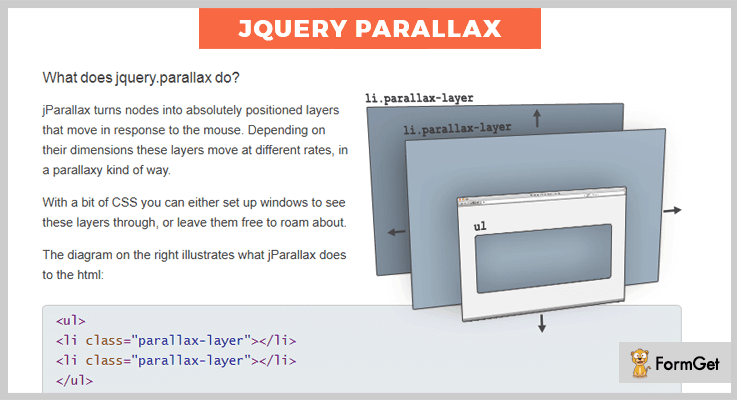
Pricing Plan:
The jparallax jQuery plugin is a completely free product of GitHub and you can easily download it from the official site.
Features:
- It reveals the with of the parallax element in response to the mouse movement throughout the width.
- You can make layers of the parallax elements using pure CSS.
- Options available to adjust the size, transition and speed.
5. Simple Parallax Scrolling – jQuery Parallax Plugin
Simple parallax scrolling effect is a very basic jQuery parallax plugin. It gives a very basic functionality to an element of simple the parallax effect.

Pricing Plan:
Simple parallax scrolling is another product of GitHub with the basic parallax functionality.
Features:
- Highly responsive to all screen sizes.
- You can add any images for the basic functionality.
- Proper demo and documentation for user-friendly setup.
- It is a cross-browser compatible plugin with support to major browsers.
Conclusion:
Consequently, these were the most noteworthy plugins of the domain jQuery parallax plugins. If you are aware of another much worthy product, please do share the same with us in the comment section, we’d really love to hear your feedback.
Thanks for reading!
4+ Top Mobile Menu jQuery Plugins (Free and Paid)
Due to high usage of smartphones, creating mobile apps and mobile site has become an important thing which helps to expand the customer base.
Creating mobile responsive sites is a challenging task due to the presence of different operating system, various screen sizes of mobiles or browsers with different software & hardware.
But don’t worry!
jQuery has come up with various Mobile Menu jQuery Plugins that will make your site more attractive and sticky for viewers to fall for it.
So, in today’s blog, we’ve specifically chosen those top-rated mobile menu plugins for your navigation which can easily create mobile menus for your website. This blog contains paid as well free plugins and which allow to have a specific responsive mobile header menu and mobile footer menu bars.
The plugins listed in this blog comes with many advanced features such as unique UI designs, effects for sliders to make your site creative, an off-canvas menu for swiping left to right the slides and more.
By getting one of these plugins you will also get a reliable team support for any issues you may encounter. Plus, you will get various drop-down menus to find the things easily. Some of the plugins in this blog contain a sticky header which makes your website’s header visible at all times. Also, you can give a variant of colors to these headers.
Let’s dig into the list and take your time going through these mobile menu plugins:
Few more to read:
1. Web Slide Mobile Menu jQuery Plugin:
Web Slider is used for creating a responsive and touch-friendly drop-down navigation. The plugin is lightweight and easy to customize plugin which provides 21+ complete demo of a navigation system. It provides only single code for all devices and there is no dependencies of a bootstrap framework.
This plugin contains features like full-screen overlay menu for small devices, mega drop-down menu to find items in a list that appear when clicking on a button.
Another Useful Feature:
- It provides mobile drawer style menu to get the things easily on your mobile screen.
- Supports off-canvas menus which are used for the viewport and slides when activated on your site to provide ease in operating.
- Web Slide contains eCommerce mega menus so you can easily activate this menu whenever required.
- It provides slide down toggle menu to make the things more efficient on your website.
Pricing:
This plugin comes under your budget. It will only cost you $10 and provide support for 6 months.
2. Mash Mega Menu jQuery Plugin:
Mash Mega Menu is simple to implement jQuery plugin. On the desktop, you will get a simple navigation bar, but on mobile, you will get the burger icon menu method.
Additionally, this Mash Mega Menu plugin will make your website more beautiful by providing google fonts & 430+ vector icons. Also, the plugin provides a sticky header which makes your header visible at all times with a variant of colors.
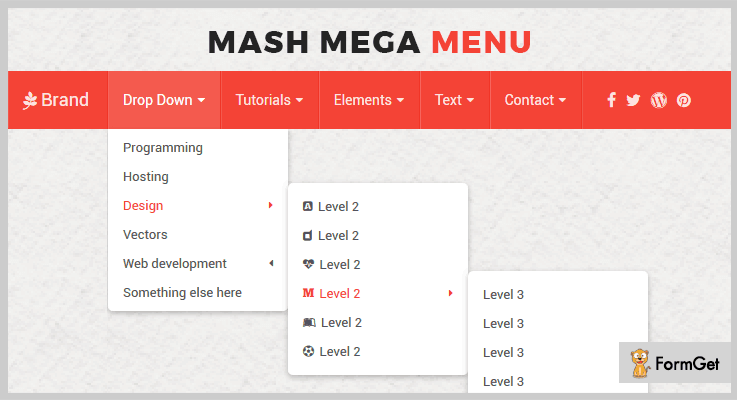
Another Useful Feature:
- The plugin provides ripple effect which helps you to measure the program’s complexity.
- It supports auto menu color change option based on morning, evening, and afternoon.
- Provides drop down function with 3 types of option full width, half width or multilevel width.
- It provides a mega menu for forms, search bar or social icons.
- Contains 19 predefined color styles which can be filtered easily.
Pricing:
This plugin will cost you $6 for its regular license and if you want to extend its services then you have to pay $30 only.
3. Web Slide Mobile Menu jQuery Plugin:
Web Slide is the most popular mobile menu plugin which can be easily integrated into your website. It comes with tonnes of features like a simple sliding style menu to make your site unique, proven track record on mobile so that you can maintain all the data with this. It contains multi-level menu support, unique UI design, different app style menu, an off-canvas menu for swiping left to right on touchscreen devices etc.
Moreover, the plugin provides only single code for all desktop & small devices so you don’t need to do coding again & again, also this plugin provides CSS3 animations effects to make your site more attractive.
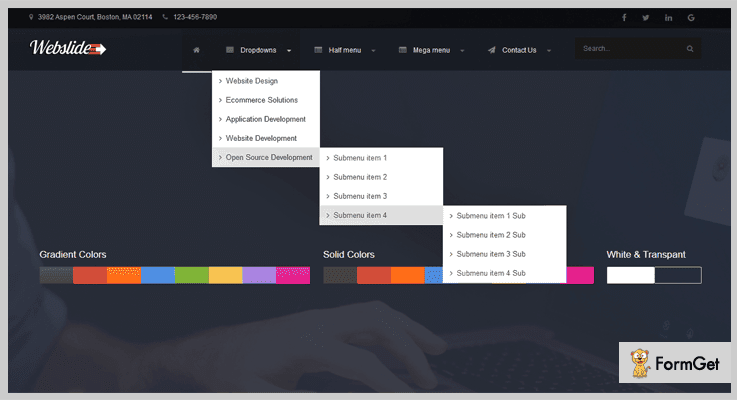
Another Useful Feature:
- The plugin provides various drop-down menus which makes the things easy to find anything on your site.
- It provides an accordion menu that can be used to hide or unhide the contents.
- The plugin provides stretchable top menus so that it can be moved anywhere on your website.
- It supports email option with which your customer can send mail in case any technical error arise.
- Supports full-screen overlay menu for a small website.
Pricing:
For the above features & functionalities, it will cost you $10 with its 6-months support.
4. SlickNav Mobile Menu jQuery Plugin:
SlickNav is a lightweight jQuery plugin, which is made to create responsive and multi-level navigation menus on your desktop as well as mobile screen. By default, this plugin uses jQuery for a multitude of animation effects. With this SlickNav plugin, you’ll no longer struggle to create responsive menus.
Another Useful Feature:
- The plugin doesn’t require any additional configuration to display both original and mobile menus on the screen.
- It provides various media queries to hide the original menu and display the mobile menu.
- The plugin degrades gracefully on any screen without JavaScript which provides the ability to maintain the functionality of any site.
- You can also create ARIA complaint menu to describe the role, state, and functionality of menus, sliders etc.
Pricing:
This plugin is completely free. You can get this well-documented plugin from GitHub’s official site.
5. Slinky Mobile Menu jQuery Plugin:
Slinky is a lightweight, responsive, mobile-like navigation menu plugin which uses media queries and javascript to make a descent multi-level mobile menus. It supports touch, hovers reveal, and keyboard tab input accessibility.
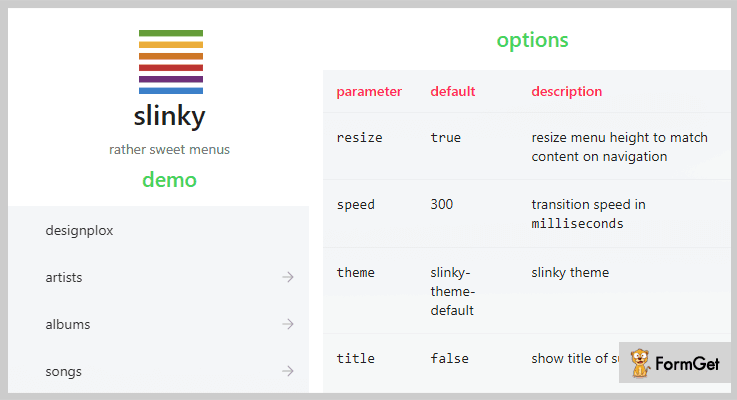
Another Useful Feature:
- The plugin supports NPM which is a package manager for javascript.
- It contains numerous submenus to display your contents from left to right, top to bottom & right to left.
- You can resize the menu height any time to match your contents on navigation.
Pricing:
This is another free mobile menu plugin which you can also download from GitHub’s official site
Conclusion:
So, this was our collection of top rated Mobile Menu jQuery Plugins which are popular in the market. Every plugin in this blog come with its own advantages. They are responsive, customizable, and user-friendly so that anyone can use it without any fear.
Moreover, for any further queries or suggestions do comment us below in a comment section.
5+ Best jQuery Magnifier Plugins (Free and Paid)

“Use jQuery magnifier plugins & showcase the images of your website in an amplified way!“
Nowadays, people use multiple images on the website to photographically describe their work in a much systematic way. they use multiple types of functionalities such as image sliders, wallpapers, animations etc.
What if you can represent them in a much-precise way?
Yes, through image magnifier plugins, you can give the power of zooming to your images. If a person visits your website & hovers or clicks on that images then he will be able to see a clear-cut zoomed preview of it.
Yet, image zooming is a normal thing which you might think at first but it’s not like that. While zooming, the resolution of the images may get disturbed & the customer who has visited your site might think that your product quality isn’t that good.
That’s why this article contains some of the best jQuery magnifier plugins which can give you the perfect view of the zoomed images. They all are the most purchased plugins in the market.
Some of these image zooming plugins are free while others are paid. You will get to use multiple types of features such as drag & scroll, change the size of the magnifier, zooming types & many more.
All you have to do is to go through this article once & choose the best plugin according to your requirements!
You may also love to read more blogs of jQuery plugins which might help you in your work.
1. Optic Zoom: Best in jQuery Magnifier Plugins
Optic Zoom is a jQuery plugin through which you can display the images with an ultra-realistic magnifying effect. All you have to do is hover the mouse on an image & then you will be able to see the zoomed version of the image.
Also, this plugin is compatible with almost all of the top-rated browsers. So you don’t have to worry about it anymore.
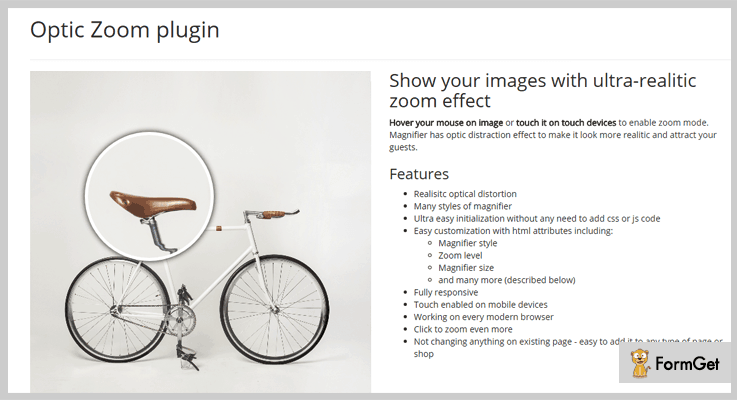
Pricing:
- This plugin has a regular plan which charges $82 for providing general features.
- To get access to more features, you can purchase its extended plan at just $410.
Features:
- You can set the zoom level of the magnifier according to your needs.
- For the mobile devices, this image magnifier is compatible by enabling the touch & drag mode.
- For more zooming, all you have to do is to click on the image & hold it there to get a clear view.
2. Magnifying Glass for Image: jQuery Plugin
You can even judge the feature of this plugin by its name, i.e., ‘Magnifying Glass for Image’. Through it, you can enable the image zooming functionality when you place the mouse over the images.
If you ever feel confused while using this plugin, you can go through its HTML help file once you purchase this plugin.

Pricing:
- It has a regular license which charges $6 as a one-time payment.
- Also, you can opt for its extended license at just $30 only.
Features:
- You can zoom in & zoom out the images. All you have to do is to place the mouse over the image & then scroll up to see the magnified version.
- Also, you can set the size of the magnifying glass along with the glass type which can be square, round or the rounded square one.
- Apart from all of this, it allows setting the width of the border of the magnifying glass from the settings itself.
3. GlassCase: jQuery Magnifier Plugin
GlassCase is a responsive image magnifier jQuery plugin which helps in adding the image zoom feature along with IFrame & HTML5 video capabilities. Through this magnifier, the customers will be able to get an amazing display experience of your product.

Pricing:
- $12 is the price of its basic plan through which can get access to common features.
- If you want more features in order to make your image magnifier better, you can purchase its advanced plan at just $60.
Features:
- It allows you to zoom in & click on the images on the full screen to get a clear view of the product’s photo.
- Also, you can enable the transition effects while magnifying the images such as slow down movements with customizable speed.
- This plugin also allows setting the position of the zoom preview on left, right or inner corner.
4. ImageZoom: Magnifier jQuery Plugin
ImageZoom is a jQuery plugin which shows the magnified preview of the original image many times faster than other plugins mentioned in this article. It allows seeing more than one image at a time on the web-page.
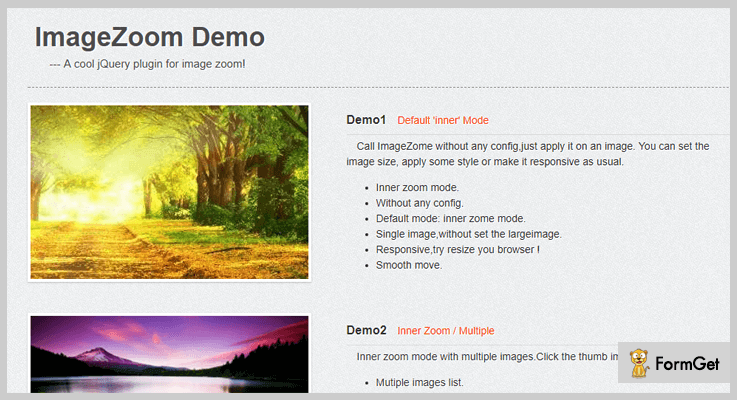
Pricing:
- This magnifier plugin has a simple plan which costs only $8 which everyone can effort easily.
- Even it has another plan which charges $40 which comes with more promising features & facilities.
Features:
- It includes three types of zoom features: Inner, standard & follow zoom.
- For loading magnified preview of large images, it uses resize thumb images to decrease the efforts.
- Also, you can customize the CSS & other settings of this plugin according to your needs.
5. Fine Zoom: jQuery Magnifier Plugin
Fine Zoom is an image magnifier with different types of zooming level without the disturbance in the resolution of the images. This is one of a kind plugin in this article which has the functionality of drag & pan with a lot of smoothness.

Pricing:
- $6 is the charge of its regular license which includes the buyer price & the item fee only.
- For some more curious features, you can avail its advance license charging only $30.
Features:
- You can scroll into any specific area on an image to get its magnified view.
- It has another interesting feature that when you click on the original image, its bigger preview opens on a large window on the same page. From there, you can zoom in & zoom out the image.
- For touchscreen devices, you can use one or two fingers for dragging & zooming the image without any hindrance.
6. Zoom: Primest in Free jQuery Magnifier Plugins
At last, here comes the simplest jQuery magnifier plugin: ‘Zoom’. Through it, you can zoom in the images in two ways. Either you can just hover over the image & move the mouse to see the zoomed preview or just click on the image & then move the mouse.

Pricing:
- This jQuery magnifier plugin is free of cost for the entire lifetime.
Features:
- It comes with fade in & fade out speed effects for the images having a large size.
- This jQuery magnifier plugin is way too easy to use in such a way that even a non-technical guy can use it too.
- It is compatible with all of the latest browsers such as Chrome, Safari, Firefox, Opera & many more.
Conclusion:
So above are some of the primest jQuery magnifier plugins which you can add to your website. Through them, you can enable the image zooming functionality on all of your images in just a single click.
Some of these plugins a allow magnifying the image in the same window while others preview the original image on a large scale & then magnify them easily.
Most of the image zooming plugins are also compatible with touchscreen devices. So you don’t have to take the toll for them.
All you have to do is try these image magnifying plugins & finalize the best one according to your needs.
For any queries & suggestions, you may drop your comments below & we’ll reach out to you soon!

