
Why do we need jQuery Browser Detection Plugins?
Browser detection is a simple jQuery plugin which helps your website detect the browser through which it is being accessed. It detects the browsers based on user agents and permits you to perform special tasks & display messages when a specific web browser is been detected.
In this blog, we have elaborated some of the top class jQuery Browser Detection plugins which are loaded with plenty of features like instant browser detection, operating system detection, multi-language compatibility, easy customization, fully responsive along with many other add-ons.
Browser detection plugins are a great help if you want to restrict website access on a specific browser or when some special conditions are been meet. We have listed the plugins which will give you the functionality to detect a browser using jQuery in an easy way.
But before getting on with the details on the plugins have a look at the blogs listed below:-
1. jQuery Browser Detection Plugin By Danieledesantis
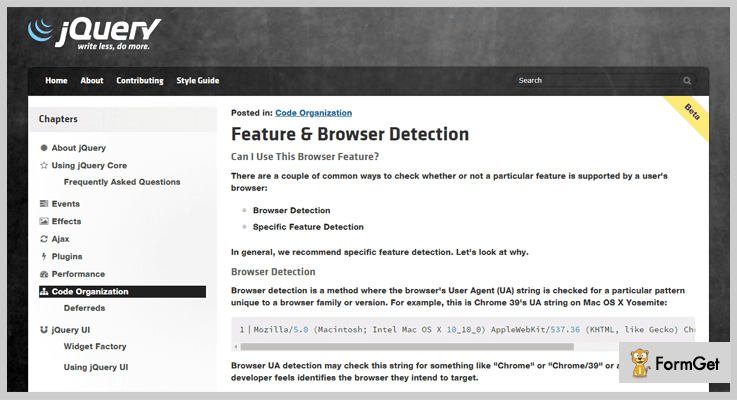
One of the best jQuery Browser detection plugin which is simple to apply on websites, extremely lightweight, allows you to use different CSS rules for different browsers.
It is a responsive plugin which provides helper libraries, straight JavaScript and a high-level API to trace that a browser has a specific feature available or not. In addition, you also get feature detection tools like modernizr, html5please, html5please API, etc as well.
Pricing:-
- This jQuery Browser Detection plugin is totally free of cost which you can simply avail from github.com website and enjoy all its features and services.
Features:-
- With this jQuery plugin, you get browser compatibility tables for HTML5, CSS3, SVG, and more.
- It provides browser detection as well as specific feature detection facility which conditionally checks whether a specific feature is available in a browser or not.
- This browser detection plugin is responsive, lightweight and detects browsers on the basis of the user agent.
- You can easily integrate this plugin on a live website by making slightest changes in the website code.
Details On jQuery Browser Detection Plugin
2. jQuery Nudge – Browser Detection Plugin
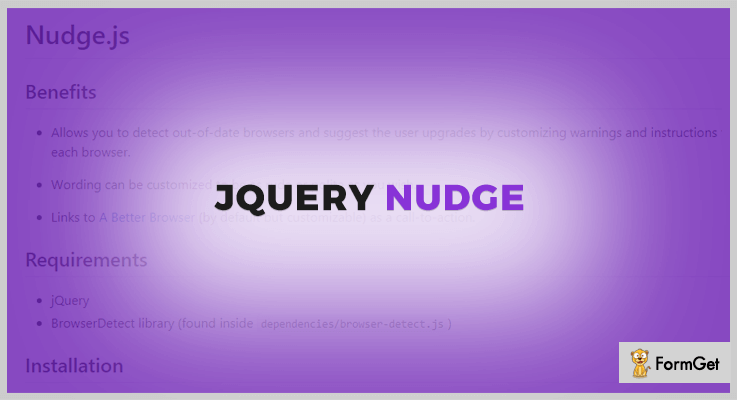
jQuery Nudge is another lightweight browser detection plugin which allows you to detect outdated browsers and suggest new as well as latest supported browsers with ease. You can customize warnings and apply custom instructions as well using this plugin.
It also allows you to build BrowserDetect library and helps you add custom messages when a specific browser is detected by your website.
Pricing:-
- jQuery Nudge is another browser detection plugin which is available at free of cost. You can simply download it and take benefits of all its advanced features.
Features:-
- It allows you to create your own BrowserDetect library into plugin file for easy customizations.
- This plugin is super easy to install as you just have to copy plugin in BrowserDetect library and the CSS file to your project.
- If the browser is not compatible with the website a message is automatically been displayed notifying the about compatibility issue.
- Allows you to add your custom message in the case of error occurrence.
Details On jQuery Browser Detection Plugin
3. PgwBrowser – jQuery Browser Detection Plugin
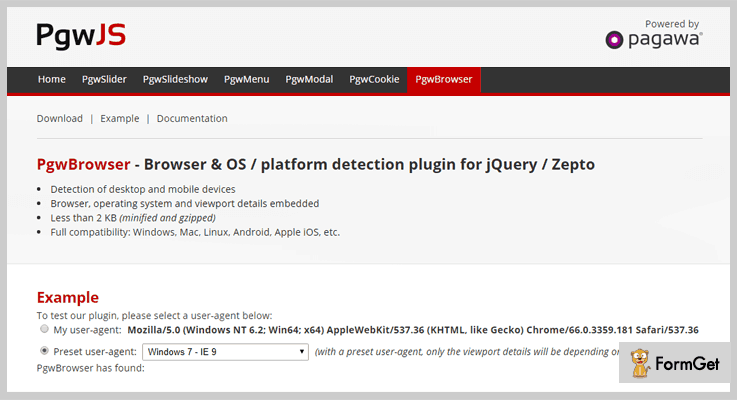
PgwBrowser is a jQuery plugin using which you can the detect platform and browser of the visitors. It offers browser detection compatibility with Chrome Mobile, Chrome for iOS, Chromium, Android Browser, Firefox and more. Plus it can easily detect OS and platforms as well.
This plugin fetches the following details like userAgent, browser, name, group, etc which is a great help.
Pricing:-
- Another free of cost jQuery plugin which can easily be downloaded from github.com.
Features:-
- This is an extremely lightweight jQuery plugin which is less than 2 KB (minified and gzipped).
- Helps you detect browsers as well as operating systems for the compatibility issue.
- This plugin comes pre-configured with a list of browser, operating system, and viewport details.
- Supports various platforms like Windows, Mac, Linux, Android, Apple iOS, etc.
Details On jQuery Browser Detection Plugin
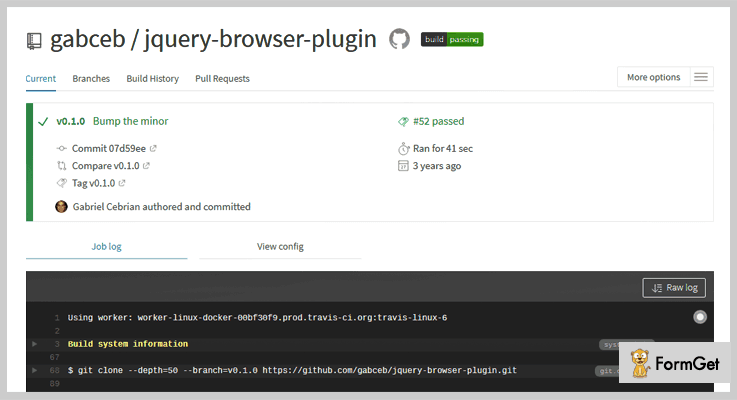
4. jQuery Plugin For Browser Detection
This is a basic jQuery plugin for browser detection which suggests upgraded browsers if your website is been accessed from an older version of a browser. Other than it is responsive, lightweight, offers compatibility and much more.
This is an entirely free plugin which gives you plenty of browser detection services and advanced facilities which simplifies your work.
Pricing:-
- Github.com is the website from where you can easily download this plugin without paying a single penny. This jQuery plugin helps you detect multiple browsers and devices with ease.
Features:-
- This plugin is capable of detecting Windows, Mac, Linux, iPad, iPhone, iPod, Android, Kindle, and other useragents.
- It is an easy to install jQuery plugin with which you just have to include script after the jQuery library.
- With this plugin support for new useragent on IE 11, Microsoft Edge, WebKit based Opera browsers are also available.
- You can also read the browser versions and examine arbitrary useragents using this plugin.
Details On jQuery Browser Detection Plugin
5. jQuery BrowserClass Plugin
jQuery BrowserClass Plugin is also a free resource which is extremely beneficial when it comes to detecting browsers. You just have to add this plugin to HTML body element and it automatically detects the browser as well as the platform of the website visitor.
This doesn’t cause any effect on the loading speed of the website as it is super lightweight and helps your site load faster.
Pricing:-
- jQuery BrowserClass is an entirely free plugin which will cost you $0 for all the features and facilities it provides. You can easily access it from github.com website.
Features:-
- This is an easy to implement jQuery plugin for which you have to include this in your HTML file and rest will automatically be done.
- Easy to customize and offer plenty of setting options which helps you detect different types of browsers.
- This is a responsive plugin which lightweight as well as easy to use.
Details On jQuery Browser Detection Plugin
Conclusion
We have now arrived at the closure of this blog on jQuery Browser Detection plugins and I am definite about the fact that you must have found the relevant plugin for browser detection for your website.
In case you have got any types of doubts or queries in your mind related to these plugins listed in this blog, please let us know through your comments. We will be happy to hear from your side.
4 Best Free jQuery Export To Excel Plugins 2022
If your website contains a lot of pages and data and you are looking to manage those pages in a single place then an Excel sheet will make easy to manage all these things. Excel is the preferred way to export any of your website’s data in a row or column format because rows and columns are an easy and straightforward method to display anything.
So, in order to export the website’s data in rows and columns format, we have chosen 4 Most Popular jQuery Export To Excel Plugins which are completely free. By adding one of these plugins to your website you can easily export data to an excel sheet. These plugins keep your website’s data in a tabular or arranged form which provides easy navigation.
These plugins are also useful because they include features to make like selecting, sorting, and filtering your data in a simple way. These free and ready to use jQuery plugins available to export any kind of data including JSON, an array, or a CSV file to excel.
So, rebel against with these jQuery export to excel plugins and pick the best one which suits your website. These plugins are fully customizable & provide a completely tech-savvy experience to you.
1. SlickGrid Export To Excel jQuery Plugin:
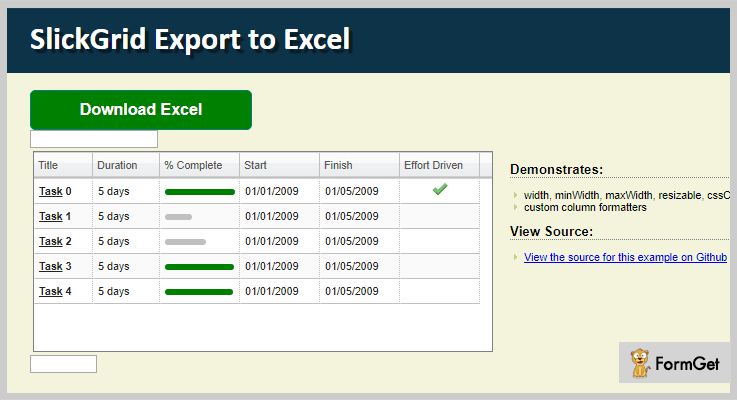
SlickGrid Export To Excel is a jQuery plugin that is used to export your entire data into excel file. The plugin provides you all the possibilities when it comes to giving your web application a spreadsheet-style interface with MS Excel style.
It includes all the files inside the dist ( distributable and directory where files will be stored) in your application and exports your those data into excel files.
Another Useful Feature:
- The plugin consists of underscore and jQuery.slickgrid.export.excel js files in your HTML web page which hardly takes a minute to export your data into excel.
- It will automatically add base64 content (i.e. generic data) in its href (Hypertext REFerence) attribute to identify the sections within a document.
- It combines with various more plugins such as JsZip which is used for creating, reading & editing contents. SWFObject to embed Adobe Flash content into Web pages and more.
- The plugin will give you an option to format the data anytime whenever required.
Pricing:
The plugin is completely free. It will cost you nothing at any stage of downloading. You can get this product from GitHub’s official site.
2. jQuery TableToExcel Plugin:
jQuery TableToExcel is a lightweight plugin that allows you to embed a spreadsheet which is compatible with Excel, on your website. It allows you to load data to the excel sheet from HTML table or a CSV file. You can simply apply the plugin to HTML table element on your HTML page and get excel file as the table.
Another Useful Feature:
- This plugin allows you to add any table with a CSS selector to save lots of time & for easy maintenance.
- It provides a callback function triggered option after the data export process is completed.
- The plugin allows you to download the xlx file to provide more ease on your website.
Pricing:
This product will cost you $0. It offers all its services free of cost for a lifetime.
3. jQuery Table2Excel Plugin:
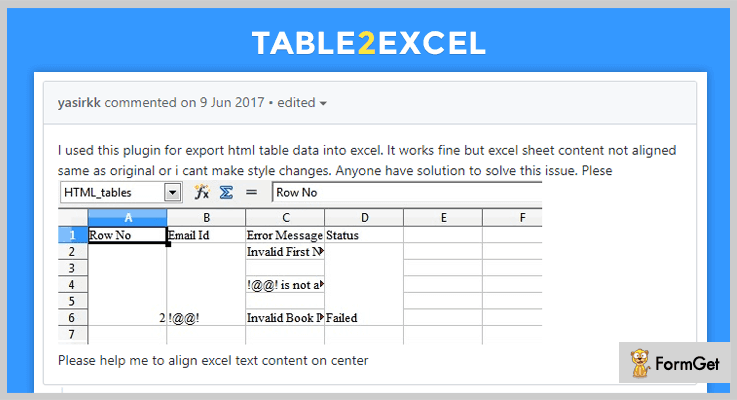
jQuery Table2Excel is the most popular export to excel plugin which is capable to transmit the HTML tabled documents to excel spreadsheets. The plugin integrated with .xls extension which allows you to open the spreadsheet file on your web pages. Also, with this extension, you will get a warning message about the contents that are not exported properly into the excel sheet.
Another Useful Feature:
- The plugin consists of bower which is a package manager for the web ( it contains frameworks, libraries, assets & utilities) and manages your overall website status.
- jQuery-Table2Excel plugin provides package.json option to specify all dependencies of software loaded via Node.JS in the plugin.
- The plugin provides you a “dist folder” where the generated files are stored when Grunt runs (three process runs at the same time i.e. run, wait & stop).
- It provides JSHint detector to detect errors and potential problems in a plugin.
Pricing:
jQuery-Table2Excel comes at free so you can get it anytime from GitHubs’ official site without any fear.
4. JQuery Export To Excel Plugin:
By using JsExport plugin you can not only export your HTML table, gridview data to excel file only but even on the doc, XML & on PPT as well. You can add a multitude of colors on the header section, alternate row color, text-align, font size, etc on your spreadsheet section.
Another Useful Feature:
- The plugin will give you an option to add grid view or HTML table inside a div in order to work properly your website.
- It provides a section of data filter in order to filter the data automatically before exporting the contents to excel.
- JsExport is compatible with every browser which supports HTML5.
Pricing:
JsExport is a free plugin offered by GitHub.
Final Thought:
By getting these awesome jQuery Export To Excel Plugins are going to do best for the user experience.
All the plugins in this article come with live demo and functionality. You can go with the live demo of each plugin and pick the best one for your website.
What experience do you have after using these plugins, share your thought with us in the comment section below!
Take a tour of a few more blogs which might be helpful for your website:
4 Best jQuery Media Plugins 2022 (Free and Paid)
Do you want to display audios and videos on your site but unable to do so?
Well, don’t worry we bring you today 4 best jQuery media plugins.
These plugins will help you in adding videos, audios, on your website with their respective URLs, and many other features.
You can even simply pull or play the videos from different websites like – Youtube, Vimeo, and Dailymotion.
In fact, these plugins will provide you many customized functionalities like – options to show download links to media files, to provide lyrics for audios, and to build your very own playlist for your viewers.
jQuery media plugins have many more setting options such as to adjust the height and width of the media player, built-in layouts to choose from and a lot more.
In addition, to all these features you can even hide or show the navigation buttons, or indicate the loading percentile in the preloader.
Let’s see a lot more features that these jQuery media plugins hold.
You might be interested in these blogs as well:
These plugins help you in exporting and downloading HTML tables as an MS Excel file.
Using these amazing plugins you can display a series of images as VR objects 360° with 3D spin & zoom functionalities.
These plugins provide services for browser detection. And, helps you in identifying the client’s browser, operating system, etc.
1. Vimuse Player – Premium In jQuery Media Plugins
This player is feature pack and holds numerous features. Using this plugin you can play videos directly from Youtube, Vimeo, and Dailymotion, you can even categorize them.
There are many configurable options like – open the external page links, show download links to media files, a playlist can be at the bottom, left or right of the main player, and more.
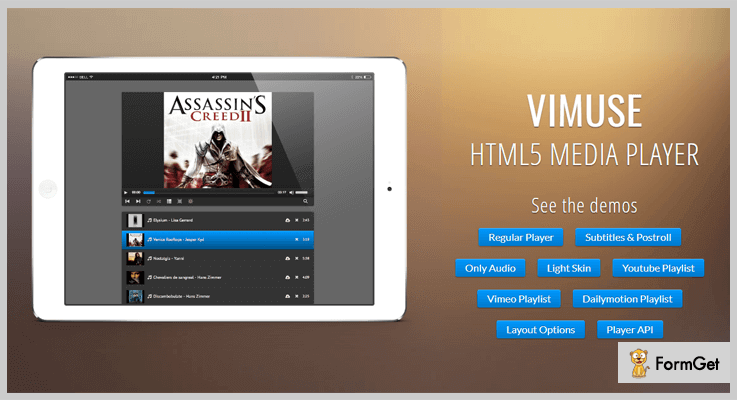
Price –
- The cost price of this plugin is $18 with a regular license and six-months support.
- You can extend the support for a year by paying $24 only.
Features –
- You can display the subtitles for videos and post-roll content for videos.
- It provides special built-in layouts for audios only.
- This plugin will allow you to create your own playlist by scanning folder for mp3 files and mp4 files.
- Also, it has 2 color schemes – dark and light, you can choose any which best matches with your webpage or website.
Click Here To Get More Details About This Plugin
2. Acorn Media Player – Best Free In jQuery Media Plugins
Acorn Media Player is one of the best plugins in terms of providing functionalities. In fact, this plugin comes with 3 different themes – access(default theme), darkglass ( child theme darkglasssmall), and barebones.
Moreover, this plugin comes with a transcript generated from selected captions. It is licensed under the MIT. Further, this plugin is easily accessible & customizable.
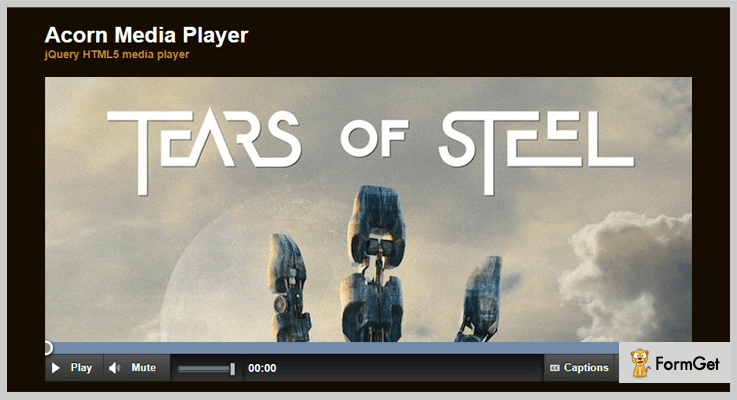
Price –
You can download this plugin for free from the official website of GitHub that is GitHub.com.
Features –
- This plugin provides you with the full keyboard access, navigation buttons on a media player, screen-reader support, and accessible themes.
- Just like desktop media players, this plugin easily accepts the external SRT files.
- It always shows the preloader while loading any kind of content and also remembers that what level of volume you selected.
- You can easily mark-up your videos & audios and make sure that they work hassle-free.
Click Here To Get More Details About This Plugin
3. Media Plugin – Free In jQuery Media Plugins
Media Plugin is an open source plugin and available free of cost. It comes with 6 different demos – video/flash, audio, sIFR, Silverlight, and misc demo (pdf, HTML).
This plugin support almost every media player like – Flash, Quicktime, Windows Media Player, Microsoft Silverlight, Real Player, and iframe.
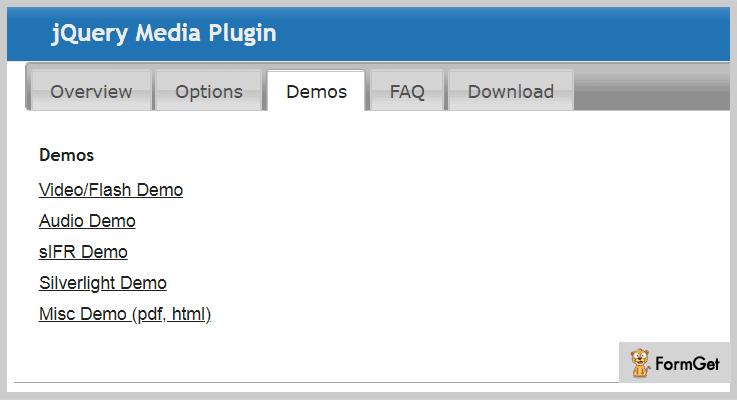
Price –
Anyone can download this plugin easily from GitHub.com.
Features –
- It supports almost every kind of media players.
- This plugin supports all file types like – BMP, HTML, pdf, PSD, QIF, QTIF, QTI, TIF, tiff, and XML.
- Also, this plugin provides the default mappings of all file formats to media players.
Click Here To Get More Details About This Plugin
4. playlist.js – Free In jQuery Media Plugins
It is a very simple HTML5 media plugin. And supports all the videos embedded from different media players.
You can use this plugin and enjoy all the functionalities. Even it provides a sample video from Vimeo.
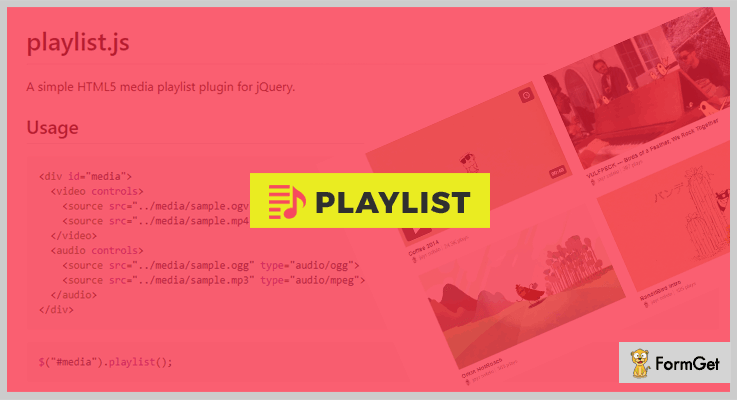
Price –
You can have this plugin from the official website of GitHub.
Features –
- You can turn on looping if you want to play a particular video again and again.
- It allows you to add videos and audios in mp3 and mp4 format.
Click Here To Get More Details About This Plugin
Conclusion –
These jQuery media plugins will help you in pulling the audios and videos from different media players and play them on your website.
We hope you have chosen the best one for your website.
Don’t forget to share your words in the comment section!
5 Free jQuery Presentation Slides Plugins 2022
Are you tired of using the age-old powerpoint presentations for your work on the website?
Well, the reason is fair enough. The monotonous powerpoint presentations no more create a lasting impact on your audience. Sadly, most of the viewers do not even wait until the end of such dull presentations to check out its worth content.
Since image slides are always catchy and easy to understand for everyone, most of the webmasters are completely into it. And what more to ask, if this brilliant solution can be compiled into your website with the help of jQuery plugins.
This smart alternative ensures a visually rich and attention-grabbing presentation. Through which you can make your content intact in their minds for a longer time.
Download the following discussed jQuery presentation slides plugins and the documentation provided will further assist you.
You can stylize your slides anytime through CSS. In addition to this, you can practically add any number of images to the slides and the best part, plugins provide the lazyloading effect which makes slides even more impactful.
Here are some more worth reading blogs for you
1. picoSlides
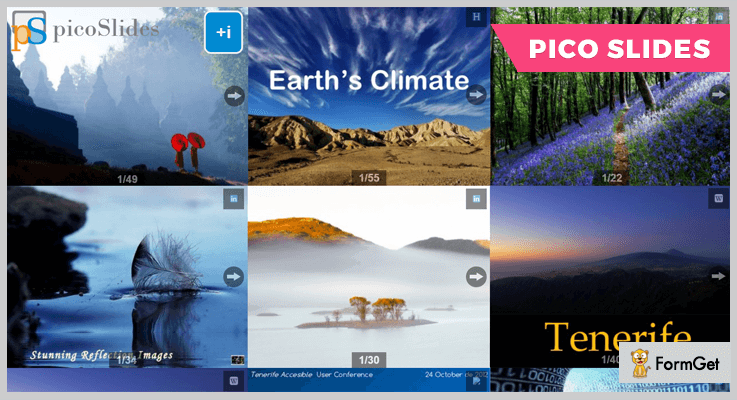
jQuery picoSlides is the best option for business owners & educators who want to insert slideshow presentations on their website from SlideShare (which is a presentation and document sharing platform by LinkedIn).
jQuery picoSlides lets you straightaway implant slideshow presentations in your site from SlideShare without iFrame interference.
You can affix a clickable icon on the slide to redirect the user to any website for further details.
Pricing
Get this feature loaded plugin for your website without spending any amount. It’s Free
Features
- Get a responsive interface in terms of simple slide navigation and optimal bandwidth usage with this plugin with SlideShare oEmbed API.
- This plugin smartly picks up the adaptive images for slides i.e. images with dimensions that perfectly fits in the slide set container.
- It allows you to use the first slide image as a preview image of the slide. Rest of the slides are lazy loaded and gets downloaded once the user clicks on the next button.
- You can write the text on the slide in any language.
- The plugin supports customization for almost everything, like slide aspect ratio, button size etc.
2. Little jQuery plugin
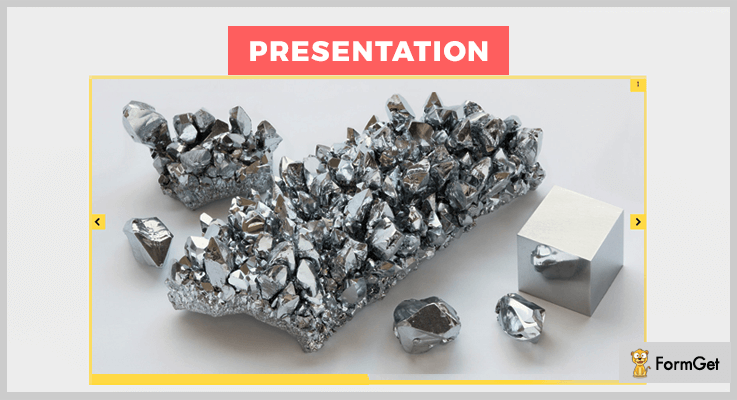
With this jquery plugin, you can create a very dynamic and striking image presentation on your website. There is absolutely no limit on the number of presentations.
As you can create multiple image presentations on a single page of your website.
Pricing
The plugin is light on your pocket too. As it is absolutely free.
Features
- This plugin enables you to add a progress bar on the page to make the presentation more user intuitive.
- Also, a user gets a slide counter to see on which slide number he/she is present.
- It lets you create an eye-catching presentation for your website, which is responsive to all the devices at the same time.
- Easy navigation. Change slides with keyboard arrow keys. And switch between them with Tab and Alt+Tab
3. simpleSlides
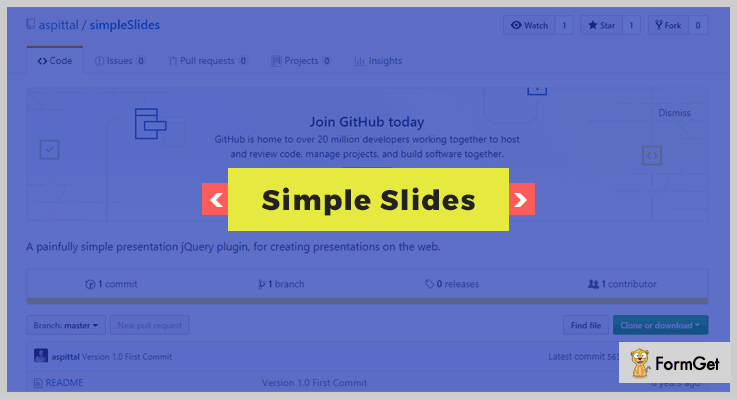
This jQuery plugin seamlessly integrates slides and navigation buttons to a pre-formatted DOM interface. You can structure a slide according to the requirement by adding slides and buttons, give different names to them absolutely of your choice.
For this plugin, just have jQuery 1.6+ and download the js file, and you are good to go.
Pricing
No currency transaction required. Simply download it from github.org
Features
- This plugin gives you a high-end customization option like you can prefer to add buttons on the slides either manually or automatically.
- Enhance your website outlook with CSS. For example, you can add numerous custom animation effects while traversing between slides.
- You can also skip any number of slides to jump directly on the desired content.
- It allows you to have a ready-to-use presentation with active next slide and previous slide buttons for quick navigation.
4. jQuery-clickthrough
This jQuery plugin lets you create an impressive and click through a presentation from the heap of HTML elements. It is one of the most popular and handy jQuery presentation plugins as it is very lightweight.
The plugin allows easy progression of the slideshow via clicking the slides. You get redirected to either on the next list item of the same slide or to the next slide altogether according to your current position
Pricing
Enjoy this plugin for your site without paying any money for it.
Features
- Choose and make the respective setting if you want to show the successive item list of a slide on click.
- On every slide loading, you can opt to hide its elements until the user clicks to reveal it.
- You can define the height and width of the wrapper element in pixel, ems or percentage.
- The plugin enables you to choose whether the users can avail the back button on the screen to step back on the previous slide (not for slide item).
5. Maxskitter
Maxskitter is SilverStripe module through which you can produce slides for presentation and manage them easily.
It provides tabs on each page which lets you add and manage new slides.
You can also retrieve previously uploaded slides from any page.
Pricing
Start using this plugin on your website without lending a single penny for it.
Features
- The user can get unlimited slides on any page. Whereas, the slides can be made sharable between pages.
- It also allows to enable/disable any slide(s) on any page according to the need.
- Every page is facilitated with custom sort order to group the elements in different categories.
- All the slides are customed to redirect the user to external or internal URL.
Conclusion
Above mentioned are some of the best free jQuery presentations slides plugins that are ready to serve your website to make them worth use for every kind of site owners. This is because presentation slides are something which everyone uses every now and then.
Get started creating beautiful versions of the presentation by using any of them which you find out best.
Drop your queries and suggestions in the below section anytime.
Thanks and regards!
5+ Freemium jQuery Chat Plugins 2022

jQuery chat plugins embed the chatting functionality on a website. These plugins provide a message/text sharing mechanism with the basic chat functionality. Here in this article, we’ve listed 6 best jQuery chat plugins available for free.
These plugins render an interface by which the users interact with each other through text messages. Adding such a user convenient interface can be useful for E-commerce, real-time application & support facility sites.
Integrate a chatting system on your web application just like Facebook & Gmail and deliver a better end-user experience.
Check out these popular listings:
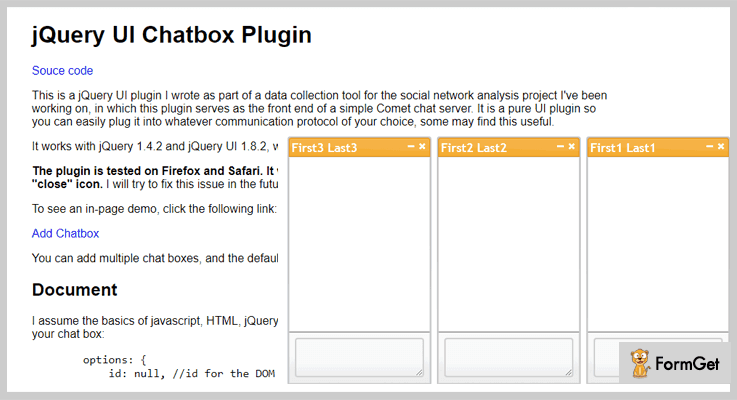
1. UI Chatbox – Prime In jQuery Chat Plugins
This jQuery plugin is first written as a part of a data collection tool for a social network analysis project. It served as a front-end of the Comet chat server.
UI Chatbox is a pure UI based plugin, so you can use it with any communication protocol of your choice.
Pricing Plan:
UI Chatbox jQuery plugin is a free product by GitHub.org and you can easily download it from the official website.
Features:
- It works well with the jQuery version 1.4.2 & jQuery UI 1.8.2.
- Tested on major browsers like Firefox & Safari. Also, compatible with the Internet Explorer.
- You can append multiple chatboxes with a default behaviour to broadcast messages to all other chatboxes.
- jQuery UI themes are available to change the look and feel of the plugin. Various customization options are also available for styling.
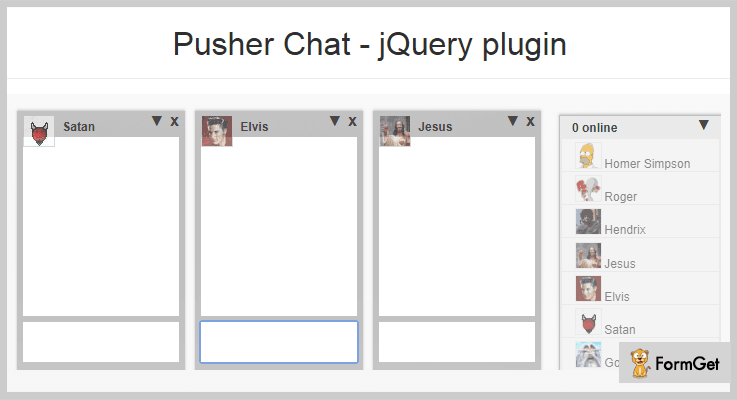
2. Pusher – jQuery Chat Plugin
Pusher chat plugin has the same chat functionality as of Facebook chat. It makes use of a Pusher API for the chatting purpose.
With the use of this plugin, you can add the chat functionality on your website. It provides the basic chat functionalities like sending/receiving text messages and more. Plus the advanced functionalities like auto-detecting the typing and receiving messages.
Pricing Plan:
Pusher is another free product of GitHub.
Features:
- It is very easy to customize with the use of pure CSS.
- You can easily manage friend list via JSON file.
- Automatically detects message typing & receiving.
- Pusher Chat is supported by all new browser such as IE-7, IE-8, IE-9, Firefox, Chrome, Safari & Opera.
3. Applozic Web Plugin – jQuery Chat Plugin
Applozic Web Plugin is a complete communication toolkit. It’s a real-time chatting/messaging platform. You can easily integrate it into your webpage. It presents a beautiful interface with lots of options available for chatting online. So. you can integrate messaging into your web application without developing a chatting infrastructure of your own. That means no hard-coding, a well-designed ready-made interface completely available to equip.
Moreover, it lets the user see the latest conversations as well as their past conversation/chat history. Also, you can send attachments of any size.

Pricing Plan:
Grab this plugin for free.
Features:
- It facilitates one-to-one as well as group chat.
- Enables audio/video calling with the use of this interface.
- It allows message broadcasting and smart messaging.
- Also, it has a very rich multimedia support and offline fallback mechanism in-built.
- Applozic Web plugin has support to push notifications.
4. HMR Chat – jQuery Chat Plugin
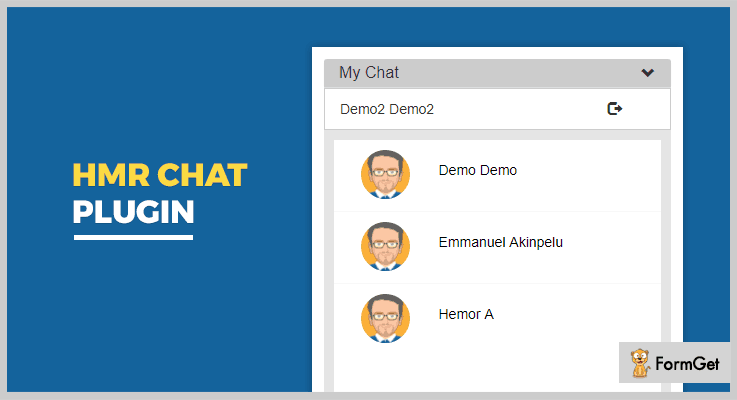
HMR Chat is a simple jquery chat plugin. It gives the very basic functionality of the chatting system to be integrated into a website. This plugin provides a sticky chat-box at the lower right corner of a page.
Furthermore, there are login and registration options for making a secured chat activity. It also provides previous chat history and the users connected with the same interface.
Pricing Plan:
It’s a completely free to use plugin. you don’t need to pay a single penny.
Features:
- Very quick and easy to use jQuery plugin with chatting functionality.
- Well-designed demo and full documentation are available for efficient usage.
- It provides login and registration functionality.
- Dependent on the Bootstrap version 3 for CSS effects.
5. Chat – jQuery Chat Plugin
Chat is a very nice application for the basic chat and messaging mechanism through the web. This plugin gives your website an elegant chat interface with the text/chat functionality.
In addition, Chat jQuery Plugin uses a security mechanism of best practice for safe and secure message delivery.
Pricing Plan:
Chat jQuery Plugin is another product by GitHub. Download it directly from the official website for free.
Features:
- It is a highly customizable jQuery plugin.
- You can change the background colour of the interface by making use of the CSS styling.
- The site administrator can pass the options through JSON files.
- It also shows a welcome message when the chat interface is initiated.
6. Chat Bubbles – jQuery Chat Plugin
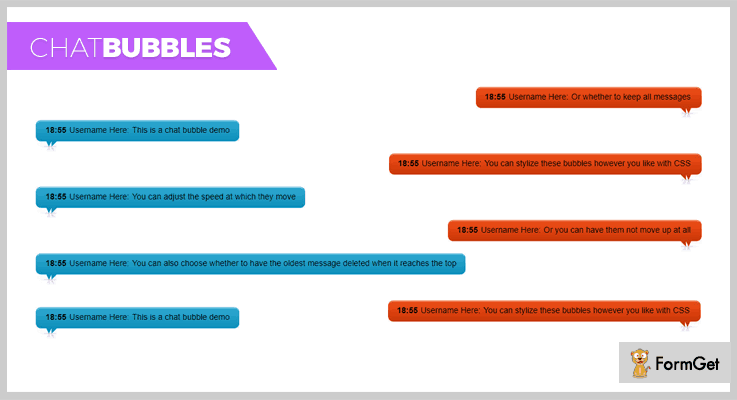
It is a jQuery plugin which facilitates full-screen chatting window with chat bubbles. It has an auto-scrolling option enabled by default for scrolling the text-bubble when a new chat message arrives.
Moreover, it gives full customization options and styling. You can adjust the speed of chat-bubble scrolling. Also, it enables you to choose whether to delete messages or keep all the messages.
Pricing Plan:
The Chat Bubbles jQuery plugin is an easy to use free plugin. Download it from GitHub.org.
Features:
- It is a chatting interface with chat-bubbles and automatic scrolling.
- Multiple styling options available, you can custom style the bubbles through pure CSS.
- The plugin lets you adjust the speed of message scrolling through timestamp.
- The user can choose to delete the chat messages when they reach the top of the window or can choose to keep them all.
Conclusion:
In conclusion, these were the 6 best Freemium add-ons of the domain jQuery chat plugins. Hope the article helped you. For any further queries and suggestion do comment on the section given below.
Thanks for reading!
5+ jQuery Sticky Plugins 2022 (Free and Paid)
Have you ever wondered what exactly these jQuery sticky plugins do?
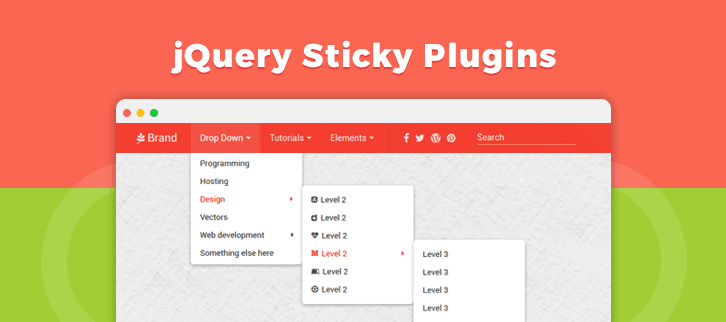
Sticky is basically a jQuery plugin that gives you the ability to make any element on your page always stay visible. Like, you must have seen websites with sticky headers or with sticky sidebars. These sticky elements do not change there place with the scroll or changing the page. They simply stick!
Let’s make it simpler. The sticky or floating bar is basically an information widget that is locked into place so that it does not disappear when the user scrolls down the page.
In this article, we have compiled a list of 5+ best jQuery sticky plugins which perfectly fits on your website.
With the help of these jQuery sticky plugins, the feed is accessible from anywhere on the website without having to scroll. Moreover, these jQuery sticky plugins have good documentation along with complete user guide.
The plugin supports custom CSS which help you to place feed with various menus and stylish designs. Further, you have options to make changes in the code as per your requirement with the help of customizable options.
Read some more blogs too!!
Now, let us discuss each jQuery sticky plugins in detail.
1. BWL Sticky Animated News Ticker jQuery Plugin
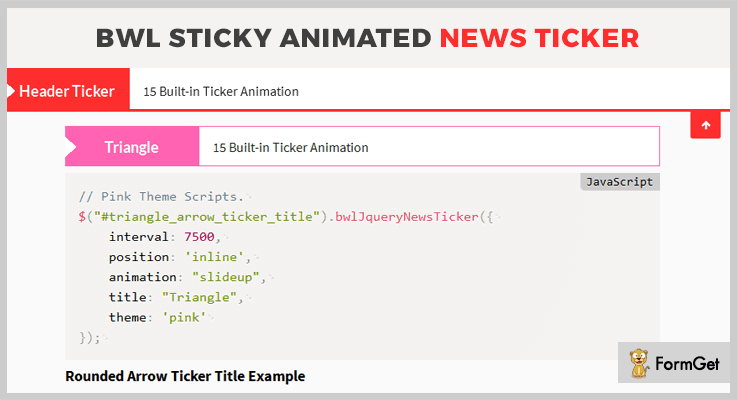
BWL sticky Animated News Ticker jQuery plugin is a powerful plugin in the list of jQuery sticky plugins. This plugin is used for creating a responsive, animated breaking news and RSS feed jQuery ticker for your website within a fraction of time.
It has a super easy implementation, you just have to copy & paste sample code and you’re ready to use the plugin. Also, it is lightweight with only 12 KB in size. Moreover, if you want to display products feed on your website with referral links then you can easily do that with this sticky plugin.
Pricing:
There are two different licenses available at different pricing plans along with full support from one site.
- Regular license – $17.
- Extended license – $85.
Features:
- This plugin allows you to display news ticker in 3 positions. These positions are sticky header ticker, sticky footer ticker, and inline ticker.
- It has 10 inbuilt colorful skins and themes that allows you to display news ticker matched in an elegant way. Further, the plugin allows you to make changes and it help you to create your own color scheme with various customization options.
- The plugin has 15 attractive animation scheme with smooth CSS powered animations. This will give an awesome user experience for your users while they read the news on the ticker.
- Quick and easy navigation feature permits your users to show or hide ticker panel. Moreover, it has next and previous buttons for controlling news.
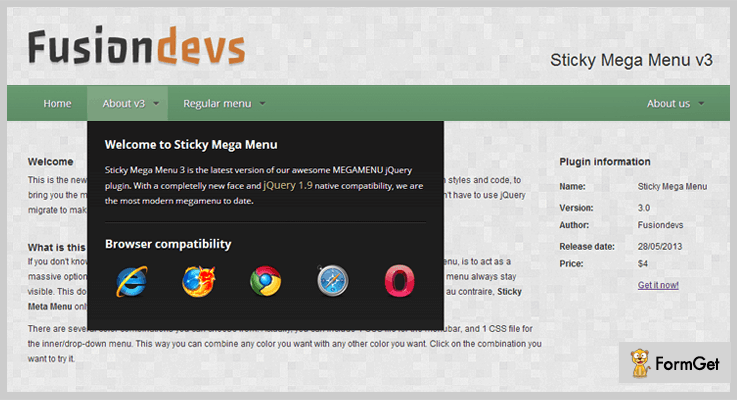
2. CSS3 Sticky Mega Menu Bar – Best in jQuery Sticky Plugins
This CSS jQuery sticky plugin will make your news feed stick on top of your screen even when the visitors scroll your page.
Further, the plugin has descriptive documentation with an example. This will allows you to quickly implement news ticker on your site.
Pricing:
Buy the regular license of this plugin at $5 with all the future updates and full support up to 6 months.
Features:
- This plugin consist of 5 different menu bar templates, and 2 menu templates along with infinite menu levels.
- CSS3 Sticky Mega Menu Bar plugin also works as a multi-level drop-down mega menu and give your site more functionalities.
- It is compatible with all the latest browsers such as Chrome, Safari and many more.
3. TFN – Top Fixed Bootstrap 4 Navbar Plugin
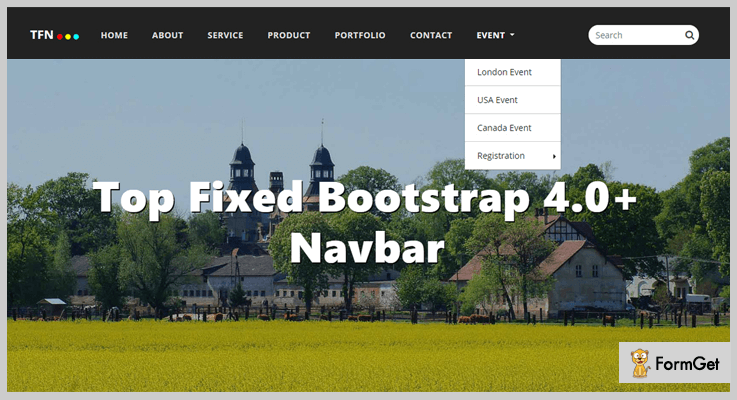
This plugin is one of the finest plugins in the jQuery sticky plugins list. It is a professional plugin which has CSS2 and CSS3 jQuery top fixed responsive navigation. Also, the plugin is compatible with Bootstrap 4 framework.
This plugin has 100% responsive HTML template and it has the responsive layout which fits on every screen.
Pricing:
This simple yet powerful jQuery sticky plugin is available at $8 with full support and regular updates.
Features:
- This plugin has more than 20 design scheme and various animation effects which will give your website a better look.
- It is easy to customize so that you can make easy changes in the code according to your need. Also it easy to use with the help of user guide given in this plugin.
- TFN sticky plugin comes with horizontal and sticky version. Also, this plugin has a static top navbar to give your site a better and easy presentation.
4. Mash Mega Menu – Bootstrap jQuery Sticky Plugins
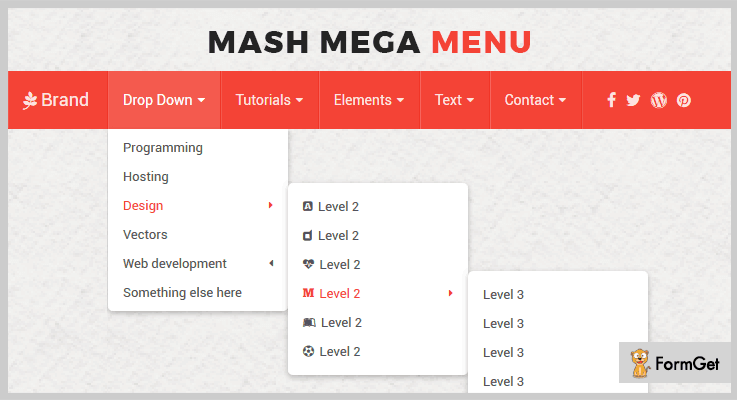
Mash Mega Menu jQuery sticky plugin is used to automatically convert your existing menu or menus into a mega menu. The plugin works out of the box as it has 19 predefined color styles which can be changed easily.
It comes with various custom customize options settings where you can edit and delete code of menus according to your choice. Moreover, it has 12 columns bootstrap grid system for better presentation.
Pricing:
You can buy this plugin and get all of its features along with future updates at two varied prices-
- The regular license cost you $6 with quality checked by Envato.
- You can buy the extended license, at a reasonable price of $30.
Features:
- The plugin has 12 columns bootstrap grid system and it has Google material design ripple effect.
- A noteworthy feature in this plugin is it has auto menu color change based on morning, afternoon, and, evening.
- It is easy to change menu color and it is compatible with the desktop as well as mobile devices.
- Mash Mega Menu has various font awesome and more than 430 vector icons give your site a beautiful look.
5. Sticky-kit – Free in jQuery Sticky Plugins
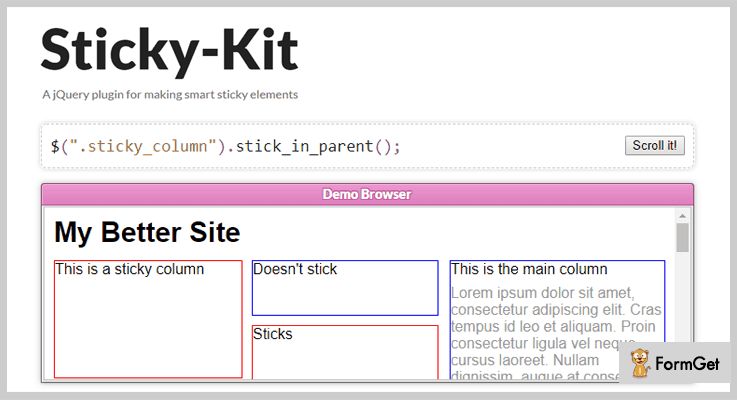
It is a jQuery plugin for making smart sticky elements. Sticky-kit jQuery plugin provides an easy way to attach elements to the page. So, when the user scrolls on your website the element is always visible on the page.
The plugin has a lot of sticky columns, and different sticky portions present on the page of your website. Further, the plugin is easy to use and it is compatible with all the latest browsers.
Pricing:
The Sticky-kit plugin is free of cost. Download it from the official website of GitHub.
Features:
- It has a scrollable sticky element which is taller than the viewport. So that content can scroll independently up and down with the help of this plugin.
- The plugin is highly customizable so that one can make changes in the code according to their need.
- Sticky-kit plugin has well-arranged documentation with a complete user guide which will make your work easy.
6. stickyMojo jQuery Sticky Plugin
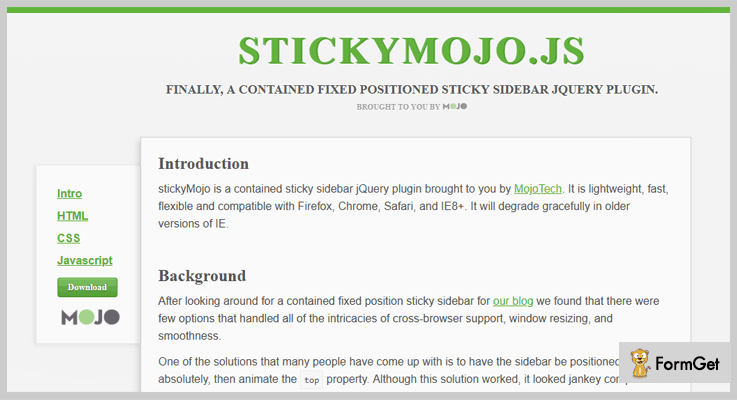
It is lightweight, fast, and flexible jQuery plugin which is used to place sticky sidebar on your website. Further, the plugin contains fixed positioned sticky sidebar.
The plugin is not affected by the problem of sidebar overlap with elements such as the footer or content area.
Pricing:
You don’t have to pay a single penny for using this plugin as the stickyMojo plugin is free of cost.
Features:
- Few features that handle all of the intricacies are window resizing, make styling as flexible as possible and smoothness.
- You just have to place the given jQuery code in your site and your site is ready with sticky sidebars.
- The plugin is compatible with Firefox, Chrome, Safari, and IE8+. Also, it will degrade gracefully in older versions of IE.
Conclusion:
Now as you read all the 5+ jQuery sticky plugins, we hope you have understood each and every aspect of this article. Hope you have found the jQuery sticky plugins according to your requirement.
Stay tuned for more plugins.
You can ask your queries in the comment section.
5+ Tiles jQuery Plugins 2022 (Free and Paid)
One of the most critical components of every portfolio website is its image gallery.
It’s no longer enough just to have layout and content, pretty pictures and user experience play a huge role in the way visitors perceive your website.
If you’re looking for a plugin that can give grid and tile like layouts to your image gallery then you can use Tiles jQuery Plugins. These plugins can load your images quickly and properly.
You can arrange images in different fashion and can do unlimited styling with CSS3 and HTML.
These plugins will also provide you unlimited transition effects to display your image thumbnails on your website.
However, there are plenty of tiles jquery plugins available in the market.
Therefore, to help you out we are sharing a list of 5+ Tiles jQuery Plugins that you can easily install onto your own web designs.
Check out!
Swift through more jQuery plugins:
1. Final Tiles Grid Gallery – Tiles jQuery Plugins
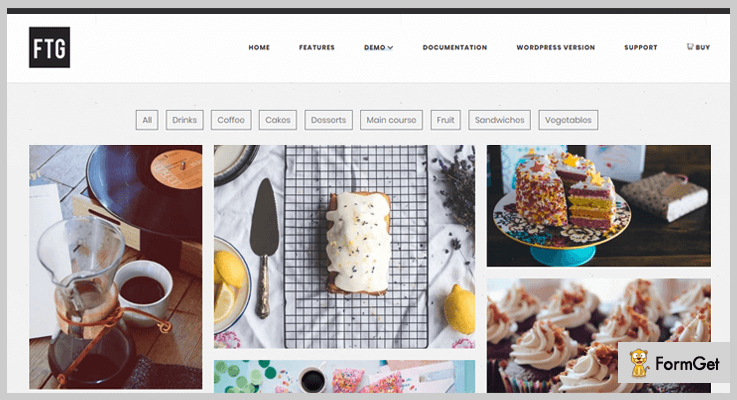
Gallery designed with this plugin is a great example of perfect user experience design. It has the ability to showcase images having various sizes in the same gallery layout. This plugin can arrange your image tiles in the aspect ratio spectacularly.
If you are looking for a tiles jQuery plugin that can create image gallery with vertical thumbnails of mixed sizes then also this plugin is good to go.
Features
- You can add videos on your website from almost any source through this plugin.
- The plugin allows to snap images to the grid. Images can’t be cropped but small part of them could be cut.
- Set as many filters on your image tiles as you like.
- Infinite scrolling lets your visitors to dynamically load tons of images on the picture wall of your website.
Pricing
Get this plugin at $16.
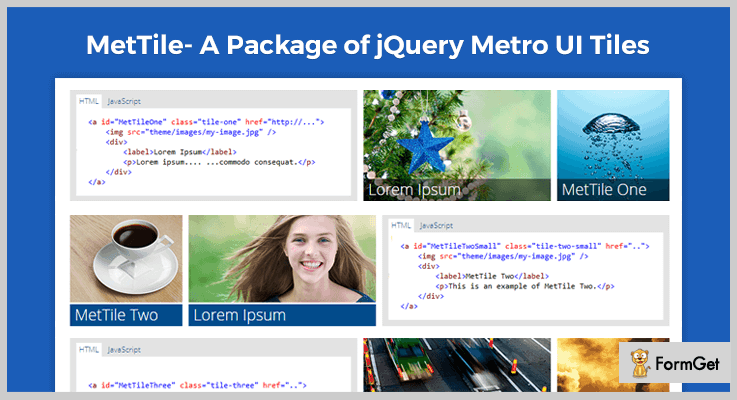
2. MetTile- A Package Of jQuery Metro UI Tiles
MetTile is an animated jQuery plugin that lets you add different Metro UI tiles on your website. The animated tiles of images automatically flip down called Live Tiles.
With this plugin you can showcase photo gallery with flip up and down images. You will get 10 different templates with various animation effects.
Features
- The plugin supports sliding images and news ticker in each tile of your gallery.
- You can add unlimited content to animate each tile.
- It is lightweight plugin having only 17 KB of Javascript.
- You will get control settings of each tile.
Pricing
Purchase this plugin at $11 with 6 months support from sktajbir.
3. Ultimate Grid Responsive Gallery
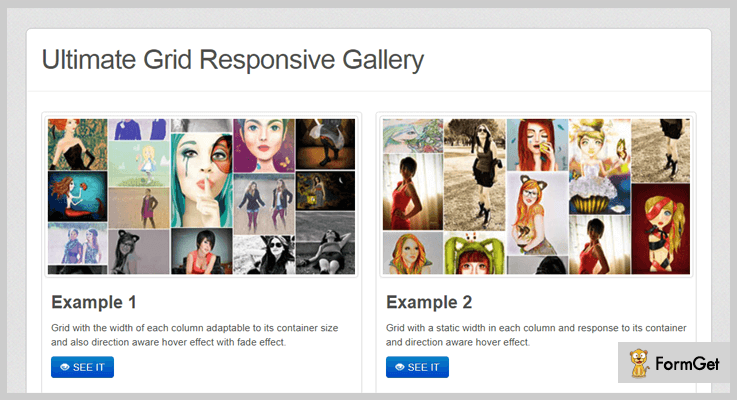
This plugin will provide HTML, CSS and JQuery grid with lightbox. You can specify thumbnails for the images in the grid and when the user click on it, the lightbox will load the normal image. It allows to mention the text for the captions and for the lightbox.
For your website’s better performance you can control the loading of number of images, when the user opens it. You can also provide “load more images” button so that visitors can click on it to visualize more images.
Features
- It automatically generates the filter navigation bar for the specified categories of thumbnails.
- You will get fully responsive grid and lightbox.
- It allows to specify the static width for each column or specify the number of columns.
Pricing
Grab this plugin at $8.
4. jQuery Grid And List Switch
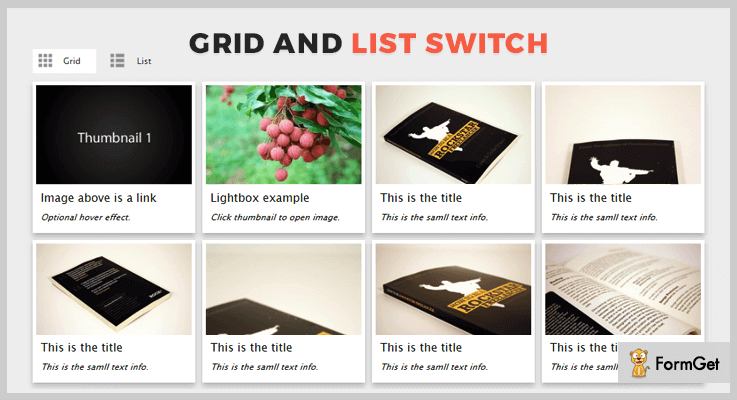
Through this plugin you can display the images of your gallery by displaying the thumbnails in grid or list format. The image will open when the user will click on the thumbnail.
You will also get optional hover effects to zoom out the thumbnail image when the user put its cursor over it.
Features
- For modern browsers you will get CSS3 transition. You will get fade only effect on the older browser i.e. IE8.
- It is clean coded and lightweight plugin.
- You will get free updates in the future with this plugin.
Pricing
Grab this plugin at $7.
5. jQuery-Tiles – Tiles jQuery Plugins
If your gallery has large images then you can use this jQuery plugin for image tiling and zooming. This is a simple version of the tiling used by many mapping applications like Google Maps.
Your visitor don’t need to spend extra time and bandwidth to load the entire image. It will visualize only parts of the image. It loads the tile images only when they are viewable in the viewport.

Features
- It supports different amount of zooming for the tiled images of your gallery, from thumbnail previews to their high-resolution form.
- To run this plugin you have to include jQuery and jQuery-UI dependencies.
- The plugin supports lazy loading of images.
Pricing
It is a free plugin by GitHub.
6. Jstiles – Tiles jQuery Plugins
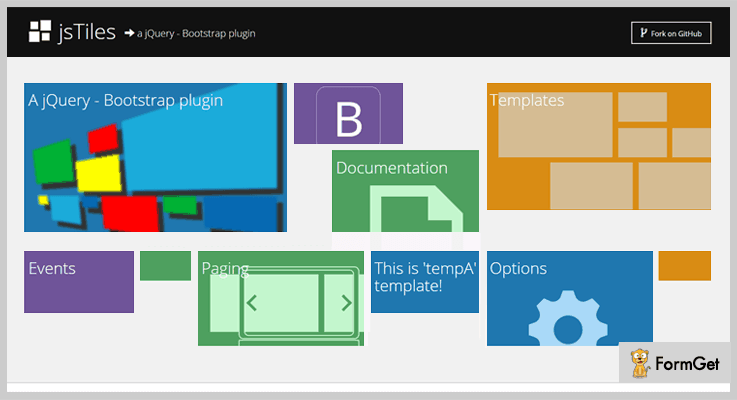
This plugin uses Bootstrap to create beautiful tiles of your image gallery. To use this plugin you should have both jQuery and Bootstrap into your project. For smooth execution of animation effects you need to include jQuery easing.
Features
- Through this plugin you can set the various page templates via the “data-tl-template” attribute to the page section div.
- It can be initialized with a single line of provided code in the plugin’s page.
- You will get multiple options to customize the behaviour and appearance of the plugin.
Pricing
This is a freemium plugin, downloadable from GitHub.
Final Thoughts
Installing these Tiles jQuery Plugins will provide you visually stunning galleries to your website.
Go through the live demo of each of the above listed jQuery Tiles Plugins and pick the most suitable for your website!
Have you tried any of these tiles plugins? Share your thoughts in the comments!
5+ jQuery Text Editor Plugins 2022 (Free and Paid)
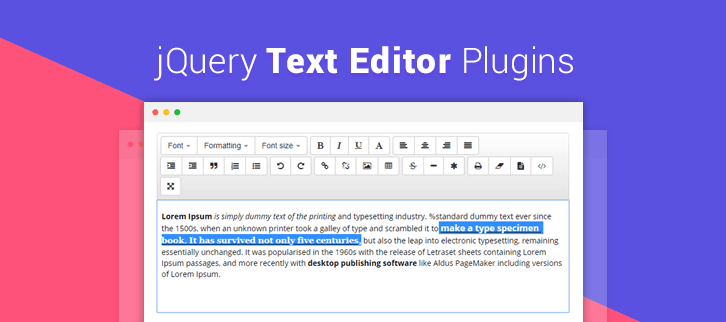
Today, we are going to introduce you to some of the best-picked jQuery text editor plugins.
Now, you might be thinking what these plugins do?
Well, these plugins allow you to format the text without making any changes to the code. You will be able to do all the basic changes like – making the text bold or italic, changing the font colors, creating the list with bullets, and a lot more.
In fact, you can easily insert the image or a video into your text with the help of these jQuery text editor plugins.
Moreover, they also allow users to edit and enter text within a web browser. You can make changes to any document, web page, or in slides. These text editor plugins are even comfortable to work with Twitter Bootstrap.
All the jQuery text editor plugins discussed here are lightweight, responsive and SEO-friendly. We hope you find the best one for your site.
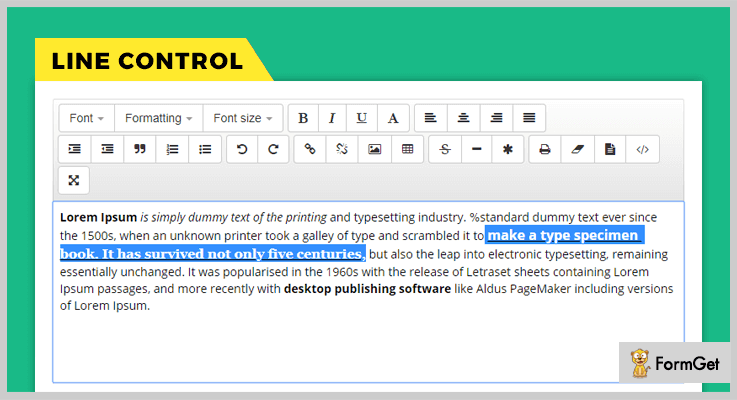
1. LineControl – Free In jQuery Text Editor Plugins
It is a very lightweight plugin and provides fast speed so, it takes no time in installing or editing text. In fact, you can add the custom options to the editor such as – to hide or unhide the button, setting the saved text back to the editor, and many more.
LineControl works very well for most of the modern browsers like – Chrome, Firefox, Safari, and all version of Internet Explorer.
Price –
This plugin is freely available on the official website of GitHub.
Features –
- It is a very fast online text editor for your web application or website. It takes few minutes to install and works swiftly.
- This plugin is designed in such a way that it can work easily with Twitter Bootstrap.
- You can easily add this plugin just by embedding JS and CSS files into your HTML templates.
- Also, you can use Font Awesome to change the font style of your text.
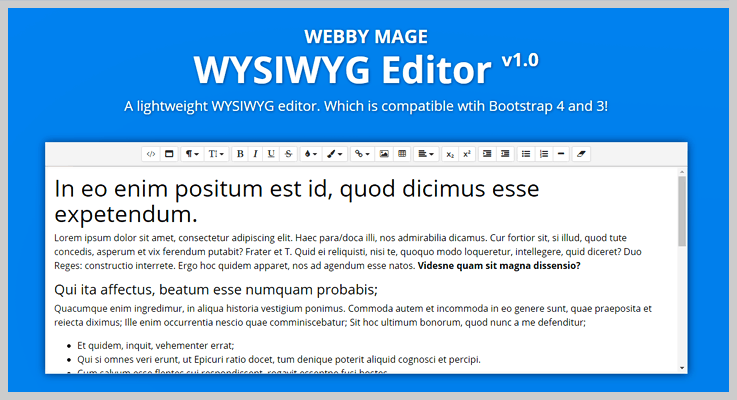
2. Bootstrap 4 WYSIWYG Editor – jQuery Plugin with Editor
This is a rich text editor plugin. It provides the interface for editing the text within web browsers. It is a lightweight plugin with superb compatibility with all the major browsers like – Firefox, Safari, Opera, Chrome, and Edge.
In addition, this plugin will provide you and your users a pixel perfect interface on every screen size. Further, it also supports HTML, CSS, and JavaScript JS.
Price –
- This plugin will cost you $10 only with a regular license and a 6-month support.
- You can increase the support time for up to 12-months by paying $3 all total.
Features –
- You can easily attach this plugin to HTML text area elements.
- It allows you to do the basic formattings like bold, italic, bullet list and more.
- This plugin is HTML5 compliant and uses the latest version of jQuery available on googleapis.com library.
- Also, it supports multiple text areas on the very same page.
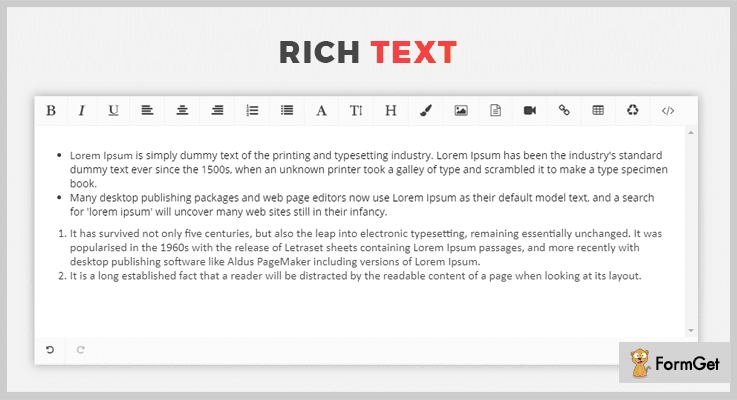
3. RichText – Free In jQuery Text Editor Plugins
RichText is a WYSIWYG (What You See Is What You Get) editor which is developed in the form of this jQuery plugin. It holds numerous features like – adding video, images, URLs, and using the redo, undo, bold and italic buttons.
In fact, you can set your own colors for the editor. And the default colors will be automatically replaced. You can also embed the videos from different websites like – YouTube, Facebook, Vimeo, and Dailymotion.
Price –
Anyone can download this plugin free of cost from GitHub.com.
Features –
- It has almost every feature you need while editing the text such as – adding alignments, tables, and more.
- You can even customize the dropdowns according to your need.
- After creating the table you can add or remove any of the columns or cells.
- Using (boolean) true expression you can easily replace the double quotes of HTML attributes to single quotes.
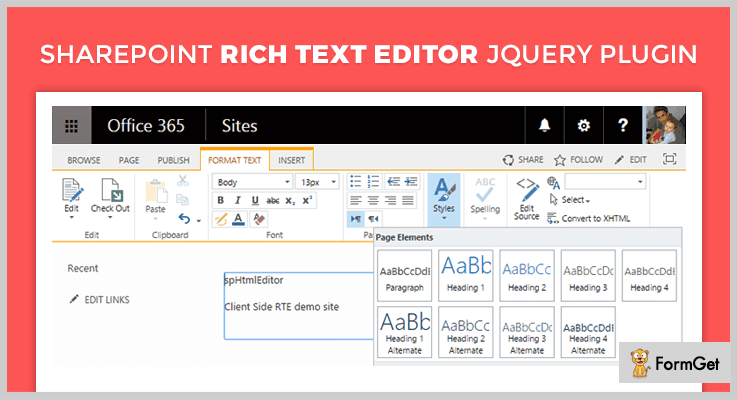
4. jQuery.spHTMLEditor – jQuery Text Editor Plugin
The jQuery.spHTMLEditor plugin is one of the most popular free solutions for editing the text on the web pages. It allows you to load the Sharepoint RTE on the webpages through JavaScript.
Moreover, it works on both the collaborative platforms of share points i.e Office 365 and On-Premises versions.
Price –
This is an opensource plugin and is available free of cost.
Features –
- This plugin allows you to insert the HTML element on the webpage to host the RTE content.
- You can use a ‘callback’ function when the whole execution of the program is over.
- It also helps you to add CSS styles in the content of the web pages through custom options.
- A default HTML option “<span>Click here to Edit</span>” is shown on the pages if there is no content on it.
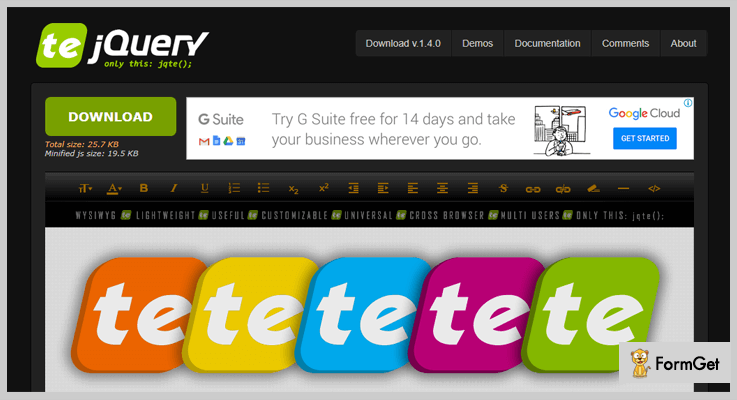
5. jQuery TE – Free In jQuery Text Editor Plugins
jQuery TE works very well with all major browsers. It has great speed because it is lightweight. The size of this plugin is just 19.5kb. Using this plugin, you can easily see the source, apply super or subscript, strike or underline the text, and a lot more.
Moreover, you can redesign it according to your terms of interface. While installing this superb plugin you can easily create a text area inside the body tags.
Price –
jQuery TE can be downloaded for free from the official website of GitHub that is GitHub.com.
Features –
- You can add or remove the URL links. And you can add them anywhere throughout the page, or a particular section.
- Also, you can use the outdent, indent and alignment functionalities with the help of this plugin.
- You can change the text in bold or italic to mark it as important or you can change the color of text.
- It has dropdown options for displaying the heading size, text width or to change the text colors.
6. MultiformTextEditor – Best Free In jQuery Text Editor Plugins
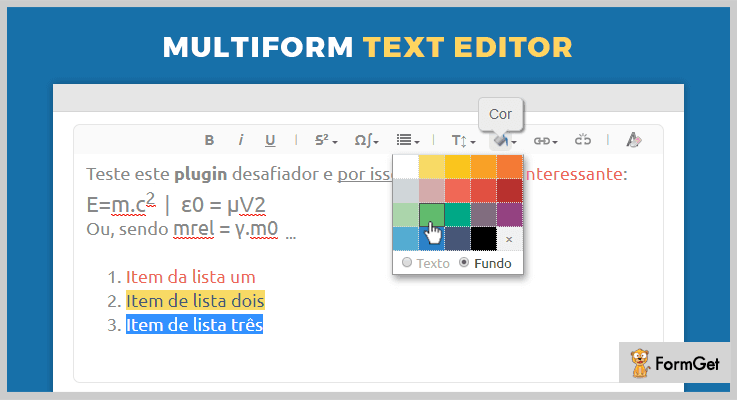
MultiformTextEditor is highly flexible and designed for rich WYSIWYG text editing. WYSIWYG is a great customizer which allows programmers to add any formatting method and styling while assembling a menu.
Using this plugin, you can change the color, font style, font size, add sigma or omega in the text, and many more.
Price –
This plugin is available free of cost to all people.
Features –
- You can add any kind of formatting or insert any kind of image or videos without changing the plugin code.
- With the help of this plugin, you can use the bold, italic, number lists, and many other buttons.
- When you are selecting the text this plugin detects the formatting which is already applied and highlights the main items on the menu.
Conclusion –
Using these jQuery text editor plugins you can easily edit any kind of text with different features. You will be able to change the font style, its color, size, width, or arrangement in numbers or bullet list.
Just have any of the plugins and enjoy all the amazing features.
Don’t forget to comment!
Before, that you may like to browse some more blogs as well:
5+ News Feed jQuery Plugins 2022 (Free and Paid)

Do you know why news feed jQuery plugins are in buzz?
Well, won’t it be cool if you provide several headlines in the form of tickers or some news posts on your site?
Well, definitely yes! Do you want to know why?
Because your audience will always be impressed when they get something extra.
In this case, they might have visited your site for some article & they found an attractive floating ticker displaying RSS feed. They will hang on for a little longer & glance at the news provided therein.
Won’t it benefit your website by decreasing the bounce rate?
And this is exactly what news feed jQuery plugins do in a website.
Now, do you want to provide the news feed on your website?
If yes, then we have a good news for you!
We have handpicked the best of news feed jQuery plugins which you couldn’t have found single-handedly.
These news feed jQuery plugins work for you by providing the easiest way to add various functions of news feed to your website like –
- You can add as many news tickers as you want at the top or bottom of the page.
- They enable you to add your own content in the HTML or set the RSS feed to bring on the content to your site.
- These plugins allow you to define the height of the page & number of posts you want to display.
- In addition to this, you also get a nicely-written documentation which prevents you from squandering around in search of solutions.
Not only this, there’s a lot more to explore about these jQuery plugins…
For your convenience, we have created a list of “News Feed jQuery Plugins” in which we scrutinized their major attributes, pricing plans & several other details.
So, without frittering away any more time let’s delve in these jQuery plugins.
1. BWL Sticky: News Feed jQuery Plugin
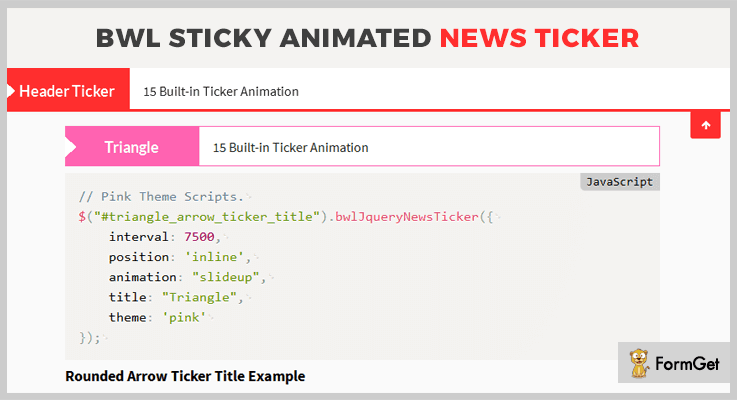
This is veritably one of the finest jQuery plugins for adding the news feed to your site. It is studded with diverse features like 10 colorful news ticker themes, 15 built-in ticker animations & loads of custom design possibilities.
Besides, this retina ready plugin provides a well animated & eye-catching navigation system along with an HTML Demo File. Also, it is very lightweight as the size is minimized to 12KB.
Plus, it also grants you a valid & well-commented markup & extensive documentation with illustrative codes.
Pricing:
You can avail this plugin at two different rates. Moreover, you also get all future updates and 6-month support along with this plugin. To extend the support for another year you have to pay $5.63 & $28.13 respectively for both the versions.
- To avail the regular license of this plugin, you have to pay $17.
- For availing an extended version of this plugin, you have t pay $85.
Features:
- You get 3 Types of tickers with this plugin i.e. Sticky Header, Sticky Footer & In-line Ticker. Plus, you can also place multiple tickers on a single page.
- This plugin enables you to show the feed from sites like RSS/ATOM & Envato products by providing your own referral link.
- It provides you with the RTL enabled mode feature. If you set this ‘true’, you can display a quick news ticker in Arabic language powered websites.
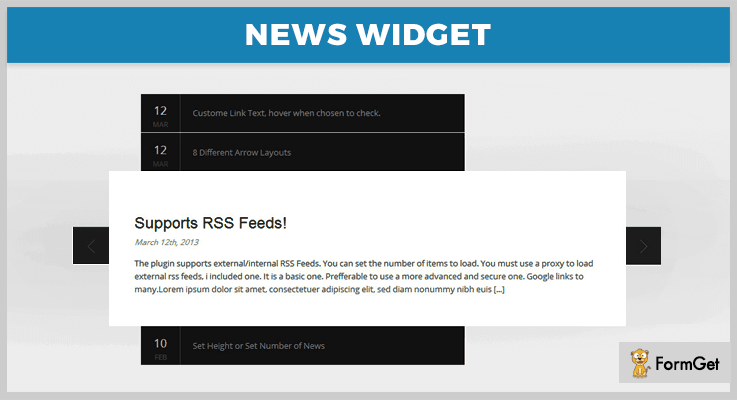
2. News Widget: News Feed jQuery Plugin
It is an efficient jQuery plugin which provides you numerous commendable features like 8 arrow positions, 10 animations styles, a full control over the size and style & a lot more.
Along with this, it also supports images & you can customize the text as well. Plus, it is a very responsive & user-friendly plugin.
You also get a well-written HTML documentation with this plugin which makes it easier to resolve & implement the issues.
Pricing:
To acquire this plugin along with all the features & future updates as well, you need to pay –
- A regular license will cost you $10.
- Whereas the cost of an extended license is $50.
Features:
- It empowers you to set the RSS feed to generate the content on a website or you can embed the content inside the HTML page as well.
- You can either set the height of the page & the plugin will select the number of posts to be displayed or vice-versa.
- This plugin grants you with 2 options for viewing the reader like the Full-Page reader opens a full page lightbox style reader & the widget opens the article in the place of the widget.
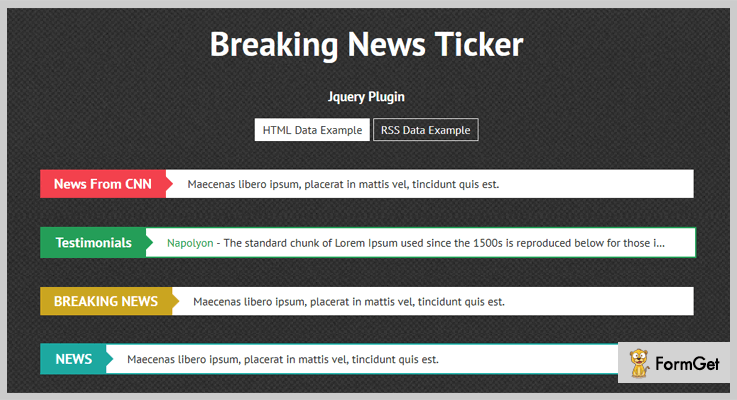
3. Breaking News Ticker: News Feed jQuery Plugin
Breaking News Ticker is a super cool jQuery plugin that is used to display the new feed in the form tickers. By using this plugin, you get access to various features like customizations, display unlimited news on the website & much more.
Additionally, this plugin is extremely easy to use & responsive to all screens sizes 7 mediums.
Pricing:
If you want to purchase this jQuery plugin, there are two different pricing plans –
- Regular license – $5.
- Extended license – $25.
Features:
- It enables you to effortlessly customize the design & change the properties.
- You can add as many tickers on the page as you want.
- This plugin facilitates you with RSS feed feature that helps in providing the content or you can also add the content of your own.
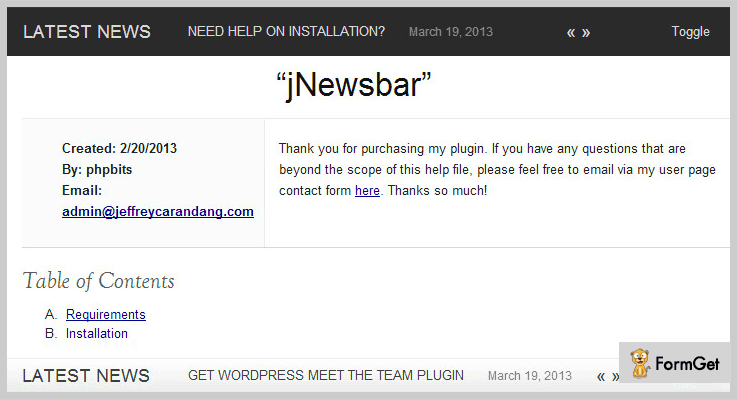
4. JNewsbar: News Feed jQuery Plugin
This astounding jQuery plugin provides you with various features such as 3 default animation effects, 4 default skins and many other.
You can easily customize this plugin and also toggle between multiple windows.
Moreover, this plugin is compatible with different browsers like IE7+, Firefox, Safari, Chrome & Opera.
Pricing:
For purchasing this jQuery plugin you have a choice of two different pricing plans. Also, you get the future updates & access to all of its features as well.
- To buy the regular license, you have to spend $3.
- While the price of an extended license is $20.
Features:
- This plugin provides you a fixed/floating bar which you can place either at the or at the bottom of the page.
- It grants you with four default skin along with the option to create your own skin.
- Further, it can handle the window or browser resizing without any trouble.
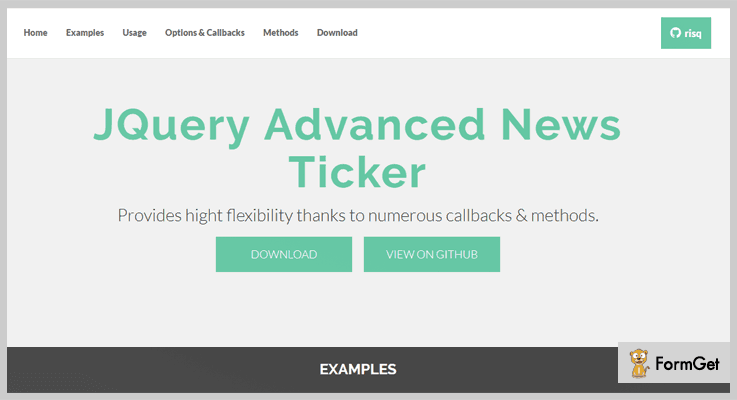
5. JQuery Advanced: News Feed jQuery Plugin
JQuery Advanced is a powerful jQuery plugin which empowers you to add animated news ticker on your website. This plugin provides you with various features for easy customizations. You can also call different methods & functions.
Also, it beautifully fits in all screens & mediums like mobile, desktop & tablets.
Pricing:
- JQuery Advanced is free of cost plugin. You can simply download it from ‘github.com’ & gain access to all of its features.
Features:
- It allows you to define the height & number of rows to display on the page.
- You can add previous & next buttons plus, set the events on which will trigger as well.
- This plugin provides you with various options to modify the content of the plugin.
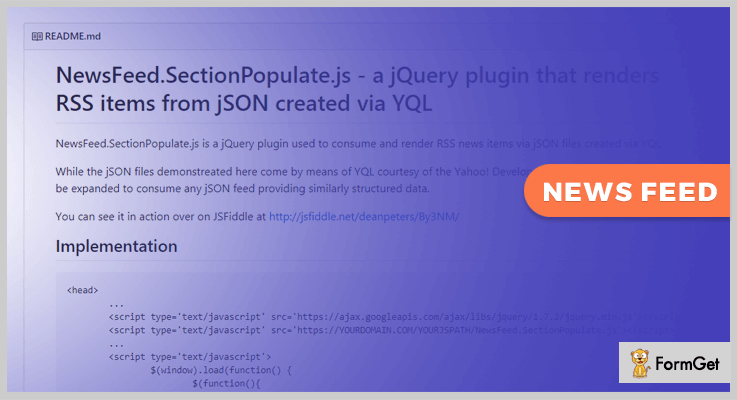
6. NewsFeed.SectionPopulate.js: News Feed jQuery Plugin
This jQuery plugin is used to consume and render RSS news items via JSON files created via YQL. It provides you with various features for customization like height & number of items per page.
Along with this, it is easy to us & you can initialize it by embedding few lines of code.
Pricing:
- This freemium plugin comes with a forever free access. Download this plugin from ‘github.com’ without spending a single penny.
Features:
- This plugin uses data-item attributes at the place of parameters.
- It provides you some animation & transition effects which enhances the look.
- Besides, it adds google analytics with a push for outbound clicks.
Wrapping Up!
Consequently, we have propounded few of the best news feed jQuery plugins & highlighted their key features & other details.
After going through this blog, we hope you must have found an ideal plugin for your website which will help in garnering the traffic to your website.
Swift through more jQuery plugins!
Feel free to ask any queries, we’ll be happy to help you. And do leave suggestions in the comments section below, we’ll take them into consideration.
4 jQuery Timetable Plugins 2022 (Free and Paid)
Whether for scheduling a conference or deciding the timetable of the gym, we need timetable at all the points in our life.
Now, this element can also be integrated into your website. But what will a timetable do on your website?
So, you will get a calendar kind of layout on the website. This can be either monthly, weekly or daily format. Here you can schedule up the meetings, events and a lot more. You can even add reminders, agenda, and a lot more. It’s more like a Google Calendar on your website!
To bring down the time management burden off your shoulder completely today we have cataloged the best 4 jQuery timetable plugins that offer daytime functionality.
In fact, adding these kinds of plugins on your website gives a beautiful and visually stunning look to it. These plugins are occupied with jampacked functionalities like customization option to show/hide the navigation bar, callback functions, different kinds of layouts and a lot more.
So, pursue this collection and take look at both free and paid jQuery timetable plugins which pique your curiosity.
Before that have a quick glance at more jQuery plugins blogs:
1. Tiva Timetable – A Part Of jQuery Timetable Plugins
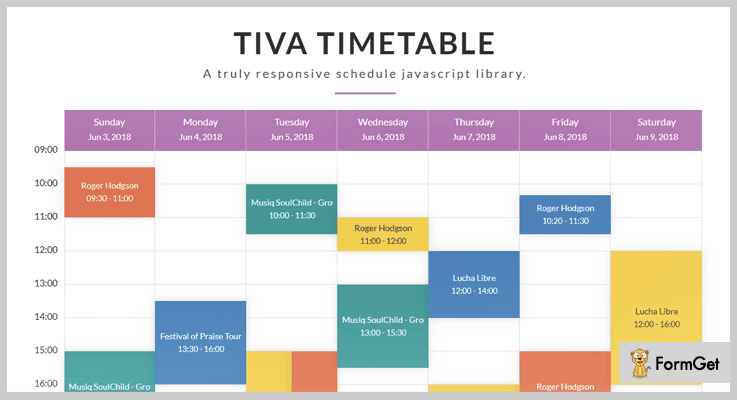
Tiva Timetable is a top class jQuery timetable plugin used to organize the list of events, daily routines, and other related entities. It has a responsive schedule JavaScript library simple and modern flat interface.
Additionally, you can maintain the timetables in JSON files or fetch them from the source data through PHP files with AJAX techniques.
PRICING:
- This Tiva timetable jQuery plugin comes with a price tag of $18 with lifetime updates and 6 months regular support.
- To use its advanced features you have to pay $90.
FEATURES:
- This plugin provides you with amazing three different layouts to schedule your events like a monthly view, weekly view, and list view.
- You can use this plugin for any kind of schedule or events organizing.
- It allows you to include some of the CSS and JS files on the website and display the calenders by HTML shortcodes.
- Tiva Timetable plugin has customizations options like show/hide the navigations, start on Sunday or Monday etc.
2. jQuery Timetable – A Part Of jQuery Timetable Plugins
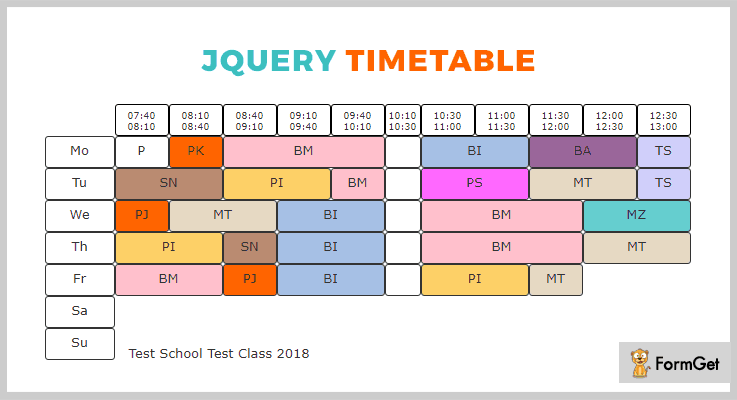
The jQuery Timetable offers a very simple solution for events or timetable organization for a simple project. It allows you to only provide the timetable on a single page which helps you to easily fetch the details of events.
jQuery Timetable files test.html hold the integration files using jqunit.
PRICING:
It is an opensource jQuery plugin which is available free of cost.
FEATURES:
- This plugin helps you to fix the time duration of events at the top of web pages going horizontally whereas the weekdays are fixed at the left moving vertically.
- It is cross browser compatible with Chrome, Firefox, and Safari.
- You can display the timetable on the bases of weekdays, time durations etc.
- Also, it allows you to define a specific action for the specific weekday.
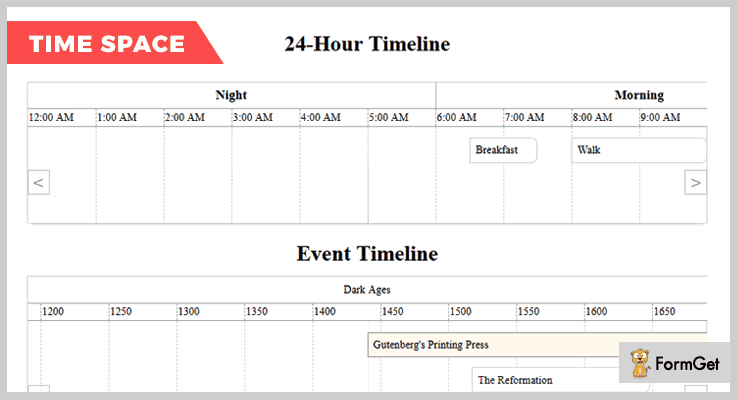
3. jQuery Timespace – A Part Of jQuery Timetable Plugins
jQuery Timespace is a jquery based calendar clone. It allows you to handle the position of the event on the pages by dragging them anywhere on it.
You can specify each and every event displayed on the pages with their specific descriptions by using this plugin. Further, it also provides you with API keys to secure the interface between user and system.
PRICING:
jQuery Timespace is free of cost.
FEATURES:
- It provides you with a callback function which executes at the time of completion of code.
- You can set the starting and ending time of the tables through the dashboard setting.
- This plugin also allows you to set the maximum width-height of the timetable.
- You can use the ‘shiftOnEventSelect’ key option if you wish to shift the timetable on a particular event selection.
4. React Timetable – jQuery Plugin
The React Timetable plugin is a most popular free solution for scheduling events or programs in a web application. This plugin is marked with highly influenced by full calendar jQuery plugin.
PRICING:
This jQuery plugin is free of cost.
FEATURES:
- You can display the details of the events or programs on the bases of day, dates, and much more.
- This plugin has the option to edit or modify the details of timetable through the dashboard setting.
- Its cross browser compatible with Chrome, Opera, FireFox etc.
Conclusion:
So, this was our best collection of jQuery timetable plugins which are most popular in the online market. Each and every plugin present here comes up with its unique feature.
In fact, these are responsive, cross-browser compatible and user-friendly so that anyone can use them.
For any kind of query or suggestion please comment below.
5+ Best Twitter jQuery Plugins 2022 (Free & Paid)

Twitter is a popular social media network which has millions of active users who appear online on daily basis.
So, it is very important that you should have different types of Twitter jQuery plugins installed on your website to display regular, image, video and other types of tweets on your website to attract more and more customers online.
This is the reason why we have listed and described some of the best jQuery plugins which will help you auto-fetch tweets and display them on your website in an attractive manner.
All these plugins are multi-browser compatible, responsive, super light and offer a great number of services like easy integration, developers friendly. Plus we have listed both free and premium plugins which you can choose as per your convenience and needs.
But before diving into plugin details have a look at the blogs listed below:-
1. Tweetable – Simple jQuery Twitter Plugin
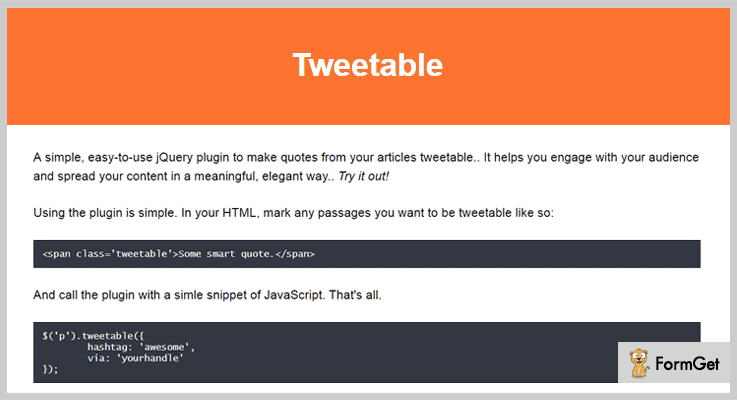
Tweetable is one of the best Twitter jQuery plugin which helps you fetch quotes from articles published on your website which are specific for the Twitter platform.
It enables the users to click passage and share it easily with their Twitter followers. Other than that this plugin gives a responsive design, multiple customization, auto recommendation and multi-browser support.
Pricing:-
- The regular plan of this jQuery plugin can be purchased at a price of $5.
- You can avail the extended features of this plugin at a cost of $25.
Features:-
- This plugin is compatible with multiple browsers like IE8, IE9, IE10, IE11, Firefox, Safari, Opera, Chrome.
- It auto-recommend the user to follow a twitter stream of your choice to get your social media marketing.
- Using this plugin you can share quotes from your articles on Twitter in an easy and elegant way.
- You also get pre-includes custom hashtags as well as URL. Plus the Grunt setup, Sass files, package.json files are also included.
Click For More Details On Twitter jQuery Plugin
2. Twitter Bootstrap Modal – jQuery Plugin
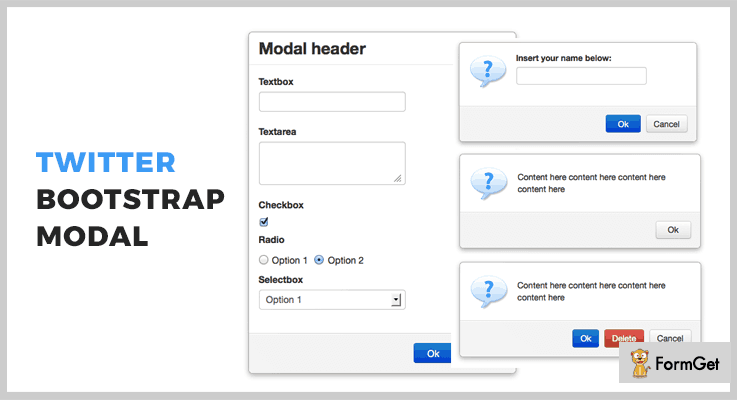
Twitter Bootstrap modal helps you create modal functionality for a web application which is easy to implement and permits you to replace most of the basic and standard functions.
This jQuery plugin is specially designed for twitter bootstrap. It allows you to add form elements along with the image, CSS animation and button support on a live website.
Pricing:-
- You will be charged $6 for the regular license which comes with various features & services.
- The extended license has got some additional features which will cost you $30.
Features:-
- With this plugin, you get full support for image, button, CSS3 animate as well.
- It also provides 3 different types of callback function like onStart, onShow, onClose.
- Various form elements can be included using this plugin like textbox, textarea, checkbox, selectbox and more.
- You can also define the open time of the modal which will be in milliseconds.
Click For More Details On Twitter jQuery Plugin
3. LiveTwitter – Twitter jQuery Plugin
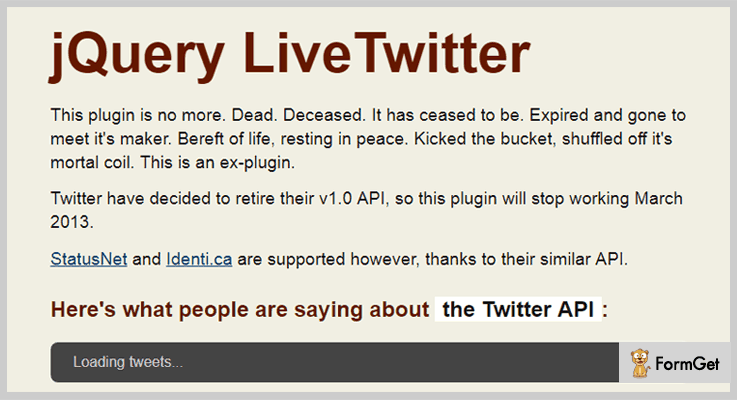
It is an easy to use lightweight jQuery plugin which updates Twitter feed on a live website without many customizations. It helps you display tweets based on search queries by the user or you can show user specific tweets as well.
In addition, multiple options for search, user_timeline, localization and more are also available. With this plugin, you also get the functionality to filter tweets as your the search needs.
Pricing:-
- LiveTwitter is a jQuery plugin which will cost you $0 as it is entirely free of cost. You can simply download this plugin from github.com and deploy it on a website with ease.
Features:-
- Allows you to show a stream of tweets based on search queries, or tweets based on specific user needs.
- With the help of this plugin, you can pass callbacks and events whenever new tweets are loaded.
- It also provides you the facility to filter tweets using various types of functions.
- Multiple globally applicable options like mode, rate, imagesize, refresh, and many more are also provided.
Click For More Details On Twitter jQuery Plugin
4. jQuery Twitter Fetcher Plugin
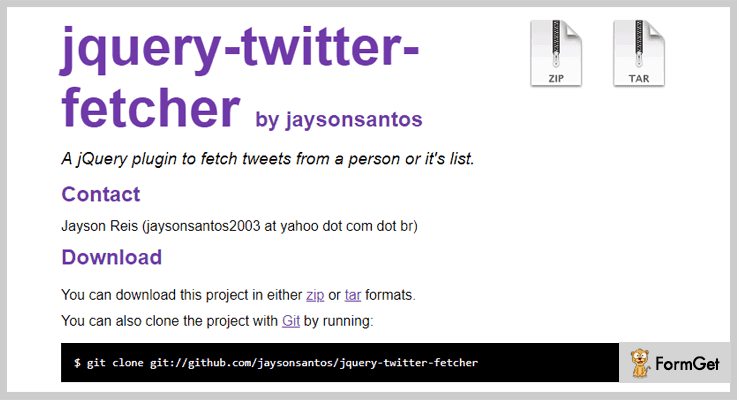
If you want to include tweets on your website in an easy way then jQuery Twitter Fetcher plugin will be the best option for you.
With this, you just have to include jquery.twitter.fetcher files on the page and the rest will be done automatically. It will display user’s tweets and give you options to override them as well.
Pricing:-
- The jQuery twitter fetcher plugin offers all it services and advanced features free of cost. You simply have to download it and start using it on your website.
Features:-
- This plugin will make you capable of fetching tweets from a person or it’s list.
- It is easy to use, lightweight and fully responsive jQuery plugin.
- This plugin is multi-browser compatible and supports most recent web browsers.
- Allows you to override options like user real name, callback to display dates, translate, etc.
Click For More Details On Twitter jQuery Plugin
5. twitterTimeline – jQuery Plugin
With twitterTimeline you can showcase the most recent tweets on a website without many configurations. It provides you a Twitter search API which auto fetches tweets from a user accounts and returns tweets which are not older than a week.

Pricing:-
- twitterTimeline is a free jQuery plugin which will provide you multiple facilities to display the recent tweets of a Twitter user on your website.
Features:-
- Various public methods are provided with this plugin to fetch and update twitter details on a website.
- With this jQuery plugin, you can display the recent tweets of a Twitter user with a lot of configuration options and customizations on a website.
- It also offers configuration options which you can pass to initialize functions to set a custom behavior.
- This plugin gives you a proper documentation which holds all the functions, settings and other details along with the code and example.
Click For More Details On Twitter jQuery Plugin
6. jQuery Twitter Search Plugin
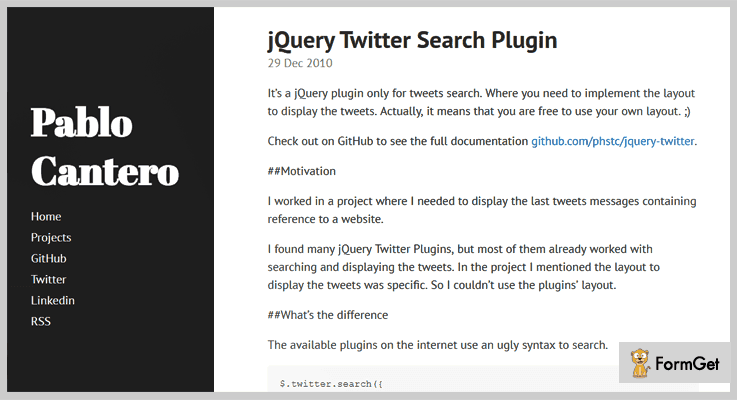
jQuery Twitter Search is a responsive jQuery plugin with which you can search and display tweets. But you can add a specific layout to the tweets which you want to display on your website.
With this plugin, various types of display styles can be implemented with ease.
Pricing:-
- Another free plugin which can easily be accessed free of cost from github.com. This plugin provides a great help in searching and displaying the tweets on a website.
Features:-
- Allows you to implement multiple conditions on-demand like and, or, to, limit, etc. Plus you can add new conditions as well.
- With this plugin, you get Twitter search API method which is easy to apply.
- This is a lightweight plugin which provides cross-browser compatibility as well.
Click For More Details On Twitter jQuery Plugin
Conclusion
This was all we have got on the 6 best Twitter jQuery plugins which we have elaborated in this blog. I hope that you will find the plugin which is most suitable for your website to add Twiter feeds and different types of tweets in a customized way on your site.
Do let us know if you have got any type of queries or doubts related to these jQuery plugins in the comments section below. We will be happy to hear from your side.
5+ Freemium jQuery WYSIWYG Plugins

WYSIWYG is an abbreviation for “What You See Is What You Get”.
These provide such an environment which helps users to get an idea of how their product is going to look like. Also, there is an availability of a number of excellent choices to customize your content as you wish.
WYSIWYG/content editors are used to edit content (text & graphics) in a form which resembles its original appearance in a similar manner as in printed documents, web pages, slide presentation etc.
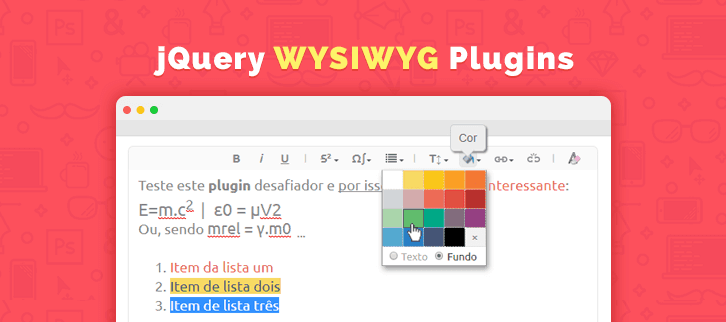
These tools are easily applicable to the web pages and jQuery WYSIWYG plugins are used for such purposes.
In this article, we have gathered a list of 5+ jQuery WYSIWYG plugins which will help you in real time editing of the elements on your webpages.
Leave no stones unturned, have a look at few more jQuery blog listings:
Generate the fast masonry layout for your website.
Revamp the standard checkboxes of your site into a modern outlook!
To add trnslation functionality on your website.
1. jWysiwyg – Prime In Free jQuery Wysiwyg Plugins
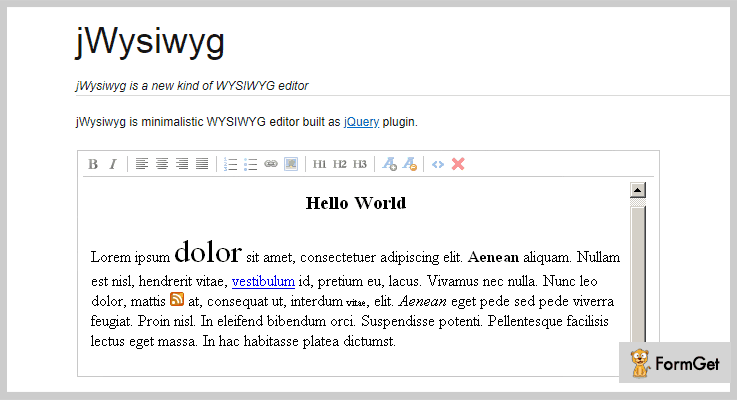
jWysiwyg is an advanced jQuery plugin for enhanced functionality of a WYSIWYG editor. It is a minimalistic design for the editor. The jWysiwyg jQuery plugin has various examples of use, they are- Basic, Full, AJAX, UI Resizable, UI Dialogs, Hide headings, Enable RTL (Experimental), AutoGrow, CSS Autoloading & initialContent, Custom Controls and more.
Moreover, this plugin has lots of basic as well as advanced customization options.
Pricing Plan:
The jWysiwyg jQuery plugin is a free product of GitHub. You can download it from the official site.
Features:
- It supports jQuery UI Dialog for insertTable buttons, SimpleModal for insertImage buttons and jQuery UI Resizable for resizing the editor window.
- Tested with the latest version of jQuery.
- Also, it works well on major browsers such as- Safari 4, Firefox 3.5, Chrome 4.0 and IE 8.
- This plugin is very well documented as most of the things are clearly written.
2. Rich Text – jQuery Wysiwyg Plugin
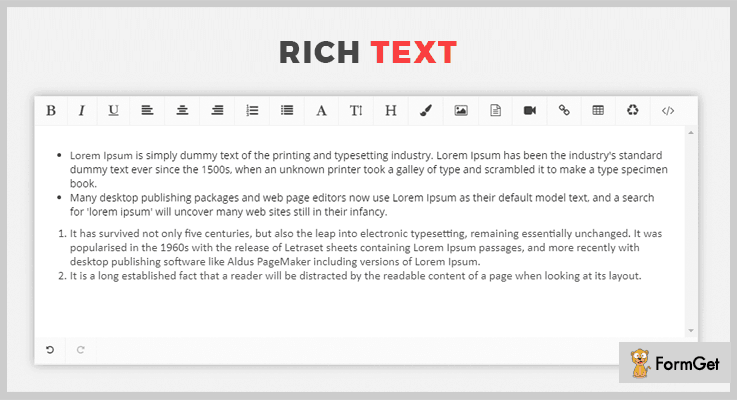
RichText is a jQuery plugin with a well-developed WYSIWYG editor. It has a lot of editor options for text formatting, alignment, font etc. Also, you can add lists, titles, tables, links and much more. There are color options to select the color of your fonts.
In addition, you can upload files and embed videos/media very easily.
Pricing Plan:
RichText jQuery wysiwyg plugin is another free product of GitHub.
Features:
- This plugin has font awesome support.
- RichText jQuery WYSIWYG plugin is complete translation ready.
- You can make use of the UNDO functionality.
3. Cazary – jQuery Wysiwyg Plugin
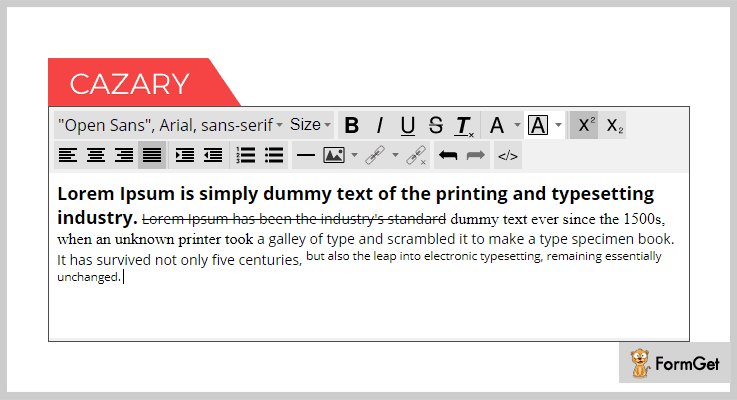
Cazary is a jQuery WYSIWYG editor plugin is a very fast and light weighted plugin. This plugin will facilitate a stylish interface for editing. All the elements are highly customizable through back-end.
Furthermore, this plugin is cross-browser compatible and multi-lingual.
Pricing Plan:
Cazary jQuery wysiwyg plugin a completely free to use.
Features:
- It is a highly customizable plugin for both front-end and back-end customization.
- This plugin supports the cross-browser compatibility for IE8+, Mozilla Firefox, Google Chrome, Opera & Safari.
- Multi-language support for English, Japanese, Polish, Portuguese, and Brazilian Portuguese.
4. jQuery TE – Wysiwyg Plugin
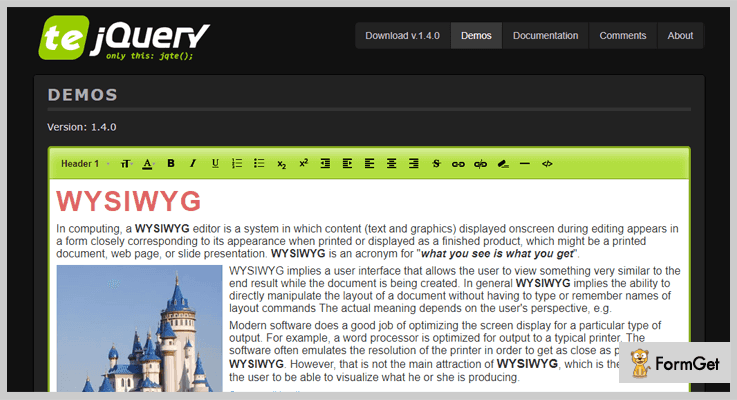
jQuery TE is a very useful HTML editor plugin. It efficiently works with the WYSIWYG model. This plugin has a famous 1 min setup. Modifications and further styling the interface is also possible with this easy-to-use plugin.
Moreover, it performs effectively on the browsers of major preference.
Pricing Plan:
Markbar Grab this plugin for free.
Features:
- You can change the CSS classes and can also add a custom one for styling.
- Demo and documentation pages available for user convenience.
5. Markbar – jQuery Wysiwyg Plugin
Markbar is a simple jQuery plugin to add the WYSIWYG style toolbar to a specific area. It makes use of the markdown (a text-to-HTML conversion tool for web writers) enables textareas. It is very helpful to those who are not familiar with proper Markdown syntax.
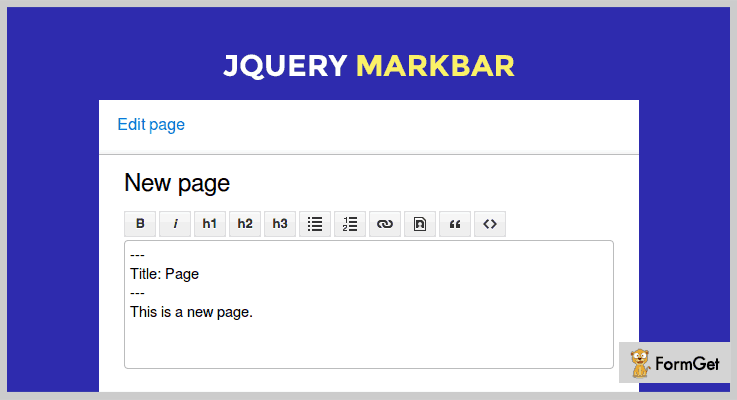
Pricing Plan:
Markbar jQuery wysiwyg plugin is just another freemium product by GitHub.org.
Features:
- This plugin makes efficient use of the Markdown tool.
- It also provides easy to use interface for the users.
6. Multiform Text Editor – jQuery Plugin
Multiform Text Editor is a highly flexible plugin designed for WYSIWYG text editing. It provides a great level of customization options. And also allows the developers to add any formatting method, HTML or CSS styling.
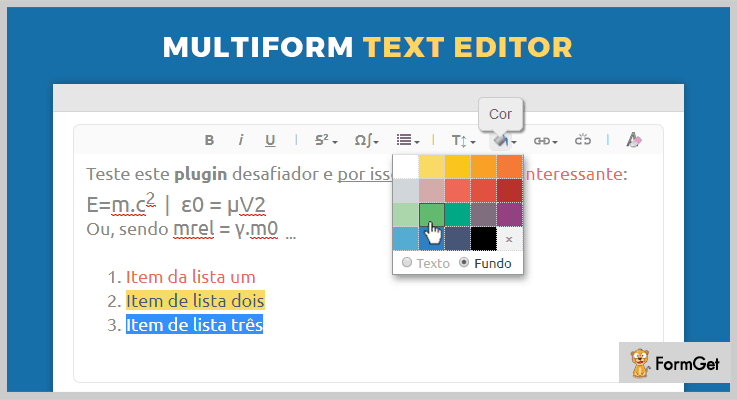
Pricing Plan:
The Multiform Text Editor will cost you nothing.
Features:
- It is a fully customizable/flexible jQuery plugin.
- Make use of various text formatting methods for enriching the contents look and feel.
- Enable you to add HTML elements.
- It also provides lots of styling options for color, fonts and more.
Conclusion:
Consequently, these were the most noteworthy plugins of the domain jQuery wysiwyg plugins. So, carefully choose the one which perfectly suits your site’s requirements. And since there are various customization options available, you can easily pick a plugin and easily modify it as you need.
Any further suggestions and queries are appreciable. Do comment the same in the section given below.
Thanks for reading!
4 Best jQuery Spell Checker Plugins 2022
Spell Check option has made people carefree while writing. You can write as much content as you want without bothering about the accuracy of the text.
And this liberty has been provided by almost every website for their users.
If you are still not providing this facility to your users on your website, you might miss out some of the most regular and reliable users of your website.
And if your website or application includes consistent spell checking option to the user, the chances of this high-quality data to be searched and used in future is very high.
Now, do not wonder how to do it, as the answer is right here.
Writing codes for having spell check have been an age-old process. The best results are guaranteed via adding plugins to your websites.
The following discussed jQuery spellchecker plugins have turned out to be the perfect solution. The reason is their simple installation and easy usage. You are also assured of the data security as these plugins do not send the content to a 3rd party for spell check.
Further, you also get many dictionaries that hold vocabulary of all the important fields like legal, medical etc.
The list of such affluent features is quite long actually, so it’s better we start learning all of them in detail together.
Few more worth reading blogs
Get text editing capabilities for all your applications with this plugin.
To generate outstanding masonry layout for the pages of your website.
To give your website a modern outlook by renovating the outdated checkboxes.
1. JavaScript SpellCheck
This plugin allows spell check for the content in two ways:
You can either make the corrections for misspelled words while typing in the text area. The plugin also gives basic grammar checking option in this mode.
Else you can do the spell check in the dialogue box that opens up with a click. This dialogue box holds all the misspelled words with correct suggestions.
It also has additional options like basic grammar checking and lookup “meaning ” etc.
The plugin is customizable and you can set up the spell check by copy-pasting 1 line of jQuery code. It facilitates spell check the content on almost all browsers & intranet.
Also, it gives the best performance amongst its contemporary plugins. It can scan and spell check up to 30,000 words per second. The plugin has AI tuned fuzzy logic to give 100% accurate suggestions for correction.
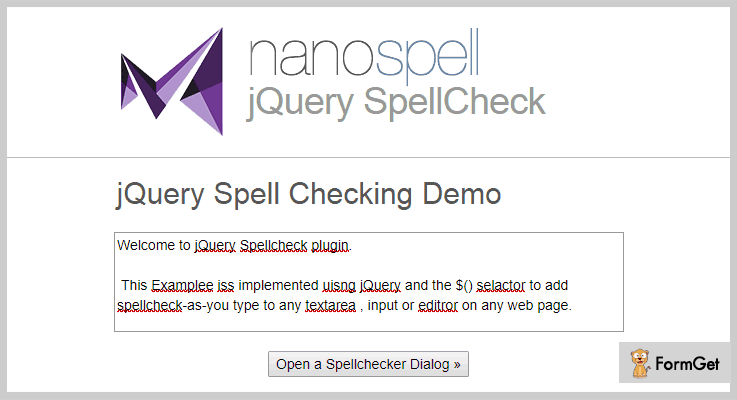
Pricing
This plugin is absolutely free to use for all websites.
Features
- This plugin does not send the content to any 3rd party for spell check to ensure the security of data. In this way, Google protocol for protecting data from hacking does not get violated.
- For form validation, the plugin gives two options to generate errors. Either on submitting the form or prompt users as they are writing with Live field validators.
- It has 20 dictionaries with vocabulary for medical, scientific, legal, etc. You can analyze and make the corrections for multilingual documents as well. Plus, it enables you to add vocabulary to a custom dictionary.
- You can install JavaScript Spell Check on all the modern OS like Windows, Mac, and Linux servers. This plugin also supports almost all major web servers such as Windows IIS & Apache.
2. jQuery-spellcheck
This plugin scans the texts and displays the spell check results under the input field. It also lists all the misspelled words along with their correct suggestions.
To use this plugin you need to have Google’s spell checker API and a server to handle the communication with API.
Along with this, it is very easy to use & responsive to all screens.
Pricing
You can add all the features of the plugin on your website without spending any penny. As it is free.
Features
- The plugin comes with various options like letter code for languages.
- It allows you to set the number of milliseconds to spell check a word after a key event.
- You can ignore the words with caps to apply spell check on them.
- Further, the spell check can also exclude digits.
3. Browser Based Spell Checking Plugin For jQuery – Spellchecker
This enables a user to spell check an incorrect word within a form field or in a DOM tree.
It displays all the misspelled words in a dialogue box & also provides a ‘check spelling’ button below. On clicking this button, all the incorrect words will be highlighted in red color & a dotted red line. Then you can hover the cursor on every marked incorrect word to make corrections.
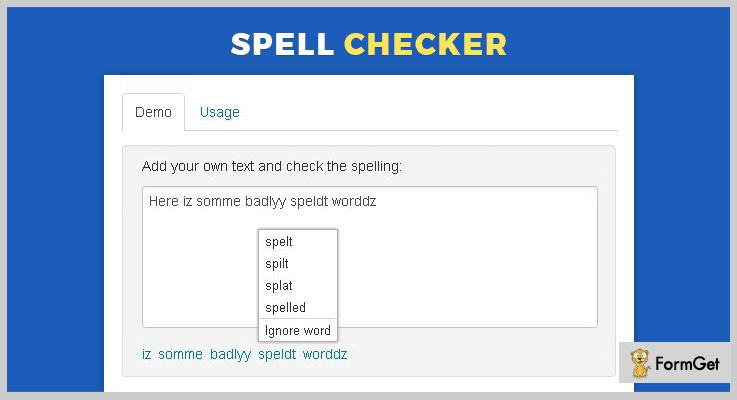
Pricing
Avail this plugin for your website without any currency transaction. Completely Free!
Features
- On clicking the incorrect word you will get a list of correct words to use as a suggestion. If you feel the given word is correct, you can ignore the suggestions,
- This plugin includes HTML parsing along with text parsing for WYSIWYG editors and form fields.
- It supports Unicode in order to work with mostly used global languages.
4. jQuery Spellchecker
This lightweight jQuery plugin provides the users with a number of demos with an elaborated explanation.
It integrates with 5 editors – Reactor, Bootstrap-wysihtml5, jHtmlArea, CKEditor and TinyMCE editor.
The misspelled words are marked with red underline in these editors. Which on hovering suggests the correct word.
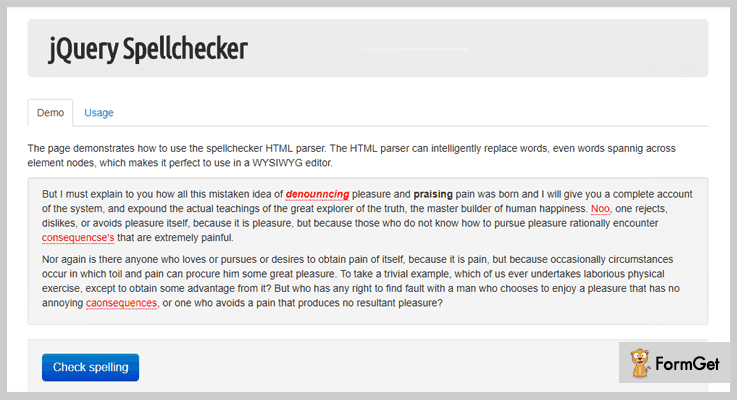
Pricing
Do not pay any amount to use this plugin, as you can download it directly.
Features
- With HTML parser, you can replace the incorrect words on the page.
- This plugin supports Unicode character sets. It allows spell check in different languages such as English, Spanish, French & many more.
- Along with this, it also includes PHP web service that supports ASpell and Google spellchecker.
- It can apply spell check for multiple form fields.
Conclusion
These were some of the best jQuery spellchecker plugins which are potentially capable to enhance your website functionality.
The correction for the misspelled words is done without affecting the website performance. And above all, they are free.
Find out the best from them and start using it now.
For any suggestions or queries, comment below.
Thanks and regards!
6 Best jQuery Layout Plugins 2022 (Free and Paid)
When it comes to plugins for laying out the pages on your website, jQuery layout plugins are the hard one to beat.
jQuery layout plugins allow you to create, edit, and customize your site layout with the simple jQuery code.
Since there are different jQuery layout plugins available in the market, it is a catch to find from the stack. That’s why we decided to compile a list of 4 most popular jQuery layout plugins to help you choose the best for your site.
You can create beautiful grid layouts, masonry layouts and a lot more designed layouts using these jQuery layout plugins.
These jQuery layout plugins are easy to implement on the site as it comes with complete user guide and organized documentation. So, if you have a bit of coding knowledge then you can easily use these jQuery layout plugins.
Given below jQuery layout plugins are highly customizable you can choose width and height of layouts as per your own choice. Further, the plugins are compatible with all the latest browsers and work completely fine in any screen size.
All the listed layout plugins have inbuilt CSS custom options which give your website a good look and better presentation.
Read some more useful jQuery plugins too!!
Let us discuss each jQuery layout plugins in detail.
1.TotalScroll – Multi-Column Layout Scrolling jQuery Plugin
This is an elegant plugin which gives modern scrolling for your website. TotalScroll plugin was created for multi-column websites. Further, you can adjust your menu column as well as sidebar’s scrolling speed by using this useful plugin.
Moreover, the plugin is fully responsive and works with most fixed and fluid grids. Also, this plugin is cross-browser compatible.
Pricing:
Buy the regular license of this plugin at $8 with all the future updates and full support up to 6 months. You can extend your support up to 12 months by paying $2.25 only.
Features :
- TotalScroll plugin has configurable column scroll speed. Further, this will allows you to make columns scrolling with different speeds like by placing % of primary column speed.
- It has an inbuilt reveal-on-scroll feature which permits to emerge content as you scroll down the page
- This plugin has inbuilt CSS along with various animation effects which gives a smooth performance to your website.
- You can make any column sticky simply by assigning a ts-sticky class in the customize jQuery code.
2. Magnet JavaScript Library – Best in jQuery Layout Plugins
Magnet jQuery plugin is used to create filterable and sortable layouts on your website. The plugin is well documented and it comes with complete user guide. This will help you to easily implement this plugin on your website.
The noteworthy feature of this plugin is it removed the jQuery dependency. Moreover, this magnet jQuery plugin has been rewritten in Vanilla JavaScript.
Pricing:
There are two different licenses available at different pricing plans. You will get full support and regular future updates with this above license.
- Regular license – $8.
- Extended license – $50.
Features :
- This plugin has a bin- packing algorithm which helps you to create gapless layouts for grid layout mode. Further, it replaces masonry and tiles layouts, creating gapless layouts that can be filled from left to right or top to bottom.
- It has more options for a deeper customization by which one can make easy changes in code according to their need.
- There is more than 5 layout mode available in this plugin which will give your website a better look.
- Magnet JavaScript Library is a responsive plugin which will fit on any screen size or device.
3. jQuery UI Layout Plugin
This jQuery layout plugin is the ultimate page layout manager in the list of jQuery layout plugins. Although, you are able to create any UI look such as simple headers or sidebars, or a complex application with toolbars by using this plugin.
The key feature is you can easily combine it with other jQuery UI widgets to create a sophisticated application. Also, the plugin has various menus, help-panels, status bars, sub-forms, etc.
Pricing:
This simple yet powerful jQuery layout plugin is available free of cost.
Features :
- This plugin has 5 regions per layout and unlimited nesting present in it.
- It has total CSS control along with various auto-generated classes which will create any UI look layout in a fraction of time.
- Layout jQuery plugin has custom buttons so that you can integrate your own buttons. Also, every aspect is customizable, globally and by region in this useful plugin.
- Resizable feature by which each pane can be resized, within automatic or specified limits.
4. Columnizer jQuery Plugin
This plugin is a powerful free plugin in the jQuery layout plugins list. The Columnizer jQuery plugin will automatically layout your content in newspaper column format.
Also, it has well-organized documentation with a complete explanation so that it further help you to implement this plugin.
Pricing:
The Columnizer plugin is free of cost. Download it from the official website of GitHub.
Features :
- Columnizer plugin is highly customizable and it allows you to specify either column width. Further, you can give a static number of columns.
- It has a functionality to revert your columned DOM by using the uncolumnize function.
- An optional CSS selector used here to determine where the columned content should be placed.
5. Bricks.js jQuery Layout Plugin
This plugin is a blazing fast masonry layout generator which will generate the layout for fixed width elements. It was developed with a modern JavaScript workflow in mind. Moreover, the plugin is easy to use comes with good documentation.
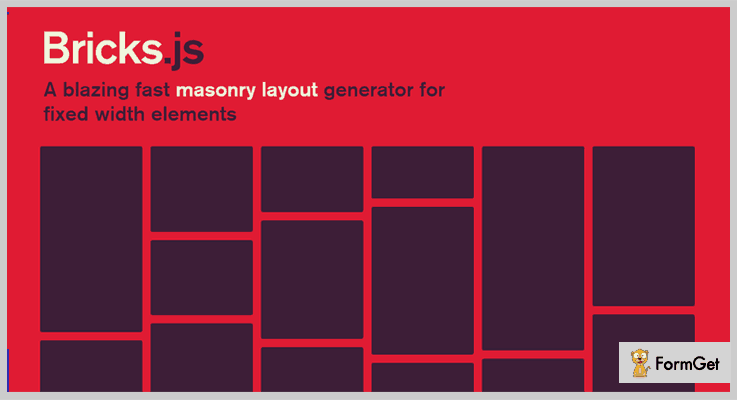
Pricing:
Bricks.js jQuery layout plugin is free of cost.
Features :
- You can enable and disable the resize handler according to your need using this plugin.
- This plugin accommodates dynamically added elements make your layout more functional.
- The noteworthy feature in this plugin is it allows you to add and remove event handlers.
- Consequently, it supports the following natively browsers such as Chrome 24+, Firefox 23+, Safari 6.1+ and many more.
6. gridstack.js – Free jQuery Layout Plugin
gridstack.js is a mobile-friendly Javascript library which is used for layout creation. It is easier to make a drag-and-drop, multi-column dashboard using this jQuery layout plugin.
Pricing:
This gridstack.js plugin is available free of cost. You can download it from GitHub website.
Features :
- This plugin allows you to build draggable, responsive bootstrap friendly layouts.
- The gridstack.js plugin works great with knockout.js, angular.js, ember etc.
- One can change grid width according to their choice.
- It is a highly customize plugin with the help of which you can make easy changes in the code according to your wish.
Conclusion:
Now as you read all the 4 most popular jQuery layout plugins, we hope you have found your suitable jQuery plugin. Further, these above-listed plugins have both free as well as paid plugins which you can choose accordingly.
If you have any queries & suggestions, you can comment them in the below comment section and we’ll reach out to you soon.
Stay tuned for more plugins.
4 Best jQuery Language Translator Plugins (Freemium)
Do you want to provide translation facility on your website?
If yes, then you must be looking for some kind of tool that will help you to have language translator!
With the help of jQuery Language Translator Plugins you can easily add the translation functionality to your website.
Reading or viewing the content on a website in a default language let’s say in the English language will have a good impact.
But you have a global audience so merely English or your own language on the website won’t serve them all.
You have to serve viewers with the option to translate the content of your website in their native language. Just like Google Translator!
If you agree with this statement than here’s an easy solution for you!
jQuery language translator plugins help in easing the task of translation. Thereby, provides your visitors a positive user experience as they read the content in their own language.
Moreover, these plugins provide you with several impeccable features like:
- They translate all the textual data on the website without restricting to word limit.
- You can easily add your own dictionary or use the one provided by the plugin.
- These plugins are user-friendly, easy to customize and offer multiple customizations.
- Apart from this, they use cookies which help in saving & restoring the languages.
And there is a lot more to discover…
For this reason, we have amalgamated a list of some of the best jQuery language translator plugins. Also, we have highlighted their key features, pricing plans & various other details.
1. jQuery Plugin To Translate Web page:
This jQuery plugin is based on localization tool. It can be used for all the type of websites. Further, this plugin provides a list of languages to the viewers which makes it easy for them to view & choose.
That’s how you can judge that this plugin is easily usable by a person who has no technical knowledge.
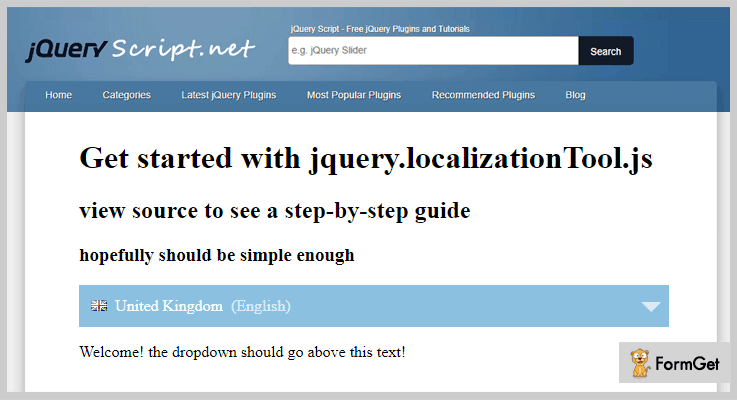
Pricing:
- This language translator plugin does not charge a single penny. You can download it from ‘jqueryscript.net’ to get to know more information about it.
Features:
- You never have to worry about the content limit. This plugin translates all of the textual data on a website even it contains a lot of words.
- It allows translating the content into various languages such as English, Japanese, Italian, Malyalam, Arabic & many more.
- This plugin allows you to add a label template option on your site right from the settings section.
2. jQuery Lang JS:
With the help of this jQuery plugin, you can create multiple versions of the content on your site from default language to other languages by using phrase translations.
It provides a high-performance code without any intervals or timeouts. This plugin provides an easy platform for language translation. You don’t need to refresh the page as the plugin instantly switches the language without any hassle.
Additionally, it hooks the events for custom processing, supports regular expression search and a lot more.

Pricing:
- It is free of cost. You will be able to download its version 3 from ‘github.com’ & get to know more features about it.
Features:
- You don’t need to worry about the translation on every page as it automatically maintains the consistency of language across the pages plus, it reloads via cookies.
- It automatically changes the URLs of images as and when the language changes.
- This plugin translates the dynamic content i.e. the content added via jQuery or loaded via AJAX all by itself.
3. jQuery.tr : Language Translator Plugin
jQuery.tr is an efficient jQuery plugin which is designed & built for easing the job of translation on your site. This plugin provides you with several features for translation like a predefined dictionary, cookies, etc.
Apart from it, this plugin is very easy to use & responsive to all screens and mediums like tablets, mobile & desktop.
Pricing:
- You can get this plugin without spending a single penny. Just go to ‘github.com’ & download this jQuery plugin for free.
Features:
- It automatically replaces the parameters while translating the content on the page. This reduces the chances of any further complexities.
- This plugin uses cookies information which makes it easy to save & restore the language as & when required.
- You don’t need to hassle around as this plugin provides a predefined dictionary. You can call it by ‘$.tr.dictionary’ adding a shortcode at the backend.
4. Simple jQuery Translations Plugin:
It is an astounding jQuery plugin for easing the task of translation on a website. This plugin provides multiple features like creating your own dictionary, predefined dictionary & lot more.
Although, this a freemium plugin but it provides efficient features. Moreover, this plugin is fully customizable & easy to use.
Simple jQuery Translations fits beautifully on all screens and also provides few examples related to the plugin which will help in case of queries.
Pricing:
- This jQuery plugin for language translation is available at ‘github.com’ for free of cost. You can download it & get access to all its features.
Features:
- You can open the default or create your own translations.json which consists of all the translations.
- It empowers you to implement the elements in HTML elements by using the data-translate attribute.
- This plugin has the ability to manage dynamic numbers. All you gotta do is add ‘%n’ in translations.json.
Wrapping Up!
Consequently, we have stated few of the finest jQuery language translator plugins which will help you in translating the content on your website into different languages and hence make it easier for your audience to read in the language of their own choice.
Further, we also scrutinized their details like major attributes, pricing plans, etc.
After going through this blog, we hope that you must have found a perfect jQuery plugin for your website.
Besides this, you may also be enthralled by some of these topics from popular crannies-
For any more queries & suggestions, feel free to contact us.
Do share your views in the comments section below.
4+ Best FAQ jQuery Plugins 2022 (Free and Paid)
It’s not an easy task for you to find best FAQ jQuery Plugins as there are numerous amount of plugins available in the online market. As most of them offer you amazing features but lack in providing up to the best services.
So, today in this collection of jQuery plugins we provide you with the best FAQ jQuery plugins that help you to add an eye-catching and attractive FAQ section on the website.
These plugins come with jam-packed features like supports multiple questions on the single page, different FAQ layouts, hover effects with a background, CSS styles and a lot more.
FAQ jQuery plugins are easy to install, extremely simple to implement, responsive and cross-browser compatible.
We also have some more jQuery plugins blogs for you:
These are customized indicators that inform the users that the webpage content is being loaded in the flash player.
The plugins help you to upload files using HTML5 Gears, Silverlight, Flash, BrowserPlus and enriches features such as upload progress, picture resizing, and more
Allows you to check the spelling of text content on the web pages or within a DOM tree.
1. HTML5 Responsive FAQ Showcase
HTML5 Responsive FAQ Showcase jQuery is one of the best BootStrap plugins to showcase the FAQ area on the website. It allows you to show the FAQ section with 9 different elegant theme designs and 12 different accordion color styles.
This plugin helps you to list the FAQ with random colors, different accordion collapse, grid FAQ listing, flip horizontal-vertical and show the full answer in the modal box.
PRICING:
- HTML5 Responsive FAQ Showcase plugin comes with a price tag of $8 with 6 months support.
- To use its more advanced features you can pay $35 for it.
FEATURES:
- You can change the position of FAQ area in horizontal or vertical alignment.
- It helps you to use the different hover effects with background colors and font color as per the theme.
- You can modify the HTML templates if you have a basic idea of bootstrap framework and CSS.
- This plugin also provides you with multiple different FAQ layouts and it has the easy customized option.
2. FAQ Macaw – A Part Of FAQ jQuery Plugins
Macaw is simple and interesting jQuery plugin as it helps you to build a platform of question & answer on your website. It not only interesting but also helps you to break down the complex questions into small pieces.
In fact, it is easy to use a plugin and support the unlimited number of questions that makes it perfect for pricing plans, training applications and much more. The plugin is well documented and even it contains some of the images through which you can easily activate it.
PRICING:
- FAQ Macaw jQuery plugin will cost you $50 with lifetime updates and 6-month client support facility.
- To extend its regular plan you can pay $150.
FEATURES:
- As it supports multiple questions, for each question you can explain the answer step by step.
- It is touch enabled, super lightweight, and also uses the GPU for improving the performance.
- With this plugin, you can also compare different answers related to same topic and can provide specific details about them.
- You can style the Questions and Answers list however you wish and even place them anywhere on page.
3. jQuery FAQ Slider – A Part Of FAQ jQuery Plugins
jQuery FAQ Slider is an easy to use FAQ plugin that lets you quickly add a slider in the FAQ area of the website. It allows you to put some of the animations effects on the sliders that acts as a vertical accordion.
Additionally, the plugin is well-documented will allows you to easily enable the plugin on the website. Its cross browser compatible with Chrome, IE8+, FireFox, Opera, Safari.
PRICING:
- jQuery FAQ Slider is an open source plugin that is its free of cost.
FEATURES:
- You can add your own styles through CSS custom option to the FAQ accordion.
- It allows you to attach the jQuery library at the bottom of the FAQ page so that user can find any kind of relevant links in it.
- With this plugin, you can also add CSS snippet to CSS styles that will help you to rotate the arrow icon.
- Also, with the help of this plugin, you can create FAQ interface from the list of the frequently asked question answers.
4. jQuery Basic FAQ Plugin
The free version of jQuery Basic FAQ Plugin comes with the advanced functionality of expanding and collapsing the answer panels on the FAQ section.
This plugin is built with the CSS3 transitions, transforms effects and a little jQuery script. The file size of the plugin is very small 2.01 KB that can be easily downloaded.
PRICING:
- jQuery Basic FAQ Plugin is free of cost.
FEATURES:
- You can separately create the list of questions and answers for the FAQ system.
- With the help of CSS/CSS3 custom effect, you can add more styles to the FAQ section.
- It allows you to add the latest version of the jQuery library at the end of the webpage.
- Also, it helps you to include a little bit of JavaScript with the FAQ system.
5. jquerySimpleFAQ – A Part Of FAQ jQuery Plugins
Like most FAQ plugins, jquerySimpleFAQ allows you to add frequently asked question list and question-answer interface on the website.
You can display them in different kinds of styling options with the help of CSS and can place them anywhere on the web page. It allows you to extend and collapse the with FAQ list with the help of smooth accordion animation effect.
In fact, the plugin is cross-browser compatible with Chrome, IE7+, FireFox, Opera, Safari and is responsive with all screen sizes.
PRICING:
- jquerySimpleFAQ costs you nothing as its free of cost.
FEATURES:
- You can include this plugin on the webpages after the jQuery library and before </body> HTML tags.
- This plugin enriches you to use HTML data source or JSON data source to build your FAQ section.
- With the help of CSS design, you can add animations and styles to the web pages.
Conclusion:
Now we are at the end of an article on FAQ jQuery Plugins & we hope you must have found the best jQuery plugin for your website. All the above plugins are feature-filled and provide a different kind of services.
For any kind of query or suggestions please comment below:
5+ Top jQuery Preloader Plugins (Free and Paid)
To keep your users engaged on your website while your data is being loaded can be a difficult task. As no one likes to wait!
But to decrease the level of this difficulty to zero we introduce you jQuery preloader plugins.
You must be wondering what these preloaders will do in order to keep your viewers busy?
Well, these preloaders are customized indicators that inform the viewers that content is being loaded. Now, the preloaders can work on the content loading in the Flash player or in any HTML based page.
The preloaders provided by the plugins help in creating animated GIFs, image or some other animation transitions to make the waiting time of the viewer a bit interesting.
These preloaders also highlight the progress of loading or the loading time left. This presentation can either be in percentage or in a status bar and such sort of animation.
These preloader plugins hold a lot of features like – multiple customization options, different draw methods, and many pre-built preloaders.
In fact, you can make various preloading effects on every post and page. Also, these jQuery preloader plugins will help you in adding attractive styles, animations, color and other effects. In addition, it also gives loading progress an attractive look.
It took me a lot of time in finding these amassed 5+ jQuery preloader plugins. We hope you find the best according to your choice and websites requirement.
You can look for more blogs here:
Allows you to upload files using HTML5 Gears, Silverlight, Flash, BrowserPlus and provide features such as upload progress, image resizing, and more.
These plugins can be used to check the spellings of text within a form field or within a DOM tree.
These plugins enable text editing capabilities for your all applications. And all these plugins come with the complete documentation, designed framework and tons of examples to make it easy to use.
1. Percentage Preloader – Paid In jQuery Preloader Plugins
This plugin can be easily used with a huge amount of elements (example 5+ pages or 5+ images or videos). Then, it works great at creating the illusion of progress. Moreover, this plugin displays the preloading time in form of a percentage.
It holds many features like – create multiple preloaders, onload callback functions, and own customized percentage-based preloader. In fact, this plugin is rated 4.5 out of 5-stars with more than 200+ active installations.
Price –
The quality of this plugin is checked by Envato and provides lifetime free updates at just $9.
Features –
- It comes with 8 pre-built preloaders, which can make your viewers engaged for a long time easily.
- This plugin provides you dark and light color schemes, you can choose any of them according to your website’s requirement.
- Preloading of background images from a stylesheet is possible with the help of preloader’s documentation.
- You can even use very large images almost the size of 1mb to elaborate the preloading process.
2. jQuery IMG Preloaders – jQuery Preloader Plugin
This plugin comes with a lot of handy features like – you can set the background images while a content is being loaded. By using CSS you can change the thumb look.
It comes with free updates. In fact, it supports CSS, HTML, and JavaScript JS. It is also compatible with all the major browsers like – Firefox, Safari, Opera, Chrome, and all versions of Internet Explorer.
Price –
- You can buy this purchase at 45 only with six-months support from the author.
- If you want to extend the support for 12-months then you have to pay $6.13 only.
Features –
- This plugin contains seven different styles of the preloader.
- Moreover, you can easily set the title bar of your web page.
- Also, you can set the default size of the thumbs, the inbuilt size is 2KB.
- It also allows you to set the speed of animation on your web page.
3. ChilliLoader – Best Paid In jQuery Preloader Plugins
It is a lightweight plugin with multiple functionalities and great compatibilities. This plugin comes with a spinning loader which you can customize according to your needs. You can change the background & color of this spinning loader which you can choose from the built-in 4 backgrounds or 8 color variations, or you can design your own.
This plugin will block your site until and unless your site loads properly. In fact, your visitors will be able to see a well-designed loading animation on your website.
Price –
Anyone can buy this plugin at $5 with a lifetime free updates.
Features –
- It supports every web project related to HTML, PHP, WordPress, and CMS.
- You can easily customize this plugin according to your needs.
- This plugin offers many customization options like – background, color variations, and more.
- Also, it has cross-browser compatibility with Firefox, Chrome, Opera, Safari, and Internet Explorer version 8 & 9.
- Moreover, it supports iPhone & Android smartphones and tablets.
4. Circular HTML5 Preloader – jQuery Preloader Plugin
Circular HTML5 Preloader is a lightweight plugin as it weights only 3kbytes in a compressed form and 8kbytes in the minified form. It has got 4 different kinds of preloader in a circular form. Further, you can either choose to highlight the loading in percentage loader, pie loader or even an arc loader. Even the animations work very smoothly and use a low amount of processing power.
This plugin is responsive and SEO-optimized. It also supports all the latest browsers like – Firefox, Safari, Opera, Chrome, and Edge.
Price –
- The price of this plugin is $8 with a regular license and a 6-month support from Flashedge.
- You can even extend the support for a year by paying $10.25 only.
Features –
- You can load any kind of files including images, SVG, js, CSS, JSON and XML files.
- Moreover, it lets you hook with your DOM elements it will work on its own.
- It offers many callbacks which allows you to keep the track of the progress of the loading.
- This plugin comes with default values which can be customized easily.
5. jQuery Fadeloader – Free In jQuery Preloader Plugins
This plugin allows you to easily embed the preloader on your site, any specific section or a page. jQuery Fadeloader uses the cascade effect to display the loading time of the content.
In fact, you can use advanced effects for easing the jQuery plugin. Easing specify the rate of speed at which an animation reaches different points.
Price –
Anyone can download this plugin for free from GitHub.com.
Features –
- You can easily assign a class name to each of your elements using the alphabet example – <div class=”a”>.
- This plugin allows you to adjust the width and height of the pixels of the images.
- It has a callback function onComplete which execute after all the elements have been loaded.
- You can change the speed of the fade effect.
6. Loadie.js – Best Free In jQuery Preloader Plugins
It is very easy to embed on your web page or website. As, this plugin comes with a proper documentation, for you to understand it easily.
Moreover, the plugin comes under the MIT license.
Price –
This plugin will cost you zero amount as it is available free of cost on the official website of GitHub.
Features –
- It is a lightweight plugin.
- You can update your CSS files easily.
Conclusion –
These are the some best jQuery preloader plugins. We hope you have picked the best one out of all the jQuery preloader plugins.
Use them and give your users an eye-catchy look.
Don’t forget to share your warm words in our comment section!
5+ jQuery Ajax File Upload Plugins 2022 (Free & Paid)
jQuery Ajax File Upload plugins are a great help when it comes to files uploads by users on a website.
The major benefits of having these jQuery plugins is that the users will get the ability to upload images, PDFs, videos, and other types of files in an easy way. These plugins allow single, multiple and bulk file uploads on any size.
All the listed plugin are easy to use as they provide drag & drop facility, upload progress bar, file rename, size restrictions and more.
In addition, we have described the best jQuery Ajax File Upload plugins which are multi-browser compatible, responsive, simple to implement on live websites, etc.
So, let’s get started with the details of the plugins, but before that have a look at the blogs below:-
1. HTML5 File Upload – jQuery Plugin
HTML5 File Upload is a jQuery plugin using which you can allow users to upload files to your website just by dragging & dropping the content. All the uploaded files can be displayed, removed and even downloaded once they are successfully uploaded.
With this plugin, you can showcase the upload progress on the files, access different types of file formats and more.
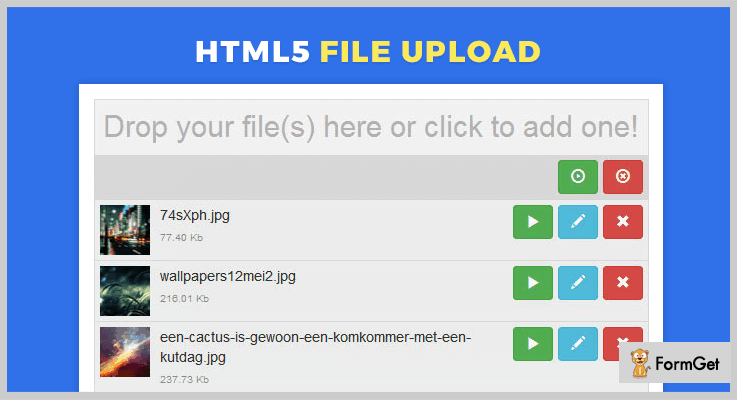
Pricing:-
- For the regular plan of this jQuery plugin, you have to pay $10.
- The extended plan on the other side will cost you $55 for all the enhanced services of this plugin.
Features:-
- With this plugin, you are permitted to integrate single as well as multiple file upload options.
- It allows users to edit filename before uploading the files on the website.
- You can control files with extensions or with mime type as well.
- Easy to upload drag & drop facility which comes with options like upload progress bar, edit and remove options on the upload screen.
More Details On jQuery Ajax File Upload Plugin
2. Drop Uploader – jQuery Ajax File Upload Plugins
With this drag & drop Ajax file uploader plugin you get options to upload multiple files, Ajax upload, only image upload, PDF upload and other options as well.
You can also handle file type validation, different types of upload errors and apply various other upload customizations. Plus, this plugin is easy to include on websites as you just have to include plugin files and JS code snippet.
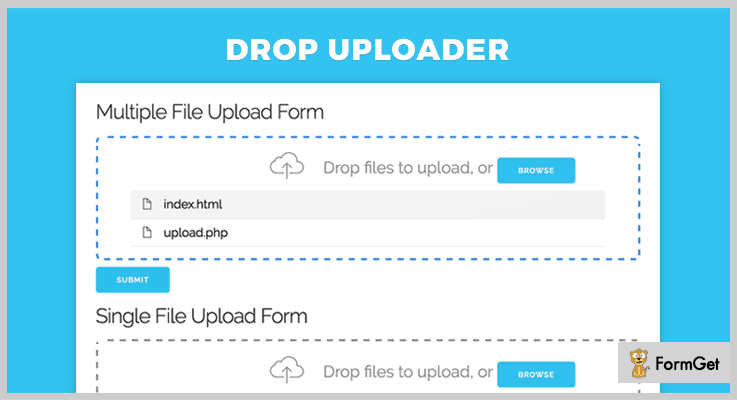
Pricing:-
- The regular license of this plugin comes with a price tag of $7.
- For the extended version of this jQuery plugin, you have to pay $35.
Features:-
- Easy to use upload methods like drag & drop and file browse options are available with this plugin.
- Provide different types of Ajax file upload options which are thumbnails layout, list layout, only images upload, only PDF upload, etc.
- Fully compatible with all latest browsers like IE10, IE11, Firefox, Safari, Chrome, Edge, etc.
- This plugin works perfectly well with native input file field on a website.
More Details On jQuery Ajax File Upload Plugin
3. The AwsmUploader – jQuery Ajax File Upload Plugin
This jQuery plugin comes with an inbuilt drag & drop file upload functionality or the users can browse the file location and upload them with ease.
AwsmUploader is an advanced plugin which does not require Flash, ActiveX, Chrome extensions, or any 3rd party libraries, it works well independently. In addition, it let’s website users to upload unlimited files of arbitrary size on your website.
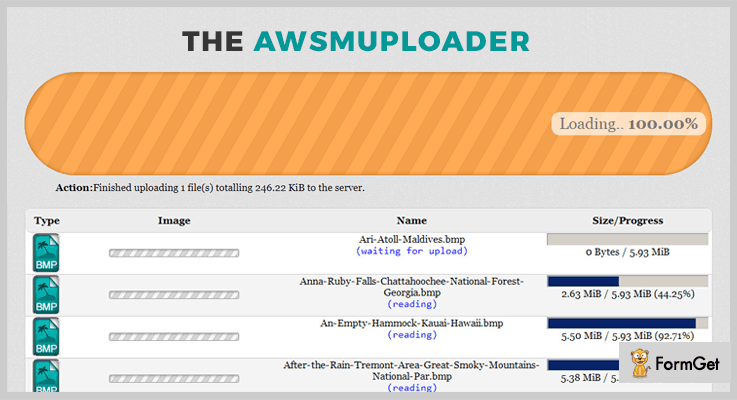
Pricing:-
- The first plan of this plugin will charge you $14 which will include various Ajax file upload options.
- The second plan will cost you $70 for the extended features and services of this plugin.
Features:-
- With the help of this plugin, you can easily set the file size limit for upload files and also disallow certain files uploads as well.
- Simple drag & drop file upload area is available which displays progress, file type, name, and other details as well.
- This plugin also allows the formatting of upload file names and size as well.
- AwsmUploader is a fully independent jQuery plugin which doesn’t require libraries like jQuery, Mootools or Dojo.
More Details On jQuery Ajax File Upload Plugin
4. AJAX File Upload – jQuery Plugin
If you are using Ajax file upload jQuery plugin on your website, then you get the ability to upload files to a website with multiple options.
This plugin is fully compatible with latest browsers, easy to deploy as it provides each and every code details and provides various other custom settings as well.
Pricing:-
- This is a totally free jQuery plugin which simplifies the process of Ajax file upload. It comes pre-equipped with various advanced feature, customizations, and facilities.
Features:-
- This is a responsive plugin which enables cross-browser AJAX-like file uploads options on your website.
- Supports different types of browsers like Google Chrome, Internet Explorer, Mozilla Firefox, Opera, Safari.
- Provides different file upload options and facilities with code and demo details for easy implementation.
More Details On jQuery Ajax File Upload Plugin
5. Simple Ajax Uploader – jQuery Plugin
Simple Ajax Uploader is a jQuery plugin which supports drag and drop, CORS, and multiple file upload facilities. It works well on IE7-9, mobile, and other devices, plus it is the least dependent plugin and doesn’t require third-party support.

Pricing:-
- Another free of charge jQuery plugin which offers easy to apply Ajax file upload functionalities.
Features:-
- This plugin supports single, multiple, as well as concurrent file uploads.
- Offers easy to use drag & drop file upload functionality is of great use for users landing on your website.
- This is a lightweight plugin only 6KB gzipped file which provides fast load time and doesn’t reduce the website speed.
- Allows you to display an attractive progress bar in all types of latest and modern browsers.
More Details On jQuery Ajax File Upload Plugin
6. jQuery Ajax File Upload – Plugin
jQuery Ajax File Upload is an entirely free plugin which allows easy file upload, simple to implement, pre-ajax call to the back-end once image submitted and more.
Most of the recent browsers are supported with multiple other facilities as well.
Pricing:-
- This is free to download jQuery plugin which you can get at no charge from the github.com. It comes loaded with multiple advanced features and facilities for Ajax file upload.
Features:-
- Allows you to pass file upload information and other important details after the occurrence of the uploading process.
- Just by adding this plugin to your website you will get full support for file uploads using jQuery.
- This plugin conducts a pre-ajax call to the back-end which is conducted on form submit.
- Multiple advanced parameters are provided for file upload customizations which are of a great help for website upload.
More Details On jQuery Ajax File Upload Plugin
Conclusion
These were all the details that we have got on the best jQuery Ajax File Upload plugins and I hope that you must have found a good one for your website.
All these plugins are tested and we have tried their feature as well. I am pretty sure that these plugins will fulfill all the needs and requirements of your website.
If you have got any types of doubts or questions related to these plugins in mind, do mention them in your comments below. We will get back to you as soon as possible.

