

What is AngularJS?
- AngularJS is an open-source javascript framework.
- AngularJS is used to extend HTML with new attributes.
- AngularJS is most suitable for creating one-page web applications.
Before using AngularJS, You should already have basic understanding of: –
- HTML
- CSS
- Javascript
MVC Architecture: –
- AngularJS follows the MVC Architecture.
- MVC stands for Model View Controller.
- Nowadays, MVC is the most common designing patterns used by developers for web applications.
- Model – Data is generally called as Model. It deals with users data and databases.
- View – It explains how data or model will be displayed. It deals with the templating part of the web application.
- Controller – It binds data with the Model or View. It controls and interacts with data and gives functionality to view.
Reasons to use AngularJS: –
- AngularJS supports easy HTML Dom Manipulation.
- AngularJS is used to create dynamic content.
- AngularJS works faster because it works with ajax and load only the content needed.
Core Features Of AngularJS: –
- Directives – Directives are basically a command to tell the angular to do a job. It starts with ng- and is added to the HTML tags.
- Some of the common directives are: –
- ng-app: It tells the angular library to load.
- ng-model: It binds with input field such as input, select and textarea etc., and defines the model that uses the variable to store these fields value.
- ng-bind: It tells angular to change the content of HTML element with the value of the expression. It also updates the content when the value of the expression changes.
- For more directives, check out this link: – https://docs.angularjs.org/api/ng/directive
- Some of the common directives are: –
- Data Binding – AngularJS helps Data or model to directly tied up with the expression.
- Filters – AngularJS has a filtering language so that data can be organized in a proper way.
- Modules – AngularJS breaks codes and functionality into different parts called modules. It helps to manage and use codes in an efficient manner.
- Routes – It helps to locate data available at different locations of the application.
- Controller – Controller helps to control data for the different view.
Including AngularJS library file in the application: –
Including AngularJS is as simple as including another javascript library in the project.
- Go to http://angularjs.org website.
- Click on Download buttons and select different types of AngularJS library option available in the pop-up generated.
- Now, download the selected library files in the JS folder of your application.
- Include the downloaded library files in the main HTML page under head tag as,
<script src="/path to JS folder/angular.min.js"></script>
Important:
Usually we include Javascript file at the bottom of our page but, in case of AngularJS, the AngularJS library should be included at the begining of the page under <head> tag.
The reason behind doing so is that AngularJS came into action immediately after the HTML DOM loads. So, including at top we allow angular to execute its task at high priority.
OR
You can simply add CDN link for AngularJS library in HTML file head section as,
<script src="https://ajax.googleapis.com/ajax/libs/angularjs/1.5.0-beta.2/angular.min.js"></script>Installation Guide For Angular 4: –
Prerequisites for the installation process –
- Node.js
OR - Python
Installation Through Node.js: –
- Go to https://nodejs.org/en/ and download the current version.
- Install node.js .
- Next, we have to set up angular by using Angular CLI (Command Line Interface).
Angular CLI is used to include all the dependency libraries in our project.
- Open Command Prompt and type –
This line means globally install the node package manager of Angular CLI.
npm install -g @angular/cli
- As soon as you strike enter, Angular will start downloading and will be automatically installed.
Setting Up An Angular.js Project: –
- Create a folder named “myproject” on desktop.
- Open Command Prompt.
Now, you have to change your directory to Desktop by typing –As you are now on desktop, in order to access the folder, type –cd desktopcd myproject - Now you have to type –
This line means that set up a new angular.js project named myapp in myproject folder and will install all the necessary packages after execution.
ng new myapp
- After the project myapp is successfully created, enter it by changing the directory through the line –
cd myapp - Ultimately type –
in order to initiate the angular project.
ng serve - To access this project, simply open your browser and type localhost:4200
This is the default port where all the angular.js application runs.
Conclusion:
Hope you got the concept of AngularJS and also included its library file in your application. Keep in touch with us and keep reading our blog for more knowledge in AngularJS. Don’t forget to share your feedback with us from space given below.
Install PhoneGap

Installation of PhoneGap consists of 2 simple steps:
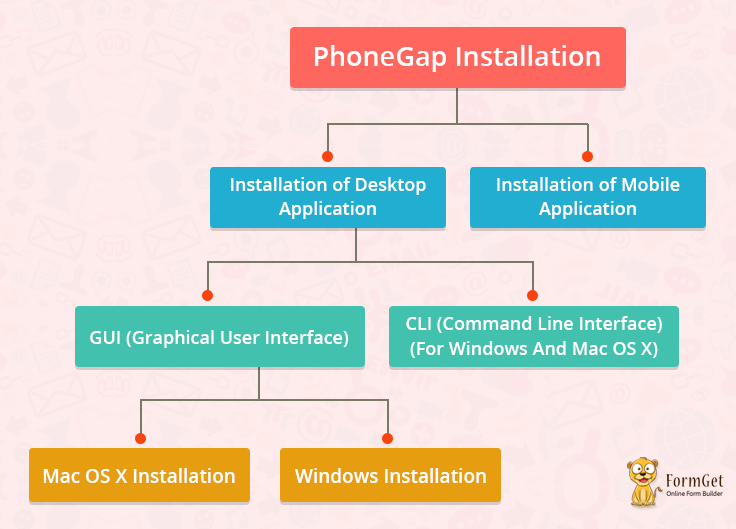
Installation of Desktop Application
PhoneGap provides 2 ways to install desktop application:
GUI (Graphical User Interface):
PhoneGap has provided GUI interface for users’ comfortability and ease.
It is a perfect alternative of PhoneGap’s CLI Installation.
PhoneGap has separate installers of desktop application for Mac OS X and Windows.
Mac OS X Installation
- Download PhoneGap Installer for Mac OS X
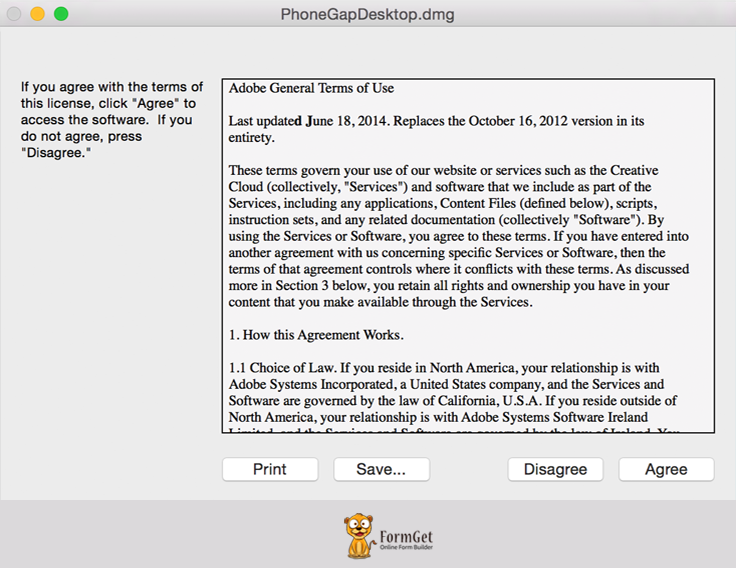
- Run the installer by double-clicking it. You will be asked to accept the license agreement.
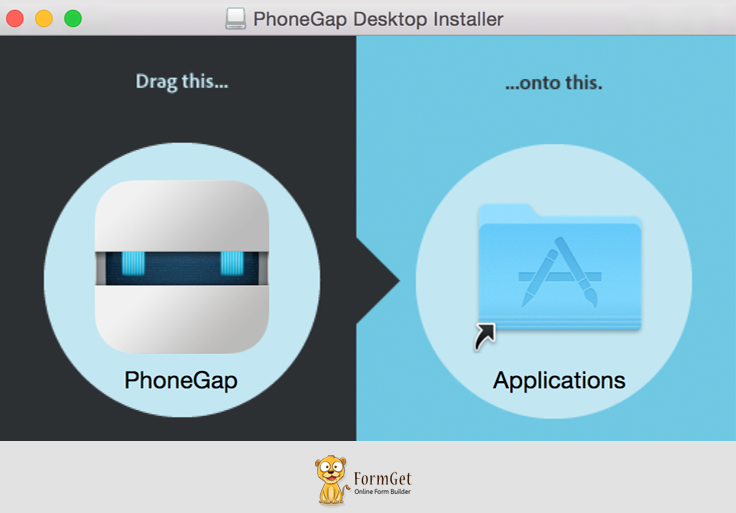
- Drag the PhoneGap application into the Applications folder.
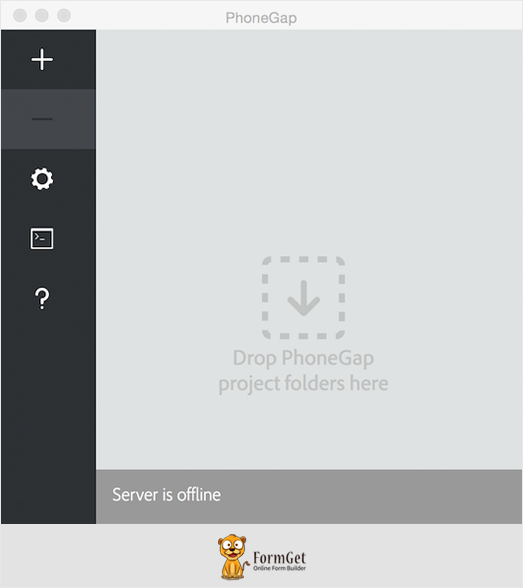
- Open the application and you’re good to go.
Windows Installation
- Download PhoneGap Installer for Windows.
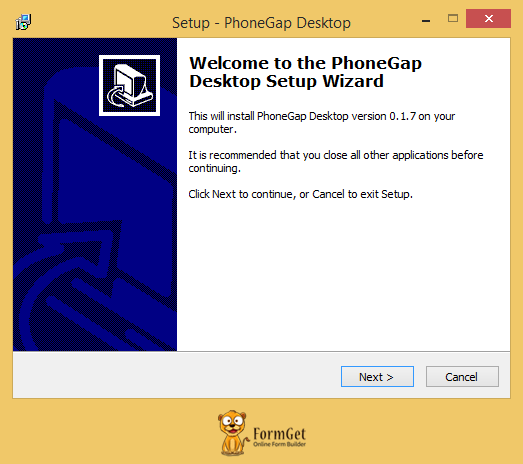
- When a user doubles click the PhoneGap setup, a wizard of PhoneGap Desktop Setup will get opened.
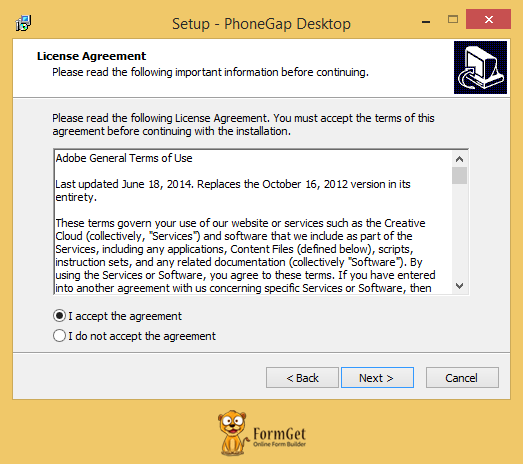
- The user needs to accept the license agreement by selecting ‘I accept the agreement’ and after that ‘Next’.
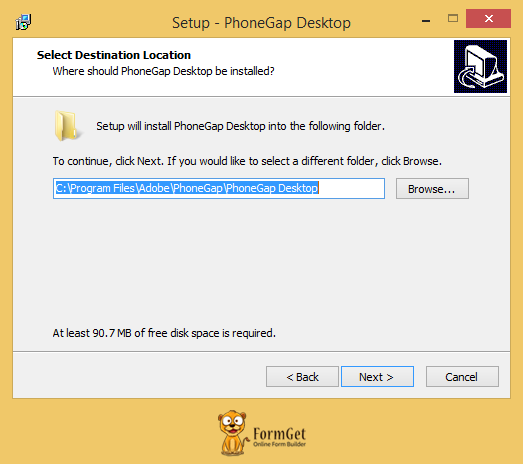
- The user needs to select the desired location for the application and after that user needs to click on ‘Next’.
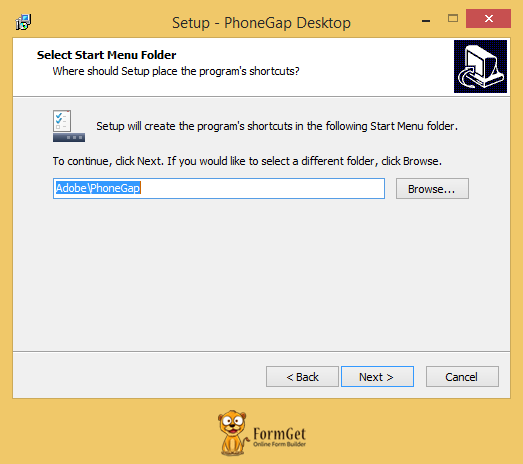
- The user needs to select the desired location for the shortcut of the application and after that user needs to click on ‘Next’.
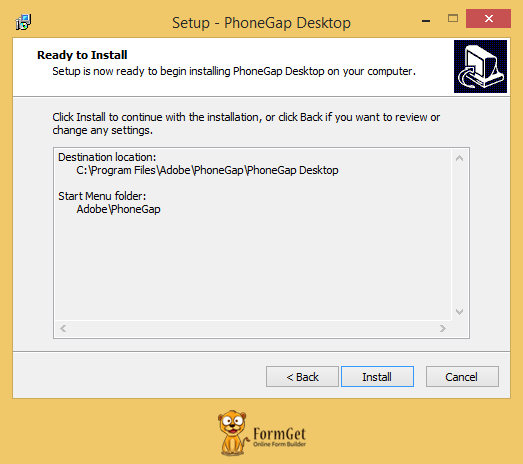
- The user needs to click on ‘Install’.
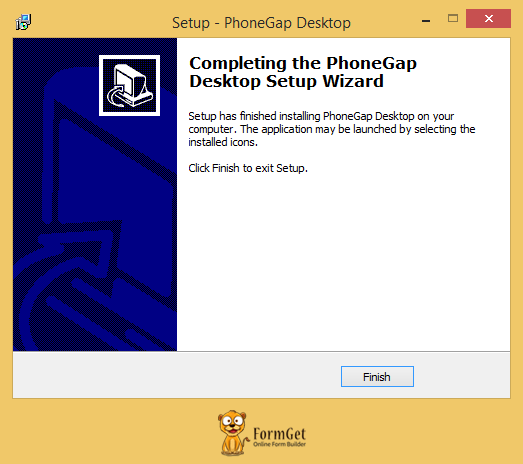
- The user needs to click on ‘Finish’.
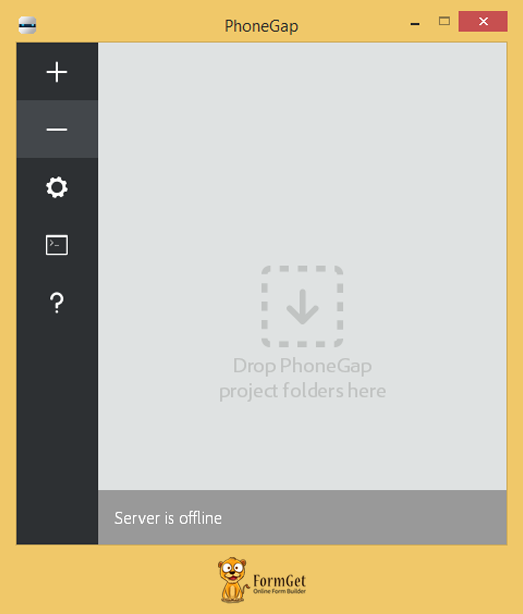
- Open the application and you’re good to go.
CLI (Command Line Interface)(For Windows And Mac OS X):
PhoneGap has provided CLI interface for installing, creating and building apps.
PhoneGap CLI provides some additional features over its desktop application.
It is best to use PhoneGap CLI if you’re comfortable using it.
Requirements:
We need to install a couple of things before installing PhoneGap application
- node.js: Node.js is a JavaScript runtime built on Chrome’s v8 JavaScript engine. It is used to build JavaScript code.
- git: It is used by CLI in the background.
After installing the above two, Let’s take a look at the PhoneGap installation process using CLI.
- You need to type the following command on node.js Command Prompt on Windows or Terminal App on Mac OS.
$ npm install -g phonegap@latestNote
- The ‘$’ Symbol is notifying the command prompt or mac terminal.
- npm stands for Node Package Manager. It is a command with the help of which, we’ll install PhoneGap.
- Windows users: Make sure that after installing node.js, you are typing commands in node.js command prompt, not in normal command prompt.
- Mac OS X users may need to prefix this command with ‘sudo’ for installation.
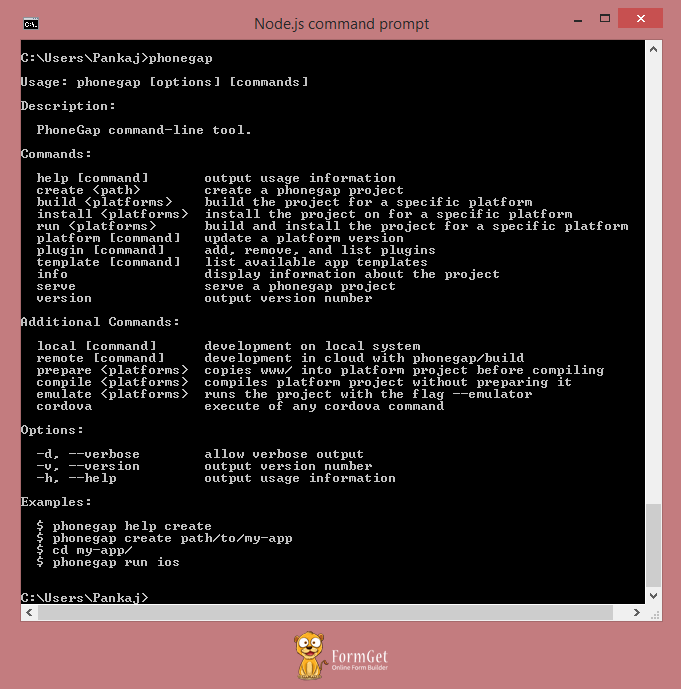
$ sudo npm install -g phonegap@latest2. You can make sure if PhoneGap is properly installed or not by typing ‘phonegap’ on the command prompt.
$ phonegapWhen you will hit enter after typing phonegap in the command prompt, you will see the following:
Installation of Mobile Application
PhoneGap Mobile Application runs on native devices to preview and test the application. The biggest advantage of having this application is that you don’t need to install additional SDK’s or simulators for Android, Windows or IOS to preview the application.
- You can install PhoneGap’s mobile app from respective play store or marketplaces.
- Open the app in your device after installation.
Conclusion:
So, now you know the GUI and command line installation process of Desktop Application and Mobile Application of PhoneGap on Windows and Mac OS X. You are now ready to create, run and build your first app.
Check out some more informative blogs here –
- PhoneGap Plugin Apis And Events
- Create, Run And Build A PhoneGap App
10+ Best Free Responsive Email Template Builders 2022
Are you able to design emails that look fabulous and amazing to your recipients?
Well, email marketing is a powerful tool for growing your business, but sending emails in plain text doesn’t appear eye-catching to the recipients.
It results in low user engagement and further onto lower conversions rates.
So, How to build stunning emails that can lead to longer engagement with the recipients?
To increase the power of email, you need a reliable and responsive email creator to design attractive plus professional-looking email.
So that you can grab customer’s attention towards your email. !!
No Doubt,
There are many email builder software available on the market and the majority of them are expensive.
But after exploring on the web, I have collected 10 best free responsive email template builder for creating great emails.
| Comparison Between Free Email Template Builders | |||||
| Services | Monthly Pricing | Number Of Emails | Free Trial | ||
| Pabbly Email Marketing | $29 | Unlimited | Yes | ||
| MailGet | $29 | Unlimited | Yes | ||
| SendinBlue | $25 | 40,000 | Yes | ||
| SharpSpring | $450 | Unlimited | No | ||
So, take a sneak peek through each template builder.
1. Pabbly Email Marketing
Pabbly Email Marketing allows you to send bulk emails to all your prospective users, in just one click. It is an email marketing service that manages your contacts, email lists, and establish direct contact with your customers.
It comes with an in-built delivery engine that eliminates the lengthy process of SMTP connections. Moreover, you can also connect your own SMTP services like Amazon SES, MailGun, SendGrid, and start sending emails to a mass audience quickly.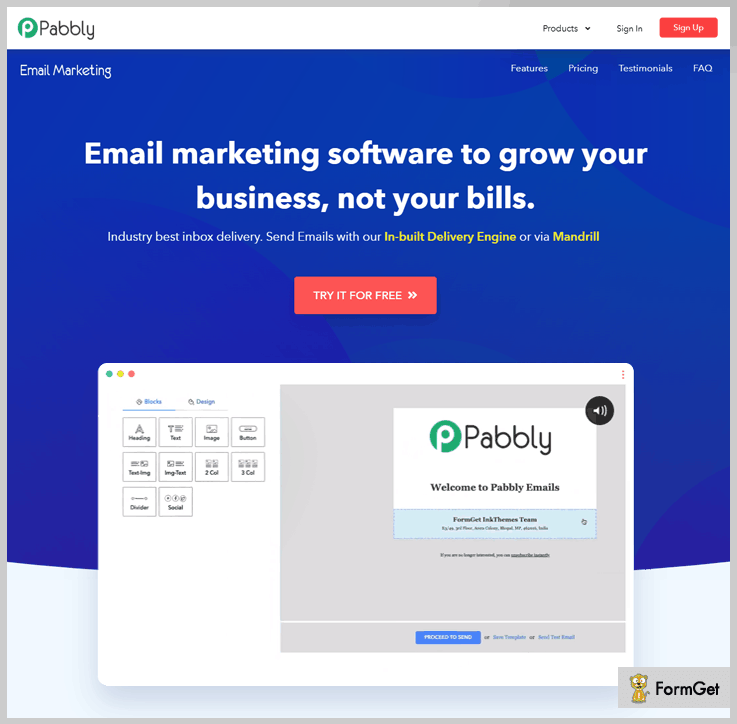
Features
- Pabbly Email Marketing has a drag-n-drop builder through which you can easily personalize your design email template.
- With its drip automation feature, emails automatically deliver on pre-set schedules to engage the subscribers.
- Easily track email clicks and opens easily for all your campaigns.
- You can also add a subscription form to your website for capturing the leads.
- With this email builder, welcome messages are sent automatically when a new subscriber joins the email list.
Pricing
Pabbly Email Marketing comes with different pricing plans that are based on the number of subscribers like-
- Free – Free signup now and explore the Pabbly Email Marketing platform. Moreover, this free plan allows you to connect 3 SMTP servers.
- Rookie – Buy now this plan and start sending unlimited emails to 5,000 subscribers at the cost of $29 per month. Also, it provides you a feature of automatic follow-ups.
- Pro – With this plan, you can send emails to 15,000 subscribers at the price of $49 per month. Plus, this plan has all the above-mentioned features and has MX Checker and live chat support.
- Advance – This plan includes all the advanced features of Pro at the price of $99 with 50, 000 subscribers. Also, you can upgrade your plan based on the number of subscribers on your mailing list from 50,000 to 1,000,000.
2. MailGet
MailGet is an email marketing service that includes features such as autoresponder, email analytics, google analytics integration, contact list management, and presents 99% inbox deliverability rate.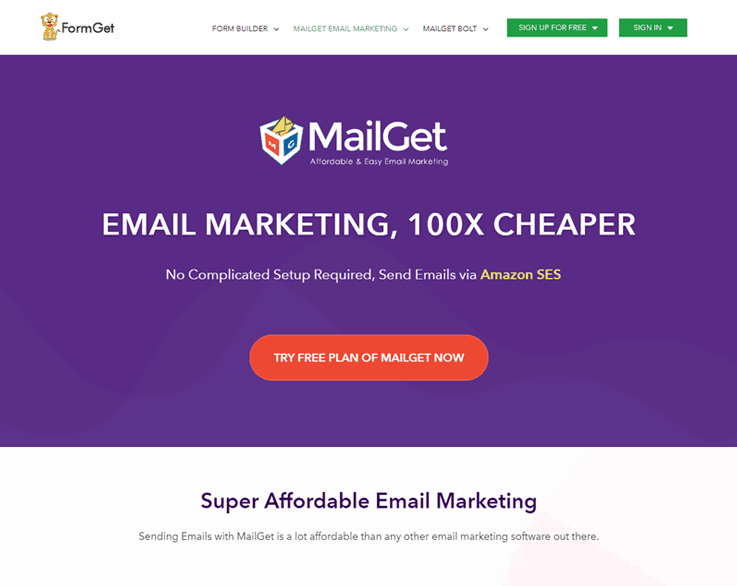 Moreover, it provides a free email template builder known as “Drag-and-Drop WYSIWYG Email Template Builder”, which allows you to create attractive emails very quickly and that is responsive in nature too.
In MailGet, you get to add images, text, heading, set the background color, insert button, links, and many more things through which you can make emails beautiful with 100% responsive in nature.
I have tried & tested MailGet and found it to be the cheapest one among all other services.
The best part of the software is it allows you to send UNLIMITED EMAILS at $29 To 5000 subscriber. So, try this service once and I am pretty sure that you will not look further for any other service in future!
3. SendinBlue
SendinBlue is an email editor that allows you to create beautiful and efficient email newsletters without any coding skills.
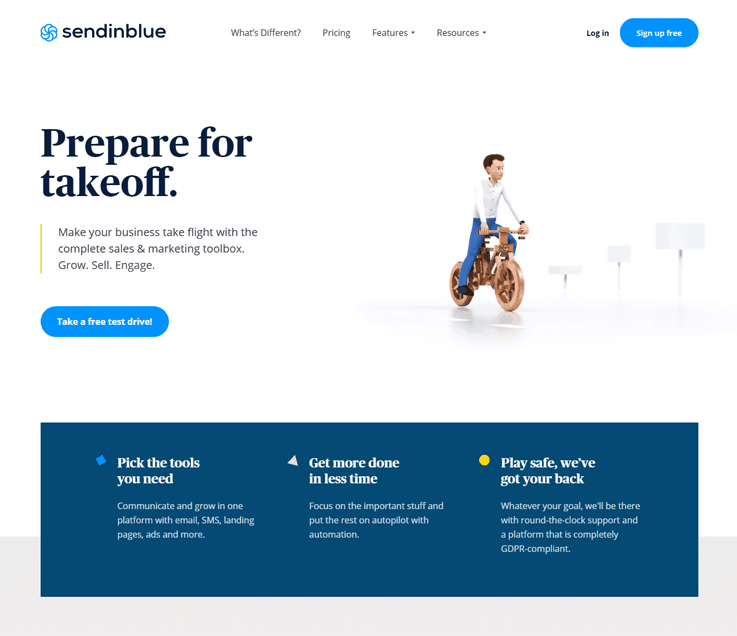
With their free Drag and Drop email builder, you can create responsive email templates, make industry-specific newsletters, and get to customize your email with a personal touch in it.
4. Moosend
Moosend is a web-based online solution that offers free email templates to build powerful-looking emails quickly and easily in few minutes.
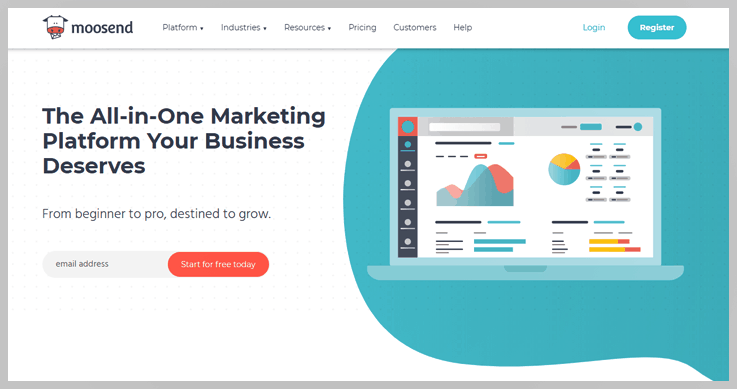
With Moosend, you get to develop fully responsive emails and make it mobile-ready. It provides reports and analytics features to analyze progress from time to time. Follow a few steps of uploading design, defining the layout, and customize your content, and you are all ready to send your emails.
5. MailChimp
If you talk about email marketing services, MailChimp is one of the most reputed and a potent service provider. It’s super simple to learn and build your first few email templates, and you can get started right now with a free plan.

It has more than 100 email templates available by default. As you scale your business, you’ll find additional options, features, and tools for your needs. It is regarded as one of the best in the business. It is extremely easy to use and anyone with a basic skill-set can try their hands on MailChimp.
6. HubSpot
HubSpot is a powerhouse when it comes to marketing education and making it easier for marketers to accomplish their missions. Therefore, it makes perfect sense that their free email marketing software comes stock loaded with dozens of ready-to-use templates (and hundreds more via their marketplace).
Additionally, with the drag and drop visual editor, you can easily make your own email templates for repeated use.
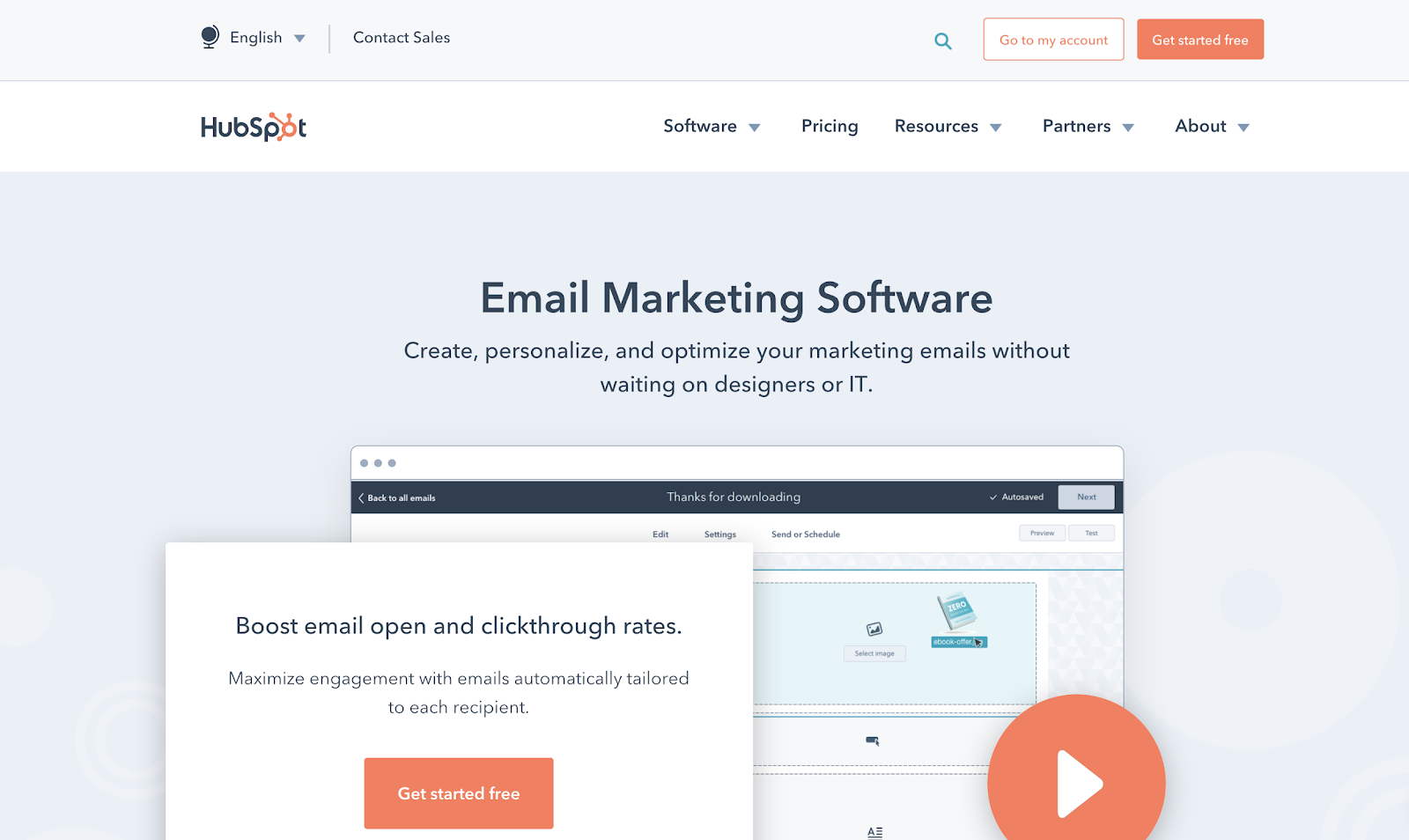
According to their website, you’re able to “get started with one of our goal-based email templates, or choose from dozens of templates in our marketplace that are proven to convert.”
In addition, the tool gives you the ability to A/B test different content and template design without using a third-party experimentation tool. You can also segment and personalize your email templates, figuring out which designs and messages work best for which audiences.
Basic reporting comes with the free version, and paid versions have even more robust behavioral analytics.
Features
- The free plan allows you to send 2,000 contacts/month
- Goal-based templates available in the free plan and hundreds more in the marketplace
- Create your own templates using the easy drag and drop editor (no designer or developer needed)
- Automatically collect and manage contact data in the free CRM
Integrate with tons of tools - A/B testing capabilities to check how your email subject lines and CTAs perform
Pricing
Free Plan: contains up to 2,000 contacts. 5 “smart lists” and 25 static list segmentations
Paid Plans:
Starter Plan – $40/month
Professional Plan – $800/month
Enterprise – $3,200/month
Along with email marketing, these plans include other features like marketing automation, landing pages, and live chat.
7. SendPulse
SendPulse is an email marketing service provider. It has email campaign analytics through which you can evaluate your campaign results and stats easily with graphs.
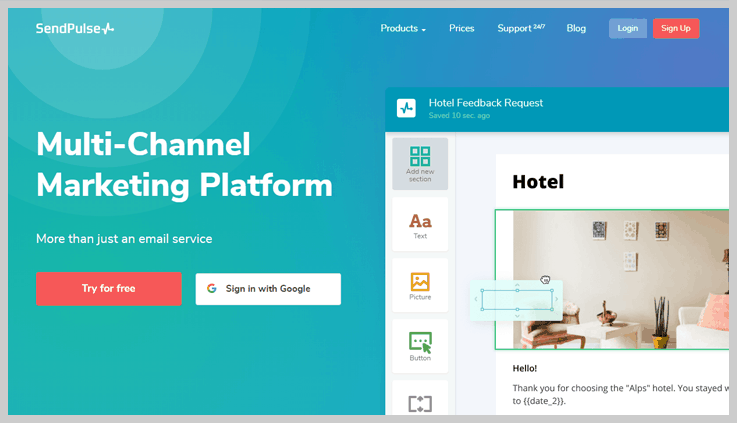
With their Drag-and-Drop email builder tool, you can cast your email in the whatsoever way you want it to be looked as. You can also preview and test your emails, to see how it will look on your smartphones, desktop, etc.
8. SharpSpring
SharpSpring is another email creator software that permits you to create exciting and mobile responsive emails.
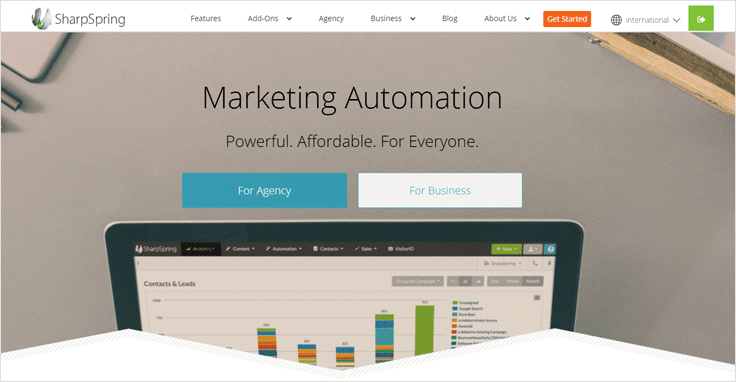
The Drag and Drop feature of SharpSpring allow you to create nice emails with its existing free templates. You can also edit these templates by adding text, images, colors, backgrounds, etc.
Further on, you can monitor your emails on mobile while creating it.
9. Mosaico
Mosaico provides a free email template builder for creating emails. It offers an open-source email template editor through which you can create beautiful and mind-blowing emails that can be viewed on any device.

Along with intuitive drag-and-drop editor in Mosaico, you will also find pre-designed responsive templates, flexibility in making emails, style customization, custom templates, etc.
If you use Mosaico’s wysiwyg email editor, then you will require just a few steps to build your email.
10. Zurb
Zurb is a product design company that provides a free email template builder for creating responsive emails.
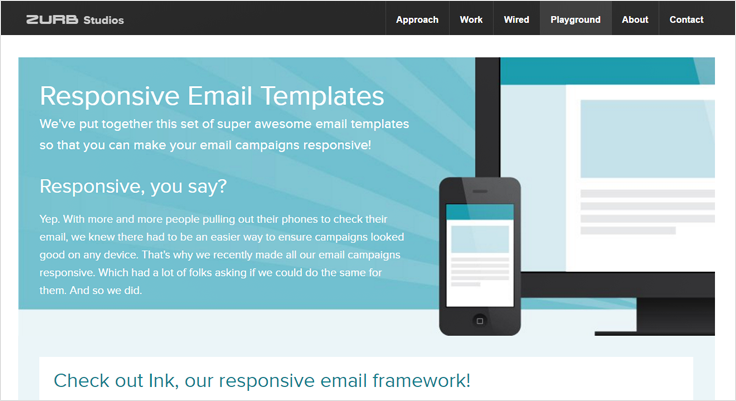
Here you will also get various email templates through which emails can be created that look fabulous and are responsive in nature. It comes up with 5 types of responsive email templates namely Basic, Hero, Sidebar, Sidebar Hero, and Newsletter.
11. NewsLetter Creator
NewsLetter Creator provides free tools through which you can build emails that can be seen on any viewing device. They provide a reliable and slickest email editor tool that makes creating and designing emails an easier task.
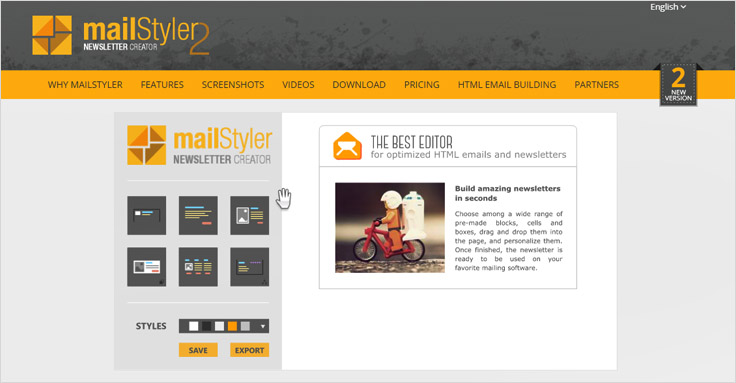
Apart from having a drag and drop interface, they also consist of a variety of templates through which you can make magnificent viewing emails.
12. Knowtify
Knowtify highlights an email editor within their email marketing service that is easy and flexible to use.
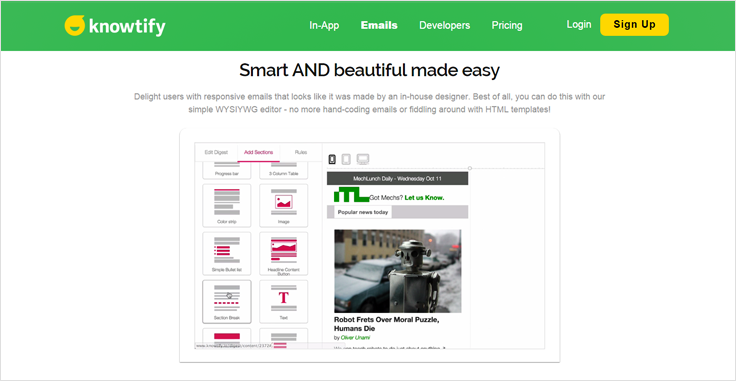
Knowtify’s HTML email editor holds multiple tools and numerous types of templates through which you can build great-looking emails that are responsive in nature.
Here you get to modify the content within the email like size, background color, size, padding, etc.
13. Octanego
Octanego consists of email building tools through which you can create and compose your email in whatever way that you want to be looked.
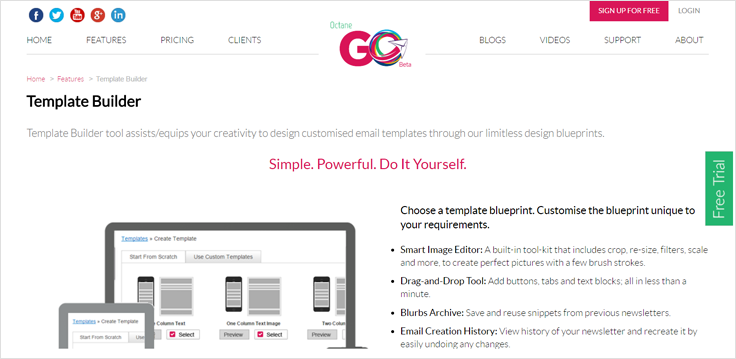
It allows you to show your creativity in emails with the help of their design blueprints. With all that, you get to create emails that are responsive in nature i.e. your make email gets automatically optimized accordingly to the viewing environment.
Conclusion
After going through the above list, you would have a question – Which one to choose?
Give a try to Pabbly Form Builder– Email Service Provider – which owns an Drag-and-Drop email builder.
Do inform me about which email template builder you opt for.
Give a glimpse at this post:-
6 Best Email Marketing Without Double Opt-In

Before going through the discussion about email marketing service provider that does not require double opt-in, let us quickly get an insight into the basics terminologies of email marketing.
Firstly, you should be aware of what is double opt-in and what is list importing then only you will be able to select the Top email marketing service for your business.
What Is A Double Opt-In?
If any customer subscribes to your list by confirming the email address twice or by clicking a link that has sent to its email, then it is said as double opt-in. Many ESPs uses double opt in email marketing list, but they can’t send the emails to their list without the customer’s permission.
What Is List Importing?
List importing is a method of adding the contacts to email marketing campaign’s list to send the emails.
So,
Here I am going to share information about how you can import list in different services that do not require double opt-in email list. Based on this, you can pick one email marketing service provider that fulfill all your business needs.
Have A Quick Glance On The Comparision
| Services | Free Trial | Drip Emails Campaign | Email List Segmentation | Email List Cleaning | Ratings |
| Pabbly Email Marketing | ✔ | ✔ | ✔ | ✔ | 4.9/5.0 |
| MailGet | ✔ | ✔ | ✔ | ✔ | 4.7/5.0 |
| SendinBlue | ✔ | ✖ | ✔ | ✖ | 4.3/5.0 |
| Elastic Email | ✔ | ✔ | ✖ | ✖ | 4.0/5.0 |
| Sendy | ✔ | ✔ | ✔ | ✖ | 3.5/5.0 |
1. Pabbly Email Marketing
One of the most trusted name in the list of email marketing services without double opt-in is Pabbly Email Marketing. You can seamlessly populate different types of emails promotional, educational, marketing etc. In addition to the built-in SMTP option, this service comes with a lot more important features list cleaning, drip automation, custom tags, etc.
List Importing In Pabbly Email Marketing –
There are two ways of adding the contacts to your list-
- Import Contacts Manually
You can easily import the contacts manually one by one.
- Import Contacts By Uploading CSV File
Import the contacts by uploading a CSV file to the existing list of your campaign or upload it in a new list having a name & email addresses of the users.
Pricing Details
- Starters – This starter plan lets you connect 3 SMTPs and allows you to explore all the basic features of Pabbly Email Marketing without paying any cost.
- Rookie – You can buy the Rookie plan to send emails to 5000 subscribers at a cost of $29 per month. Also, you will be benefited with the advanced features of 3 SMTP connections, email builder, automatic follow-ups, unlimited monthly campaigns and more.
- Pro – The third plan is even more advanced and lets you send emails to 15,000 subscribers in just $49/month. You will also get features like live chat support, SMTP routing, unlimited SMTP connections, etc. along with the other basic features.
- Advanced – The fourth plan has a complete range of different pricing schemes from $99/month for sending 50,000 emails to $1599/month for sending emails to 2,00,000 subscribers along with many enhanced features.
Note:- Get 20% off on choosing its yearly billing.
2. MailGet
MailGet is one of the most reliable and affordable email marketing services that lets you create and send beautiful emails in the easiest way. It allows you to send the emails in bulk with features of autoresponder, email tracking and also guarantees 99% email deliverability with minimum bounces and spam at very lowest rates.

List Importing In MailGet –
There are two ways of list importing in MailGet-
- Import Contacts Manually
You can add the contacts by adding it manually one-by-one or by cutting and pasting the contacts.
- Import Contacts By Uploading CSV File
You can also import the contacts by uploading a CSV file to your campaign’s existing list or in a newly created list.
Before using MailGet I always struggled for deliverability & only 20% of the total emails get delivered to the customer INBOX.
Gradually, the delivery & open rate increases by 43.64% as MailGet allows multiple SMTP server connections. So, just in case, if any of the SMTP stops working, then you don’t have to worry about the deliverability. As other SMTPs will still be working.
Pricing Details
Find the most reasonable pricing schemes in this email marketing service that you can seamlessly integrate for your business.
- Starters – With this plan, you can send unlimited emails to 100 subscribers at the cost of $0 per month only. Besides, you can connect 3 SMTP servers.
- Rookie – Spend just $29/month to buy this plan for sending emails to 5,000 subscribers. Moreover, you will also get additional features of automatic follow-ups, unlimited monthly campaigns, 3 SMTP connections, email builder etc.
- Pro – The Pro plan will benefit you with advanced features like unlimited SMTP connections, live chat support, SMTP routing etc. besides email sending option to 15,000 subscribers in just $49 a month.
- Advanced – This plan starts comes with different pricing tags starting from $99/month to send 50,000 emails to $1599 a month to send emails to 1,000,000 subscribers bundled with all the advanced features.
Note:- Go for the yearly billing and instantly save upto 20%.
Before that, if you are interested in exploring more about Email marketing below are some blogs:-
3. SendinBlue
SendinBlue enables you to create and manage transactional emails, marketing campaigns, and SMSs in few minutes. It also offers many features like tracking and analyzing your results, email autoresponder, provides high deliverability and has a simple interface that allows you to send emails quickly.

List Importing In SendinBlue –
- Import Contacts Manually
SendinBlue enables you to add the contacts manually one at a time or you can also upload the contacts by cutting or pasting.
- Import Contacts By Uploading File
You can import the contacts by uploading a CSV file into your existing list, or you can also create a new one and then upload a file in it.
Pricing Plan
SendinBlue offers 5 very cost-effective pricing schemes which you can choose as per your business requirement.
- Free – You can instantly start sending 300 emails per month to unlimited contacts without spending a penny with this free plan. Avail features like email & SMS personalization, mobile-friendly email designer, A/B testing etc.
- Lite – This plan is apt for new marketers that enables you to send 40,000 emails a month at just $25/month. Get access to all the features of the free plan in addition to the option of zero daily sending limit.
- Essential – The essential plan will cost you $39/month and lets you send 60,000 emails a month. Besides all the Lite features, you will also get options for advanced statistics & no SendinBlue logo.
- Premium 1 – This plan is ideal for marketing pros who need to send 1,20,000 emails in a month. You can buy it at just $66/month get other advanced features like send time optimization, landing page builder etc.
- Premium 2 – If your sending limit is even higher, say 3,50,000 emails a month, this plan is just for you. Get it in $173/month along with the option of unlimited automation workflows, free dedicated IPs and more.
Note:- Get in touch with the sales team to know the pricing of its Enterprise plan which has the option of dedicated account manager & service pack.
4. Elastic Email
Elastic Email is another email marketing service that allows you to send transactional emails with the features of spam testing provides detailed analytics reports and many more.
List Importing In Elastic Email –
There are two ways of adding the contacts to your list-
- Import Contacts Manually
Import contacts manually allow you to add the contacts one at a time.
- Import Contacts By Uploading CSV File
You can also import the contacts by uploading a CSV file to the list of your campaign, or you can create a new list and upload a CSV file to it.
Pricing Details
Elastic email marketing comes with the following pricing schemes for unlimited emails:-
- Unlimited – This plan has got a complete range of pricing plans starting from $9/month for contacts up to 2500. The highest plan will cost you $1049 a month for up to 1,000,000 contacts along with features like segmentation, analytics, scheduling, autoresponders, unlimited API access etc.
- Unlimited Pro – For even more advanced email marketing services, you can buy this plan having features like web hooks, user management, unlimited custom fields, custom rDNS, reseller features etc. along with all the features of Unlimited plan. The plan starts with $29/month for 2500 contacts with highest range of $1069/month for 1,000,000 contacts.
Note:- Contact the sales team to know its “pay as you go” plan for your unlimited contacts.
5. Campaign Monitor
Campaign Monitor Opt-In email marketing software lets you create and send beautiful email campaigns with features of drag and drop email builder, tracking of emails, email automation, etc.

List Importing In Campaign Monitor –
You can import the list in Campaign Monitor in various file formats –
- Excel document (eg .xls /.csv/.xlsx)
- Comma Separated value text files (.csv)
- Tab delimited text files (.txt)
- Compressed file formats (eg, .zip.rar/.7z)
- VCard files
Pricing Plan
The pricing scheme of Campaign Monitor has different cost for the different number of subscribers. In this article, we have illustrated the plans for 10,000 subscribers:
- Basic – Spend $89/month for broadcasting 50,000 emails to your contacts. Moreover, you can access all the core email marketing features & basic marketing automation with this plan.
- Unlimited – This plan will cost you $149 per month for sending unlimited emails with options like unlimited spam testing, time-zoned sending, advanced marketing automation, unlimited inbox preview etc.
- Premier – The premier plan comes with a price tag of $249/month for sending unlimited emails. In the list of advanced features, you will find basic & advanced marketing automation, link tracking, template management, send time optimization and all the core marketing features.
Subsequently, you will find other pricing variations for the different numbers of subscribers. For 25,000 subscribers, the above-mentioned plans will cost you as follows:-
Basic – $199
Unlimited – $399
Premier – $499
6. Sendy
Sendy lets you send the trackable emails via Amazon- Simple Email Service (SES). It is a self-hosted email newsletter program with the features of autoresponder, allow tracking and provides results/reports, managing list, and subscribers, automatic bounce, complaint and unsubscribe handling.
Look here for an alternative to Sendy.
You can use Sendy without double opt-in, but it supports both single or double opt-in therefore it lets you manage your list and according to your requirement you can use it as either double or single opt-in.

List Importing In Sendy –
It supports both single or double opt-in email service and lets you manage your list and according to your requirement.
- Import Contacts Manually
You can import contacts manually by cutting or pasting the email addresses.
- Import Contacts By Uploading a File
You can also import contacts in Sendy by uploading a CSV file in the list.
Pricing Plan
You can purchase Sendy at a very economical price of $59 with the one-time payment option.
Furthermore, this email newsletter application lets you send bulk emails via Amazon SES at only $1 for 10,000 emails. Likewise, here are a few more price estimation for your marketing business where you pay for only for sent emails without any monthly fees.
- Cost for 50,000 emails – $5
- Cost for 1,00,000 emails – $10
- And so on
Conclusion
These are the 6 without double opt-in email marketing service that allows list importing. Where customers can easily subscribe to your email list to receive newsletters without getting involved in the long process of subscription.
For more information check out following blog –
- 34 IP Warmup Best Practices For Email Deliverability
- Top Class Smtp Servers Available in Market
- Best Email Tracking Services
- Best Place to Find Mailchimp Compititors
10+ Best SMTP Service Providers 2022
Running an email campaign is like a game of Jenga. One wrong move can tumble the tower of an email campaign. To keep moving, you have to make sure all your pieces are in the right place. Yet, the most important piece among all is effective SMTP Service Providers
What are SMTP Service Providers & How do they work?
In simple words, SMTP is a mail transferring protocol that enables you to send as well as receive emails via the internet.
It comes in action when you start an email campaign where it works with Mail Transfer Agent(MTA) to forward your emails through whitelisted servers & ensure that your emails are sent safely to the receivers inbox.
“The best SMTP service is one that is effective, reliable, affordable and secure.”
Your delivery engine must be easy to set up without coding and technical help. Plus, it should take the minimum time possible in pushing the emails from the sender’s server to the recipient server.
What are the best SMTP Service Providers?
Well, there are different kinds of specifications on the basis of which you can determine which SMTP service is best for you. For instance, pricing plan, features, deliverability rates, etc.
Here’s a quick comparison of various SMTP Service Providers-
| Services | Pricing | No. of Emails | External SMTP | SMTP Routing |
| Pabbly Email Marketing | $29/m | Unlimited | Unlimited | Yes |
| Sendinblue | $25/m | 40,000 | No | No |
| Moosend | $125/m | Unlimited | No | No |
| Pepipost | $85/m | 4,00,000 | No | No |
| MailJet | $37.76/m | 60,000 | No | No |
Aside from the above-mentioned list, here we are providing you the list of SMTP service providers that comes with powerful features and high inbox delivery rates.
1. Pabbly Email Marketing – #1 in SMTP Service Providers
“Pabbly Email Marketing is the most affordable email marketing service that provides you multiple free SMTP servers along with SMTP routing without charging any extra money.”
This is the only email service that comes with an inbuilt free SMTP server along with all the features of email marketing software at a single place.
With this service, you can add n number of SMTPs and enjoy SMTP routing with diverse SMTP relay services.
Here, you can deliver an unlimited email either by sending it from a single server or by dividing them equally or unequally among different SMTP servers. This assures that your account will not get suspended when your SMTP gets broke. As here, you can send emails from other SMTPs too.
Whether you are a techy guy or not, you can easily connect any SMTPs as it doesn’t require any kind of coding & assures 99% inbox delivery and 2X open rate at the cheapest rate in the market.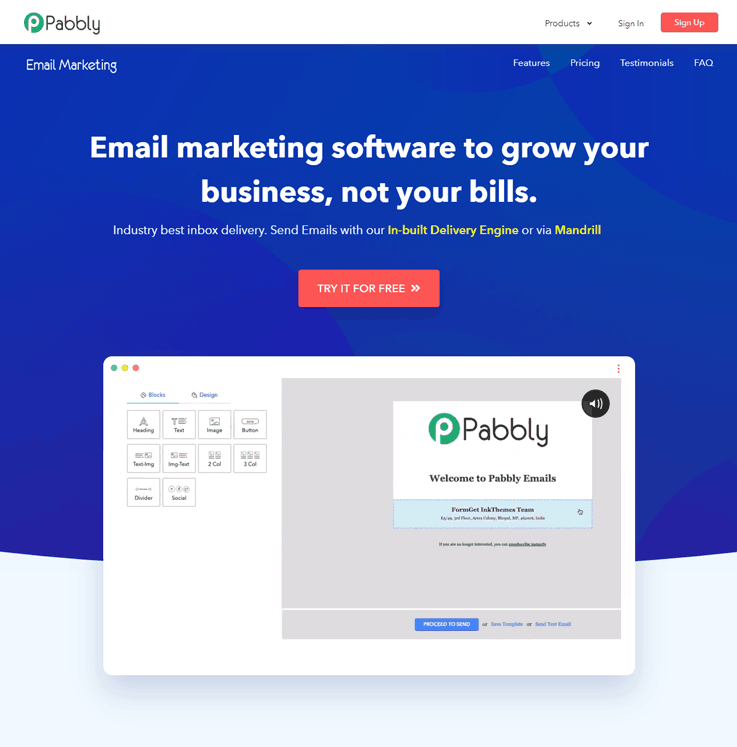
Features:
- Integration
This SMTP email service comes with Google Analytics integration through which the client’s activity and behavior can be tracked easily. Besides, you can connect apps to your Pabbly Email Marketing account with Zapier integration.
- Automation
Here, you can automate your emails and engage your users by sending them pre-scheduled emails like welcome emails, first purchase emails, thank you emails, etc.
- Webhooks Integration
This SMTP relay service comes with a custom Webhook that is compatible with fetching out spammers & email bounce. It is also capable of showing the proper statistics of spam rate, bounce rate, suspended email, etc.
- Autoresponder
Pabbly Email Marketing comes with amazing autoresponders that will send a welcome email to a new customer. Also, it will send auto followup emails to non-opens automatically.
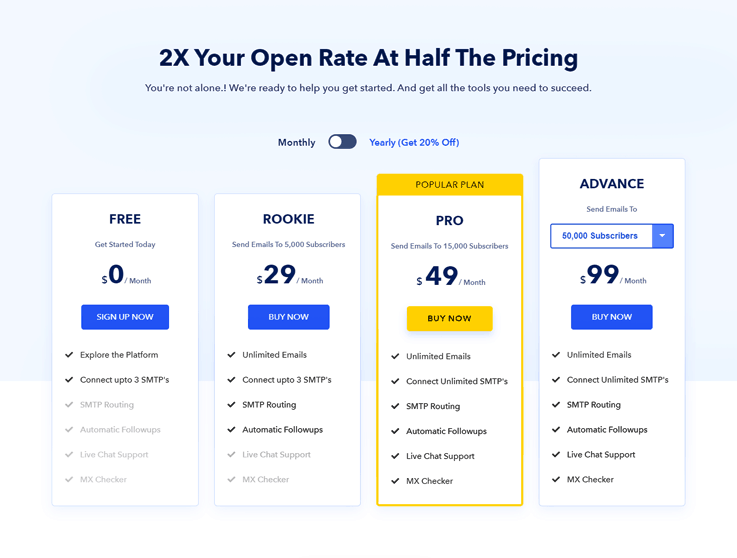
Pricing-
- Free: With this free trial plan, you can explore Pabbly Email Marketing and also connect upto 3 SMTP.
- Rookie: Send unlimited emails to 5000 users with automatic followup by paying just $29.
- Pro: Add upto 15000 subscribers to your email campaign and enjoy additional features like live chat support & SMTP routing at a nominal price of $49.
- Advance: This plan comes with multiple sub-plans that range from $99 – $1599. You can send unlimited emails to 50,000-10,00,000 users depending upon the chosen plan.
Surprise!! If you opt for yearly plans, you will get an instant 20% off.
Buy NowClick Here For More Details
2. SendinBlue
SendinBlue is another one amongst best SMTP relay service providers that can be used for sending transactional and marketing emails.
Easy To Configure/ Ease To Use –
SendinBlue SMTP Provider presents all the tools required for managing contacts list quickly and efficiently. No technical skills are needed to use them. Simultaneously, SendinBlue also includes email and SMS marketing services.
Delivery Rates and Statistics –
- SendinBlue continuously monitors on sending servers to ensure the best deliverability possible. However, it does not guarantee that all your emails will arrive in the recipient’s inbox as this also depends on the sender.
- SendinBlue also provides the facility for tracking email campaigns and provides reports by open rate, click rate, bounce, etc.
Pricing –
- Free plan – SendinBlue allows you to send 9,000 emails per month without any cost.
- Price – It charges $1535 for sending 40,000 emails in a month. Further, various pricing plans are available through which you can send more than 40,000 emails.
3. Moosend
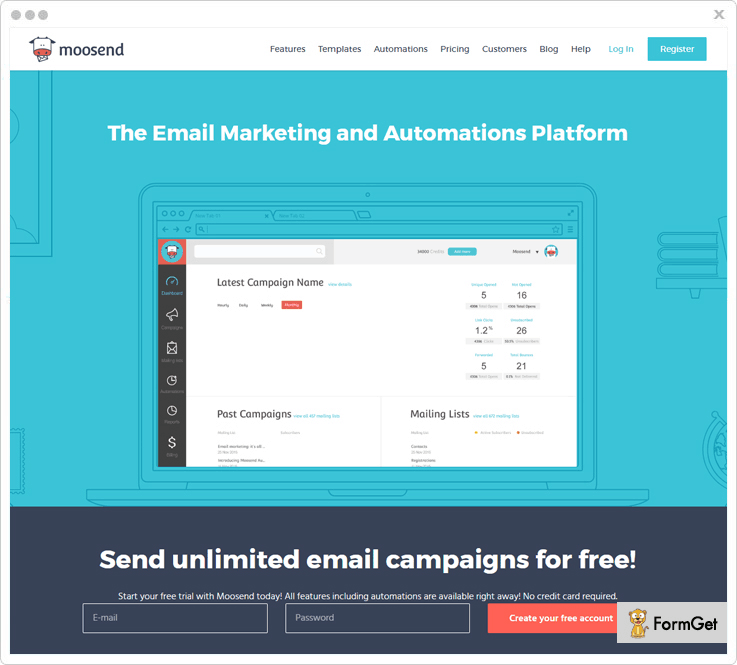
Moosend is a good alternative to the other email marketing software. This SMTP tool comes with the faster drag & drop email creation option, Google Analytics tracking, manage IP address and unlimited custom field. Besides, It provides you easy and simple integration and utilizes to send transactional emails directly into the client’s inbox.
Easy To Configure/ Ease To Use –
To configuration of Moosend you don’t need more technical skills. Also, you can find your email address on our SMTP server. Now include the Mailing ID and set your SMTP password to use this tool.
Delivery Rates and Statistics –
With Moosend send out the emails into the user’s personal inbox rather than their junk folder.
It is highly reputed by the email reputation organization it has maximum deliverability rates of 98%.
Pricing –
- The cheapest plan for this email service is $8 for 6 Month, In which you can send unlimited emails to 2000 subscribers.
- It has some monthly plans, this is one of them where you can send unlimited emails to 10,000 subscribers at $55
- Save 20% on its yearly plans and Send an unlimited email to 10,00,000 subscribers at $,2920
4. Pepipost
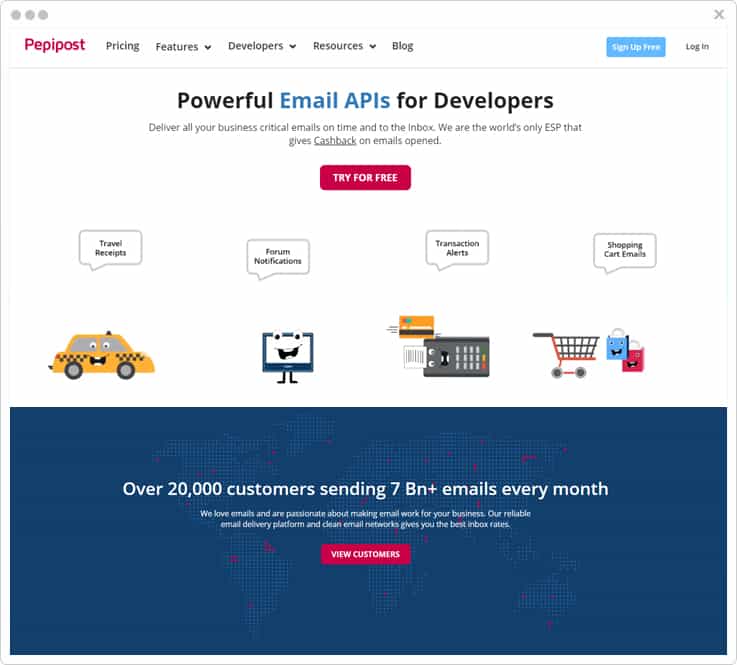
Pepipost is yet another useful tool for sending emails in bulk. You can choose from the 2 options provided by the software i.e. SMTP relay and Web API. Once you select the mode of sending emails, the software will handle the further functionalities & makes sure your email reaches the inbox of the recipient.
Easy To Configure/ Ease To Use –
You have the authority to integrate Pepipost with the applications or platforms you are currently working on. No need to worry about the coding part as the ready-to-use plugins serves the purpose and you can effortlessly start sending the emails.
Delivery Rates and Statistics –
Sending confidential emails can be crucial for firms. So, to provide you with a secure environment, the software uses the SSL & TLS encryption. Also, it doesn’t store your data which means that you have no corner for getting the info leaked.
You can keep the tabs on for all your subscribers and get details of their every single action via HTTP POST-call-backs as and when the recipient receives the emails, opens the email, etc. It also informs you of the occurrence of bounces and unsubscribes. This will gradually help you in increasing the deliverability rates.
Earn Cash Back!
Another interesting feature of this software is you earn cashback!
Yes, you heard that right. On all the emails that get opened by the receiver, you receive a specific amount of cashback that will be deducted from the next month’s billing cycle in the form of discount.
Pricing –
To start with, you can opt for a FREE plan that allows you to send up to 30,000 emails per month. Unlike others, you don’t even need to provide any credit card details.
Consequently, you can switch to the paid plans for better efficiency.
The paid plans start from $15 for sending around 100,000 emails every month. Still, if you need to send more emails, you can easily send up to 1000 emails more just by paying $0.60.
5. MailJet
MailJet is a reputable SMTP service provider as well as email marketing solution that allows you to send, track and deliver emails.

Easy To Configure/ Ease of Use –
MailJet SMTP relay service is very secure and follows a straightforward setting procedure for integrating to their API. It lets you create newsletters and other marketing campaigns very quickly.
Delivery Rates and Statistics –
- MailJet ensures that your emails make to the recipient’s inbox rather than spam. You can send emails in bulk without any deliverability issue.
- You can also track emails and get detailed reports of bounces, unsubscribes, spam complaints, etc.
Pricing –
- Free plan – – It lets you send 6,000 emails free for a month with a limitation of 200 emails/day.
- Price – – MailJet charges $7.49 for sending 30,000 emails per month. It has two plans, i.e., Basic and Premium; you can choose one as per your requirement.
6. Inboxroad
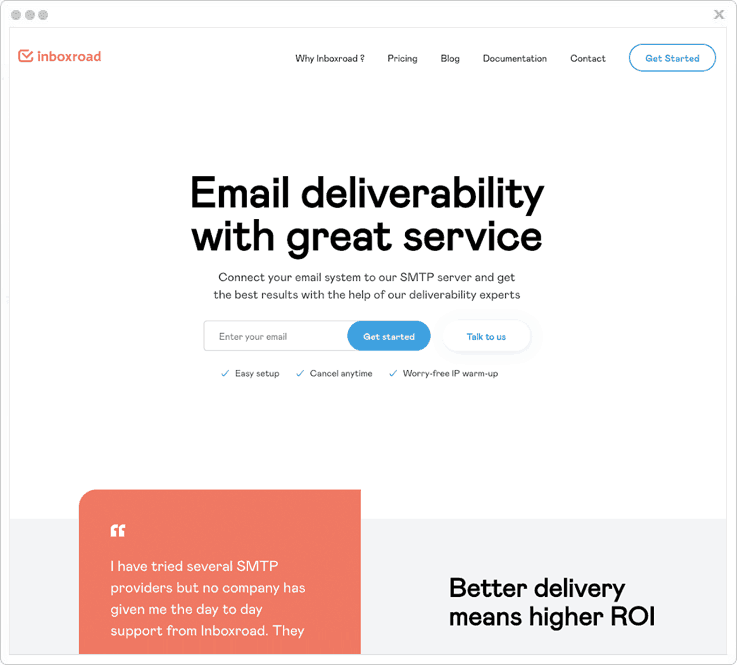
Based in Amsterdam, Inboxroad has set itself apart with a focus in excellent deliverability based on a unique, personal approach. With a dedicated expert handling your private account, expect to be impressed with weekly hands-on actionable advice based on their observations.
As one of the fastest-growing SMTP relay providers, the company has made its name in the industry. For those who are looking for long term commitments with strong support, Inboxroad offers the best solution.
Easy to configure / Ease to use
Inboxroad’s SMTP relay is easy to configure in as quickly as a few minutes of your time. It can connect to various existing front-ends as well as your own custom made solutions.
Delivery rates and statistics
- Inboxroad is renowned for successfully reaching the inbox of your recipients thus resulting in increased ROI.
- Your assigned delivery expert is constantly monitoring your sends and offers you hands-on advice that you can act upon on a weekly basis.
- With a delivery rate of 99.7%, it’s one of the best solutions in today’s market
Pricing
- Pricing is based on monthly volume, there is no restriction on the number of subscribers.
- The lowest basic plan comes at €59 and contains 100,000 emails a month.
- For those with higher demands, pricing can drop to as low as €0.10 CPM.
7. SMTP2GO
SMTP2GO allows you to send beautiful newsletters and provides a powerful API for sending transactional emails with no monthly commitments and limits.
Easy To Configure/ Ease To Use –
In SMTP2GO service, you can easily upload contacts, manage subscribers and run powerful marketing campaigns through its powerful and user-friendly features.
Delivery Rates and Statistics –
- SMTP2GO gives high delivery results and includes features for analyzing the delivery reports/status and activity graphs.
- Using SMTP2GO, you can send emails to a large group of recipients with detailed delivery reports on spam analysis, delivery rate, opens, clicks, bounces, complaints and unsubscribes.
Pricing –
- In the first plan of SMTP2GO lets, you send 20,000 emails for $14/month.
- Price – For delivering 1 million emails, you need to get in touch with the service provider.
8. Amazon SES
Amazon SES is an email service that provides an easy way for sending transactional emails and marketing emails by using their email addresses and domains.

Easy To Configure/ Ease To Use –
Amazon SES help you send emails without any requirement of configuring and managingthe mail servers. It allows you to send thousands of email with a single click and thus, appear as a time-saving means.
Delivery Rates and Statistics –
- As an email sender, you want emails to be delivered to your recipient’s inbox. Amazon guarantees email deliverability by filtering emails to ensure that messages aren’t spam, and won’t get blocked by spam filters.
- With Amazon SES, you get to track your emails. It holds a mechanism that automatically works and collects all stats regarding email delivery, bounce rate, complaint rate, and rejected messages.
Pricing –
- Free plan – Amazon SES lets you send 62,000 emails/month free if you are an EC2 user (EC2 users are those users who purchase the Amazon service). Additionally, you will also receive 1,000/month for free.
- Price – Amazon SES charges $0.10 per thousand emails and $1 for sending 10,000 emails.
9. MailGun
MailGun is an email automation service and one of the best SMTP providers, which is owned by Rackspace. It allows you to send, receive, track and store emails effortlessly. With MailGun, you can send notifications, newsletters, or anything you want to distribute on a broader scale.

Easy To Configure/ Ease To Use –
MailGun Plugin for WordPress provides a simple free solution with an easy configuring. It avoids the challenges of running the mail server and overcomes the limitations of your host’s mail server.
Delivery Rates and Statistics –
- MailGun automatically leads the delivery process for emails and presents the best possibility to land emails to inbox. Using the API or control panel, you can monitor each email you send.
- MailGun keeps track of every email you sent and received. It provides a variety of means to access data about your email campaigns and figures spam complaints handling, spam filtering handling, bounce handling, etc.
Pricing –
- Free plan – MailGun lets you send 10,000 emails per month for free.
- Price – It charges $15 for sending 40,000 emails in a month. If you need to send more than 40,000 emails, then you require paying according to the number of emails sent.
10. SendGrid
SendGrid is another cloud-based best SMTP service provider that allows you to send and receive mass emails. You can run marketing campaigns and even send transactional emails, without worrying about email servers.

Easy To Configure/Ease To Use –
SendGrid has an easy to use interface that makes it easy and quickly send emails. You can integrate their API design with your app quickly, using their code libraries and make your email sending an easier task.
Delivery Rates and Statistics –
- SendGrid offers the best reliability, scalability, and email deliverability. Whether you are sending transactional or marketing email, it ensures that your emails reliably reach the recipient’s inbox.
- SendGrid has an Event Webhook arrangement that provides real-time feedback for every email you send. Additionally, you get an API for sending emails and complete analytic reports about your emails.
Pricing –
- Free Plan – SendGrid lets you send 12,000 emails per month for free with a limitation of 400 emails per day.
- Price – It charges $9.95 for sending 40,000 emails in a month and $19.95 for 1,00,000 per month and so on various plans are available.
11. Postmark
Postmark is one of the reputed SMTP relay service providers used and is mainly designed keeping in mind for sending transactional emails only. Using Postmark, you can instantly create and send transactional emails with zero maintenance.

Easy To Configure/ Ease To Use –
Postmark is easy to configure with features of inbound email processing.
Delivery Rates and Statistics –
- Postmark uses proper delivery practices and provides 100% email inbox rates. It assures that your messages reach the user’s inbox.
- You can track your emails and can monitor who opened your emails, where they opened, what platforms they used and how long they read the email.
Pricing –
- Free plan – Postmark allows you to send 25,000 emails without any price.
- Price – It charges $1.50 per thousand emails for sending emails to 5,00,000 contacts. Also, If you have more than 5,00,000 contacts, then it will cost you across $1.00 per thousands of emails sent.
12. Mandrill
Mandrill is a simple, powerful transactional email platform from MailChimp. You can use Mandrill to send personalized emails, e-commerce, and automated transactional emails.

Easy To Configure/ Ease To Use –
The whole process of integrating with Mandrill can be accomplished out within few clicks. Mandrill has developed a mobile app of theirs, which makes them a more flexible one to use.
Delivery Rates and Statistics –
- Mandrill securely and efficiently delivers email without any deliverability issue.
- Mandrill allows advanced email tracking and provides a comprehensive review of the email campaigns on parameters like open rate, click rate, bounce rate, etc.
Pricing –
- Free Plan –Mandrill free program allows you to send 2,000 emails.
- Price – It charges $9.95/month for 25,000 emails and with a further increase in demand beyond 25,000 emails, it costs approx. $.20/thousand emails.
13. SocketLabs
SocketLabs is another SMTP relay service provider that you can use for creating and sending marketing emails including transactional emails.

Easy To Configure/ Ease To Use –
SocketLabs merely takes a few minutes for setting up. It lets you create emails in HTML editor, and moreover, you can directly paste your email content on the editor.
Delivery Rates and Statistics –
- SocketLabs has executed various steps to ensure that emails won’t result in any spam and report as blacklisted ones.
- SocketLabs secures that emails get reliably and precisely deliver. You can also check the status of all your outbound messages sent, failed, opened, and clicked, as well as all complaints submitted.
Pricing –
- Free plan – SocketLabs gives 15 days trial alternative where you can send 500 emails.
- Price – It starts with $15/month for 5,000 messages and then you can select your plan as per your requirement. You can also cancel or change the plan at any time; no set-up fees are required.
14. MailGet SMTP
MailGet SMTP is another best SMTP service provider and cloud-based email service that allows you to send emails in bulk. It assures that your email reaches to the recipient anyhow, regardless of the number of emails you send.
Easy To Configure/ Ease To Use –
MailGet SMTP is an affordable product and is easy to use. Besides, the service ensures that you will safely and reliably reach all of your recipients as it uses whitelisted servers.
Delivery Rates –
- MailGet SMTP can allow you to send emails from different domain names or “From” addresses.
- It also provides email validation with SPF, embeds DKIM signatures and sends emails at the lightning-fast speed.
Pricing –
MailGet SMTP allows you to select the product depending upon your usage. For example
| Plan Name | Cost | No. Of Emails |
| Starter | $5/month | 5,000 |
| Rookie | $29/month | 50,000 |
| Pro | $49/month | 100,000 |
| Advance | $59/month | 120,000 |
The number of plans is also available after the advance plan which starts from $79/month for 150,000 emails to $419/month for 600,000 emails. For further details click here.
After doing all the research & testing..MailGet SMTP came up with the Best Deliverability & Pricing
And that’s exactly what everybody is looking for… Don’t lose this amazing offer!
Conclusion
I guess the above post would help you to know about the best SMTP service provider mass email that shall be used for email marketing.
Try MailGet – email marketing solution that connects with 6 cheap SMTP relay service providers namely, MailJet, PostMark, Mandrill, SendGrid, Amazon SES and MailGun.
Check out our other popular post too –
Share your thoughts in the space provided below.
Connect Gmail SMTP With MailGet

MailGet allows you to connect multiple SMTP services with your account to send email campaigns.
In this article, we will guide you step-by-step to connect Gmail SMTP with MailGet in order to send bulk emails. You should know that Gmail only allows you to send 150 email in a day, in the initial phase.
Are you looking to create custom email addresses and send emails using Google Apps for Work SMTP which include your domain name like – [email protected] rather than [email protected]. ?
Then you should not miss our post – Google Apps SMTP Settings – Complete Setup.
There are 2 setting modules which will contribute to the complete setup of Gmail SMTP with your MailGet account –
1. Changes in Gmail settings –
Before connecting Gmail with MailGet, You have to make some changes in your Gmail account settings.
Step 1: Go to your Gmail dashboard and Click on the “My Account” tab.

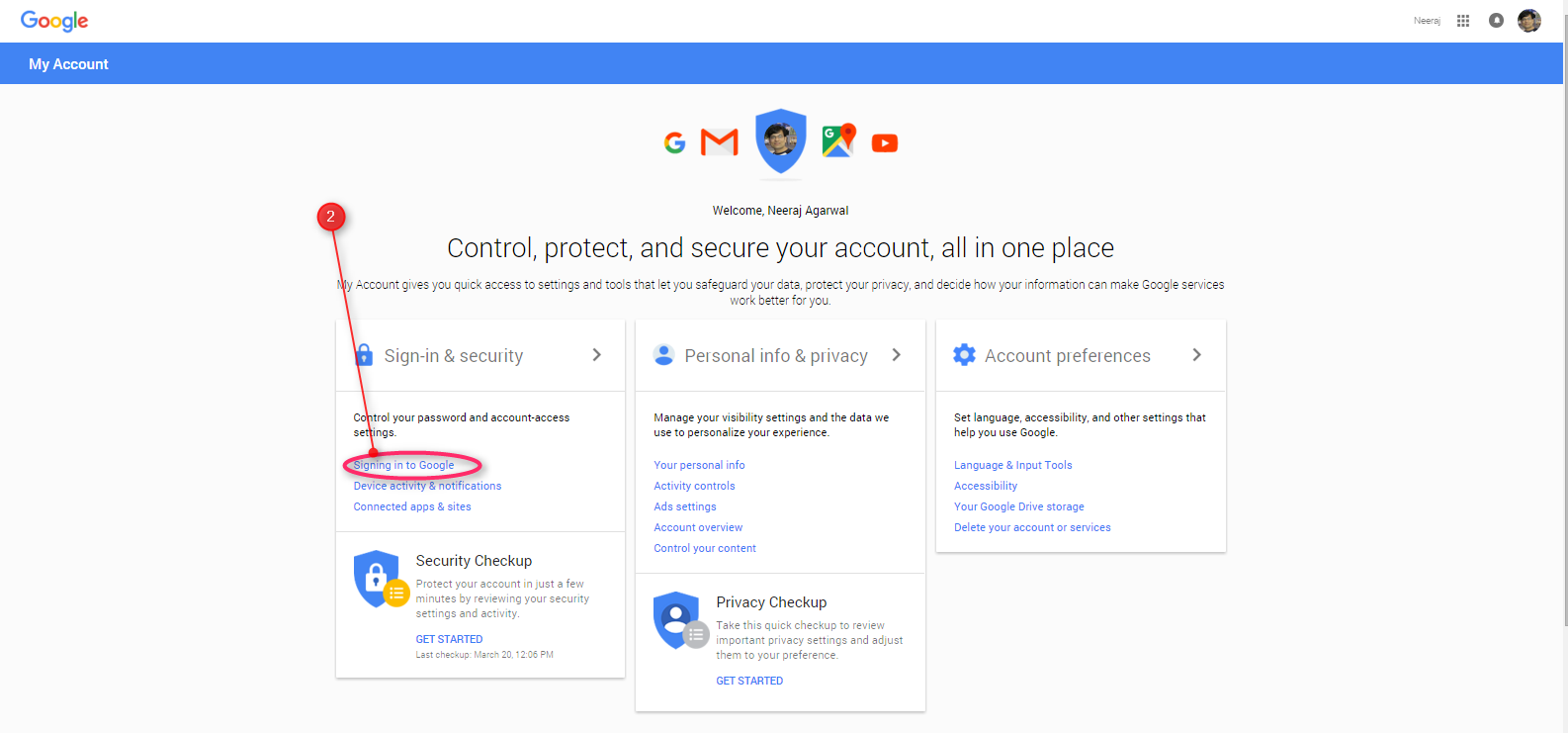
Step 2: Then click on Signing in to Google link.
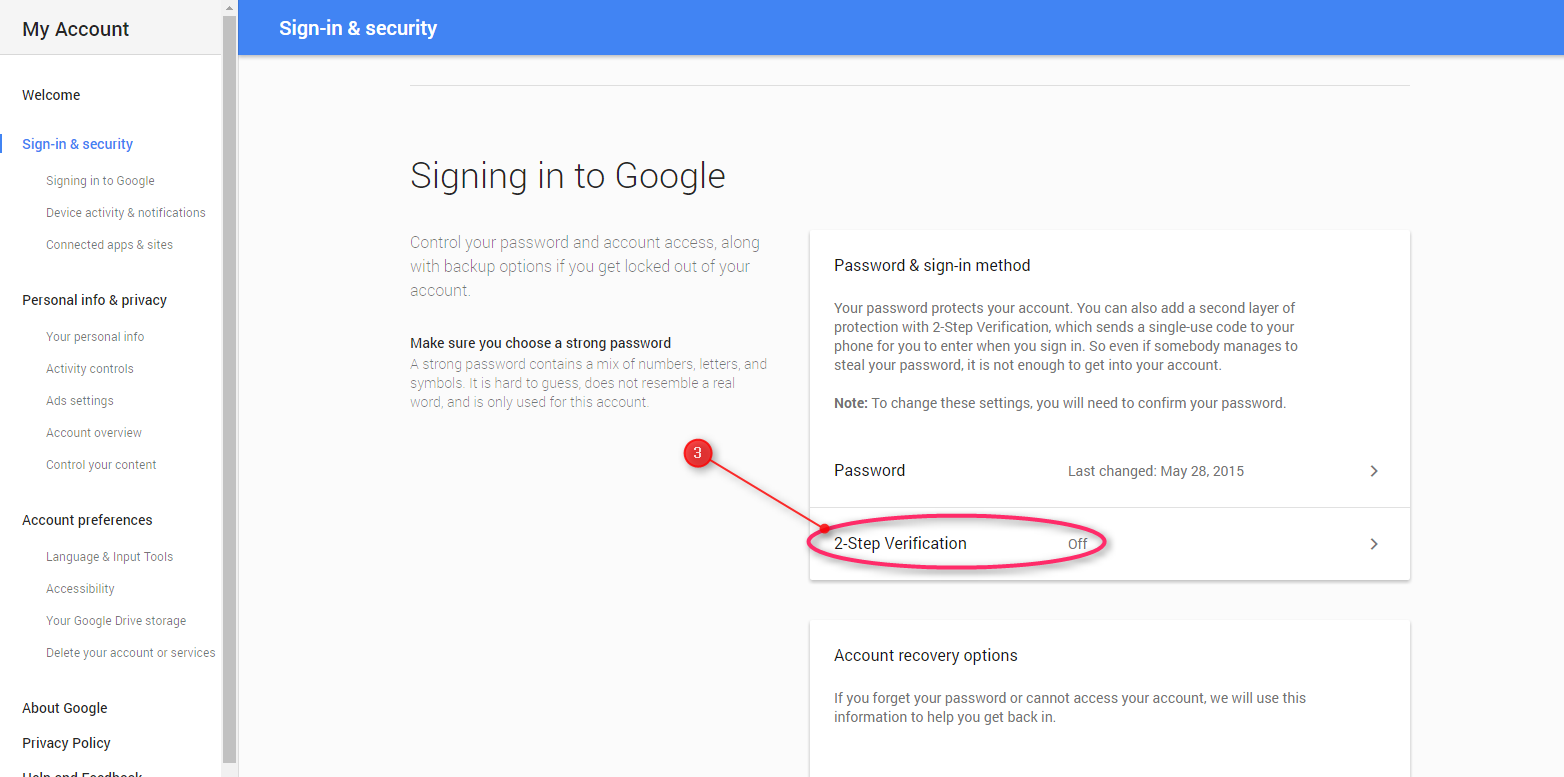
Step 3: After clicking on Signing in to Google, a new page will open. You have to keep the 2-Step verification OFF if it was set to ON.
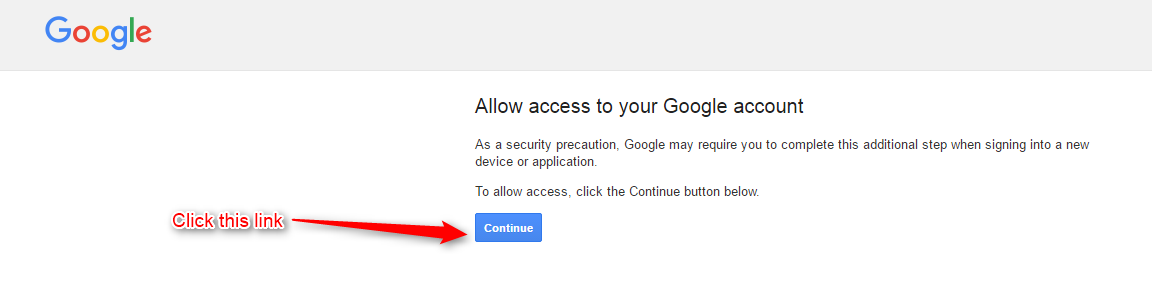
Step 4: Now, click on this link http://www.google.com/accounts/DisplayUnlockCaptcha, and make sure you are logged into your Gmail account.
If you are not logged in then please make a Gmail login to your account by clicking this link.
By clicking this link we automatically enable the google captcha security. See the image below:

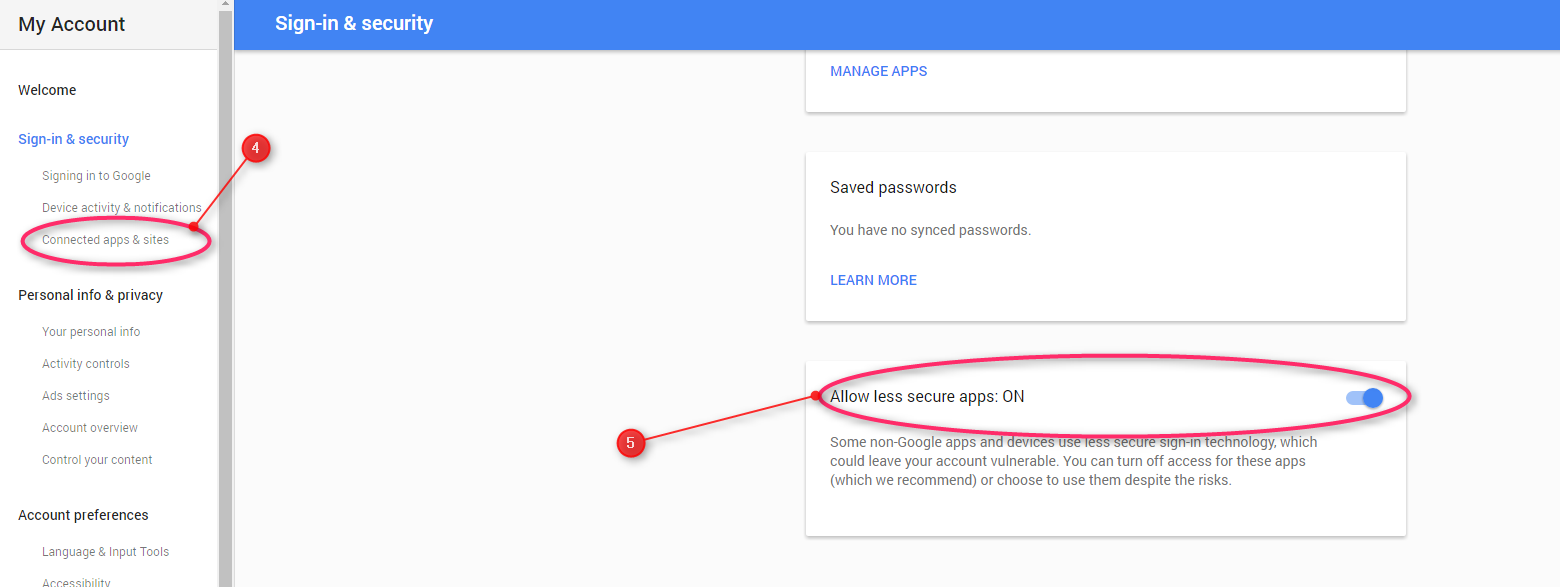
Step 5: Now click on “Connected apps & sites” link on the left panel.
Step 6: And in the last step set Allow less secure apps: ON.
2. Connect Gmail SMTP with MailGet –
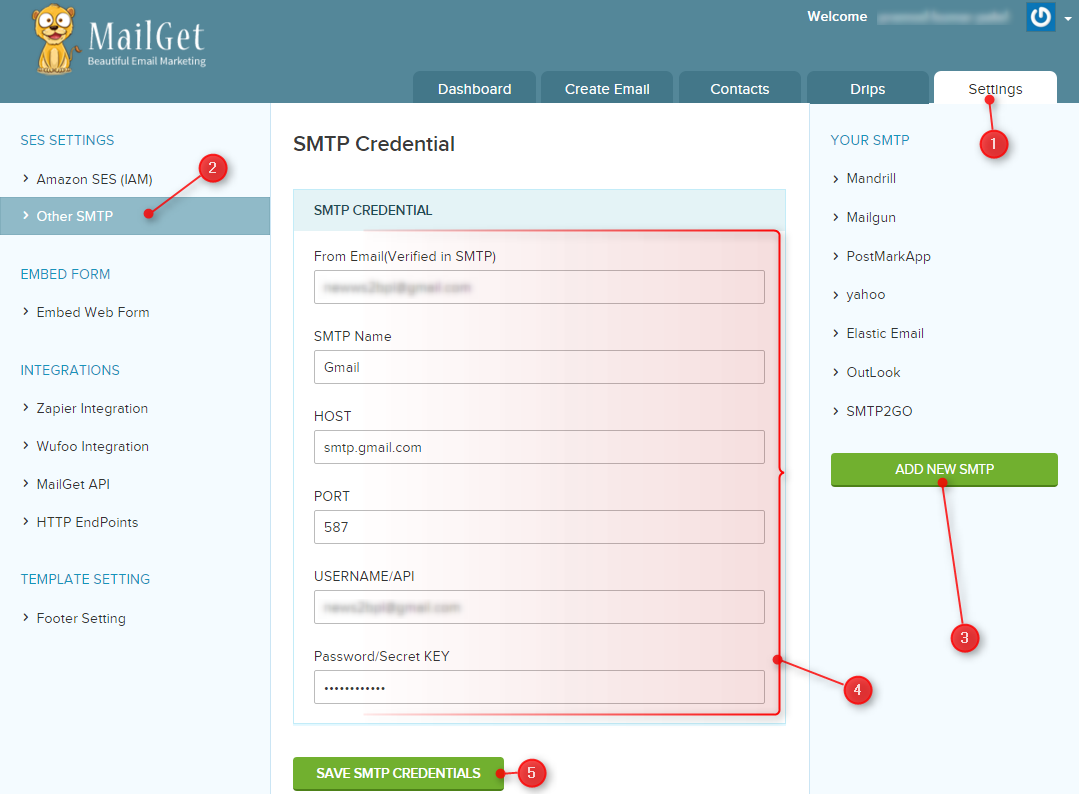
Step 1: Go to your MailGet Dashboard and Click on the “Settings” tab.
Step 2: First, you need to click on “Other SMTP” on the left panel. Now SMTP section gets visible where you can add a new SMTP service.
Step 3: Now click on “ADD NEW SMTP” button at the bottom of the right panel to add new SMTP service.
Step 4: Fill all the required information in the form.
From Email: Add email address from which you want to send emails. Eg: [email protected] (Senders email) In your case it’s your email address.
SMTP Name: You can set any name to recognize Gmail SMTP.
HOST: smtp.gmail.com
PORT: 587
USERNAME/API: Gmail accounts login email address.
PASSWORD/Secret KEY: Gmail account login password.
Step 5: Now hit the green button to “SAVE SMTP CREDENTIALS” to save details.
If the information is correct, then you are ready to send emails. Otherwise, you will get an error message like so –

And, if you have entered all the information correctly, you will get a success message –

This indicates that you have successfully connected your MailGet account with Gmail SMTP and you are now ready to send bulk emails.
FormGet Documentation

FormGet Complete Documentation for customer support. If still don’t find the answer to your query you can contact us at [email protected]
Support Link:
FormGet
- Create A Survey Form Via FormGet
- Collect Payments Safely with FormGet Forms
- FormGet- As Email Marketing Tool
- How FormGet Can Help You To Increase Your Conversion Rate
- How To Use FormGet as Help Desk
- Steps To Receive Entry on Your Contact Form
- Data Collection Form Without Website
- Generate Leads Directly From Twitter And Facebook By Sharing Forms
- FormGet A Powerful JotForm Alternative
- FormGet: An Outstanding Wufoo Alternative
- FormGet: A Powerful Formstack Alternative
FormGet Settings
- Form Building Related
- Powerful Online Form Builder Tool – Easiest Contact Form
- How to Redirect Forms after Form Submission
- How To Apply Conditional Logic in Forms
- Send Copy of Message to Form Submitter- Use Auto Responder
- How to track your Form Analytics and Share Forms on Social Networks?
- How to Export User Details via Forms
- Payment Related
- Embedding Related
- Integration Related
- Video Tutorials Guide
10+ Best Email List Cleaning Services 2022
In the email marketing industry, maintaining a clean list is a crucial task to do. Having a clean list of your contacts directly ensures you to have a maximum deliverability rate, and also helps you reducing bounce back and save both times as well as your hard-earned money.
To have a clean list means a lot to your email campaign. Cleaning an email list is a process to check out whether the list of email addresses is valid/deliverable or not.
Comparison Of Best Email List Cleaning Services |
||||
| Services | Pricing For 100,000 Emails | Duplicate Remover | Greylisting Verification | Ratings |
| MailGet List Cleaning | $159 | ✓ | ✓ | 4.9/5.0 |
| Pabbly Email List Cleaning | $165 | ✓ | ✓ | 5.0/5.0 |
| QuickEmailVerification | $320 | ✓ | ✓ | 5.0/5.0 |
| InkThemes Email Verification | $159 | ✓ | ✓ | 4.7/5.0 |
| XVerify | $400 | ✕ | ✕ | 4.8/5.0 |
| Email Checker | $299 | ✓ | ✓ | 4.9/5.0 |
| ZeroBounce | $390 | ✓ | ✓ | 4.9/5.0 |
Next up,
Email Marketing Services are now using a third party for maintaining list hygiene. These third parties are list cleaning services that offer many options for the maintenance of a good contact list.
So,
After doing a lot of work, I have come up with the 10 best email list cleaning services which are suitable for maintaining list hygiene. So, go through this and choose the best one among all choices available.
1. MailGet – Best Email List Cleaning Service
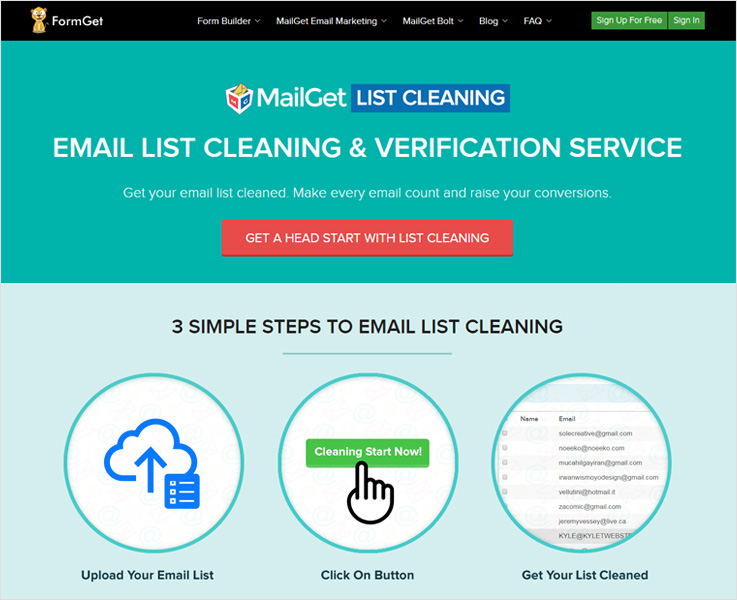
MailGet email list cleaning service provider suits up all types of business firms and marketers. They have provided an easy-to-use list validating functionality in which you simply upload a bulk email list, click on the clean list button and get your list cleaned.
List Cleaning Service
MailGet has multiple added features that are used for list cleansing purposes, which are offered by only a few email marketing software providers. Also, there are three types of clean segments on which software works and those are spam list, suspended list, and bounce list.
It provides a very efficient, secure, and robust inbuilt cleanup mechanism that helps to maintain email list hygiene and cleans your contact list from bad and syntax error emails.
Moreover, it automatically verifies and validates your contact list by checking through MX validator, domain validator, DEA checker, etc.
Pricing
In order to fulfill the needs of various customers, the MailGet email list cleaning system has designed 12 different plans which are as follows:-
| Price | $4 | $12 | $20 | $35 | $79 | $159 |
| Number Of Emails | 1000 | 5000 | 10,000 | 15,000 | 50,000 | 100,000 |
Features
- Greylisting email verification is in-built with this MailGet list cleaning service, it protects any spam emails from the list and delivers you 100% genuine emails. Firstly, it automatically filters the spammers and removes to the list.
- MailGet email list cleaning tool offers you a suppression list cleaning service which collects a list of emails those who are unsubscribing to your emails. So, this will helps you to send emails to the interested customers only.
- Mail exchanger records verify the mail server which is accepting the email messages and this will provide you a valid email list.
- Also, it removes all the duplicate email addresses from the list and saves cost.
For more price plans kindly visit the MailGet Email List Cleaning Website
After trying the multiple cleaning services it is my personal recommendation that the MailGet cleaning service is the best & cheapest service in the market that you should definitely go for.
As you can see in the pricing mentioned above, the cheapest plan is available at $4 and allow you to filter 1000 email addresses which you will not get anywhere else.
2. XVerify – Email Verification Service
XVerify offers the most accurate email verification solution in the marketplace. The company has built a strong reputation in the email verification industry for over 7 years, has 2 office locations in the United States.
Unlike other verification companies in the space, you can call to speak with an email consultant anytime in the United States. Don’t risk sending your data to other providers where you not sure where they are located or can’t speak with them directly.
XVerify is certified with two privacy framework i.e EU-U.S. PRIVACY SHIELD FRAMEWORK and SWISS-U.S. PRIVACY SHIELD FRAMEWORK. The DPA’s (Data Processing Addendum) is also available to all clients who require them as part of their GDPR Compliance.
List Cleaning
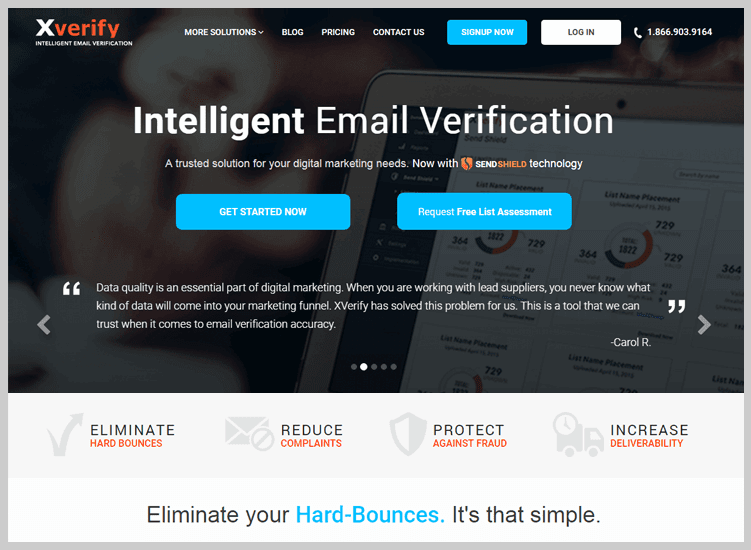
This system can validate all email addresses globally and can do both B2C and B2B email verification. Their email verification checks each unique email address to make sure the username is registered at the domain.
In addition, their latest Send Shield Technology is a one-stop solution for digital marketers looking to improve data quality and reduce fraud. XVerify is a built-in auto-correction that can easily notify the end-users when they spell a domain incorrectly.
Xverify’s built-in fraud protection ensures that an email address is not a temporary account or involved with any online fraudster and chargebacks. It has 98% accuracy across all major email domains including AOL, Yahoo, Hotmail, and Gmail.
Features
- Accuracy is the key to the quality of the information in any email cleaning service. All major email domains such as AOL, Yahoo, Hotmail, and Gmail have proved that this email scrubbing service is 98% accurate.
- You can confirm e-mail addresses in milliseconds with the e-mail verification API. Once implemented, you can quickly identify whether the data your user provides is correct or not.
- Data reports are easy to read and give you a high standard view of the quality of your data. You can see an abstraction and why the system blocked certain email addresses of the valid/invalid data.
- The typos alone represent 10 percent of invalid data. It integrated with automatic correction allows users to easily notify the end-users of a wrong domain like Gmail when the domain is probably meant for Gmail.
Pricing
Starts at ½ a cent per verification for 50,000 verifications and goes down to under 1/10 of a penny per verification based on volume.
3. QuickEmailVerification – Email List Cleaning Software
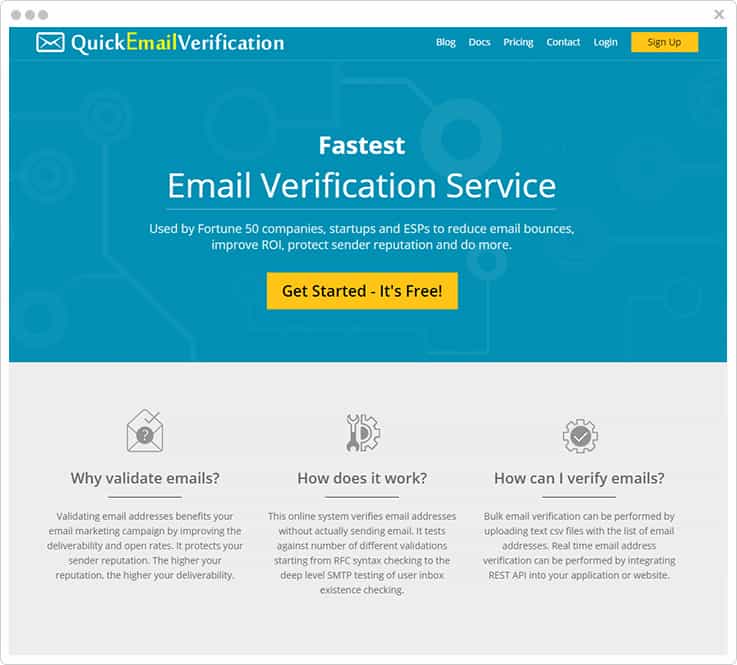
QuickEmailVerification is a tool that lets you validate and verify your email addresses before you send to them. It is a real-time email verification service that lets you maintain list hygiene and improves inbox placement rate which ultimately improves your email marketing. It gives you fast, accurate and reliable services.
List Cleaning
This list hygiene email service investigates all the email addresses and distinguishes them as valid, invalid, and unknown email addresses. It checks all the email addresses for bad domains, disposable email addresses, role accounts, and spam traps, and then differentiate them accordingly.
Features
- The clean-up of the email list is as easy as the drag-and-drop process. You can either upload your computer’s e-mail list or import the Email Provider (ESP) subscriber list for confirmation.
- Likewise, you can download a list check report or unsubscribe invalid and risky emails from your ESP account once the email address check is done.
- In this email list scrubber, detailed check results statistics are displayed. Fast insights of quality email warnings and important contacts are provided in graphical analysis.
- One can upload their email list in CSV, TXT, XLS, XLSX or ODS as this list cleaner service supports multiple upload formats.
- A simple copy of some lines of code gives you the ability to verify email addresses in real-time using the REST API.
Pricing
QuickEmailVerification offers to pay as per your demand rates i.e. pay-as-you-go service. Like for verifying 500 emails, it will cost you around $4 and then pay according to email verification volume.
4. Email Checker – Email List Cleaning Tool
Email Checker is a market leader, with one of the longest-running email verification services in the industry.
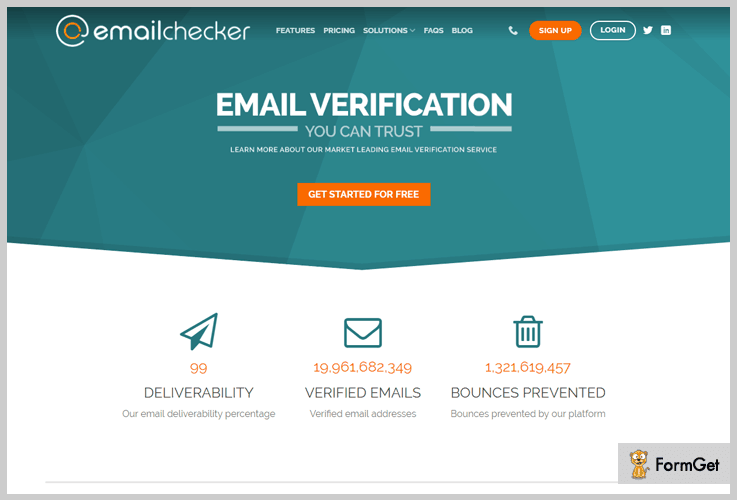
They offer a bulk list cleaning service with pinpoint accuracy and an impressive deliverability rate of 97%. The intuitive drag-and-drop dashboard is backed up by a support team with years of experience and robust infrastructure that guarantees data protection.
List cleaning service
Email Checker offers both bulk list cleaning and real-time verification with domain, mailbox, syntax, and format checks. There’s integration for Python, Java, PHP, and C#, fast processing of B2B lists of up to one million emails per day, and incredible API response time.
Features
- It ensures a correct and effective email address in real-time without the need to send a message. Our E-Mail Verification API is easy to install on all websites and applications, including online inquiry forms, POS, and e-commerce checkout pages.
- Syntax and format ensure that an e-mail satisfies certain fundamental criteria, such as whether a “@” symbol is contained inside the e-mail address.
- The domain access ensures a valid Internet domain name is contained by the email address and validates if the email address is set up for accepting mail.
- Email checker has a custom B2B cloud platform designed to speed up, and the customized Cleaning B2B List platform is designed to meet the many requirements of B2B email list cleaning software.
Pricing
Email Checker offers services to suit every budget, with a free trial of up to 100 verifications.
There are two payment options:
Pay-as-you-go plans with prices starting from $14 for 1000 verification credits – suitable for one-time users.
Monthly plans from as little as $10 a month, scaling up from 1000 to 2.5 million checks per month, with larger packages available.
Use our coupon code FORMG20 and get a 20% discount on your order.
5. ZeroBounce – Email Scrubbing Service
ZeroBounce is an e-mail validation service acknowledged by the commitment to e-mail bounce detection, email abuse, spam trap detection, e-mail data append, and advanced securities. It increases deliverability rates for Fortune 500 brands that utilize newsletter campaigns.
List Cleaning Service
It easily determines if an email address is good or bad. Some domains mask validity, meaning email addresses will always report as good, even when they’re bad. ZeroBounce’s proprietary technology uses algorithms to detect catch-all domains and identify which emails are unable to be validated (compared to other providers that unknowingly report bad emails as good)
Data Protection
ZeroBounce is using one of the best content delivery network systems in the world that are backed by Cloudflare. This provides clients with an advanced DDOS and Advanced Firewall protection that gives another layer of defense to prevent cyber attacks/data breaches. Besides using this leading-edge system, all files uploaded and downloaded are encrypted with military-grade encryption ciphers. Customer data is never stored once data is validated and removed from the system; all aspects of the data are erased.
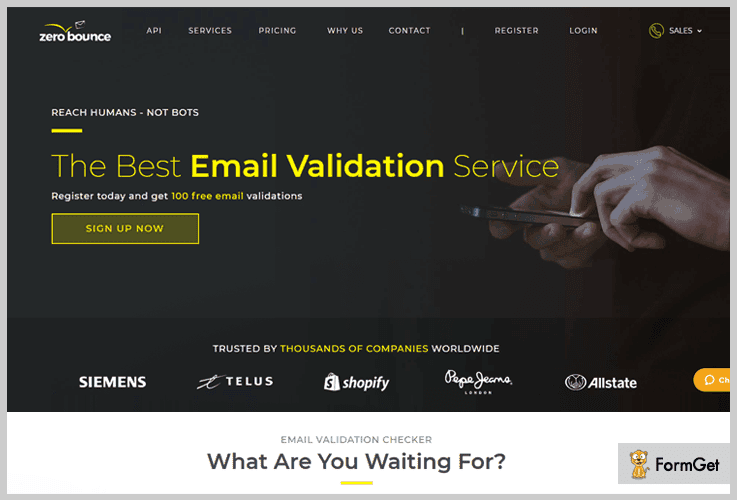
ZeroBounce provides the following services to ensure a deliverability rate of 98 percent or higher:
- Abuse Accounts – Not everyone is on board with the email marketing trend, even when they knowingly subscribe to your list. These users are notorious for marking messages as spam, which poses a high risk to brands building a healthy reputation. Unlike its competitors, ZeroBounce has compiled a list of known abusers (or complainers) to help companies reach the right audience while eliminating those who don’t want to be included.
- Spam Traps – Based on internal research via a series of algorithms, it can detect email accounts that are connected with industry-wide blacklists, a huge inconvenience that can derail an entire campaign.
- Do Not Mail Accounts – This email list cleaning service also detects role-based emails (support@, info@, sales@, etc.) as well as domains belonging to companies that shouldn’t be sent marketing messages.
- Disposable Emails – ZeroBounce recognizes temporary email accounts used to mask real email addresses.
- Toxic Domains – The service detects Toxic domains, these domains are known for abuse, spam, and bot created emails.
- Unknowns – It also detects emails that can’t be validated with accurate determination of whether they are good or bad. On average, over 80% of all unknowns detected end up being bad emails, but it’s not always a permanent issue. ZeroBounce allows clients to re-validate these emails at a different time and doesn’t charge customers for unknown results.
ZeroBounce is also able to provide customers with data and IP appending features, resulting in higher quality data and more effective segmentation capabilities.
- Data Appends – Appends basic information (First name, Last name, Gender, Location, Account Creation Date) to data when available
- IP Appends – ZeroBounce also appends information about the IP address (country, state/region, city, and zip code of IP registration) used when the email was registered or opted-in for advertising.
Pricing
ZeroBounce offers both a freemium and a premium version. Both versions come with the same features, but of course, if you’re going to purchase credits, you’ll get a lot more out of the email list cleaning service.
The Freemium account comes with 100 free email verification credits every month. Then, subscriptions start at $15. If you choose the pay-as-you-go option, that starts at $16. The price for 2,000 credits is $16.
6. Pabbly Email Verification – Email List Cleaning Services
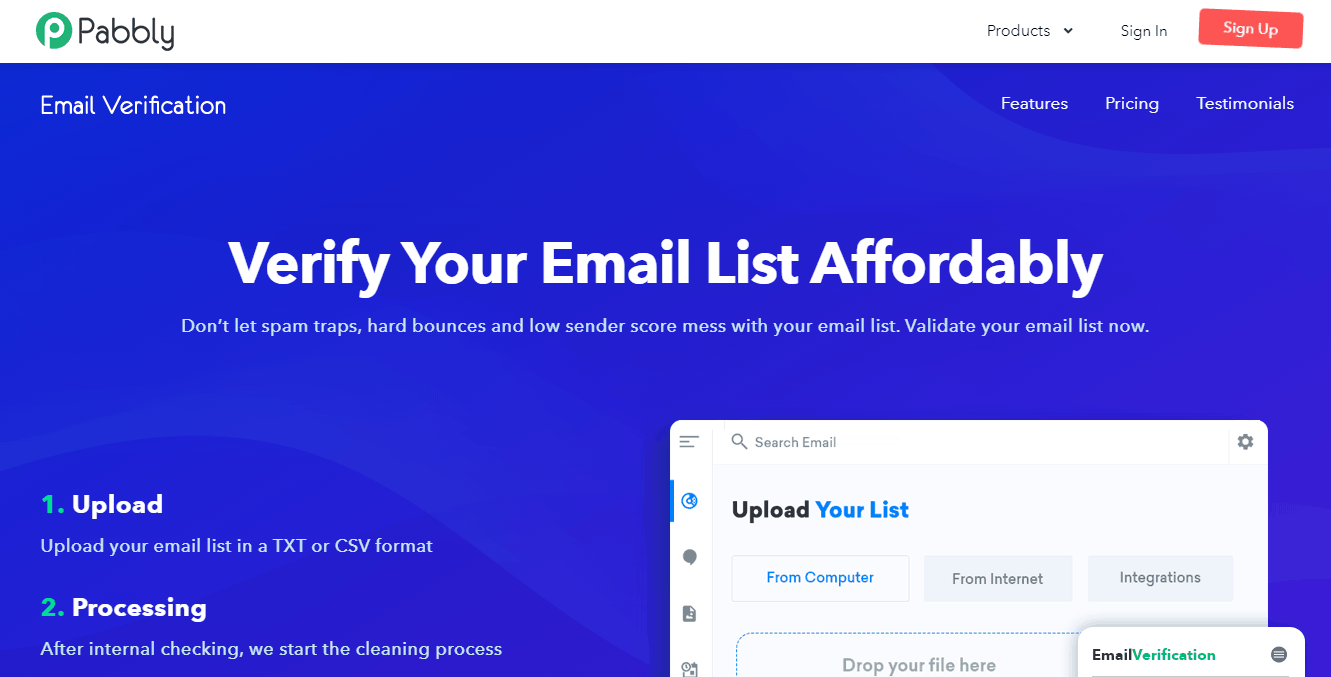
Pabbly is one of the best-known email list validation in the industry of email marketing. It provides a platform to carry easily out bulk email verification and validation on any opt-in list. Pabbly list cleaning ensures you only send the email to real users and helps you separate the low-quality addresses from high-value contacts.
List Cleaning
Pabbly list cleaning finds out email addresses as a deliverable, undeliverable, risky or unknown. It verifies all the email addresses by going through the SMTP verification, email address syntax checker, MX record checker, and DEA detection process.
Check whether it has Valid MX records for the Email Transfer Agent. Executes scans of keywords and TLDs with a high-risk email address. Invalid syntax e-mail addresses are deleted from your e-mail list immediately.
Pricing
If your hard bounce rate is higher than 4% we give your money back!. They are much powerful in terms of list cleaning and price.
7. InkThemes – Email List Verification Service Provider
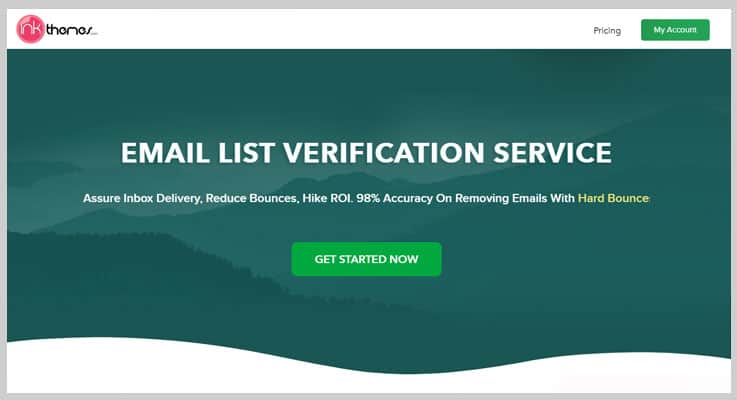
InkThemes Email List Verification provides you with a range of features for sorting out the list of all the bad emails & ensures authenticity & security. For cleaning your list, it checks out all your contact email address through various processes such as syntax verification, MX record validation, duplicate removal, etc. After doing so, it provides you with a clean verified contact list.
Pricing
The pricing of Inkthemes List Verification Service ranges from email verification of 1,000 emails at $4 to 20 Million emails for $4999. However, you can effortlessly choose the pricing between this range that meets your requirements.
8. MailboxValidator – Email List Verification Tool
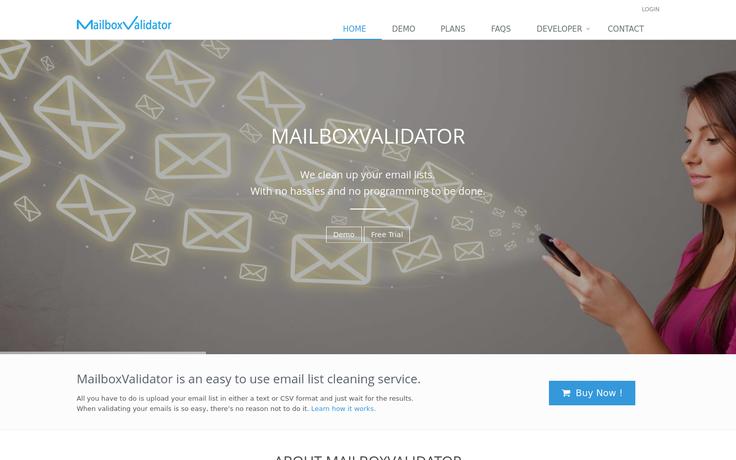
MailboxValidator is a popular email validation service. They improve email delivery success rate by reducing bad email reputation due to undelivered or bounced emails. The system is fully automated that generates a comprehensive report of domains, good-bad emails, etc.
List Cleaning
It checks each email address to make sure the username is registered in the domain given. The platform comes with built-in fraud protection to ensure none of the addresses are from temporary accounts or linked to known fraudsters. They claim to clean and verify email up to 96%.
Service they provide.
- Email Syntax Checker
- MX Record Checker
- MX Server Connection Checker
- Email Greylisting Checker
- Free Email Provider Checker
- Disposable Email Provider Checker
- Suppressed Email Checker
- Role Email Checker
- Duplicate Email Remover
- Bulk Validation Supported
- Single Validation Supported
Pricing
MailboxValidator charges you $19.95 for cleaning 1,000 contacts, and the prices go on decreasing as per increasing demand.
9. Clearout– Bulk Email Verification Service
Clearout is a great tool to verify emails, user can check single emails and bulk files. The price policy is very adaptable. The design is very modern and intuitive, rarely users will need to seek help, but if they do there is 24/7 support of experts and extensive documentation that can answer all questions. Advanced users will be happy to see that there is an API that can be easily integrated with any programming language.
List Cleaning
Clean email lists, high deliverability rates, and a high sender reputation are the benefits that you, as a mailing list sender, can derive from validating subscriber lists.
List cleaning helps in reducing the bounce rate and reaching the target inbox with maintaining your reputation.
Features
- Duplicate removing: This software can remove all duplicate email addresses automatically.
- Autosuggestion: It eliminates spelling errors and typing mistakes in the email addresses.
- Deliverability score: You can get a deliverability score for every email address for better deliverability.
- Spam trap detection: This software uses a multilayered algorithm to detect the chance of spam trap.
- Verification time taken: With a simple open relay check, it measures the response time for every email address.
Pricing
Its pricing plans are based on the number of credits and each credit is equal to one billable email.
- For 1000 credits, you have to pay $5 and for 5000 credits you have to pay $25 only. Similarly, the list goes on.
10. DeBounce – Email Scrubbing Tool
DeBounce is one among the email marketing solution which offers email list hygiene service along with other features.
List Cleaning
For cleaning an email list, DeBounce authenticates email addresses, removes out non-existent and non-responsive email addresses. Their cleanup services figure out the mailing list so that they reduce bounces and increase the deliverability rates of emails sent.
 Pricing
DeBounce charges $0.002 per verification i.e., $10 for 5000 verifications, $15 for 10,000 verifications, $30 for 25,000 verifications and so on. Further, it also offers 100 free credits.
11. Email List Verify – List cleaning service
Email List Verify is another email validation service that lets you clean up your mailing list. They provide you a self-service platform that helps you to get multiple integrations and a free blacklist checker. This software has the features of a hard bounce checker and spam trap checker that improves the overall deliverability rate.
List Cleaning
Email List Verify services ensure to have a clean list by verifying every email address through various verification processes. It also detects and removes all duplicate emails.
Pricing
Email List Verify charges you accordingly with your demand for a cleanup process i.e. costs around $15 for 5000 emails. However, there are different plans according to the number of emails.
12. ReachMail
It is an online email list cleaning software that offers you to verify email addresses in bulk. It also offers you free custom templates and drag and drop builder for the creation of attractive emails.
List Cleaning
Here the list cleanup process is simple. Apart from this, this software checks for invalid syntax expired domains and spam traps. Its features improve deliverability.
Features
- Free accounts – For an email delivery account, the Free package allows users to store up to 5,000 contacts and email 15,000 total messages a month.
- Integration of other platforms – It is integrated social media sharing, autoresponders, APIs, etc.
- Success percentage – The reporting feature enables you to know the success rate of your email marketing campaigns from time to time.
Pricing
For the first 5000 records, you have to pay $49 only and after that, you have to pay $8/thousand.
13. Bounceless
Bounceless is an email validation tool that offers you services to maintain list hygiene and increases your marketing efforts. It intelligently cleans all records matching its intelligent spamtrap indicators and provides reports to improve your campaigns in a much better way.
List Cleaning
Bounceless cleans out duplicate email addresses from the mailing list, removes out bounce email addresses, removes invalid email addresses, and fixes out common typos in the email addresses. After the cleaning process is done, you can download the results.
Features
- It identifies free email accounts that are used to mask real email addresses.
- Bounceless has a complainer database that is used to eliminate email addresses that match with the database.
- This service removes email addresses containing invalid syntax.
- With Bounceless, you can scan and removes high-risk keywords within an email.
Pricing
It offers a pricing plan from $19 to $16,49 with 2500 verifications/month to 2M verifications/month respectively. You can choose any plan according to your needs.
Conclusion
After going through these email list hygiene services, you can choose the best cleaning service, provider. As far as I am concerned, go with MailGet since they provide cleaning services free.
Feel free to acknowledge me about your thoughts in the space provided below.
Also see our latest listing post ->
MailGet API Integration
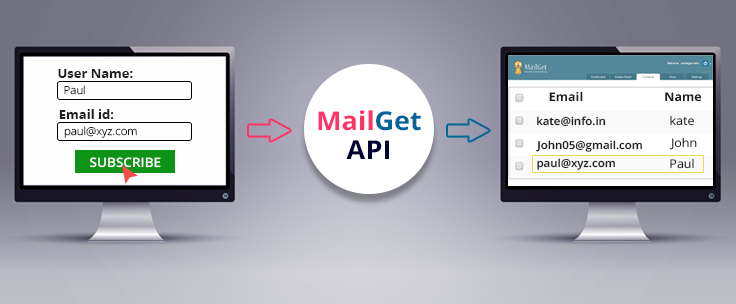
MailGet API is a method for you to “add” contacts in your email subscriber list in MailGet from an opt-in form.
In other words,
With the help of MailGet API, you can grow your email subscriber list simply by adding a subscription form in your website.
Programmer? No? Go and find one right away.
And if you don’t have any in your contact, then just take a look at the Documentation for MailGet API For Email Marketing.
How does It work?
- Web Designers can create an opt-in form.
- Integrate it with MailGet API to add contacts.
- Place it on the desired location in a website.
Its advantage is that contacts will automatically get synchronise in your desired contact list in MailGet every time a user subscribes through a contact form. There’s no need to import subscriber list explicitly.
Learn API Integration in detail for adding subscriber sign-up form in your website using MailGet.
List Segmentation: Send Emails to Non Opened Email Subscriber : Email Marketing
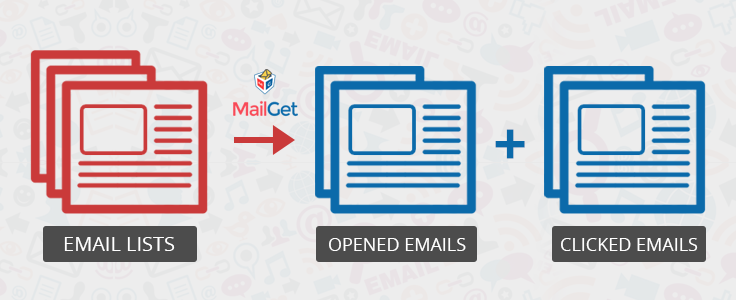
Send Emails to Non Opened Email Subscriber .?
If your subscriber don’t open your email for the first time and you want to send emails again to subscribers who have not opened your first emails then this feature helps you to increase open rate of your email. One click feature available in MailGet to try this.
As a result, your emails will not reach to the right place leading in failure to achieve your business target.
Do you want to segment your contact list.?
Segmentation helps marketers to achieve high click-through rates, best-in-class email delivery and generates more revenue from the sent emails.
Take A Break! Explore the Possibilities Of List Segmentation Along With In-Built SMTP!
Don’t Believe Our Words? Look By Yourself…
Sign Up For Free
Well,
MailGet’s subscriber segmentation feature helps you to identify the most and least profitable customers that in a result, improve the customer service and assist in customer loyalty and retention.
What is Customer Segmentation?
Segmenting a contact list is simply a process of dividing a list into subgroups so that a user can target on a set of customers.
Customer Segmentation is simply a practice of grouping the customers based on their similarities they share.
The goal of customer segmentation is to decide how customers relate to each segment to maximize business. !!
Using segmentation, you can send very specific or targeted emails to a particular group when the occasion arises. This lets you target individual readers who are more likely to read your messages.
Why Should You Start Segmenting Your Customer.?
A solid list segmenting strategy is the key to differentiating your marketing from competitors.
Customer segmentation is an important element of every successful marketing strategy.
Email marketing campaigns will not survive if, they are dependent upon targeting the whole audience as every customer has individual needs, behaviors, and preferences.
They are dependent upon targeting the whole audience as every customer has individual needs, behaviors, and preferences.
And so, the marketers need to group customers based on some common characteristics.
The marketers need to group customers based on some common characteristics.
Hence,
Carefully chosen segments help you understand what your customers want and what you can offer them. It also explains how grouping your customers into segments is a good foundation for winning and keeping profitable customers.
So, Start Targeting The Most Profitable Customers..!!
Features Of List Segmentation
MailGet’s subscriber segmentation gives you the freedom to split your subscriber’s list into the number of subsets according to their activity.
Your question might be,“What activity?”.
Let’s take a look at it : –
According to the number of opened emails, a segment of unopened emails gets created, so that we can resend the campaign to only the ones who’ve not yet opened the campaign.
According to the number of clicks, a segment of email gets created who have not clicked in any of the links in the campaign.
According to the number of Purchases, a segment of emails gets created who have not purchased anything, so that we can resend the campaign.
Benefits Of Contact List Segmentation
See how list segmentation can help you to drive more user engagement through welcome emails and get high conversion rates –
Segmenting helps to improve the conversion rates.
The number of messages you target to a group who sees or receives it, the better it will perform.
As segmenting the contact list helps you to understand what exactly your customer want.
So, keep profitable customers on your list –
Send emails to only those readers who are most active on your list rather than those customers who have no interest in receiving your emails.
By delivering the content that your customer actually want to read, click and interact, you can grab their attention and increase click through rates.
Segmentation increases brand equity, brand recall, customer retention, competitiveness, which in result increases profitability.
By limiting the audience, one can easily understand the target by understanding what your customers are more likely to see or read.
This increases the communication and makes your marketing effort more efficient.
Segmentation helps you to identify your buyers and the demands of each customer group and facilitates the right choice of target market which in result make your customer service better.
By segmenting all the customers into specific groups who regularly buy certain products, you can target them with relevant offers and also maximize the opportunities for up-selling which encouraging them to increase their spend.
Contact list segmentation helps you to identify the potential buyers and your target audience which in result increased sales, improved opened rate and enhances your reputation.
So, start expanding your business exposure by sending right messages to a right customer.
[MailGet Email Marketing Special] SMTP Routing: Choose Best Path To Deliver Your Emails!
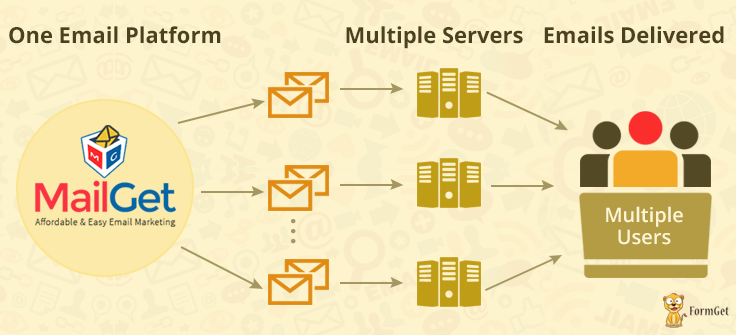
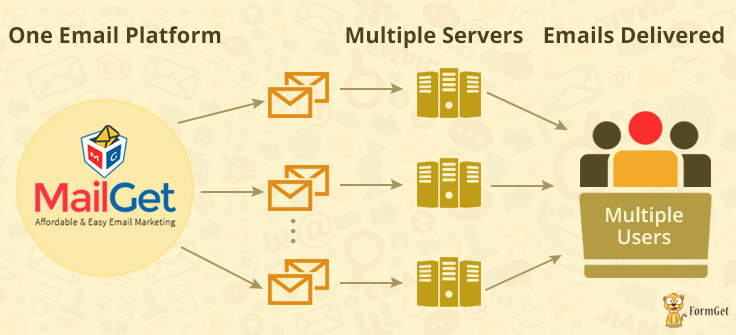
Are you unable to send the mass emails.?
- Even though you are sending a legitimate email there are restrictions placed by email servers which block you to send mass emails.
- Sending bulk emails can cause all sorts of issues on your networks, such as emails taking a long time to send, a painfully slow network, and server.
Complexities Finished! Hassles Gone Away! Just Take Away The Pleasure Of An Inbuilt SMTP In A Fully Featured Mass Email Marketing Package!
Sign Up For Free
Thinking On How to Send Bulk Emails Now.?
- Well, MailGet has an inbuilt feature known as SMTP Routing that permits you to integrate with multiple SMTPs relay for sending emails as per your requirement.
What is SMTP Routing?
If you are sending the number of campaigns to your customers with multiple SMTP relays.
Then, MailGet SMTP Routing allows you to select the number of emails to be sent from each SMTP relay.
For example,
If you have selected four SMTP Relay for sending the campaign to customers and 1000 subscriber’s are available in your contact list.
Then, SMTP Routing will let you send the email to those 1,000 subscribers from any of the email sending server as per your need.
In other words, you can manually select the emails (in %) to send from any of the particular SMTP relay based on your requirement.
So, start getting high email delivery rates using MailGet’s SMTP routing.
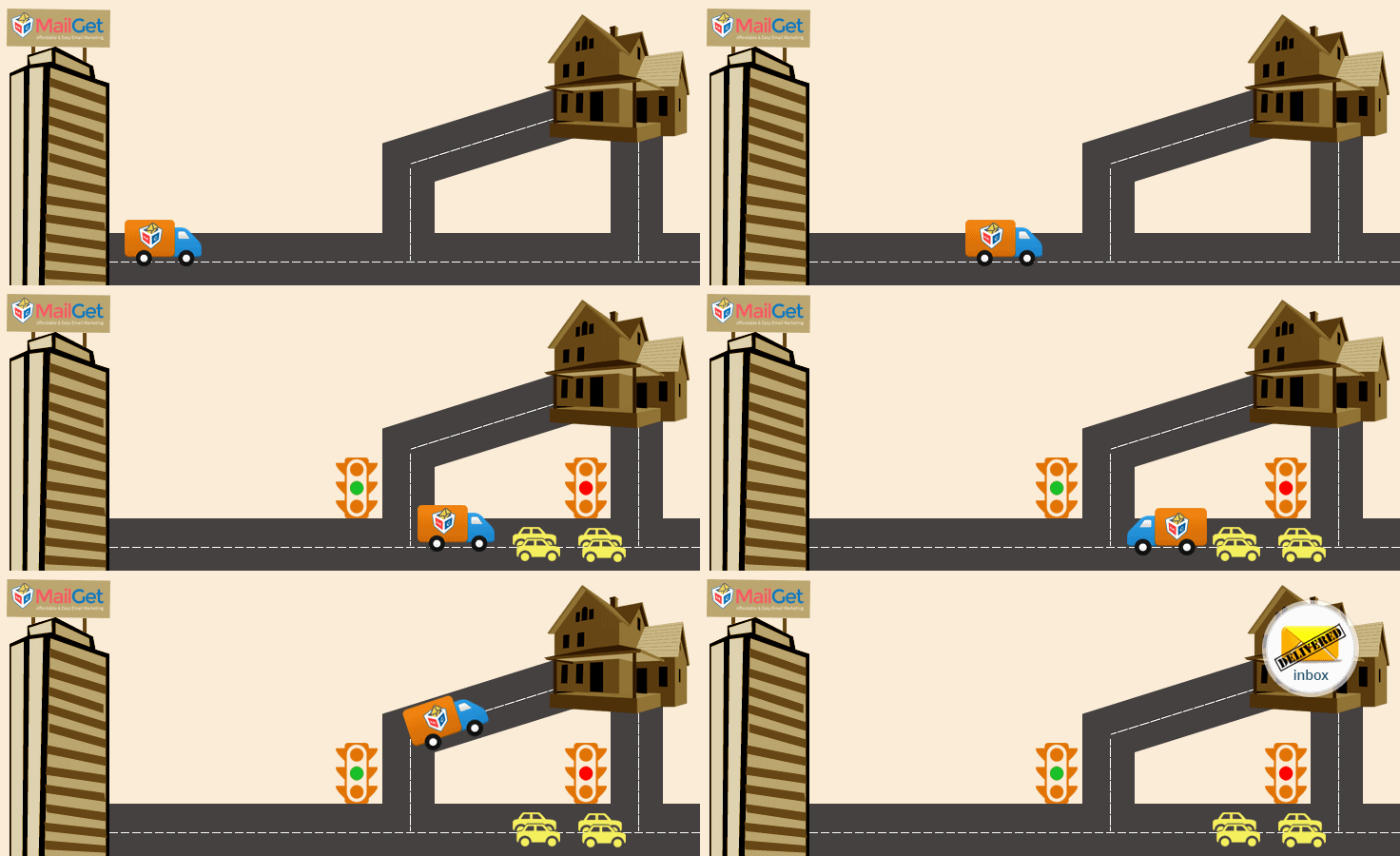
Benefits Of SMTP Routing
1. Maximum Inbox Delivery Rate
MailGet follows SMTP routing which uses multiple routes to send emails.
It will protect your domain from various ISP’s security services and helps in delivering messages in the inbox.
2. Reduce Bounce Rate
SMTP routing increases the chances of delivering the messages in the inbox of clients which helps in reducing the bounce rates of emails.
3. Load Balancing
MailGet does not send all the messages from a single SMTP server.
It uses SMTP routing which helps in managing and balancing all the load.
As a result, the message will be easily delivered to the recipient.
4. Avoid Message From Going To Spam
If a bulk email is send using single server then the probability for the message to be delivered as a spam increases.
So, MailGet uses SMTP routing for bulk emails which restrict messages from going into spam.
Check out some more related blogs here –
99% Inbox : High Email Delivery Email Marketing Service

Failing to deliver the emails in your customer’s inbox could result in – losing engagement with your users.
You can increase users engagement and sales while making a way to get more inboxing as you know how hard it is to collect leads. !!
Want to increase user engagement?
I am going to tell you an exact way to improve inbox success by 99% to get maximum user engagement from your leads.
No More Hectics..No Complex Setup..
Get A Full Featured Email Marketing Package With In-Built SMTP
Sign Up Free
Well,
MailGet is the perfect answer for you to achieve high inbox email delivery which equates to greater opens, clicks, as well as conversion rates.
Major Factors That Affect Deliverability In Negative Aspect
DKIM
Domain Keys Identified Mail (DKIM) is a way to authenticate domain.
- Authenticate email by identifying the origin from where the message was sent by signing the email with a digital signature into the headers of all outgoing messages.
- An ISP will send the emails to the spam folder as it finds the DKIM signature is missing.
- Cannot verify the trusted source and could affect email deliverability.
- It maintains a proper DKIM sign on outgoing SMTP server to authenticate email messages and allow sender reputation to be independent of IP address reputation.
- Identify and removes forged email messages by claiming to be sent from MailGet’s domain.
- Maintains a good reputation and various agreements with the larger ISPs due to which your messages more likely to get delivered to the inbox rather than the spam folder.
MTA
- Mail Transfer Agents or mail relay is used to transfer emails from one system to another.
- Each SMTP Services has its own MTA.
- Your emails get dropped and do not reach the users inbox without a reliable MTA.
- No MTA is good all time.
- It supports multiple SMTPs integrations decide which one is best for delivering your email campaigns.
- It uses an MTA to manage emulation of SMTP traffic by blocking it.
- Provides SMTP routing through which you can send email using multiple SMTPs and guarantees that emails reaches to the customer’s inbox.
- MTA adds a “Received:” header in your message emails gets authorized when passed through the mail servers.
SPF
Sender Policy Framework (SPF) is used to detect email spoofing.
- It is an email validation system to checks if the email comes from an authorized domain.
- SPF is based on DNS lookups.
- You will fail to authenticate your emails if your domain is not listed in DNS.
- Many spam email will fill your inbox that uses forged email addresses that claim to come from sources like Facebook, CIA, etc.
- Generates 40KB of traffic to the recipient and even more by SPF, if DNS gets corrupt.
- MailGet seldom logs SPF based attacks prevents sending of massive traffic to the recipient.
- Maintains SPF record on the authoritative DNS server for the domain ensuring that the domain is authorized and will pass the SPF validation system.
- Performs anti-spam techniques by checking SPF records that avoid email spamming and phishing attacks which use forged sender addresses.
Bulking
Bulking states that –
- When you send emails to a large number of people at the same time, the emails get routes to customer’s spam or junk folder instead of getting into their inbox.
- Blocks your domain which could lead to a bunch of bounces and get many major sender’s reputation issues.
- It uses a consistent IP address to send bulk emails.
- Keep valid DNS records for the IP addresses from which you send mail which points to your domain.
- Use the same address in the ‘From:’ header on every bulk email you send.
Bounce
- Emails that cannot be delivered to the customer’s inbox..
..and are returned to the service provider are known as bounce emails.
- Can damage the sender’s reputation and affect deliverability rates.
- Treat you as a fake email sender.
- Keep the contact lists up to date and removes bounced emails from it.
- Monitors the inbox delivery reports and performs email list cleaning.
- Sent email marketing campaigns .to active openers and clickers only.
- Removes invalid email addresses and undeliverable addresses that have unsubscribed, bounced or complained issues.
- Quarantine or remove email addresses that haven’t shown any signs of life after 80 days.
Spam
- An irrelevant or unsolicited commercial email message which is sent over the Internet to large numbers of users for advertising, phishing, etc.
- Could irritate the customers as they receive unwanted emails.
- Can crash mail servers by filling up your hard drives with irrelevant data.
- It scans your email campaign, test for appearance and content-related spam triggers before sending.
- Monitors all the contact lists and remove inactive subscribers.
- Sending test emails to your subscribers ensures that they deliver successfully to all of them.
As data varies regularly, it’s not possible to wrap the complexity of email deliverability into a single number.
But, according to our previous clients’ reviews, MailGet offers desired statistics.
So, get assured that your emails get delivered to the inbox..!!
Fortunately, MailGet handles everything for you.
Email List Management : Email Marketing Handle 100% Bounces, Complaints, Unsubscribes

Suffering from deliverability issues and low responses to your campaigns. ?
If your contact lists are not managed accurately, a user will never respond to your campaign, and you will always struggle to get your emails in client’s inbox.
Want to build a healthy contact list. ?
Maintaining a healthy customer base and managing your email lists properly could result in increased delivery of your emails.
What If You Get Email List Management Along With Inbuilt SMTP Integration?
Yes, You Read It Right! No External SMTP Required
Sign Up For Free
Well,
MailGet’s Email List Management feature lets you manage the email lists and customer’s data properly.
As a result, you achieve good responses and high email delivery towards your email campaigns.
What is Email List Management?
- Email list management is a process of creating and managing all your email contacts properly and accurately.
- It reduces all the possibility of misunderstanding and helps you to send emails to right recipients in a managed way.
Therefore, proper email list management has to be done right from the beginning.
Why Should You Focus On Email List Management?
If your contact list contained bad email addresses and unsubscribed users list then you will face many difficulties while contacting your clients like –
1. Email Deliverability And Relevancy Issues For Email Campaigns
You will face if there are –
- Improperly managed user lists.
- Inaccurate contact data i.e. having bad addresses due to which your emails will not reach your customers inboxes. !!
2. Lose Potential Sales
Grabbing customer’s attention is the most difficult task, as they’re not easily swayed in this increasingly competitive digital landscape.
- So, if you miss managing your email list correctly you can suffer from low responses and higher cost.
- Subscribers become less active on your email list and you will lose potential sales by not moving customers to the right list.
3. Very Low Open Rates
- If you are using a purchased email list you might be not able to get a good open rate.
Many of the email addresses might have gone dormant as purchased list are not being cleaned out. !!
As a result,
- Your list comprises of the addresses that are useless to you and waste your time, money and also affect the open rates.
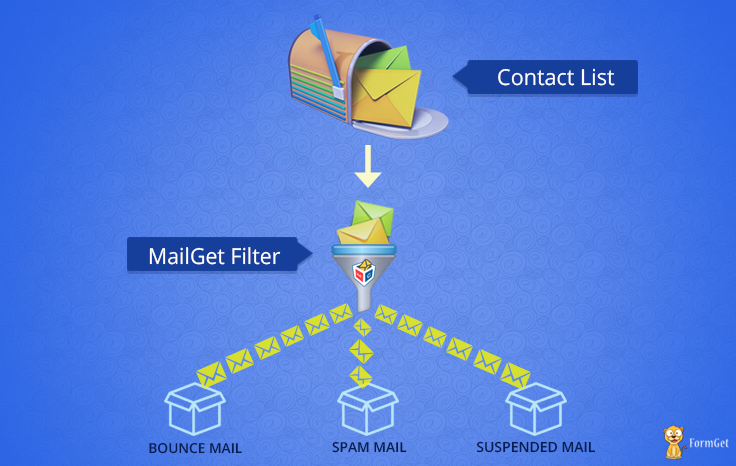
What MailGet’s Email List Management Feature Provides?
MailGet provides list management facility to remove bad email addresses and unsubscribed users from your contact list.
It allows you to manage your contact lists in the following ways –
1. Bounce And Subscriber Management
- MailGet stores all the invalid email addresses and spam emails in the bounced contact list.
- Your contact lists stay updated and clean with automatic bounce, abuse, and unsubscribe management.
2. Create/Import Your Contacts
- Synchronize your contacts by importing contacts either manually or simply by uploading a CSV file containing a name and email address of your clients.
While importing contacts, MailGet allows you to organise your contacts in different lists.
3. Unsubscribe Contact Lists
- Whenever you block a user manually, or users click on email unsubscribe link that has been sent along with the emails.
- MailGet stores these contacts in the suspended contact lists increases your email reputation and saves you from being spammed.
4. Contact Lists From Collected Leads
Forms are a crucial part of building an email subscriber list.
- MailGet allows you to add subscriber form in minutes to build a healthy list also creates a separate contact list for the collected leads.
5. Contact Segmentation
Segment your list based on people sharing some common interest or some common parameter.
You can segment your customers by open rates, click-through rates, details they provided at sign-up, geographic location and more.
Now you have a clear view of your clients to whom you can send emails without any risk. !!
Benefits Of Contact List Management
A proper contact list management has been an essential goal of every email marketing services. If maintained could benefit you in following segments –
You don’t need to filter your contacts again and again.
- A proper list management always helps you to save a lot of time by maintaining a precise list of clients to send emails right away.
- Removal of old and inactive addresses who have not engaged with your emails within a range of time results in, increased delivery rates.
- It also helps you to get great responses on your campaigns.
- A better list management helps you to choose lists of valid email addresses of clients you can easily target your customers to promote your products.
As list management manages all the email addresses that are unsubscribed, bounced or marked as spams.
You can now block such email addresses and send emails to only valid email addresses which would help to increase your email reputation.
A good contact list is the foundation of a successful email marketing campaign.
Maintaining a strong and healthy email list increases the brand loyalty, brand promotion and helps you to reach your market target successfully.
[MailGet Special Feature] SMTP Integration : Connect With any SMTP To Get More Open Rate

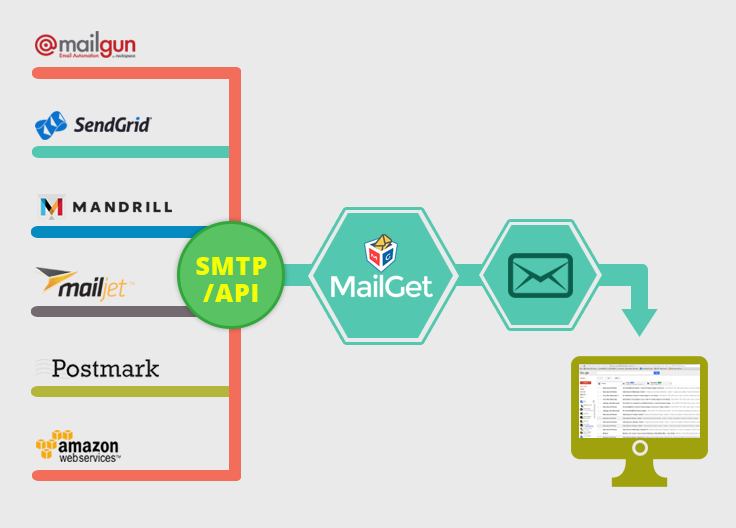
-
SMTP integration in MailGet allows you to integrate with multiple well-known SMTP services say –
Amazon SES, Mailgun, Postmark, SendGrid, Mailjet, Mandrill and other SMTP relay services.
- Using multiple SMTP service providers –
External SMTP Integration Is Indeed A Pre-Dominating Task! Yet, Getting A Complete Email Marketing Package With An Inbuilt SMTP is Divine! Yes, You Read It Right!
Sign Up For Free
MailGet gives you more control over how to send your emails moreover you can track bounce and spam stats.
- So, integrate your email marketing service with a reliable SMTP relay and reduce the risk of being blacklisted and get your emails delivered to Inbox.
What Is SMTP?
SMTP (Simple Mail Transfer Protocol) is –
- A web server used for sending and receiving emails.
- It uses “Store & Forward” process through which it handles all your emails and moves them across different internet networks.
- To deliver the right email to the right inbox, it makes use of MTA i.e. Mail Transfer Agent.
What Does SMTP Do?
Two important function that SMTP perform for sending and receiving emails are –
- Firstly – It checks that the person who is sending email from a particular server have the rights to send or not?
- Secondly – If the message is not get delivered properly, it sends the message back to the sender.
Various email marketing services make use of SMTP for sending messages from one server to another server.
Using SMTP, you can ensure that whatever email or message you send across the web reaches to its destination without any difficulty.
How To Use The SMTP Integration In MailGet.?
- MailGet sends email through any SMTP relay.
It allows you to integrate with any SMTP service using which you can check bounce rate and spam stats.
- SMTP server account credentials are required for integrating SMTPs to MailGet.
Integrating SMTP service with MailGet is fast and easy to set up as it requires only –
- From Email (Verified in SMTP).
- SMTP Name (Like Gmail, mandrill, etc.).
- HOST(Like smtp.gmail.com).
- PORT (Like 587).
- USERNAME/API (Your SMTP USERNAME/API KEY).
- Password/Secret KEY (Your SMTP Password/Secret KEY).
What Are The Benefits Of Using SMTP Services?
- Guaranteed Email Delivery
SMTP services guaranteed the email delivery by ensuring that your emails will not get trapped in any spam, bounce and blocks issues and safely reached to the customer’s inbox for high email delivery.
- Send Emails In Bulk To Thousands Of Recipients –
To avoid spam issues, many of the ISPs have blocked the access to their outgoing mail server, and you are unable to send emails in bulk.
With SMTP services, you can easily overcome all such types of issues and send emails in bulk to thousand of your recipients.
- Keeps Your IP Address Safe –
When you send emails to all your subscribers, a lot of issues stood up relating to the deliverability like spams, emails bounce back, unable to make up to the inboxes and so on.
Get rid of all such issues and keep your IP address safe by using an SMTP relay.
Using MailGet, you can also send drip and transactional emails, that includes both automation and personalization.
Get more information through this blog –
Email List Cleaning: Email Validation and Verification
Is your email marketing account suffering from permanent suspensions, penalties, or even fines. ?
- Having bad and inactive email addresses would result in increased bounces, spams, and unsubscription rates that affects your email deliverability and response rates very badly.
Want to clean your email list to get rid of spam complaints and bounces.?
- Cleaning out inactive emails from your contact list helps to boost up your marketing campaign with 99% delivery, high responses, and subscriptions.
- MailGet incorporates Email List Cleaning feature that helps to get increased subscription rates, responses and delivery rates by filtering out all the bad emails from your email list.
Leave the boring task of email list cleaning on us!
Sign Up For Free
What is Email List Cleaning?
- Email list cleaning performs email list validation and verification on your existing email addresses.
- It maintains healthy contact list by freeing up all irrelevant contacts i.e. bad, duplicate and inactive addresses that can affect your email marketing campaign.
- An uncleaned list is a big trouble for ISP .and a signal for blacklisting or filtering.
Why Email List Cleaning Is Necessary?
There are several ISP’s email security services that have set some standard for emails.
- These security services continuously monitor and block the domain, IP’s and others services..
..which are not following the guideline and sending emails beyond their standard.
- So, to prevent your email marketing service being blocked..
..keep your email lists up to date by recognizing and cleaning bad, invalid, undeliverable and duplicate email data.
1. Increased Spam Report –
- If your email list is not synchronized concerning the quality of contact list, recipients will mark you as spam or unsubscribe you from receiving emails.
- Hence, it will adversely affect the email deliverability of your email campaigns and make a bad impression of company’s reputation.
2. Emails Reach To Junk Instead Inbox –
Email deliverability purely depends on your email reputation.
Factors responsible for email reputation –
- Number of hits your emails get for bounces, complaints, and spam traps.
- So, when you crosses the thresholds limits set up by ISPs your emails can reach to junk folders or can even be also blocked.
3. Account Suspensions –
- Internet services, email security and spam monitors set up threshold limits that any acceptable email campaign should constitute.
- Number of spam complaints, undelivered messages and unsubscribes should be maintained by email sending services within the threshold limit.
- Sending emails to an unqualified list ..results in account suspensions, fine and may even cause legal trouble also.
Stop By…Does Email Validation Along With Inbuilt SMTP Sounds Great?
That Works Great Too….
MailGet Bolt - Bulk Email Marketing Service
How MailGet Accomplishes Email List Cleaning.?
MailGet follows a secure and effective email list cleaner mechanism to clean your contact list.
The email list hygiene tasks accomplished by MailGet are listed below –
1. Domain Check –
- Checks, whether MX records for the email domain, exist or not and the basic rules of popular ISP’s email (Gmail, Yahoo, AOL,etc.) to find the true status and provides correct results.
2. Bounce Clean –
- Delete bounces emails if this list contains emails matched with your bounce list emails.
3. Spam Clean –
- Delete spam emails if this list contains emails matched with your spam list emails.
4. Suspended Clean –
- Delete suspended emails if this list contains emails matched with your suspended list emails.
5. Removes Duplicate Email –
- Issues related to duplicate, syntax errors and improperly formatted email address altogether handled out by MailGet.
6. Validate Emails –
- MailGet enhances data quality by helping you to catch mistyped email addresses and prompt users to make corrections when they go to signup or subscription process.
- Hence, it validates every email address in the contact list and checks whether the address does exist or not.
7. Removal of Role Accounts
- Detects and removes all role account emails like support@, sales@, info@, etc.
8. Bounce File Compare
- Compare all email addresses against a list of 100+ million hard bounces and removes affected email address.
9. Throwaway Disposable Email Addresses
- Detects and removes all junk and temporary email addresses as such email addresses are used for one-time usage during signup.
Benefits Of Cleaned Email Lists
Major benefits you could achieve by maintaining a healthy contact list are –
1. High Email Delivery –
- Higher deliverability rates indirectly mean having high email open rates.
- Altogether it increases sales and conversions which you could not be achieved without having a clean list.
2. Save Money –
- By cleaning email list, you can save money by avoiding sending emails to the non-responsive and inactive addresses.
3. Get Reduced Spam Complaints –
- Spam and ISP blocks issues occur only when you send emails to bad email addresses.
So, keeping your list clean help you to achieve better email deliverability rates and inbox placement.
4. Get Reduced Reputation Risks –
- Regularly sending emails to the invalid email addresses could affect the sender’s reputation of your company and registered domain.
- With an increase in the engagement rate, the delivery rate also boosts up.
5. Maximizes Revenue Opportunities –
- Removes invalid and harmful email addresses from your contact lists.
Further, enhances email delivery and increases the ROI of the email marketing campaigns.
6. Improves Reputation Of Your Domain –
- Cleaned emails reduce bounce rate of your emails and protect your domain from the blacklist of several security services.
7. Increased ROI –
- No sales can be generated if you go for sending emails to bad addresses.
Keeping list hygiene will increase your ROI.!!
Maintaining list hygiene can enhance the percentage of email that makes to the recipient’s inbox and reduces the risk of being blocked by ISPs.
MailGet a secure, easy-to-use and cost-effective email marketing helps you to move in the right direction by keeping your email list clean.
Personalized Email Marketing : Send Bulk Emails with Personalized Tag
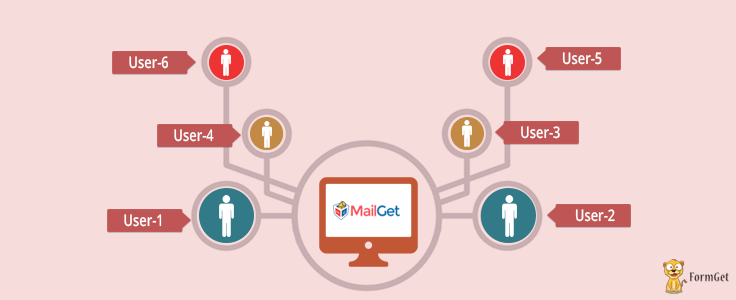

Don’t you feel happy when you see your name in subject lines or even in the email body.?
Yes, you feel so..!!
It’s a pretty surprising feeling of being recognized, right?
Well, it would be more specific if you’re offered useful information based on your likes.
Ever Wondered Of A Fully-Fledged Email Marketing Solution With An Inbuilt SMTP?
Stop Wondering & Start Checking…
Sign Up For Free
So, why not provide the same experience to your users as well. ?
Improve conversion rates by sending personalized email and get your customers engaged with your business.
What is Email Personalization.?
- Personalization is the process of sending an email to the individual by inserting their name in an email.
- Personally, address your clients by their name and make your client feel important which could lead to higher open rates.
When anyone sign up for your emails –
- You get their contact details such as first name, last name, date of birth etc.
Using this information –
- You can send your clients a personalized email.
How To Personalize Your Email..?
Click Here.. to send personalized mass emails and make your customer happy, by adding personalization to your email campaigns..
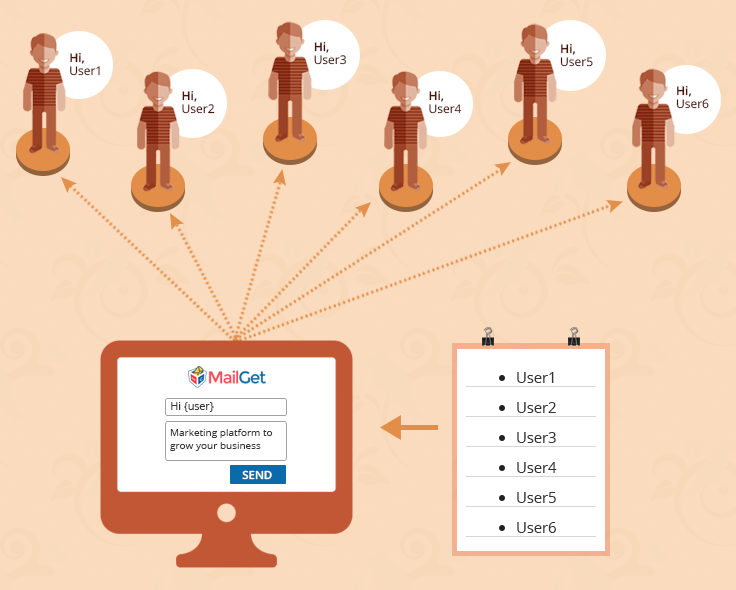
Personalize Your Email Marketing With MailGet
Personalized email marketing campaign is the key to customer satisfaction & conversion.
- MailGet allows you to personalize your campaign with existing contact record of your subscribers like their first name, last name, and full name.
When you like to add the first name in your message –
- MailGet will look into the contact details/record.
- Check the first name correctly.
- Put that detail/name in {first name} and send it to the desired email address.
Personalize Preheader Text
As preheader text is the second subject line and takes more space than the subject line on many mobile devices.
Personalize Email Body
Using a person’s name instead of using salutation such as “Hello”, “Dear Subscriber” in your emails gives a familiar tone.
Personalize Email Subject Line
Using recipient’s first names in subject lines of emails is a most effective way to stand out for higher email delivery.
When a customer sees their name, it forces them to open it.
Personalize Email Content By Segmenting Your Email List
List segmentation is an effective way to personalize your campaigns.
Send emails to targeted segments of your email list.
Why Personalizing Your Email Matters..?
Personalized emails really have a great impact on your overall email marketing reputation.
- It gives a personal touch to your clients, doesn’t matter what type of business you run, personalization can make a difference.
Know How –
Establishes Connection With Prospects
- Personalizing emails establish a connection between you and your prospects.
- The first connection starts with knowing your subscriber’s preferred name and addressing them.
Builds Trust
- When you always present as a problem solver or give advice on subjects that affect your customers, let you build trust and loyalty among them.
- A formula for successful business is –
Know your customers + targeted email = 100% trustworthiness
Increases Engagement
By delivering relevant contents to your audience –
- Gives a positive response to your email campaigns which leads to increase user engagement.
- Your customers build a habit of looking forward to your next message.
So, What are you waiting for?
Subscribe to MailGet and use its Personalization Email feature.
Start getting high transaction rates and revenue per email by sending personalized mail.
Drip Campaign Email Marketing : Automate Follow Your Subscriber with Email Drips
Unable to promote your products and services to customers at right time. ?
If you are missing to deliver the appropriate content to your clients at the right time, then you are far behind to build a long-term relationship with them, which adversely affects your conversion rate.
Drip-Drop-Drip! Take a Break…Get A Complete Email Marketing Package Along With SMTP Integration!
Sign Up Free
Want to grow and increase your sales and customers. ?
Well the secret of success is,
Email Drips, one of the most effective communication strategy using which you can easily reach to your customers at the time when they are most likely to get engage with your emails.
As a result, you will achieve higher conversion rates and user engagement.
Automate your email sending process using MailGet’s drip emailing feature.
What Is Drip Emailing?
Drip emailing is a series of emails that are automatically sent to your customers at scheduled time intervals or based on the action taken up by you.
The best thing about drip campaign is that you need not send the email manually to each user.
- You can define a particular time interval, and the email will automatically send to users based on triggers.
- You can also reuse the same content for different users, and everything would send out automatically.
For example,
If anyone opts to get enrolled in your contact list, then the series of emails gets triggered ON, and each email will be automatically sent to the user’s inbox at regular time intervals say – 1st email on day 1, then 2nd email on day 4, and so.
In this way, you can acknowledge the user about your products and services slowly and gradually through each email and create a positive communication between you and the recipient.
What Is The Need Of Drip Campaign?
When you are sending thousands of emails to your clients,
It might be not possible that all of your customers are free and will read your message.
Alternatively, when your customers are free or ready to read your content, then you might be busy and unable to send the content.
So,
What is the solution to this problem? OR what is the right time for sending the emails? Or Is there any way to match the timing with your clients?
Drip Emails.. Yeah, it is the answer.
As drip emails are the best way to deliver right content -> to right user -> at the right time.
So,
Get rid of the issues like forgetting some contacts, make mistakes and lot of human errors while sending emails to each one manually.
Stay connected with your leads and contacts by delivering relevant information to them using drip emailing.
Nowadays,
The scope of companies is spreading globally due to internet marketing. In such situation, a small mistake can ruin company’s reputation and efforts.
Hence,
Companies are now following various strategies to increase sales.
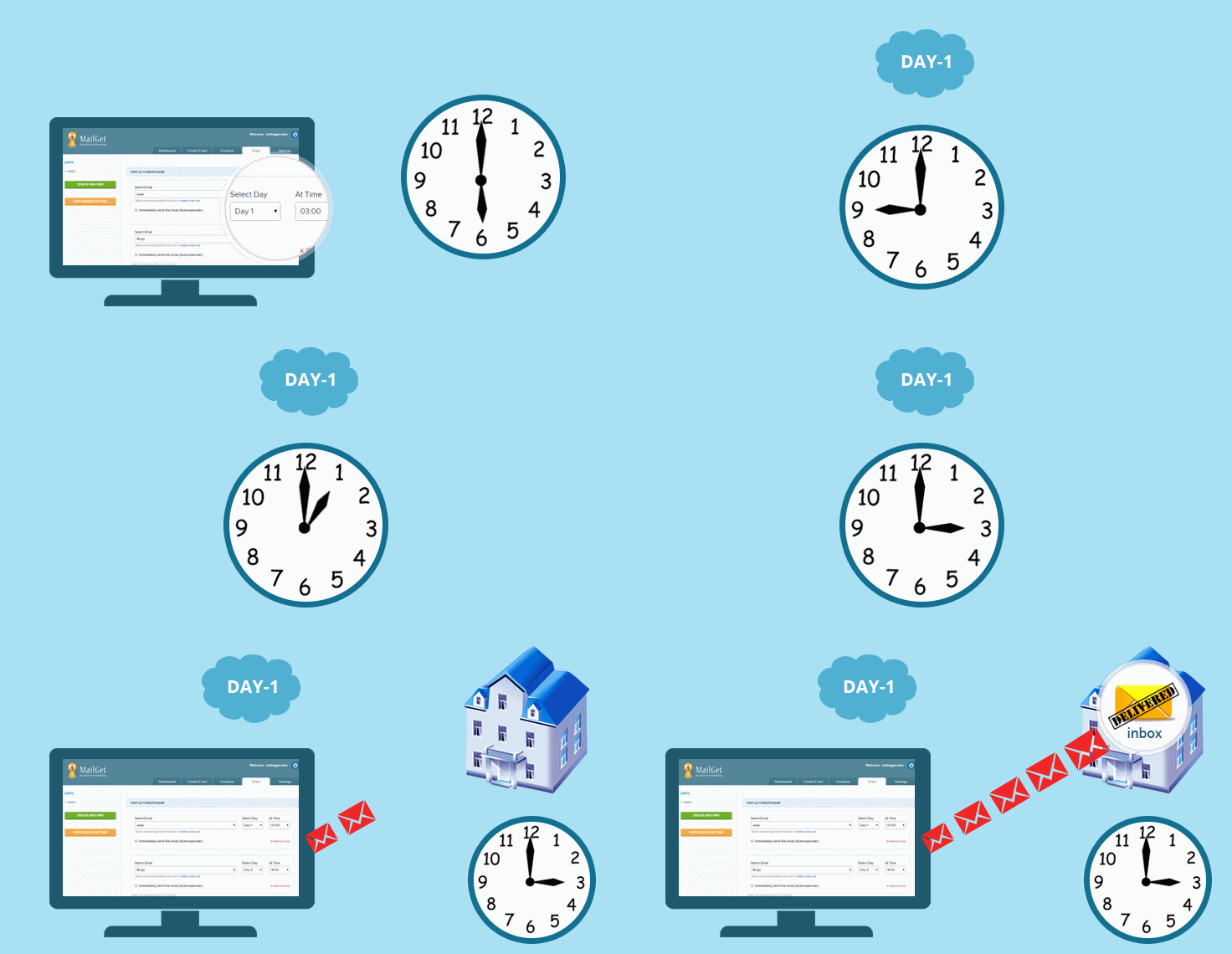
Types Of Drips You Can Send With MailGet
Check out some drips that MailGet lets you send –
1. Welcome Drips –
Welcome drips are the emails that are used to send welcome emails when any subscriber get added to your contact list.
So, you can tell your clients about your services, products, and company profile while sending welcome messages.
2. Top of Mind Drips –
In this type of drips, your prime focus is to make your brand name gets fitted onto the mind of your recipients.
So that, they won’t forget about your company and could lead to increase conversion rate in future.
3. Re-Engagement Drips –
These drip emails are sent to those leads and customers who have become inactive on your contact list.
The primary intention behind this is having some ‘push action’ to your clients that can promote them to go for buying and re-engage them with your company/emails.
4. Promotional Drips –
Promotional Drips are the set of promotional emails which includes some discount or incentive features to attract your customers towards your product.
These emails help in triggering out the buying procedure and send with a target of promoting your product.
5. Educational Drips –
Educational drips include knowledge base contents like case studies, facts, etc. related to your products and services to educate your customers about your product.
Benefits Of Drip Emailing
Using drip emailing, you can easily deliver a precise information to your clients on a scheduled basis that helps to drive more user engagement.
Several other benefits that drip emailing offer are as follow –
1. Reaching At The Right Time
By sending the messages on a scheduled basis, you can easily reach to your clients with a high-quality content at the right time, which could lead to increase customer retention.
2. Track Your Performance
Track responses towards your drip emails and accordingly customize your drip email campaign so that you can perform it more efficiently and timely.
3. Lead Nurturing
With drip emailing, you can remain connected with your customers at regular intervals of time until you don’t achieve your target of sales conversion.
4. Easy Automation
Make your lead nurturing process an automated one through email drips.
So that, you can not only save the time but also raise the conversion rates of your marketing campaign by remaining in touch with prospects regularly.
5. Target On Your Audience
Personalize your email drip campaign by customizing it following your prospect and contact list.
The deeper you target your leads, the more you get conversion rates.
6. Builds Up Relationship
When you consistently deliver relevant informative on a regular basis, then customer start to trust you that builds a healthy relationship with your clients.
7. Reduces Manual Work And Saves Time
No need to focus separately on each lead.
Drip emails automatically handle all the sales cycle process and reduces your manual work efforts and time of sending particular email individually.
8. Preserve Time
Drip marketing provides you to set drip campaign and send emails automatically within a predefined interval of time that saves your lots of valuable time.
9. Lead Nurturing
Drip marketing helps in maximizing your sales and customers.
- You can send your clients continuous supply of leads time to time.
- It will help you to track and understand users needs.
- You can create your strategy about converting them into sales.
10. Simple and Effective
Drip marketing is a simple and effective way of communicating with customers.
- You can create a different campaign for different customers.
- You can also use the same content of email for different users based on their actions.
- You can easily engage your customers with your companies and promote your products which will help you to increase your sales and profit.
Drip emailing is the process that helps in keeping your brand name at the top of mind of the audience. So, whenever they are in need of a solution in their business, they will remember you.
Automate the email sending process using drip emailing and stay connected to your leads and contacts by delivering relevant information to them.
100% Responsive Drag and Drop Email Template Builder : Email Marketing Service
Can you afford to keep losing 45% of your audience?
In today’s era, the craze of gadgets among people is increasing. So you can’t deny the fact that, most of your marketing emails will get opened on various devices by people.
And if, your emails won’t display correctly customers will delete or unsubscribe them right away.
Losing Audience Quite Fearful…Ain’t It? Design Emails Through Drag-n-Drop!
Get It Furnished With Inbuilt SMTP Included In Email Marketing Package!
Sign Up Free
So do you want to optimize your emails?
Optimized emails create a perfect exposure across multiple devices which ultimately could result in increased user engagement.
Here comes MailGet, with one of its strongest Email Template Builder feature through which you can create responsive and great HTML email newsletter with email builder.
What is Responsive Email Design?
Responsive email design provides an optimized email that adapt to any screen size on whatever it is being used to view.
It assures that the delivered content will get displayed well on any device used by the user.
Why Should You Switch From Static To Responsive Email Design?
According to many recent studies and surveys conducted it has been proved that most of the emails opens occur on mobile devices.
So, optimize emails for mobiles prevents your customer from deleting and unsubscribing them which eventually increase customer’s interest to make a purchase.
Features Of MailGet Email Builder –
Design Responsive Email
Make Your Email Template Look Amazing On Every Device!
Email created by MailGet email editor are 100% responsive and looks great on any mobile device. Whatever changes you make while designing email templates created on email builder they become automatically responsive. It provides an ease to your subscribers while viewing email on any device like desktop, laptop, and iPhone, etc.
Do Nothing Techy…Just See!
Drag and Drop Email Builder
Easily Create Emails In Few Clicks!
You can easily design attractive emails templates in few minutes. You can move or arrange content blocks wherever you want during email creation. Just click on the desired fields of drag and drop email builder and create eye-grabbing email templates. Build, move, delete and place the content blocks wherever you find it perfectly fits during email creation.
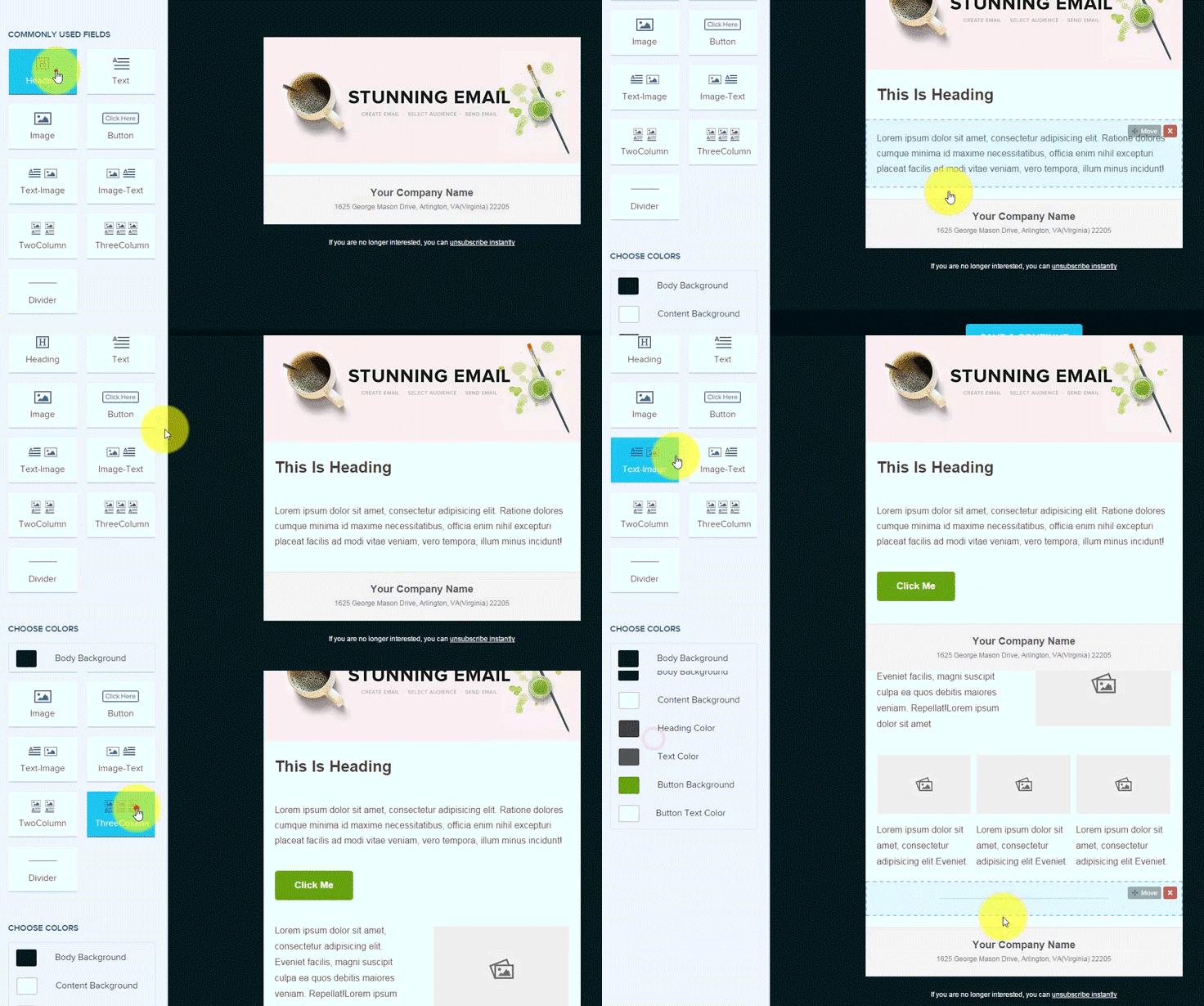
Types Of Fields Included In Email Builder
- Heading
Let you create headings in emails so that you could provide focus on text to grab user attention. Further, MailGet provides you various options to edit the heading such as resize it, change color, alignment, font style, etc.
- Text
The text field allows you to write desired content in multiple styles. You could play with your text in many ways like arrange them in a bullet list or numbered list, highlight and change text color, provide links to text, experiment with different font-styles options and much more.
- Image
Upload your images and insert the link you want. Supports a wide range of image formats like gif, jpg, jpeg, etc.
- Button
Provides you options to edit text on the button, link on the button, control alignment, and full width.
- Text-Image
As the name suggests, it let you add text to the right-hand side and image on the left.
- Image-Text
Displays image on the right side and text on the left.
- Two Column
creates two columns with the image on top and text on the bottom.
- Three Column
It provides three columns with a picture on top and text on the bottom.
- Divider
Places a horizontal line that helps you distinguish between different contents.
- Choose Colors
Personalize your favorite colors for various fields like – text, body background, button background, content, heading and button text.
Save and Preview Email Before Sending
No More Shocks And Surprises!
Preview In Real Time.Another best feature of email creator is to Save the email and see the Inbox Preview of the email before sending the emails to customers. It helps you make sure that your email looks great in any device when subscribers get it.
Save And See!
Benefits Of Responsive Email Design
- Increase Engagement Rates
Deliver your customers an optimal viewing experience by incorporating responsive design in an email. Email communications will become more efficient as your customers can read emails while they’re on the move.
2. Get High Conversion Rates
Well, optimized emails and landing pages help a user to navigate easily throughout the email. They can quickly click to make a purchase with clear visible Call To Actions button. Hence, you could get unlimited orders with a responsive email that ultimately helps you to get high conversion rates.
3. Get Increased Sales
Create great first impression by responsive design as they fit perfectly on all devices and touch-friendly CTA buttons. Once you get success by achieving user’s interest, there are chances that they prefer to make a purchase on mobile rather than desktop. Broad and clear CTA buttons tell them clear motive of purchase.
So, start selling more by optimizing your emails.!!
4. Boost Your Email Click To Open Rates
Responsive emails help you boost click to open rates. There are many studies conducted that proved responsive emails get a higher click-to-open rate as compared to non-responsive ones.
5. Get Reduced Unsubscribes, Delete And Spam Rates
As said before, chances of a user to unsubscribe, delete and mark as spam increases if emails don’t display correctly on their devices. This could affect your email reputation badly. Isn’t it..??
So, start designing responsive emails and stop frustrating your users. Ultimately, get reduced unsubscribes, delete and spam rates with great email delivery.
MailGet email template builder gives you tons of flexibility to design emails that look great across all the clients and all kind of devices.
Note – Drag and drop email template builder generates an error if you miss to include URL in links on text, button or images hence, you can be assured no links were missed in the send emails.
Start taking advantage of mobile revolution and stay ahead in the game of email marketing by adopting responsive designs for emails..!!
You may also have a look at MailGet Documentation

